What's new?

January 2026

Bug fixes and improvements for Jan 29th

  • Added server logs for better debugging
  • Improved preview tab interaction in the VM panel
  • Added favorite button on chat rows in the library
  • Fixed authorization issues preventing unauthorized project access
  • Fixed deployment filtering to show correct projects
  • Fixed chat header title overflow for long names
  • Improved error state UI in preview loading screen

Import any GitHub repo into v0

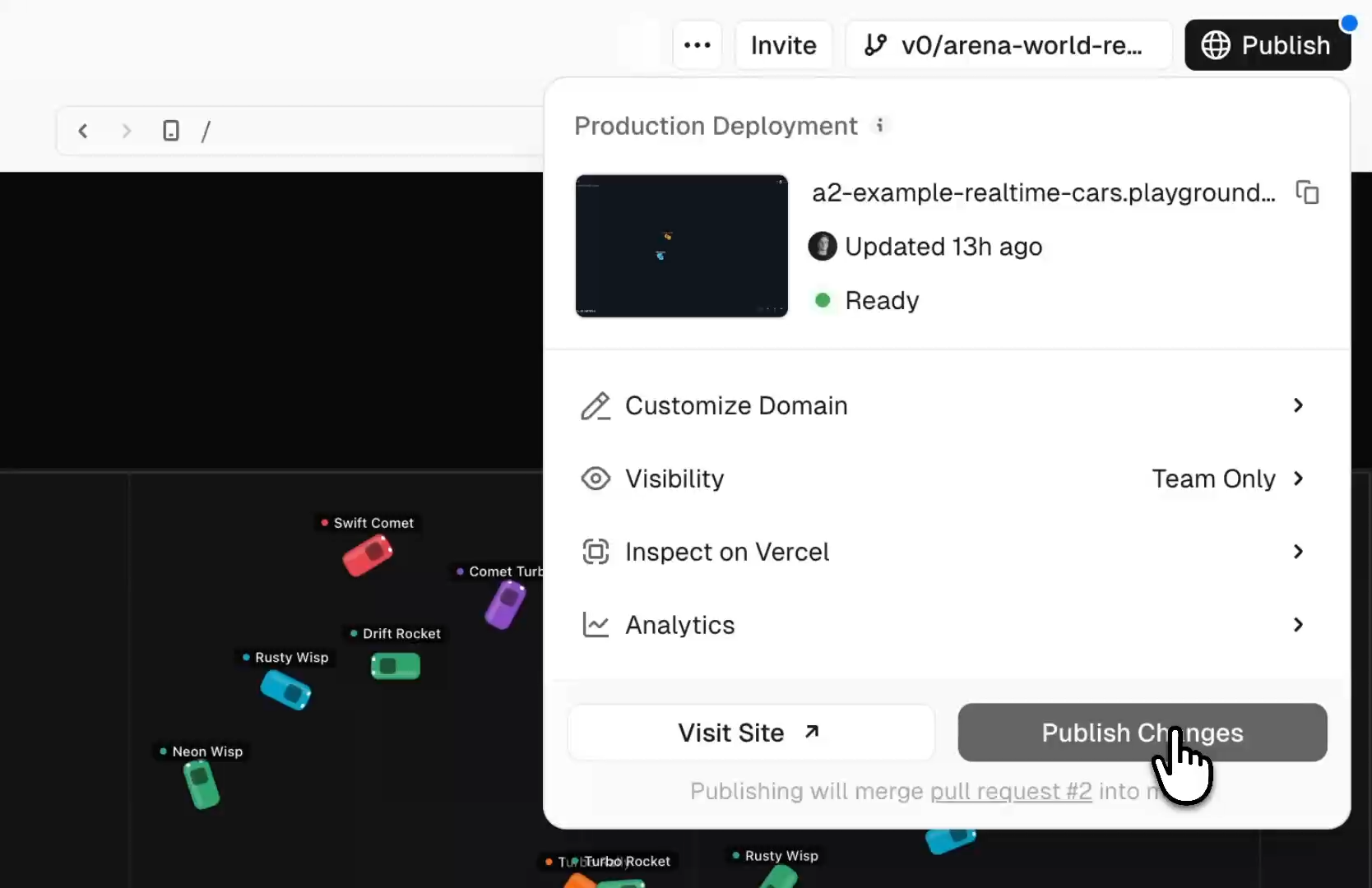
You can now import any GitHub repo into v0 and work on your actual codebase.

View your project, edit it, and ship changes to production. All without leaving v0.

Bug fixes and improvements for Jan 28th

  • Improved Git workflow UI on mobile devices
  • Added toast notification when pull requests are merged
  • Added tooltips for unavailable previews and required status checks
  • Added modals for Library and Projects navigation
  • Updated "Publish PR" to "Open PR" throughout the interface
  • Fixed Data Viewer rendering of Postgres JSON cells
  • Fixed GitHub URL pasting and validation issues
  • Fixed screenshot fetching for deployments

Folders and Projects

We simplified how v0 organizes your work.

  • Folders: group related chats together.
  • Projects: connected to your actual app, with code, environment variables, deployment, and git.

Start a chat in a Project and your infrastructure is already loaded.

Bug fixes and improvements for Jan 27th

  • Fixed GitHub disconnect leaving the UI in a broken state
  • Fixed folder rename not refreshing the cache
  • Fixed hot module reloading not triggering after file syncs
  • Updated token pricing
  • Updated documentation for Folders and Libraries features
  • Released new GitHub flow
  • Released new Folders and Projects structure

Bug fixes and improvements for Jan 21st

  • Added AI SDK v6 support for agents
  • Added credit rollover for the following month
  • Improved integration card design with less prominent skip button
  • Fixed branch naming to use chat title and display in sidebar

Bug fixes and improvements for Jan 20th

  • Improved default repository naming to use Vercel project name
  • Fixed preview URLs redirecting instead of rendering correctly
  • Fixed design system environment variable dialogs

Bug fixes and improvements for Jan 19th

  • Fixed imports bug in projects
  • Fixed Svelte projects when using file tool calls
  • Fixed multi-select questions to allow selecting "Other" alongside other options
  • Improved pricing structure
  • Improved pull request creation with option to push latest changes

Bug fixes and improvements for Jan 16th

  • Fixed fork modal not appearing when users lack write access to a chat in the sidebar
  • Fixed JSON schema parsing errors in programmatic API calls
  • Fixed .then is not a function error in next-lite runtime
  • Added searchable version selector for easier navigation
  • Fixed conversations not auto-resuming after all integrations are connected
  • Added explanatory messages when non-editable text is detected in Design Mode
  • Improved template previews to use deployment URLs

Bug fixes and improvements for Jan 15th

  • Improved model selection to persist per user per team
  • Added template categories to organize starter templates
  • Updated v0 Max pricing

Bug fixes and improvements for Jan 14th

  • Fixed a rare issue with infinite loading and unresponsive header after login
  • Improved chat performance and responsiveness
  • Fixed loading state when starting projects from zip files
  • Added scope selector in the buy credits dialog
  • Improved agent error handling
  • Improved front-end performance across the application

Bug fixes and improvements for Jan 13th

  • Added credits display in the user menu
  • Fixed Git sync error notifications
  • Fixed opening templates that aren't connected to Git
  • Fixed agent-installed dependencies not being properly tracked
  • Fixed docs footer URL redirect on certain pages
  • Fixed all errors related to 'fork keys'
  • Fixed an issue with images not being compacted during long chats

Bug fixes and improvements for Jan 12th

  • Added ability to filter templates by paid/free status
  • Improved project sorting by relevance
  • Fixed Next.js 14 config loading to support function exports
  • Fixed deployment crashes caused by certain code patterns
  • Fixed wizard dialog and banner responsiveness to preview size settings
  • Blocked sending new messages when pending edits exist

Bug fixes and improvements for Jan 8th

  • Improved the speed and token use of the Web Search tool
  • Improved how large inputs are stored in the agent's filesystem for better recall
  • Attachments added via the ?files parameter are now cloned instead of used directly (requested by ChatPRD)
  • Fixed a layout shift when hovering over the upvote/downvote buttons in Safari
  • Improved the error message when an Enterprise user adds an integration they don't have access to
  • Improved the TailwindCSS v4 upgrade flow
  • Fixed a bug causing some Restore actions to fail with a vague error
  • Added an inline chat in the new VS Code editor
December 2025

Build with Glean via MCP

You can now connect v0 to your Glean workspace and build directly from your company's knowledge.

With Glean connected, you can ask v0 to:

  • Generate auth flows from your internal docs
  • Design UI from PRDs stored in Glean
  • Draft website copy from your latest product updates

Ship with full context using Glean and v0.

View announcement

Keyboard shortcuts in Design Mode

You can now use keyboard shortcuts in v0's design mode.

Navigate elements with arrow keys, enter to edit, and ⌘+click to quick select.

v0 can now ask clarifying questions

v0 can now ask clarifying questions before it starts generating to better understand your requirements and create more tailored results.

Linear MCP Integration

You can now connect v0 to your Linear workspace and build straight from your backlog.

With the Linear integration, v0 can:

  • Search across your tickets
  • Pull in info from your projects, teams, and users
  • Create and update issues
View announcement

Build with Notion via MCP

You can now securely connect v0 to your Notion workspace to build using your team's existing context, docs, and databases.

Use Notion x v0 to ship:

  • Dashboards and internal tools built from databases
  • Prototypes from PRDs
  • Presentation slides from outline docs

If it lives in Notion, v0 can build with it.

Read more about how the v0 team replaced a multi-tool workflow with a single prompt using v0 x Notion.

Three new models to choose from

You can now select from three different models in v0:

  • v0 Mini: Fastest and most cost-efficient
  • v0 Pro: Superior performance for most tasks
  • v0 Max: Maximum intelligence for complex work and best designs

Additional React Server Components vulnerabilities patched

Following the React2Shell disclosure, two additional vulnerabilities in React Server Components were discovered and patched:

  • CVE-2025-55184: Denial of Service (DoS) vulnerability
  • CVE-2025-55183: Source code disclosure vulnerability

All v0 projects have been automatically updated to protect against these new vulnerabilities. We strongly recommend enabling Standard Protection for all deployments and auditing shareable links.

View Security Bulletin

Bug fixes and improvements for Dec 10th

  • Fixed default favicons in deployments
  • Added previews for svg and md files to the new editor
  • Added default design systems for Teams
  • Added automatic oauth refresh for MCP servers
  • Added day/week/month usage stats to the Usage page
  • Fixed a rare bug with not showing the right import path when there’s a runtime error in the preview
  • Fixed the Fix with v0 errors from overflowing when the error was long

v0's editor just got a major upgrade

v0's editor just got a major upgrade. You can now:

  • Edit code in a more stable editor
  • Create files and folders
  • Search & replace globally across files
  • View v0's changes in a new diff view
  • Edit files side-by-side with split view

Bug fixes and improvements for Dec 9th

  • Added a /changelog page (that you're looking at now!)
  • Updated Linear's logo
  • Improved MCP UI styles, minor improvements
  • Optimized preview loading performance when using Design Mode
  • Made v0 better at writing code for Postgres integrations
  • Fixed a bug where pending edits were lost when switching between the Code and Preview panels
  • Fixed a bug with showing an AI Gateway connection dialog when it was already connected
  • Added an autofixer when v0 writes a middleware.ts file with Next.js 16
  • Fixed a bug where certain npm modules failed to load in the preview

React2Shell Vulnerability Patch

v0 has now automatically updated every React2Shell-vulnerable project deployed with v0, covering more than 800,000 affected deployments.

Going forward, the v0 agent will detect and recommend a free fix for any projects using vulnerable React or Next.js versions.

View announcement

Buy Custom Domains

You can now easily purchase and add custom domains to your v0 projects directly from the in-chat sidebar.

Bring your own MCPs

You can now bring your own MCPs to v0.

Start with one of our presets or configure your own remote MCP in just a few clicks.

Project Settings in the Sidebar

You can now access project settings in v0 using the in-chat sidebar.

View connected Vercel Projects, GitHub Repositories, or domains, and easily access project analytics.

November 2025

v0 for Students

v0 for Students is now live at 5 more schools:

  • San Francisco State University
  • Arizona State University
  • Georgia Institute of Technology
  • University of Waterloo
  • New York University
v0 for Students
Learn more

Claude Opus 4.5 Preview

You can now use v0 with Claude Opus 4.5 at no extra cost.

Claude Opus 4.5
View announcement

Nano Banana Pro

Nano Banana Pro is now available in v0 via Vercel's AI Gateway.

View announcement

Gemini 3 Pro Preview

All users can now try v0 with Gemini 3 Pro Preview for one week.

View announcement

Sign in with Apple

The v0 iOS app now supports Sign in with Apple.

Get the app

Enterprise

We launched a new Enterprise page.

Enterprise
Learn more

MCP Presets

v0 now supports MCPs for Stripe, Supabase, Neon, and Upstash.

Query databases, seed data, and ask about revenue, all with natural language and zero setup.

View announcement
October 2025

Business Plan

We launched a new plan: Business.

$100/user/month, sits between Team and Enterprise. Includes training opt-out by default, shared credit purchasing, centralized billing, and team collaboration.

Business Plan
View pricing

Environment-Specific Environment Variables

You can now set environment variables for specific environments in v0—Prod, Preview, Dev, or all.

Integration Wizard

We launched a new Integration Wizard for connecting integrations and running scripts. Easily connect services like Supabase directly from the chat.

Work Details

v0 now shows work details after each generation: time worked, files modified, lines of code changed, and credits used.

Work Details

Redesigned Chat Sidebar

We redesigned the chat sidebar with better organization, faster navigation, and a cleaner interface.

You can now manage your Integrations, Rules, Environment Variables, and Design Systems all from your v0 sidebar.

Image Editing with Nano Banana

You can now edit images using Nano Banana in v0. Turn on design mode, select an image, and prompt your changes.

12x Faster Chat Loading

Large chats on v0 now load up to 12x faster.

v0 IRLs

Introducing v0 IRLs. You can now easily apply to host your own v0 meetup or event. Share your event details and apply to receive a v0 IRLs toolkit including credits, swag, and more.

Learn more

Referrals Program

Referrals are now live in v0. Invite a new user to subscribe to v0 with your link, and you each get $20 in v0 credits.

v0 for Students

v0 for students is now live for our first 5 schools: Stanford, Harvard, MIT, and more.

v0 iOS App

The v0 iOS app is now live on the App Store. Build apps on the go with the full power of v0 in your pocket.

Next.js 16 Support

v0 now uses Next.js 16 for all new chats.

Markdown and SVG Preview

You can now preview markdown and SVGs inside v0's editor.

Custom Instructions

Custom Instructions are now available in v0. Use preset instructions like "Be Concise" and "Plan Mode", or create your own and apply them on-demand.

Day 1 Support for New shadcn Components

v0 is now the first place you can access the new components by shadcn.

Fix with v0 is Now Free

It no longer costs credits to use "Fix with v0" when v0 makes an error.