Publish GitHub projects in one step
GitHub-backed projects now have a unified branch-and-Publish flow in v0.
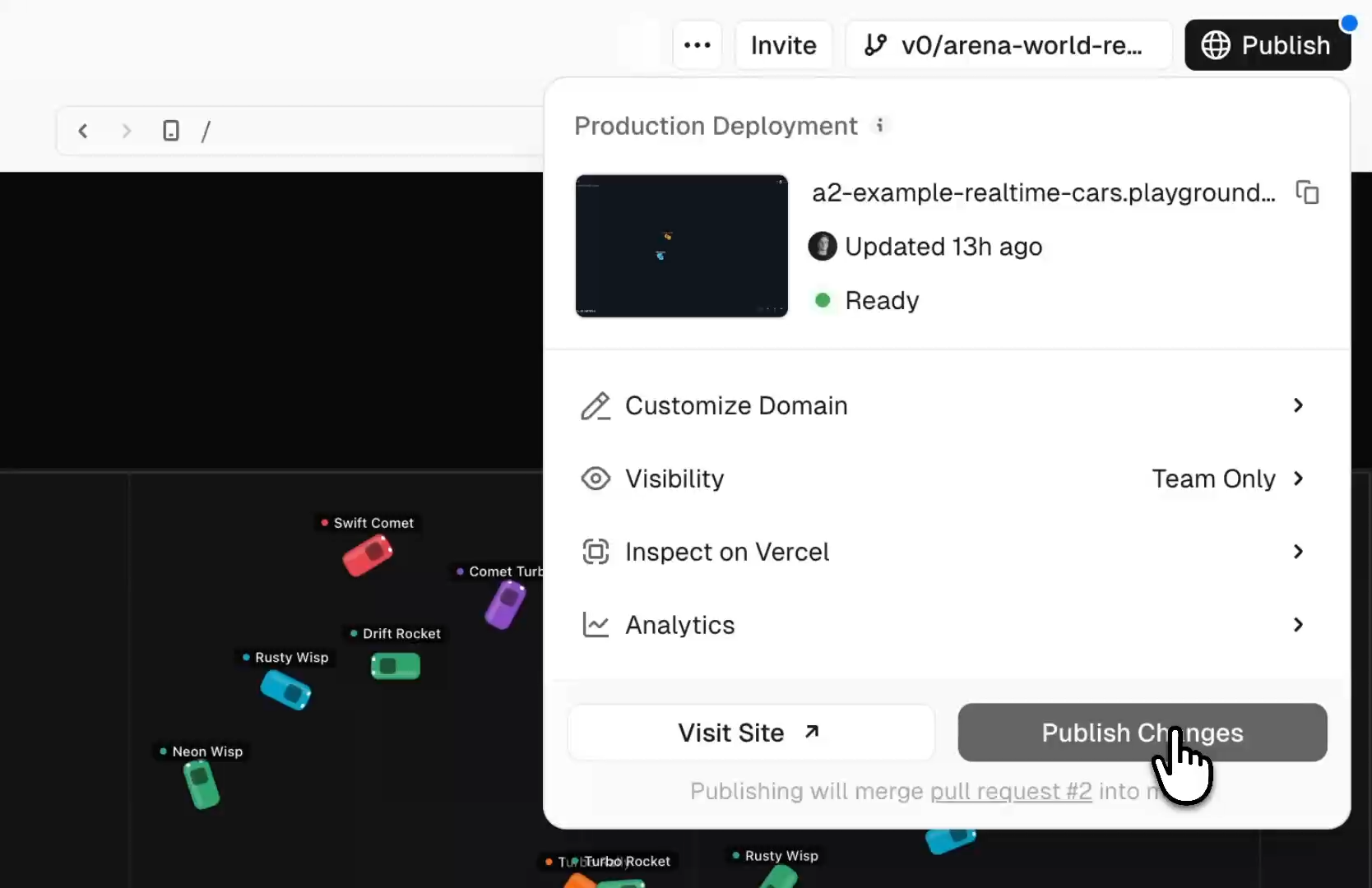
When you are ready, select Publish. v0 creates or reuses the pull request, merges it into the base branch, and deploys the merged result to production. You no longer have to move between separate branch, pull request, merge, and deployment actions for the normal path.
Each change is committed to an isolated working branch and gets a preview deployment, so you can validate the app before anything reaches your base branch.
If you prefer the typical Git workflow, you can still create and merge pull requests directly from the branch menu.
Open the branch menu to:
- Visit the latest preview deployment.
- Review the code diff against the base branch.
- Create, open, or merge a pull request.
- See CI checks and repository-rule status.
- Pull recent changes from the base branch into your working branch.
- Ask v0 to fix preview, CI, or merge issues without leaving the chat.
Your repository remains the source of truth. Required checks, reviews, merge restrictions, and other branch protections still apply. If a rule needs human attention, v0 pauses the flow and links directly to the pull request instead of bypassing it.
Learn more in our docs→