---
title: MCP Integrations
description: Connect and use MCP servers directly in v0
product: v0
type: integration
prerequisites:
  - /docs/quickstart
related:
  - /docs/external-apis
  - /docs/agentic-features
---

# MCP Integrations


## Introduction

MCP stands for [Model Context Protocol](https://modelcontextprotocol.io). It allows v0 to connect to external servers that provide tools and capabilities for enhanced interactions.

v0 offers MCP in two ways:

* **Bring-your-own MCP Servers**: You can set up your own MCP server by configuring it or choosing from a preset. This allows you to host your own MCP server or use one provided by a third party.
* **MCP from Marketplace Integrations**: v0 supports tool calls from integrations installed via the Vercel Marketplace. This allows you to connect services like databases, APIs, and other platforms directly to your v0 chats with no additional setup.

## Bring-your-own MCP Servers

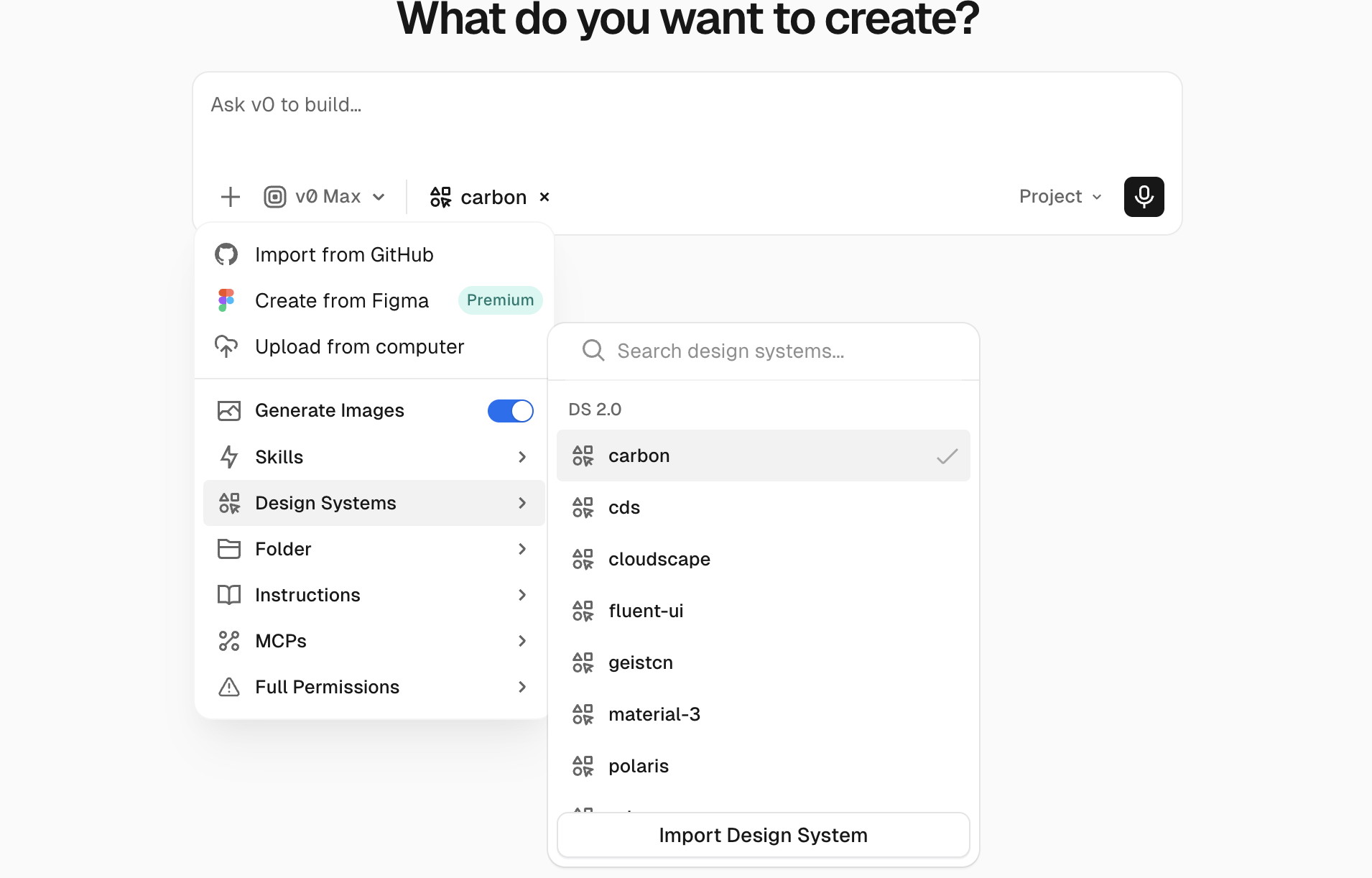
Open the **+** menu in the prompt form and select **MCPs** to use your own MCP server.

<img alt="Prompt Form" src={__img0} placeholder="blur" />

From the MCP menu, you can configure a custom MCP server or select from a preset. Some presets include:

* [Contentful](https://www.contentful.com/): for managing structured content
* [Context7](https://context7.com/): for searching documentation and knowledge bases
* [Glean](https://glean.com/): for querying internal company data
* [Granola](https://granola.ai/): for AI meeting notes and transcription
* [Hex](https://hex.tech): for data analysis and visualization
* [Linear](https://linear.app): for project management and issue tracking
* [Notion](https://notion.com): for accessing and managing Notion databases and pages
* [PostHog](https://posthog.com/): for product analytics and feature flags
* [Sanity](https://sanity.io/): for content management and retrieval
* [Sentry](https://sentry.io/): for error tracking and monitoring
* [Zapier](https://zapier.com/): for connecting to thousands of apps and automating workflows

### Configuring an MCP Server

If you decide to not use a preset, you can manually configure your MCP server. v0 supports four kinds of authentication:

* **No Auth**: for public MCP servers that do not require authentication
* **Custom Headers**: for MCP servers that require an API key or other custom network headers for access
* **Bearer Token**: for MCP servers that use bearer token authentication
* **OAuth**: for MCP servers that support OAuth 2.0 for authentication

### Using the MCP in your generation

Currently, MCP servers only provide tools for v0 to use during generation. When you start a new chat or continue an existing one, v0 will automatically consider the connected MCP servers and their tools when generating responses.
The generation v0 creates cannot use the MCP tools directly. However, you can pair the MCP with other features like Environment Variables for v0 to use in its generations.

## MCP from Marketplace Integrations

v0 supports tool calls from [Vercel Marketplace Integrations](https://vercel.com/changelog/vercel-marketplace-integrations-now-available-in-v0), allowing you to connect services from the Vercel Marketplace directly to your v0 chats. These integrations provide v0 with specialized tools and capabilities to interact with external services like databases, APIs, and other platforms.

With Native Integrations, v0 can:

* Query and manage your databases (e.g., Neon, Supabase, Upstash)
* Ask questions about your products and revenue (Stripe)
* Interact with cloud services and APIs
* Access project-specific resources and data
* Execute operations across your integrated services
* Provide context-aware assistance for your connected tools

## Getting Started

**Important**: Enabling remote MCP for an integration may increase per-message costs and can give v0 access to tools that read or change external data. Review the integration's capabilities and configure your global Agent Permissions before making its tools available.

### Connecting Integrations

1. **Open Integrations**
   * Open **Project menu** → **Settings** → **Integrations**
   * Browse available integrations from the Vercel Marketplace

2. **Install an Integration**
   * Select an integration from the marketplace
   * Follow the authentication and setup flow
   * Grant necessary permissions for v0 to access the service

3. **Configure Integration Settings**
   * After connecting, click on the integration to manage its settings
   * Configure MCP tool availability (see [Availability and approval](#availability-and-approval) below)
   * Set up resource-specific access if applicable

## Availability and approval

MCP tool availability and tool-call approval are separate controls:

1. The integration's **Remote MCP** setting determines whether its tools are available to v0.
2. The chat's global **Ask**, **Auto**, or **Full** permission mode and any Agent Permissions rules determine whether an available tool call runs, asks for confirmation, or is blocked.

Disabling an integration takes precedence because its MCP tools are not added to the agent. No global permission mode can call a tool that is unavailable.

### Integration availability

Native integrations display three Remote MCP settings:

| Setting                   | Current behavior                                                                                            |
| ------------------------- | ----------------------------------------------------------------------------------------------------------- |
| Disabled                  | The integration stays installed, but its MCP server is inactive and its tools are not made available to v0. |
| Ask for Approval (Manual) | The MCP server is active and its tools are available. This is the default setting for new integrations.     |
| Always Run (Auto)         | The MCP server is active and its tools are available.                                                       |

Manual and Auto are enabled states. In the current runtime, those labels do not override the chat's global permission mode or its Agent Permissions rules.

For a custom MCP server, its enabled or disabled state serves the same availability role.

### Global tool approval

After an MCP tool is available, the global mode applies:

| Global mode | MCP tool behavior                                                                                                                                                                                    |
| ----------- | ---------------------------------------------------------------------------------------------------------------------------------------------------------------------------------------------------- |
| Ask         | Calls matched by an `allow` rule run, calls matched by a `deny` rule are blocked, and calls marked `ask` or not matched by a rule require confirmation.                                              |
| Auto        | `allow`, `ask`, and `deny` rules still apply. Unmatched calls generally run automatically; the runtime can request confirmation for tool names its risk check classifies as potentially destructive. |
| Full        | Tool approval evaluation is skipped, so MCP calls run without checking user or team `allow`, `ask`, and `deny` rules.                                                                                |

There is no separate five-second cancellation window after an MCP call. A potentially destructive operation is also not guaranteed to require approval: an `allow` rule or Full mode can let it run without confirmation.

See [Terminal commands: Permission modes](/docs/terminal-commands#permission-modes) for the global modes and rule precedence used by agent tools.

## Managing Integrations

### Configuration Dialog

To manage an integration's settings:

1. Open **Project menu** → **Settings** → **Integrations**
2. Click on a connected integration
3. The **Manage Integration** dialog shows:
   * **Integration Details**: Name, description, and category
   * **Instance Information**: Connected resource name and ID
   * **Documentation Link**: Direct link to Marketplace listing
   * **Remote MCP Toggle**: Configure tool availability
   * **Configure Button**: Access integration-specific settings

### Changing availability

To change an integration's Remote MCP setting:

1. Open the Manage Integration dialog
2. Locate the **Remote MCP** section (marked with a "New" badge)
3. Select your preferred mode:
   * Click the **🚫** icon for Disabled
   * Click the **✋** icon for Ask for Approval
   * Click the **✓** icon for Always Run
4. Changes take effect immediately

### Disconnecting Integrations

To remove an integration:

1. Open the Manage Integration dialog
2. Click **Configure** to access integration settings
3. Follow the integration's disconnect flow on Vercel
4. The integration will be removed from the project's Integrations settings

## Integration Scoping

Many marketplace MCPs operate globally, but v0 scopes them to specific projects and resources:

* **Project-Specific**: Integrations are linked to your v0 project
* **Resource-Specific**: Database integrations target specific database instances
* **Context-Aware**: v0 automatically provides resource context to ensure commands target the correct service

When v0 uses an integration, it includes context like:

* Resource ID (e.g., specific database instance)
* Integration instance name
* Project associations

This ensures all operations are scoped correctly and prevents accidental cross-project operations.

## Examples

### Database Integration

After connecting a Neon database integration:

```
User: "Show me the schema for my users table"

v0: [Uses neon_query tool to inspect schema]
    "Your users table has these columns:
    - id (uuid, primary key)
    - email (varchar)
    - created_at (timestamp)
    - updated_at (timestamp)"
```

## Related Resources

* [Vercel Marketplace](https://vercel.com/marketplace) - Browse available integrations
* [v0 MCP Server](/docs/api/v2/guides/mcp-server) - Use v0 as an MCP server in your IDE


---

For a semantic overview of all documentation, see [/docs/sitemap.md](/docs/sitemap.md)

For an index of all available documentation, see [/docs/llms.txt](/docs/llms.txt)

For agent-facing discovery, including API and MCP surfaces, see [/docs/agents.md](/docs/agents.md)

---
title: Account
description: Manage your account and billing information.
product: v0
type: guide
prerequisites:
  - /docs/quickstart
related:
  - /docs/pricing
  - /docs/teams
---

# Account


You can manage your account from the settings page. To access it, open the user menu in the bottom-left corner of the interface and select **Settings**.

## Billing

Billing information and credit balances can be viewed from the [**Billing section**](https://v0.app/settings/billing). This includes your current plan, credit balances and expiry schedules, payment methods, and invoices. Viewing invoices will take you to your Vercel dashboard.

<LearnMore href="/docs/pricing" icon="arrow">
  Learn more about pricing
</LearnMore>

## Cancelling your subscription

You can cancel your subscription at any time. To do this:

1. Ensure you have selected the scope whose subscription you want to cancel using the dropdown located at the top left of the page
2. Open the user menu in the bottom-left corner of the interface
3. Click **Settings**
4. Click on **Billing** in the sidebar
5. In the **Current Plan** section, click on **Cancel Plan**

This will move your account to the free plan at the end of your current billing period.

## Transferring your chats

You can transfer chats between any of your available scopes, either team or personal. When a chat has a linked Vercel project, the project is transferred along with it if you are an [Owner](https://vercel.com/docs/rbac/access-roles#owner-role) of the project's current team. You can transfer a single chat from the chat header menu, or transfer multiple chats at once from [Settings → Workspace](https://v0.app/settings/workspace).

<LearnMore href="/docs/teams#transferring-chats-and-projects" icon="arrow">
  Learn more about transferring chats and projects
</LearnMore>

## Account recovery

Once an account or team has been confirmed for deletion, the deletion process cannot be stopped nor the account recovered. If you wish to reuse, you will need to wait 7 days to sign up with the same email address.

For chats, when you archive a chat, it is stored in your [chat archive](https://v0.app/chats?kind=archived). Chats stay in your archive for 30 days, during which they can be restored before being permanently deleted.


---

For a semantic overview of all documentation, see [/docs/sitemap.md](/docs/sitemap.md)

For an index of all available documentation, see [/docs/llms.txt](/docs/llms.txt)

For agent-facing discovery, including API and MCP surfaces, see [/docs/agents.md](/docs/agents.md)

---
title: Agentic features
description: v0's intelligent agent capabilities for web search, browser use, terminal commands, error fixing, and external tool integration.
product: v0
type: conceptual
prerequisites:
  - /docs/quickstart
related:
  - /docs/terminal-commands
  - /docs/pre-installed-agents
  - /docs/MCP
  - /docs/sandbox
---

# Agentic features


import { FREE_FIX_WITH_V0_LIMIT } from '@internal/shared/lib/free-fix-with-v0'

v0 is an intelligent agent that can autonomously perform complex tasks beyond generating code. It combines web search, browser use, error fixing, terminal commands, and external tool integration into a development assistant that acts on your behalf. Every action runs inside an isolated [sandbox](/docs/sandbox), and you control how much autonomy v0 has.

## Core Agent Capabilities

### Web search

v0 can search the web in real time when you ask about current information, documentation, or APIs. Results appear inline with clickable source links so you can verify them.

### Browser use

v0 can open the apps it builds, use them, critique designs, debug complex flows, and fix things proactively. While it works, v0 sends you screenshots of what it sees. It can also visit external URLs to capture visual references or inspect a page's layout before recreating it.

### Automatic error fixing

When v0 detects errors in your project, it can diagnose and fix them automatically as part of the generation loop.

**Types of errors it fixes:**

* Missing files and dependencies
* Code syntax and formatting issues
* Runtime errors and bugs
* Import and export problems

### Fix with v0

When a deployment has errors or warnings, a **Fix with v0** button appears in the deployment popover. Clicking it sends the error logs to v0, which diagnoses the issue and applies a fix automatically.

**Credits and free usage:**

* Premium, Team, Business, and Enterprise plans get up to <strong>{FREE_FIX_WITH_V0_LIMIT} free Fix with v0 uses per day</strong>. The button shows a "Free" badge when free uses are available.
* Free fixes apply to **unedited code** — if you've manually edited the source before clicking Fix, it uses credits.
* After the daily free cap is reached, Fix with v0 still works but consumes credits like a normal prompt.

See [Deployments — Troubleshooting](/docs/deployments#troubleshooting) for more on resolving deployment issues.

## External tool integration

### Marketplace integrations

v0 integrates with services from the [Vercel Marketplace](https://vercel.com/marketplace), including databases (Neon, Supabase, Upstash), payment providers (Stripe), and AI model platforms. Install and manage them from **Project menu** → **Settings** → **Integrations**. Marketplace integrations can also expose tools that v0 calls during generation to query your data, manage resources, or execute operations on your behalf.

### MCP servers

For services outside the Marketplace, v0 supports the [Model Context Protocol (MCP)](/docs/MCP). You can bring your own MCP servers (Linear, Notion, Sentry, and others) or choose from presets. MCP servers provide v0 with additional tools it can use during generation.

<LearnMore href="/docs/MCP" icon="arrow">
  Set up MCP integrations
</LearnMore>

## Terminal commands

v0 can run shell commands inside the [sandbox](/docs/sandbox) to test interactions, inspect your repo, run unit tests, and call platform CLIs like Vercel and GitHub. You control how much autonomy v0 has through three [permission modes](/docs/terminal-commands#permission-modes): Ask, Auto, and Full.

<LearnMore href="/docs/terminal-commands" icon="arrow">
  See what v0 can do in the terminal
</LearnMore>

## How agent capabilities work

v0's agent system works in the background to help you accomplish complex tasks. When you ask v0 to perform actions that require external information or tools, it automatically:

* **Coordinates multiple tasks**: Handles complex workflows involving multiple steps
* **Maintains context**: Remembers previous actions and results throughout the conversation
* **Provides real-time feedback**: Shows you what it's doing as it works
* **Handles errors gracefully**: Recovers from issues and tries alternative approaches

## User interface

### Real-time feedback

v0 shows you what it's doing as it works:

* **Progress indicators**: Live updates on each agent action
* **Browser screenshots**: Visual snapshots from browser use sessions
* **Citation links**: Clickable sources from web search results
* **Tool execution cards**: Status updates for terminal commands and external tool calls

### Agent control

You have full control over agent execution:

* **Stop**: Interrupt the agent at any time
* **Auto-continue**: v0 progresses through multi-step tasks automatically
* **Task visibility**: Each step the agent takes is visible in the chat

## Getting started

v0 picks the right capability based on what you ask:

* **"Search for the latest React best practices"** triggers a web search.
* **"Open my app and test the signup flow"** launches a browser use session.
* **"Check the latest Vercel deployment logs"** calls the Vercel CLI through the terminal.
* **"Connect to my Supabase database"** sets up a Marketplace integration.
* **"Run the unit tests and fix any failures"** uses the terminal.

v0 will automatically use the appropriate capabilities based on what you're asking for, with clear visual feedback showing what it's doing.

<LearnMore href="/docs/quickstart" icon="arrow">
  Get started with v0
</LearnMore>


---

For a semantic overview of all documentation, see [/docs/sitemap.md](/docs/sitemap.md)

For an index of all available documentation, see [/docs/llms.txt](/docs/llms.txt)

For agent-facing discovery, including API and MCP surfaces, see [/docs/agents.md](/docs/agents.md)

---
title: AI models
description: Add AI functionality to your v0 projects by integrating AI models and platforms.
product: v0
type: integration
prerequisites:
  - /docs/quickstart
related:
  - /docs/external-apis
  - /docs/databases
---

# AI models


v0 can build AI functionality into your projects by integrating with AI platforms or by using API keys for specific providers.
By default, v0 uses the [Vercel AI Gateway](https://vercel.com/ai-gateway) to connect to various AI models.

### Using the Vercel AI Gateway

To use the Vercel AI Gateway, no additional setup is required. v0 is pre-configured to connect to the gateway and access supported AI models.

### Marketplace integrations

v0 integrates with AI platforms like [fal](https://fal.ai/) and [Deep Infra](https://deepinfra.com/). You can also connect directly to [Grok by xAI](https://x.ai/grok).

From **Project menu** `...` → **Settings** → **Integrations**, you'll see supported providers. Click **Install** to open the Marketplace and accept click-through terms to activate an integration.

<Image alt="v0 integration options" src="/docs/light/ai-models.png" srcDark="/dark/ai-models.png" width={1082} height={1464} />

### APIs

To integrate with third-party AI models such as [OpenAI](https://openai.com/), you can add the necessary environment variables (e.g. `OPEN_AI_API_KEY`) from **Project menu** `...` → **Settings** → **Environment Variables**.

v0 will now use this variable when prompted to generate AI functionality.


---

For a semantic overview of all documentation, see [/docs/sitemap.md](/docs/sitemap.md)

For an index of all available documentation, see [/docs/llms.txt](/docs/llms.txt)

For agent-facing discovery, including API and MCP surfaces, see [/docs/agents.md](/docs/agents.md)

---
title: Code editing
description: Edit v0's code output directly in the browser.
product: v0
type: guide
prerequisites:
  - /docs/quickstart
related:
  - /docs/text-prompting
  - /docs/design-mode
---

# Code editing


v0 includes a full-featured code editor with syntax highlighting, global search, diff views, split editing, and more.

<Video src="/docs/videos/code%20editor.mp4" />

## Basic editing

Select the **Code** tab in the preview toolbar to access the editor. You can edit any file directly. When you make changes, an "Unsaved Changes" banner appears where you can save or reset. Press `Cmd+S` (Mac) or `Ctrl+S` (Windows/Linux) to save.

<Image alt="Switching from preview to code view" src="/docs/light/switchlight.gif" srcDark="/dark/switchdark.gif" width={1200} height={800} />

## Editor features

v0 integrates a capable IDE that includes many of the expected features along with their shortcuts, such as:

* **Syntax highlighting**: Code is properly highlighted based on the file type
* **Line numbers**: Easily navigate through your code with line numbers
* **Find and replace**: Press `Cmd+F` / `Ctrl+F` to search within the current file
* **Global search**: Press `Shift+Cmd+F` / `Shift+Ctrl+F` to search across all files. Filter results with "files to include" and "files to exclude" options
* **File Explorer**: Press `Cmd+B` / `Ctrl+B` to toggle the file explorer panel

### Diff view

View v0's changes in the diff view. This helps you understand exactly what was modified in each generation. Click the **Toggle Diff View** button in the editor toolbar to enable it.

<Image alt="Diff view showing code changes" src="/docs/light/diffviewlight.png" srcDark="/dark/diffviewdark.png" width={3154} height={1774} />

### Split view

Edit files side-by-side with split view. Click the **Split Layout** button in the editor toolbar to open a second editor panel. This is useful when you want to view v0's changes in diff view while making additional edits in another panel, or when working on related files like a component and its styles.

<Image alt="Split view with two files side by side" src="/docs/light/splitviewlight.png" srcDark="/dark/splitviewdark.png" width={3154} height={1774} />

### File management

You can create, rename, and delete files directly in the editor:

* **Create a file**: Click the new file icon in the File Explorer header, or right-click in the file tree
* **Create a folder**: Click the new folder icon in the File Explorer header, or right-click in the file tree
* **Rename a file**: Right-click on a file and select "Rename"
* **Delete a file**: Right-click on a file and select "Delete"

### Toolbar actions

The editor toolbar provides quick access to common actions:

* **Copy File**: Copy the current file's contents to your clipboard
* **Toggle Diff View**: Show or hide the diff view for the current file
* **Split Layout**: Toggle split view to edit two files side-by-side


---

For a semantic overview of all documentation, see [/docs/sitemap.md](/docs/sitemap.md)

For an index of all available documentation, see [/docs/llms.txt](/docs/llms.txt)

For agent-facing discovery, including API and MCP surfaces, see [/docs/agents.md](/docs/agents.md)

---
title: Custom domain
description: Add custom domains to your v0 deployments to give your applications a professional, branded URL.
product: v0
type: guide
prerequisites:
  - /docs/deployments
related:
  - /docs/deployments
  - /docs/vercel-integration
---

# Custom domain


v0 provides all deployments with a unique `vercel.app` URL, but you can add custom domains to give your applications a professional, branded web address.

Once you have a deployment available, you can add a custom domain directly from the v0 interface:

## Step 1: Access the Domains menu

You can access your project's domains settings from either:

* **Publish** → **Customize Domain**
* **Project menu** `...` → **Settings** → **Domains**

## Step 2: Choose your domain option

When you click **Add**, you'll have two main options:

### Option A: Use an available `.vercel.app` domain

* Select from available `.vercel.app` domains
* These are free and instantly available
* Perfect for testing and development
* Automatically configured with HTTPS

### Option B: Add your own custom domain

* Enter your own domain name (e.g., `myapp.com`)
* Requires DNS configuration with your domain registrar
* Provides professional branding
* Full control over your domain

## Configuring your own custom domain

If you choose to use your own domain, you'll need to configure it through the Vercel console:

1. **Click "Inspect on Vercel"** from the Publish menu
2. **Follow the detailed instructions** in the Vercel dashboard
3. **Configure DNS records** with your domain registrar

For complete instructions on setting up custom domains, including DNS configuration and domain management, see the [Vercel documentation on adding domains](https://vercel.com/docs/domains/working-with-domains/add-a-domain).

## Next steps

* [Learn about deployments](/docs/deployments)
* [Explore Vercel's domain features](https://vercel.com/docs/domains)


---

For a semantic overview of all documentation, see [/docs/sitemap.md](/docs/sitemap.md)

For an index of all available documentation, see [/docs/llms.txt](/docs/llms.txt)

For agent-facing discovery, including API and MCP surfaces, see [/docs/agents.md](/docs/agents.md)

---
title: Databases
description: Build full-stack applications with v0's database integrations.
product: v0
type: integration
prerequisites:
  - /docs/quickstart
related:
  - /docs/external-apis
  - /docs/full-stack-apps
  - /docs/snowflake
---

# Databases


When building applications, it can be useful to add data persistence to properly mock out more complex flows. v0 enables simple, one-click database integrations with popular providers, including [Upstash](https://upstash.com/), [Neon](https://neon.com/), [Supabase](https://supabase.com/), and [Vercel Blob](https://vercel.com/docs/vercel-blob).

For data warehouse workflows, you can also connect [Snowflake](/docs/snowflake) to build data apps, query accessible tables, and deploy apps to Snowflake.

<Video src="/docs/videos/database-integrations.mp4" />

## Setting up a database

You can connect a database to v0 from a chat thread or project.

### From settings

Go to **Project menu** `...` → **Settings** → **Integrations** to see available database options.

* To reuse an existing database, click the arrow to select from previously created stores.
* To add a new one, click **Create** to open the Marketplace and accept the provider's terms.

Once setup, newer generations in this project will be able to use the connected database.

### From a chat thread

<Image alt="Database integration prompt from chat UI" src="/docs/light/chat-database.png" srcDark="/dark/chat-database.png" width={1436} height={394} />

You can also connect a database directly from chat.

* Click the suggested action, or
* Ask v0 to add a database integration.

Either path opens the Marketplace with click-through terms for supported providers.

### Managing integrations

Adding an integration provisions a new user account on that service and adds the necessary environment variables to your project. You can manage these integrations through the [Vercel Marketplace](https://vercel.com/d?to=%2F%5Bteam%5D%2F%7E%2Fintegrations\&title=Go+to+Vercel+Marketplace).

When you add an integration requiring an environment variable outside of general setup, you will be prompted in the chat to add the necessary variables. You can also add your own environment variables anytime from **Project menu** `...` → **Settings** → **Environment Variables**.

For SQL-based integrations, can generate and execute SQL. This lets you create, update, and drop tables.

For [AI models](/docs/ai-models), you can set spend limits, auto-top-ups, and other settings during setup. This allows you to control your usage and costs.


---

For a semantic overview of all documentation, see [/docs/sitemap.md](/docs/sitemap.md)

For an index of all available documentation, see [/docs/llms.txt](/docs/llms.txt)

For agent-facing discovery, including API and MCP surfaces, see [/docs/agents.md](/docs/agents.md)

---
title: Deployments
description: Deploy your v0 chats to Vercel with one click and manage production deployments.
product: v0
type: guide
prerequisites:
  - /docs/quickstart
related:
  - /docs/custom-domains
  - /docs/vercel-integration
  - /docs/projects
---

# Deployments


import { FREE_FIX_WITH_V0_LIMIT } from '@internal/shared/lib/free-fix-with-v0'

Deploy your v0 chats to Vercel with just a few clicks. v0 integrates seamlessly with Vercel's platform to provide enterprise-grade hosting, automatic deployments, and global CDN distribution.

## Publishing to production

To deploy your v0 chat to production:

1. **Open your chat** in v0
2. **Click "Publish"** in the chat interface, and then choose **Publish to Production**
3. **Wait for deployment** - v0 will automatically build and deploy your code to Vercel's platform
4. **Get your production URL** - Your app will be live at a unique Vercel URL

The "Publish to Production" action creates a **Production deployment** of your application using Vercel's infrastructure. This deployment is optimized for performance and includes features like:

* Global CDN distribution
* Automatic HTTPS
* Edge caching
* Performance monitoring
* Analytics integration

## Project and URL management

### One production URL per Project

Each [project](/docs/projects) has **one production URL**. This means:

* When you publish a chat for the first time, a new Vercel project is created with its own production URL
* If you connect multiple chats to the same Vercel project, deploying from any of them updates the same production URL
* The production URL remains consistent for your Vercel project across all deployments

### Managing multiple deployments

If you want to maintain multiple versions of your application:

* **Deploy to separate Vercel projects** for different versions or features
* **Use our [GitHub integration](/docs/github)** to publish previews before going live
* **Leverage Vercel's branching strategy** for development workflows

For more information on managing deployments with Git, see the [GitHub documentation on branching](https://docs.github.com/en/pull-requests/collaborating-with-pull-requests/proposing-changes-to-your-work-with-pull-requests/about-branches) and [Vercel's preview deployments guide](https://vercel.com/docs/deployments/preview-deployments).

## Updating your deployment

As you continue to iterate on your application:

1. **Make changes** to your code or chat with v0
2. **Open the Publish menu** in your chat
3. **Click "Publish Changes"** to update your production deployment
4. **Your app updates instantly** with zero downtime

Each "Deploy Changes" action creates a new deployment that replaces the previous production version, ensuring your users always see the latest version of your application.

## Built with v0 badge

Deployed apps can display a **"Built with v0"** badge in the bottom-right corner of the page. The badge links visitors back to v0 and the project that created the app.

* **Toggle**: Go to **Project menu** `...` → **Settings** → **Vercel Project** to turn the badge on or off.
* **Default behavior**: The badge is shown by default for free-plan users. Paid users can disable it from **Project menu** `...` → **Settings** → **Vercel Project**.
* **Dismissable**: Visitors can close the badge on any individual page.

## Advanced deployment settings

For fine-grained control over your deployment:

1. **Click "Inspect on Vercel"** from the **Publish** card
2. **Access the Vercel Dashboard** for your deployment
3. **Configure advanced settings** including:

### Environment variables

* Set production environment variables
* Configure API keys and secrets
* Manage different environments (production, preview, development)

### Domain management

* Add custom domains
* Configure DNS settings
* Set up domain redirects

### Web analytics and speed insights

* Track page views and user interactions
* Monitor Core Web Vitals and performance metrics

### Deployment protection

* Enable password protection for your deployment
* Restrict access to specific users or teams
* Set up deployment previews for testing

### Monitoring and analytics

* View deployment analytics
* Monitor performance metrics
* View error tracking

For detailed information about Vercel project settings, see the [Vercel documentation on project configuration](https://vercel.com/docs/projects/project-configuration).

## Deployment policies

Teams can configure **Deployment Policies** — a set of rules that control which Git sources and deployment mechanisms (Git, Vercel CLI, REST API, Deploy Hooks, Marketplace integrations) are allowed to create deployments for the team or a specific project.

If your team has a deployment policy that restricts deployment sources, publishing from v0 may be blocked for the affected environments. A team Owner can adjust the policy at the team level, or override it for a specific project, to allow v0 deployments.

To learn more, see the [Deployment Policy documentation on Vercel](https://vercel.com/docs/deployments/deployment-policy).

## Troubleshooting

### Common issues

**Deployment fails:**

* **Use Fix with v0** — When a deployment has errors or warnings, click the **Fix with v0** button in the deployment popover. v0 will diagnose the issue and apply a fix. On paid plans, you get up to {FREE_FIX_WITH_V0_LIMIT} free uses per day on unedited code; after that, fixes cost credits like a normal prompt. See [Agentic Features — Fix with v0](/docs/agentic-features#fix-with-v0) for details.
* **Go back one version** — If v0 can't fix it, revert to the previous working version.
* **Re-prompt to avoid the error** — Adjust your prompt to generate code that won't cause deployment issues.

**Deployment is blocked by your team:**

* Check whether your team has a [deployment policy](#deployment-policies) restricting deployment sources for the environment you're publishing to.

## Next steps

* [Learn about custom domains](/docs/custom-domains)
* [Explore Vercel's advanced features](https://vercel.com/docs)
* [Set up monitoring and analytics](https://vercel.com/docs/analytics)
* [Configure environment variables](https://vercel.com/docs/environment-variables)


---

For a semantic overview of all documentation, see [/docs/sitemap.md](/docs/sitemap.md)

For an index of all available documentation, see [/docs/llms.txt](/docs/llms.txt)

For agent-facing discovery, including API and MCP surfaces, see [/docs/agents.md](/docs/agents.md)

---
title: Design mode
description: Visually edit your app by selecting elements, tweaking styles, and applying the results back to your code.
product: v0
type: guide
prerequisites:
  - /docs/quickstart
related:
  - /docs/code-editing
  - /docs/figma
---

# Design mode


Design mode provides an intuitive, visual way to refine your app's user interface. It lets you select any element in the live preview, tweak its styles with a visual panel (and/or natural-language instructions), and then apply those edits back to your source code.

<Video src="/docs/videos/design-mode.mp4" />

### Enabling design mode

Open Design mode by selecting the **Design** tab in the preview toolbar.

<Image alt="Design mode button in the prompt form" src="/docs/light/design-mode.png" srcDark="/dark/design-mode.png" width={616} height={238} />

Design mode opens beside your running app and provides layers, selection controls, and an editing panel.

Design mode is only available on chats that use the latest preview runtime, and only on the latest version of the chat. It is not available on read-only chats or on mobile viewports.

### Selecting elements

With design mode on, your cursor becomes a selection tool. As you hover over your running app in the preview, elements are highlighted. Click an element to select it, and v0 will show selection handles plus the design panel for that element.

To toggle between selecting elements and interacting with your app normally, use the **Inspect** control in the design panel, or press `Cmd + I` / `Ctrl + I`. Press `Escape` to deselect the current element.

<Image alt="Selecting an element" src="/docs/light/design-element.png" srcDark="/dark/design-element.png" width={2970} height={1704} />

### Modifying elements

Once an element is selected, you have two ways to change it — and you can combine them on a single element before applying.

#### 1. The design panel (for fine-tuning)

The design panel offers a suite of controls for making precise visual adjustments. It's ideal for tweaking styles to perfection. The panel includes:

<Image alt="Design panel controls" src="/docs/light/controls.png" srcDark="/dark/controls.png" width={1528} height={2226} />

* **Typography**: Font family, size, weight, line height, letter spacing, alignment, and text decoration.
* **Color**: Text color.
* **Background**: Background color.
* **Layout**: Margin and padding on all sides.
* **Border**: Border color, style, and width.
* **Appearance**: Opacity and corner radius.
* **Shadow**: Add or customize box shadows.
* **Content**: Directly edit the text content of an element.

Tweaks made in the panel are applied live in the preview so you can see the result immediately. They're held as pending edits until you apply them (see below).

Design mode detects when your app is using Tailwind CSS and will surface Tailwind-compatible values where appropriate. Class and token coverage depends on what's defined in your project.

#### 2. Instructions (for complex changes)

For anything structural or hard to express in the panel — "add a button next to this text", "make this a three-column grid", "match the style of the card above" — type a natural-language instruction into the text box in the design panel. v0 automatically attaches a screenshot of the selected element along with your instructions.

<Image alt="Prompting v0 while in design mode" src="/docs/light/design-prompt.png" srcDark="/dark/design-prompt.png" width={2966} height={1700} />

#### Undo, redo, reset, and preview

While you're editing, the panel exposes controls to help you iterate before committing:

* **Undo / Redo**: Step back and forward through your pending tweaks.
* **Reset**: Clear all pending design-mode edits on the current element.
* **Before / after preview**: Temporarily toggle off all pending edits so you can compare your changes with the original.

Pending edits are kept until you apply them or leave the chat. If you try to navigate away while there are unapplied edits, v0 will warn you.

### Applying your edits

When you're happy with your changes, click **Apply** in the design panel. v0 serializes your edits (and any instructions / screenshots), sends them to the chat, and generates an updated version of your project that reflects the changes in your source code. Because Apply produces a new chat version, you can review the diff, keep iterating, or revert just like any other v0 edit.

<Image alt="Apply button in the design panel" src="/docs/light/design-save.png" srcDark="/dark/design-save.png" width={1698} height={262} />

### Key features

* **Works on your real app**: Design mode runs against the live preview of your project, so what you see is exactly what your users will see.
* **Visual and prompt-based edits together**: Combine precise panel tweaks with natural-language instructions on the same element before applying.
* **Edits are committed as a new version**: Applying creates a normal v0 chat version, so every design-mode change is diffable, reviewable, and revertable.
* **Tailwind-aware**: When your app uses Tailwind CSS, design mode surfaces Tailwind-compatible values where possible.


---

For a semantic overview of all documentation, see [/docs/sitemap.md](/docs/sitemap.md)

For an index of all available documentation, see [/docs/llms.txt](/docs/llms.txt)

For agent-facing discovery, including API and MCP surfaces, see [/docs/agents.md](/docs/agents.md)

---
title: Design Systems 2.0
description: Teach v0 to build with your team's components, tokens, and design system conventions.
product: v0
type: guide
prerequisites:
  - /docs/quickstart
related:
  - /docs/figma
  - /docs/design-mode
  - /docs/instructions
  - /docs/teams
  - /docs/api/v2/guides/design-systems
---

# Design Systems 2.0


Design Systems 2.0 lets you teach v0 your design system once, so chats can build with your real components, tokens, and conventions.

<Video src="/docs/videos/design-systems-2-JO2JVwlSjIN3YNB4EHDFuMPeJhNHXD.mp4" caption="Create and use custom design systems in v0." />

A design system is saved as a **skill** in your current scope, such as a team or personal workspace. A skill is a small, focused set of instructions v0 keeps with your work and pulls in when relevant. A design system skill is not a copy of your docs; it is an adapter that tells v0 where your source lives, which components, props, and tokens are safe to use, and how to wire the system into new apps.

<Callout>
  Looking for the legacy `shadcn/ui` registry guide? See [Design systems](/docs/design-systems).
</Callout>

## Before you begin

Gather any sources that define your design system today. You do not need all of these to start; add what you have, and if v0 needs more context it will ask follow-up questions during import.

* **Installable design system package**: A public or private npm package, `.tgz`/`.tar` archive, or source directory with its own `package.json`. If you only have loose CSS, theme files, Figma frames, or components, v0 asks whether you can provide a package or want v0 to create a new installable package from those sources.
* **Design system source**: The repository or package where components and tokens live.
* **A real app that consumes it**: Often the most valuable source because it shows providers, global styles, fonts, theme setup, and correct component usage. Your marketing site or main dashboard works well.
* **Storybook, docs, or design guidelines**: Links that explain components, props, tokens, layout rules, and brand conventions.
* **Figma frames or nodes**: Visual references that show composition, density, typography, and component usage.
* **Private package credentials**: Add tokens such as `NPM_TOKEN` as [Development shared environment variables](https://vercel.com/docs/environment-variables/shared-environment-variables) so v0 can install private packages.
* **Install instructions and examples**: Include READMEs, setup commands, and examples of correct usage for common components.

<Callout>
  Keep sources consistent. Avoid mixing unrelated design systems, frameworks,
  or old docs that contradict the current package API.
</Callout>

## Import a design system

Start a new import from the [Design Systems page](https://v0.app/design-systems). Point v0 at the sources that define your system, such as the GitHub repository, a consumer app, Figma frames, and docs. v0 reads them, builds a starter app to verify it understands your system, and saves a skill in the current scope. If a team-scoped import cannot be saved to the team, v0 asks before saving it as a personal-only skill.

### 1. Add your sources

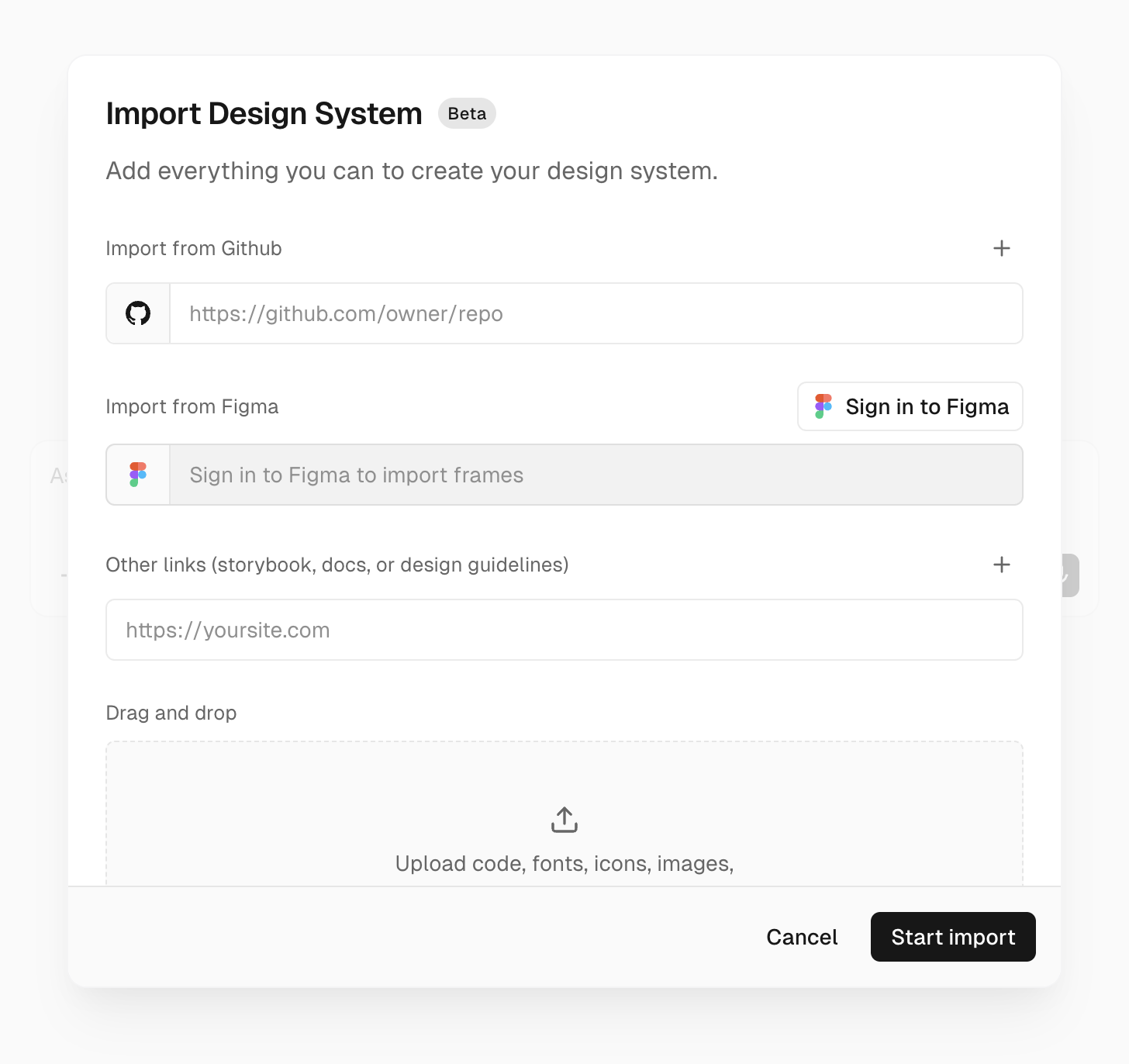
In the import form, add any sources v0 should use to learn your system:

<figure className="flex items-center justify-center">
  <img alt="Import Design System form with GitHub, Figma, links, attachments, notes, and environment variables" className="h-auto w-full rounded-sm shadow-sm dark:hidden" src="/docs/assets/docs-images/design-systems-import-form-light.png" />

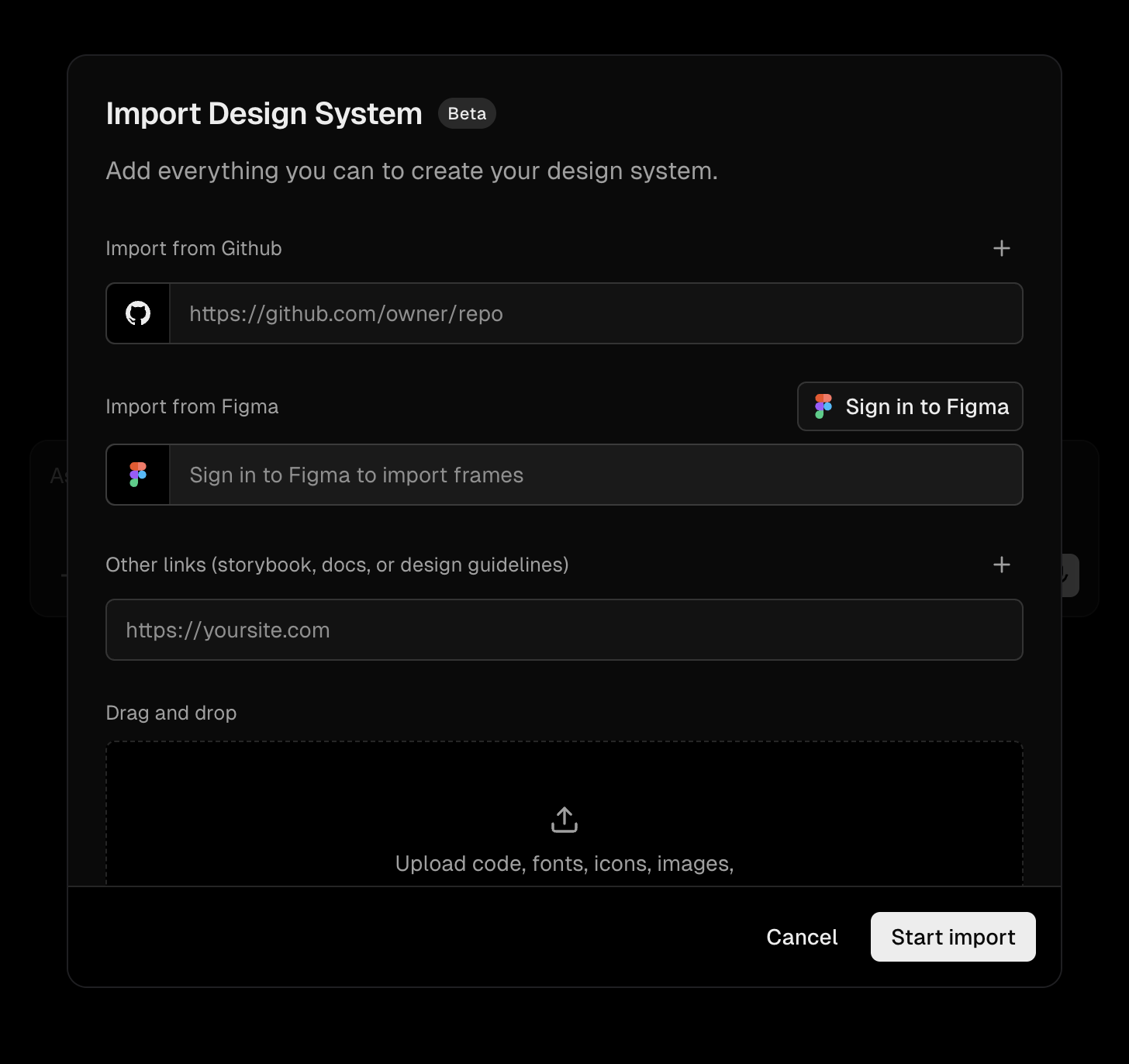
  <img alt="Import Design System form with GitHub, Figma, links, attachments, notes, and environment variables" className="hidden h-auto w-full rounded-sm shadow-sm dark:block" src="/docs/assets/docs-images/design-systems-import-form-dark.png" />
</figure>

* **GitHub repositories** for the design system source or apps that consume it.
* **Figma frames or nodes** for visual reference. Sign in to Figma, then paste links to specific frames or nodes. v0 imports a screenshot and extracted frame context so it can use the design as reference.
* **Links** such as Storybook, docs sites, or design guidelines.
* **Attachments** such as screenshots, ZIPs, exported packages, or `.tgz` package archives.

v0 grounds itself in the real source. If a component, prop, or token cannot be verified from the sources, v0 should not use it.

### 2. Add environment variables

If your design system depends on private packages, add the required credentials as [shared environment variables](https://vercel.com/docs/environment-variables/shared-environment-variables) for the **Development** environment. For example, add `NPM_TOKEN` when packages are installed from a private npm registry.

<Callout>
  You need at least the [Developer role](https://vercel.com/docs/rbac/access-roles#developer-role) on Vercel to use Development environment variables in v0. If environment variables are not an option, attach `.tgz` package archives instead.
</Callout>

### 3. Add notes

Notes are optional, but useful for information that is hard to infer from source code:

* Global styles, providers, fonts, or required wrappers
* Deprecated components, anti-patterns, or gotchas
* Component conventions v0 should prefer or avoid

### 4. Understand `v0.json`

During import, v0 stores the reusable setup in `v0.json`. You usually do not need to edit this by hand, but the file is the source of truth for what gets applied when the skill is used.

A design system `v0.json` follows this shape:

```json
{
  "version": 1,
  "referenceWorkspace": {
    "sources": [
      {
        "id": "github-repo:owner/repo:main",
        "type": "github-repo",
        "repo": { "org": "owner", "name": "repo" },
        "ref": "main",
        "mountPath": "/vercel/share/v0-reference-workspace-sources/owner/repo/main"
      }
    ]
  },
  "environment": {
    "providers": [
      { "type": "shared-env-vars", "ids": ["env_var_id"] }
    ]
  },
  "starter": {
    "source": "skill-directory",
    "path": "assets/starter"
  }
}
```

* `version`: The `v0.json` schema version. Use `1`.
* `referenceWorkspace.sources`: Read-only GitHub sources v0 can browse for reference. Each source includes the repo, ref, generated id, and mount path. A `v0.json` can include up to three reference sources.
* `environment.providers`: Environment variables to link when the design system is applied. Design system imports typically use `shared-env-vars` with Development shared environment variable ids. The spec also supports `vercel-project` providers with a `projectId` and environment variable ids when applicable.
* `starter`: The starting app v0 applies before building. Design system skills usually use `skill-directory` with a path such as `assets/starter`. The other supported starter sources are `empty` and `v0-default`.

Figma frames, documentation links, and attachments are import inputs. v0 distills them into the saved skill instructions and references rather than keeping them as long-lived `v0.json` sources.

### 5. Start the chat and review the starter

When you submit the form, v0 starts a dedicated chat and works through the import:

1. Discovers your sources and design system primitives.
2. Builds and previews a small starter app using your design system.
3. Pauses for your review before saving anything.
4. Saves the skill only after you approve it.
5. Validates the saved skill before confirming and gives you verified links to use it.

If v0 hits a blocker, such as a repository it cannot access or a package it cannot install, it stops and asks you to fix the blocker.

Take the review seriously. v0 saves this starter into the skill, and every app you build with the design system later starts from it. Check both how it looks and how it's wired up: components and tokens, providers, theme setup, fonts, and global styles. If anything is off, even a small detail, ask v0 to fix it in the chat and re-check before you approve. A correct starter means every future app begins from a working foundation instead of inheriting the same issue each time.

Once you approve, your design system lives in the saved skill, ready to use anywhere. The chat where you imported it is only the starting point — attach the skill in a new chat or keep building in this one.

## Use a saved design system

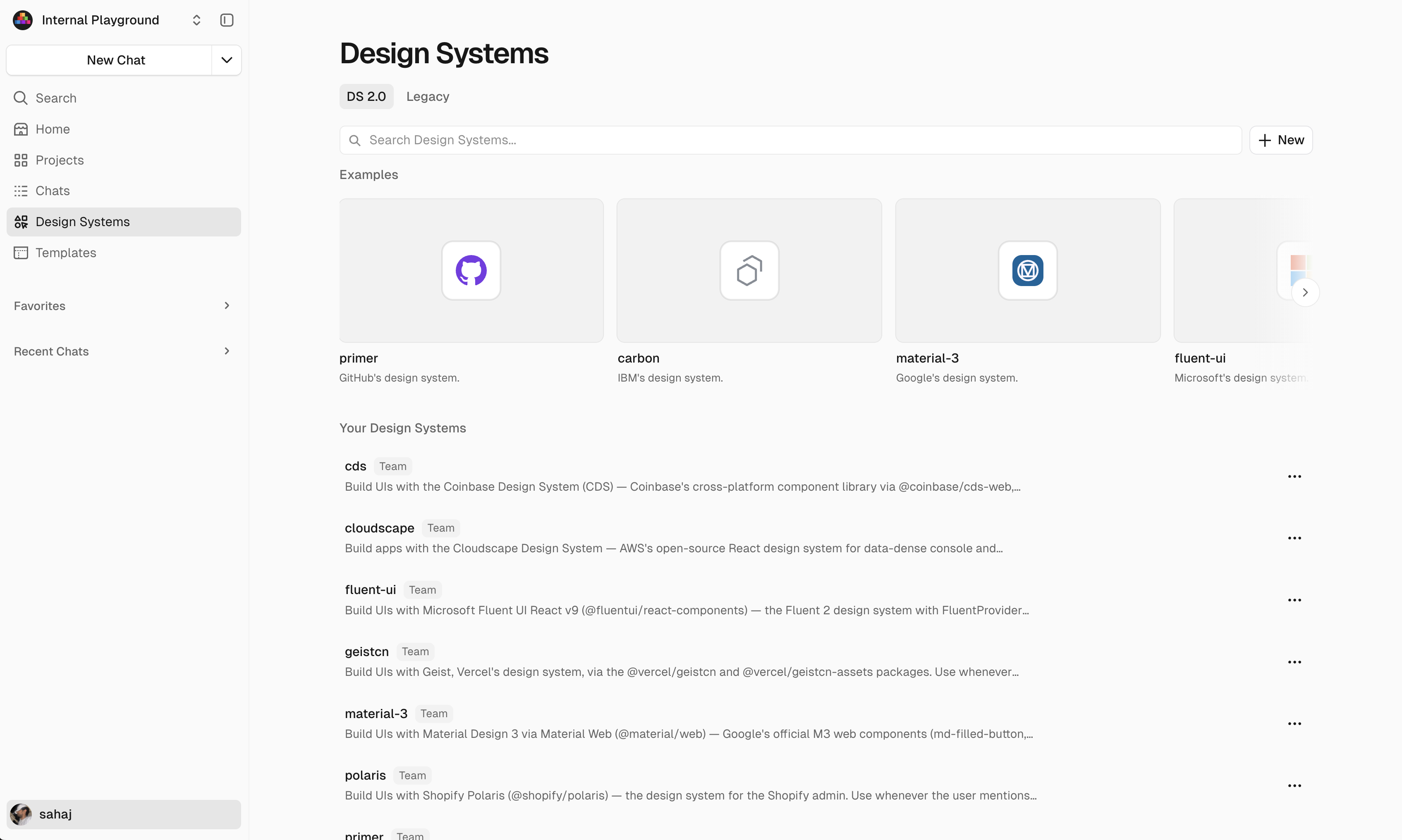
Saved skills appear on the **Design Systems** page under **Your Design Systems**.

<figure className="flex items-center justify-center">
  <img alt="Design Systems page showing saved team skills" className="h-auto w-full rounded-sm shadow-sm dark:hidden" src="/docs/assets/docs-images/design-systems-skills-page-light.png" />

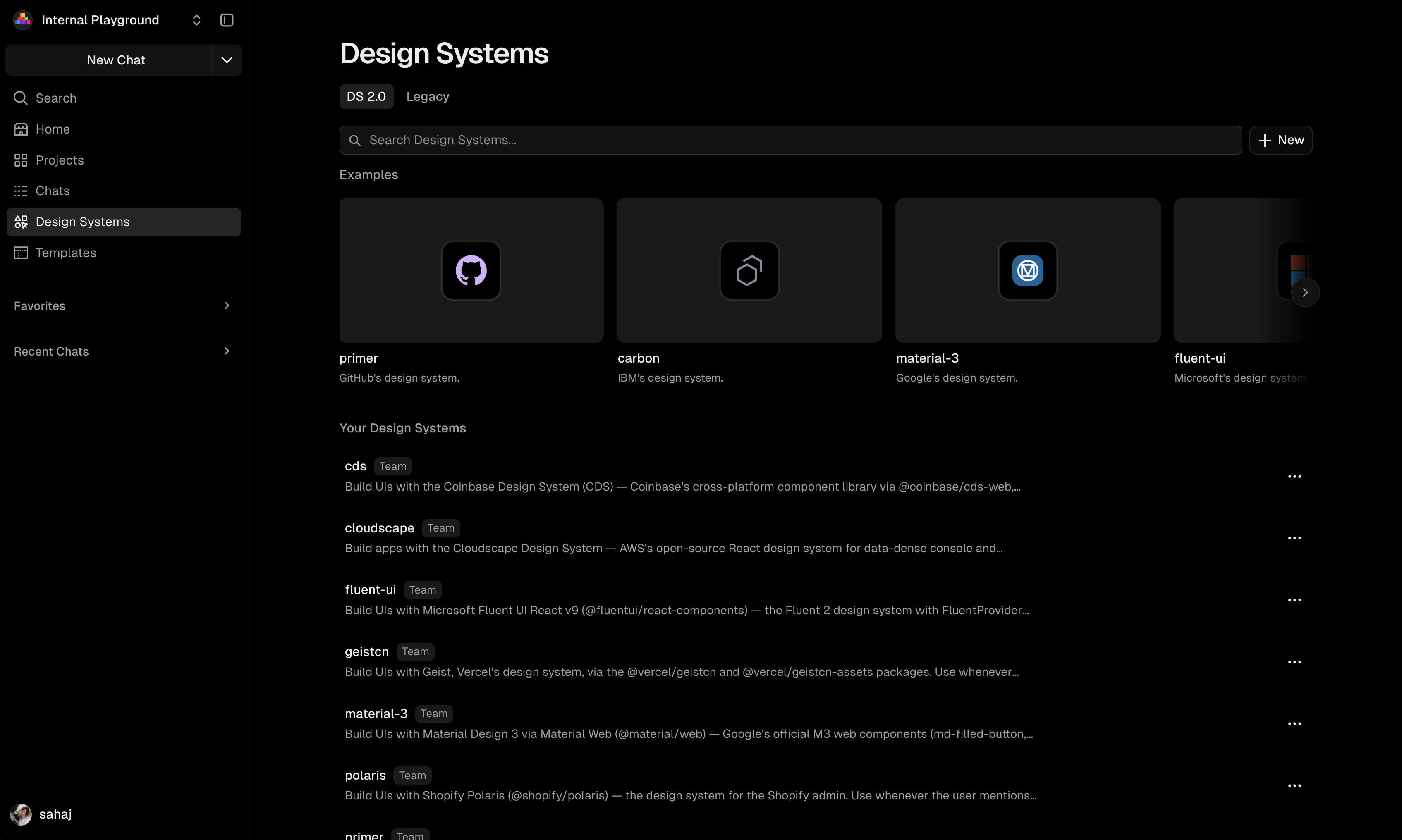
  <img alt="Design Systems page showing saved team skills" className="hidden h-auto w-full rounded-sm shadow-sm dark:block" src="/docs/assets/docs-images/design-systems-skills-page-dark.png" />
</figure>

To use one, attach it from the prompt toolbar or reference it directly in your prompt. You can also try built-in examples from the Design Systems page or toolbar.

<figure className="flex items-center justify-center">
  <img alt="Prompt toolbar menu with a design system skill attached" className="h-auto w-full rounded-sm shadow-sm dark:hidden" src="/docs/assets/docs-images/design-systems-attach-skill-light.png" />

  <img alt="Prompt toolbar menu with a design system skill attached" className="hidden h-auto w-full rounded-sm shadow-sm dark:block" src="/docs/assets/docs-images/design-systems-attach-skill-dark.png" />
</figure>

### Set a team default design system

Team owners on paid plans can choose a default design system for the team.
The default is used for new chats when no design system is selected. Existing
chats and manually selected design systems stay unchanged.

On the **Design Systems** page, open a team skill's actions menu and choose
**Set as Default**. The selected skill gets a **Default** badge, and the same
menu can clear it.

Manual design system selections in the prompt toolbar override the team default
for your new chat.

## Keep a design system up to date

You can update a saved design system from any chat, or edit it manually on the [Design Systems page](https://v0.app/design-systems). You don't need to return to the chat where you first imported it.

To update a skill, ask v0 in a chat and include what changed, such as release notes, migration guides, new package versions, or updated GitHub sources:

> Update Acme UI to v2.3. Release notes and migration guide: \[links]. The `Button` component renamed its `type` prop to `variant`.

v0 edits the skill and re-checks the starter app so it doesn't regress. For repeatable imports, pin GitHub sources to a branch or ref and pin package versions in the starter's `package.json`.

Existing projects don't update automatically. To adopt a new version, ask v0 to update that app's code with the updated skill.

## Best practices

* Include both the design system source and at least one real consumer app.
* Prefer current docs, current package versions, and working examples over exhaustive but stale references.
* Add credentials for private packages up front, or attach `.tgz` archives when credentials cannot be shared.
* Document global setup: providers, theme wrappers, fonts, CSS imports, Tailwind config, and required environment variables.
* Keep sources focused on one design system and one framework stack when possible.

## FAQ

### What is the starter app saved with my design system skill?

New v0 chats start with a Next.js app that uses `shadcn/ui` and Tailwind CSS. This setup may conflict with a design system that has its own components, tokens, styles, or providers.

During import, v0 configures a small app for your design system and saves it with the skill. Future chats start from this app, so the agent can work on your prompt without using time and tokens to repeat the setup.

The skill's `v0.json` selects the starter:

```json
{
  "version": 1,
  "starter": {
    "source": "skill-directory",
    "path": "assets/starter"
  }
}
```

The `path` is relative to the skill. Use `skill-directory` for files saved with the skill, `v0-default` for the standard v0 starter, or `empty` for a blank project. Design system imports normally use `skill-directory`.

### How do I update a design system after a new package version or GitHub source update?

Ask v0 to update the skill in any chat, and include the new version, changed source, release notes, migration guide, and any breaking changes. v0 updates the saved skill and verifies the starter app again. You can also edit the skill manually from the [Design Systems page](https://v0.app/design-systems).

### Do I have to go back to the chat where I imported the design system to update it?

No. That chat is only where the design system was created. Update the saved skill from any chat by telling v0 what changed, or edit it manually on the [Design Systems page](https://v0.app/design-systems).

### What happens to existing chats when I update a design system?

Updating a design system skill changes the shared instructions, references, and starter that v0 uses when the skill is loaded. Existing chats and projects don't automatically rewrite code they've already generated; they keep the code and starter from when the skill was applied. New chats, and any new work where the skill is loaded, use the updated version.

To bring an existing chat or app up to date, ask v0 in that chat to update its code with the latest version of the skill.

### Can v0 use private packages?

Yes. Add package credentials such as `NPM_TOKEN` as Development shared environment variables during import. You need at least the [Developer role](https://vercel.com/docs/rbac/access-roles#developer-role) on Vercel to use them in v0. If that is not possible, attach `.tgz` package archives.

### Who can create, edit, delete, or set a default design system skill?

By default, any team member with edit access can create, edit, and delete team skills. On any paid team plan, team owners can change **Team Memories & Skills** in [workspace settings](https://v0.app/settings/workspace) from **All team members** to **Owners and selected members**. When access is restricted, only team owners with edit access and selected members with edit access can create, edit, and delete team memories and skills, including design system skills. All team members can still view and use them. If your plan later changes, owners can always turn the restriction back off.

Only team owners can change the team's default design system.


---

For a semantic overview of all documentation, see [/docs/sitemap.md](/docs/sitemap.md)

For an index of all available documentation, see [/docs/llms.txt](/docs/llms.txt)

For agent-facing discovery, including API and MCP surfaces, see [/docs/agents.md](/docs/agents.md)

---
title: Design systems
description: Create a custom registry to use your design system with v0 and Shadcn.
product: v0
type: guide
prerequisites:
  - /docs/quickstart
related:
  - /docs/figma
  - /docs/design-mode
---

# Design systems


You can set up a custom design system to use with Tailwind and `shadcn/ui` for high-fidelity UIs that match your brand.

<Callout>
  This is the legacy registry-based design systems guide. For the current Design Systems 2.0 workflow, see [Design Systems 2.0](/docs/design-systems-2).
</Callout>

## Tailwind config

v0 supports tailwind configs and `globals.css` files, you can use custom utility classes and CSS variables in your generations.

<Video src="/docs/videos/tailwind-config.mp4" />

## Shadcn components

v0 uses [Shadcn/ui](https://ui.shadcn.com/) as its default component system to generate high-quality, customizable UIs.

`shadcn/ui` is not a component library but rather a toolkit for building one. Unlike traditional component libraries, `shadcn/ui` gives you direct access to the source code. This works well with AI generated code, as it allows you to customize the components to fit your design system.

Although v0 defaults to `shadcn/ui`, it is still capable of generating code using other component libraries, styling tools, and even frameworks.

## What is a registry?

A registry is a distribution specification designed to pass context from your design system to AI Models.

For example, the [Shadcn Registry](https://ui.shadcn.com/docs/registry) provides a structured way to share your components, blocks, and design tokens with v0. It lets v0 generate prototypes that match your design system, without manual overrides.

## How to create a registry

To get started, you can use [Vercel's Registry Starter Template](https://vercel.com/templates/next.js/shadcn-ui-registry-starter), built with `shadcn/ui`.

## Customizing the registry

To customize the registry to match your design system, you must style the registry using your design systems tokens (e.g. colors, fonts, etc).

The Registry Template assumes you follow the `shadcn/ui` CSS variables standard, which can be found in the [documentation](https://ui.shadcn.com/docs/theming#list-of-variables).

### Colors

You can overwrite the colors in the [`src/app/tokens.css`](https://github.com/vercel/registry-starter/blob/main/src/app/tokens.css) file with your custom theme ensuring all the variable names remain unchanged.

You may choose from a few default themes on [`ui.shadcn.com/themes`](https://ui.shadcn.com/themes) or utilize free, third-party tools such as [`tweakcn.com`](https://tweakcn.com) to design your own.

### Fonts

To update the font, modify [`src/app/layout.tsx`](https://github.com/vercel/registry-starter/blob/main/src/app/layout.tsx) and import your chosen font using `next/font/google`. `shadcn/ui` and Tailwind are preconfigured to use the `--font-sans`, `--font-mono`, and `--font-serif` variables. See the [Next.js documentation](https://nextjs.org/docs/app/getting-started/fonts) to learn more about custom fonts.

You can also use `@font-face` to import custom fonts:

```css
@font-face {
  font-family: 'Montserrat';
  font-style: normal;
  font-weight: 400;
  src:
    url('https://fonts.gstatic.com/s/montserrat/v15/JTUSjIg1_i6t8kCHKm45xW5rygbi49c.woff2')
      format('woff2'),
    url('https://fonts.gstatic.com/s/montserrat/v15/JTUSjIg1_i6t8kCHKm45xW5rygbj49c.woff')
      format('woff');
}

@font-face {
  font-family: 'Montserrat';
  font-style: normal;
  font-weight: 700;
  src:
    url('https://fonts.gstatic.com/s/montserrat/v15/JTURjIg1_i6t8kCHKm45_dJE3gnD-w.woff2')
      format('woff2'),
    url('https://fonts.gstatic.com/s/montserrat/v15/JTURjIg1_i6t8kCHKm45_dJE3g3D_w.woff')
      format('woff');
}
```

If you introduce new `*.css` files, ensure they are imported in all of the `layout.tsx` and any layout in your [`/src/v0/`](https://github.com/vercel/registry-starter/blob/main/src/v0) directory.

### Custom components

The Registry template comes with all the default `shadcn/ui` [primitive UI components](https://ui.shadcn.com/docs/components) and some prebuilt, example components.

v0 automatically uses `shadcn/ui` components in your generation, so there is no need to import the UI primitives into v0. If you customize the underlying `shadcn/ui` components in your registry, you may see unexpected v0 generations. v0 is specifically trained on the default implementations of the `shadcn/ui` components and may struggle with any customizations.

To use custom UI primitives and components, you must follow a few steps to ensure it's properly added to your Registry.

1. Add the new UI primitive or component code to your registry source code.
2. Add a new `registry-item` in [`registry.json`](https://github.com/vercel/registry-starter/blob/main/registry.json).

If you want to ensure the Registry UI also gets updated, you must also add a new demo to [`src/app/demo/[name]/index.tsx`](https://github.com/vercel/registry-starter/blob/main/src/app/demo/%5Bname%5D/index.tsx) following the structure in [`{ui|components|blocks}/`](https://github.com/vercel/registry-starter/tree/main/src/app/demo/%5Bname%5D) directory.

### Custom blocks

The Registry template comes with three example blocks:

1. A blank application
2. A dashboard application
3. A store application

These application blocks serve as a good starting point for prototypes. Depending on your use case, you can create custom blocks to meet your team's needs. To add or edit existing blocks:

1. Open or create `src/app/demo/[name]/blocks` and modify its pages or components as you would in a standard Next.js app.
   * Sometimes the layout needed in the registry differs from the layout you want to include in the registry. In such cases, best practice is to create such collateral in [`/src/v0/`](https://github.com/vercel/registry-starter/blob/main/src/v0) to reference in your `registry.json` as shown in next step.
2. Add a new `registry-item` to the `registry.json` to represent your new block. Make sure the entry follows the `registry-item` [specification](https://ui.shadcn.com/docs/registry/registry-item-json)
   1. Specify other registry dependencies by using the `registryDependencies` property
      * For example, a block might reference smaller, more specific UI primitives or components from your `registry.json`.
   2. Include all relevant files in the `files` property
      * The `path` property points to the local file path of your component/page
      * The `target` property specifies where the file will be placed in v0 during the import
3. Deploy your updated registry.
4. Navigate to your Registry's `/registry/[name]` page to view your new block with an `Open in v0` button.

## Deploying your registry

Before deploying it, the template contains a [`registry.json`](https://github.com/vercel/registry-starter/blob/main/registry.json) file which exposes the default components/blocks in the registry. The `baseUrl` and the full route dependency URLs must be replaced with your deployed URL.

## Using a registry in v0

To use your registry, you can open all UI primitives, components, and blocks using the `Open in v0` button. This will make an API call to [v0.app](https://v0.app) with the necessary metadata, file content, and styles of the respective UI primitive, component, or block.

This allows for v0 to have a starting point and context on your specific design system.

## Integrating the registry with AI code editors

To integrate your Registry with AI code editors like Cursor and Windsurf, you can use the following MCP.

```json
{
  "mcpServers": {
    "shadcn": {
      "command": "npx",
      "args": ["-y", "shadcn@canary", "registry:mcp"],
      "env": {
        "REGISTRY_URL": "https://registry-starter.vercel.app/r/registry.json"
      }
    }
  }
}
```

Using a Registry with MCP allows your engineers and AI editors to have centralized, AI-native context on your design system and components.


---

For a semantic overview of all documentation, see [/docs/sitemap.md](/docs/sitemap.md)

For an index of all available documentation, see [/docs/llms.txt](/docs/llms.txt)

For agent-facing discovery, including API and MCP surfaces, see [/docs/agents.md](/docs/agents.md)

---
title: Enterprise
description: Learn how to manage v0 seats, access, and more in your Vercel Enterprise account.
product: v0
type: guide
related:
  - /docs/teams
  - /docs/security
  - /docs/account
---

# Enterprise


## Managing seats and access

To manage v0 seats and grant access in your Vercel account, follow these steps.

1. Log in to your [v0 account](https://v0.app).
2. Select your team from the scope selector on the top-left corner.
3. Click on the scope selector again and select **Manage Members**. This navigates you to your Vercel team's members page.

You can grant v0 access to team members by clicking the three dots to the right of their role and selecting **Manage v0 role**.

### Assign or revoke access

* To assign access: Find the team member in the list and assign the desired v0 role.
* To revoke access: Find the team member in the list and choose "No v0 access".

### Choosing the right role

v0 has a role and access control system that is separate from your team roles in Vercel:

* **v0 Builder**: v0 Creator access + can create deployments and manage environment variables on any Vercel project that's connected to v0.
* **v0 Creator**: Can create chats + projects, add sources, and build in v0.
* **v0 Viewer**: View-only access to collaborate on chats with other users.

<Callout type="warning">
  The v0 Builder role is **team-wide**: a Builder can create deployments and
  manage environment variables on **every** Vercel project in the team that
  is connected to v0, not only projects they were explicitly added to.
  Assign v0 Builder only to users who should be able to act on all v0-connected
  projects in the team.
</Callout>

Note: Managing integrations requires the **Integrations Manager** permission, which is a separate team-level permission that can be selected separately when assigning members a v0 role. Members with the Vercel **Member** role inherently have this permission. To prevent integration access, assign the **Viewer** role on Vercel alongside the desired v0 role without **Integration Manager** selected.

For Vercel team management:

* **Viewer**: Assign the Viewer role with v0 access for most users.
* **Owner**: Use the Owner role only for admins who need full control.

<LearnMore href="https://vercel.com/docs/rbac/access-roles" icon="arrow">
  Read the Vercel docs to learn how to manage user permissions at a more granular level
</LearnMore>

## Activating your account

To use v0 with your Enterprise plan:

Make sure you're logged into the correct Vercel account before accepting the invite.

1. Accept the invite.
2. Switch to your Enterprise team on the v0 navigation bar.

## Configuring single sign-on (SSO)

Once v0 is enabled for your team, **admins** can manage access using [Directory Sync](https://vercel.com/docs/directory-sync) and [Access Groups](https://vercel.com/docs/rbac/access-groups) to provision v0 roles from your identity provider (IdP).

1. Create an **Access Group** with a v0 role from your from your team's [Access Group settings](https://vercel.com/d?to=%2F%5Bteam%5D%2F%7E%2Fsettings%2Faccess-groups\&title=Manage+Access+Groups).
2. Map a **Directory Sync** group (e.g. from Okta SCIM) to the Access Group you created.
3. Everyone in the synced group will automatically receive the v0 access configured in that Access Group.

### Configure Team Access and v0 roles in one Access Group

You can assign **Team roles**, **Team permissions**, **Project roles**, and **v0 roles** in the same **Access Group** so that a single **IdP group** grants both team and v0 permissions. Team access defined within an Access Group applies when the Access Group is managed via **Directory Sync**.

1. Create an Access Group from your from your team's [Access Group settings](https://vercel.com/d?to=%2F%5Bteam%5D%2F%7E%2Fsettings%2Faccess-groups\&title=Manage+Access+Groups). Specify the required **Team Access** and **v0 Roles**.
2. Map your IdP group to this Access Group via Directory Sync. Members mapped to the group default to **Contributor** unless another mapping assigns a different Team role.
3. All members in the synced group will automatically receive the v0 access and team role configured in the Access Group.

<LearnMore href="https://vercel.com/docs/rbac/access-groups" icon="arrow">
  Learn more about Access Groups in Vercel
</LearnMore>

<LearnMore href="/docs/security#enterprise-security-features" icon="arrow">
  Learn more about v0's enterprise security features
</LearnMore>

## Privacy settings

### Chats

Members can set chats to **Private**, **Team**, **Unlisted**, or **Public**.

Owners on v0 Enterprise teams can disable **Unlisted** and **Public** sharing options using the **Restrict Chat Sharing** from [workspace settings](https://v0.app/settings/workspace).

* **Private**: Only the chat owner can view the chat.
* **Team**: Makes the chat available to the entire team, with an option to specify this as view or edit access.
* **Unlisted**: Anyone with the link can access the chat. It will not be indexed by search engines.
* **Public**: Anyone can view the chat. It may be indexed by search engines and appear in public galleries.

<Callout>
  Members with the Vercel **Owner** team role can view, edit, and delete every chat owned by the team, including teammate **Private** chats, when they navigate to the chat directly. This is administrative access and is not surfaced in listings — Owners only see teammate chats they open by URL. See [Team Owner access](/docs/sharing#team-owner-access) for details.
</Callout>

Team members can also be added to the chat individually. This can be useful in tandem with the **Private** setting to configure chats that only a subset of team members can access.


---

For a semantic overview of all documentation, see [/docs/sitemap.md](/docs/sitemap.md)

For an index of all available documentation, see [/docs/llms.txt](/docs/llms.txt)

For agent-facing discovery, including API and MCP surfaces, see [/docs/agents.md](/docs/agents.md)

---
title: External APIs
description: Build full-stack applications by calling external APIs with environment variables.
product: v0
type: integration
prerequisites:
  - /docs/quickstart
related:
  - /docs/databases
  - /docs/ai-models
  - /docs/full-stack-apps
---

# External APIs


You can call external services in your v0 prototypes by storing access keys as environment variables. This works for both third-party and your own APIs.

## Adding API keys

Follow **Project menu** `...` → **Settings** → **Environment Variables** to add your necessary keys or modify existing environment variables. Note that the v0 preview will only be able to access environment variables that are available to the Development environment.

## Environments

When adding a variable, you can choose which environments it applies to. This lets you use different API keys for testing vs production, or enable features only in certain environments.

| Environment     | Description                                              |
| --------------- | -------------------------------------------------------- |
| **Production**  | Applied to your live, published app                      |
| **Preview**     | Applied to preview deployments (non-production branches) |
| **Development** | Applied to the v0 preview panel or when running locally  |

Environment variables are encrypted and stored securely on Vercel. Once added, you can instruct v0 to use them in your API calls.

<LearnMore href="https://vercel.com/docs/environment-variables" icon="arrow">
  Learn more about environment variables
</LearnMore>


---

For a semantic overview of all documentation, see [/docs/sitemap.md](/docs/sitemap.md)

For an index of all available documentation, see [/docs/llms.txt](/docs/llms.txt)

For agent-facing discovery, including API and MCP surfaces, see [/docs/agents.md](/docs/agents.md)

---
title: FAQs
description: Common questions about what v0 is, how it works, and how to build with it.
product: v0
type: troubleshooting
related:
  - /docs/quickstart
  - /docs/pricing
---

# FAQs


*Last Updated: March 17, 2026*

*Effective Date: March 31, 2026*

## New v0 Update

*Released: February 4, 2026*

**What's different about v0 now?**

This is a major update with four main changes:

1. **Git integration**: You can import existing GitHub repositories, and v0 handles branching and commits automatically. Create and merge pull requests without leaving v0.
2. **Projects**: Projects connect chats to your actual app, including deployments, environment variables, and domains. Multiple chats can contribute to the same Vercel Project.
3. **Full editor**: A complete VS Code-style editor is built into v0. Editor, AI agent, previews, and configuration all live in one place.
4. **Improved previews**: Previews now run your code exactly as it would in production. They're more accurate, support larger projects, and work with server-side features like API routes and databases.

### Do I need to do anything to access the new features?

No. The new features are available in your account.

### Do I have to use Git?

No. Git integration is optional. You can use v0 without connecting to GitHub.

### What can I do with Git in v0?

When you connect a chat to GitHub:

* v0 creates a branch automatically for that chat (e.g., `v0/main-abc123`)
* Every code change creates an automatic commit
* You can create a pull request directly from v0
* You can merge PRs without leaving v0
* v0 never pushes directly to `main`

### I used the previous Git integration. What changed?

The new workflow is fully automatic. No manual commits or branch management required.

### Why can't I push directly to main?

By design, v0 protects your main branch. Changes go through pull requests so your production code stays safe.

### How do previews work now?

Previews now run your full application exactly as it would in production. This means server-side code, API routes, database connections, and environment variables all work in the preview. What you see is what you'll get when you deploy.

Under the hood, v0 uses [Vercel Sandbox](https://vercel.com/blog/vercel-sandbox-is-now-generally-available)—a lightweight virtual machine that runs your app in an isolated environment. This replaces the previous browser-based preview, which had limitations with server-side features.

### Can I work on my existing codebase?

Yes. You can import a GitHub repository and work on it directly in v0.

### Do I need Vercel?

For the full experience (environment variables, deployments, previews), your GitHub repo should be connected to a Vercel project. You can still export code and deploy elsewhere.

### What if I want to start something new from scratch?

Works the same as before. Start a new chat and begin prompting.

### What types of projects can I work on in v0?

Web apps, dashboards, e-commerce, SaaS, AI-powered apps, data visualizations, 3D projects, and AI agents. v0 uses Next.js, React, TypeScript, Tailwind CSS, and shadcn/ui.

### Did anything change with the pricing?

No. Pricing remains the same: [v0.app/pricing](https://v0.app/pricing)

### How do I import a project?

Click the + icon in the prompt bar at v0.app. You can "Upload from computer" (zip file) or "Import from GitHub".

### How do I connect my GitHub repository in v0?

Open **Project menu** `...` → **Settings** → **GitHub**. More details: [v0.app/docs/github](https://v0.app/docs/github)

### What if I want to collaborate with someone using Cursor or Claude Code?

Connect your v0 project to the same GitHub repository. When they push changes, you pull. When you merge a PR from v0, they pull.

### How do I publish a change?

Click "Publish" in the top right. If connected to GitHub, click "Open PR" and merge when ready.

### Why is the publish button disabled?

The button only activates when the agent has made changes. Ask the agent to make a small change to confirm.

### How do I publish without GitHub?

If you're not connected to GitHub, you can publish directly using the Publish button.

### Why can't I create a new branch in v0?

Check that you're connected to GitHub correctly and the branch name isn't duplicated. If the error persists, contact [Vercel support](https://vercel.com/help).

### How do I open a pull request without getting an error?

Check your GitHub connection is active and the repository is accessible. If the error persists, contact [Vercel support](https://vercel.com/help) with the error details.

### Does the project structure affect my deployment URLs?

No. Your deployment URLs remain the same.

### Why do v0 agents keep failing and consuming my credits?

The v0 agent is constantly improving. If you're experiencing repeated failures, please send us feedback so we can investigate.

### How do I understand my v0 usage costs and token consumption on the Pro plan?

Go to your usage settings: [v0.app/settings/usage](https://v0.app/settings/usage)

### How do I set up internationalization (i18n) in v0?

v0 runs on Next.js, so you can use Next.js i18n patterns. The recommended library is `next-intl`. Check the Next.js docs for implementation details.

### Why does my preview look different than before?

Previews now render your code more accurately, matching how it will appear in production. If something appears broken (not just different), please report it.

### Why does v0 feel slower?

Previews now run real builds of your application, which takes a bit more time than before. Performance should still be fast. If it's unusably slow, that's a bug—please report it.

### Why can't I import my repository?

To import a GitHub repository, you need:

* A GitHub account connected to v0
* Access to the repository you're trying to import

If you're on a team, check that you have the right permissions. For private repos, make sure v0 has been granted access via your GitHub settings. If you don't have an existing Vercel project connected to that GitHub repo, v0 creates a new project.

### Why aren't my environment variables working?

Environment variables are managed via Vercel, and you can follow **Project menu** `...` → **Settings** → **Environment Variables** to verify them.

### How do I know which chat is connected to which Project?

The connected Project appears at the top of each chat. You can also view all Projects and their connected chats in the Projects tab in the sidebar.

<LearnMore href="https://v0.app/changelog" icon="arrow">
  View the full changelog
</LearnMore>

<LearnMore href="https://v0.app/chat/projects" icon="arrow">
  Go to Projects
</LearnMore>

## About v0

### What is v0?

v0 is an AI-powered development platform that turns ideas into production-ready, full-stack web apps. Through a conversational chat interface, it generates sophisticated UIs and backend logic from natural language, taking you from prompt to production in minutes.

v0 empowers anyone to build functional web applications faster without writing code manually. It supports popular frontend frameworks and UI libraries, with best-in-class expertise in Next.js, React, Tailwind CSS, shadcn/ui, and the AI SDK. The code generated is ready to deploy on Vercel's globally scalable infrastructure.

## How does v0 work?

v0 supports the full development lifecycle from idea to production. Check out the [Quickstart](https://v0.app/docs/quickstart) guide to start building on v0.

* **Prompt**: Describe what you want, upload screenshots or mockups, or import Figma designs. v0 transforms any input into working code.
* **Iterate**: Add features, adjust visuals in Design Mode, edit code, or apply your design system for consistent branding.
* **Integrate**: Connect databases, AI models, external APIs, and GitHub to build full data-driven applications.
* **Ship**: Publish with one click on Vercel, add domains, and share with your team.
* **Manage**: Collaborate in shared workspaces with permissions, security controls, and usage insights.

### Who can use v0?

Anyone with an idea. v0 removes technical barriers and enables a new class of creators who build and collaborate without writing code.

* **Founders** ship MVPs quickly and iterate with speed.
* **Product managers** prototype without waiting on design queues.
* **Designers** test real interactions early.
* **Engineers** skip boilerplate code and develop faster.
* **Sales engineers** produce custom demos instantly.
* **Marketers** launch pages independently.

### Do I need coding knowledge?

No coding experience is required. Describe what you want using natural language and v0 will handle the technical implementation.

### Do I need to write prompts in English?

No. You can write prompts in your preferred language and v0 will respond in the same language and transform your ideas into code.

### Why should I choose v0?

v0's deep integration with the Vercel ecosystem powers the complete workflow from prompt to production.

* **vs. General LLMs:** v0 generates interactive UIs and deployable full-stack apps, not isolated code snippets.
* **vs. AI-Augmented IDEs:** v0 provides a collaborative, conversational environment where PMs, designers, engineers, and other professionals can build together across the full product development cycle.
* **vs. Code Generation Products:** v0 delivers best-in-class Next.js expertise backed by Vercel's enterprise infrastructure and security, unlike standalone tools without proven production infrastructure.
* **vs. AI-Powered Design Tools:** v0 generates production-ready code with backend logic and deployment, not prototype only designs.

## Building with v0

### What can I build with v0?

You can build anything, from simple components to full-stack applications. For example:

* Landing pages
* Dashboards
* E-commerce sites
* Data visualization tools
* Internal tools
* Mobile-responsive apps

<LearnMore href="https://v0.app/community" icon="arrow">
  Explore what our community is building
</LearnMore>

### Can v0 build full-stack or complex applications?

Yes. v0 handles everything from simple components to full-stack apps with authentication, databases, and external API integrations.

### Can I use my own designs?

Yes. Upload screenshots, mockups, or Figma designs. v0 converts them into working applications with pixel-perfect accuracy.

<LearnMore href="https://v0.app/docs/figma" icon="arrow">
  Learn more about Figma
</LearnMore>

### Which version of AI SDK does v0 use?

v0 uses AI SDK version 6 by default. When building AI-powered applications, v0 follows AI SDK 6 patterns for chat, streaming, tool calling, and structured data generation.

### Can v0 integrate with existing projects?

Yes. You can import existing projects into v0 via an existing GitHub repository, Vercel project, or ZIP files.

### Is v0 available on mobile? What features are available?

Yes. v0 has a dedicated iOS app that lets you prompt, generate, and iterate on projects directly from your iOS device. You can start new chats, continue existing conversations, preview generated UIs, manage environment variables, connect to GitHub, and share your work — all from a mobile-optimized interface. You can also set up database integrations and select MCP servers for your chats. Adding or configuring new MCP server presets is currently handled on desktop.

<LearnMore href="https://v0.app/ios" icon="arrow">
  Download the v0 iOS app
</LearnMore>

### What can I build on v0 mobile?

You can build a wide range of AI-powered apps, agents, and tools directly from your phone, such as landing pages, dashboards, meeting agenda builders, event brief agents, and data-driven apps. For workflows that require configuring new MCP integrations, we recommend using desktop.

### Can I use v0 offline?

No. v0 requires an internet connection to process prompts and generate code.

### Is my code secure?

Yes. v0 follows secure coding best practices, and deployed apps benefit from Vercel's enterprise-grade infrastructure.

### How much does v0 cost?

v0 offers 5 plans:

* **Free**: No cost. For people looking to explore.
* **Premium**: $20/month. For higher limits and power users.
* **Plus**: $30/user/month. For fast moving teams and collaboration.
* **Business**: $100/user/month. For privacy conscious teams.
* **Enterprise**: For large companies that require additional security.

See the [pricing page](https://v0.app/pricing) for more information.

<Callout>
  The Premium plan is in the process of being sunsetted and is no longer available to new users.
</Callout>

## Editing and Collaborating

### Can I edit the generated code?

Yes. Export the code to work locally or edit directly in v0. The bi-directional [GitHub integration](https://v0.app/docs/github) allows seamless syncing between local development and v0.

### Can teams collaborate in v0?

Yes. The Plus, Business, and Enterprise plans enable multiple users to work on projects together. Share projects, iterate on designs, and deploy from a shared workspace.

## Deploying and infrastructure

### How do I deploy my application?

Click the **Share** button in v0 and navigate to the **Publish** tab. Your application goes live on [Vercel's platform](https://vercel.com/), no set up or configuration needed.

### What is Vercel's relationship with v0?

Vercel created v0 and provides the underlying infrastructure. The deep integration enables one-click deployment to enterprise grade infrastructure, with SOC 2 Type 2 compliance, strong security, and global scalability. v0's code is optimized for the Vercel platform, ensuring a smooth path from idea to production.

<LearnMore href="https://vercel.com/" icon="arrow">
  Learn more about Vercel
</LearnMore>

<LearnMore href="/docs/vercel-integration" icon="arrow">
  Learn more about how v0 syncs with Vercel
</LearnMore>

### Do I need a new v0 account if I already have a Vercel account?

No. Your Vercel account will give you access to v0. Just go to [v0.app](http://v0.app/) and log in!

## Training data

### What data was v0 trained on?

Vercel uses a combination of public and private data sets to provide v0. v0 was trained on a large corpus of data from various sources, including third parties listed in Vercel's [AI Policy](https://v0.app/policy). The data sets primarily cover areas related to web development, particularly with React, Next.js, and modern web technologies.

### Will my generations be used for training?

v0 may use user-generated prompts and/or content as inputs to models and learning systems from third-party providers to improve our products. Using this data gives v0 the ability to provide more accurate and relevant recommendations to our users.

Content of v0 Enterprise customers, or any customer that has opted out of model training in their Vercel settings, is not used for training.

Further, customer data or code of customers using Vercel's platform services is not used to train, improve, or fine tune the models used by v0.

### Can I access my data?

Yes, you can download your user-generated prompts and/or content through your account.

### Is v0 trained on customer data from Vercel's platform services, like the DX Platform?

No data related to your usage of Vercel's platform, Vercel CLI, or Vercel's deployment services is or will be used to train v0 if you have opted out of model training in your Vercel team settings.
Please refer to this [changelog](https://vercel.com/changelog/updates-to-terms-of-service-march-2026) for more information.

### Can I see a history of all my chats?

Yes, you can view your chat history at [v0.app/chats](http://v0.app/chats).

### Can we request deletion of data?

Yes, please [contact us](mailto:privacy@vercel.com?Subject=Please%20delete%20my%20v0%20data) to request deletion of v0 outputs.

Please note that if any or your inputs and outputs were used to train existing v0 models, those models will not be updated.

If you prefer for all of your content to not be used for training, please change your Vercel team's [data preferences](https://vercel.fyi/team-data-preferences).

To request deletion of your personal data under data protection regulations, please see Vercel's [Privacy Notice](https://vercel.com/legal/privacy-policy#eea-and-uk).

### Can I use output from v0 for commercial uses?

Vercel doesn't own the code generated based on your queries and prompts.

However, output that you receive may be the same or similar to other users' output or third party's IP, be incomplete or contain bugs, or be inappropriate for your use. You are responsible for evaluating any content you generate through v0 and making your own determination about its suitability for commercial or other purposes.

### Is v0 compliant?

Vercel has a SOC 2 Type 2 attestation for Security, Confidentiality, and Availability. v0 is included in the scope of Vercel's SOC 2 report. More information is available at [security.vercel.com](https://security.vercel.com).

## What if I need help?

If you run into issues or have further questions, you can:

* Browse the documentation (you are here).
* Join the discussion in the [community forum](https://community.vercel.com/tag/v0).
* Contact support at [vercel.com/help](https://vercel.com/help).


---

For a semantic overview of all documentation, see [/docs/sitemap.md](/docs/sitemap.md)

For an index of all available documentation, see [/docs/llms.txt](/docs/llms.txt)

For agent-facing discovery, including API and MCP surfaces, see [/docs/agents.md](/docs/agents.md)

---
title: Figma
description: Turn a Figma file into a working app.
product: v0
type: integration
prerequisites:
  - /docs/quickstart
related:
  - /docs/design-mode
  - /docs/screenshots
---

# Figma


Paste a Figma link into v0 and turn the design into a working app. v0 can read the full file, find the right pages and frames, and build them as one flow. It uses your tokens, layout, text, and assets in the code.

You do not need a plugin or the Figma desktop app.

{/* IMAGE: Show a user pasting a full Figma file link, asking v0 to build the product, and opening the finished multi-screen app in Preview. A short video will show the full flow best. */}

<Video src="/docs/videos/figma-full-flow.mp4" />

## Build more than one screen

A Figma file can hold every screen and state for a product. Share the file with v0 and tell it which feature or flow to build. v0 finds the right frames, reads each design, and builds the screens as one app.

As v0 works, it shows the Figma frames it reads in the chat. You can check the frames and point v0 to a different page or frame at any time.

## What v0 reads from your file

v0 uses the design data in your Figma file:

* **Pages and frames:** v0 can search the file and choose the screens needed for your request.
* **Frame images:** v0 compares the app with each frame as it builds.
* **Design tokens and colors:** v0 uses the variables and styles set in your file.
* **Layout and text:** v0 reads auto layout, spacing, size, and the exact text in each frame.
* **Assets:** v0 exports icons, logos, and images from the file and uses them in the app.
* **Components and styles:** v0 reads their names and uses them to keep each screen consistent.
* **Dev resources:** v0 can use links added in Dev Mode, such as code, Storybook, docs, or specs.

<figure className="flex items-center justify-center">
  <img alt="v0 reading Figma pages and frame details while building a task management app" className="h-auto w-full rounded-sm shadow-sm dark:hidden" src="/docs/assets/docs-images/figma-file-flow-light.png" />

  <img alt="v0 reading Figma pages and frame details while building a task management app" className="hidden h-auto w-full rounded-sm shadow-sm dark:block" src="/docs/assets/docs-images/figma-file-flow-dark.png" />
</figure>

## Connect your Figma account

The Figma integration is available on paid v0 plans.

Click the **+** button in the prompt form, choose **Import from…** → **Import from Figma**, and sign in with your Figma account. You can also paste a Figma link into the chat. If you have not yet connected Figma, v0 asks you to connect before it reads the file.

Disconnect Figma from **Project menu** → **Settings** → **Integrations**.

<figure className="flex items-center justify-center">
  <img alt="Import from Figma dialog" className="h-auto w-full rounded-sm shadow-sm dark:hidden" src="/docs/assets/docs-images/figma-connect-light.png" />

  <img alt="Import from Figma dialog" className="hidden h-auto w-full rounded-sm shadow-sm dark:block" src="/docs/assets/docs-images/figma-connect-dark.png" />
</figure>

## Choose which link to share

Share a link to a Figma file or frame.

* **Share a file link** when you want v0 to build several screens or a full flow. Tell v0 which feature, page, or flow you want.
* **Share a frame link** when you want v0 to match one screen or component. In Figma, select the frame, right-click, and choose **Copy link to selection**.

For large files, name the page or section in your prompt. This helps v0 find the right frames with fewer reads.

## Figma rate limits

Figma limits how much data your account can read. Your Figma plan and seat type set the limit. Figma sets these limits, not v0. See [Figma's rate limit documentation](https://developers.figma.com/docs/rest-api/rate-limits/) for details.

If v0 reaches a limit, it tells you and keeps working with the data it has. Wait for the limit to reset before asking v0 to read more from the file. You can also use a Figma plan or seat with a higher limit.

## Get the best results

* Give pages, frames, and components clear names.
* Keep each screen or state in its own frame.
* Use auto layout, components, and design tokens where you can.
* Tell v0 how screens connect when the file does not show it.
* Name the page or flow you want when you share a large file.
* Use a frame link when you need an exact screen or component.

## Troubleshooting

* **Reconnect Figma to continue:** reconnect Figma from **Project menu** → **Settings** → **Integrations**, then try again.
* **File not found or access denied:** open the file with the same Figma account that you connected to v0, or ask the file owner for access.
* **v0 chose the wrong frame:** name the page or frame in your prompt, or share a link to that frame.


---

For a semantic overview of all documentation, see [/docs/sitemap.md](/docs/sitemap.md)

For an index of all available documentation, see [/docs/llms.txt](/docs/llms.txt)

For agent-facing discovery, including API and MCP surfaces, see [/docs/agents.md](/docs/agents.md)

---
title: Full-stack apps
description: Build full-stack apps with v0.
product: v0
type: guide
prerequisites:
  - /docs/quickstart
related:
  - /docs/databases
  - /docs/external-apis
  - /docs/deployments
---

# Full-stack apps


v0 can transform prototypes into full-stack applications. In a new chat or existing generation, ask v0 to implement features that require data persistence, API calls, or backend logic.

v0 defaults to Next.js, which offers advantages like server actions and API routes for colocating frontend and backend code. While v0 can use other frameworks, Next.js provides the most reliable results.

When building full-stack applications, v0 can:

* Leverage [React Server Components](https://react.dev/reference/rsc/server-components) (RSCs) for improved performance and SEO
* Create backend endpoints using Next.js App Router conventions
* Connect to databases like [Supabase](https://supabase.com), [Neon](https://neon.com), and [Upstash](https://upstash.com) without ORMs by default

## Integrations

Leveraging the [Vercel marketplace](https://vercel.com/marketplace), v0 has access to a variety of integrations that enable it to add databases, queues, blob storage, AI models, and more through **Project menu** → **Settings** → **Integrations**. You can either prompt v0 to add integrations, add them manually, or v0 can prompt you to create the resource when necessary, depending on the feature you are building.

### Supported integrations

* [**Databases**](/docs/databases): Supabase, Blob, Neon, Upstash.
* [**AI**](/docs/ai-models): Grok, fal, Deep Infra.

## Environment variables

In each project, you can configure secure environment variables that v0 will have access to. These can be used for external integrations with LLM providers and APIs.

Client-side environment variables must be prefixed with
`NEXT_PUBLIC_`
to be accessible in browser code.

## Incremental development workflow

When building full-stack applications, take an incremental approach with v0.

### Start with UI

Create your component layout and design:

<PromptLink text="Create a modern task management dashboard with a sidebar, task list, and add task form" />

### Add data layer

Prompt v0 to add database schema and API routes:

"Add a Supabase database with tables for tasks, users, and projects. Include API routes for managing tasks."

### Implement core features

Add authentication, CRUD operations, or real-time updates:

"Add user authentication so users can only see and manage their own tasks."

### Enhance functionality

Build on existing features with detailed instructions:

"Add the ability to edit and delete tasks, plus real-time updates when team members make changes."

### Optimize and polish

Add performance improvements and advanced features:

"Add task filtering by status and due date, plus optimize with caching and image optimization."

### Best practices

* Duplicate existing generations to add logic instead of combining UI and logic in a single prompt
* Use popular, well-documented libraries in your prompts
* Provide detailed implementation instructions to avoid incorrect assumptions

{/* When adding a new solution page, link to it from this section */}

## Solutions

See how v0 can help with different use cases:

* [AI Website Builder](https://v0.app/solutions/ai-website-builder) - Turn prompts, screenshots, or Figma files into live websites
* [AI Code Generator](https://v0.app/solutions/ai-code-generator) - Generate production-ready full-stack apps from natural language prompts
* [AI UI Design Generator](https://v0.app/solutions/ai-ui-design-generator) - Generate production-ready UI from designs, screenshots, or prompts


---

For a semantic overview of all documentation, see [/docs/sitemap.md](/docs/sitemap.md)

For an index of all available documentation, see [/docs/llms.txt](/docs/llms.txt)

For agent-facing discovery, including API and MCP surfaces, see [/docs/agents.md](/docs/agents.md)

---
title: Git Import
description: Import existing GitHub repositories into v0 to work on your actual codebase.
product: v0
type: guide
prerequisites:
  - /docs/quickstart
related:
  - /docs/github
  - /docs/projects
---

# Git Import


Git Import allows you to bring any GitHub repository into v0 and work on your existing codebase. View your project, edit it with AI assistance, and ship changes to production—all without leaving v0.

## What repositories can be imported?

You can import any GitHub repository that you have access to, including:

* **Public repositories:** Any public repo on GitHub
* **Private repositories:** Repos in your personal account or organizations where you have access
* **Monorepos:** v0 supports monorepos and lets you select which root directory to work with

To import a repository, you need to have the [Vercel GitHub App](https://github.com/apps/vercel) installed with access to that repository.

<Callout>
  If you don't see a repository in the import list, check that the Vercel GitHub App has access to it in your [GitHub App settings](https://github.com/settings/installations).
</Callout>

### Direct access vs. cloned repositories

Depending on your permissions, v0 works with repositories in two different ways:

* **Direct access (write permissions):** If you have write access to the repository, v0 works directly on it. Changes are pushed to branches in the original repository, and you can create pull requests directly.

* **Cloned to your account (read-only access):** If you only have read access (e.g., a public repo you don't own), v0 automatically clones the repository to your GitHub account. Changes are made in your cloned copy, and you can submit contributions back to the original repo via fork-based pull requests.

This means you can work on any repository—whether you own it, collaborate on it, or just want to explore and modify an open source project.

## How to import a repository

There are two ways to import a GitHub repository:

### Import from URL

1. Open the **Git Import** dialog from the attachment menu in a new chat
2. Paste the full GitHub URL (e.g., `https://github.com/myorg/myrepo`)
3. Click **Import**

### Search and select

1. Open the **Git Import** dialog
2. Select your GitHub account or organization from the dropdown
3. Search for the repository by name
4. Click **Import** on the repository you want

## Connecting to a Vercel Project

When you import a repository, v0 checks if it's already connected to a Vercel Project. This determines your import options:

### Importing with an existing Vercel Project

If the repository is already linked to one or more Vercel Projects, you can choose to connect your v0 chat to an existing project. This gives you:

* **Environment variables:** All environment variables configured in the Vercel Project are automatically available in v0, both in the editor and when deployed
* **Integrations:** Connected integrations (Supabase, Stripe, databases, etc.) work immediately without additional setup
* **Production deployments:** When you merge changes to main, your production deployment is automatically updated
* **Custom domains:** Any custom domains configured on the Vercel Project are available for your deployments

### Creating a new Vercel Project

If no Vercel Project exists for the repository, or if you want a fresh setup, v0 will create a new project for you. You can:

* Name your new project
* Select the base branch to work from
* Choose the root directory for monorepos

<LearnMore href="/docs/vercel-integration" icon="arrow">
  Learn more about how v0 and Vercel Projects work together
</LearnMore>

## Branching workflow

When you import a repository, v0 automatically creates a dedicated branch for your work:

1. **Select a base branch:** Choose which branch to start from (e.g., `main`, `develop`)
2. **Auto-created working branch:** v0 creates a branch like `v0/main-abc123` for your changes
3. **Protected base:** Your base branch is never modified directly
4. **Merge via PR:** When ready, create a pull request to merge your changes

This workflow keeps your main branch safe while you iterate with AI assistance.

<LearnMore href="/docs/github" icon="arrow">
  Learn more about v0's Git integration
</LearnMore>

## Preview environment

Git Import uses Vercel Sandbox to power its preview environment. This VM-based approach closely mimics your local development environment, providing:

* **Full Node.js runtime:** Run your actual dev server, not a simulated environment
* **Real dependency installation:** Your `package.json` dependencies are installed just like locally
* **Background processes:** Support for dev servers, watchers, and other background tasks
* **File system access:** Full read/write access to your project files

This means the preview you see in v0 behaves the same way your app would when running `npm run dev` on your machine.


---

For a semantic overview of all documentation, see [/docs/sitemap.md](/docs/sitemap.md)

For an index of all available documentation, see [/docs/llms.txt](/docs/llms.txt)

For agent-facing discovery, including API and MCP surfaces, see [/docs/agents.md](/docs/agents.md)

---
title: GitHub
description: Connect your GitHub repositories to v0 to automatically create projects and track changes.
product: v0
type: integration
prerequisites:
  - /docs/quickstart
related:
  - /docs/git-import
  - /docs/vercel-integration
  - /docs/projects
---

# GitHub


v0 allows you to connect your chats with GitHub for:

* **Version Control:** Track and revert code changes
* **Collaboration:** Work on the same codebase together
* **CI/CD:** Deploy automatically when pushing to Git
* **Pull Requests:** Review changes before merging

<Callout>
  **Plus plans:** By default, team members must have access to a GitHub
  repository to collaborate on its associated chat and generate previews. To
  allow members without a GitHub connection on their Vercel account to
  participate, enable **Allow v0 to Act on Behalf of Members** in your [workspace
  settings](https://v0.app/settings/workspace). See [Teams → GitHub
  repository access](/docs/teams#github-repository-access) for details.
</Callout>

## How v0 works with Git

When you connect a chat to GitHub, v0 creates a working branch from a base branch. This keeps changes isolated until you open and merge a pull request.

* **Automatic branching:** v0 creates a dedicated branch (for example, `v0/username-abc123`) for each chat
* **Auto-commits:** Every message you send that changes code automatically creates a commit
* **Isolated changes:** v0 commits generated changes to the chat's working branch instead of pushing them directly to its base branch
* **Merge when ready:** When you're done, create a PR targeting the base branch and merge your changes

Three branch settings can be involved:

| Branch                | How v0 uses it                                                                                                                                                                                   |
| --------------------- | ------------------------------------------------------------------------------------------------------------------------------------------------------------------------------------------------ |
| **Default branch**    | The repository's default branch on GitHub. v0 selects it initially when you import an existing repository. A repository created by v0 uses the GitHub owner's configured default branch name.    |
| **Base branch**       | The branch selected when the chat is connected or imported. v0 creates the working branch from it and targets it when opening a pull request.                                                    |
| **Production branch** | The branch configured on the linked Vercel project to create production deployments. It is often the default or base branch, but it can be different. Other branches create preview deployments. |

<Callout>
  If you used v0's previous Git integration, the new workflow is fully
  automatic. No manual commits or branch management needed.
</Callout>

## Connecting to GitHub

<Callout type="warning">
  **Important:** Once a GitHub repository is connected, it becomes the source of
  truth for your project. v0 does not store a separate copy of your code. If the
  repository is deleted from GitHub, your code may become unrecoverable.
</Callout>

<Image
  alt="Connecting a chat to GitHub"
  src="/docs/light/connectrepolight.gif"
  srcDark="/dark/connectrepodark.gif"
  width={600}
  height={338}
  style={{
    width: '100%',
    height: 'auto',
    maxWidth: 600,
    aspectRatio: '600 / 338',
  }}
/>

To connect your chat to GitHub:

1. Open **Project menu** `...` → **Settings** → **GitHub**.
2. Select the option to create or connect a repository.
3. In the repository dialog, select your **Git Scope** (the GitHub account or organization) and enter a **Repository Name**.
4. Click **Create Repository** to link your chat to a new private GitHub repository.

<Callout>
  Manage your GitHub connection from **Project menu** `...` → **Settings** →
  **GitHub**.
</Callout>

### Importing an existing repository

To start from an existing repository, use [Git Import](/docs/git-import). Choose the branch v0 should use as the base, then either link an existing Vercel project or create a new Vercel project for the import.

Importing does not duplicate the repository on GitHub. It creates a v0 chat and a working branch in the selected repository. Importing the same repository again creates another chat and working branch; it does not create another GitHub repository. You can link the import to the same Vercel project or create a separate Vercel project.

Once connected, you'll see information about your repository including:

<Image
  alt="GitHub repository status card"
  src="/docs/light/statusghlight.png"
  srcDark="/dark/statusghdark.png"
  width={600}
  height={338}
  style={{
    width: '100%',
    height: 'auto',
    maxWidth: 600,
    aspectRatio: '600 / 338',
  }}
/>

* **Branch:** The current working branch (for example, `v0/username-e7bad8e4`)
* **Merges into:** The base branch that a pull request will target
* **Status:** Whether your branch is up to date
* **PR:** The status of any open pull request
* **Activity:** A timeline of changes and commits

## Creating a Pull Request

When you're ready to merge your changes:

1. Click the **Publish** button (which now shows a PR icon when connected to GitHub).
2. Select **Open PR** to create a pull request from your working branch to its base branch.
3. The publish modal will update to show your open PR with options to **View PR** or **Merge PR**.

<Image
  alt="Publishing a PR and merging"
  src="/docs/light/mergedlight.gif"
  srcDark="/dark/mergedblack.gif"
  width={600}
  height={338}
  style={{
    width: '100%',
    height: 'auto',
    maxWidth: 600,
    aspectRatio: '600 / 338',
  }}
/>

## Merging and continuing work

After merging your PR:

1. Your current chat branch is merged into its base branch.
2. To continue working, click **New Chat** to create a new branch.
3. Each new chat acts as a new feature branch where you can make changes.
4. When ready, create another PR and repeat the process.

If the base branch is also the linked Vercel project's production branch, merging it triggers a production deployment. If they differ, the merge follows the Vercel project's configured branch behavior.

## Creating branches

v0 supports flexible branching workflows:

* **Branch from the base:** Create a new chat to start a fresh working branch from the connected base branch
* **Branch from a working branch:** Click the branch name in the chat header and select **Duplicate Branch...**

<Image
  alt="Creating a branch from a branch"
  src="/docs/light/branchlight.gif"
  srcDark="/dark/branchdark.gif"
  width={600}
  height={338}
  style={{
    width: '100%',
    height: 'auto',
    maxWidth: 600,
    aspectRatio: '600 / 338',
  }}
/>

For a Git-connected chat, **Duplicate Branch** creates a new chat and branch containing the current branch's commits. The new branch stays in the same GitHub repository, keeps the same Vercel project and configuration, and targets the same base branch for pull requests.

The destination choice applies only when duplicating a chat that is not connected to GitHub:

* **Vercel project only:** Continue with the same Vercel project and configuration, or create a new project without carrying the connection over.
* **No GitHub or Vercel project:** The duplicate starts as a new project.


---

For a semantic overview of all documentation, see [/docs/sitemap.md](/docs/sitemap.md)

For an index of all available documentation, see [/docs/llms.txt](/docs/llms.txt)

For agent-facing discovery, including API and MCP surfaces, see [/docs/agents.md](/docs/agents.md)

---
title: Images, videos, and file uploads
description: Attach media, documents, code, and other supported assets to give v0 context or add them to your application.
product: v0
type: guide
prerequisites:
  - /docs/quickstart
related:
  - /docs/screenshots
  - /docs/figma
---

# Images, videos, and file uploads


You can attach images, videos, audio, documents, code, and other assets to give v0 context or add them to your application. v0 supports uploading files directly into the chat or copying and pasting images from your clipboard.

## Uploading files

### Using the attachment button

1. Click the **+ icon** in the chat input area and choose **Upload from computer**
2. Select a supported file from your device
3. The file will be uploaded and displayed in the chat
4. Add your prompt describing how v0 should use the file

### Drag and drop

You can also drag and drop files directly into the chat area:

1. Select a supported file from your file explorer
2. Drag it over the chat interface
3. Drop it when you see the upload indicator

### Copy and paste

For quick additions, you can copy images directly from other applications and paste them into the chat:

1. Copy an image from any application (browser, design tool, etc.)
2. Use `Cmd` + `V` (Mac) or `Ctrl` + `V` (Windows/Linux) to paste

## Supported file types

The upload server accepts the following formats:

| Category             | Supported formats                                                                                                                                 |
| -------------------- | ------------------------------------------------------------------------------------------------------------------------------------------------- |
| Images               | PNG, JPEG/JPG, WebP, GIF, SVG, ICO, AVIF                                                                                                          |
| Video                | MP4, WebM, OGG, MOV/QuickTime                                                                                                                     |
| Audio                | MP3/MPEG, WAV, OGG                                                                                                                                |
| Documents            | PDF, DOCX, XLSX                                                                                                                                   |
| 3D and model assets  | GLB, glTF, OBJ                                                                                                                                    |
| Text, code, and data | Plain text and other `text/*` files; common code and configuration files; JSON, TypeScript, JavaScript, YAML, SQL, XML, shell, PHP, Ruby, and AWK |
| Archives             | ZIP, GZIP/GZ                                                                                                                                      |
| Fonts                | WOFF, WOFF2, TTF                                                                                                                                  |
| Email                | EML                                                                                                                                               |
| Rive assets          | RIV                                                                                                                                               |

File acceptance is based primarily on the file's detected MIME type. Known text, code, and Rive extensions are handled separately when browsers do not report a useful MIME type.

DOCX and XLSX files are available in VM-backed chats, where v0 materializes and reads them in the sandbox. Legacy DOC and XLS files are not supported.

## Use Cases

### Product galleries and catalogs

Add product images to create rich e-commerce experiences:

<PromptLink text="Build a product catalog page that displays these product images in a responsive grid." />

### Media players and video content

Include video files for media-rich applications:

<PromptLink text="Create a video player component that can display this video with custom controls." />

### User avatars and profiles

Add user profile images and avatars:

<PromptLink text="Build a user profile page that displays this avatar image and allows users to upload their own." />

### Hero sections and banners

Incorporate images into landing pages and hero sections:

<PromptLink text="Create a hero section using this background image with overlay text and call-to-action buttons." />

## Limits

File size limits vary depending on where you're uploading and your subscription tier:

| Upload Type      | Free Users | Premium/Plus/Business/Enterprise Users |
| ---------------- | ---------- | -------------------------------------- |
| Chat attachments | 5 MB       | 20 MB                                  |
| ZIP file uploads | 10 MB      | 50 MB                                  |

## Best practices

* Use **high-resolution images** (at least 1024px wide) for better display quality
* Optimize images for web use to ensure fast loading times
* Combine media with clear instructions to get better results

## Troubleshooting

If you're having trouble uploading files:

* Check that your file is under the size limit
* Ensure the file format is supported
* Try refreshing the page and uploading again

If v0 isn't properly integrating your media:

* Provide more specific instructions about how you want the media displayed
* Specify the component type (gallery, player, background, etc.)
* Include layout preferences (grid, carousel, single display)

By leveraging images and videos in your v0 workflow, you can create rich, media-enhanced applications that provide engaging user experiences.


---

For a semantic overview of all documentation, see [/docs/sitemap.md](/docs/sitemap.md)

For an index of all available documentation, see [/docs/llms.txt](/docs/llms.txt)

For agent-facing discovery, including API and MCP surfaces, see [/docs/agents.md](/docs/agents.md)

---
title: What is v0?
description: v0 is an AI agent that helps anyone create real code and full-stack apps and agents.
product: v0
type: overview
related:
  - /docs/quickstart
---

# What is v0?


Ship features, refine designs, update copy, and create live prototypes, all with a prompt. Deploy to production immediately, or open a pull request for review.

## What can you do with v0?

* **Describe your idea** in your preferred language.
* **Create high-fidelity UIs** from your wireframes or mockups.
* **Connect to backend** to build rich, data driven applications.
* **Deploy with one click** to secure, scalable infrastructure powered by Vercel.
* **Automatically fix errors** in your code with intelligent diagnostics.

<div className="grid grid-cols-1 md:grid-cols-2 gap-4 my-6 not-prose">
  <Link href="/docs/quickstart" className="no-underline">
    <Card className="bg-transparent shadow-none transition-all hover:border-gray-400 hover:shadow-sm cursor-pointer h-full">
      <CardHeader>
        <CardTitle>
          Getting Started
        </CardTitle>
      </CardHeader>

      <CardContent>
        <CardDescription>
          Quickstart tutorial to create your first project.
        </CardDescription>
      </CardContent>
    </Card>
  </Link>

  <Link href="/docs/text-prompting" className="no-underline">
    <Card className="bg-transparent shadow-none transition-all hover:border-gray-400 hover:shadow-sm cursor-pointer h-full">
      <CardHeader>
        <CardTitle>
          Prompt Engineering
        </CardTitle>
      </CardHeader>

      <CardContent>
        <CardDescription>
          Build faster in v0 with effective prompting.
        </CardDescription>
      </CardContent>
    </Card>
  </Link>
</div>

<div className="grid grid-cols-1 md:grid-cols-2 gap-4 mb-6 not-prose">
  <Link href="/docs/faqs" className="no-underline">
    <Card className="bg-transparent shadow-none transition-all hover:border-gray-400 hover:shadow-sm cursor-pointer h-full">
      <CardHeader>
        <CardTitle>
          FAQs
        </CardTitle>
      </CardHeader>

      <CardContent>
        <CardDescription>
          Find commonly asked questions about v0.
        </CardDescription>
      </CardContent>
    </Card>
  </Link>

  <Link href="https://vercel.com/blog/category/v0" className="no-underline" target="_blank" rel="noopener noreferrer">
    <Card className="bg-transparent shadow-none transition-all hover:border-gray-400 hover:shadow-sm cursor-pointer h-full">
      <CardHeader>
        <CardTitle>
          Blog
        </CardTitle>
      </CardHeader>

      <CardContent>
        <CardDescription>
          Stay up to date with new product features and announcements.
        </CardDescription>
      </CardContent>
    </Card>
  </Link>
</div>

<LearnMore href="/docs/faqs#why-should-i-choose-v0" icon="arrow">
  Why should I choose v0 instead of other tools?
</LearnMore>

## Examples

You can use v0 to build anything, from landing pages, dashboards, ecommerce stores, AI apps, to full-stack applications.

<DocsCardList />

<LearnMore href="https://v0.app/templates" icon="arrow">
  Explore what our community is building
</LearnMore>

## Who is v0 for?

v0 helps teams prototype, build, and ship faster. Here's how different roles are using it:

### Product Managers

Quickly prototype and iterate to align stakeholders, validate ideas early, and gather user feedback before using engineering resources.

Examples:

* [Draft project plans and timelines](https://v0.app/chat/realtime-food-delivery-app-SYnS5F3f4eQ)
* [Generate user interview questions for researching new features](https://v0.app/chat/figma-integration-questions-tEygM4v11nr)
* [Create feedback forms where submissions are sent to a database](https://v0.app/chat/vercel-blob-form-AEdow4eYNT1?b=b_lL01SLSDPbg)
* [Create templates for new features or RFCs](https://v0.app/chat/rfc-template-creation-1SUWumwg7VA?b=b_r4q4NtEyq7L)

### Designers

Turn mockups into real, high-fidelity user interfaces that reflect user flows and constraints.

Examples:

* [Clone pages with screenshots or Figma files](https://v0.app/chat/air-bn-b-clone-z2USwBXCUkt?b=b_wsRgLc7Q6Np)
* [Generate CSS and HTML for prototypes and landing pages](https://v0.app/chat/responsive-grid-layout-ORiwZhoEQJN?b=b_cbgUrNMYrUI)
* [Add accessibility improvements for basic design elements](https://v0.app/chat/accessible-form-component-cfAFpQlzYij?b=b_PLmcnssJsJT)
* [Create interactive components to handoff to developers](https://v0.app/chat/next-js-dark-mode-pU5dltJuOlC?b=b_woRepE69E8F)

### Engineers

Quickly scaffold full-stack apps or components following best practices and modern standards. Focus on solving the harder problems while using v0 as your AI pair programmer.

Examples:

* [Create React components](https://v0.app/chat/responsive-nav-bar-ndXU3P0uwkI?b=b_A63dydZKsmW)
* [Create custom hooks and functionality](https://v0.app/chat/custom-react-hook-mTAR0Mfr1fE?b=b_sHFhXDNCZq3)
* [Migrate to the latest Next.js features](https://v0.app/chat/migrating-to-new-api-s-BS2vObWxSnw)

### Data Scientists

Build and deploy data applications on Snowflake with v0. Work with Python and SQL to analyze data and create visualizations. Use tools like [Matplotlib](https://matplotlib.org/), [Pandas](https://pandas.pydata.org/), and more.

Examples:

* [Learn SQL](https://v0.app/chat/sql-basics-QWHEeRIUuK8)
* [Write complex queries](https://v0.app/chat/sql-query-for-p99-4RhGamYCG2Q)
* [Generate code for data visualization and analysis](https://v0.app/chat/matplotlib-summary-plots-qSnMQHS5tYm)
* [Create dashboards for visualizations](https://v0.app/chat/next-js-charts-ky1gWd57Jbq?ref=TQT1P6)

### Marketing Teams

Reduce time-to-market for promotional initiatives by launching custom marketing pages. Generate content ideas, copy, and draft email campaigns.

Examples:

* [Generate ideas for blog posts, social media content, and ad copy](https://v0.app/chat/ai-blog-topic-ideas-g6gCHmftUFZ?b=b_G5a4ouPZyFk)
* [Research keywords and optimize your SEO](https://v0.app/chat/next-js-blog-component-liT74sXMshG?b=b_g2hXZa9ruMw)
* [Draft email campaigns and newsletters](https://v0.app/chat/MdfCDyWYFQw?b=b_d0dKVt93l1C)
* [Collaborate with developers on features like A/B testing](https://v0.app/chat/next-js-a-b-testing-AFjquiFstFY?b=b_wTb5bso8PDn)

### Content Creators and Educators

Create interactive examples and games that are easy to follow and understand. Write lesson plans and create engineering quizzes.

Examples:

* [Help create lesson plans and educational content](https://v0.app/chat/next-js-lesson-plan-uDmldsC7TBg?b=b_2xwzGb1Nn85)
* [Generate practice exercises and quizzes](https://v0.app/chat/interactive-react-quiz-vXjFt7Xr2Ja?b=b_aoDHlI7JKat)
* [Assist in developing online course materials with progress tracking](https://v0.app/chat/progress-tracking-component-h4VLQZsiMjc?b=b_kTjunlFR2hE)
* [Provide visual explanations for complex concepts, especially related to engineering](https://v0.app/chat/git-basics-for-beginners-GI25SZGQtqP)

### Customer Support

Help customers with technical issues, and build customer support tools.

Examples:

* [Create a chatbot for customer support](https://v0.app/chat/chatbot-interface-component-eJquKqGe4l8?ref=TQT1P6)
* [Assist in creating a searchable knowledge base and articles](https://v0.app/chat/searchable-knowledge-base-QRwo0y9ClK1?b=b_CJpNHy3hUJe)
* [Design a customer feedback form](https://v0.app/chat/customer-feedback-form-jgRqnP9KYpF?b=b_fP8kTb5fldI)

### Founders

Ship MVPs fast without hiring a dev team, and focus your time on refining product and market fit.

## What makes v0 different?

* **End-to-end Development**: Build both UI and backend logic, not just mockups.
* **Works with your stack**: Use modern tools like Next.js, Tailwind, shadcn/ui, and more.
* **Team-friendly**: Powers collaborative design, product, and engineering workflows.
* **Extensible**: Use your APIs, databases, and components.
* **Intelligent Agent**: Autonomous capabilities including web search, site inspection, error fixing, and external tool integration.
* **Real-time Feedback**: Real-time preview of your app, with visual progress indicators and rich UI feedback for all agent actions.
* **Multi-modal**: Combines code generation, web browsing, debugging, and external API interactions in one platform.


---

For a semantic overview of all documentation, see [/docs/sitemap.md](/docs/sitemap.md)

For an index of all available documentation, see [/docs/llms.txt](/docs/llms.txt)

For agent-facing discovery, including API and MCP surfaces, see [/docs/agents.md](/docs/agents.md)

---
title: Instructions
description: Create and apply custom instructions to guide v0's responses
product: v0
type: guide
prerequisites:
  - /docs/quickstart
related:
  - /docs/text-prompting
  - /docs/projects
---

# Instructions


Instructions are reusable prompts you can save to your account and apply on-demand when chatting with v0. Use them to customize v0's behavior for specific tasks or workflows.

<Image alt="Instructions dialog in v0" src="/docs/light/instructions.png" srcDark="/dark/instructions.png" width={944} height={770} />

## Built-in presets

v0 includes built-in preset instructions:

* **Be Concise** - v0 will provide shorter, more direct responses
* **Plan Mode** - Before implementing any code changes, v0 creates a detailed plan outlining the approach, steps, and potential challenges, then asks for your approval before proceeding

## Creating custom instructions

Create your own instructions for common workflows or preferences:

1. Click the **+** button in the prompt bar
2. From **Instructions**, select **New Instruction**
3. Add a **Title** (e.g., "Mobile first")
4. Add the **Rule** content (e.g., "Always design for mobile screens first, then adapt the layout for larger screens")
5. Click **Add**

Your instruction is now saved to your account and available across all your chats and projects.

## Applying instructions

To apply instructions to your conversation:

1. Click the **+** button in the prompt bar
2. Check the instructions you want to apply
3. Send your prompt

You can enable multiple instructions at once. Checked instructions will be applied to your messages until you uncheck them.


---

For a semantic overview of all documentation, see [/docs/sitemap.md](/docs/sitemap.md)

For an index of all available documentation, see [/docs/llms.txt](/docs/llms.txt)

For agent-facing discovery, including API and MCP surfaces, see [/docs/agents.md](/docs/agents.md)

---
title: Paper
description: Turn a Paper design into a working app.
product: v0
type: integration
prerequisites:
  - /docs/quickstart
related:
  - /docs/figma
  - /docs/design-mode
---

# Paper


Paste a [Paper](https://paper.design) link into v0 and turn the design into a working app. v0 reads the file you point it to and builds it in code, using your layout, text, and assets.

You do not need to connect an account. Sharing a Paper link is all v0 needs.

## Import a Paper design

Click the **+** button in the prompt form, choose **Import from…** → **Import from Paper**, and paste a link to the file, page, or frame you want to build. You can also paste any `app.paper.design` link directly into the chat and v0 does the rest.

When v0 sees a Paper link, it loads the design and starts building. As it works, you can point it to a different section or frame at any time.

## Choose which link to share

Share a link to a Paper file, page, or frame.

* **Share a file link** when you want v0 to build several screens or a full flow. Tell v0 which feature, page, or flow you want.
* **Share a frame link** when you want v0 to match one screen or section. In Paper, select the section or frame and copy its link.

Paper file links have the form `app.paper.design/file/<fileId>`, optionally followed by a page and node when you link to a specific frame.

## Get the best results

* Name pages, frames, and sections clearly so v0 can find the right screens.
* Keep each screen or state in its own frame.
* Share a frame link when you need an exact screen or section.
* Tell v0 how screens connect when the design does not show it.


---

For a semantic overview of all documentation, see [/docs/sitemap.md](/docs/sitemap.md)

For an index of all available documentation, see [/docs/llms.txt](/docs/llms.txt)

For agent-facing discovery, including API and MCP surfaces, see [/docs/agents.md](/docs/agents.md)

---
title: PRD design
description: Create a Product Requirements Document (PRD) with v0.
product: v0
type: guide
prerequisites:
  - /docs/quickstart
related:
  - /docs/prototyping
  - /docs/text-prompting
---

# PRD design


A **Product Requirements Document (PRD)** outlines what you're building, who it's for, and how it should work. It bridges the gap between product ideas and technical implementation.

v0 can help turn high-level product ideas into detailed technical specs. In addition to writing code, it supports technical planning by breaking down features, drafting API specs, and designing database schemas.

## Getting started

Start by providing clear project context: product type (web, mobile, API), key features, constraints, dependencies, and required integrations. You can include text, images, or code snippets.

### Breaking down product features

v0 can decompose product features into smaller, manageable technical components.

### API specifications

v0 can help design complete API specifications based on your product requirements, including:

* Boilerplate code for Route handlers in Next.js.
* Request formatting and requirements.

### Database schema design

v0 can design high-level database schemas that align with your product requirements, usually generated in `mermaid` format as entity-relationship diagrams.

## Best practices

Use v0 as your AI collaborator to iteratively develop clear, detailed product requirements. Start broad, then refine through guided prompts. Here's a recommended workflow:

1. **Start with high-level requirements**: Outline the core product goals and functionality.
2. **Generate initial specs**: Ask v0 to draft the first version of the technical details.
3. **Review and refine**: Spot gaps, unclear areas, or missing edge cases.
4. **Prompt for updates**: Use feedback to guide v0 in refining the output.
5. **Finalize**: Consolidate the results into a complete, usable specification.

## Validating results

Validate the outputs v0 generates to ensure they meet your project needs. You can also prompt v0 to review its own results against your requirements. Use the following criteria to guide validation:

* **Completeness**: Do the technical specifications cover all the requirements outlined in the PRD?
* **Feasibility**: Are the proposed solutions realistic given your technical and timeline constraints?
* **Consistency**: Are the technical specifications aligned with each other and with existing systems or architecture?
* **Clarity**: Are the instructions clear and easy for developers to follow?
* **Testability**: Can each part of the implementation be tested effectively?


---

For a semantic overview of all documentation, see [/docs/sitemap.md](/docs/sitemap.md)

For an index of all available documentation, see [/docs/llms.txt](/docs/llms.txt)

For agent-facing discovery, including API and MCP surfaces, see [/docs/agents.md](/docs/agents.md)

---
title: Pre-installed Agents
description: Use pre-installed coding agents like Claude Code directly in the v0 terminal.
product: v0
type: reference
related:
  - /docs/security
  - /docs/enterprise
  - /docs/agentic-features
  - /docs/ai-models
---

# Pre-installed Agents


v0 sandboxes come with pre-installed coding agents that you can invoke directly from the terminal. These agents let you use tools like [Claude Code](https://docs.anthropic.com/en/docs/agents-and-tools/claude-code/overview) alongside v0's built-in AI assistant, giving you flexibility to work with different agent paradigms within the same project.

## How it works

### Invoking an agent

To start using a pre-installed agent, open the terminal in your v0 project and run the agent's CLI command:

```bash
claude
```

The agent launches inside your project's sandbox environment and can read, edit, and create files in your codebase — just like it would on your local machine.

### Traffic routing through Vercel AI Gateway

By default, all agent traffic is routed through the [Vercel AI Gateway](https://vercel.com/ai-gateway). This means:

* **Model access follows your team's configuration**: The same model restrictions and permissions that apply to your v0 usage apply to agent requests.
* **Subprocessor compliance**: Traffic routed through the Gateway is processed only by providers on [Vercel's subprocessor list](https://security.vercel.com/subprocessors), ensuring requests stay within your organization's approved data processing boundaries.
* **Usage is metered**: Agent requests routed through the Gateway consume your team's AI Gateway credits, the same as other v0 usage.

### Enterprise availability

Pre-installed agents are **disabled by default** for Enterprise accounts. An Enterprise admin must explicitly opt in to enable the feature for their team. This allows organizations to evaluate the feature against their security and compliance requirements before making it available to users.

For non-Enterprise accounts, pre-installed agents are available by default.

## What agents can access

When running inside the v0 sandbox, a pre-installed agent has access to:

* **Your project's codebase**: All files and directories within the v0 project.
* **Sandbox files and conversation history**: Any files generated during your session, including prior outputs and context.
* **Environment variables and secrets**: Variables configured in your project's **Vars** panel are available in the sandbox environment, just as they would be in a local development setup.

This is the same level of access that any process running in the sandbox terminal has. Treat the sandbox environment the same way you would treat a local development machine — avoid storing secrets you wouldn't want a terminal process to read.

## Unsupported configurations

The supported configuration for pre-installed agents is to use the provided CLI wrapper (e.g., `claude`) with traffic routed through Vercel AI Gateway. The following actions fall outside the supported configuration and are **at your own risk**:

### Direct binary execution

Running agent binaries directly, bypassing the provided CLI wrapper, is unsupported use of the v0 terminal. The CLI wrapper ensures that agent traffic is routed through the Gateway with the correct authentication and model restrictions.

### Overriding Gateway routing

Manually changing the agent's configuration to route traffic to providers outside of Vercel's approved list — for example, by supplying personal API keys to redirect requests away from the Gateway — removes the protections that Gateway routing provides.

### Installing third-party agents

Installing additional agents or CLI tools not pre-installed by Vercel and using them to access project data is not a supported configuration. Vercel has not reviewed or vetted third-party tools installed by users into the sandbox.

### Vercel's visibility and responsibility

Vercel does not monitor, log, or have visibility into agent activity conducted outside the supported configuration. This means:

* **No responsibility for non-Gateway traffic**: Vercel disclaims all responsibility for data transmitted through non-Gateway channels or through unsupported agent configurations.
* **Potential policy violations**: Unsupported use may violate your team's or organization's security policies. Users are responsible for ensuring their actions comply with their organization's requirements.
* **Enterprise admin considerations**: Enterprise admins should be aware that users with terminal access can technically perform these actions. Admins should evaluate whether to enable the feature based on their organization's risk tolerance and security posture.

## Third-party notices

Pre-installed agents such as Claude Code are third-party services. By using pre-installed agents in v0, you acknowledge the third-party terms referenced in Vercel's [Notices and License Information](https://vercel.com/legal/notices-and-license-information).

<LearnMore href="/docs/security" icon="arrow">
  Learn more about v0's security practices
</LearnMore>


---

For a semantic overview of all documentation, see [/docs/sitemap.md](/docs/sitemap.md)

For an index of all available documentation, see [/docs/llms.txt](/docs/llms.txt)

For agent-facing discovery, including API and MCP surfaces, see [/docs/agents.md](/docs/agents.md)

---
title: Pricing
description: Understand the v0 plans, pricing, and usage limits.
product: v0
type: reference
related:
  - /docs/account
  - /docs/enterprise
---

# Pricing


v0 offers 5 plans:

* **Free**: No cost. For people looking to explore.
* **Premium**: $20/month. For higher limits and power users.
* **Plus**: $30/user/month. For fast moving teams and collaboration.
* **Business**: $100/user/month. For privacy conscious teams.
* **Enterprise**: For large companies that require additional security.

<Callout>
  The Premium plan is in the process of being sunsetted and is no longer
  available to new users.
</Callout>

## Plan comparison

| **Feature**         | **Free**   | **Premium**  | **Plus**       | **Business**    | **Enterprise**    |
| ------------------- | ---------- | ------------ | -------------- | --------------- | ----------------- |
| Price               | $0/month   | $20/month    | $30/user/month | $100/user/month | Custom            |
| Monthly Credits     | $5         | $20          | $30 per user   | $30 per user    | Custom            |
| Daily Message Limit | 7 messages | Credit-based | Credit-based   | Credit-based    | Credit-based      |
| Team Features       | No         | No           | Yes            | Yes             | Advanced controls |
| Shared Projects     | No         | No           | Yes            | Yes             | Yes               |
| Shared Credit Pool  | No         | No           | Yes            | Yes             | Yes               |
| Access Controls     | No         | No           | Basic          | Basic           | RBAC              |
| Centralized Billing | No         | No           | Yes            | Yes             | Yes               |
| Usage Analytics     | Basic      | Basic        | Team-wide      | Team-wide       | Advanced          |
| Data Opt-out        | No         | No           | No             | Yes             | Yes               |
| SAML SSO            | No         | No           | No             | No              | Yes               |
| Priority Access     | No         | No           | No             | No              | Yes               |

[Choose your plan →](https://v0.app/pricing)

## How do credits work?

Credits function like a prepaid balance:

* Each plan includes a monthly credit allowance.
* Generations draw from your credit balance.
* When credits are used up, generation pauses.
* You can buy more credits any time (Premium, Plus, and Business plans).
* Unused monthly credits roll over to the next billing cycle and expire after 65 days.
* Purchased credits remain in your balance when your subscription expires, but they require an active paid plan to use and expire one year after purchase.

### Shared Credit Pool (Plus, Business, and Enterprise)

On Plus, Business, and Enterprise plans, Shared Credit Pool credits are shared among all team members:

* Monthly credits are still individual per user
* Shared Credit Pool credits are shared across the team
* Shared Credit Pool credits are used after individual monthly credits are exhausted
* Shared Credit Pool credits expire one year after purchase

## What are tokens?

Tokens are the units used to measure how much text is processed:

* **Input tokens** come from your prompt or uploaded content.
* **Output tokens** are what v0 generates in response.

Each time you use v0, your input and the generated output are split into tokens and counted. Token usage varies based on the length of your input and the size of the output. Longer prompts or more detailed responses will use more tokens.

v0 also includes all relevant context like chat history, source files, and Vercel-specific knowledge when generating responses. This context is counted as input, and higher-quality responses may use more tokens as a result.

## Model Pricing

The number of tokens per credit used depends on the model. You can view model costs by hovering each in the model selector or from the [**pricing page**](https://v0.app/pricing).

## Usage and billing

You can monitor your usage and manage billing in your v0 dashboard:

* [**Usage**](https://v0.app/settings/usage): Your credit consumption and activity, grouped by project or chat. On eligible team plans, Owners and members with the Billing role can also review team-wide credit and activity data by member or project.
* [**Billing**](https://v0.app/settings/billing): Your current plan, credit balances and expiry dates, payment method, and invoices.

<LearnMore href="/docs/usage-dashboard" icon="arrow">
  Learn more about the Usage & Activity dashboard
</LearnMore>

## Credit purchase options

Premium, Plus, and Business plans can purchase additional credits at any time. Enterprise accounts should contact their Account Executive to organise additional credit purchases.

## Best practices

* Be specific in your prompts to reduce iterations. See our [prompting guide](https://vercel.com/blog/how-to-prompt-v0) for tips.
* Break large projects into smaller components.
* Use server components for better performance.
* Monitor your credit usage regularly.


---

For a semantic overview of all documentation, see [/docs/sitemap.md](/docs/sitemap.md)

For an index of all available documentation, see [/docs/llms.txt](/docs/llms.txt)

For agent-facing discovery, including API and MCP surfaces, see [/docs/agents.md](/docs/agents.md)

---
title: Projects
description: Projects in v0 are one app that is shared between many chats.
product: v0
type: conceptual
prerequisites:
  - /docs/quickstart
related:
  - /docs/teams
  - /docs/deployments
---

# Projects


Vercel Projects in v0 are one, cohesive app that many chats can contribute to. One Project shares deployment, hosting, domains, and environment variables for the chats connected to it.

## How chats connect to Projects

Each v0 chat is connected to a Project.

When creating a new chat for an existing Project, the chat will be connected to the selected Project.

If you create a new chat without a Project, a new Project will be created the first time you publish the chat.

## Viewing your Projects

View your Projects from the **Projects** tab from the v0 sidebar.

## Finding Projects and chats

Use the **command palette** (`Cmd+K` on Mac, `Ctrl+K` on Windows/Linux) to search across all your chats and Vercel Projects. Results update as you type and are grouped by workspace. Select a result to navigate directly to it.

For searching across files within the code editor, use `Shift+Cmd+F` / `Shift+Ctrl+F`. See [Code Editing](/docs/code-editing) for more editor shortcuts.

## Project settings

<Video src="/docs/videos/project-settings.mp4" />

Each project has its own settings that apply to all chats within it. Access these by opening the settings menu from the chat or Project page.

### Vercel Project

This tab provides a high-level summary of your project. Here, you can see the the connected Vercel project, toggle the "built with v0" badge, and control Production visibility settings.

### Integrations

Connect your project to third-party services to give your Project access to external data and functionality. Available integrations include databases like Upstash for Redis and Neon for Serverless Postgres, backend services like Supabase, and AI model providers. This allows v0 to interact with these services directly, for example, to query a database or use a specific AI model for a task.

### Environment variables

Securely store sensitive information like API keys, tokens, and other credentials. These variables are encrypted and made available to v0 within the project's scope, so you don't have to expose them directly in your prompts.

<LearnMore href="/docs/vercel-integration" icon="arrow">
  Learn more about how v0 and Vercel work together
</LearnMore>

### GitHub

View the current GitHub repository connection, or create a new repository if one doesn't already exist.

<LearnMore href="/docs/github" icon="arrow">
  Learn more about how v0 syncs with GitHub
</LearnMore>

### Template

Publish or update your chat as a Template for your team or the v0 community.

<LearnMore href="/docs/templates" icon="arrow">
  Learn more about publishing v0 templates
</LearnMore>

### Domains

Manage custom domains for your Production deployment.

<LearnMore href="/docs/custom-domains" icon="arrow">
  Learn more about managing custom domains for your v0 project
</LearnMore>

## Multiple chats, same Project

You can connect multiple chats to the same Project. This is useful when working different parts of one Project, exploring different approaches to the same part of a Project, or working as a team.

When multiple chats share a Project, deploying from any of them updates the same production URL. The Project that a chat is linked to will be shown at the top of the chat.


---

For a semantic overview of all documentation, see [/docs/sitemap.md](/docs/sitemap.md)

For an index of all available documentation, see [/docs/llms.txt](/docs/llms.txt)

For agent-facing discovery, including API and MCP surfaces, see [/docs/agents.md](/docs/agents.md)

---
title: Prototyping
description: Accelerate your product development lifecycle with interactive prototypes.
product: v0
type: guide
prerequisites:
  - /docs/quickstart
related:
  - /docs/design-mode
  - /docs/figma
  - /docs/text-prompting
---

# Prototyping


Product development today is often a relay race, each function passing the baton in turn. But at every handoff, something is lost: context, urgency, or clarity. v0 changes this by enabling early, continuous validation with interactive prototypes.

## The standard product development process

In most teams today, the path from idea to execution follows distinct, sequential phases with limited early validation. Prototypes are known to help test assumptions but are often delayed due to time and resource constraints. As a result:

* **Founders** face long cycles before seeing a tangible version of their vision. It's hard to validate core hypotheses or show progress to stakeholders, leading to decisions based on plans rather than prototypes.
* **Product Managers** write detailed specs from research but get little early feedback from users on the experience itself.
* **Designers** translate specifications into static mockups. These look right but don't capture interactivity and may miss edge cases.
* **Engineers** receive designs late, uncovering gaps during implementation. This often leads to rework and delays.

This sequential process creates silos. Handoffs introduce friction, increasing the risk of misalignment between the original vision and final product, stretching timelines and raising costs.

## Accelerating product development with v0

v0 reshapes product development by enabling early, continuous validation. Anyone can build interactive full stack apps, making the process faster and more collaborative:

* **Founders** can prototype and test ideas early, validate product-market fit faster, and pitch with interactive demos. They can pivot based on real feedback without heavy upfront investment.
* **Product Managers** explore problems and test assumptions using functional prototypes. These help align design and engineering early and ground specs in real user interactions.
* **Designers** evolve prototypes or create new ones to test flows and UX. They get fast feedback and iterate before involving engineering.
* **Engineers** engage earlier, with clear, interactive prototypes that reduce ambiguity and surface technical needs early, allowing them to build on a solid, validated base.

With v0, teams work from shared, working prototypes rather than static docs. This breaks silos, smooths handoffs, and helps teams spot issues sooner, iterate faster, and ship products that match user needs, more quickly and efficiently.


---

For a semantic overview of all documentation, see [/docs/sitemap.md](/docs/sitemap.md)

For an index of all available documentation, see [/docs/llms.txt](/docs/llms.txt)

For agent-facing discovery, including API and MCP surfaces, see [/docs/agents.md](/docs/agents.md)

---
title: Quickstart
description: An overview of v0's features and workflows
product: v0
type: overview
related:
  - /docs/text-prompting
  - /docs/code-editing
  - /docs/full-stack-apps
---

# Quickstart


Welcome to v0! This guide will walk you through v0's main features and workflows.

1. **Visit [v0.app](https://v0.app)** and sign in
2. **Start a new chat** or create a project
3. **Describe your idea** in natural language
4. **Review the generated app** and iterate as needed

## Prompt: Describe your idea

Start by describing what you want to build in your preferred language. v0 will generate a working application based on your description.

Try these simple prompts to get started:

* **"A todo app with add, edit, and delete functionality"**
* **"A landing page for a SaaS product with hero section and pricing"**
* **"A dashboard showing user analytics with charts"**
* **"A contact form that sends emails"**

<LearnMore href="/docs/text-prompting" icon="arrow">
  Learn more about text prompting
</LearnMore>

## Iterate: Refine your application

Once v0 generates your initial application, you can iterate and improve it through conversation.

### Edit the Code

1. **Switch to Code view** by selecting the **Code** tab in the preview toolbar
2. **Make direct edits** to the generated code
3. **Ask for changes** in natural language: "Add a search bar to the product list"

<LearnMore href="/docs/code-editing" icon="arrow">
  Learn more about code editing
</LearnMore>

### Design Mode

1. **Open Design mode** by selecting the **Design** tab in the preview toolbar
2. **Select elements** in the preview to tweak their styles visually or with natural-language instructions
3. **Click Apply** to commit your edits back to your source code as a new chat version

<LearnMore href="/docs/design-mode" icon="arrow">
  Learn more about design mode
</LearnMore>

## Integrate: Connect external services

Add real functionality to your application by integrating with databases, APIs, and external services.

Open **Project menu** `...` → **Settings** → **Integrations** to install integrations, or prompt v0 directly: "Connect a database to my app".

### Databases

Install database integrations from **Project menu** `...` → **Settings** → **Integrations**:

* **Neon** - Serverless PostgreSQL
* **Supabase** - PostgreSQL with auth and realtime
* **Upstash for Redis** - Serverless Redis
* **Blob** - File storage

<LearnMore href="/docs/databases" icon="arrow">
  Learn more about database integrations
</LearnMore>

### AI Models

v0 includes [Vercel AI Gateway](https://vercel.com/ai-gateway) integration, which automatically configures your API key using your Vercel account. This gives you access to hundreds of AI models through a single endpoint.

Install AI providers from **Project menu** `...` → **Settings** → **Integrations** with one click:

* **Grok** - xAI models
* **fal** - Image generation
* **Deep Infra** - Open source models

You can also use other third-party providers like OpenAI or Anthropic by prompting v0 and adding your API keys in **Vars**.

<LearnMore href="/docs/ai-models" icon="arrow">
  Learn more about AI integrations
</LearnMore>

### Payments

Add payment processing to your application:

* **Stripe** - Accept payments and manage subscriptions

### External APIs

1. **Describe the integration**: "Connect to Twilio for SMS notifications"
2. **v0 will generate** the necessary API calls and error handling
3. **The integration wizard** will prompt you to add your API keys after generation
4. **To edit or add keys manually**, open **Project menu** `...` → **Settings** → **Environment Variables**.

<LearnMore href="/docs/external-apis" icon="arrow">
  Learn more about API integrations
</LearnMore>

## Ship: Publish to production

Publish your application to the web with one click using Vercel's enterprise-grade infrastructure.

1. **Click "Publish"** in the top right corner
2. **Click "Publish to Production"**
3. **Wait for publishing** - usually 30-60 seconds
4. **Get your live URL** - your app is now accessible worldwide
5. **Make changes** to your code or chat with v0
6. **Click "Publish Changes"** to update Production

<LearnMore href="/docs/deployments" icon="arrow">
  Learn more about deployments
</LearnMore>

### Add a custom domain

Add a custom domain directly from v0:

* **From Publish**: Click **Publish** → **Customize Domain**
* **From Settings**: Click **Project menu** `...` → **Settings** → **Domains**

Customize your default domain (your-domain.vercel.app) or connect a custom domain. You can also purchase domains via [Vercel Domains](https://vercel.com/domains).

<LearnMore href="/docs/custom-domains" icon="arrow">
  Learn more about custom domains
</LearnMore>

## Management and collaboration

Manage your projects and collaborate with your team.

### Project Settings

Use **Project menu** `...` → **Settings** to manage your project:

* **Vercel Project** - View your connected Vercel project and manage the visibility of Production deployments.
* **Integrations** - Connect and manage your project's integrations.
* **Environment Variables** - Manage your environment variables from Vercel.
* **GitHub** - Create a GitHub repository for your project.
* **Template** - Publish your project as a template.
* **Domains** - Manage your project's domains.
* **Analytics** - Enable Vercel analytics for project traffic insights.

Note that project settings are shared between all chats under the same project.

<LearnMore href="/docs/projects" icon="arrow">
  Learn more about projects
</LearnMore>

### Team collaboration

Use the **Share** control in the chat header to open collaboration settings where you can:

* **Invite** individual team members.
* **Manage** team members' view and edit permissions.
* **Share** your chat with your team or anyone else.

<LearnMore href="/docs/teams" icon="arrow">
  Learn more about teams
</LearnMore>

<LearnMore href="/docs/pricing" icon="arrow">
  Learn more about pricing
</LearnMore>

## Next steps

Now that you understand the basics, try [building a simple app](https://v0.app) or explore the [community templates](https://v0.app/templates).

## Need help?

* **Community Forum**: Ask questions in the [community forum](https://community.vercel.com/tag/v0)
* **Vercel Support**: Contact support at [vercel.com/help](https://vercel.com/help)
* **X Community**: Join the [v0 community on X](https://x.com/i/communities/1863294272687980838)

<LearnMore href="https://v0.app" icon="arrow">
  Ready to start building?
</LearnMore>


---

For a semantic overview of all documentation, see [/docs/sitemap.md](/docs/sitemap.md)

For an index of all available documentation, see [/docs/llms.txt](/docs/llms.txt)

For agent-facing discovery, including API and MCP surfaces, see [/docs/agents.md](/docs/agents.md)

---
title: Sandbox
description: VM-backed chats run your project inside an isolated Vercel Sandbox that hosts your code, dev server, terminal, and agent tools.
product: v0
type: conceptual
prerequisites:
  - /docs/quickstart
related:
  - /docs/terminal-commands
  - /docs/pre-installed-agents
  - /docs/security
  - /docs/agentic-features
---

# Sandbox


VM-backed chats in v0 run inside an isolated virtual machine that hosts your project files, runs the live preview you see in the chat, and executes commands on your behalf. State from one chat never leaks into another.

<Video src="/docs/videos/sandbox-startup.mp4" />

## What the sandbox is

v0's sandbox is powered by [Vercel Sandbox](https://vercel.com/docs/vercel-sandbox), a lightweight virtual machine that runs a full Node.js environment in seconds. It replaces the older browser-based preview, which couldn't run server code, API routes, or real database connections. Because the sandbox runs a real Node.js environment, the preview behaves the same way your project will once deployed to Vercel.

## Where you see the sandbox

The sandbox surfaces in three places inside a VM-backed chat:

* **Preview tab**: your app running in the sandbox. The dev server inside the sandbox serves this URL.
* **Console panel**: tabs for **Logs** (the dev server's output) and **Terminal** (a shell where you can run commands directly, in addition to anything v0 runs through its [Bash tool](/docs/terminal-commands)).
* **Code editor**: a built-in editor attached to the same filesystem, so edits from the editor, v0, or the terminal all read and write the same files.

<Video src="/docs/videos/console.mp4" />

## What runs inside

Every sandbox includes:

* **Node.js**, with `pnpm`, `npm`, `yarn`, and `bun` available out of the box. You can install any dependency your project needs.
* **A framework-aware dev server**. v0 detects Next.js, Vite, and generic Node.js projects and starts the right command on the right port.
* **Environment variables** from your connected Vercel project, available to both your app and any agent tool that runs in the sandbox.

This is the same environment v0's [Bash tool](/docs/terminal-commands) and [pre-installed agents](/docs/pre-installed-agents) operate in.

## Isolation boundaries

Sandboxes are isolated along three axes:

| Boundary             | What it means                                                                                                                                     |
| -------------------- | ------------------------------------------------------------------------------------------------------------------------------------------------- |
| **Per chat**         | Each VM-backed chat has its own sandbox. Files, env vars, and running processes never cross from one chat to another.                             |
| **Per user or team** | A sandbox belongs to the chat's owner. Other users can't reach it unless you [share the chat](/docs/sharing).                                          |
| **From production**  | A sandbox is never the same machine as your deployed app. Deployments run on separate Vercel infrastructure with their own environment variables. |

On top of these boundaries, **Sandbox Network Policy** controls which outbound hosts the sandbox is allowed to reach. The default is `allow-all`. Team owners configure this from [team settings](https://v0.app/settings/preferences).

## Lifecycle

For a VM-backed chat, v0 creates a sandbox the first time the chat needs one, for example when you generate code that needs a server or import a repository.

After that:

* **The filesystem persists** between sessions for the same chat. Files you or v0 wrote remain when you come back later.
* **A pooled sandbox starts with a 30-minute lifetime.** This is the initial timeout assigned when v0 provisions or claims it, not the maximum time you can work.
* **Active, running sandboxes are extended automatically.** Status checks and the agent's keep-alive heartbeat add 10 minutes when the sandbox has five minutes or less remaining.
* **A sandbox can run for at most 24 hours from its creation.** Automatic extensions never cross this absolute cap.
* **Inactive or stopped sandboxes are not revived by a keep-alive.** On your next visit or action, v0 reuses the sandbox if it is still available or recreates it if it has expired. You don't need to start or stop it manually.
* **Starting a new VM-backed chat creates a new sandbox.** State doesn't carry over from older chats unless you explicitly fork or import.

<LearnMore href="/docs/terminal-commands" icon="arrow">
  Learn how v0 runs commands inside the sandbox
</LearnMore>


---

For a semantic overview of all documentation, see [/docs/sitemap.md](/docs/sitemap.md)

For an index of all available documentation, see [/docs/llms.txt](/docs/llms.txt)

For agent-facing discovery, including API and MCP surfaces, see [/docs/agents.md](/docs/agents.md)

---
title: Screenshots and Files
description: Turn your mockups or wireframes into high-fidelity designs.
product: v0
type: guide
prerequisites:
  - /docs/quickstart
related:
  - /docs/images-and-videos
  - /docs/figma
---

# Screenshots and Files


The v0 attachment feature allows users to upload or drag and drop files into the chat. v0 analyzes these files and generates code to replicate the design interface shown, making it useful for turning mockups into high-fidelity designs, and processing code or data.

## How it works

Upload a file by clicking the attachment icon or dragging the file into the chat. If it's a screenshot, v0 will analyze the layout, colors, and components in the image, then generate code that closely replicates the design. It also infers likely functionality based on visible UI elements.

<Image alt="File option under attachment icon" src="/docs/light/screenshot.png" srcDark="/dark/screenshot.png" width={1698} height={390} />

## Best practices

* Use high-resolution screenshots for better accuracy.
* Include the full interface for more context, or crop tightly if focusing on a specific area.
* Add instructions to help clarify behavior, flows, or edge cases.
* Consider using a [Figma file](/docs/figma) for better results.

v0 defaults to using [shadcn/ui](https://ui.shadcn.com/) components. While v0 has knowledge of other component libraries and frameworks, using **Next.js**, **Tailwind CSS**, and **shadcn/ui** will help it generate the better results.


---

For a semantic overview of all documentation, see [/docs/sitemap.md](/docs/sitemap.md)

For an index of all available documentation, see [/docs/llms.txt](/docs/llms.txt)

For agent-facing discovery, including API and MCP surfaces, see [/docs/agents.md](/docs/agents.md)

---
title: Security
description: Learn about v0's security practices, threat modeling, and enterprise security features.
product: v0
type: reference
related:
  - /docs/enterprise
  - /docs/account
---

# Security


v0 is built with security as a fundamental principle, implementing multiple layers of protection to ensure your code and data remain secure throughout the development process.

## General security approach

### Threat model and code validation

From a threat model perspective, v0 doesn't take LLM-generated code for granted. We consider all code potentially incorrect or adversarial, implementing robust validation and security measures:

* **Code Analysis**: All generated code undergoes security analysis before execution
* **Sandboxed Execution**: Code runs in isolated environments to prevent system access
* **Input Validation**: Comprehensive validation of all user inputs and generated content
* **Adversarial Testing**: Regular security testing against potential attack vectors

### Environment variable security

v0 leverages Next.js's strong distinction between server-side and client-side environment variables:

* **Server-side tokens**: Environment variables without the `NEXT_PUBLIC_` prefix remain secure on the server
* **Client-side tokens**: Only variables prefixed with `NEXT_PUBLIC_` are exposed to the browser
* **Automatic Analysis**: v0 analyzes `NEXT_PUBLIC_` usage and warns users about potential security risks
* **Smart Refactoring**: The AI can move code to Route Handlers, Server Actions, or other server-side contexts to improve security

### Code execution security

When v0 deploys to Vercel, server-side code becomes secure Functions that run in isolated sandboxes:

* **Isolated Execution**: Each function runs in its own secure container
* **Encrypted Environment**: Environment variables are stored in Vercel's built-in secure vault
* **Network Isolation**: Functions have controlled network access
* **Resource Limits**: Memory and execution time limits prevent resource exhaustion attacks

## Enterprise security features

Enterprise plans include advanced security features designed for organizations with strict compliance and security requirements.

### Data privacy and training

* **Opt-out of Data Training**: Enterprise customers can opt out of having their content used for model training
* **Data Isolation**: Enterprise data is processed on separate infrastructure
* **No Cross-contamination**: Your data never influences models used by other customers

### Access control

* **Single Sign-On (SSO)**: SAML-based SSO integration with your existing identity provider
* **Role-based Access Control**: Granular permissions for different team members
* **Audit Logs**: Comprehensive logging of all user actions for compliance
* **Session Management**: Advanced session controls and timeout policies

### Team Security

Enterprise teams benefit from enhanced collaboration security:

* **Private Workspaces**: Isolated environments for sensitive projects
* **Approval Workflows**: Request and manage reviews before deployment
* **Version Control**: Track all changes with detailed history
* **Secure Sharing**: Control who can access and modify shared projects

For more information about team collaboration features, see our [Teams documentation](/docs/teams).

### Compliance and certifications

* **SOC 2 Type 2**: v0 is included in Vercel's SOC 2 Type 2 attestation for Security, Confidentiality, and Availability
* **GDPR Compliance**: Full compliance with European data protection regulations
* **Enterprise Support**: Dedicated support channels for security-related inquiries

## Best practices

### Environment variables

* Never expose sensitive tokens with `NEXT_PUBLIC_` prefix
* Use Vercel's environment variable management for production deployments
* Regularly rotate API keys and secrets
* Use different keys for development and production environments

### Team collaboration

* Set appropriate access levels for team members
* Use private workspaces for sensitive projects
* Enable audit logging for compliance requirements
* Regularly review team member permissions

## Security reporting

If you discover a security vulnerability in v0, please report it to our security team at [security@vercel.com](mailto:security@vercel.com). We take all security reports seriously and will respond promptly.

For more information about Vercel's security practices, visit [security.vercel.com](https://security.vercel.com).


---

For a semantic overview of all documentation, see [/docs/sitemap.md](/docs/sitemap.md)

For an index of all available documentation, see [/docs/llms.txt](/docs/llms.txt)

For agent-facing discovery, including API and MCP surfaces, see [/docs/agents.md](/docs/agents.md)

---
title: Sharing
description: Share your v0 chat with others to showcase your prompt history or to collaborate on generating components. This allows for seamless teamwork and feedback.
product: v0
type: guide
prerequisites:
  - /docs/quickstart
related:
  - /docs/templates
---

# Sharing


<Video src="/docs/videos/team-edits.mp4" />

## How to share a chat

To share your chat, use the icon-only **Share** control in the top-right of the chat header. This opens the sharing configuration dialog.

<Image alt="Share button" src="/docs/light/sharing.png" srcDark="/dark/sharing.png" width={900} height={700} />

From here, you can configure who has access to this chat.

## Sharing options

When you decide to share your chat, you are presented with several options to control who has access.

If you are on a Plus, Business, or Enterprise plan, you can invite individual team members to view or interact with the chat.

Additionally, you can set the visibility for the whole chat.

* **Private**: This is the default setting. Only people you invite can access the chat.
* **Everyone in the team**: If you are on a Plus, Business, or Enterprise plan, you can share the chat with everyone in your Vercel team who has v0 access.
* **Unlisted**: Anyone with the link can access the chat. It will not be indexed by search engines.
* **Public**: Anyone can view the chat. It may be indexed by search engines and appear in public galleries.

## Access permissions

Once you've chosen your sharing option, you can configure the level of access others have.

* **Can view**: Users with this permission can see the entire chat history but cannot make any changes.
* **Can edit**: Users with this permission can actively participate in the chat, adding and editing prompts. This is ideal for direct collaboration.

### Team Owner access

If your chat is created on a team (any visibility, including **Private**), anyone with the Vercel **Owner** team role can open the chat by URL and edit or archive it — even if you didn't invite them and the chat is private. This is intended for administrative oversight (audits, debugging, takeover for departed teammates).

Notes:

* Team Owner access only applies when the Owner is on the team that owns the chat. Owners of other teams have no special access.
* Teammates without the Owner role still need to be invited (or rely on Team visibility) to view or edit a private chat.
* Team Owner access is not surfaced in listings (sidebar, library, project pages) — Owners only see teammate chats they navigate to directly.
* Vercel team roles are managed in Vercel's team settings; the v0 Builder / Creator / Viewer roles are a separate axis and do not grant this administrative access.

### Recommended collaboration workflow

While direct edit access is available for close collaboration, we recommend a workflow that encourages individual exploration and preserves the integrity of the original chat.

1. **Share with "Can view" permissions**: Start by sharing your chat with "Can view" access. This allows your collaborators to see the full prompt history and the generated components without being able to make direct changes.

2. **Collaborators Duplicate the Chat**: Your collaborators can then "Duplicate" the chat. This creates their own copy of the chat in the team account with the option to keep it linked to the original Vercel project.

3. **Iterate Independently**: In their duplicated version, they can experiment freely—modifying prompts, trying different generation settings, and exploring new ideas without affecting the original chat.

This "View and Duplicate" workflow is the ideal way to collaborate on v0 projects. It prevents a "too many cooks in the kitchen" scenario, where multiple people editing the same chat can lead to a confusing or messy history. It empowers team members to build upon your work in a non-destructive way, with each person maintaining their own clear line of iteration. When a collaborator has a version they're happy with, they can share their duplicated chat back for review.


---

For a semantic overview of all documentation, see [/docs/sitemap.md](/docs/sitemap.md)

For an index of all available documentation, see [/docs/llms.txt](/docs/llms.txt)

For agent-facing discovery, including API and MCP surfaces, see [/docs/agents.md](/docs/agents.md)

---
title: Shopify
description: Connect a Shopify store to v0 and build storefronts that read live products, prices, and inventory from the Shopify Storefront and Admin APIs.
product: v0
type: integration
prerequisites:
  - /docs/quickstart
related:
  - /docs/deployments
  - /docs/databases
  - /docs/text-prompting
---

# Shopify


The Shopify integration lets you build online stores in v0 that are backed by a real Shopify store. When you describe an e-commerce app, v0 connects a Shopify store, creates your products and their images in Shopify, and generates a storefront that reads them live through the Shopify Storefront API.

Because the storefront is a full app you generate, it isn't limited to a standard product grid. You can build any shopping experience on top of a real catalog. People have shipped everything from [a production sneaker store](https://x.com/foda/status/2065104948619079720) to [a storefront you play like a game](https://x.com/EstebanSuarez/status/2065541491355717761), where you walk around, step into shops, and buy real products.

<Image alt="Building a plant store with the v0 Shopify integration" src="/docs/light/shopifyl.gif" srcDark="/dark/shopify.gif" width={852} height={480} style={{ width: '100%', height: 'auto', aspectRatio: '852 / 480' }} />

## What v0 builds with Shopify

When Shopify is connected, v0 always generates a storefront application backed by your Shopify catalog. The storefront is the primary deliverable, and v0 wires it to your store end to end:

* **Products live in Shopify, not in your code.** v0 creates products through the Shopify Admin API and adds them to the Vercel Storefront sales channel. It never hardcodes product names, prices, or descriptions into the app.
* **Product images are generated and uploaded to Shopify.** v0 generates an image for each product and stores it on the product in Shopify, so your catalog stays the single source of truth.
* **The storefront reads products at runtime.** The generated app fetches products from the Shopify Storefront API when it renders, so it stays in sync with your Shopify catalog as products change.

## Start building a store

v0 installs the Shopify integration automatically when your prompt describes an online store. Phrases like "build a storefront", "build an online store", or "sell products online" all trigger it.

```txt
Build an online store that sells handmade ceramic mugs. Create a few products with prices and images.
```

v0 provisions a Shopify development store, creates your products in it, and connects it to your project so the storefront can read the catalog. You can start building right away without configuring anything in Shopify first.

## The Shopify AI Toolkit

v0 works with your store through the Shopify AI Toolkit, which uses two Shopify APIs:

* **Admin API** for managing the store, including creating products, uploading product images, and managing collections.
* **Storefront API** for reading the catalog and running cart and checkout in the generated app.

You interact with the toolkit through prompts. Ask v0 to add or change products and it makes the change in Shopify, then updates the storefront to match.

## Go live with a paid store

By default your app uses a Shopify development store. Development stores are for building and testing, and they can't take real orders until you claim them and choose a Shopify plan.

When you publish an app that's connected to an unclaimed development store, v0 adds a **Commerce mode** step to the publish flow. To go live with real orders and payments:

1. Publish your app. When the app uses a development store, the publish flow shows a **Commerce mode** step.
2. Under **Shopify Dev Mode**, select **Claim Store**. This opens Shopify in a new tab.
3. Complete the claim on Shopify and choose a plan.

You can also select **Continue** to publish while keeping the development store. Until you claim it, the published app keeps using the development store and can't take real orders.

## Connect your Shopify account

After you claim a store, actions that v0 takes on your behalf through the Admin API, such as managing products and orders, require you to authorize your own Shopify account. When that authorization is needed, v0 shows a **Connect Shopify** card inline in the chat.

Select **Connect Shopify account** and complete the Shopify authorization. v0 continues the step once you're connected.

<Callout>
  If v0 asks you to connect your Shopify account, use the inline **Connect Shopify account** button. You don't need to open Settings, disconnect and reconnect, start a new chat, or contact support.
</Callout>

## Best practices

* **Describe the store and its products.** v0 creates the products in Shopify for you, so tell it what you're selling instead of pasting placeholder data.
* **Let v0 own the catalog.** Ask v0 to add or edit products rather than hardcoding them into the app, so the storefront and your Shopify store stay in sync.
* **Iterate on the storefront and the catalog together.** You can change product details, add collections, and adjust the storefront layout in the same chat.

Example prompts:

```txt
Add three more products to the store, each with an image and a short description.
```

```txt
Regenerate the image for the ceramic mug so it looks more minimal and studio-lit.
```

```txt
Create a "Featured" collection and show it on the homepage.
```

## Troubleshooting

### v0 asks me to connect my Shopify account

This is expected for a claimed store. Some Admin API actions need per-user authorization. Select **Connect Shopify account** on the inline card and complete the Shopify authorization, then let v0 retry the step.

### My storefront shows no products

The storefront reads products from Shopify at runtime, so it only shows products that exist in the store and are on the Vercel Storefront sales channel. Ask v0 to create the products, or confirm they're published to that sales channel in your Shopify admin.

### Checkout shows a "Password required" page

Shopify development stores are password protected. v0 builds checkout links that open the online store checkout, so checkout works while the store is still protected. If you see a "Password required" page at checkout, ask v0 to rebuild the checkout link so it opens the online store checkout.

## Environment variables

When v0 connects a store, it sets these environment variables in your project. You don't need to configure them, v0 manages them for you.

| Variable                          | Description                                                               |
| --------------------------------- | ------------------------------------------------------------------------- |
| `SHOPIFY_STORE_DOMAIN`            | The hostname of the connected Shopify store.                              |
| `SHOPIFY_STOREFRONT_ACCESS_TOKEN` | The Storefront API access token the app uses to read products at runtime. |

The Storefront access token is scoped to public storefront reads. v0 handles Admin API operations (creating products, uploading images, managing collections) during generation, so keep admin credentials out of client-side code.


---

For a semantic overview of all documentation, see [/docs/sitemap.md](/docs/sitemap.md)

For an index of all available documentation, see [/docs/llms.txt](/docs/llms.txt)

For agent-facing discovery, including API and MCP surfaces, see [/docs/agents.md](/docs/agents.md)

---
title: Slack
description: Add v0 to your Slack workspace so your whole team can contribute to production.
product: v0
type: integration
prerequisites:
  - /docs/quickstart
  - /docs/github
related:
  - /docs/github
  - /docs/vercel-integration
---

# Slack


<Callout>
  The bot for Slack is currently in **beta**. If you encounter bugs while using this experimental feature, please report them to the v0 team using the in-app feedback button.
</Callout>

## Get started

1. Install the Slack app at [v0.app/slack/install](https://v0.app/slack/install).
2. Tag `@v0` in your team's Slack channel with a prompt.

***

The v0 bot for Slack lets anyone on your team contribute to production by mentioning `@v0` in a Slack channel. v0 reads the conversation thread for context, writes the code changes, creates a branch, and opens a pull request -- all without leaving Slack.

With the bot for Slack, your team can:

* **Ask v0 to make changes** to any connected GitHub repository
* **Attach images and files** so v0 has additional visual or document context
* **Iterate in threads** -- tag `@v0` again in a thread to continue the conversation on the same branch
* **Set a default repo per channel** so nobody has to specify a repo every time

## How it works

When you mention `@v0` in Slack:

1. v0 reacts with a 👀 emoji to acknowledge your message.
2. v0 posts a reply with a link to the v0 chat (for example, "On it.").
3. v0 reads the thread for context, makes the code changes, and creates a branch.
4. v0 opens a pull request with a summary and a link back to the Slack thread.
5. Vercel generates a **preview deployment** on every commit pushed to the branch, so your team can view and QA changes directly in the browser.

## Setup

### Install the Slack app

Visit [v0.app/slack/install](https://v0.app/slack/install) to add v0 to your Slack workspace. Depending on your workspace settings, you may need Slack admin permissions or workspace-level app approval to complete the installation.

### Link your Vercel account

The first time you mention `@v0` in Slack, it will prompt you to link your Vercel account. During this step you select which Vercel team to connect. This determines which repositories and projects v0 can access.

<Callout>
  Each Slack user links their own Vercel account independently. You need a v0 Premium, Plus, or Enterprise plan and access to the GitHub repos you want to work with.
</Callout>

## Usage

Mention `@v0` followed by your request in any channel where the bot is installed:

```
@v0 Add a dark mode toggle to the settings page
```

### Specifying a repository

Use a structured syntax to tell v0 exactly which repository to target:

```
@v0 [repo=acme/dashboard] Add a chart to the analytics page
```

To target a specific branch:

```
@v0 [repo=acme/dashboard branch=feature-x] Fix the broken tooltip
```

Vercel project names, deployment URLs, and project IDs work as well:

```
@v0 Fix the header on https://my-app-abc123.vercel.app
```

If you don't specify a repo, v0 will try to intelligently infer the repository from your message, so you can also write naturally:

```
@v0 Update the login page in the acme/website repo
```

### Continuing in threads

To continue a conversation, reply in the thread and tag `@v0` again. v0 remembers the full thread and works within the same v0 chat and branch, so you can iterate on changes without starting over.

Messages in the thread that don't tag `@v0` are regular Slack messages -- you can discuss changes with your team in the same thread without triggering another generation.

If you tag `@v0` with a different repo in an existing thread, v0 starts a new chat for that repo.

## Channel settings

Use `@v0 settings` in any channel to open the channel settings modal. From here you can configure:

* **Default Repository** -- An `org/repo` value that applies to every request in the channel. Once set, team members can mention `@v0` without specifying a repo each time.
* **Default Branch** -- The branch v0 should target by default for the channel.

Settings apply to the channel, not per user. The first time someone uses a repo in a channel that does not have a default configured, v0 will suggest setting one.

## Commands

| Command        | Description                                             |
| -------------- | ------------------------------------------------------- |
| `@v0 settings` | View and change channel settings (default repo, branch) |
| `@v0 whoami`   | Show your connected account and team                    |
| `@v0 team`     | Change your connected Vercel team                       |
| `@v0 signout`  | Sign out of v0                                          |

## Previewing changes

You can use the bot for Slack even if a full preview of your repository does not load inside v0. Once v0 opens a pull request, Vercel generates a **preview deployment** on every commit pushed to that branch. You can use these preview deployment URLs to view and QA your changes directly in the browser, without needing the v0 in-app preview at all.

This makes the bot for Slack a great fit for repositories of any size or complexity -- your team can request changes in Slack and review the results through Vercel preview deployments.

### Privacy Policy

For details on how v0 handles the collection, use, and protection of your personal information, please refer to our [Privacy Policy](https://vercel.com/legal/privacy-policy) and [AI Policy](https://v0.app/policy).


---

For a semantic overview of all documentation, see [/docs/sitemap.md](/docs/sitemap.md)

For an index of all available documentation, see [/docs/llms.txt](/docs/llms.txt)

For agent-facing discovery, including API and MCP surfaces, see [/docs/agents.md](/docs/agents.md)

---
title: Snowflake
description: Connect v0 to Snowflake to build apps and dashboards with your warehouse data, query Snowflake, and deploy apps to Snowflake.
product: v0
type: integration
prerequisites:
  - /docs/quickstart
  - /docs/databases
related:
  - /docs/databases
  - /docs/deployments
  - /docs/MCP
---

# Snowflake


<Callout>
  The Snowflake integration is currently in **beta**. A team owner must configure a Snowflake account for your v0 team before members can connect.
</Callout>

The Snowflake integration lets you build data apps with the data your Snowflake role can access. After you connect Snowflake, v0 can inspect schemas, query tables, generate dashboards or reports, preview connected apps, and deploy apps to Snowflake.

<Video src="/docs/videos/snowflake-demo.mp4" caption="v0 Snowflake integration demo" />

## Step 1: Prepare your Snowflake account

Before your team can connect v0 or deploy apps to Snowflake, a Snowflake account admin must enable the Snowflake App Runtime and grant the Vercel integration access to the roles that will use it.

### Enable App Runtime

1. In Snowsight, select your name in the lower-left corner, then **Settings**.
2. Under **Account**, select **Apps**.
3. If the page shows **App development is not set up**, click **Begin Setup** and complete the setup flow.

Alternatively, see [Snowflake App Runtime account admin setup](https://docs.snowflake.com/en/developer-guide/snowflake-app-runtime/account-admin-setup) for full details.

### Grant roles access to the Vercel integration

This step determines who on your team can use the v0 Snowflake integration. Only Snowflake users with one of the permitted roles will be able to connect. After enabling the App Runtime, the **Apps** page shows a **Defaults** tab where you can configure the destination database, schema, query warehouse, and which roles have access.

1. On the **Apps** page, click the **Integrations** tab.
2. Find the **Vercel** card. If it shows **Not created yet**, click **Setup**.
3. In the **Setup Vercel** dialog, select the roles that should have access to the integration.
4. Click **Setup**.

The Vercel card will update to show **Roles with access** and the selected roles. Use **Edit Roles** to change access or **Disable** to remove the integration.

<figure className="flex items-center justify-center">
  <img alt="Vercel integration card in Snowflake Apps settings showing Roles with access" className="h-auto w-full rounded-sm shadow-sm" src="/docs/assets/docs-images/snowflake-vercel-integration.png" />
</figure>

## Step 2: Add Snowflake to your v0 team

Team owners add the Snowflake account identifiers that members are allowed to connect. This makes those accounts available as options when members connect, but does not grant anyone access — that is controlled by the roles permitted in Step 1.

<Callout>
  Adding an account identifier does not sign in any team member, grant Snowflake data access, or change Snowflake permissions. Members whose Snowflake user does not have a role permitted in Step 1 cannot connect, even after this step is complete.
</Callout>

1. Open your v0 team settings.
2. Go to **Integrations**.
3. Find **Snowflake**.
4. Click **Add Account**.
5. Enter the account identifier portion of your Snowflake URL — for example, `myorg-account123` from `https://myorg-account123.snowflakecomputing.com`. Do not include `https://` or `.snowflakecomputing.com`. See Snowflake's [Account identifiers](https://docs.snowflake.com/en/user-guide/admin-account-identifier) guide if needed.
6. Optionally add a label, such as `Production` or `Analytics`.

<figure className="flex items-center justify-center">
  <img alt="Snowflake account configuration in v0 team settings" className="h-auto w-full rounded-sm shadow-sm" src="/docs/assets/docs-images/snowflake-team-configuration.gif" />
</figure>

## Step 3: Connect your Snowflake user

After a team owner configures an account, team members connect their own Snowflake user via OAuth. Each member connects independently — teammates do not inherit access from another member's connection.

<Callout>
  Snowflake access is entirely role-based (RBAC), not user-based. Your Snowflake user identity only determines which roles are available to choose from — all data access, read/write permissions, and visibility into databases, schemas, and tables are determined entirely by the selected role. Only roles that the Snowflake account admin permitted in Step 1 will appear in the OAuth flow.
</Callout>

1. Open a chat in the v0 team.
2. Ask v0 to create something with Snowflake, such as `Create an application using Snowflake that shows AI gateway usage by models`.
3. When v0 shows the Snowflake card, click **Connect**.
4. Select the Snowflake account for the chat.
5. Complete the Snowflake OAuth flow and choose a role with access to the data you want v0 to use.

By connecting, you authorize v0 to access Snowflake through your selected role and allow v0 to send Snowflake integration usage information to Snowflake. That information is governed by your terms with Snowflake.

You can also connect manually from **Project menu** → **Settings** → **Integrations** by choosing **Snowflake**.

<figure className="flex items-center justify-center">
  <img alt="Snowflake integration connection option in v0" className="h-auto w-full rounded-sm shadow-sm" src="/docs/assets/docs-images/snowflake-connect-panel.png" />
</figure>

## Step 4: Build with Snowflake data

Before writing any application code, it's worth exploring your data first. Use v0's data tools to browse what your role can actually see — this gives v0 the exact database, schema, table, and column names to use when generating code.

### Explore tables and run SQL

Connected Snowflake chats can use v0's data tools to:

* Browse accessible databases, schemas, and tables.
* Preview table rows with pagination.
* Run custom SQL queries.
* Use query results as context for future prompts.

Large warehouses and broad queries can be slow or expensive. Prefer targeted queries, explicit database and schema names, and `LIMIT` clauses while exploring data.

### Generate application code

Ask v0 to inspect your Snowflake data before generating application code. This helps v0 use the exact database, schema, table, and column names available to your role.

Example prompts:

```txt
Inspect my Snowflake schemas and show me which tables look useful for a revenue dashboard.
```

```txt
Build an analytics dashboard from Snowflake. First inspect the table schemas and sample rows, then use the confirmed columns.
```

```txt
Create a report from MY_DATABASE.PUBLIC.ORDERS grouped by week. Validate the columns before writing the query.
```

For generated applications, Snowflake queries must run on the server. v0 handles the connected Snowflake credentials for preview and deployment, so avoid putting Snowflake tokens in client-side code.

## Step 5: Deploy to Snowflake

Make sure your chat is connected to Snowflake (Step 3) before deploying. When a chat is connected, v0 shows a Snowflake publish flow.

1. Click **Publish**.
2. Click **Deploy to Snowflake**.
3. Wait for v0 to package, build, and deploy the app.
4. Use the publish menu to visit the app or copy the app URL.

<figure className="flex items-center justify-center">
  <img alt="Snowflake deployment flow in v0" className="h-auto w-full rounded-sm shadow-sm" src="/docs/assets/docs-images/snowflake-deploy-popover.gif" />
</figure>

After deployment, the app is hosted on Snowflake infrastructure. Deployment logs and details are available from the publish popover when Snowflake returns them.

## Troubleshooting

### Snowflake is not available

If you don't see the Snowflake option in your team, the integration may not be enabled for your team yet or no account identifier has been added. Contact your team owner and ask them to complete Step 1 and Step 2.

### I cannot see the tables I expected

v0 only sees the data available to your connected Snowflake role. Reconnect Snowflake and choose a role with the right warehouse, database, schema, and table permissions.

### A teammate cannot preview my Snowflake app

Each member connects their own Snowflake account. Ask them to connect Snowflake from the prompt shown in the preview or from **Project menu** → **Settings** → **Integrations**.

### Deployment keeps failing during build

If a Snowflake deployment fails repeatedly, ask v0 to inspect Snowflake app events before trying another fix. Include the deployment error logs if you have them, then prompt v0 with:

```txt
My app is having an issue with deploying to Snowflake.
Use "snow app events" to check for issues on the Snowflake deployment.
Make changes needed to deploy the application.
```

### Deployment fails after a Snowflake role change

Reconnect Snowflake and choose a role that has access to the required v0 integration procedures and deployment permissions. Then retry the deployment from the publish popover.


---

For a semantic overview of all documentation, see [/docs/sitemap.md](/docs/sitemap.md)

For an index of all available documentation, see [/docs/llms.txt](/docs/llms.txt)

For agent-facing discovery, including API and MCP surfaces, see [/docs/agents.md](/docs/agents.md)

---
title: Teams
description: Collaborate with your team on projects with shared resources.
product: v0
type: guide
prerequisites:
  - /docs/quickstart
related:
  - /docs/projects
  - /docs/enterprise
---

# Teams


v0 makes it easy for teams to collaborate on projects, share resources, and manage workflows in one place. Collaboration features like [team templates](#team-templates) are available on [Plus, Business, and Enterprise plans](/docs/pricing#plan-comparison).

## Setting up your team

### 1. Upgrade to a Plus plan

Go to [v0.app/pricing](https://v0.app/pricing) and select the Plus plan. During checkout you can either select an existing Vercel team to upgrade, or create a new team.

<Callout type="warning">
  **If you already have a Vercel Hobby team**, any new team created will require a [Vercel Pro subscription](https://vercel.com/pricing) in addition to the selected v0 plan. This comes with an additional $20/mo cost that does not grant additional v0 capabilities.
</Callout>

Your v0 Plus plan will be linked to the corresponding Vercel team, where you can manage members and billing from your Vercel team settings.

### 2. Add team members

You can invite team members and provision v0 access in several ways:

* **After upgrade**: Click **Manage Members** in the confirmation modal.
* **From Vercel**: Invite new team members or allocate v0 access to existing members from [your team's Vercel member settings](https://vercel.com/d?to=%2F%5Bteam%5D%2F%7E%2Fsettings%2Fmembers\&title=Manage+Team+Members).
* **During v0 checkout**: Check **Grant access to all Team members** to assign a v0 seat to existing team members.

### 3. Share chats with team members

Once your team is set up, you can [share chats](#sharing-chats) with your team members.

## Features

### Team access

On **v0 Plus plans**, all team members have **Builder** access. This means every member can:

* Create and edit chats and projects
* Create deployments and manage environment variables
* Access shared team projects and templates

Note: Managing integrations requires the **Integrations Manager** permission, which is separate from v0 roles but can be assigned from the same **Manage v0 role** menu. Whether a member can inherently manage integrations without this depends on their [Vercel team role](https://vercel.com/docs/rbac/access-roles) (e.g., Members have this permission by default).

For advanced role-based access control (RBAC) with differentiated roles like v0 Builder, v0 Creator, and v0 Viewer, see [Enterprise](/docs/enterprise).

### Team Owner administrative access

Members with the Vercel **Owner** team role have administrative access to every chat owned by the team — including teammate **Private** chats — when they navigate to the chat directly. Owners can view, edit, and delete those chats without being explicitly invited.

This is intended for administrative oversight:

* Owner access applies only on the team that owns the chat. Owners of other teams have no special access.
* Owners do not see teammate chats in the sidebar, library, or project pages; they only get access when they open a chat by URL.
* This is independent of the v0 Builder / Creator / Viewer roles, which control what a member can do but not whose chats they can administer.

### Sharing Chats

You can control who has access to your chats using the Share dialog.

#### Visibility options

| Option                   | Description                                     |
| ------------------------ | ----------------------------------------------- |
| Only people with access  | Private - only you and invited users can access |
| Everyone at \[team-name] | All members of your team can access             |
| Anyone with the link     | Unlisted - anyone with the URL can access       |
| Anyone on the web        | Public - discoverable and accessible by anyone  |

#### Inviting team members

1. Click **Share** in the top-right corner
2. Search for team members by name or email
3. Choose permission level: **Can View** or **Can Edit**
4. Click **Invite**

### Team Templates

Team templates allow you to create and share reusable UI components and project starters within your organization. Unlike public templates, team templates are only visible to members of your team.

#### Creating Team Templates

You can publish a template under the Publish menu by selecting "Create Template".
When you publish a template as a team member, you can choose to make it:

* **Public:** Visible to all v0 users
* **Team-only:** Restricted to your team members

Team templates are created from your projects and can include:

* Complete project starters
* Reusable UI components
* Design patterns and layouts
* Pre-configured settings and environment variables

#### Accessing Team Templates

Team members can access team templates in several places from the [team templates page](https://v0.app/templates/team).

Team templates show up alongside your [personal templates](https://v0.app/templates/submissions) and help maintain consistency across team projects.

#### Benefits

* **Consistency:** Ensure all team members use approved design patterns
* **Efficiency:** Jumpstart new projects with pre-built components
* **Knowledge Sharing:** Distribute best practices across the team
* **Version Control:** Update templates and all team members get access to the latest version

### GitHub repository access

When a chat is connected to a GitHub repository, team members must have access to that repository on GitHub in order to collaborate on the chat and generate previews. This is the default behavior for all team plans (Plus, Business, and Enterprise).

If you'd prefer to allow team members to collaborate on chats without connecting GitHub to their Vercel accounts, you can enable **Allow v0 to Act on Behalf of Members** in your [workspace settings](https://v0.app/settings/workspace). When this setting is enabled, v0 can use the workspace's GitHub integration for eligible members who don't have a GitHub connection on their Vercel account, allowing them to access associated chats and generate previews.

<Callout type="warning">
  If a member has GitHub connected to their Vercel account, v0 uses that
  connection and respects its repository permissions. v0 intentionally does
  not fall back to the workspace's GitHub integration when the connected
  account lacks access. Grant that GitHub account repository access, or have
  the member remove the GitHub connection from their Vercel account before
  using this setting.
</Callout>

### Collaboration

| Feature             | Description                              | Availability                   |
| ------------------- | ---------------------------------------- | ------------------------------ |
| Shared Chat History | Access conversation context across team  | Plus, Business, and Enterprise |
| Version History     | Track changes and revert when needed     | Plus, Business, and Enterprise |
| Team Templates      | Create and share reusable templates      | Plus, Business, and Enterprise |
| Role-based Access   | Assign Builder, Creator, or Viewer roles | Enterprise only                |

### Enterprise

Enterprise plans include advanced features:

* **Role-based access control**: Assign v0 Builder, Creator, or Viewer roles to team members
* **Free Viewer seats**: Viewers don't count toward your paid seats
* **SAML SSO** for secure access
* **Audit logs** for compliance
* **Dedicated support** channels

See the [Enterprise documentation](/docs/enterprise) for more details.

### Credits

Each team member receives their own monthly credits:

* Each seat includes $30 in monthly credits
* Monthly credits are individual per user
* Track usage with team-wide analytics
* Monthly credits renew on your billing date — unused credits roll over for one month

Shared Credit Pool (available on Plus, Business, and Enterprise plans) works differently:

* Shared Credit Pool credits are shared among all team members
* They are used after individual monthly credits are exhausted
* Shared Credit Pool credits expire one year after purchase

### Integration with Vercel

Plus plans integrate with Vercel for:

* Unified team management across platforms
* Seamless deployment from v0 to Vercel
* Shared environment variables and secrets
* Consistent access controls

## Best Practices

Here are some best practices for team collaboration:

* **Standardize naming conventions:** Use consistent project naming, create folder structures for organization, and tag projects by department or purpose.
* **Create component libraries:** Document usage guidelines and maintain version control.
* **Build a team template library:** Create team templates for common UI patterns, project starters, and reusable components to ensure consistency and speed up development.
* **Establish workflows:** Define approval processes and set up review cycles.
* **Monitor usage:** Track credit consumption by project and identify high-usage patterns.

## Transferring chats and projects

You can transfer chats between any of your available scopes, either team or personal. When a chat has a linked Vercel project, the project is transferred along with it if you are an [Owner](https://vercel.com/docs/rbac/access-roles#owner-role) of the project's current team.

**Single chat**: Open the chat and select **Transfer Chat** from the chat header menu.

**Bulk transfer**: Go to [Settings → Workspace](https://v0.app/settings/workspace) and choose **Transfer Data** to transfer multiple chats at once.

<Video src="/docs/videos/transfer-chats.mp4" />

## Team settings

To access team settings, first make sure you have the correct team selected in the navigation bar, then go to [**Settings → Workspace**](https://v0.app/settings/workspace).

### Members

View and manage your [team members](https://v0.app/settings/members). On Plus plans, all members have the **Builder** role.

### Usage

As an Owner or member with the Billing role, track credit [usage](https://v0.app/settings/usage) across your team:

* View credit consumption over time, per member, and per message
* Track chats, messages, and active users by member or project
* Filter by billing cycle, the last 7/30/90 days, or a custom range
* Download usage reports or visualize them in a new v0 chat

Other members can see their own credit consumption and group their activity by project or chat.

<LearnMore href="/docs/usage-dashboard" icon="arrow">
  Learn more about the Usage & Activity dashboard
</LearnMore>

### Integrations

Connect external services to your team workspace:

* **Figma**: Paste Figma links directly into v0
* **Snowflake**: Connect your Snowflake account for data access

### API Keys

Manage API keys for programmatic access to v0.


---

For a semantic overview of all documentation, see [/docs/sitemap.md](/docs/sitemap.md)

For an index of all available documentation, see [/docs/llms.txt](/docs/llms.txt)

For agent-facing discovery, including API and MCP surfaces, see [/docs/agents.md](/docs/agents.md)

---
title: Templates
description: Share your v0 creations with the community by publishing them as templates. Templates appear in your public profile and can be forked by other users.
product: v0
type: guide
prerequisites:
  - /docs/quickstart
related:
  - /docs/sharing
---

# Templates


A template is a v0 chat published for others to fork and use. When you publish, it appears in the [v0 Templates gallery](https://v0.app/templates).

<Image alt="v0 Templates gallery" src="/docs/templates.png" width={1920} height={1080} />

## Publishing a template

To publish a template from an existing chat:

1. Follow **Project menu** `...` → **Settings** → **Template** from the chat header.
2. Click **Publish** in the **"Publish as Template"** section.
3. Choose whether to create a new template or update an existing one.
4. Fill in the template details and click **Publish Template**.

<Image alt="Publishing a template flow" src="/docs/publish.gif" width={900} height={600} />

### Template details

When submitting a template, you'll need to provide:

* **Template Preview**: A 1920x1080 image that represents your template. This is the first thing users see when browsing templates.
* **Name**: A clear, descriptive name for your template.
* **Description**: Explain what your template does and what makes it useful.
* **Category**: Select the most relevant category (e.g., Landing Pages, Dashboards, E-commerce, AI, Components, etc.)
* **Tags**: Add up to 10 tags to help users find your template.
* **Visibility**: Control who can see your template. "Everyone on v0" makes it publicly discoverable.

## Updating a template

If you've already published a chat as a template and made improvements, go to **Project menu** `...` → **Settings** → **Template** again. You'll see an **Update** button that updates your existing template while keeping the same URL.

### Updating a Git-connected template

Git-connected templates are pinned to the commit that was active when the template was published or last synced. Updating the connected Git branch does not automatically update the template. This keeps new projects created from the template on a consistent, known version.

To update a Git-connected template:

1. Push or merge the changes you want to use into the connected Git branch. You do not need to deploy the changes to production.
2. In the source chat, go to **Project menu** `...` → **Settings** → **Template**.
3. Click **Update**, then click **Sync from Repo**.

After the sync finishes, new projects created from the template will use the latest commit from the connected branch. Existing projects created from the template are not updated.

If the button says **Up to Date**, the template already points to the current commit from the connected branch.

## Discovering templates

All published templates are listed in the [v0 Templates gallery](https://v0.app/templates), organized by categories. Users can browse, filter, and search for templates. Popular templates are featured based on forks and likes. Your templates also appear in the **Showcase** section of your public profile at `v0.app/@username`.

## Featured templates

The best templates are selected and highlighted on the [v0 templates gallery](https://v0.app/templates). Getting featured gives your template maximum visibility across the platform.

Our team reviews templates daily to ensure quality and safety. We check that templates:

* Don't contain malicious code or harmful content
* Are original work and not duplicated from other templates
* Provide genuine value to the community

## Best practices for templates

To create templates that others will find valuable:

* **Design matters**: Most users choose templates based on how they look. A polished UI/UX and a clear thumbnail will make your template stand out.
* **Use descriptive names**: Make it clear what the template does immediately.
* **Write helpful descriptions**: Explain the use case, features, and any setup required.
* **Document external APIs**: If your template uses non-native integrations, add modals or instructions on how to obtain those API keys.
* **Add a README**: Include a `readme.md` with information about the project and suggestions for customization.
* **Build modular code**: Structure your code to be maintainable so users who fork your template can easily scale it.
* **Choose accurate categories and tags**: Help users find your template through search.
* **Share on X**: Post your template and tag [@v0](https://x.com/v0)! We often share community templates to help you reach a wider audience.

<LearnMore href="https://v0.app/templates" icon="arrow">
  Browse the templates gallery
</LearnMore>


---

For a semantic overview of all documentation, see [/docs/sitemap.md](/docs/sitemap.md)

For an index of all available documentation, see [/docs/llms.txt](/docs/llms.txt)

For agent-facing discovery, including API and MCP surfaces, see [/docs/agents.md](/docs/agents.md)

---
title: Terminal commands
description: v0 can run bash commands in your project sandbox to test, debug, and use platform CLIs. Control its autonomy with three permission modes (Ask, Auto, Full).
product: v0
type: conceptual
prerequisites:
  - /docs/quickstart
related:
  - /docs/agentic-features
  - /docs/pre-installed-agents
  - /docs/security
---

# Terminal commands


v0 can run bash commands inside your project's sandbox to test interactions, inspect your repo, run unit tests, and call platform CLIs like Vercel and GitHub. You control how much autonomy v0 has with a permission mode that defaults to Auto.

<Video src="/docs/videos/commands.mp4" aspectRatio="1080 / 720" />

## What v0 can do in the terminal

v0's `Bash` tool runs commands in the same sandbox where your project files live. Each command runs in a fresh shell starting from the project root, so v0 chains operations explicitly rather than relying on shell state.

### Common use cases

* **Test interactions in a browser**: launch a headless browser session against your live preview to verify user flows and capture errors.
* **Review commit history**: run `git log`, `git blame`, or `git diff` to understand prior changes before editing files.
* **Write and run unit tests**: execute your project's test command, read the output, and fix failures in place.
* **Use platform CLIs**: interact with the [Vercel CLI](https://vercel.com/docs/cli) (`vercel logs`, `vercel inspect`) and [GitHub CLI](https://cli.github.com/) (`gh pr view`, `gh issue list`) to inspect deployments, pull requests, and issues without leaving the chat.

### How to ask for it

Describe the outcome you want. For example:

* "Test the signup flow in a browser and report any failures."
* "Look at the last 10 commits on this file and summarize what changed."
* "Run the unit tests and fix any failures."
* "Check the latest deployment logs in Vercel and identify the error."

v0 picks the appropriate commands, runs them, and folds the output into its next response.

## Permission modes

v0 has three permission modes that control how the terminal permission layer handles a command. The setting persists across new chats.

| Mode                       | What v0 does                                                                                                                                                                                     | When to use                                                                                                           |
| -------------------------- | ------------------------------------------------------------------------------------------------------------------------------------------------------------------------------------------------ | --------------------------------------------------------------------------------------------------------------------- |
| Ask Permissions            | Applies your permission rules. Allowed commands run, denied commands are blocked, and commands marked `ask` or not matched by a rule require confirmation.                                       | Sensitive projects, production data, or work where you want to review commands that have not been explicitly allowed. |
| Auto Permissions (default) | Applies the same rules. Allowed commands run, denied commands are blocked, and commands marked `ask` require confirmation. For an unmatched command, v0 decides whether to request confirmation. | Day-to-day development where you want v0 to proceed autonomously while respecting configured rules.                   |
| Full Permissions           | Skips terminal permission evaluation and runs commands without checking `allow`, `ask`, or `deny` rules.                                                                                         | Disposable or non-sensitive projects where you accept the risk of unrestricted commands.                              |

### Auto Permissions

Auto is the default mode and fits most users. v0 runs commands on its built-in allow list without confirmation. The list includes:

* **Read-only file inspection**: `ls`, `find`, `cat`, `head`, `tail`, `tree`, `wc`, `cd`, `pwd`
* **Search and data**: `grep`, `rg`, `jq`
* **Local git**: `git status`, `git log`, `git diff`, `git show`
* **Read-only GitHub CLI**: `gh pr view`, `gh pr list`, `gh pr diff`, `gh pr checks`, `gh issue view`, `gh repo view`
* **Read-only Vercel CLI**: `vercel logs`, `vercel inspect`, `vercel list`, `vercel whoami`, `vercel activity`
* **Output**: `echo`, `whoami`
* **Browser automation and timing**: `agent-browser`, `sleep`

An unmatched command is not automatically approved or rejected. v0 can run it or explicitly request your confirmation based on the operation it intends to perform. Add an `ask` or `deny` rule when a command must have a deterministic outcome in Auto mode.

You can edit this list under [**Settings → Agent Permissions**](https://v0.app/settings/preferences). See [Customize the rules](#customize-the-rules).

### Ask Permissions

Ask mode shows a confirmation card for every command that is marked `ask` or does not match a rule. Commands matched by an `allow` rule still run without confirmation, and commands matched by a `deny` rule are blocked.

Use Ask mode when you want a tight feedback loop, for example when working against a real production database or in a repo where you want to audit each step v0 takes.

### Full Permissions

Full mode bypasses terminal permission evaluation. It does not check built-in, team, or user `allow`, `ask`, and `deny` rules before running a command. This includes shell wrappers (`bash`, `sh`, `eval`), package execution (`pnpm dlx`, `npx -y`), remote git operations (`git push`, `gh pr create`), and destructive commands.

Only use Full mode if both of these apply:

* You're working on a non-sensitive project with no production credentials or critical data.
* You're comfortable reviewing v0's command history after the fact rather than approving each command up front.

### Set the permission mode

<Video src="/docs/videos/permissions.mp4" />

1. In the composer toolbar, open the **+** menu next to the model picker.
2. Select **Auto Permissions**. The submenu shows your current mode.
3. Choose **Ask Permissions**, **Auto Permissions**, or **Full Permissions**.

Your selection persists across new chats until you change it.

## Customize the rules

The permission mode controls how v0 reacts to unmatched commands. The rules themselves (which commands count as allowed, asked, or denied) live in your settings and can be edited directly. Open [**Settings → Agent Permissions**](https://v0.app/settings/preferences) to manage them.

### User and Team scopes

The permissions panel has two tabs:

* **User**: Rules tied to your account. They apply across every project you work on.
* **Team**: Rules set by team owners that apply to every member of the team. Only team owners can edit this tab.

User, team, and built-in rules are evaluated together in Ask and Auto modes. A rule in one scope does not always override a rule in another scope. The most specific matching rule determines the result, as described in [Rule precedence](#rule-precedence).

### Rule format

Each scope holds three JSON arrays:

| Array   | Behavior                                                                      |
| ------- | ----------------------------------------------------------------------------- |
| `allow` | v0 runs the matching command without asking in Ask or Auto mode.              |
| `deny`  | v0 blocks the matching command in Ask or Auto mode.                           |
| `ask`   | v0 confirms with you before running the matching command in Ask or Auto mode. |

Patterns follow the form `Bash(<command pattern>)`. A `:*` suffix matches any arguments. For example:

```json
{
  "allow": ["Bash(pnpm test:*)", "Bash(pnpm lint:*)"],
  "ask": ["Bash(git push:*)"],
  "deny": ["Bash(curl:*)"]
}
```

### Rule precedence

For each command, v0 applies these rules:

1. It gathers matching built-in, team, and user patterns.
2. It compares their specificity using the length of the command pattern inside `Bash(...)`, excluding a trailing `:*`.
3. The verdict from the most specific match wins. A more specific `allow` can therefore take precedence over a broader `ask` or `deny`, and the reverse is also true.
4. If equally specific winning patterns have conflicting verdicts, v0 asks for confirmation.
5. For a compound command, v0 evaluates its subcommands and uses the most restrictive result in this order: `deny`, `ask`, unmatched, then `allow`.

When the same exact pattern appears in `allow` and `ask` while settings are merged, `allow` removes the identical `ask` entry. A matching `deny` is retained; if it has the same specificity as another winning verdict, the conflict resolves to `ask`.

These rules do not apply in Full mode because Full mode skips permission evaluation.

Click **Reset to default** to discard your custom rules and restore the built-in list.

## Current deletion guard

The built-in settings include a deny pattern for commands that begin with the exact `rm -rf` token sequence. In Ask and Auto modes, it participates in the same specificity and tie-breaking rules as every other pattern. Full mode skips it.

This pattern is a guard, not a complete sandbox safety boundary. Equivalent flag forms and commands invoked through some shell wrappers may not match it. Other sandbox and platform controls can still limit what a process can access, but the terminal permission layer should not be treated as protection from every destructive command.

To remove files, ask v0 to delete them by name so it can use its built-in `Delete` tool.

<LearnMore href="/docs/agentic-features" icon="arrow">
  See what else v0's agent can do
</LearnMore>


---

For a semantic overview of all documentation, see [/docs/sitemap.md](/docs/sitemap.md)

For an index of all available documentation, see [/docs/llms.txt](/docs/llms.txt)

For agent-facing discovery, including API and MCP surfaces, see [/docs/agents.md](/docs/agents.md)

---
title: Text Prompting
description: Use text prompting to create initial UIs and ask technical questions with natural language.
product: v0
type: guide
prerequisites:
  - /docs/quickstart
related:
  - /docs/code-editing
  - /docs/instructions
---

# Text Prompting


Start simple. Plan your project. Provide context. Specify and make v0 clarify. Iterate.

## Voice input

You can dictate prompts using your voice instead of typing. Click the **microphone icon** in the prompt bar to start recording, then click the **checkmark** to transcribe your audio. Your speech is converted to text and inserted into the prompt editor, where you can review or edit it before sending. Voice input requires being signed in.

## Basic Examples

Start with simple, descriptive prompts. For example:

* "A dashboard with a login page and user profile view"
* "A landing page for a mobile app with a hero section, features grid, and pricing table"
* "An internal tool to manage customer support tickets"
* "A product feedback form that writes to a database"

## Development Workflow

### Simple Projects (Direct Implementation)

For straightforward applications with clear requirements, start directly with implementation. This approach works well for single-purpose tools, landing pages, or simple CRUD applications.

<PromptLink text="Build a task management app using Next.js 14 with App Router, TypeScript, and Tailwind CSS" />

<PromptLink text="Create a contact form with validation and email integration" />

### Complex projects (planning first)

For multi-feature applications, enterprise tools, or systems with multiple user roles, start with planning. This helps ensure you don't miss critical requirements and creates a roadmap for development.

#### 1. Requirements gathering

Define what you're building and who will use it:

<PromptLink text="Create a PRD for a restaurant reservation system" />

<PromptLink text="Generate user personas for a fitness tracking app" />

#### 2. Implementation

Build the core functionality based on your requirements:

"Build the MVP based on the PRD, starting with core features."

#### 3. Iteration

Add features and refinements based on your initial implementation:

"Add search functionality and pagination to the task list."

"Implement real-time updates using WebSockets."

## Best Practices

### Be Specific

The more specific your prompt, the better the results. Include details about functionality, design preferences, and technical requirements.

**Instead of:** `"Make a website"`

**Try:**

<PromptLink text="Create a portfolio website for a freelance designer with hero section, projects showcase, contact form, and responsive design" />

### Break down complex tasks

Large, complex applications are better built incrementally. This approach reduces errors, allows for testing at each stage, and makes debugging easier.

**Too Complex:**

<PromptLink text="Create a full e-commerce platform with authentication, catalog, cart, payments, orders, admin dashboard, and analytics" />

**Better Approach:**

<PromptLink text="Start with a product catalogue page showing products in a grid layout" />

Then follow up:

<PromptLink text="Add a shopping cart with localStorage persistence" />

### Include technical details

Specify your preferred technologies, frameworks, and integrations. This helps v0 generate code that matches your existing stack or preferences.

<PromptLink text="Build a real-time chat app using: - Next.js 14 with App Router - Socket.io for messaging - MongoDB for storage - NextAuth.js for authentication" />

### Specify UI/UX preferences

Include design preferences to get results that match your vision. Consider factors like color schemes, layout preferences, and user experience requirements.

<PromptLink text="Design a minimal, dark-mode interface with mobile-first responsive layout" />

### Include error handling

Robust applications need proper error handling. Specify how you want to handle common failure scenarios to ensure a good user experience.

<PromptLink text="Add comprehensive error handling for network failures, invalid input, and empty states" />

<PromptLink text="Implement loading states and user-friendly error messages" />

## Advanced techniques

### Ask v0 to plan

When you're unsure how to approach a complex project, let v0 help you break it down. This is especially useful for projects with multiple stakeholders or complex business logic.

<PromptLink text="Break down the development of a social media dashboard into smaller steps" />

### Component-first development

Build your application piece by piece, starting with individual components. This approach gives you more control over each part and makes debugging easier.

<PromptLink text="Create a header component with navigation and logo" />

Then: "Add a hero section below the header"

### Progressive enhancement

Start with core functionality and gradually add features. This approach ensures your application works at every stage and helps you prioritize features based on user feedback.

1. **Core Features:** `"Create a basic todo list with add/delete"`
2. **Data Persistence:** `"Add localStorage to save todos"`
3. **User Experience:** `"Add completion checkboxes and filtering"`

### Prompt templates

Use these templates as starting points for common development patterns. Customize them based on your specific requirements.

#### CRUD operations

<PromptLink text="Create a resource management interface with list view, add/edit forms, delete confirmation, and search/pagination" />

#### Authentication

<PromptLink text="Implement [auth method] with login/register forms, password reset, session management, and protected routes" />

#### Dashboards

<PromptLink text="Build a dashboard widget showing [metric] with current value, trend indicator, comparison data, and interactive chart" />

## Complete example workflow

Here's how to build a customer support ticket system from start to finish. This example shows the progression from planning to a fully functional application:

### 1. Planning

<PromptLink text="Create a PRD for a customer support ticket system with agent dashboard and customer portal" />

### 2. Core implementation

<PromptLink text="Build the ticket creation form with priority levels, categories, and file uploads" />

### 3. Agent features

<PromptLink text="Add the agent dashboard with ticket list, status updates, and response interface" />

### 4. Enhancements

<PromptLink text="Implement real-time notifications and email alerts for ticket updates" />

## Prompt queuing

You can queue up to **10 prompts** while v0 is still generating a response. Queued prompts run automatically in order once the current generation finishes, so you don't have to wait between each step. You can reorder, edit, or remove queued prompts before they run. This is useful for planning multi-step workflows — for example, you can queue "add authentication", "connect the database", and "add a settings page" all at once and let v0 work through them sequentially.

## Technical questions

v0 is trained on the latest Vercel ecosystem documentation and can answer questions about:

* **[Next.js](https://nextjs.org/)** - React framework for production
* **[Svelte](https://svelte.dev/)** - Cybernetically enhanced web apps
* **[Turborepo](https://turbo.build/repo)** - High-performance build system
* **[AI SDK](https://sdk.vercel.ai/)** - AI-powered applications
* **[Vercel](https://vercel.com/)** - Cloud platform for frontend developers

### Example queries

Use v0 to get specific answers about implementation details, best practices, and troubleshooting:

* "How do I implement server-side rendering in Next.js 14?"
* "What's the best way to handle authentication in SvelteKit?"
* "How can I optimize my Turborepo build performance?"

## Next steps

Once you've generated your initial application:

* **[Design Mode](/docs/design-mode)** - Refine the visual design and layout
* **[Code Editing](/docs/code-editing)** - Make direct code changes
* **[Deployment](/docs/deployments)** - Deploy your application to Vercel


---

For a semantic overview of all documentation, see [/docs/sitemap.md](/docs/sitemap.md)

For an index of all available documentation, see [/docs/llms.txt](/docs/llms.txt)

For agent-facing discovery, including API and MCP surfaces, see [/docs/agents.md](/docs/agents.md)

---
title: Usage & Activity
description: Track your credit consumption and activity, or review usage across your team.
product: v0
type: guide
prerequisites:
  - /docs/quickstart
related:
  - /docs/pricing
  - /docs/teams
  - /docs/account
---

# Usage & Activity


The **Usage & Activity** dashboard at [v0.app/settings/usage](https://v0.app/settings/usage) shows credit consumption and activity for your personal account or team. On eligible team plans, Owners and members with the Billing role can also review team-wide data.

## What you see on the page

The page looks different depending on your account, team role, plan, and billing model.

| Account type and role                                                      | What the page shows                                                                                             |
| -------------------------------------------------------------------------- | --------------------------------------------------------------------------------------------------------------- |
| Team **Owner** or **Billing** role on a Plus, Business, or Enterprise team | Team-wide and personal activity. On credit-based billing, the **Credits** tab also shows team-wide consumption. |
| Any other member of an eligible team                                       | Only their own activity. On credit-based billing, the **Credits** tab shows only their own consumption.         |
| Personal Free or Premium account                                           | Personal activity and, on credit-based billing, personal credit consumption.                                    |
| An unsupported plan or billing model                                       | The legacy usage view or a message explaining that usage data isn't available.                                  |

Credit-based accounts have **Credits** and **Activity** tabs. When credit data isn't available, the page shows **Activity** only.

Owners and members with the Billing role can switch the Activity tab between **Team** and **Self**. Other members and personal accounts only see their own data. When team-wide access is available, the **licenses** badge next to the page title reports how many team members are assigned a v0 seat.

## Selecting a date range

The date selector applies to whichever tabs and activity views are present, and the range carries over when you switch between them. Presets are:

* **This billing cycle** (default) — only offered on credit-billed teams
* **Last 7 days**
* **Last 30 days**
* **Last 90 days**

Use the calendar icon to pick a custom start and end date, then click **Apply**. The label to the left of the selector always shows the resolved range, for example `May 1 – Jul 30, 2026`.

<Callout>
  Ranges can reach back up to 365 days. Earlier dates are not selectable, because
  windows that wide cannot be aggregated.
</Callout>

## Credits tab

This tab appears when the selected account or team is billed in credits. It reports credits actually debited, split by where they came from:

* **Monthly Credits** — the per-seat monthly allotment (plus daily bonus credits). Spent first, and rolls over for one month.
* **Shared Pool Credits** — the team-wide purchased pool (including redeemed coupon credits). Covers the overflow once monthly credits run out, and expires one year after purchase.

### Consumption chart

A stacked bar per day, with monthly credits in black in light mode or white in dark mode, and shared pool credits in blue. Days with no activity are still shown so the axis stays continuous. Hover a bar to see the monthly, shared pool, and total amounts for that day.

### Team credit usage

Owners and members with the Billing role see every member with v0 access and their **Monthly Credits** and **Shared Pool Credits** for the selected range. Team totals appear in the section header, and every column is sortable.

### Per-message drill-down

Click any row to see that member's individual charges. The chart above the table narrows to just that member, and the table shows:

| Column    | Description                                                                |
| --------- | -------------------------------------------------------------------------- |
| **Date**  | When the charge was recorded                                               |
| **Event** | The billed event, linking to the message when you have access to that chat |
| **Kind**  | Monthly Credits, Shared Pool Credits, or both                              |
| **Model** | The model that served the request                                          |
| **Cost**  | Credits consumed                                                           |

Charges waived because they were an auto-fix with v0 are struck through and tagged **FREE**.

Click **Back** to return to the per-member view.

<Callout>
  Chat links only appear for team Owners and for your own chats. Everyone else
  sees the event name as plain text.
</Callout>

### Data freshness

Credit data is aggregated, so the timestamp under the tables shows when it was last updated. Use the refresh button next to it to pull the latest numbers.

### Your credit usage

Team members without team-wide access and personal accounts see a chart and transaction table for their own consumption. The table includes the event date, event type, credit source, model, and cost. Events link to chats you can access, and waived auto-fixes are struck through and tagged **FREE**.

Use **Download** to export your transactions for the selected range. The CSV includes `Timestamp`, `Source`, `Type`, `Model`, `Chat ID`, `Cost`, and `Free Fix` columns.

## Activity tab

The Activity tab reports how v0 is being used rather than how many credits were spent. It is available even when the Credits tab is not.

### Team activity

Owners and members with the Billing role can select **Team**, then group activity by **Users** or **Projects**. Three summary cards cover the selected range:

* **Active users** — members with at least one day of v0 activity
* **Total chats** — chats with user-message activity
* **Total messages** — messages sent across the team

When grouped by **Users**, the table breaks the range down per member:

| Column             | Description                      |
| ------------------ | -------------------------------- |
| **Email**          | Team member                      |
| **Chats**          | Chats with activity in the range |
| **Messages**       | Messages sent in the range       |
| **Days**           | Days with at least one message   |
| **First Activity** | First message in the range       |
| **Last Activity**  | Most recent message in the range |

When grouped by **Projects**, the table shows each project's chat count, message count, active days, and first and last activity. Project names link to their project pages when they are still available.

Collaborative chats count once in team and project chat totals. Messages remain attributed to the members who sent them.

### Your activity

Select **Self** to review your own activity. This is the only activity scope available to personal accounts and team members without team-wide access. The summary cards show your **Active days**, **Total chats**, and **Total messages**.

By default, activity is grouped by **Projects**. The table includes chat and message counts, active days, and first and last activity for each project:

* Chats without a Vercel project are combined under **Draft chats**.
* Activity for deleted, transferred, or inaccessible projects is combined under **Unavailable projects**. This row doesn't link to a project.
* Available projects and the Draft chats row link to their corresponding pages.

You can instead group by **Chats** to see each chat's project, message count, active days, and first and last activity. Available chat and project names link to their pages. Deleted, transferred, or inaccessible records are labeled as unavailable and aren't linked.

## Exporting and visualizing

* **Download Table** exports the currently selected credit or activity table as CSV.
* **Visualize with v0** is available for team-wide tables. It opens a new chat with the table's data attached so you can generate charts and reports.
* Personal credit usage has a **Download** action that exports your transactions.

For team-wide credit reporting, **Download All Transactions** exports every credit transaction in the range with `Timestamp`, `Source`, `Email`, `Type`, `Model`, `Chat ID`, `Cost`, and `Free Fix` columns. If any part of the dataset fails to load, no file is downloaded, so a partial export isn't presented as complete.

## Enterprise trials

Credit consumption isn't logged during an Enterprise trial, so credit usage stays empty until the trial converts. Team and personal chat activity remain available in the Activity tab throughout the trial.

<LearnMore href="/docs/pricing#how-do-credits-work" icon="arrow">
  Learn more about how credits work
</LearnMore>


---

For a semantic overview of all documentation, see [/docs/sitemap.md](/docs/sitemap.md)

For an index of all available documentation, see [/docs/llms.txt](/docs/llms.txt)

For agent-facing discovery, including API and MCP surfaces, see [/docs/agents.md](/docs/agents.md)

---
title: Vercel Connect
description: Connect your v0 apps and agents to third-party services – no API keys required.
product: v0
type: integration
prerequisites:
  - /docs/quickstart
related:
  - /docs/external-apis
  - /docs/databases
  - /docs/full-stack-apps
---

# Vercel Connect


<Callout>
  Vercel Connect in v0 is currently in **beta**. If you encounter bugs while using this experimental feature, please report them to the v0 team using the in-app feedback button.
</Callout>

v0-generated apps and agents can access third-party services – Slack, GitHub, Notion, Salesforce, and more – through [Vercel Connect](https://vercel.com/docs/connect). You authorize a service once in your browser, and your app receives short-lived, automatically refreshed tokens at runtime. There are no API keys to find, paste, rotate, or leak.

## Connect vs. environment variables

Vercel Connect replaces pasted API keys and static environment variables with short lived, managed credentials issued to your app at runtime. See [Introducing Vercel Connect](https://vercel.com/blog/introducing-vercel-connect).

|                      | Environment variables           | Vercel Connect                                              |
| -------------------- | ------------------------------- | ----------------------------------------------------------- |
| **Credential**       | A static key pasted per project | OAuth tokens issued and refreshed for you                   |
| **Acts as**          | One shared key for everyone     | Each signed-in user, or a shared app identity               |
| **Receiving events** | You configure provider webhooks | Verified webhooks delivered to your app by Connect          |
| **Rotation**         | Manual                          | Automatic refresh; revoke anytime from the dashboard or API |

Keep [environment variables](/docs/external-apis) for configuration that isn't a service credential.

## What you can build

* **Apps that act as the signed-in user.** *"Build me a dashboard of my open GitHub pull requests."* Each viewer authorizes GitHub themselves and sees their own data, with their own permissions.
* **Agents that work your tools.** *"Build me a Slack agent that sends me a daily summary of my merged PRs."* v0 connects Slack and GitHub, and the agent posts on schedule.
* **Bots that respond to events.** Connect delivers the service's webhooks (Slack mentions, messages, DMs, etc.) straight to your app. You never touch the provider's webhook settings.

## Setting up a connection

Describe what you want to build; v0 handles the wiring.

1. v0 proposes the services it needs and asks for your approval.
2. A setup card opens the authorization flow in your browser, where you sign in to the service.
3. When you finish, the chat resumes and v0 keeps building with the connection attached.

## Whose account does the app use?

v0 chooses between two authorization models based on what you asked for, and tells you which before setup:

* **Your users' accounts** – each person authorizes the service themselves, and the app acts with their permissions. The first time someone uses the feature, they're prompted to sign in in the app, or as a button right in Slack.
* **A shared app account** – one credential the whole app acts through, as itself; this is how bots and scheduled agents run. Everyone using the app shares its access.

## Managing connections

The connections attached to a project are listed in **Project menu** → **Settings** → **Integrations**, with links out to each Connect client in the Vercel dashboard. From the [Connect dashboard](https://vercel.com/d?to=%2F%5Bteam%5D%2F%7E%2Fconnect\&title=Go+to+Vercel+Connect) you can revoke access and review event delivery.

Tokens are encrypted and short-lived, and never appear in your code, environment variables, or chat.

<LearnMore href="https://vercel.com/docs/connect" icon="arrow">
  Learn more about Vercel Connect
</LearnMore>


---

For a semantic overview of all documentation, see [/docs/sitemap.md](/docs/sitemap.md)

For an index of all available documentation, see [/docs/llms.txt](/docs/llms.txt)

For agent-facing discovery, including API and MCP surfaces, see [/docs/agents.md](/docs/agents.md)

---
title: Vercel Integration
description: How v0 and Vercel work in tandem.
product: v0
type: integration
prerequisites:
  - /docs/quickstart
related:
  - /docs/deployments
  - /docs/github
  - /docs/custom-domains
---

# Vercel Integration


Vercel is a cloud platform that makes it easy to build, deploy, and scale modern web applications. Vercel enables you to deploy your v0 applications with a single click.

<LearnMore href="https://vercel.com/docs" icon="arrow">
  Learn more about Vercel
</LearnMore>

## How do v0 and Vercel accounts differ?

They’re one and the same - v0 accounts are just Vercel accounts. Both share the concept of accounts and teams, and manage projects (and chats in v0's case) within the teams you are a member of.

Where v0 differs is that you can also create chats and projects in your account rather than only within teams. This is your Personal scope, which has access to either the v0 Free or v0 Premium plans.

Most of your account details can be managed from your [Vercel account settings](https://vercel.com/account/settings) (e.g. account email). Settings within v0 pertain almost exclusively to v0, with the exception of some, such as billing items (payment methods and invoices are shared with Vercel) and your [default team setting](https://v0.app/settings/workspace) (for Personal v0 scopes), which is linked to its respective [Vercel setting](https://vercel.com/account/settings).

## What is a Vercel Project, and how does v0 connect to it?

[Projects](/docs/projects) on Vercel represent applications that you have deployed to the Vercel platform. The first time you deploy a v0 chat, a corresponding Vercel Project is automatically created.

v0 integrates with Vercel Projects in several ways:

* **Direct Deployment:** Click the "Publish" button in v0 to deploy your chat directly to Vercel. This creates a new Vercel Project or updates an existing one.
* **Environment Variables:** Environment variables are inherited from the connected Vercel project, where they can be managed from. When connecting an integration from v0, its necessary environment variables will be automatically added to the Vercel project and shared with v0.
  This means your app can use these integrations immediately while you're building and testing in v0, not just after deployment. The seamless experience lets you develop with live integrations right in the chat interface.
  * The v0 preview window can only access variables from the Development environment. As such, [sensitive environment variables](https://vercel.com/docs/environment-variables/sensitive-environment-variables) are inaccessible to v0 previews.
* **GitHub Integration:** v0 and your Vercel project will share the same GitHub repository connection, if one exists. See our page on [how v0's GitHub connection works](/docs/github) for more details.
* **Domains:** Custom domains available to assign to your v0 application are inherited from your Vercel Project and team.

## Do I need Vercel Pro to use v0?

No, Vercel Pro does not provide any additional v0 features. However, it does provide additional [Vercel role](https://vercel.com/docs/rbac/access-roles) options to your team members. This can provide greater control of their deployed v0 projects through the Vercel project dashboard.

It's also important to be aware of [Vercel limits](https://vercel.com/docs/limits) that may impact your v0 use, such as project and deployment limits. For example, a team on the Vercel Hobby plan will be limited to a maximum of 200 projects.

To cancel your Vercel Pro plan, you can choose to downgrade from your [team's Vercel billing settings](https://vercel.com/d?to=%2F%5Bteam%5D%2F%7E%2Fsettings%2Fbilling\&title=). Be aware that downgrading from Pro to Hobby will **kick all other members from the team**, regardless of their v0 access. After downgrading, they can be re-invited back as Viewers with the v0 Builder role.

## Managing v0 access and roles via your Vercel team

### v0 Plus and Business plans

* The only v0 role you can assign is v0 Builder, which provides full v0 functionality.
* The [Vercel roles](https://vercel.com/docs/rbac/access-roles) you can assign are dependent on your Vercel plan
  * For example, if you are on v0 Plus with a Vercel Hobby plan, you will have one Owner, but every other member may only be a Viewer with the v0 Builder role.
  * It is not possible to invite or change the roles of members to one that is not covered by your Vercel plan, even if you pair it with the v0 Builder role.

### v0 Enterprise plans

* You have the option of assigning three different v0 roles; v0 Builder, v0 Creator, and v0 Viewer. These can be managed from your team’s [Vercel member settings](https://vercel.com/d?to=%2F%5Bteam%5D%2F%7E%2Fsettings%2Fmembers\&title=) or [v0 member settings](https://v0.app/settings/members).
* The [Vercel roles](https://vercel.com/docs/rbac/access-roles) you have available are still determined from your Vercel plan, which may be dependent on your contract. For clarification, contact your Account Executive.


---

For a semantic overview of all documentation, see [/docs/sitemap.md](/docs/sitemap.md)

For an index of all available documentation, see [/docs/llms.txt](/docs/llms.txt)

For agent-facing discovery, including API and MCP surfaces, see [/docs/agents.md](/docs/agents.md)

---
title: Versions
product: v0
type: conceptual
prerequisites:
  - /docs/quickstart
related:
  - /docs/code-editing
  - /docs/projects
---

# Versions


Each time v0 updates a code block from a message, it creates a new version. Non-message actions (such as editing code or modifying files directly) do not generate new versions.

<Image src="/docs/light/versions.png" srcDark="/dark/versions.png" width={766} height={386} alt="Viewing a previous version of a generation in v0" />

Restoring an old version creates a new, most recent version using the restored code to maintain a linear version history.

When deploying, the latest version of the code is used. If you want to deploy a previous version, you can restore it and then deploy.

Use the version controls attached to each generated message to inspect a version, view its diff, or restore an earlier generation.


---

For a semantic overview of all documentation, see [/docs/sitemap.md](/docs/sitemap.md)

For an index of all available documentation, see [/docs/llms.txt](/docs/llms.txt)

For agent-facing discovery, including API and MCP surfaces, see [/docs/agents.md](/docs/agents.md)

---
title: v0 vs Base44
description: A source-backed comparison of v0 and Base44.
product: v0
type: overview
---

# v0 vs Base44


*Last reviewed: July 28, 2026 · Owner: v0 Docs*

v0 and Base44 both create working applications from natural-language prompts. Their main differences are the backend model, hosting constraints, and how generated code participates in an existing Git workflow.

## At a glance

| Area                        | v0                                                                                                                                                                         | Base44                                                                                                                                                                                                                                               |
| --------------------------- | -------------------------------------------------------------------------------------------------------------------------------------------------------------------------- | ---------------------------------------------------------------------------------------------------------------------------------------------------------------------------------------------------------------------------------------------------- |
| **Full-stack development**  | Builds [full-stack applications](/docs/full-stack-apps), including backend endpoints, database connections, and server logic.                                                   | Provides a [managed full-stack backend](https://docs.base44.com/developers/backend/overview/features) with a NoSQL database, authentication, backend functions, integrations, and hosting.                                                           |
| **Backend choices**         | Supports code-controlled backends and Marketplace integrations such as Supabase, Neon, Upstash, and Vercel services.                                                       | Uses Base44's managed backend and SDK. The backend can also serve a separately hosted frontend.                                                                                                                                                      |
| **GitHub workflow**         | Connects existing repositories, creates a working branch for each chat, and opens pull requests against the selected base branch. See [GitHub](/docs/github).                   | Offers [automatic two-way GitHub sync](https://docs.base44.com/developers/app-code/local-development/github) on Builder and higher plans. The connection is permanent; legacy one-way exports must be reconnected to use two-way sync.               |
| **Hosting**                 | Publishes to Vercel with preview and production deployments, custom domains, and framework-aware server runtimes. See [Deployments](/docs/deployments).                         | Includes hosting with HTTPS and custom domains. [Base44 site hosting](https://docs.base44.com/developers/backend/overview/features) supports SPAs and static exports; server-side rendering and server components require an external frontend host. |
| **Security and compliance** | Vercel documents SOC 2 Type 2, ISO 27001:2022, GDPR support, and PCI DSS attestations in its [security and compliance guide](https://vercel.com/docs/security/compliance). | Base44 documents SOC 2 Type II, ISO 27001, GDPR, encryption, security scanning, and enterprise controls in its [security overview](https://docs.base44.com/Setting-up-your-app/security-overview).                                                   |
| **Development handoff**     | The application remains standard project code that can be edited in v0, locally, or through the connected Git repository.                                                  | Two-way GitHub sync supports local editing, but Base44 notes that the sync cannot be disconnected or transferred back after it is enabled.                                                                                                           |

## Official sources reviewed

* v0: [Full-stack apps](/docs/full-stack-apps), [GitHub](/docs/github), [Deployments](/docs/deployments), and [Vercel security and compliance](https://vercel.com/docs/security/compliance)
* Base44: [GitHub integration](https://docs.base44.com/developers/app-code/local-development/github), [backend features](https://docs.base44.com/developers/backend/overview/features), and [security overview](https://docs.base44.com/Setting-up-your-app/security-overview)

## Ready to build?

<LearnMore href="https://v0.app" icon="arrow">
  Get started with v0
</LearnMore>


---

For a semantic overview of all documentation, see [/docs/sitemap.md](/docs/sitemap.md)

For an index of all available documentation, see [/docs/llms.txt](/docs/llms.txt)

For agent-facing discovery, including API and MCP surfaces, see [/docs/agents.md](/docs/agents.md)

---
title: v0 vs Bolt
description: A source-backed comparison of v0 and Bolt.
product: v0
type: overview
---

# v0 vs Bolt


*Last reviewed: July 28, 2026 · Owner: v0 Docs*

v0 and Bolt both generate full-stack web projects and connect to GitHub. They differ in their default runtime, hosting model, and the deployment and collaboration tools surrounding the generated code.

## At a glance

| Area                        | v0                                                                                                                                                                         | Bolt                                                                                                                                                                                                                                          |
| --------------------------- | -------------------------------------------------------------------------------------------------------------------------------------------------------------------------- | --------------------------------------------------------------------------------------------------------------------------------------------------------------------------------------------------------------------------------------------- |
| **Full-stack development**  | Builds [full-stack applications](/docs/full-stack-apps) with frontend code, server logic, API endpoints, and database integrations.                                             | Builds full-stack web applications in a browser-based environment and supports a [built-in database](https://support.bolt.new/cloud/database) with authentication and server functions.                                                       |
| **Backend choices**         | Supports Marketplace integrations and custom code for Supabase, Neon, Upstash, Vercel services, and other providers.                                                       | Uses Bolt Database by default for newer projects and also supports [Supabase](https://support.bolt.new/integrations/supabase) for databases, authentication, and edge functions.                                                              |
| **GitHub workflow**         | Creates chat-specific working branches, commits generated changes, and opens pull requests against a selected base branch. See [GitHub](/docs/github).                          | Can import or create repositories, create and switch branches, commit working changes automatically, and fetch external updates. Branches are [merged in GitHub](https://support.bolt.new/integrations/git), not inside Bolt.                 |
| **Hosting**                 | Publishes to Vercel with preview and production deployments, custom domains, and framework-aware server runtimes. See [Deployments](/docs/deployments).                         | Includes [built-in hosting](https://support.bolt.new/cloud/hosting) for Free and Pro users on a `.bolt.host` domain. Free hosting currently includes 10 GB bandwidth and 333,333 requests per month with a hard cap and a Made in Bolt badge. |
| **Security and compliance** | Vercel documents SOC 2 Type 2, ISO 27001:2022, GDPR support, and PCI DSS attestations in its [security and compliance guide](https://vercel.com/docs/security/compliance). | Bolt's [Trust Center](https://trust.bolt.new/) lists SOC 2 Type 2, GDPR, and CCPA and describes browser-level isolation and encryption controls.                                                                                              |
| **Deployment operations**   | Vercel provides deployment logs, analytics, observability, rollbacks, preview environments, and production controls.                                                       | Bolt Cloud provides publishing and hosting analytics. Free sites stop serving traffic after the account-level monthly hosting cap is reached and resume when usage resets.                                                                    |

## Official sources reviewed

* v0: [Full-stack apps](/docs/full-stack-apps), [GitHub](/docs/github), [Deployments](/docs/deployments), and [Vercel security and compliance](https://vercel.com/docs/security/compliance)
* Bolt: [Hosting](https://support.bolt.new/cloud/hosting), [hosting plans](https://support.bolt.new/cloud/hosting/plans), [GitHub integration](https://support.bolt.new/integrations/git), [Supabase integration](https://support.bolt.new/integrations/supabase), and [Trust Center](https://trust.bolt.new/)

## Ready to build?

<LearnMore href="https://v0.app" icon="arrow">
  Get started with v0
</LearnMore>


---

For a semantic overview of all documentation, see [/docs/sitemap.md](/docs/sitemap.md)

For an index of all available documentation, see [/docs/llms.txt](/docs/llms.txt)

For agent-facing discovery, including API and MCP surfaces, see [/docs/agents.md](/docs/agents.md)

---
title: v0 vs Figma Make
description: A source-backed comparison of v0 and Figma Make.
product: v0
type: overview
---

# v0 vs Figma Make


*Last reviewed: July 28, 2026 · Owner: v0 Docs*

v0 and Figma Make both turn prompts and visual context into working interfaces. Figma Make now builds functional prototypes and web apps, while v0 centers the workflow on application code, Git branches, and Vercel deployments.

## At a glance

| Area                                   | v0                                                                                                                                                                         | Figma Make                                                                                                                                                                                                                                                                                                     |
| -------------------------------------- | -------------------------------------------------------------------------------------------------------------------------------------------------------------------------- | -------------------------------------------------------------------------------------------------------------------------------------------------------------------------------------------------------------------------------------------------------------------------------------------------------------- |
| **Functional application development** | Builds [full-stack applications](/docs/full-stack-apps) with editable frontend code, backend endpoints, server logic, and database integrations.                                | Creates and edits [functional prototypes and web apps](https://help.figma.com/hc/en-us/articles/31304485164695-Create-and-edit-a-functional-prototype-or-web-app), including interactive UI and published web experiences.                                                                                     |
| **Backend support**                    | Supports Supabase, Neon, Upstash, Vercel services, custom APIs, and other Marketplace integrations.                                                                        | Integrates with [Supabase](https://help.figma.com/hc/en-us/articles/32640822050199-Add-a-backend-to-a-functional-prototype-or-web-app) for secret storage, compute, authentication flows, and a Postgres-backed key-value data layer. Figma Make does not currently set up a full SQL schema in that database. |
| **GitHub workflow**                    | Connects existing repositories, creates a working branch per chat, and opens pull requests against a selected base branch. See [GitHub](/docs/github).                          | Provides a [one-way push to GitHub](https://help.figma.com/hc/en-us/articles/35463818346647-Push-from-Figma-Make-to-GitHub). Make creates the repository, pushes to its default branch, and does not support branch management or syncing GitHub edits back into Make.                                         |
| **Publishing**                         | Publishes to Vercel with preview and production deployments, custom domains, and framework-aware server runtimes. See [Deployments](/docs/deployments).                         | Can [publish functional prototypes and web apps](https://help.figma.com/hc/en-us/articles/31304586129559-Publish-update-or-unpublish-a-Figma-Make-file) to the live web, with audience controls that vary by plan.                                                                                             |
| **Design workflow**                    | Accepts prompts, screenshots, and [Figma designs](/docs/figma), then produces project code that can continue through Git and deployment workflows.                              | Starts from Figma's collaborative design context. A Make preview can be copied into Figma Design as layers, but its functional behavior is not transferred to those design layers.                                                                                                                             |
| **Security and compliance**            | Vercel documents SOC 2 Type 2, ISO 27001:2022, GDPR support, and PCI DSS attestations in its [security and compliance guide](https://vercel.com/docs/security/compliance). | Figma documents its SOC 2 Type II audit and organization-level security controls in [Privacy and security in organizations](https://help.figma.com/hc/en-us/articles/360040056294-Privacy-and-security-in-organizations).                                                                                      |

## Official sources reviewed

* v0: [Full-stack apps](/docs/full-stack-apps), [Figma import](/docs/figma), [GitHub](/docs/github), [Deployments](/docs/deployments), and [Vercel security and compliance](https://vercel.com/docs/security/compliance)
* Figma: [Functional prototypes and web apps](https://help.figma.com/hc/en-us/articles/31304485164695-Create-and-edit-a-functional-prototype-or-web-app), [Supabase backend](https://help.figma.com/hc/en-us/articles/32640822050199-Add-a-backend-to-a-functional-prototype-or-web-app), [GitHub push](https://help.figma.com/hc/en-us/articles/35463818346647-Push-from-Figma-Make-to-GitHub), [publishing](https://help.figma.com/hc/en-us/articles/31304586129559-Publish-update-or-unpublish-a-Figma-Make-file), and [security](https://help.figma.com/hc/en-us/articles/360040056294-Privacy-and-security-in-organizations)

## Ready to build?

<LearnMore href="https://v0.app" icon="arrow">
  Get started with v0
</LearnMore>


---

For a semantic overview of all documentation, see [/docs/sitemap.md](/docs/sitemap.md)

For an index of all available documentation, see [/docs/llms.txt](/docs/llms.txt)

For agent-facing discovery, including API and MCP surfaces, see [/docs/agents.md](/docs/agents.md)

---
title: v0 vs Replit
description: A source-backed comparison of v0 and Replit.
product: v0
type: overview
---

# v0 vs Replit


*Last reviewed: July 28, 2026 · Owner: v0 Docs*

v0 and Replit both provide AI-assisted application development, editable code, cloud runtimes, and publishing. They differ in how projects connect to Git, which deployment platform they use, and which features are included in free and paid plans.

## At a glance

| Area                        | v0                                                                                                                                                                         | Replit                                                                                                                                                                                                                                          |
| --------------------------- | -------------------------------------------------------------------------------------------------------------------------------------------------------------------------- | ----------------------------------------------------------------------------------------------------------------------------------------------------------------------------------------------------------------------------------------------- |
| **Application development** | Builds [full-stack applications](/docs/full-stack-apps) from prompts, screenshots, and existing code, with a per-chat [sandbox](/docs/sandbox) for the app and development tools.    | Replit Apps provide a browser project editor, cloud runtime, and Agent-assisted building for full-stack apps.                                                                                                                                   |
| **Backend and services**    | Supports code-controlled backends and Marketplace integrations such as Supabase, Neon, Upstash, and Vercel services.                                                       | Provides databases, object storage, AI integrations, and publishing. Availability and included usage vary by plan.                                                                                                                              |
| **GitHub workflow**         | Connects existing repositories, creates a working branch for each chat, and opens pull requests against the selected base branch. See [GitHub](/docs/github).                   | Can [import public and private GitHub repositories](https://docs.replit.com/build/import-from-providers) and provides version-control tools in the Replit workspace.                                                                            |
| **Free publishing**         | Free users can deploy apps to Vercel, subject to the limits and terms of the linked Vercel plan.                                                                           | The [Starter plan](https://docs.replit.com/billing/plans/starter-plan) includes one free published app with a Made with Replit badge. It goes offline after 30 days but can be republished.                                                     |
| **Paid publishing options** | Vercel supports preview and production deployments, custom domains, server runtimes, and usage-based platform features. See [Deployments](/docs/deployments).                   | Replit offers [Autoscale, Reserved VM, Static, and Scheduled publishing](https://docs.replit.com/billing/deployment-pricing), with usage deducted from included credits before additional charges.                                              |
| **Monitoring**              | Vercel provides deployment logs, analytics, observability, rollbacks, preview environments, and production controls.                                                       | Replit's [publishing view](https://docs.replit.com/references/publishing/monitoring-a-deployment) includes status, logs, CPU and memory usage, and analytics. Continuous app monitoring is available on Core, Pro, Teams, and Enterprise plans. |
| **Security and compliance** | Vercel documents SOC 2 Type 2, ISO 27001:2022, GDPR support, and PCI DSS attestations in its [security and compliance guide](https://vercel.com/docs/security/compliance). | Replit documents a SOC 2 Type 2 attestation, encryption, project isolation, and security controls in its [information security overview](https://docs.replit.com/teams/information-security/overview).                                          |

## Official sources reviewed

* v0: [Full-stack apps](/docs/full-stack-apps), [Sandbox](/docs/sandbox), [GitHub](/docs/github), [Deployments](/docs/deployments), and [Vercel security and compliance](https://vercel.com/docs/security/compliance)
* Replit: [Starter plan](https://docs.replit.com/billing/plans/starter-plan), [publishing costs](https://docs.replit.com/billing/deployment-pricing), [GitHub import](https://docs.replit.com/build/import-from-providers), [published app monitoring](https://docs.replit.com/references/publishing/monitoring-a-deployment), and [information security](https://docs.replit.com/teams/information-security/overview)

## Ready to build?

<LearnMore href="https://v0.app" icon="arrow">
  Get started with v0
</LearnMore>


---

For a semantic overview of all documentation, see [/docs/sitemap.md](/docs/sitemap.md)

For an index of all available documentation, see [/docs/llms.txt](/docs/llms.txt)

For agent-facing discovery, including API and MCP surfaces, see [/docs/agents.md](/docs/agents.md)

---
title: Overview
description: Core concepts, capabilities, and architecture
product: v0 API
type: overview
related:
  - /docs/api/v1/quickstart
  - /docs/api/v1/packages/v0-sdk
---

# Overview


v0 turns your ideas into real web apps using natural language—describe what you want and v0's intelligent agent builds it for you with modern frontend tools. The v0 API gives you programmatic access to all of v0's capabilities, letting you integrate v0's AI-powered code generation, chat interface, project management, and deployment features into your own applications and workflows.

## What can you build with the v0 API?

With the v0 API, you can create your own experiences around v0's core functionality:

* **Custom chat interfaces** - Build your own UI for v0's AI-powered code generation
* **Automated workflows** - Trigger code generation, iterate on projects, and deploy automatically
* **Development tools** - Integrate v0 into IDEs, CI/CD pipelines, or internal tools
* **Team dashboards** - Create custom project management and collaboration interfaces
* **AI agents** - Build autonomous systems that use v0 to generate and deploy code
* **Educational platforms** - Create coding tutorials and interactive learning experiences

## Core Concepts

### Projects

Projects are containers for your code and development work. They can be:

* **Created from scratch** with AI assistance
* **Imported from GitHub repositories**
* **Initialized with existing files** you upload
* **Built from community templates**

```typescript
// Create a new project
const project = await v0.projects.create({
  name: 'My React App',
})

// Most common: Initialize from existing files
const chat = await v0.chats.init({
  type: 'files',
  files: [
    { name: 'src/App.tsx', content: appCode },
    { name: 'package.json', content: packageJson },
  ],
})
```

### Chats

Chats are AI-powered conversations that help you develop your projects:

* **`v0.chats.create()`** - Start from scratch with AI code generation
* **`v0.chats.init()`** - Start with existing files (fast, no tokens)

```typescript
// Start chat with existing code (recommended)
const chat = await v0.chats.init({
  files: existingFiles,
  initialContext: 'Help me optimize this React component',
})

// Start chat from scratch with AI generation
const chat = await v0.chats.create({
  initialMessage: 'Create a todo app with React and TypeScript',
})
```

### Messages

Messages flow through chats and can contain:

* **Text content** with markdown formatting
* **Code blocks** with syntax highlighting
* **Component previews** with live rendering
* **System notifications** and status updates

### Deployments

Deploy your projects to production with built-in hosting:

```typescript
const deployment = await v0.deployments.create({
  chatId: chat.id,
  versionId: chat.latestVersion.id,
})
```

## API Architecture

### Base URL

All API requests are made to:

```
https://api.v0.dev
```

### RESTful Design

The API follows REST principles with predictable resource URLs:

```
GET    https://api.v0.dev/v1/projects           # List projects
POST   https://api.v0.dev/v1/projects           # Create project
GET    https://api.v0.dev/v1/projects/:id       # Get project
PUT    https://api.v0.dev/v1/projects/:id       # Update project
DELETE https://api.v0.dev/v1/projects/:id       # Delete project

POST   https://api.v0.dev/v1/chats              # Create/init chat
GET    https://api.v0.dev/v1/chats/:id/messages # Get messages
POST   https://api.v0.dev/v1/chats/:id/messages # Send message
```

### Authentication

All requests require API key authentication. The SDK provides two ways to authenticate:

#### Option 1: Default Client (Recommended)

The simplest approach uses the default `v0` client, which automatically reads from the `V0_API_KEY` environment variable:

```typescript
import { v0 } from 'v0-sdk'

// Automatically uses process.env.V0_API_KEY
const projects = await v0.projects.find()
```

Set your API key in your environment:

```bash
# .env file or environment
V0_API_KEY=your_api_key_here
```

#### Option 2: Custom Client Configuration

Use `createClient()` when you need to:

* Use a different environment variable name
* Use multiple API keys in the same application
* Customize the base URL or other settings

```typescript
import { createClient } from 'v0-sdk'

// Custom API key
const v0 = createClient({
  apiKey: process.env.CUSTOM_V0_KEY,
})

// Multiple clients for different accounts
const personalV0 = createClient({
  apiKey: process.env.PERSONAL_V0_KEY,
})

const teamV0 = createClient({
  apiKey: process.env.TEAM_V0_KEY,
})

// Custom base URL (for enterprise)
const enterpriseV0 = createClient({
  apiKey: process.env.V0_API_KEY,
  baseUrl: 'https://api.enterprise.v0.dev',
})
```

Get your API key from [v0 settings](https://v0.app/settings/keys).

### Error Handling

Consistent error responses across all endpoints:

```json
{
  "error": {
    "code": "project_not_found",
    "type": "not_found_error",
    "message": "Project not found",
    "userMessage": "The project you're looking for doesn't exist."
  }
}
```

## Key Capabilities

### 1. Code Generation & AI Chat

* **Natural language** to code conversion
* **Context-aware** suggestions and improvements
* **Multi-turn conversations** for iterative development
* **Framework-specific** optimizations (React, Next.js, Vue, etc.)

### 2. Project Management

* **Version control** integration with Git
* **File management** with conflict resolution
* **Template system** for rapid project setup
* **Workspace organization** for team collaboration

### 3. Import & Export

* **GitHub integration** for repository imports
* **File uploads** for existing codebases
* **Template creation** from existing projects
* **Export capabilities** for backup and migration

### 4. Deployment & Hosting

* **One-click deployments** to v0's hosting platform
* **Custom domains** and SSL certificates
* **Environment management** (staging, production)
* **Deployment logs** and monitoring

### 5. Team Collaboration

* **Shared projects** with permission management
* **Real-time collaboration** on code and chats
* **Activity feeds** and notifications
* **Role-based access** control

## Integration Patterns

### 1. Direct API Usage

Use the core SDK for full control:

```typescript
import { v0 } from 'v0-sdk'
// Or with custom configuration:
// import { createClient } from 'v0-sdk'
// const v0 = createClient({ apiKey: process.env.V0_API_KEY })

// Create chat
const chat = await v0.chats.init({
  type: 'files',
  files: myFiles,
})
```

### 2. AI Agent Integration

Build autonomous agents with AI SDK:

```typescript
import { generateText } from 'ai'
import { v0Tools } from '@v0-sdk/ai-tools'

const result = await generateText({
  model: openai('gpt-4o-mini'),
  prompt: 'Create and deploy a React dashboard',
  tools: v0Tools({ apiKey: process.env.V0_API_KEY }),
})
```

### 3. Workflow Automation

Integrate with CI/CD and development tools:

```typescript
// GitHub Actions integration
const chat = await v0.chats.init({
  type: 'repo',
  repo: {
    url: `https://github.com/${context.payload.repository.full_name}`,
  },
})

const deployment = await v0.deployments.create({
  chatId: chat.id,
  versionId: chat.latestVersion.id,
})
```

### 4. Custom Development Tools

Build custom interfaces and experiences:

```typescript
// Custom project dashboard
function ProjectDashboard({ projectId }) {
  const { data: project } = useProject(projectId)
  const { data: chats } = useProjectChats(projectId)
  const { data: deployments } = useProjectDeployments(projectId)

  return (
    <div>
      <ProjectHeader project={project} />
      <ChatsList chats={chats} />
      <DeploymentStatus deployments={deployments} />
    </div>
  )
}
```

## Development Workflow

### Typical Development Flow

1. **Start Development Chat**
   * Use `init()` for existing code or `create()` for new features
   * Provide context about requirements and goals

2. **Iterative Development**
   * Chat with AI to generate and refine code
   * Review and modify generated components
   * Test and validate functionality

3. **Deploy and Monitor**
   * Deploy to staging for testing
   * Deploy to production when ready
   * Monitor performance and usage

### Best Practices

#### Performance Optimization

* **Use `init()` over `create()`** when you have existing files
* **Batch operations** when possible to reduce API calls
* **Cache responses** for frequently accessed data
* **Use selective file imports** to minimize payload sizes

#### Cost Management

* **Monitor token usage** for AI operations
* **Use templates** to reduce generation needs
* **Implement caching** for repeated operations
* **Set reasonable timeouts** for long-running operations

#### Error Resilience

* **Implement retry logic** with exponential backoff
* **Handle API errors** gracefully with proper error handling
* **Validate inputs** before making API calls
* **Use proper error boundaries** in React applications

## Security & Privacy

### API Security

* **API keys** are scoped to your account and can be rotated
* **HTTPS encryption** for all API communications
* **Input validation** protects against malicious payloads

### Data Privacy

* **Your code** remains private and is not used for training
* **Project data** is encrypted at rest and in transit
* **Access logs** are maintained for security auditing
* **GDPR compliance** for European users

### Best Practices

* **Store API keys securely** using environment variables
* **Use least-privilege access** with scoped permissions
* **Rotate keys regularly** for enhanced security
* **Monitor usage** for unusual activity patterns

## Limits & Quotas

### API Limits

| Resource | Limit           | Notes                                     |
| -------- | --------------- | ----------------------------------------- |
| Messages | 10,000 per chat | Older messages are automatically archived |
| Files    | 1,000 per chat  | 3MB max file size                         |

### Usage Quotas

| Operation      | Quota  | Reset Period |
| -------------- | ------ | ------------ |
| API Requests   | 10,000 | Daily        |
| Chat Messages  | 1,000  | Daily        |
| Deployments    | 100    | Daily        |
| File Uploads   | 1GB    | Daily        |
| GitHub Imports | 50     | Daily        |

## Getting Started

### 1. Get Your API Key

Visit [v0 settings](https://v0.app/settings/keys) to generate your API key.

### 2. Install the SDK

```bash
npm install v0-sdk
# or
pnpm add v0-sdk
```

### 3. Make Your First Call

```typescript
import { v0 } from 'v0-sdk'

// List your chats
const chats = await v0.chats.find()
console.log('Your chats:', chats)
```

### 4. Explore the Guides

* [Start from Existing Code](/docs/api/v1/guides/start-from-existing-code) - Import your codebase
* [Displaying Chat Messages](/docs/api/v1/guides/displaying-chat-messages) - Build chat interfaces
* [OAuth MCP Servers](/docs/api/v1/guides/oauth-mcp-servers) - Connect OAuth-protected MCP tools
* [Lock Files from AI Changes](/docs/api/v1/guides/lock-files-from-ai-changes) - Handle concurrent editing

### 5. Try the Examples

* [Classic v0](/docs/api/v1/examples/classic-v0) - Recreate the v0.dev experience
* [AI Tools](/docs/api/v1/examples/ai-tools) - Build autonomous agents
* [React Components](/docs/api/v1/examples/react-components) - Component development workflow

## Support & Resources

### Documentation

* **[API Reference](/docs/api/v1/quickstart)** - Complete endpoint documentation
* **[SDK Packages](/docs/api/v1/packages/v0-sdk)** - Available SDKs and tools
* **[Examples](/docs/api/v1/examples/v0-clone)** - Working code examples

### Enterprise

* **Custom integrations** for enterprise workflows
* **Dedicated support** and priority assistance
* **On-premises deployment** options
* **SLA guarantees** and priority support

Contact [enterprise@v0.dev](mailto:enterprise@v0.dev) for enterprise inquiries.

## What's Next?

Ready to start building with the v0 API? Here are some suggested next steps:

1. **[Get Started with Quickstart](/docs/api/v1/quickstart)** - 5-minute setup guide
2. **[Choose Your Integration Pattern](/docs/api/v1/examples/v0-clone)** - Find the right example for your use case
3. **[Build Something Amazing](https://v0.app)** - Start creating with v0

The v0 API opens up endless possibilities for AI-powered development. Whether you're building custom tools, automating workflows, or creating entirely new development experiences, we can't wait to see what you build!


---

For a semantic overview of all documentation, see [/docs/sitemap.md](/docs/sitemap.md)

For an index of all available documentation, see [/docs/llms.txt](/docs/llms.txt)

For agent-facing discovery, including API and MCP surfaces, see [/docs/agents.md](/docs/agents.md)

---
title: Quickstart
description: Get started with the v0 API in minutes
product: v0 API
type: guide
related:
  - /docs/api/v1
  - /docs/api/v1/packages/v0-sdk
---

# Quickstart


## v0 SDK

The v0 SDK is a TypeScript library that makes it simple to interact with the v0 API.

## Installation

```bash
pnpm add v0-sdk
```

## Authentication

Get your API key from your [v0 account settings](https://v0.app/settings/keys) and set it as an environment variable:

Add your API key to `.env`:

```bash
V0_API_KEY=your_api_key_here
```

The SDK automatically uses the `V0_API_KEY` environment variable:

```typescript
import { v0 } from 'v0-sdk'

// No initialization needed - uses V0_API_KEY automatically
```

## Use Case 1: Get a Chat URL for Iframe Embedding

Create a chat and embed it directly in your application:

```tsx
// Create a new chat
const chat = await v0.chats.create({
  message: 'Create a responsive navbar with Tailwind CSS'
})

// Use the Demo URL in an iframe
<iframe
  src={chat.latestVersion?.demoUrl}
  width="100%"
  height="600">
</iframe>
```

### Customize the loading background

Demo URLs follow the user's light or dark color scheme while the generated app loads. To use a transparent background instead, add the `loadingBackground` query parameter to the Demo URL:

```tsx
const demoUrl = chat.latestVersion?.demoUrl
if (!demoUrl) {
  throw new Error('Demo URL is not available')
}

const iframeUrl = new URL(demoUrl)
iframeUrl.searchParams.set('loadingBackground', 'transparent')

<iframe src={iframeUrl.toString()} width="100%" height="600" />
```

The parameter accepts `transparent` or any valid CSS color value. Invalid values are ignored.

## Use Case 2: Get Generated Files

Create a chat and access the generated code files:

```typescript
// Create a chat
const chat = await v0.chats.create({
  message: 'Build a todo app with React and TypeScript',
})

// Access the generated files
chat.latestVersion?.files?.forEach((file) => {
  console.log(`File: ${file.name}`)
  console.log(`Content: ${file.content}`)
})
```

## Continue the Conversation

Add follow-up messages to refine the output:

```typescript
// Add a follow-up message
const response = await v0.chats.sendMessage({
  chatId: chat.id,
  message: 'Add dark mode support',
})
```

That's it! You now have everything you need to integrate v0's AI-powered code generation into your application.


---

For a semantic overview of all documentation, see [/docs/sitemap.md](/docs/sitemap.md)

For an index of all available documentation, see [/docs/llms.txt](/docs/llms.txt)

For agent-facing discovery, including API and MCP surfaces, see [/docs/agents.md](/docs/agents.md)

---
title: Overview
description: Build custom app-generation experiences with the v0 API
product: v0 API
type: overview
related:
  - /docs/api/v2/quickstart
  - /docs/api/v2/guides/custom-chat-interface
  - /docs/api/v2/guides/accessing-previews
  - /docs/api/v2/guides/integrating-v0-into-agents
---

# Overview


The v0 API gives your product v0's app-building agent, including code generation, secure live previews, integrations, and deployment to Vercel.

Create a full-stack app from a prompt with one API call:

```typescript
import { v0 } from 'v0'

const result = await v0.chats.create({
  message: 'Create a project management dashboard with a kanban board',
})

if (result.error) {
  throw new Error(result.error.message)
}

console.log('Created chat:', result.data.chat.id)
```

## Why use the v0 API?

Building an app-generation experience requires more than just generating code. You need an agent that can plan and iterate, a secure environment for running its work, and a path from a prompt to a production application. The v0 API provides the complete workflow through one API.

Benefits include:

* **Agentic app generation:** Create full-stack applications from natural language, then continue iterating through follow-up messages.
* **Secure live previews:** Run generated applications and embed their previews without exposing credentials to the browser.
* **Extensible workflows:** Connect MCP servers, integrations, environment variables, and design systems.
* **Built-in deployment:** Deploy generated applications to Vercel without building separate deployment infrastructure.

The v0 API supports these primary workflows:

* **Generate and iterate on apps** with the [Chats](/docs/api/v2/reference/chats/list-chats) and [Messages](/docs/api/v2/reference/messages/list-messages) APIs.
* **Build a custom chat interface** with [`@v0-sdk/react`](/docs/api/v2/guides/custom-chat-interface) and AI SDK.
* **Embed live previews** securely in your product with [authenticated iframe URLs](/docs/api/v2/guides/accessing-previews).
* **Add app generation to agents** through the [v0 MCP server or AI SDK tools](/docs/api/v2/guides/integrating-v0-into-agents).

## Get Started

Start with a complete app-generation frontend:

```bash
npx create-v0-sdk-app
```

The starter includes a full chat interface with live previews. Follow the [Quickstart](/docs/api/v2/quickstart) to configure the starter or add v0 to an existing app.

## Reference and migration

* [Migrate from v1 to v2](/docs/api/v2/guides/migrating-from-v1-to-v2)
* [Browse the endpoint reference](/docs/api/v2/reference/chats/list-chats)


---

For a semantic overview of all documentation, see [/docs/sitemap.md](/docs/sitemap.md)

For an index of all available documentation, see [/docs/llms.txt](/docs/llms.txt)

For agent-facing discovery, including API and MCP surfaces, see [/docs/agents.md](/docs/agents.md)

---
title: Quickstart
description: Build your first app-generation interface with the v0 API
product: v0 API
type: guide
related:
  - /docs/api/v2/guides/custom-chat-interface
  - /docs/api/v2/guides/accessing-previews
  - /docs/api/v2/guides/integrating-v0-into-agents
  - /docs/api/v2/reference/chats/create-chat
---

# Quickstart


Build an app-generation experience where users can prompt, preview, and iterate on applications. Your frontend owns the experience; a small server layer keeps your v0 credentials private and forwards requests to the API.

```bash
npm install v0
```

## Start a new app

The fastest way to get started is with the complete app template.

### 1. Create the app

```bash
npx create-v0-sdk-app my-v0-app
```

The starter includes a React chat interface, server proxy routes, generated code and file views, and an isolated live-preview app. It also adds a v0 agent skill at `.agents/skills/v0/SKILL.md` so coding agents can use current SDK patterns when extending the project.

### 2. Add your API key

Create an API key in [v0 settings](https://v0.app/settings/keys). Then copy the starter environment file and add the key:

```bash
cd my-v0-app
cp .env.example .env.local
```

```bash title=".env.local"
V0_API_KEY=your_v0_api_key
```

Keep this value server-side. Do not expose it in browser code or prefix it with `NEXT_PUBLIC_`.

### 3. Run the app

```bash
npm run dev
```

Open the local URL printed in your terminal. You can now prompt v0, stream a generation, inspect the generated files, and load the live preview from the app.

## Add to an existing app

Your browser should call routes owned by your application instead of calling v0 directly. Those routes use the server-side `v0` package to authenticate with v0 and return data or streams to your frontend.

Create an [API key](https://v0.app/settings/keys) and add it to your server environment as `V0_API_KEY` before continuing.

Install the server SDK:

```bash
npm install v0
```

If you're using React, also install the v0 React helpers and AI SDK:

```bash
npm install @v0-sdk/react ai @ai-sdk/react
```

### React

Use the `v0` package in your server routes to create chats, send messages, and resume streams. Then configure `V0Transport` in your React app to connect AI SDK's `useChat` to those routes:

```tsx title="hooks/use-v0-app-builder.ts"
'use client'

import { useChat } from '@ai-sdk/react'
import { V0Transport, type V0UIMessage } from '@v0-sdk/react'
import { useState } from 'react'

export function useV0AppBuilder() {
  const [transport] = useState(
    () =>
      new V0Transport({
        urls: {
          create: '/api/v0/chats',
          send: (chatId) => `/api/v0/chats/${chatId}/messages`,
          resume: (chatId) => `/api/v0/chats/${chatId}/resume`,
        },
      }),
  )

  return useChat<V0UIMessage>({ transport })
}
```

Use the returned `messages`, `sendMessage`, `status`, and `stop` values to build your interface. Follow [Build a Custom Chat Interface](/docs/api/v2/guides/custom-chat-interface) to add the proxy routes, render rich message parts, load history, authorize users, and resume interrupted streams.

### Non-React

Install the server SDK:

```bash
npm install v0
```

Add an endpoint in your server framework that accepts a prompt from your frontend and calls v0. For example:

```typescript title="api/v0/chats.ts"
import { v0 } from 'v0'

export async function POST(request: Request) {
  const { message } = (await request.json()) as { message: string }
  const result = await v0.chats.create({ message })

  if (result.error) {
    return Response.json(result.error, { status: result.response.status })
  }

  return Response.json(result.data)
}
```

Call your endpoint from the browser when the user submits a prompt:

```typescript title="app.ts"
const response = await fetch('/api/v0/chats', {
  method: 'POST',
  headers: { 'Content-Type': 'application/json' },
  body: JSON.stringify({
    message: 'Create a project management dashboard with a kanban board',
  }),
})

const { chat } = await response.json()
console.log('Created chat:', chat.id)
```

This example waits for the first generation to finish. For a streaming interface, use `v0.chats.createStream()` in your server endpoint and return `result.toResponse()`, then consume the stream with your frontend framework.

## Next steps

* [Build a custom chat interface](/docs/api/v2/guides/custom-chat-interface) with React and AI SDK.
* [Embed the live preview](/docs/api/v2/guides/accessing-previews) in your product.
* [Use v0 from another agent](/docs/api/v2/guides/integrating-v0-into-agents) through MCP or AI SDK tools.
* [Migrate an existing v1 integration](/docs/api/v2/guides/migrating-from-v1-to-v2).
* Browse the [endpoint reference](/docs/api/v2/reference/chats/list-chats).


---

For a semantic overview of all documentation, see [/docs/sitemap.md](/docs/sitemap.md)

For an index of all available documentation, see [/docs/llms.txt](/docs/llms.txt)

For agent-facing discovery, including API and MCP surfaces, see [/docs/agents.md](/docs/agents.md)

---
title: AI Tools
description: Integrate v0 API with AI SDK to build autonomous agents and intelligent workflows
product: v0 API
type: integration
prerequisites:
  - /docs/api/v1/quickstart
related:
  - /docs/api/v1/packages/ai-tools
---

# AI Tools


The AI Tools adapter enables AI agents to interact with the v0 API through the AI SDK, allowing for autonomous workflows, intelligent code generation, and automated project management.

## Overview

The AI Tools adapter provides:

* **Autonomous Agents**: AI agents that can independently manage v0 projects
* **Intelligent Workflows**: Multi-step processes with AI decision-making
* **Tool Integration**: Seamless integration with popular AI frameworks
* **Context-Aware Operations**: AI agents understand project context and requirements

## Supported AI Frameworks

### AI SDK (Vercel)

The primary integration for building AI agents with v0 capabilities:

```typescript
import { generateText } from 'ai'
import { v0Tools } from '@v0-sdk/ai-tools'

const result = await generateText({
  model: openai('gpt-4o-mini'),
  prompt: 'Create a React dashboard with charts',
  tools: v0Tools({
    apiKey: process.env.V0_API_KEY,
  }),
})
```

### LangChain

Integration with LangChain for complex agent workflows:

```typescript
import { ChatOpenAI } from 'langchain/chat_models/openai'
import { V0Tools } from '@v0-sdk/langchain-tools'

const model = new ChatOpenAI({
  modelName: 'gpt-4o-mini',
})

const tools = new V0Tools({
  apiKey: process.env.V0_API_KEY,
})

const agent = createReactAgent({
  llm: model,
  tools: tools.getTools(),
})
```

### OpenAI Functions

Direct integration with OpenAI's function calling:

```typescript
import OpenAI from 'openai'
import { v0FunctionDefinitions } from '@v0-sdk/openai-functions'

const openai = new OpenAI()

const response = await openai.chat.completions.create({
  model: 'gpt-4o-mini',
  messages: [
    {
      role: 'user',
      content: 'Build a todo app with React and deploy it',
    },
  ],
  functions: v0FunctionDefinitions,
  function_call: 'auto',
})
```

## Installation

```bash
npm install @v0-sdk/ai-tools ai
# or
pnpm add @v0-sdk/ai-tools ai
```

For specific frameworks:

```bash
# LangChain integration
npm install @v0-sdk/langchain-tools langchain

# OpenAI Functions
npm install @v0-sdk/openai-functions openai
```

## Configuration

### Environment Variables

```bash
V0_API_KEY=your_v0_api_key_here
OPENAI_API_KEY=your_openai_api_key_here
# or
ANTHROPIC_API_KEY=your_anthropic_api_key_here
```

### Tool Categories

Choose specific tool categories for better performance:

```typescript
import { v0ToolsByCategory } from '@v0-sdk/ai-tools'

const tools = v0ToolsByCategory({
  apiKey: process.env.V0_API_KEY,
})

// Use specific categories
const projectAndChatTools = {
  ...tools.project,
  ...tools.chat,
}
```

## Agent Patterns

### Project Creation Agent

```typescript
const projectAgent = await generateText({
  model: openai('gpt-4o-mini'),
  prompt: `
    Create a new project for a React e-commerce website.
    The project should include:
    - Product catalog
    - Shopping cart
    - Checkout process
    - User authentication
  `,
  tools: {
    ...tools.project,
    ...tools.chat,
  },
})
```

### Development Workflow Agent

```typescript
const developmentAgent = await generateText({
  model: openai('gpt-4o-mini'),
  prompt: `
    I need to:
    1. Create a new project
    2. Start a development chat
    3. Build the initial components
    4. Deploy when ready

    Project: Personal portfolio website with blog
  `,
  tools: v0Tools({
    apiKey: process.env.V0_API_KEY,
  }),
  stopWhen: stepCountIs(10),
})
```

### Deployment Management Agent

```typescript
const deploymentAgent = await generateText({
  model: openai('gpt-4o-mini'),
  prompt: 'Deploy project xyz123 and monitor its status',
  tools: {
    ...tools.deployment,
    ...tools.project,
  },
})
```

## Advanced Workflows

### Multi-Agent Collaboration

```typescript
// Project Manager Agent
const projectManager = await generateText({
  model: openai('gpt-4o-mini'),
  prompt: 'Plan and create a new SaaS dashboard project',
  tools: tools.project,
})

// Development Agent
const developer = await generateText({
  model: openai('gpt-4o-mini'),
  prompt: `Build the dashboard components for project ${projectId}`,
  tools: tools.chat,
})

// DevOps Agent
const devops = await generateText({
  model: openai('gpt-4o-mini'),
  prompt: `Deploy and monitor project ${projectId}`,
  tools: tools.deployment,
})
```

### Conditional Logic

```typescript
const smartAgent = await generateText({
  model: openai('gpt-4o-mini'),
  prompt: `
    Check if project "my-app" exists.
    If it exists, add a new feature.
    If it doesn't exist, create it first.
  `,
  tools: v0Tools({
    apiKey: process.env.V0_API_KEY,
  }),
})
```

### Error Recovery

```typescript
try {
  const result = await generateText({
    model: openai('gpt-4o-mini'),
    prompt: 'Deploy the latest version of my project',
    tools: tools.deployment,
  })
} catch (error) {
  // Retry with error context
  const recovery = await generateText({
    model: openai('gpt-4o-mini'),
    prompt: `
      Previous deployment failed with error: ${error.message}
      Please diagnose and fix the issue, then retry deployment.
    `,
    tools: {
      ...tools.deployment,
      ...tools.project,
    },
  })
}
```

## Best Practices

### 1. Use Selective Tools

Only include the tool categories you need:

```typescript
// Good: Specific tools for the task
const tools = {
  ...toolsByCategory.project,
  ...toolsByCategory.chat,
}

// Avoid: All tools (high context overhead)
const allTools = v0Tools({ apiKey })
```

### 2. Set Execution Limits

Control agent execution with step limits:

```typescript
const result = await generateText({
  model: openai('gpt-4o-mini'),
  prompt: 'Build and deploy a complete app',
  tools: v0Tools({ apiKey }),
  stopWhen: stepCountIs(15), // Prevent infinite loops
})
```

### 3. Handle Errors Gracefully

```typescript
const result = await generateText({
  model: openai('gpt-4o-mini'),
  prompt: 'Create a project',
  tools: tools.project,
  onError: (error) => {
    console.error('Agent error:', error)
    // Implement recovery logic
  },
})
```

### 4. Monitor Usage

Track API calls and costs:

```typescript
let apiCallCount = 0

const monitoredTools = v0Tools({
  apiKey: process.env.V0_API_KEY,
  onApiCall: (endpoint, cost) => {
    apiCallCount++
    console.log(`API call ${apiCallCount}: ${endpoint} (cost: ${cost})`)
  },
})
```

## Troubleshooting

### Common Issues

**"Tool not found"**

* Ensure you're using the correct tool category
* Check that the tool is included in your tools object

**"Rate limit exceeded"**

* Implement delays between API calls
* Use selective tools to reduce call frequency

**"Invalid API key"**

* Verify your v0 API key is correctly set
* Check API key permissions and scope

**"Agent stuck in loop"**

* Use `stopWhen` conditions to limit execution
* Add explicit termination criteria in prompts

## Examples

See the complete [AI Tools Example](/docs/api/v1/examples/ai-tools) for detailed implementation examples and agent patterns.

## Requirements

* Node.js 22+
* AI SDK 5.0+ or compatible AI framework
* v0 API key from [v0 settings](https://v0.app/settings/keys)

## Links

* [AI Tools Package](/docs/api/v1/packages/ai-tools)
* [AI Tools Example](/docs/api/v1/examples/ai-tools)
* [GitHub Repository](https://github.com/vercel/v0-sdk/tree/main/packages/ai-tools)


---

For a semantic overview of all documentation, see [/docs/sitemap.md](/docs/sitemap.md)

For an index of all available documentation, see [/docs/llms.txt](/docs/llms.txt)

For agent-facing discovery, including API and MCP surfaces, see [/docs/agents.md](/docs/agents.md)

---
title: MCP Server
description: The v0 MCP (Model Context Protocol) server allows you to integrate v0's capabilities directly into your IDE, providing seamless access to v0's AI-powered code generation and assistance.
product: v0 API
type: integration
prerequisites:
  - /docs/api/v1/quickstart
related:
  - /docs/MCP
---

# MCP Server


## Overview

The v0 MCP server enables your IDE's AI assistant to:

* Create and manage v0 chats
* Access v0's code generation capabilities
* Leverage v0's design and development expertise
* Integrate v0 workflows into your development process

## Supported IDEs

The v0 MCP server works with any IDE that supports the Model Context Protocol, including:

* **Cursor** - AI-powered code editor
* **Claude Desktop** - Anthropic's Claude desktop application
* **VS Code** (with MCP extensions)
* **Any MCP-compatible IDE**

## Configuration

### Prerequisites

The v0 MCP server authenticates with OAuth—you don't need a v0 API key. You'll need [Node.js](https://nodejs.org/) installed so your IDE can run `npx mcp-remote`.

### IDE Configuration

Add the following configuration to your IDE's MCP settings. The first time your IDE connects, `mcp-remote` opens a browser so you can sign in to v0, choose the account or team the client should use, and approve the connection.

<Callout type="info">
  The MCP server uses OAuth for MCP clients. Do not put a v0 API key in your MCP client configuration.
</Callout>

#### Cursor

Add to your Cursor settings (`~/.cursor/mcp.json`):

```json
{
  "mcpServers": {
    "v0": {
      "command": "npx",
      "args": ["mcp-remote", "https://v0.app/api/mcp"]
    }
  }
}
```

#### Claude Desktop

Add to your Claude Desktop configuration (`~/.config/claude-desktop/config.json` on Linux/macOS or `%APPDATA%\Claude Desktop\config.json` on Windows):

```json
{
  "mcpServers": {
    "v0": {
      "command": "npx",
      "args": ["mcp-remote", "https://v0.app/api/mcp"]
    }
  }
}
```

#### VS Code

Install an MCP extension and add the v0 server configuration:

```json
{
  "mcpServers": {
    "v0": {
      "command": "npx",
      "args": ["mcp-remote", "https://v0.app/api/mcp"]
    }
  }
}
```

## Usage

Once configured, your IDE's AI assistant will have access to v0's MCP tools. You can:

### Create Chats

Ask your AI assistant to create new v0 chats with specific prompts:

```
"Create a v0 chat for building a React dashboard component"
```

### Access Chat Information

Get details about existing chats:

```
"Show me the details of v0 chat ID abc123"
```

### Find Chats

Search through your v0 chats:

```
"Find my v0 chats related to React components"
```

### Send Messages

Continue conversations in existing chats:

```
"Send a message to chat abc123 asking to add dark mode support"
```

### Resolve Tasks

When v0 pauses for input—such as approving a plan, answering a question, or granting a permission—resolve the task to let it continue:

```
"Approve the plan that v0 proposed in chat abc123"
```

### Get Previews

Get a preview URL for a chat's generated app:

```
"Get the preview URL for chat abc123"
```

## Troubleshooting

### Common Issues

**"Command not found: npx"**

* Install Node.js and npm: [https://nodejs.org/](https://nodejs.org/)

**"Connection failed"**

* Check your internet connection
* Verify the MCP server URL: `https://v0.app/api/mcp`
* Ensure your firewall allows outbound connections

**"Authentication failed"**

* Reconnect the v0 MCP server in your client to restart the OAuth flow
* If you need to switch accounts or teams, remove the existing v0 MCP connection in your client and connect again
* If your team requires SSO, complete the re-authentication link returned by the tool response, then retry the request

## Next Steps

After configuring the MCP server, explore the [v0 API documentation](/docs/api/v1/quickstart) to understand the full range of capabilities available through v0's API.


---

For a semantic overview of all documentation, see [/docs/sitemap.md](/docs/sitemap.md)

For an index of all available documentation, see [/docs/llms.txt](/docs/llms.txt)

For agent-facing discovery, including API and MCP surfaces, see [/docs/agents.md](/docs/agents.md)

---
title: AI Tools Example
description: Using v0-sdk with AI SDK for programmatic interaction
product: v0 API
type: guide
prerequisites:
  - /docs/api/v1/quickstart
related:
  - /docs/api/v1/adapters/ai-tools
  - /docs/api/v1/packages/ai-tools
---

# AI Tools Example


Learn how to build AI agents that can autonomously interact with the v0 platform using `@v0-sdk/ai-tools` and the AI SDK for complex workflows and automation.

## Setup

1. **Install dependencies:**

   ```bash
   pnpm install
   ```

2. **Set up environment variables:**
   Create a `.env` file in this directory:

   ```bash
   V0_API_KEY=your_v0_api_key_here
   AI_GATEWAY_API_KEY=your_ai_gateway_api_key_here
   ```

3. **Get your API keys:**
   * **v0 API Key**: Get from [v0.dev](https://v0.dev) account settings
   * **AI Gateway API Key**: Get from [vercel.com](https://vercel.com) AI Gateway settings

## Examples

### Simple Example (Recommended Start)

```bash
pnpm dev
```

Shows the basic structure and available tools without AI SDK complexity.

### Full AI Integration Examples

```bash
# Complete workflow examples
pnpm dev:full

# Chat-focused example
pnpm dev:chat

# Project management example
pnpm dev:project

# Advanced agent patterns example
pnpm dev:agent
```

**Note**: The full AI integration examples require compatible versions of AI SDK and may have type compatibility issues. Start with the simple example first.

## Key Concepts

### 1. All Tools (High Context)

```typescript
import { v0Tools } from '@v0-sdk/ai-tools'

const result = await generateText({
  model: 'openai/gpt-5-mini',
  prompt: 'Create a new React component',
  tools: v0Tools({ apiKey: process.env.V0_API_KEY }),
})
```

⚠️ **Note**: This includes all \~20+ tools which adds significant context to your AI calls.

### 2. Selective Tools (Recommended)

```typescript
import { v0ToolsByCategory } from '@v0-sdk/ai-tools'

const tools = v0ToolsByCategory({ apiKey: process.env.V0_API_KEY })

const result = await generateText({
  model: 'openai/gpt-5-mini',
  prompt: 'Create a new project and chat',
  tools: {
    ...tools.project, // Only project tools
    ...tools.chat, // Only chat tools
  },
})
```

### 3. Available Tool Categories

* **`tools.chat`** - Create, manage, and interact with v0 chats
* **`tools.project`** - Create and manage v0 projects
* **`tools.deployment`** - Handle deployments and logs
* **`tools.user`** - Get user information and billing details
* **`tools.hook`** - Manage webhooks for events

## Agent Patterns

The `dev:agent` example demonstrates advanced AI agent patterns:

### 1. Multi-Step Agent with `stopWhen`

* Autonomous agents that can plan and execute complex workflows
* Uses `stepCountIs()` to control execution length
* Structured answers with answer tools

### 2. Sequential Processing (Chains)

* Step-by-step workflows where each step builds on the previous
* Quality checks and iterative improvement
* Requirements analysis → Project creation → Validation

### 3. Routing Agent

* Intelligent request classification and routing
* Dynamic model selection based on complexity
* Context-aware tool selection

### 4. Parallel Processing

* Independent tasks executed simultaneously
* Efficient resource utilization
* Result synthesis from multiple analyses

### 5. Evaluator-Optimizer

* Feedback loops for continuous improvement
* Quality assessment and iterative refinement
* Self-improving workflows

## Tips

1. **Start with selective tools** - Only include the categories you need to reduce context size
2. **Use `stopWhen`** - Control agent execution with conditions like `stepCountIs(n)`
3. **Handle errors** - Wrap AI calls in try-catch blocks
4. **Monitor usage** - Check your API usage on both v0 and AI Gateway platforms

## Troubleshooting

* **"Invalid API key"**: Check your `.env` file and API key validity
* **"Tool not found"**: Ensure you're using the correct tool category
* **Rate limits**: Both v0 and AI Gateway have rate limits - add delays if needed

## Source Code

View the complete source code on GitHub: [v0-sdk/examples/ai-tools-example](https://github.com/vercel/v0-sdk/tree/main/examples/ai-tools-example)


---

For a semantic overview of all documentation, see [/docs/sitemap.md](/docs/sitemap.md)

For an index of all available documentation, see [/docs/llms.txt](/docs/llms.txt)

For agent-facing discovery, including API and MCP surfaces, see [/docs/agents.md](/docs/agents.md)

---
title: Classic v0
description: A faithful recreation of the original v0.dev interface
product: v0 API
type: guide
prerequisites:
  - /docs/api/v1/quickstart
related:
  - /docs/api/v1/packages/v0-sdk
---

# Classic v0


Build the iconic v0.dev experience with modern web technologies. This example shows you how to create the classic three-generation workflow using React, Next.js, and the v0 SDK.

## Features

* **Classic v0 Interface**: Faithful recreation of the original v0.dev workflow
* **Multiple Generations**: Creates 3 different variations (A, B, C) for each prompt
* **Generation Selection**: Click between different generations to compare and choose
* **Live Preview**: See your generated components in real-time via iframe
* **Modern Stack**: Built with Next.js 15, React 19, TypeScript, and Tailwind CSS
* **shadcn/ui Components**: Professional UI components for a polished interface
* **Two-Stage Workflow**: Prompt input → Multiple generations → Selection and iteration

## Technologies Used

* **Frontend Framework**: Next.js 15 with App Router
* **UI Library**: shadcn/ui + Radix UI primitives
* **Styling**: Tailwind CSS
* **AI Integration**: v0-sdk for chat and component generation
* **Code Highlighting**: react-syntax-highlighter
* **Icons**: Lucide React

## Getting Started

### Prerequisites

* Node.js 22+
* pnpm (recommended) or npm
* v0 API key from [v0 settings](https://v0.app/settings/keys)

### Installation

1. Navigate to the classic-v0 directory:

   ```bash
   cd examples/classic-v0
   ```

2. Install dependencies:

   ```bash
   pnpm install
   ```

3. Set up environment variables:

   ```bash
   export V0_API_KEY=your_api_key_here
   ```

4. Run the development server:

   ```bash
   pnpm dev
   ```

5. Open [http://localhost:3000](http://localhost:3000) in your browser

## Usage

1. **Enter Your Prompt**: Describe the UI component you want to build
2. **Get Suggestions**: Click on any of the provided prompt suggestions to get started quickly
3. **View Multiple Generations**: Three different variations (A, B, C) are generated simultaneously
4. **Select Your Favorite**: Click on the generation buttons to switch between options
5. **Continue Iterating**: Choose one generation to continue refining and iterating
6. **Start Over**: Use the back button or "+" to begin a new prompt

### Example Prompts

* "Create a responsive navbar with Tailwind CSS"
* "Build a todo app with React hooks"
* "Make a landing page for a coffee shop"
* "Design a contact form with validation"
* "Create a dashboard with charts"

## Interface Components

### Prompt Input Stage

* **Main Prompt**: Large textarea for describing your UI
* **Suggestions**: Quick-start prompts for inspiration
* **Loading State**: Animated feedback while generating

### Generations View

* **Generation Display**: Full-screen preview of selected generation
* **Generation Selector**: A, B, C buttons to switch between options
* **Navigation**: Back button to return to prompt input
* **Headers**: Clean navigation with v0 branding

## Environment Variables

| Variable     | Description                        | Required |
| ------------ | ---------------------------------- | -------- |
| `V0_API_KEY` | Your v0 API key for authentication | Yes      |

## Source Code

View the complete source code on GitHub: [v0-sdk/examples/classic-v0](https://github.com/vercel/v0-sdk/tree/main/examples/classic-v0)


---

For a semantic overview of all documentation, see [/docs/sitemap.md](/docs/sitemap.md)

For an index of all available documentation, see [/docs/llms.txt](/docs/llms.txt)

For agent-facing discovery, including API and MCP surfaces, see [/docs/agents.md](/docs/agents.md)

---
title: React Components Example
description: Using v0-sdk React components for streaming UI responses
product: v0 API
type: guide
prerequisites:
  - /docs/api/v1/quickstart
related:
  - /docs/api/v1/packages/react
---

# React Components Example


Explore different design themes and interactive components for rendering real-time AI responses. This showcase demonstrates the full capabilities of `@v0-sdk/react` components.

## Features

* **Multiple Design Themes**: Elegant, Minimal, Neobrutalism, Terminal styles
* **Streaming Responses**: Real-time rendering of AI-generated content
* **Interactive Components**: Code blocks, thinking sections, task management
* **Modern UI**: Built with Next.js 15, React 19, and Tailwind CSS
* **Responsive Design**: Works across different screen sizes and devices

## Design Themes

### Elegant Theme

A sophisticated design with smooth animations and elegant typography.

### Minimal Theme

Clean, distraction-free interface focusing on content clarity.

### Neobrutalism Theme

Bold, high-contrast design with sharp edges and vibrant colors.

### Terminal Theme

Developer-focused interface mimicking terminal aesthetics.

### Streaming Theme

Optimized for real-time streaming content with live updates.

## Key Components

### StreamingMessage Component

```tsx
import { StreamingMessage } from '@v0-sdk/react'

function ChatInterface() {
  return (
    <StreamingMessage
      message={streamingData}
      theme="elegant"
      onComplete={(result) => {
        console.log('Streaming complete:', result)
      }}
    />
  )
}
```

### Code Block Component

```tsx
import { CodeBlock } from '@v0-sdk/react'

function CodeDisplay() {
  return (
    <CodeBlock
      code={generatedCode}
      language="typescript"
      showLineNumbers
      copyable
    />
  )
}
```

### Thinking Section Component

```tsx
import { ThinkingSection } from '@v0-sdk/react'

function AIThinking() {
  return (
    <ThinkingSection thoughts={aiThoughts} isVisible={showThinking} animated />
  )
}
```

## Getting Started

### Prerequisites

* Node.js 22+
* pnpm (recommended) or npm
* v0 API key from [v0 settings](https://v0.app/settings/keys)

### Installation

1. Navigate to the react example directory:

   ```bash
   cd examples/v0-sdk-react-example
   ```

2. Install dependencies:

   ```bash
   pnpm install
   ```

3. Set up environment variables:

   ```bash
   export V0_API_KEY=your_api_key_here
   ```

4. Run the development server:

   ```bash
   pnpm dev
   ```

5. Open [http://localhost:3000](http://localhost:3000) in your browser

## Usage Patterns

### Basic Streaming

```tsx
import { useStreamingChat } from '@v0-sdk/react'

function ChatApp() {
  const { messages, sendMessage, isLoading } = useStreamingChat({
    apiKey: process.env.V0_API_KEY,
  })

  return (
    <div>
      {messages.map((message, index) => (
        <StreamingMessage key={index} message={message} />
      ))}
    </div>
  )
}
```

### Theme Customization

```tsx
import { ThemeProvider } from '@v0-sdk/react'

function App() {
  return (
    <ThemeProvider theme="neobrutalism">
      <ChatInterface />
    </ThemeProvider>
  )
}
```

### Custom Styling

```tsx
import { StreamingMessage } from '@v0-sdk/react'

function CustomChat() {
  return (
    <StreamingMessage
      message={data}
      className="custom-message"
      theme={{
        primary: '#3b82f6',
        background: '#f8fafc',
        text: '#1e293b',
        accent: '#06b6d4',
      }}
    />
  )
}
```

## Technologies Used

* **Frontend Framework**: Next.js 15 with App Router
* **React Version**: React 19
* **Styling**: Tailwind CSS with custom design systems
* **UI Components**: Custom components optimized for AI content
* **Animations**: Framer Motion for smooth interactions
* **Code Highlighting**: Syntax highlighting for code blocks

## Environment Variables

| Variable     | Description                        | Required |
| ------------ | ---------------------------------- | -------- |
| `V0_API_KEY` | Your v0 API key for authentication | Yes      |

## Source Code

View the complete source code on GitHub: [v0-sdk/examples/v0-sdk-react-example](https://github.com/vercel/v0-sdk/tree/main/examples/v0-sdk-react-example)


---

For a semantic overview of all documentation, see [/docs/sitemap.md](/docs/sitemap.md)

For an index of all available documentation, see [/docs/llms.txt](/docs/llms.txt)

For agent-facing discovery, including API and MCP surfaces, see [/docs/agents.md](/docs/agents.md)

---
title: v0 Clone
description: A full-featured v0 clone with authentication and multi-tenant support
product: v0 API
type: guide
prerequisites:
  - /docs/api/v1/quickstart
related:
  - /docs/api/v1/packages/v0-sdk
  - /docs/api/v1/packages/react
---

# v0 Clone


This example demonstrates how to build a complete v0.dev replica using the v0 SDK, featuring user authentication, multi-tenant architecture, and real-time streaming capabilities.

## Deploy Your Own

You can deploy your own version of the v0 clone to Vercel with one click:

[**Deploy with Vercel →**](https://vercel.com/new/clone?repository-url=https%3A%2F%2Fgithub.com%2Fvercel%2Fv0-sdk\&env=V0_API_KEY,AUTH_SECRET,POSTGRES_URL\&envDescription=Learn+more+about+how+to+get+the+required+environment+variables\&envLink=https%3A%2F%2Fgithub.com%2Fvercel%2Fv0-sdk%2Fblob%2Fmain%2Fexamples%2Fv0-clone%2FREADME.md%23environment-variables\&project-name=v0-clone\&repository-name=v0-clone\&demo-title=v0+Clone\&demo-description=A+full-featured+v0+clone+built+with+Next.js%2C+shadcn%2Fui%2C+and+the+v0+SDK\&demo-url=https%3A%2F%2Fv0.dev\&root-directory=examples%2Fv0-clone)

## Features

### Core Features

* **shadcn/ui Integration**: Uses shadcn/ui components for a polished UI
* **v0 SDK Integration**: Connects to the v0 API for generating apps
* **Real-time Preview**: Split-screen interface with chat and preview panels
* **Conversation History**: Maintains chat history throughout the session
* **Suggestion System**: Provides helpful prompts to get users started
* **Streaming Support**: Toggle between streaming and non-streaming AI responses for real-time updates

### Authentication & Multi-Tenant Features

* **Anonymous Access**: Unauthenticated users can create chats directly (with rate limits)
* **Guest Access**: Users can register as guests for persistent sessions
* **User Registration/Login**: Email/password authentication with secure password hashing
* **Session Management**: Secure session handling with NextAuth.js
* **Multi-Tenant Architecture**: Multiple users share the same v0 API organization
* **Ownership Mapping**: Authenticated users only see their own chats and projects
* **Rate Limiting**: Different limits for anonymous, guest, and registered users
* **User Navigation**: Header dropdown with user info and sign-out options

## Setup

### Environment Variables

Create a `.env` file with all required variables:

```bash
# Auth Secret - Generate a random string for production
# Generate with: openssl rand -base64 32
# Or visit: https://generate-secret.vercel.app/32
AUTH_SECRET=your-auth-secret-here

# Database URL - PostgreSQL connection string
POSTGRES_URL=postgresql://user:password@localhost:5432/v0_clone
# For a Marketplace Postgres integration, use the connection string from your dashboard

# Get your API key from https://v0.app/settings/keys
V0_API_KEY=your_v0_api_key_here

# Optional: Use a custom API URL
# V0_API_URL=http://localhost:3001/v1
```

### Database Setup

This project uses PostgreSQL with Drizzle ORM. Set up your database:

1. **Generate Database Schema**:

   ```bash
   pnpm db:generate
   ```

2. **Run Database Migrations**:

   ```bash
   pnpm db:migrate
   ```

3. **Optional - Open Database Studio**:
   ```bash
   pnpm db:studio
   ```

## Getting Started

Then, run the development server:

```bash
pnpm dev
```

Open [http://localhost:3000](http://localhost:3000) with your browser to see the result.

## Architecture

### Multi-Tenant Design

* **v0 API as Source of Truth**: All actual chat/project data stays in v0 API
* **Ownership Layer**: Database only tracks "who owns what"
* **Access Control**: API routes filter v0 data based on ownership
* **No Data Duplication**: Avoids storing redundant data

### Database Schema

* **Users**: Store user accounts with email and hashed passwords
* **ProjectOwnership**: Maps v0 API project IDs → user IDs (ownership only)
* **ChatOwnership**: Maps v0 API chat IDs → user IDs with optional project association
* **AnonymousChatLog**: Tracks anonymous chat creation by IP address for rate limiting

### User Types & Rate Limits

* **Anonymous Users**: No account needed, 3 chats per day, no data persistence
* **Guest Users**: Auto-created accounts, 5 chats per day, data persists during session
* **Registered Users**: Permanent accounts, 50 chats per day, data persists across sessions and devices

Rate limits are enforced per 24-hour period and reset daily.

## Source Code

View the complete source code on GitHub: [v0-sdk/examples/v0-clone](https://github.com/vercel/v0-sdk/tree/main/examples/v0-clone)


---

For a semantic overview of all documentation, see [/docs/sitemap.md](/docs/sitemap.md)

For an index of all available documentation, see [/docs/llms.txt](/docs/llms.txt)

For agent-facing discovery, including API and MCP surfaces, see [/docs/agents.md](/docs/agents.md)

---
title: Displaying Chat Messages
description: Learn how to render and format chat messages from the v0 API using @v0-sdk/react
product: v0 API
type: guide
prerequisites:
  - /docs/api/v1/quickstart
related:
  - /docs/api/v1/packages/react
---

# Displaying Chat Messages


Learn how to properly render chat messages from the v0 API using the **@v0-sdk/react** headless React library. This guide covers handling different message types, implementing streaming updates, and customizing message rendering.

## Overview

The **@v0-sdk/react** library provides headless React components and hooks for rendering rich chat messages from the v0 API. It handles complex message formats including:

* **Text content** - Plain text and markdown with custom styling
* **Code blocks** - Syntax-highlighted code snippets with copy functionality
* **Code projects** - Multi-file code projects with collapsible sections
* **Math expressions** - LaTeX math rendering (inline and block)
* **Thinking sections** - AI reasoning process with animated indicators
* **Task sections** - Task execution steps with status tracking
* **Streaming content** - Real-time message updates with loading states

## Installation

First, install the required packages:

```bash
npm install @v0-sdk/react v0-sdk
# For math rendering support
npm install katex
```

Import the required CSS in your app:

```tsx
// In your layout or main CSS file
import 'katex/dist/katex.min.css'
```

## Quick Start

### Basic Message Component

The simplest way to render a message is using the `Message` component:

```tsx
import { Message } from '@v0-sdk/react'

function ChatMessage({ message }) {
  return (
    <Message
      content={message.content} // Parsed MessageBinaryFormat from API
      messageId={message.id}
      role={message.role}
      className="space-y-4"
    />
  )
}
```

### Fetching and Parsing Messages

First, retrieve messages from a chat and parse the content:

```typescript
import { v0 } from 'v0-sdk'

// Get all messages from a chat using the default client
const messages = await v0.chats.findMessages({
  chatId: 'your-chat-id',
})

// Parse the content for rendering
const parsedMessages = messages.data.map((msg) => ({
  ...msg,
  content: JSON.parse(msg.content), // Convert to MessageBinaryFormat
}))
```

If you need custom configuration (API key, base URL, etc.), use `createClient`:

```typescript
import { createClient } from 'v0-sdk'

const client = createClient({
  apiKey: process.env.V0_API_KEY,
  baseUrl: process.env.V0_API_URL, // optional custom base URL
})

const messages = await client.chats.findMessages({
  chatId: 'your-chat-id',
})
```

### Message Binary Format

The v0 API returns messages in a special binary format that encodes rich content:

```typescript
type MessageBinaryFormat = [number, ...any[]][]

// Example structure:
[
  [0, [  // Type 0 = markdown/content data
    ['p', {}, 'Hello world'],
    ['h1', {}, 'Title'],
    ['Codeblock', { lang: 'tsx' }, 'const x = 1']
  ]],
  [1, { context: [...] }],  // Type 1 = metadata
  [2, 'x = \\frac{-b}{2a}'], // Type 2 = inline math
  [3, 'e^{i\\pi} + 1 = 0']   // Type 3 = block math
]
```

## Customizing Message Rendering

### Using Custom Components

The `Message` component accepts a `components` prop to customize how different elements are rendered:

```tsx
import { Message, CodeBlock, MathPart } from '@v0-sdk/react'

function CustomChatMessage({ message }) {
  return (
    <Message
      content={message.content}
      messageId={message.id}
      role={message.role}
      className="space-y-4"
      components={{
        // Custom component renderers
        CodeBlock: MyCustomCodeBlock,
        MathPart: MyCustomMathRenderer,
        ThinkingSection: MyCustomThinkingSection,
        TaskSection: MyCustomTaskSection,

        // HTML element styling with className objects
        p: { className: 'mb-4 text-gray-800 leading-relaxed' },
        h1: { className: 'text-2xl font-bold text-gray-900 mb-4' },
        h2: { className: 'text-xl font-semibold text-gray-900 mb-3' },
        ul: { className: 'list-disc list-inside space-y-1 mb-4' },
        code: { className: 'bg-gray-100 px-2 py-1 rounded text-sm' },
        a: { className: 'text-blue-600 hover:text-blue-800 underline' },
      }}
    />
  )
}
```

### Custom Code Block Component

Create a custom code block with additional features:

```tsx
import { useState } from 'react'
import { Prism as SyntaxHighlighter } from 'react-syntax-highlighter'
import { vscDarkPlus } from 'react-syntax-highlighter/dist/esm/styles/prism'

function MyCustomCodeBlock({
  language,
  code,
  className,
}: {
  language: string
  code: string
  className?: string
}) {
  const [copied, setCopied] = useState(false)

  const handleCopy = async () => {
    await navigator.clipboard.writeText(code)
    setCopied(true)
    setTimeout(() => setCopied(false), 2000)
  }

  return (
    <div className={`relative rounded-lg overflow-hidden ${className}`}>
      <div className="flex items-center justify-between bg-gray-800 px-4 py-2 text-sm text-gray-300">
        <span className="font-mono">{language}</span>
        <button
          onClick={handleCopy}
          className="hover:text-white transition-colors px-2 py-1 rounded"
        >
          {copied ? '✓ Copied!' : 'Copy'}
        </button>
      </div>
      <SyntaxHighlighter
        language={language}
        style={vscDarkPlus}
        customStyle={{ margin: 0 }}
        showLineNumbers
      >
        {code}
      </SyntaxHighlighter>
    </div>
  )
}
```

### Custom Math Component

Customize math rendering with additional styling:

```tsx
import 'katex/dist/katex.min.css'

function MyCustomMathRenderer({
  content,
  inline = false,
  className,
}: {
  content: string
  inline?: boolean
  className?: string
}) {
  // Use KaTeX or your preferred math renderer
  const katex = require('katex')

  const html = katex.renderToString(content, {
    displayMode: !inline,
    throwOnError: false,
  })

  return (
    <span
      className={`${inline ? 'inline-math' : 'block-math'} ${className}`}
      dangerouslySetInnerHTML={{ __html: html }}
    />
  )
}
```

## Complete Chat Interface

Here's a complete chat interface using @v0-sdk/react:

```tsx
import { Message } from '@v0-sdk/react'
import { formatTime } from '@/lib/utils'

function ChatInterface({ messages }) {
  return (
    <div className="max-w-4xl mx-auto space-y-6 p-4">
      {messages.map((message) => (
        <ChatMessage key={message.id} message={message} />
      ))}
    </div>
  )
}

function ChatMessage({ message }) {
  const isUser = message.role === 'user'

  return (
    <div className={`flex gap-4 ${isUser ? 'flex-row-reverse' : 'flex-row'}`}>
      {/* Avatar */}
      <div
        className={`
        w-8 h-8 rounded-full flex items-center justify-center text-white font-semibold flex-shrink-0
        ${isUser ? 'bg-blue-600' : 'bg-purple-600'}
      `}
      >
        {isUser ? 'U' : 'AI'}
      </div>

      {/* Message bubble */}
      <div
        className={`
        flex-1 max-w-[80%] rounded-2xl px-4 py-3
        ${
          isUser
            ? 'bg-blue-600 text-white ml-12'
            : 'bg-gray-100 text-gray-900 mr-12'
        }
      `}
      >
        {/* Timestamp */}
        <div
          className={`text-xs mb-2 ${isUser ? 'text-blue-100' : 'text-gray-500'}`}
        >
          {formatTime(message.createdAt)}
        </div>

        {/* Message content */}
        <Message
          content={message.content}
          messageId={message.id}
          role={message.role}
          components={{
            // Customize styling based on message role
            p: {
              className: isUser
                ? 'mb-2 text-white last:mb-0'
                : 'mb-2 text-gray-900 last:mb-0',
            },
            code: {
              className: isUser
                ? 'bg-blue-700 text-blue-100 px-1 py-0.5 rounded text-sm'
                : 'bg-gray-200 text-gray-800 px-1 py-0.5 rounded text-sm',
            },
            a: {
              className: isUser
                ? 'text-blue-200 hover:text-blue-100 underline'
                : 'text-blue-600 hover:text-blue-800 underline',
            },
          }}
        />
      </div>
    </div>
  )
}
```

## Streaming Messages

The `StreamingMessage` component handles real-time message updates from the v0 API:

```tsx
import { useState } from 'react'
import { v0 } from 'v0-sdk'
import { StreamingMessage } from '@v0-sdk/react'

function StreamingChatDemo() {
  const [stream, setStream] = useState<ReadableStream<Uint8Array> | null>(null)
  const [isLoading, setIsLoading] = useState(false)

  const handleSendMessage = async (message: string) => {
    setIsLoading(true)

    try {
      // Create streaming response
      const response = await v0.chats.create({
        message,
        responseMode: 'experimental_stream', // Enable streaming
      })

      setStream(response)
    } catch (error) {
      console.error('Failed to send message:', error)
    } finally {
      setIsLoading(false)
    }
  }

  return (
    <div className="max-w-4xl mx-auto p-4">
      {/* Chat messages */}
      <div className="space-y-6 mb-6">
        {/* Previous messages would go here */}

        {/* Streaming message */}
        {stream && (
          <div className="flex gap-4">
            <div className="w-8 h-8 rounded-full bg-purple-600 flex items-center justify-center text-white font-semibold flex-shrink-0">
              AI
            </div>
            <div className="flex-1 bg-gray-100 rounded-2xl px-4 py-3">
              <StreamingMessage
                stream={stream}
                messageId={`streaming-${Date.now()}`}
                role="assistant"
                showLoadingIndicator={true}
                loadingComponent={<TypingIndicator />}
                errorComponent={(error) => (
                  <div className="text-red-600 p-2 bg-red-50 rounded">
                    Error: {error}
                  </div>
                )}
                onComplete={(content) => {
                  console.log('Streaming complete:', content)
                  setStream(null) // Clear stream when done
                }}
                onChatData={(chatData) => {
                  console.log('Chat metadata:', chatData)
                }}
                components={{
                  p: { className: 'mb-2 text-gray-900 last:mb-0' },
                  code: {
                    className:
                      'bg-gray-200 text-gray-800 px-1 py-0.5 rounded text-sm',
                  },
                }}
              />
            </div>
          </div>
        )}
      </div>

      {/* Message input */}
      <MessageInput onSend={handleSendMessage} isLoading={isLoading} />
    </div>
  )
}

function TypingIndicator() {
  return (
    <div className="flex items-center gap-2 text-gray-500">
      <div className="flex gap-1">
        <div className="w-2 h-2 bg-gray-400 rounded-full animate-bounce" />
        <div className="w-2 h-2 bg-gray-400 rounded-full animate-bounce delay-100" />
        <div className="w-2 h-2 bg-gray-400 rounded-full animate-bounce delay-200" />
      </div>
      <span className="text-sm">AI is thinking...</span>
    </div>
  )
}

function MessageInput({ onSend, isLoading }) {
  const [input, setInput] = useState('')

  const handleSubmit = (e) => {
    e.preventDefault()
    if (input.trim() && !isLoading) {
      onSend(input.trim())
      setInput('')
    }
  }

  return (
    <form onSubmit={handleSubmit} className="flex gap-2">
      <input
        type="text"
        value={input}
        onChange={(e) => setInput(e.target.value)}
        placeholder="Type your message..."
        disabled={isLoading}
        className="flex-1 px-4 py-2 border border-gray-300 rounded-lg focus:outline-none focus:ring-2 focus:ring-blue-500 disabled:opacity-50"
      />
      <button
        type="submit"
        disabled={!input.trim() || isLoading}
        className="px-6 py-2 bg-blue-600 text-white rounded-lg hover:bg-blue-700 disabled:opacity-50 disabled:cursor-not-allowed"
      >
        {isLoading ? 'Sending...' : 'Send'}
      </button>
    </form>
  )
}
```

### Headless Streaming Hook

For more control, use the headless `useStreamingMessageData` hook:

```tsx
import { useStreamingMessageData } from '@v0-sdk/react'

function CustomStreamingMessage({ stream }) {
  const { content, isStreaming, error, chatData, messageData } =
    useStreamingMessageData({
      stream,
      messageId: 'custom-stream',
      onChunk: (chunk) => console.log('New chunk:', chunk),
      onComplete: (finalContent) => console.log('Complete:', finalContent),
      onError: (error) => console.error('Stream error:', error),
    })

  if (error) {
    return <div className="text-red-600">Error: {error}</div>
  }

  if (isStreaming && content.length === 0) {
    return <div className="text-gray-500">Loading...</div>
  }

  // Render your custom UI with messageData
  return (
    <div className="custom-message">
      {messageData?.elements.map((element) => (
        // Custom rendering logic based on element.type
        <div key={element.key}>{/* Custom element renderer */}</div>
      ))}
      {isStreaming && <div className="animate-pulse">▊</div>}
    </div>
  )
}
```

## Best Practices

### 1. Performance Optimization

Use React.memo and proper key props for message lists:

```tsx
import React from 'react'
import { Message } from '@v0-sdk/react'

const ChatMessage = React.memo(({ message }) => {
  return (
    <div className="message-container">
      <Message
        content={message.content}
        messageId={message.id}
        role={message.role}
        // Use stable component references
        components={messageComponents}
      />
    </div>
  )
})

// Define components outside render to prevent re-creation
const messageComponents = {
  p: { className: 'mb-2 text-gray-900' },
  code: { className: 'bg-gray-100 px-1 py-0.5 rounded text-sm' },
  // ... other components
}

function ChatList({ messages }) {
  return (
    <div>
      {messages.map((message) => (
        <ChatMessage
          key={message.id} // Stable key
          message={message}
        />
      ))}
    </div>
  )
}
```

### 2. Error Handling

Wrap message rendering in error boundaries:

```tsx
import React from 'react'

class MessageErrorBoundary extends React.Component {
  constructor(props) {
    super(props)
    this.state = { hasError: false, error: null }
  }

  static getDerivedStateFromError(error) {
    return { hasError: true, error }
  }

  componentDidCatch(error, errorInfo) {
    console.error('Message render error:', error, errorInfo)
    // Log to your error tracking service
  }

  render() {
    if (this.state.hasError) {
      return (
        <div className="text-red-600 p-3 bg-red-50 rounded border border-red-200">
          <p className="font-semibold">Failed to render message</p>
          <p className="text-sm mt-1">
            The message content could not be displayed properly.
          </p>
        </div>
      )
    }

    return this.props.children
  }
}

// Usage
function SafeChatMessage({ message }) {
  return (
    <MessageErrorBoundary>
      <Message
        content={message.content}
        messageId={message.id}
        role={message.role}
      />
    </MessageErrorBoundary>
  )
}
```

### 3. Accessibility

Ensure proper ARIA labels and keyboard navigation:

```tsx
function AccessibleChatMessage({ message, index, totalMessages }) {
  return (
    <div
      role="article"
      aria-label={`Message ${index + 1} of ${totalMessages} from ${message.role}`}
      aria-describedby={`message-time-${message.id}`}
      tabIndex={0}
      className="focus:outline-none focus:ring-2 focus:ring-blue-500 rounded-lg p-2"
    >
      <div className="flex items-start gap-3">
        <div
          className="w-8 h-8 rounded-full bg-blue-600 flex items-center justify-center"
          aria-hidden="true"
        >
          <span className="text-white text-sm font-semibold">
            {message.role === 'user' ? 'U' : 'AI'}
          </span>
        </div>

        <div className="flex-1">
          <div
            id={`message-time-${message.id}`}
            className="text-xs text-gray-500 mb-1"
            aria-label={`Sent at ${formatTime(message.createdAt)}`}
          >
            {formatTime(message.createdAt)}
          </div>

          <Message
            content={message.content}
            messageId={message.id}
            role={message.role}
            components={{
              // Add proper heading hierarchy
              h1: { className: 'text-xl font-bold mb-2' },
              h2: { className: 'text-lg font-semibold mb-2' },
              // Ensure links are accessible
              a: {
                className: 'text-blue-600 underline hover:text-blue-800',
                // Will automatically get target="_blank" rel="noopener noreferrer"
              },
              // Make code blocks focusable for screen readers
              pre: {
                className:
                  'bg-gray-900 text-gray-100 p-4 rounded overflow-x-auto',
                tabIndex: 0,
                role: 'region',
                'aria-label': 'Code block',
              },
            }}
          />
        </div>
      </div>
    </div>
  )
}
```

### 4. Theme Support

Create reusable theme configurations:

```tsx
// themes.ts
export const themes = {
  light: {
    p: { className: 'mb-2 text-gray-900' },
    h1: { className: 'text-2xl font-bold text-gray-900 mb-4' },
    code: {
      className: 'bg-gray-100 text-gray-800 px-1 py-0.5 rounded text-sm',
    },
    a: { className: 'text-blue-600 hover:text-blue-800 underline' },
    blockquote: {
      className: 'border-l-4 border-gray-300 pl-4 italic text-gray-600 my-4',
    },
  },
  dark: {
    p: { className: 'mb-2 text-gray-100' },
    h1: { className: 'text-2xl font-bold text-gray-100 mb-4' },
    code: {
      className: 'bg-gray-800 text-gray-200 px-1 py-0.5 rounded text-sm',
    },
    a: { className: 'text-blue-400 hover:text-blue-300 underline' },
    blockquote: {
      className: 'border-l-4 border-gray-600 pl-4 italic text-gray-300 my-4',
    },
  },
}

// Usage
function ThemedMessage({ message, theme = 'light' }) {
  return (
    <Message
      content={message.content}
      messageId={message.id}
      role={message.role}
      components={themes[theme]}
    />
  )
}
```

## Utilities

### Time Formatting

```typescript
function formatTime(timestamp: string): string {
  const date = new Date(timestamp)
  const now = new Date()
  const diffMs = now.getTime() - date.getTime()
  const diffMins = Math.floor(diffMs / (1000 * 60))

  if (diffMins < 1) return 'Just now'
  if (diffMins < 60) return `${diffMins}m ago`
  if (diffMins < 1440) return `${Math.floor(diffMins / 60)}h ago`

  return date.toLocaleDateString()
}
```

### Message Processing

```typescript
import type { MessageBinaryFormat } from '@v0-sdk/react'

// Helper to check if message content is empty
function isMessageEmpty(content: MessageBinaryFormat): boolean {
  if (!Array.isArray(content) || content.length === 0) return true

  // Check if any content rows have actual data
  return !content.some(([type, data]) => {
    if (type === 0 && Array.isArray(data)) {
      return data.some((element) => {
        if (typeof element === 'string') return element.trim().length > 0
        if (Array.isArray(element) && element.length > 2) {
          return element
            .slice(2)
            .some((child) =>
              typeof child === 'string' ? child.trim().length > 0 : true,
            )
        }
        return false
      })
    }
    return type === 2 || type === 3 // Math content
  })
}

// Helper to extract text content from message
function extractTextContent(content: MessageBinaryFormat): string {
  if (!Array.isArray(content)) return ''

  const textParts: string[] = []

  content.forEach(([type, data]) => {
    if (type === 0 && Array.isArray(data)) {
      data.forEach((element) => {
        if (typeof element === 'string') {
          textParts.push(element)
        } else if (Array.isArray(element) && element.length > 2) {
          element.slice(2).forEach((child) => {
            if (typeof child === 'string') {
              textParts.push(child)
            }
          })
        }
      })
    } else if (type === 2 || type === 3) {
      textParts.push(data) // Math content
    }
  })

  return textParts.join(' ').trim()
}

// Helper to get message preview for notifications
function getMessagePreview(
  content: MessageBinaryFormat,
  maxLength = 100,
): string {
  const text = extractTextContent(content)
  if (text.length <= maxLength) return text
  return text.slice(0, maxLength).trim() + '...'
}
```

### Custom Hook for Message Management

```typescript
import { useState, useCallback } from 'react'
import type { MessageBinaryFormat } from '@v0-sdk/react'

interface ChatMessage {
  id: string
  role: 'user' | 'assistant' | 'system'
  content: MessageBinaryFormat
  createdAt: string
}

export function useMessages() {
  const [messages, setMessages] = useState<ChatMessage[]>([])

  const addMessage = useCallback((message: ChatMessage) => {
    setMessages((prev) => [...prev, message])
  }, [])

  const updateMessage = useCallback(
    (id: string, updates: Partial<ChatMessage>) => {
      setMessages((prev) =>
        prev.map((msg) => (msg.id === id ? { ...msg, ...updates } : msg)),
      )
    },
    [],
  )

  const removeMessage = useCallback((id: string) => {
    setMessages((prev) => prev.filter((msg) => msg.id !== id))
  }, [])

  const clearMessages = useCallback(() => {
    setMessages([])
  }, [])

  return {
    messages,
    addMessage,
    updateMessage,
    removeMessage,
    clearMessages,
  }
}
```

## Headless Architecture

The @v0-sdk/react library follows a headless architecture pattern, giving you complete control over styling and behavior:

### Using Headless Hooks

```tsx
import { useMessage, useStreamingMessageData } from '@v0-sdk/react'

function MyCustomRenderer({ message, stream }) {
  // For static messages
  const messageData = useMessage({
    content: message.content,
    messageId: message.id,
    role: message.role,
  })

  // For streaming messages
  const streamingData = useStreamingMessageData({
    stream,
    messageId: 'streaming-msg',
  })

  // Build your own UI using the processed data
  return (
    <div className="my-custom-chat">
      {/* Your custom rendering logic */}
      {messageData.elements.map((element) => (
        <MyCustomElement key={element.key} element={element} />
      ))}
    </div>
  )
}
```

### Available Hooks

* **`useMessage`** - Process static message content into renderable data
* **`useStreamingMessageData`** - Handle streaming messages with real-time updates
* **`useCodeBlock`** - Process code block data for custom rendering
* **`useMath`** - Process LaTeX math for custom rendering
* **`useThinkingSection`** - Handle AI thinking sections
* **`useTaskSection`** - Process task execution data

## Next Steps

* Explore the [v0-sdk GitHub repository](https://github.com/vercel/v0-sdk) for more examples
* Check out the [React Components Example](/docs/api/v1/examples/react-components) for a complete implementation
* Learn about [Lock Files from AI Changes](/docs/api/v1/guides/lock-files-from-ai-changes) to handle concurrent editing
* Try different themes in the [v0-sdk-react-example](https://github.com/vercel/v0-sdk/tree/main/examples/v0-sdk-react-example) directory


---

For a semantic overview of all documentation, see [/docs/sitemap.md](/docs/sitemap.md)

For an index of all available documentation, see [/docs/llms.txt](/docs/llms.txt)

For agent-facing discovery, including API and MCP surfaces, see [/docs/agents.md](/docs/agents.md)

---
title: Environment Variables
description: Learn how to manage environment variables and configuration in v0 projects
product: v0 API
type: guide
prerequisites:
  - /docs/api/v1/quickstart
related:
  - /docs/api/v1/reference/projects/create-env-vars
  - /docs/api/v1/reference/projects/find-env-vars
---

# Environment Variables


Learn how to securely manage environment variables and configuration settings in your v0 projects. Environment variables are tied to projects, making them available across all chats in that project.

## Overview

Environment variables in v0 provide a secure way to manage:

* **API keys and secrets** - Database connections, third-party services
* **Configuration settings** - Feature flags, deployment settings
* **Build-time variables** - Framework configurations, asset paths

Environment variables are **project-scoped**, meaning all chats in a project have access to the same environment variables.

## Managing Environment Variables

### Creating Variables

```typescript
import { v0 } from 'v0-sdk'

// Create new environment variables
await v0.projects.createEnvVars({
  projectId: 'your-project-id',
  environmentVariables: [
    {
      key: 'DATABASE_URL',
      value: 'postgresql://localhost:5432/myapp',
    },
    {
      key: 'API_KEY',
      value: 'your-api-key-here',
    },
  ],
})

// Create or update variables (upsert)
await v0.projects.createEnvVars({
  projectId: 'your-project-id',
  upsert: true,
  environmentVariables: [
    {
      key: 'DATABASE_URL',
      value: 'postgresql://newhost:5432/myapp',
    },
  ],
})
```

### Reading Variables

```typescript
// Get all environment variables for a project
const envVars = await v0.projects.findEnvVars({
  projectId: 'your-project-id',
  decrypted: 'false', // 'true' to get decrypted values
})

console.log('Environment variables:', envVars.data)
```

### Updating Variables

```typescript
// Update existing variables by ID
await v0.projects.updateEnvVars({
  projectId: 'your-project-id',
  environmentVariables: [
    {
      id: 'env-var-id-1',
      value: 'updated-value',
    },
  ],
})
```

### Deleting Variables

```typescript
// Delete variables by ID
await v0.projects.deleteEnvVars({
  projectId: 'your-project-id',
  environmentVariableIds: ['env-var-id-1', 'env-var-id-2'],
})
```

### Getting Individual Variables

```typescript
// Get a specific environment variable by ID
const envVar = await v0.projects.getEnvVar({
  projectId: 'your-project-id',
  environmentVariableId: 'env-var-id-1',
})

console.log('Environment variable:', envVar.data)
```

## Usage in Development

### Chat Context

Environment variables are automatically available in chat sessions when you link your chat to a project:

```typescript
// Start a chat with project context
const chat = await v0.chats.init({
  projectId: 'your-project-id',
  files: existingFiles,
  initialContext: `
    Configure the database connection using the DATABASE_URL environment variable.
    Use the API_KEY for third-party service authentication.
  `,
})

// AI can reference and use environment variables in generated code
```

## Best Practices

### 1. Secure Secrets Management

```typescript
// ✅ Good: Keep sensitive data in environment variables
await v0.projects.createEnvVars({
  projectId,
  environmentVariables: [
    { key: 'DATABASE_PASSWORD', value: 'secret-password' },
    { key: 'API_SECRET_KEY', value: 'sk_live_...' },
    { key: 'APP_NAME', value: 'My App' }, // Not sensitive
  ],
})
```

### 2. Consistent Naming

```typescript
// ✅ Good: Consistent naming convention
const variables = [
  // Database
  { key: 'DATABASE_URL', value: 'postgresql://...' },
  { key: 'DATABASE_POOL_SIZE', value: '10' },

  // API Configuration
  { key: 'API_BASE_URL', value: 'https://api.example.com' },
  { key: 'API_TIMEOUT', value: '30000' },

  // Feature Flags
  { key: 'FEATURE_NEW_UI', value: 'true' },
  { key: 'FEATURE_BETA_FEATURES', value: 'false' },
]
```

### 3. Documentation

Document your environment variables for team members:

```typescript
// Document your environment variables
const environmentVariables = {
  // Database Configuration
  DATABASE_URL: {
    description: 'PostgreSQL connection string',
    example: 'postgresql://user:pass@localhost:5432/dbname',
    required: true,
  },

  // API Configuration
  API_KEY: {
    description: 'Third-party service API key',
    example: 'sk_live_...',
    required: true,
  },

  // Optional Configuration
  LOG_LEVEL: {
    description: 'Logging level',
    example: 'info',
    default: 'info',
    options: ['debug', 'info', 'warn', 'error'],
  },
}
```


---

For a semantic overview of all documentation, see [/docs/sitemap.md](/docs/sitemap.md)

For an index of all available documentation, see [/docs/llms.txt](/docs/llms.txt)

For agent-facing discovery, including API and MCP surfaces, see [/docs/agents.md](/docs/agents.md)

---
title: Handling Integrations
description: Learn how to handle integration requests and follow-up script permissions in the v0 API
product: v0 API
type: guide
prerequisites:
  - /docs/api/v1/quickstart
related:
  - /docs/api/v1/reference/chats/resolve-task
  - /docs/api/v1/reference/chats/get-by-id
  - /docs/api/v1/reference/chats/get-message
---

# Handling Integrations


Learn how to handle integration requests when a v0 chat pauses and needs input from your app. The short version is:

1. Prompt the agent.
2. Inspect the latest assistant message and read the chat's `vercelProjectId`.
3. Install the integration with the Vercel API.
4. Confirm the install with `POST /v1/chats/{chatId}/tasks/resolve`.
5. Handle script permissions if the agent asks for them next.

This guide focuses on the integration flow. For the full task schema, see [Resolve Task](/docs/api/v1/reference/chats/resolve-task).

## 1. Prompt the agent

Start or continue a chat with a request that depends on an integration.

For example:

* "Build a waiting list app with Neon."
* "Create a dashboard that uses Supabase auth."

If the agent can continue without extra setup, it will. If it needs an integration, it will stop and ask your app to handle it.

## 2. Inspect the latest assistant message

When a chat is blocked on integration setup, inspect the latest assistant message first. The blocked task is exposed in `experimental_content` on:

* `GET /v1/chats/{chatId}`
* `GET /v1/chats/{chatId}/messages/{messageId}`

If you use `GET /v1/chats/{chatId}`, read the last assistant message in the `messages` array. Chat messages are returned oldest to newest.

For integration requests, you will typically see an assistant message part with:

* stop reason `user-input-required`
* type `task-get-or-request-integration-v1`

Inside that message content, you'll usually see a request telling you which integration to install, such as `Neon` or `Supabase`.

The same `GET /v1/chats/{chatId}` response also includes `vercelProjectId` at the top level. You will need that value in the next step.

Use the latest blocked assistant message only. If you try to resolve an older task after the chat has moved on, `resolve-task` returns `409 Conflict`.

## 3. Install the integration with the Vercel API

Once you know which integration the assistant is asking for, install or connect it in Vercel.

Use the chat's `vercelProjectId` for the project-scoped Vercel API calls in this step. In the beta chat response types, `vercelProjectId` is the linked Vercel project ID. Do not use `projectId` here. `projectId` is the separate v0 project ID, and it is deprecated in the chat response.

```typescript
import { v0 } from 'v0-sdk'

const chat = await v0.chats.getById({
  chatId: '123',
})

if (!chat.vercelProjectId) {
  throw new Error('This chat is not linked to a Vercel project yet.')
}

const vercelProjectId = chat.vercelProjectId
```

This step happens outside the v0 API. The exact Vercel API calls depend on your integration flow, but these docs are the relevant starting points:

* [Create Integration Store Free and Paid Plans](https://vercel.com/docs/rest-api/integrations/create-integration-store-free-and-paid-plans)
* [Connect Integration Resource to Project](https://vercel.com/docs/rest-api/integrations/connect-integration-resource-to-project)

When you call the Vercel endpoint that connects a resource to a project, pass `vercelProjectId` from the chat.

After the integration is actually connected, return to the v0 chat and confirm it with `resolve-task`.

## 4. Confirm the install with `resolve-task`

Use `task.type: "confirmed-steps"` after the integration is installed. Pass the integration names exactly as the assistant requested them, such as `Neon` or `Supabase`.

```typescript
import { v0 } from 'v0-sdk'

await v0.chats.resolveTask({
  chatId: '123',
  task: {
    type: 'confirmed-steps',
    connectedIntegrationNames: ['Neon'],
  },
})
```

If you are rejecting the integration request instead of approving it, pass an empty array:

```json
{
  "task": {
    "type": "confirmed-steps",
    "connectedIntegrationNames": []
  }
}
```

You can also confirm other setup work with the same task type, including MCP presets, scripts, and environment variables.

## 5. Handle script permissions if needed

After the integration is connected, the assistant may ask for permission to run follow-up scripts, such as database setup or migrations.

When that happens, inspect the latest assistant message again. For permission requests, you will typically see:

* stop reason `permissions`
* a `suggestedPermissions` payload in the blocked assistant message

To approve the request, call `resolve-task` with `task.type: "confirmed-permissions"` and send back the `suggestedPermissions` objects from the latest blocked assistant message.

Pass the permission objects back unchanged. The submitted permissions must match the permissions currently pending on the latest blocked assistant message.

```json
{
  "task": {
    "type": "confirmed-permissions",
    "permissions": [
      {
        "type": "ALLOW_DYNAMIC_TOOL_STRICT",
        "toolName": "SystemAction",
        "input": {
          "systemAction": "executeScript",
          "executeScript": "/scripts/setup-db.sql"
        }
      }
    ]
  }
}
```

To reject the request, ignore the permission request and send any other follow-up message.

## Example Flow

Here is the full flow in plain English:

1. Your app prompts v0 to build something that needs Neon.
2. The assistant stops with `user-input-required` and asks for the Neon integration.
3. Your backend reads `vercelProjectId` from `GET /v1/chats/{chatId}` and uses that value in the Vercel API calls that connect Neon.
4. Your backend calls `POST /v1/chats/{chatId}/tasks/resolve` with `connectedIntegrationNames: ["Neon"]`.
5. The assistant resumes. If it needs to run a migration script, it stops again with `permissions`.
6. Your backend reads `suggestedPermissions` from the latest assistant message and sends them back with `confirmed-permissions`.

That is the complete pattern for handling integrations in the v0 API.


---

For a semantic overview of all documentation, see [/docs/sitemap.md](/docs/sitemap.md)

For an index of all available documentation, see [/docs/llms.txt](/docs/llms.txt)

For agent-facing discovery, including API and MCP surfaces, see [/docs/agents.md](/docs/agents.md)

---
title: Lock Files from AI Changes
description: Learn how to protect files from AI modifications in v0 chats
product: v0 API
type: guide
prerequisites:
  - /docs/api/v1/quickstart
---

# Lock Files from AI Changes


File locks allow you to protect specific files from AI modifications during code generation, giving you precise control over which parts of your codebase can be changed.

## Overview

File locks in v0 protect specific files from AI modifications during generation. This is useful when you want to:

* **Preserve configuration files** - Keep package.json, tsconfig.json unchanged
* **Protect existing code** - Prevent AI from modifying working components
* **Maintain file structure** - Lock files that shouldn't be altered
* **Control AI scope** - Direct AI attention to specific files only

## Setting File Locks During Initialization

### Lock Individual Files

```typescript
import { v0 } from 'v0-sdk'

// Initialize chat with some files locked
const chat = await v0.chats.init({
  type: 'files',
  files: [
    {
      name: 'src/components/Button.tsx',
      content: buttonCode,
      locked: false, // AI can modify this file
    },
    {
      name: 'package.json',
      content: packageJson,
      locked: true, // AI cannot modify this file
    },
    {
      name: 'tsconfig.json',
      content: tsConfig,
      locked: true, // AI cannot modify this file
    },
  ],
})
```

### Lock All Files from Repository

```typescript
// Import repository with all files locked
const chat = await v0.chats.init({
  type: 'repo',
  repo: {
    url: 'https://github.com/username/my-app',
  },
  lockAllFiles: true, // Prevents AI from modifying any files
})
```

### Lock All Files from Zip

```typescript
// Import zip archive with all files locked
const chat = await v0.chats.init({
  type: 'zip',
  zip: {
    url: 'https://example.com/project.zip',
  },
  lockAllFiles: true, // Protects all imported files
})
```

## Updating File Locks

### Update Files and Lock Status

```typescript
// Update file content and lock status
await v0.chats.updateVersion({
  chatId: 'chat_123',
  versionId: 'version_456',
  files: [
    {
      name: 'src/components/Button.tsx',
      content: updatedButtonCode,
      locked: true, // Lock this file after updating
    },
    {
      name: 'src/utils/helpers.ts',
      content: helperCode,
      locked: false, // Keep this file unlocked
    },
  ],
})
```

### Lock Existing Files

```typescript
// Lock files without changing content
await v0.chats.updateVersion({
  chatId: 'chat_123',
  versionId: 'version_456',
  files: [
    {
      name: 'package.json',
      content: existingPackageJson, // Same content
      locked: true, // Just lock the file
    },
  ],
})
```

## Common Use Cases

### 1. Protect Configuration Files

```typescript
const chat = await v0.chats.init({
  type: 'files',
  files: [
    // Source code - AI can modify
    { name: 'src/App.tsx', content: appCode, locked: false },
    { name: 'src/components/Header.tsx', content: headerCode, locked: false },

    // Configuration - AI cannot modify
    { name: 'package.json', content: packageJson, locked: true },
    { name: 'tsconfig.json', content: tsConfig, locked: true },
    { name: '.env.example', content: envExample, locked: true },
    { name: 'README.md', content: readme, locked: true },
  ],
})
```

### 2. Preserve Working Components

```typescript
const chat = await v0.chats.init({
  type: 'files',
  files: [
    // Working component - protect from changes
    {
      name: 'src/components/WorkingButton.tsx',
      content: workingButtonCode,
      locked: true,
    },

    // New component - AI can build this
    {
      name: 'src/components/NewCard.tsx',
      content: '',
      locked: false,
    },
  ],
})
```

### 3. Import and Selectively Protect

```typescript
// First, import everything unlocked
const chat = await v0.chats.init({
  type: 'repo',
  repo: {
    url: 'https://github.com/username/project',
  },
  lockAllFiles: false,
})

// Then lock specific files
await v0.chats.updateVersion({
  chatId: chat.id,
  versionId: chat.latestVersion.id,
  files: [
    // Lock configuration files only
    { name: 'package.json', content: existingPackageJson, locked: true },
    { name: 'vite.config.ts', content: existingViteConfig, locked: true },
  ],
})
```

## Best Practices

### 1. Lock Configuration Files

```typescript
// ✅ Good: Always lock configuration files
const configFiles = [
  'package.json',
  'tsconfig.json',
  'vite.config.ts',
  'next.config.js',
  '.env.example',
  'README.md',
]

const chat = await v0.chats.init({
  type: 'files',
  files: [
    ...sourceFiles.map((f) => ({ ...f, locked: false })),
    ...configFiles.map((f) => ({ ...f, locked: true })),
  ],
})
```

### 2. Protect Working Code

```typescript
// ✅ Good: Lock files that are already working
const chat = await v0.chats.init({
  type: 'files',
  files: [
    // Tested, working components
    { name: 'src/components/Button.tsx', content: buttonCode, locked: true },
    { name: 'src/utils/api.ts', content: apiCode, locked: true },

    // New features AI should build
    { name: 'src/components/Dashboard.tsx', content: '', locked: false },
    { name: 'src/pages/Settings.tsx', content: '', locked: false },
  ],
})
```

### 3. Use Descriptive Comments

```typescript
// ✅ Good: Explain why files are locked
const chat = await v0.chats.init({
  type: 'files',
  files: [
    {
      name: 'src/components/PaymentForm.tsx',
      content: paymentFormCode,
      locked: true, // Critical payment logic - don't modify
    },
    {
      name: 'src/components/UserProfile.tsx',
      content: profileCode,
      locked: false, // Needs UI improvements
    },
  ],
})
```

### 4. Strategic Locking for Large Projects

```typescript
// For large imports, lock everything first, then unlock what AI should modify
const chat = await v0.chats.init({
  type: 'repo',
  repo: {
    url: 'https://github.com/company/large-app',
  },
  lockAllFiles: true, // Protect everything initially
})

// Then unlock specific files for AI to work on
await v0.chats.updateVersion({
  chatId: chat.id,
  versionId: chat.latestVersion.id,
  files: [
    // Unlock only the component that needs work
    {
      name: 'src/components/ProductCard.tsx',
      content: existingProductCard,
      locked: false, // AI can improve this component
    },
  ],
})
```

## File Lock Status

When files are locked:

* ✅ **AI will not modify** the file content during generation
* ✅ **File remains available** for reference and context
* ✅ **You can still manually update** locked files via API
* ✅ **Lock status persists** across chat sessions

When files are unlocked:

* ⚠️ **AI can freely modify** the file content
* ⚠️ **Changes may overwrite** your existing code
* ✅ **AI uses file for context** when generating other files
* ✅ **You can lock again** at any time

File locks give you precise control over what the AI can and cannot change, ensuring your important code stays protected while still allowing AI assistance where you need it.


---

For a semantic overview of all documentation, see [/docs/sitemap.md](/docs/sitemap.md)

For an index of all available documentation, see [/docs/llms.txt](/docs/llms.txt)

For agent-facing discovery, including API and MCP surfaces, see [/docs/agents.md](/docs/agents.md)

---
title: Lock Files from AI Changes
description: Learn how to protect files from AI modifications in v0 chats
product: v0 API
type: guide
prerequisites:
  - /docs/api/v1/quickstart
---

# Lock Files from AI Changes


File locks allow you to protect specific files from AI modifications during code generation, giving you precise control over which parts of your codebase can be changed.

## Overview

File locks in v0 protect specific files from AI modifications during generation. This is useful when you want to:

* **Preserve configuration files** - Keep package.json, tsconfig.json unchanged
* **Protect existing code** - Prevent AI from modifying working components
* **Maintain file structure** - Lock files that shouldn't be altered
* **Control AI scope** - Direct AI attention to specific files only

## Setting File Locks During Initialization

### Lock Individual Files

```typescript
import { v0 } from 'v0-sdk'

// Initialize chat with some files locked
const chat = await v0.chats.init({
  type: 'files',
  files: [
    {
      name: 'src/components/Button.tsx',
      content: buttonCode,
      locked: false, // AI can modify this file
    },
    {
      name: 'package.json',
      content: packageJson,
      locked: true, // AI cannot modify this file
    },
    {
      name: 'tsconfig.json',
      content: tsConfig,
      locked: true, // AI cannot modify this file
    },
  ],
})
```

### Lock All Files from Repository

```typescript
// Import repository with all files locked
const chat = await v0.chats.init({
  type: 'repo',
  repo: {
    url: 'https://github.com/username/my-app',
  },
  lockAllFiles: true, // Prevents AI from modifying any files
})
```

### Lock All Files from Zip

```typescript
// Import zip archive with all files locked
const chat = await v0.chats.init({
  type: 'zip',
  zip: {
    url: 'https://example.com/project.zip',
  },
  lockAllFiles: true, // Protects all imported files
})
```

## Updating File Locks

### Update Files and Lock Status

```typescript
// Update file content and lock status
await v0.chats.updateVersion({
  chatId: 'chat_123',
  versionId: 'version_456',
  files: [
    {
      name: 'src/components/Button.tsx',
      content: updatedButtonCode,
      locked: true, // Lock this file after updating
    },
    {
      name: 'src/utils/helpers.ts',
      content: helperCode,
      locked: false, // Keep this file unlocked
    },
  ],
})
```

### Lock Existing Files

```typescript
// Lock files without changing content
await v0.chats.updateVersion({
  chatId: 'chat_123',
  versionId: 'version_456',
  files: [
    {
      name: 'package.json',
      content: existingPackageJson, // Same content
      locked: true, // Just lock the file
    },
  ],
})
```

## Common Use Cases

### 1. Protect Configuration Files

```typescript
const chat = await v0.chats.init({
  type: 'files',
  files: [
    // Source code - AI can modify
    { name: 'src/App.tsx', content: appCode, locked: false },
    { name: 'src/components/Header.tsx', content: headerCode, locked: false },

    // Configuration - AI cannot modify
    { name: 'package.json', content: packageJson, locked: true },
    { name: 'tsconfig.json', content: tsConfig, locked: true },
    { name: '.env.example', content: envExample, locked: true },
    { name: 'README.md', content: readme, locked: true },
  ],
})
```

### 2. Preserve Working Components

```typescript
const chat = await v0.chats.init({
  type: 'files',
  files: [
    // Working component - protect from changes
    {
      name: 'src/components/WorkingButton.tsx',
      content: workingButtonCode,
      locked: true,
    },

    // New component - AI can build this
    {
      name: 'src/components/NewCard.tsx',
      content: '',
      locked: false,
    },
  ],
})
```

### 3. Import and Selectively Protect

```typescript
// First, import everything unlocked
const chat = await v0.chats.init({
  type: 'repo',
  repo: {
    url: 'https://github.com/username/project',
  },
  lockAllFiles: false,
})

// Then lock specific files
await v0.chats.updateVersion({
  chatId: chat.id,
  versionId: chat.latestVersion.id,
  files: [
    // Lock configuration files only
    { name: 'package.json', content: existingPackageJson, locked: true },
    { name: 'vite.config.ts', content: existingViteConfig, locked: true },
  ],
})
```

## Best Practices

### 1. Lock Configuration Files

```typescript
// ✅ Good: Always lock configuration files
const configFiles = [
  'package.json',
  'tsconfig.json',
  'vite.config.ts',
  'next.config.js',
  '.env.example',
  'README.md',
]

const chat = await v0.chats.init({
  type: 'files',
  files: [
    ...sourceFiles.map((f) => ({ ...f, locked: false })),
    ...configFiles.map((f) => ({ ...f, locked: true })),
  ],
})
```

### 2. Protect Working Code

```typescript
// ✅ Good: Lock files that are already working
const chat = await v0.chats.init({
  type: 'files',
  files: [
    // Tested, working components
    { name: 'src/components/Button.tsx', content: buttonCode, locked: true },
    { name: 'src/utils/api.ts', content: apiCode, locked: true },

    // New features AI should build
    { name: 'src/components/Dashboard.tsx', content: '', locked: false },
    { name: 'src/pages/Settings.tsx', content: '', locked: false },
  ],
})
```

### 3. Use Descriptive Comments

```typescript
// ✅ Good: Explain why files are locked
const chat = await v0.chats.init({
  type: 'files',
  files: [
    {
      name: 'src/components/PaymentForm.tsx',
      content: paymentFormCode,
      locked: true, // Critical payment logic - don't modify
    },
    {
      name: 'src/components/UserProfile.tsx',
      content: profileCode,
      locked: false, // Needs UI improvements
    },
  ],
})
```

### 4. Strategic Locking for Large Projects

```typescript
// For large imports, lock everything first, then unlock what AI should modify
const chat = await v0.chats.init({
  type: 'repo',
  repo: {
    url: 'https://github.com/company/large-app',
  },
  lockAllFiles: true, // Protect everything initially
})

// Then unlock specific files for AI to work on
await v0.chats.updateVersion({
  chatId: chat.id,
  versionId: chat.latestVersion.id,
  files: [
    // Unlock only the component that needs work
    {
      name: 'src/components/ProductCard.tsx',
      content: existingProductCard,
      locked: false, // AI can improve this component
    },
  ],
})
```

## File Lock Status

When files are locked:

* ✅ **AI will not modify** the file content during generation
* ✅ **File remains available** for reference and context
* ✅ **You can still manually update** locked files via API
* ✅ **Lock status persists** across chat sessions

When files are unlocked:

* ⚠️ **AI can freely modify** the file content
* ⚠️ **Changes may overwrite** your existing code
* ✅ **AI uses file for context** when generating other files
* ✅ **You can lock again** at any time

File locks give you precise control over what the AI can and cannot change, ensuring your important code stays protected while still allowing AI assistance where you need it.


---

For a semantic overview of all documentation, see [/docs/sitemap.md](/docs/sitemap.md)

For an index of all available documentation, see [/docs/llms.txt](/docs/llms.txt)

For agent-facing discovery, including API and MCP surfaces, see [/docs/agents.md](/docs/agents.md)

---
title: OAuth MCP Servers
description: Configure OAuth-authenticated MCP servers with the v0 API
product: v0 API
type: guide
prerequisites:
  - /docs/api/v1/quickstart
related:
  - /docs/api/v1/reference/mcp-servers/create
  - /docs/api/v1/reference/mcp-servers/create-oauth-authorization-url
  - /docs/api/v1/reference/mcp-servers/update
  - /docs/api/v1/reference/chats/create
---

# OAuth MCP Servers


Use OAuth MCP servers when an MCP provider requires a user authorization flow before v0 can call its tools. The v0 API stores the MCP server configuration, creates a provider authorization URL, stores tokens from the OAuth callback, and redirects back to your application.

## 1. Register the OAuth client

Register v0 as an OAuth client with your MCP provider.

Use this redirect URI for v0 API OAuth flows:

```txt
https://api.v0.dev/v1/mcp-servers/oauth/callback
```

If the provider supports Client ID Metadata Documents, use this URL as the client ID:

```txt
https://v0.app/api/chat/integrations/oauth/client-metadata.json
```

If the provider requires dynamic client registration or a manually registered OAuth app, use the provider's registration flow and save the resulting client ID and optional client secret.

## 2. Create the MCP server

Create the MCP server with `auth.type` set to `oauth`. The `resource` value is usually the MCP server URL and is sent as an RFC 8707 resource indicator during authorization.

<CustomCodeBlock languages={['TypeScript', 'cURL']} defaultLanguage="TypeScript">
  <CodeVariant
    language="TypeScript"
    title="TypeScript Example"
    code={`import { v0 } from 'v0-sdk'

const server = await v0.mcpServers.create({
  name: 'Linear',
  url: 'https://mcp.linear.app/mcp',
  auth: {
    type: 'oauth',
    config: {
      authorizationUrl: 'https://linear.app/oauth/authorize',
      tokenUrl: 'https://api.linear.app/oauth/token',
      clientId: 'your-client-id',
      scopes: ['read'],
      usePKCE: true,
      resource: 'https://mcp.linear.app/mcp',
    },
  },
})

console.log(server.id)`}
  />

  <CodeVariant
    language="cURL"
    title="cURL Example"
    code={`curl -X POST https://api.v0.dev/v1/mcp-servers \
  -H "Authorization: Bearer $V0_API_KEY" \
  -H "Content-Type: application/json" \
  -d '{
    "name": "Linear",
    "url": "https://mcp.linear.app/mcp",
    "auth": {
      "type": "oauth",
      "config": {
        "authorizationUrl": "https://linear.app/oauth/authorize",
        "tokenUrl": "https://api.linear.app/oauth/token",
        "clientId": "your-client-id",
        "scopes": ["read"],
        "usePKCE": true,
        "resource": "https://mcp.linear.app/mcp"
      }
    }
  }'`}
  />
</CustomCodeBlock>

The server is created disconnected. The API response redacts secret values and returns only the authentication type.

## 3. Create an authorization URL

Create an authorization URL for the MCP server and redirect the user to it from your application. The `returnUrl` is an absolute URL in your application.

<CustomCodeBlock languages={['TypeScript', 'cURL']} defaultLanguage="TypeScript">
  <CodeVariant
    language="TypeScript"
    title="TypeScript Example"
    code={`import { redirect } from 'next/navigation'
import { v0 } from 'v0-sdk'

const authorization = await v0.mcpServers.createOAuthAuthorizationUrl({
  mcpServerId: 'mcp_123',
  returnUrl: 'https://your-app.example.com/oauth/v0-mcp/callback',
})

redirect(authorization.url)`}
  />

  <CodeVariant
    language="cURL"
    title="cURL Example"
    code={`curl -X POST https://api.v0.dev/v1/mcp-servers/mcp_123/oauth/authorize \
  -H "Authorization: Bearer $V0_API_KEY" \
  -H "Content-Type: application/json" \
  -d '{
    "returnUrl": "https://your-app.example.com/oauth/v0-mcp/callback"
  }'`}
  />
</CustomCodeBlock>

The authorization URL expires after 5 minutes.

## 4. Handle the return URL

After the user authorizes with the MCP provider, v0 stores the OAuth tokens and redirects to your `returnUrl`.

On success, v0 appends:

```txt
?oauth_success=true&mcpServerId=mcp_123
```

On failure, v0 appends:

```txt
?error=access_denied&error_description=The+user+denied+access&mcpServerId=mcp_123
```

After authorization, v0 can attach the stored OAuth token when it calls the MCP server. If the token expires and the provider issued a refresh token, v0 refreshes it automatically.

## 5. Use the server in chats

Pass the MCP server ID when creating a chat or sending a message.

<CustomCodeBlock languages={['TypeScript', 'cURL']} defaultLanguage="TypeScript">
  <CodeVariant
    language="TypeScript"
    title="TypeScript Example"
    code={`import { v0 } from 'v0-sdk'

const chat = await v0.chats.create({
  message: 'Use Linear context to summarize my active issues',
  mcpServerIds: ['mcp_123'],
})

await v0.chats.sendMessage({
  chatId: chat.id,
  message: 'Create a project plan from those issues',
  mcpServerIds: ['mcp_123'],
})`}
  />

  <CodeVariant
    language="cURL"
    title="cURL Example"
    code={`curl -X POST https://api.v0.dev/v1/chats \
  -H "Authorization: Bearer $V0_API_KEY" \
  -H "Content-Type: application/json" \
  -d '{
    "message": "Use Linear context to summarize my active issues",
    "mcpServerIds": ["mcp_123"]
  }'

curl -X POST https://api.v0.dev/v1/chats/chat_123/messages \
  -H "Authorization: Bearer $V0_API_KEY" \
  -H "Content-Type: application/json" \
  -d '{
    "message": "Create a project plan from those issues",
    "mcpServerIds": ["mcp_123"]
  }'`}
  />
</CustomCodeBlock>

If the user has not authorized the server yet, v0 will not load its tools for the chat.

## Updating OAuth configuration

Use `v0.mcpServers.update()` to replace the stored OAuth configuration.

<CustomCodeBlock languages={['TypeScript', 'cURL']} defaultLanguage="TypeScript">
  <CodeVariant
    language="TypeScript"
    title="TypeScript Example"
    code={`import { v0 } from 'v0-sdk'

await v0.mcpServers.update({
  mcpServerId: 'mcp_123',
  auth: {
    type: 'oauth',
    config: {
      authorizationUrl: 'https://auth.example.com/oauth/authorize',
      tokenUrl: 'https://auth.example.com/oauth/token',
      clientId: 'updated-client-id',
      scopes: ['read', 'write'],
      usePKCE: true,
      resource: 'https://mcp.example.com/mcp',
    },
  },
})`}
  />

  <CodeVariant
    language="cURL"
    title="cURL Example"
    code={`curl -X PATCH https://api.v0.dev/v1/mcp-servers/mcp_123 \
  -H "Authorization: Bearer $V0_API_KEY" \
  -H "Content-Type: application/json" \
  -d '{
    "auth": {
      "type": "oauth",
      "config": {
        "authorizationUrl": "https://auth.example.com/oauth/authorize",
        "tokenUrl": "https://auth.example.com/oauth/token",
        "clientId": "updated-client-id",
        "scopes": ["read", "write"],
        "usePKCE": true,
        "resource": "https://mcp.example.com/mcp"
      }
    }
  }'`}
  />
</CustomCodeBlock>

If the provider changes client IDs, scopes, or token endpoints, create a new authorization URL and have the user authorize the MCP server again.


---

For a semantic overview of all documentation, see [/docs/sitemap.md](/docs/sitemap.md)

For an index of all available documentation, see [/docs/llms.txt](/docs/llms.txt)

For agent-facing discovery, including API and MCP surfaces, see [/docs/agents.md](/docs/agents.md)

---
title: Start from Existing Code
description: Learn how to start v0 chats from existing codebases, repositories, and file structures
product: v0 API
type: guide
prerequisites:
  - /docs/api/v1/quickstart
related:
  - /docs/git-import
---

# Start from Existing Code


Learn how to bootstrap v0 chats from your existing code, whether it's a GitHub repository, local files, or zip archives.

## Overview

The v0 API supports multiple ways to initialize chats from existing code:

* **GitHub Repositories** - Import directly from public or private repos
* **File Uploads** - Upload individual files with content
* **Zip Archives** - Import from zip file URLs
* **Registry Components** - Use community components

## Importing from GitHub Repositories

### Basic Repository Import

```typescript
import { v0 } from 'v0-sdk'

// Initialize chat from GitHub repository
const chat = await v0.chats.init({
  type: 'repo',
  repo: {
    url: 'https://github.com/username/my-react-app',
    branch: 'main', // optional, defaults to default branch
  },
  name: 'My Imported Project', // optional
})

console.log(`Chat created: ${chat.id}`)
```

### Lock Files from Modification

```typescript
// Initialize with all files locked to prevent AI modification
const chat = await v0.chats.init({
  type: 'repo',
  repo: {
    url: 'https://github.com/username/my-app',
  },
  lockAllFiles: true, // Prevents AI from modifying any files
})
```

## Importing from Files

### Upload Individual Files

```typescript
// Initialize chat with specific files
const chat = await v0.chats.init({
  type: 'files',
  files: [
    {
      name: 'src/components/Button.tsx',
      content: `
        import React from 'react'

        export function Button({ children, onClick }) {
          return (
            <button onClick={onClick} className="btn">
              {children}
            </button>
          )
        }
      `,
      locked: false, // Allow AI to modify this file
    },
    {
      name: 'src/styles/button.css',
      content: `
        .btn {
          padding: 8px 16px;
          border: none;
          border-radius: 4px;
          background: #007bff;
          color: white;
          cursor: pointer;
        }
      `,
      locked: true, // Prevent AI from modifying this file
    },
  ],
})
```

### Upload from URLs

```typescript
// Initialize chat with files from URLs
const chat = await v0.chats.init({
  type: 'files',
  files: [
    {
      name: 'package.json',
      url: 'https://raw.githubusercontent.com/username/repo/main/package.json',
    },
    {
      name: 'README.md',
      url: 'https://raw.githubusercontent.com/username/repo/main/README.md',
      locked: true,
    },
  ],
})
```

## Importing from Zip Archives

```typescript
// Initialize chat from zip file URL
const chat = await v0.chats.init({
  type: 'zip',
  zip: {
    url: 'https://github.com/username/project/archive/refs/heads/main.zip',
  },
  lockAllFiles: false, // Allow AI to modify files
  name: 'Project from Archive',
})
```

## Importing from Community Registries

For specialized use cases, you can import from component registries:

```typescript
// Initialize chat from component registry (e.g., shadcn/ui)
const chat = await v0.chats.init({
  type: 'registry',
  registry: {
    url: 'https://ui.shadcn.com/registry/styles/default/button.json',
  },
  lockAllFiles: false,
})
```

## Chat vs Init vs Create

### When to Use `chats.init()`

Use `chats.init()` when you have existing code and want to start development:

* **Fast** - No AI processing during initialization
* **Free** - Doesn't consume tokens
* **Files-first** - Start with existing code structure

### When to Use `chats.create()`

Use `chats.create()` when starting from scratch:

* **AI-powered** - Generates initial code from prompts
* **Token cost** - Consumes tokens for AI generation
* **Prompt-first** - Start with natural language description

```typescript
// chats.init() - Fast, no tokens, existing code
const initChat = await v0.chats.init({
  type: 'files',
  files: existingFiles,
})

// chats.create() - Slower, uses tokens, generates code
const createChat = await v0.chats.create({
  message: 'Create a React dashboard with charts',
})
```

## Best Practices

### 1. File Organization

```typescript
// ✅ Good: Organized file structure
const chat = await v0.chats.init({
  type: 'files',
  files: [
    { name: 'src/components/Button.tsx', content: '...' },
    { name: 'src/components/Card.tsx', content: '...' },
    { name: 'src/styles/globals.css', content: '...' },
    { name: 'package.json', content: '...', locked: true },
  ],
})
```

### 2. Selective File Locking

```typescript
// ✅ Good: Lock configuration files, allow code modification
const chat = await v0.chats.init({
  type: 'files',
  files: [
    { name: 'src/App.tsx', content: '...', locked: false }, // Allow AI changes
    { name: 'package.json', content: '...', locked: true }, // Protect config
    { name: '.env.example', content: '...', locked: true }, // Protect secrets
  ],
})
```


---

For a semantic overview of all documentation, see [/docs/sitemap.md](/docs/sitemap.md)

For an index of all available documentation, see [/docs/llms.txt](/docs/llms.txt)

For agent-facing discovery, including API and MCP surfaces, see [/docs/agents.md](/docs/agents.md)

---
title: @v0-sdk/ai-tools
description: AI SDK tools for the v0 API
product: v0 API
type: reference
prerequisites:
  - /docs/api/v1/quickstart
related:
  - /docs/api/v1/adapters/ai-tools
  - /docs/api/v1/packages/v0-sdk
---

# @v0-sdk/ai-tools


AI SDK tools that enable autonomous agents to interact with the v0 API. Build intelligent workflows that can create projects, manage chats, handle deployments, and more.

## Installation

```bash
npm install @v0-sdk/ai-tools ai
# or
pnpm add @v0-sdk/ai-tools ai
# or
yarn add @v0-sdk/ai-tools ai
```

## Quick Start

```typescript
import { generateText } from 'ai'
import { v0Tools } from '@v0-sdk/ai-tools'

const result = await generateText({
  model: openai('gpt-4o-mini'),
  prompt: 'Create a new React todo app project',
  tools: v0Tools({
    apiKey: process.env.V0_API_KEY,
  }),
})

console.log(result.text)
```

## Tool Categories

### All Tools (High Context)

Use all available tools for maximum capability:

```typescript
import { v0Tools } from '@v0-sdk/ai-tools'

const tools = v0Tools({
  apiKey: process.env.V0_API_KEY,
})

const result = await generateText({
  model: openai('gpt-4o-mini'),
  prompt: 'Build a complete web app with deployment',
  tools,
})
```

⚠️ **Note**: Includes 20+ tools which adds significant context to AI calls.

### Selective Tools (Recommended)

Choose specific tool categories for better performance:

```typescript
import { v0ToolsByCategory } from '@v0-sdk/ai-tools'

const tools = v0ToolsByCategory({
  apiKey: process.env.V0_API_KEY,
})

const result = await generateText({
  model: openai('gpt-4o-mini'),
  prompt: 'Create a new project and start a chat',
  tools: {
    ...tools.project, // Project management tools
    ...tools.chat, // Chat tools
  },
})
```

## Available Tool Categories

### Chat Tools

```typescript
const result = await generateText({
  model: openai('gpt-4o-mini'),
  prompt: 'Create a chat about building a landing page',
  tools: tools.chat,
})
```

**Available tools:**

* `createChat` - Create new chats
* `sendMessage` - Send messages to chats
* `getChat` - Retrieve chat details
* `findChats` - List user chats
* `deleteChat` - Remove chats

### Project Tools

```typescript
const result = await generateText({
  model: openai('gpt-4o-mini'),
  prompt: 'Create a new project called "My Portfolio"',
  tools: tools.project,
})
```

**Available tools:**

* `createProject` - Create new projects
* `getProject` - Get project details
* `findProjects` - List projects
* `updateProject` - Modify projects
* `deleteProject` - Remove projects

### Deployment Tools

```typescript
const result = await generateText({
  model: openai('gpt-4o-mini'),
  prompt: 'Deploy the project and check its status',
  tools: tools.deployment,
})
```

**Available tools:**

* `createDeployment` - Deploy projects
* `getDeployment` - Check deployment status
* `findDeployments` - List deployments
* `getDeploymentLogs` - View deployment logs
* `getDeploymentErrors` - Check for errors

### User Tools

```typescript
const result = await generateText({
  model: openai('gpt-4o-mini'),
  prompt: 'Check my account information and billing status',
  tools: tools.user,
})
```

**Available tools:**

* `getUser` - Get user information
* `getUserBilling` - Check billing details
* `getUserPlan` - View subscription plan
* `getUserScopes` - Check permissions

### Hook Tools

```typescript
const result = await generateText({
  model: openai('gpt-4o-mini'),
  prompt: 'Set up a webhook for deployment notifications',
  tools: tools.hook,
})
```

**Available tools:**

* `createHook` - Create webhooks
* `getHook` - Get webhook details
* `findHooks` - List webhooks
* `updateHook` - Modify webhooks
* `deleteHook` - Remove webhooks

## Agent Patterns

### Multi-Step Agent

```typescript
import { generateText, stopWhen, stepCountIs } from 'ai'

const result = await generateText({
  model: openai('gpt-4o-mini'),
  prompt: 'Build and deploy a complete todo app',
  tools: {
    ...tools.project,
    ...tools.chat,
    ...tools.deployment,
  },
  stopWhen: stepCountIs(5), // Limit execution steps
})
```

### Sequential Processing

```typescript
// Step 1: Create project
const projectResult = await generateText({
  model: openai('gpt-4o-mini'),
  prompt: 'Create a new project for a todo app',
  tools: tools.project,
})

// Step 2: Start development chat
const chatResult = await generateText({
  model: openai('gpt-4o-mini'),
  prompt: `Create a chat for project ${projectResult.toolResults[0].result.id}`,
  tools: tools.chat,
})

// Step 3: Deploy when ready
const deployResult = await generateText({
  model: openai('gpt-4o-mini'),
  prompt: 'Deploy the completed project',
  tools: tools.deployment,
})
```

### Routing Agent

```typescript
import { generateText } from 'ai'

const routingResult = await generateText({
  model: openai('gpt-4o-mini'),
  prompt: userRequest,
  tools: {
    routeToProject: tool({
      description: 'Route to project management',
      parameters: z.object({
        action: z.string(),
      }),
    }),
    routeToChat: tool({
      description: 'Route to chat management',
      parameters: z.object({
        action: z.string(),
      }),
    }),
  },
})

// Use appropriate tools based on routing
const tools =
  routingResult.toolResults[0].toolName === 'routeToProject'
    ? tools.project
    : tools.chat
```

### Parallel Processing

```typescript
const [projectResult, userResult] = await Promise.all([
  generateText({
    model: openai('gpt-4o-mini'),
    prompt: 'Analyze my projects',
    tools: tools.project,
  }),
  generateText({
    model: openai('gpt-4o-mini'),
    prompt: 'Check my account status',
    tools: tools.user,
  }),
])
```

## Configuration

### Environment Variables

```bash
V0_API_KEY=your_v0_api_key_here
AI_GATEWAY_API_KEY=your_ai_gateway_api_key_here
```

### Custom Configuration

```typescript
const tools = v0ToolsByCategory({
  apiKey: process.env.V0_API_KEY,
  baseURL: 'https://api.v0.dev/v1', // Optional
  timeout: 30000, // Optional
})
```

## Error Handling

```typescript
try {
  const result = await generateText({
    model: openai('gpt-4o-mini'),
    prompt: 'Create a project',
    tools: tools.project,
  })
} catch (error) {
  if (error.name === 'V0Error') {
    console.error('v0 API error:', error.message)
  } else if (error.name === 'AIError') {
    console.error('AI SDK error:', error.message)
  } else {
    console.error('Unexpected error:', error)
  }
}
```

## Best Practices

1. **Use selective tools** - Only include categories you need
2. **Set step limits** - Use `stopWhen` to control execution
3. **Handle errors** - Wrap calls in try-catch blocks
4. **Monitor usage** - Track API calls and costs
5. **Test incrementally** - Start with simple workflows

## Requirements

* Node.js 22+
* AI SDK 5.0+
* v0 API key from [v0 settings](https://v0.app/settings/keys)

## Links

* [GitHub Repository](https://github.com/vercel/v0-sdk/tree/main/packages/ai-tools)
* [npm Package](https://www.npmjs.com/package/@v0-sdk/ai-tools)
* [AI Tools Example](/docs/api/v1/examples/ai-tools)


---

For a semantic overview of all documentation, see [/docs/sitemap.md](/docs/sitemap.md)

For an index of all available documentation, see [/docs/llms.txt](/docs/llms.txt)

For agent-facing discovery, including API and MCP surfaces, see [/docs/agents.md](/docs/agents.md)

---
title: create-v0-sdk-app
description: Create v0 SDK-powered apps with one command
product: v0 API
type: reference
related:
  - /docs/api/v1/packages/v0-sdk
---

# create-v0-sdk-app


A command-line tool for quickly scaffolding new applications powered by the v0 SDK. Get started with pre-built templates and examples.

## Installation

No installation required! Use with `npx`:

```bash
npx create-v0-sdk-app@latest my-app
```

Or install globally:

```bash
npm install -g create-v0-sdk-app
create-v0-sdk-app my-app
```

## Usage

### Interactive Mode

```bash
npx create-v0-sdk-app@latest
```

The CLI will prompt you for:

* **Project name**: Your app's directory name
* **Template**: Choose from available templates
* **Package manager**: npm, pnpm, or yarn

### Direct Usage

```bash
npx create-v0-sdk-app@latest my-app --template v0-clone
```

## Available Templates

### v0 Clone

A full-featured replica of v0.dev with authentication and multi-tenant support.

```bash
npx create-v0-sdk-app@latest my-app --template v0-clone
```

**Features:**

* User authentication (NextAuth.js)
* Multi-tenant architecture
* PostgreSQL database with Drizzle ORM
* Real-time streaming
* Rate limiting

### Classic v0

The iconic v0.dev interface with three-generation workflow.

```bash
npx create-v0-sdk-app@latest my-app --template classic-v0
```

**Features:**

* Classic v0 UI/UX
* Multiple generations (A, B, C)
* shadcn/ui components
* Next.js 15 with App Router

### AI Tools Example

Demonstrates AI SDK integration with v0 tools.

```bash
npx create-v0-sdk-app@latest my-app --template ai-tools-example
```

**Features:**

* AI SDK integration
* v0 tools for autonomous agents
* Multiple agent patterns
* TypeScript examples

## Command Options

```bash
create-v0-sdk-app [project-name] [options]
```

### Options

* `--template <name>` - Specify template (v0-clone, classic-v0, ai-tools-example)
* `--package-manager <pm>` - Choose package manager (npm, pnpm, yarn)
* `--help` - Show help information
* `--version` - Show version number

## Examples

### Create a v0 clone

```bash
npx create-v0-sdk-app@latest my-v0-clone --template v0-clone
cd my-v0-clone
```

Set up environment variables:

```bash
cp .env.example .env
# Edit .env with your API keys
```

Install dependencies and start:

```bash
pnpm install
pnpm db:migrate  # For v0-clone template
pnpm dev
```

### Create a classic v0 interface

```bash
npx create-v0-sdk-app@latest my-classic-app --template classic-v0
cd my-classic-app
pnpm install
pnpm dev
```

## Post-Creation Steps

After creating your app:

1. **Set up environment variables**:

   ```bash
   cp .env.example .env
   # Add your V0_API_KEY
   ```

2. **Install dependencies**:

   ```bash
   pnpm install
   ```

3. **Database setup** (for v0-clone template):

   ```bash
   pnpm db:migrate
   ```

4. **Start development server**:
   ```bash
   pnpm dev
   ```

## Template Structure

Each template includes:

* **Complete source code** - Ready-to-run application
* **Documentation** - Setup and usage instructions
* **Environment examples** - `.env.example` files
* **Package configuration** - Optimized `package.json`
* **TypeScript config** - Proper TypeScript setup

## Customization

After creation, you can:

* **Modify components** - All source code is yours to customize
* **Add features** - Extend with additional v0 SDK capabilities
* **Change styling** - Update themes and design systems
* **Deploy** - Ready for deployment to Vercel, Netlify, etc.

## Requirements

* Node.js 22+
* pnpm 9+ (recommended)
* v0 API key from [v0 settings](https://v0.app/settings/keys)

## Links

* [GitHub Repository](https://github.com/vercel/v0-sdk/tree/main/packages/create-v0-sdk-app)
* [npm Package](https://www.npmjs.com/package/create-v0-sdk-app)
* [Template Examples](/docs/api/v1/examples/v0-clone)


---

For a semantic overview of all documentation, see [/docs/sitemap.md](/docs/sitemap.md)

For an index of all available documentation, see [/docs/llms.txt](/docs/llms.txt)

For agent-facing discovery, including API and MCP surfaces, see [/docs/agents.md](/docs/agents.md)

---
title: @v0-sdk/react
description: Headless React components for rendering v0 API content
product: v0 API
type: reference
prerequisites:
  - /docs/api/v1/quickstart
related:
  - /docs/api/v1/packages/v0-sdk
  - /docs/api/v1/guides/displaying-chat-messages
---

# @v0-sdk/react


Headless React components for rendering content from the v0 API. Provides components for streaming messages, code blocks, thinking sections, and more.

## Installation

```bash
npm install @v0-sdk/react
# or
pnpm add @v0-sdk/react
# or
yarn add @v0-sdk/react
```

## Quick Start

```tsx
import { StreamingMessage } from '@v0-sdk/react'

function ChatInterface({ message }) {
  return (
    <StreamingMessage
      message={message}
      onComplete={(result) => {
        console.log('Streaming complete:', result)
      }}
    />
  )
}
```

## Components

### StreamingMessage

Renders streaming chat messages with real-time updates.

```tsx
import { StreamingMessage } from '@v0-sdk/react'

function Chat() {
  return (
    <StreamingMessage
      message={streamingData}
      theme="elegant"
      className="my-message"
      onComplete={(result) => {
        // Handle completion
      }}
      onError={(error) => {
        // Handle errors
      }}
    />
  )
}
```

#### Props

* `message` - The streaming message data
* `theme?` - Visual theme (`elegant`, `minimal`, `neobrutalism`, `terminal`)
* `className?` - Additional CSS classes
* `onComplete?` - Callback when streaming completes
* `onError?` - Callback for error handling

### CodeBlock

Syntax-highlighted code blocks with copy functionality.

```tsx
import { CodeBlock } from '@v0-sdk/react'

function CodeDisplay() {
  return (
    <CodeBlock
      code={generatedCode}
      language="typescript"
      showLineNumbers
      copyable
      theme="dark"
    />
  )
}
```

#### Props

* `code` - The code string to display
* `language` - Programming language for syntax highlighting
* `showLineNumbers?` - Display line numbers
* `copyable?` - Show copy button
* `theme?` - Color theme for syntax highlighting

### ThinkingSection

Displays AI thinking process with animated indicators.

```tsx
import { ThinkingSection } from '@v0-sdk/react'

function AIThinking() {
  return (
    <ThinkingSection
      thoughts={aiThoughts}
      isVisible={showThinking}
      animated
      collapsible
    />
  )
}
```

#### Props

* `thoughts` - Array of thinking steps
* `isVisible?` - Control visibility
* `animated?` - Enable animations
* `collapsible?` - Allow collapse/expand

### TaskSection

Renders task lists and progress indicators.

```tsx
import { TaskSection } from '@v0-sdk/react'

function TaskProgress() {
  return (
    <TaskSection
      tasks={taskList}
      showProgress
      interactive
      onTaskComplete={(task) => {
        // Handle task completion
      }}
    />
  )
}
```

#### Props

* `tasks` - Array of task objects
* `showProgress?` - Display progress bar
* `interactive?` - Allow user interaction
* `onTaskComplete?` - Callback for task completion

## Themes

### Built-in Themes

```tsx
// Elegant - Sophisticated design
<StreamingMessage message={data} theme="elegant" />

// Minimal - Clean, distraction-free
<StreamingMessage message={data} theme="minimal" />

// Neobrutalism - Bold, high-contrast
<StreamingMessage message={data} theme="neobrutalism" />

// Terminal - Developer-focused
<StreamingMessage message={data} theme="terminal" />
```

### Custom Themes

```tsx
const customTheme = {
  primary: '#3b82f6',
  background: '#f8fafc',
  text: '#1e293b',
  accent: '#06b6d4',
  border: '#e2e8f0',
}

<StreamingMessage
  message={data}
  theme={customTheme}
/>
```

## Hooks

### useStreamingChat

Hook for managing streaming chat state.

```tsx
import { useStreamingChat } from '@v0-sdk/react'

function ChatApp() {
  const { messages, sendMessage, isLoading, error, clearMessages } =
    useStreamingChat({
      apiKey: process.env.V0_API_KEY,
      onMessage: (message) => {
        console.log('New message:', message)
      },
    })

  return (
    <div>
      {messages.map((message, index) => (
        <StreamingMessage key={index} message={message} />
      ))}

      <button onClick={() => sendMessage('Hello!')}>Send Message</button>
    </div>
  )
}
```

### useCodeHighlight

Hook for syntax highlighting with custom themes.

```tsx
import { useCodeHighlight } from '@v0-sdk/react'

function CustomCodeBlock({ code, language }) {
  const { highlightedCode, isLoading } = useCodeHighlight({
    code,
    language,
    theme: 'github-dark',
  })

  if (isLoading) return <div>Loading...</div>

  return <pre dangerouslySetInnerHTML={{ __html: highlightedCode }} />
}
```

## Styling

### CSS Custom Properties

```css
:root {
  --v0-primary: #3b82f6;
  --v0-background: #ffffff;
  --v0-text: #1e293b;
  --v0-border: #e2e8f0;
  --v0-accent: #06b6d4;
}

.dark {
  --v0-primary: #60a5fa;
  --v0-background: #0f172a;
  --v0-text: #f1f5f9;
  --v0-border: #334155;
  --v0-accent: #22d3ee;
}
```

### Tailwind CSS Classes

The components work seamlessly with Tailwind CSS:

```tsx
<StreamingMessage
  message={data}
  className="rounded-lg border border-gray-200 p-4 shadow-sm"
/>
```

## TypeScript Support

Full TypeScript support with comprehensive type definitions:

```tsx
import type {
  StreamingMessageProps,
  CodeBlockProps,
  ThinkingSectionProps,
  ChatMessage,
  StreamingState,
} from '@v0-sdk/react'

interface CustomChatProps {
  messages: ChatMessage[]
  onSendMessage: (message: string) => void
}

const CustomChat: React.FC<CustomChatProps> = ({ messages, onSendMessage }) => {
  // Component implementation
}
```

## Requirements

* React 18+ or React 19+
* TypeScript 5.0+ (for TypeScript projects)

## Links

* [GitHub Repository](https://github.com/vercel/v0-sdk/tree/main/packages/react)
* [npm Package](https://www.npmjs.com/package/@v0-sdk/react)
* [React Examples](/docs/api/v1/examples/react-components)


---

For a semantic overview of all documentation, see [/docs/sitemap.md](/docs/sitemap.md)

For an index of all available documentation, see [/docs/llms.txt](/docs/llms.txt)

For agent-facing discovery, including API and MCP surfaces, see [/docs/agents.md](/docs/agents.md)

---
title: v0-sdk
description: TypeScript SDK for the v0 API
product: v0 API
type: reference
prerequisites:
  - /docs/api/v1/quickstart
related:
  - /docs/api/v1/packages/react
  - /docs/api/v1/packages/ai-tools
---

# v0-sdk


The core TypeScript SDK for interacting with the v0 API. Provides type-safe methods for creating chats, managing projects, handling deployments, and more.

## Installation

```bash
npm install v0-sdk
# or
pnpm add v0-sdk
# or
yarn add v0-sdk
```

## Quick Start

```typescript
import { V0 } from 'v0-sdk'

const v0 = new V0({
  apiKey: process.env.V0_API_KEY,
})

// Create a new chat
const chat = await v0.chats.create({
  message: 'Create a todo app with React',
})

console.log(chat.id)
```

## Features

* **Type-safe API**: Full TypeScript support with comprehensive type definitions
* **Complete Coverage**: Access all v0 API endpoints
* **Modern Architecture**: Built with modern JavaScript/TypeScript patterns
* **Error Handling**: Comprehensive error handling and validation
* **Streaming Support**: Real-time streaming for chat responses

## Core APIs

### Chats

```typescript
// Create a chat
const chat = await v0.chats.create({
  message: 'Build a landing page',
})

// Send a message
const response = await v0.chats.sendMessage(chat.id, {
  message: 'Add a contact form',
})

// Get chat history
const chatData = await v0.chats.getById(chat.id)
```

### Projects

```typescript
// Create a project
const project = await v0.projects.create({
  name: 'My App',
})

// Get project details
const projectData = await v0.projects.getById(project.id)

// List all projects
const projects = await v0.projects.find()
```

### Deployments

```typescript
// Create a deployment
const deployment = await v0.deployments.create({
  chatId: chat.id,
  versionId: chat.latestVersion.id,
})

// Get deployment status
const deploymentData = await v0.deployments.getById(deployment.id)

// Get deployment logs
const logs = await v0.deployments.findLogs(deployment.id)
```

### User & Account

```typescript
// Get user information
const user = await v0.user.get()

// Get billing information
const billing = await v0.user.getBilling()

// Get current plan
const plan = await v0.user.getPlan()
```

## Configuration

### Environment Variables

```bash
V0_API_KEY=your_api_key_here
V0_API_URL=https://api.v0.dev/v1  # Optional, defaults to production
```

### Client Options

```typescript
const v0 = new V0({
  apiKey: 'your-api-key',
  baseURL: 'https://api.v0.dev/v1', // Optional
  timeout: 30000, // Optional, in milliseconds
  maxRetries: 3, // Optional
})
```

## Error Handling

```typescript
import { V0Error } from 'v0-sdk'

try {
  const chat = await v0.chats.create({
    message: 'Create an app',
  })
} catch (error) {
  if (error instanceof V0Error) {
    console.error('API Error:', error.message)
    console.error('Status:', error.status)
    console.error('Code:', error.code)
  } else {
    console.error('Unexpected error:', error)
  }
}
```

## Requirements

* Node.js 22+
* TypeScript 5.0+ (for TypeScript projects)

## Links

* [GitHub Repository](https://github.com/vercel/v0-sdk)
* [npm Package](https://www.npmjs.com/package/v0-sdk)
* [API Reference](/docs/api/v1/quickstart)


---

For a semantic overview of all documentation, see [/docs/sitemap.md](/docs/sitemap.md)

For an index of all available documentation, see [/docs/llms.txt](/docs/llms.txt)

For agent-facing discovery, including API and MCP surfaces, see [/docs/agents.md](/docs/agents.md)

---
title: Accessing Previews
description: Display a v0 chat preview in your application
product: v0 API
type: guide
related:
  - /docs/api/v2/guides/custom-chat-interface
  - /docs/api/v2/reference/chats/get-preview-url
  - /docs/api/v2/reference/settings/set-trusted-preview-hosts
---

# Accessing Previews


Use [`chats.getPreview`](/docs/api/v2/reference/chats/get-preview-url) to display the live preview for a chat in your own product.

Preview access is designed to go through your backend. The API returns a preview URL and a short-lived preview token. Browsers cannot attach that token as a custom header when loading an iframe, so point the iframe at a proxy that you control instead of directly at the preview URL. Run this proxy on a preview-only origin whose site is different from your host application.

A complete preview proxy has four parts:

1. A backend helper that gets and caches preview details, then calls `fetchPreview`.
2. A catch-all route that handles document, asset, navigation, and in-app requests.
3. A loading route that retries while a preview is starting or restarting.
4. A framework-level proxy that routes root-relative requests, such as `/_next/static/...`, through the catch-all route.

## Trust the preview hostname

Before embedding a preview, add the hostname of the isolated preview proxy to your team's trusted preview hosts. Previews will not work correctly without this.

```typescript
import { v0 } from 'v0'

const result = await v0.settings.setPreviewHosts({
  hosts: ['preview.example-preview.com'],
})

if (result.error) throw new Error(result.error.message)
```

## Set up the proxy

### 1. Fetch and cache the preview

The SDK's `fetchPreview` helper forwards the request to the preview URL with the short-lived `x-v0-preview-token` header. The token is valid until `expiresAt`, so you can cache the preview URL and token until then.

`fetchPreview` handles stale preview responses for you. When v0 adds `x-v0-preview-refresh: 1` to a response, the helper reads the header, calls the `onPreviewRefresh` callback you provide, and redirects to `fallbackUrl`. You do not need to inspect the response header yourself. Use `onPreviewRefresh` to clear your cached preview details, and see [Step 3](#3-add-a-loading-route) to implement the fallback loading route.

The following example uses an in-memory cache for clarity. Use Redis or another shared cache in production so preview details are available across instances.

```typescript
// lib/preview.ts
import { fetchPreview, v0, type ChatsGetPreviewResponse } from 'v0'

type Preview = NonNullable<ChatsGetPreviewResponse>

const previewCache = new Map<string, Preview>()

async function getPreview(chatId: string) {
  const cached = previewCache.get(chatId)
  const now = Date.now()

  if (cached && new Date(cached.expiresAt).getTime() - now > 60_000) {
    return cached
  }

  const response = await v0.chats.getPreview({ chatId })
  if (response.error) throw new Error(response.error.message)

  const preview = response.data
  if (preview) previewCache.set(chatId, preview)
  else previewCache.delete(chatId)

  return preview
}

export async function proxyPreviewRequest(
  request: Request,
  chatId: string,
  path: string[],
) {
  const preview = await getPreview(chatId)
  const fallbackUrl = new URL(
    `/api/v0-preview/${encodeURIComponent(chatId)}/loading`,
    request.url,
  )

  return fetchPreview({
    request,
    preview,
    path,
    fallbackUrl,
    onPreviewRefresh: () => {
      previewCache.delete(chatId)
    },
  })
}
```

`fetchPreview` does not call `chats.getPreview`, manage your cache, or authenticate the user. It forwards a request when you pass a preview, redirects to `fallbackUrl` when you pass `null`, and calls `onPreviewRefresh` before redirecting when v0 asks for fresh preview details.

### 2. Add a catch-all preview route

In a Next.js app, create `app/api/v0-preview/[chatId]/[[...path]]/route.ts`. The optional catch-all path lets the same route forward the initial document, relative assets, client-side navigations, API requests, and non-GET requests.

```typescript
// app/api/v0-preview/[chatId]/[[...path]]/route.ts
import { proxyPreviewRequest } from '@/lib/preview'

type RouteContext = {
  params: Promise<{ chatId: string; path?: string[] }>
}

async function handler(request: Request, context: RouteContext) {
  const { chatId, path = [] } = await context.params

  // Authenticate the request and verify that the current user can access
  // chatId before proxying it. Return 401 or 403 when they cannot.

  return proxyPreviewRequest(request, chatId, path)
}

export {
  handler as DELETE,
  handler as GET,
  handler as HEAD,
  handler as OPTIONS,
  handler as PATCH,
  handler as POST,
  handler as PUT,
}
```

<Callout type="warn">
  The preview route is an authenticated application endpoint. `fetchPreview` does not know which users can access a chat. Apply your own authentication and authorization to every proxied request, and never send your v0 API key to the browser or preview URL.
</Callout>

### 3. Add a loading route

When `chats.getPreview` returns `null`, or when v0 reports that cached preview details are stale, `fetchPreview` redirects to `fallbackUrl`. The loading route should render a loading state and retry the chat's preview URL.

```typescript
// app/api/v0-preview/[chatId]/loading/route.ts
export async function GET(
  _request: Request,
  { params }: { params: Promise<{ chatId: string }> },
) {
  const { chatId } = await params
  const previewPath = `/api/v0-preview/${encodeURIComponent(chatId)}`

  return new Response(
    `<!doctype html>
<html>
  <head>
    <meta charset="utf-8" />
    <meta name="viewport" content="width=device-width, initial-scale=1" />
    <meta http-equiv="refresh" content="2;url=${previewPath}" />
  </head>
  <body>Loading preview…</body>
</html>`,
    {
      headers: {
        'Cache-Control': 'no-store',
        'Content-Type': 'text/html; charset=utf-8',
      },
    },
  )
}
```

### 4. Route root-relative requests through the preview

The catch-all route cannot intercept root-relative URLs by itself. For example, HTML returned from the preview may contain:

```html
<script src="/_next/static/chunks/app.js"></script>
```

The browser resolves that URL against the iframe's origin and requests `/_next/static/chunks/app.js`, not `/api/v0-preview/{chatId}/_next/static/chunks/app.js`.

In Next.js, add a root-level `proxy.ts`. It reads the preview route from the request's `Referer` header and redirects the root-relative request through the catch-all route.

```typescript
// proxy.ts
import { NextResponse, type NextRequest } from 'next/server'

const previewPath = /^\/api\/v0-preview\/([^/]+)(?:\/|$)/

export function proxy(request: NextRequest) {
  const referer = request.headers.get('referer')
  if (!referer) return NextResponse.next()
  if (!URL.canParse(referer)) return NextResponse.next()

  const refererUrl = new URL(referer)
  if (refererUrl.origin !== request.nextUrl.origin) {
    return NextResponse.next()
  }

  const chatId = refererUrl.pathname.match(previewPath)?.[1]
  if (!chatId) return NextResponse.next()

  const proxyUrl = request.nextUrl.clone()
  proxyUrl.pathname =
    `/api/v0-preview/${chatId}${request.nextUrl.pathname}`

  return NextResponse.redirect(proxyUrl, 307)
}

export const config = {
  matcher: '/((?!api/v0-preview/).*)',
}
```

The redirect preserves the request method and query string. The matcher excludes the catch-all route to prevent a redirect loop. This approach depends on the browser sending the preview URL as the `Referer`, so do not set `Referrer-Policy: no-referrer` on the preview document.

## Configure the iframe

The iframe sandbox must include both `allow-scripts` and `allow-same-origin`:

```tsx
<iframe
  src={`https://preview.example-preview.com/api/v0-preview/${encodeURIComponent(chatId)}`}
  sandbox="allow-scripts allow-same-origin"
  title="Chat preview"
/>
```

* `allow-scripts` lets the generated application run JavaScript and hydrate.
* `allow-same-origin` lets the document keep the isolated proxy's origin instead of receiving an opaque origin. This is required for origin-sensitive runtime behavior such as HMR, cookies, and browser storage.

There is no `allow-cross-origin` iframe sandbox token. `allow-same-origin` preserves the isolated proxy origin; it does not make the iframe same-origin with the parent page.

Add other permissions, such as `allow-forms`, `allow-popups`, or `allow-downloads`, only when the applications you preview require them.

## Use an isolated preview origin

Generated previews can execute untrusted code. Deploy the catch-all route, loading route, and `proxy.ts` on a preview-only origin whose registrable domain is different from your host application's registrable domain.

For example, if your application runs at `app.example.com`, do not run the preview proxy at `preview.example.com`. Those hosts have different origins but are still part of the same site and can share cookies scoped to `example.com`. Use a different site, such as `preview.example-preview.com`, for the proxy.

The isolated origin should serve only the preview proxy and its supporting routes. Do not colocate authenticated application endpoints or other sensitive services on it. The `Referer` check in `proxy.ts` is routing logic, not an authorization boundary.

Root-relative requests resolve against `preview.example-preview.com`, so that deployment still needs its own `proxy.ts`. Be sure to add this hostname to the trusted preview hosts setting.

Preview cookies are scoped to the proxy origin because that is the origin the browser sees. To keep proxy credentials out of generated code, `fetchPreview` does not forward incoming `Cookie`, `Authorization`, or proxy authentication headers and removes upstream `Set-Cookie` headers. Preview applications that rely on server-side cookies will need an alternative authentication flow.

<Callout type="warn">
  Do not serve generated previews from your host application's origin or another origin on the same site. Combining `allow-scripts` and `allow-same-origin` with a same-origin iframe allows preview code to access the parent page, while a same-site origin can still receive parent-domain cookies.
</Callout>


---

For a semantic overview of all documentation, see [/docs/sitemap.md](/docs/sitemap.md)

For an index of all available documentation, see [/docs/llms.txt](/docs/llms.txt)

For agent-facing discovery, including API and MCP surfaces, see [/docs/agents.md](/docs/agents.md)

---
title: Build a Custom Chat Interface
description: Build a React chat interface with v0 and AI SDK
product: v0 API
type: guide
related:
  - /docs/api/v2/quickstart
  - /docs/api/v2/guides/resuming-streams
  - /docs/api/v2/guides/handling-agent-interactions
  - /docs/api/v2/guides/accessing-previews
  - /docs/api/v2/reference/messages/list-messages
---

# Build a Custom Chat Interface


Build a custom React chat interface with the v0 React SDK and AI SDK. The React SDK handles message history and translates v0's stream into the message format expected by AI SDK's `useChat`.

## High level

A custom chat has three layers:

<div className="@container not-prose my-6">
  <div className="grid items-stretch gap-3 rounded-xl border bg-fd-secondary p-3 @min-[640px]:grid-cols-[minmax(0,1fr)_auto_minmax(0,1fr)_auto_minmax(0,1fr)]">
    <div className="rounded-lg border bg-fd-card p-4 shadow-sm">
      <p className="mb-2 text-xs font-medium uppercase tracking-wide text-fd-muted-foreground">
        Browser
      </p>

      <p className="mb-3 font-semibold text-fd-foreground">
        React UI
      </p>

      <div className="space-y-2 text-sm text-fd-muted-foreground">
        <p>
          <code className="text-fd-foreground">useMessages()</code> loads
          history
        </p>

        <p>
          <code className="text-fd-foreground">useChat()</code> streams the
          conversation
        </p>
      </div>
    </div>

    <div className="flex flex-col items-center justify-center gap-1 text-fd-muted-foreground">
      <span className="text-xs font-medium">
        JSON + SSE
      </span>

      <svg aria-hidden="true" className="h-5 w-5 rotate-90 @min-[640px]:rotate-0" fill="none" viewBox="0 0 20 20">
        <path d="M3 10h14m-4-4 4 4-4 4" stroke="currentColor" strokeLinecap="round" strokeLinejoin="round" strokeWidth="1.5" />
      </svg>
    </div>

    <div className="rounded-lg border bg-fd-card p-4 shadow-sm">
      <p className="mb-2 text-xs font-medium uppercase tracking-wide text-fd-muted-foreground">
        Your infrastructure
      </p>

      <p className="mb-3 font-semibold text-fd-foreground">
        Backend routes
      </p>

      <div className="space-y-2 text-sm text-fd-muted-foreground">
        <p>
          Authenticate and authorize users
        </p>

        <p>
          Keep <code className="text-fd-foreground">V0\_API\_KEY</code> private
        </p>
      </div>
    </div>

    <div className="flex flex-col items-center justify-center gap-1 text-fd-muted-foreground">
      <span className="text-xs font-medium">
        Server SDK
      </span>

      <svg aria-hidden="true" className="h-5 w-5 rotate-90 @min-[640px]:rotate-0" fill="none" viewBox="0 0 20 20">
        <path d="M3 10h14m-4-4 4 4-4 4" stroke="currentColor" strokeLinecap="round" strokeLinejoin="round" strokeWidth="1.5" />
      </svg>
    </div>

    <div className="rounded-lg border bg-fd-card p-4 shadow-sm">
      <p className="mb-2 text-xs font-medium uppercase tracking-wide text-fd-muted-foreground">
        v0
      </p>

      <p className="mb-3 font-semibold text-fd-foreground">
        v0 API
      </p>

      <div className="space-y-2 text-sm text-fd-muted-foreground">
        <p>
          Runs the app-building agent
        </p>

        <p>
          Persists chats and streams updates
        </p>
      </div>
    </div>
  </div>
</div>

Your React app never calls the v0 API directly:

1. Hooks from `@v0-sdk/react` call routes owned by your application.
2. `useMessages` loads persisted v0 messages from your backend.
3. `V0Transport` connects AI SDK's `useChat` to your create, send, and resume routes. It translates v0 stream updates into AI SDK UI messages as they arrive.
4. Your backend uses the server-side `v0` SDK and returns either JSON or the stream response unchanged.

This keeps your v0 API key on the server while leaving the conversation UI, message rendering, and input behavior under your control.

## Install the packages

```bash
pnpm add v0 @v0-sdk/react ai @ai-sdk/react swr
```

Add your API key to the server environment:

```bash title=".env.local"
V0_API_KEY=your_v0_api_key
```

Do not prefix the variable with `NEXT_PUBLIC_` or otherwise expose it to the browser.

## Build the React interface

The following component supports both new and existing chats. For an existing chat, `useMessages` loads its persisted history. `toV0UIMessages` puts that newest-first history into the chronological format expected by AI SDK.

`V0Transport` then handles creating a chat, sending later messages, and reconnecting to an interrupted generation.

```tsx title="app/chat.tsx"
'use client'

import { useChat } from '@ai-sdk/react'
import {
  shouldResumeV0Chat,
  toV0UIMessages,
  V0Transport,
  type V0UIMessage,
} from '@v0-sdk/react'
import { useMessages } from '@v0-sdk/react/swr'
import { useState } from 'react'
import type { MessagesListResponse } from 'v0'

const emptyHistory: MessagesListResponse['messages'] = []

export function Chat({ chatId }: { chatId?: string }) {
  const history = useMessages(
    chatId ? `/api/v0/chats/${chatId}/messages` : null,
    { limit: 50 },
  )

  if (chatId && history.isLoading) {
    return <p>Loading…</p>
  }

  if (history.error) {
    return <p role="alert">Unable to load this chat.</p>
  }

  return (
    <ChatRuntime
      key={chatId ?? 'new'}
      initialChatId={chatId}
      history={history.data?.messages ?? emptyHistory}
    />
  )
}

function ChatRuntime({
  initialChatId,
  history,
}: {
  initialChatId?: string
  history: MessagesListResponse['messages']
}) {
  const [input, setInput] = useState('')
  const [transport] = useState(
    () =>
      new V0Transport({
        chatId: initialChatId,
        messages: history,
        urls: {
          create: '/api/v0/chats',
          send: (chatId) => `/api/v0/chats/${chatId}/messages`,
          resume: (chatId) => `/api/v0/chats/${chatId}/resume`,
        },
        onChatCreated(chatId) {
          window.history.replaceState(null, '', `/chats/${chatId}`)
        },
      }),
  )

  const chat = useChat<V0UIMessage>({
    id: initialChatId,
    messages: toV0UIMessages(history),
    resume: shouldResumeV0Chat(history),
    transport,
  })

  const generating = chat.status === 'submitted' || chat.status === 'streaming'

  return (
    <main>
      <section aria-live="polite" aria-label="Conversation">
        {chat.messages.map((message) => (
          <Message key={message.id} message={message} />
        ))}
      </section>

      {chat.error ? <p role="alert">{chat.error.message}</p> : null}

      <form
        onSubmit={(event) => {
          event.preventDefault()

          const text = input.trim()
          if (!text || generating) {
            return
          }

          setInput('')
          void chat.sendMessage({ text })
        }}
      >
        <textarea
          aria-label="Message"
          onChange={(event) => setInput(event.target.value)}
          value={input}
        />
        <button disabled={!input.trim() || generating} type="submit">
          {generating ? 'Generating…' : 'Send'}
        </button>
      </form>
    </main>
  )
}

function Message({ message }: { message: V0UIMessage }) {
  return (
    <article>
      <h2>{message.role === 'user' ? 'You' : 'v0'}</h2>

      {message.parts.map((part, index) => {
        const key = `${message.id}:${index}`

        if (part.type === 'text') {
          return <p key={key}>{part.text}</p>
        }

        if (part.type === 'reasoning') {
          return (
            <details key={key}>
              <summary>Reasoning</summary>
              <p>{part.text}</p>
            </details>
          )
        }

        if (part.type === 'file') {
          return (
            <p key={key}>
              <a href={part.url}>{part.filename ?? 'Attachment'}</a>
            </p>
          )
        }

        if (part.type === 'data-v0-tool-call') {
          const tool = part.data

          return (
            <details key={key}>
              <summary>
                {tool.name} · {tool.status}
              </summary>

              {tool.input !== undefined ? (
                <pre>
                  <code>{JSON.stringify(tool.input, null, 2)}</code>
                </pre>
              ) : null}

              {tool.output !== undefined ? (
                <pre>
                  <code>{JSON.stringify(tool.output, null, 2)}</code>
                </pre>
              ) : null}
            </details>
          )
        }

        return null
      })}
    </article>
  )
}
```

The `key` on `ChatRuntime` gives each chat its own `useChat` state and transport. When v0 creates a chat from the first message, `onChatCreated` receives its ID. Use that callback to update your URL or application state.

### Render rich message parts

AI SDK represents a message as an ordered `parts` array. Render the array in order instead of relying on a single message string so the transcript can include prose, reasoning, attachments, and agent activity.

`V0Transport` maps v0 parts as follows:

| v0 part              | AI SDK UI part                                                                                        |
| -------------------- | ----------------------------------------------------------------------------------------------------- |
| `text`               | `text`                                                                                                |
| `thinking`           | `reasoning`                                                                                           |
| Attachment           | `file`                                                                                                |
| `tool-call`          | `data-v0-tool-call`                                                                                   |
| Other agent activity | `data-v0-file-read`, `data-v0-file-edit`, `data-v0-search`, `data-v0-bash`, or `data-v0-agent-action` |

For a tool call, its name, status, input, and output are available on `part.data`. The example renders them in a disclosure, but you can replace that with tool-specific UI by switching on `part.data.name`.

Some tool calls require user approval before the agent can continue. See [Handling Agent Interactions](/docs/api/v2/guides/handling-agent-interactions) to detect and resolve permission requests.

## Add the backend routes

The frontend above expects three backend URLs. The create and send routes return v0's SSE response, while the messages route also supports `GET` for history.

<Callout type="warning">
  The examples below focus only on forwarding requests. In every route, authenticate your application user before calling v0. For routes containing a `chatId`, also verify that the user owns or may access that chat. Keep this relationship in your own database or trusted server-written metadata; never trust ownership information supplied by the browser.
</Callout>

### Create a chat

```typescript title="app/api/v0/chats/route.ts"
import { v0, type ChatsCreateStreamData } from 'v0'

export async function POST(request: Request) {
  const body = (await request.json()) as ChatsCreateStreamData['body']
  const result = await v0.chats.createStream(body)

  return result.toResponse()
}
```

### Load history and send messages

A single route can handle both operations because `useMessages` sends a `GET`, while `V0Transport` sends a `POST`.

```typescript title="app/api/v0/chats/[chatId]/messages/route.ts"
import { v0, type MessagesSendStreamData } from 'v0'

export async function GET(
  request: Request,
  { params }: { params: Promise<{ chatId: string }> },
) {
  const { chatId } = await params
  const cursor = new URL(request.url).searchParams.get('cursor')
  const result = await v0.messages.list({
    chatId,
    limit: 50,
    ...(cursor ? { cursor } : {}),
  })

  return Response.json(result.error ?? result.data ?? null, {
    status: result.response.status,
  })
}

export async function POST(
  request: Request,
  { params }: { params: Promise<{ chatId: string }> },
) {
  const { chatId } = await params
  const body = (await request.json()) as MessagesSendStreamData['body']
  const result = await v0.messages.sendStream({ chatId, ...body })

  return result.toResponse()
}
```

v0 returns persisted history newest first. Keep that order in the backend response; `toV0UIMessages` reverses it for display.

### Resume an interrupted stream

```typescript title="app/api/v0/chats/[chatId]/resume/route.ts"
import { v0 } from 'v0'

export async function POST(
  _request: Request,
  { params }: { params: Promise<{ chatId: string }> },
) {
  const { chatId } = await params
  const result = await v0.chats.resume({ chatId })

  return result.toResponse()
}
```

`shouldResumeV0Chat(history)` asks AI SDK to call this route only when the newest persisted assistant message is unfinished. See [Resuming Streams](/docs/api/v2/guides/resuming-streams) for reconnection behavior and error handling.

## Show the generated app

The interface above renders the conversation. To embed the generated application beside it, follow [Accessing Previews](/docs/api/v2/guides/accessing-previews) and apply the same authentication and `chatId` authorization rules to the preview route.


---

For a semantic overview of all documentation, see [/docs/sitemap.md](/docs/sitemap.md)

For an index of all available documentation, see [/docs/llms.txt](/docs/llms.txt)

For agent-facing discovery, including API and MCP surfaces, see [/docs/agents.md](/docs/agents.md)

---
title: Design Systems
description: Learn how to use design system skills with the v0 API v2
product: v0 API
type: guide
related:
  - /docs/design-systems-2
  - /docs/api/v2/reference/chats/create-chat
  - /docs/api/v2/reference/messages/send-message
---

# Design Systems


Design systems work like other skills in the v0 API. You can mention one in a prompt and let the agent decide when it is relevant, or pass it in the `skills` field to make v0 load it for a request.

Design systems created with [Design Systems 2.0](/docs/design-systems-2) are saved as skills in your team or personal scope. They teach v0 about your components, props, tokens, setup, and starter app.

## Use a design system skill

Attach a saved design system when creating a chat so v0 can load its instructions and apply any starter setup before building the app:

```typescript
import { v0 } from 'v0'

const result = await v0.chats.create({
  message: 'Build an analytics dashboard with filters and charts.',
  skills: [
    {
      type: 'memory',
      scope: 'team',
      skillName: 'acme-ui',
    },
  ],
})

if (result.error) throw new Error(result.error.message)

console.log('Created chat:', result.data.chat.id)
```

Design Systems 2.0 saves design systems as `memory` skills. Most API integrations use team-scoped skills, so `scope: 'team'` is the usual choice. Replace `acme-ui` with the saved skill's slug and use an API key that can access the team.

`scope: 'user'` is also supported for a design system saved to a personal workspace, though this is less common for API integrations.

The same `skills` shape can be passed to `v0.messages.send()` when applying a design system skill to an existing chat.

## Update a design system skill

Ask v0 to update a saved design system skill in any chat. Pass the skill in `skills` so the agent loads the exact design system to edit, and include the new package version, updated GitHub sources, release notes, migration guide, and any breaking changes:

```typescript
import { v0 } from 'v0'

const result = await v0.messages.send({
  chatId: 'chat_abc123',
  message: `Update Acme UI to v2.3.

Release notes: https://acme.example.com/ui/releases/v2.3
Migration guide: https://acme.example.com/ui/migrate-to-v2.3
The Button component renamed its type prop to variant.`,
  skills: [
    {
      type: 'memory',
      scope: 'team',
      skillName: 'acme-ui',
    },
  ],
})

if (result.error) throw new Error(result.error.message)
```

v0 updates the saved skill and re-checks its starter app so the change does not introduce a regression. The API key must have permission to edit the skill in its team or personal scope.

Updating the skill does not change existing projects. To bring an existing project up to date, continue its chat with the updated skill and describe the migration you want v0 to make.

See [Keep a design system up to date](/docs/design-systems-2#keep-a-design-system-up-to-date) for the complete Design Systems 2.0 workflow.

## How skills work

Pass up to three skills when you [create a chat](/docs/api/v2/reference/chats/create-chat) or [send a message](/docs/api/v2/reference/messages/send-message). Passing a skill in `skills` loads it for that request instead of asking the agent to decide whether it is relevant.

Each entry identifies where v0 should find the skill:

| Type      | Shape                                  | Use                                                                           |
| --------- | -------------------------------------- | ----------------------------------------------------------------------------- |
| `memory`  | `{ type: 'memory', scope, skillName }` | A skill saved in team or personal memory, including Design Systems 2.0 skills |
| `remote`  | `{ type: 'remote', id }`               | A public skill from [skills.sh](https://skills.sh)                            |
| `project` | `{ type: 'project', skillName }`       | A skill defined in the repository connected to the chat                       |

<Callout type="warn">
  Skills are not supported when authenticating with a Vercel OIDC project principal. Use a v0 API key scoped to the user or team that owns the skill.
</Callout>

If strict enforcement is not needed, omit `skills` and mention the design system in `message`. The agent can discover a matching skill in the current scope when relevant, but mentioning it does not force that skill to load.


---

For a semantic overview of all documentation, see [/docs/sitemap.md](/docs/sitemap.md)

For an index of all available documentation, see [/docs/llms.txt](/docs/llms.txt)

For agent-facing discovery, including API and MCP surfaces, see [/docs/agents.md](/docs/agents.md)

---
title: Environment Variables
description: Add environment variables to a v0 chat
product: v0 API
type: guide
related:
  - /docs/api/v2/guides/handling-integrations
  - /docs/api/v2/reference/chats/create-vercel-project
  - /docs/api/v2/reference/chats/get-chat
---

# Environment Variables


v0 uses your Vercel project's environment variables when generating code. The setup is:

1. Ensure the chat has a Vercel project attached.
2. Add environment variables using the Vercel API.
3. v0 automatically uses those variables when generating code.

## 1. Ensure the chat has a Vercel project

Environment variables are stored on Vercel projects. Before adding them, make sure the chat has a `vercelProjectId`.

<CustomCodeBlock languages={['TypeScript', 'cURL']} defaultLanguage="TypeScript">
  <CodeVariant
    language="TypeScript"
    title="TypeScript Example"
    code={`import { v0 } from 'v0'

const chatResult = await v0.chats.get({
  chatId: 'chat_123',
})

if (chatResult.error) throw new Error(chatResult.error.message)

let vercelProjectId = chatResult.data.vercelProjectId

if (!vercelProjectId) {
  const projectResult = await v0.chats.createVercelProject({
    chatId: 'chat_123',
  })

  if (projectResult.error) throw new Error(projectResult.error.message)
  vercelProjectId = projectResult.data.vercelProjectId
}`}
  />

  <CodeVariant
    language="cURL"
    title="cURL Example"
    code={`# Check if the chat has a Vercel project
curl -X GET "https://api.v0.dev/v2/chats/chat_123" \\
  -H "Authorization: Bearer $V0_API_KEY"

# If vercelProjectId is missing, create one
curl -X POST "https://api.v0.dev/v2/chats/chat_123/vercel-project" \\
  -H "Authorization: Bearer $V0_API_KEY" \\
  -H "Content-Type: application/json"`}
  />
</CustomCodeBlock>

For more details, see [Create Vercel Project](/docs/api/v2/reference/chats/create-vercel-project).

## 2. Add environment variables with the Vercel API

Use the Vercel API to add environment variables to the project. This step happens outside the v0 API.

```typescript
// Add environment variables to the Vercel project
await fetch(
  `https://api.vercel.com/v10/projects/${vercelProjectId}/env`,
  {
    method: "POST",
    headers: {
      Authorization: `Bearer ${process.env.VERCEL_TOKEN}`,
      "Content-Type": "application/json",
    },
    body: JSON.stringify({
      key: "DATABASE_URL",
      value: "postgresql://user:pass@host:5432/db",
      type: "encrypted",
      target: ["production", "preview", "development"],
    }),
  }
)
```

For the full Vercel API reference, see [Environment Variables](https://vercel.com/docs/rest-api/projects/create-one-or-more-environment-variables).

<Callout type="warn">
  **Sensitive variables**: v0 runs in the development environment. Vercel does not expose sensitive environment variables to the development environment, so avoid using the sensitive type for variables that v0 needs to access.
</Callout>

## 3. v0 uses the variables automatically

Once environment variables are added to the Vercel project, v0 can access them when generating code in that chat. The assistant sees which variables are available and generates code that references them.

For example, if you add `DATABASE_URL` and then prompt v0 to build a database-connected app, the generated code will use `process.env.DATABASE_URL` automatically.

<Callout type="info">
  **When changes take effect**: v0 reads environment variables from the Vercel project when it generates code. After adding, updating, or removing variables, sending a message will make the changes take effect in the chat and its preview.
</Callout>

<CustomCodeBlock languages={['TypeScript', 'cURL']} defaultLanguage="TypeScript">
  <CodeVariant
    language="TypeScript"
    title="TypeScript Example"
    code={`import { v0 } from 'v0'

// After adding DATABASE_URL to the Vercel project...
const result = await v0.messages.send({
  chatId: 'chat_123',
  message: 'Add a Postgres database connection using the DATABASE_URL',
})

if (result.error) throw new Error(result.error.message)

// v0 generates code that uses process.env.DATABASE_URL`}
  />

  <CodeVariant
    language="cURL"
    title="cURL Example"
    code={`# After adding DATABASE_URL to the Vercel project...
curl -X POST "https://api.v0.dev/v2/chats/chat_123/messages" \\
  -H "Authorization: Bearer $V0_API_KEY" \\
  -H "Content-Type: application/json" \\
  -d '{
    "message": "Add a Postgres database connection using the DATABASE_URL"
  }'`}
  />
</CustomCodeBlock>


---

For a semantic overview of all documentation, see [/docs/sitemap.md](/docs/sitemap.md)

For an index of all available documentation, see [/docs/llms.txt](/docs/llms.txt)

For agent-facing discovery, including API and MCP surfaces, see [/docs/agents.md](/docs/agents.md)

---
title: Handling Agent Interactions
description: Learn how to handle plan reviews, questions, and permission requests from the v0 agent
product: Platform API
type: guide
related:
  - /docs/api/v2/reference/messages/resolve-task
  - /docs/api/v2/reference/messages/get-message
  - /docs/api/v2/guides/handling-integrations
---

# Handling Agent Interactions


The v0 agent may pause when it needs a decision from the user. Your app should show that request, collect the user's response, and resolve the task so the agent can continue.

This guide covers:

* Reviewing a proposed plan
* Answering agent questions
* Granting tool permissions

For integration setup, see [Handling Integrations](/docs/api/v2/guides/handling-integrations).

## 1. Inspect the latest assistant message

Pending interactions appear in the latest assistant message's `parts` array:

| Interaction        | Message part                                     | Resolve task            |
| ------------------ | ------------------------------------------------ | ----------------------- |
| Plan review        | `agent-action` with `name: "exit_plan_mode"`     | `plan-exit-response`    |
| Questions          | `agent-action` with `name: "ask_user_questions"` | `answered-questions`    |
| Permission request | `tool-call` with `suggestedPermissions`          | `confirmed-permissions` |

How you get the message depends on the response mode:

* **Synchronous:** The request returns the completed assistant message.
* **Asynchronous:** The request returns a `messageId`. Poll `GET /v2/chats/{chatId}/messages/{messageId}` until `finishReason` is no longer `null`.
* **Streaming:** Consume `result.stream`, then inspect `(await result.final).parts`.

Use the latest blocked assistant message only. If the chat has moved on or the submitted task type does not match the pending interaction, `resolve` returns `409 Conflict`.

## 2. Review a plan

When the agent finishes planning, the message includes an `agent-action` part with `name: "exit_plan_mode"`. Its `data` contains the proposed plan.

```typescript
const planRequest = message.parts.find(
  (part) =>
    part.type === 'agent-action' && part.name === 'exit_plan_mode',
)

console.log(planRequest?.data)
```

Resolve the task with the user's decision:

```typescript
import { v0 } from 'v0'

await v0.messages.resolve({
  chatId: 'chat_abc123',
  task: {
    type: 'plan-exit-response',
    status: 'approved',
    content: 'Proceed with the implementation.',
  },
})
```

Use `status: "request-changes"` to send feedback before implementation, or `status: "rejected"` when the user does not want to continue with the plan. `content` is required for every status.

## 3. Answer agent questions

Questions appear in an `agent-action` part with `name: "ask_user_questions"`. The part's `data.questions` includes each question's ID, text, options, and whether it accepts multiple selections.

```typescript
const questionRequest = message.parts.find(
  (part) =>
    part.type === 'agent-action' && part.name === 'ask_user_questions',
)

console.log(questionRequest?.data)
```

Send one answer for each question the user answered:

```typescript
import { v0 } from 'v0'

await v0.messages.resolve({
  chatId: 'chat_abc123',
  task: {
    type: 'answered-questions',
    answers: [
      {
        questionId: 'database',
        questionText: 'Which database should I use?',
        selectedLabels: ['PostgreSQL'],
      },
    ],
  },
})
```

Pass option labels in `selectedLabels`, not option IDs. For a multi-select question, include every selected label. Use `customText` when the user selects another option or wants to add context.

## 4. Handle permission requests

The agent may ask for permission before running a tool, script, or MCP call. The request appears as a `tool-call` part with a non-empty `suggestedPermissions` array.

Pass those permission objects back unchanged to approve the request:

```typescript
const permissionRequest = message.parts.find(
  (part) => part.type === 'tool-call' && part.suggestedPermissions?.length,
)

if (
  permissionRequest?.type === 'tool-call' &&
  permissionRequest.suggestedPermissions
) {
  await v0.messages.resolve({
    chatId: 'chat_abc123',
    task: {
      type: 'confirmed-permissions',
      permissions: permissionRequest.suggestedPermissions,
    },
  })
}
```

The submitted permissions must match the ones on the latest blocked assistant message, or `resolve` returns `409 Conflict`.

To reject a permission request, send a regular follow-up message instead. You can use that message to tell the agent why the action was not approved or ask it to take another approach.

## 5. Continue the conversation

`v0.messages.resolve()` waits for the agent and returns the next assistant message. Inspect that message too: resolving one interaction may lead to another.

Use `v0.messages.resolveAsync()` when you want the agent to continue in the background, or `v0.messages.resolveStream()` when you want to stream its response.


---

For a semantic overview of all documentation, see [/docs/sitemap.md](/docs/sitemap.md)

For an index of all available documentation, see [/docs/llms.txt](/docs/llms.txt)

For agent-facing discovery, including API and MCP surfaces, see [/docs/agents.md](/docs/agents.md)

---
title: Handling Integrations
description: Learn how to handle integration requests and follow-up script permissions in the v0 API
product: v0 API
type: guide
related:
  - /docs/api/v2/guides/environment-variables
  - /docs/api/v2/reference/mcp-servers/create-mcp-server
  - /docs/api/v2/reference/messages/resolve-task
---

# Handling Integrations


Learn how to handle integration requests when a v0 chat pauses and needs input from your app. The short version is:

1. Prompt the agent.
2. Inspect the latest assistant message and read the chat's `vercelProjectId`.
3. Install the integration with the Vercel API.
4. Confirm the install with `POST /v2/chats/{chatId}/messages/resolve`.
5. Handle script permissions if the agent asks for them next.

This guide focuses on the integration flow. For the full task schema, see [Resolve Task](/docs/api/v2/reference/messages/resolve-task).

## 1. Prompt the agent

Start or continue a chat with a request that depends on an integration.

For example:

* "Build a waiting list app with Neon."
* "Create a dashboard that uses Supabase auth."

If the agent can continue without extra setup, it will. If it needs an integration, it will stop and ask your app to handle it.

## 2. Inspect the latest assistant message

When a chat is blocked on integration setup, inspect the latest assistant message first. How you access it depends on the response mode:

* **Synchronous**: The request returns the completed assistant message directly.
* **Asynchronous**: The request returns a `messageId`. Poll `GET /v2/chats/{chatId}/messages/{messageId}` until `finishReason` is no longer `null`.
* **Streaming**: Consume `result.stream` for updates, then inspect `result.final.parts` for the completed message parts.

An integration request surfaces as an `agent-action` part in the message's `parts` array with `name: "get_or_request_integration"`. Its `data.requestedIntegrations` lists the integration names to install (for example, `["Neon"]`), and `data.requestedMcpPresets` lists any MCP presets. You pass these values back in step 4.

```typescript
import { v0 } from 'v0'

const message = await v0.messages.send({
  chatId: 'chat_abc123',
  message: 'Build a waiting list app with Neon.',
})

const integrationRequest = message.parts.find(
  (part) =>
    part.type === 'agent-action' &&
    part.name === 'get_or_request_integration',
)
```

Use the latest blocked assistant message only. If you try to resolve an older task after the chat has moved on, `resolve-task` returns `409 Conflict`.

## 3. Install the integration with the Vercel API

Once you know which integration the assistant is asking for, install or connect it in Vercel.

Use the chat's `vercelProjectId` for the project-scoped Vercel API calls in this step. `vercelProjectId` is the linked Vercel project ID. Do not use `projectId` here. `projectId` is the separate v0 project ID, and it is deprecated in the chat response.

```typescript
import { v0 } from 'v0'

const chatResult = await v0.chats.get({
  chatId: 'chat_abc123',
})

if (chatResult.error) throw new Error(chatResult.error.message)

const chat = chatResult.data
let { vercelProjectId } = chat

if (!vercelProjectId) {
  const projectResult = await v0.chats.createVercelProject({
    chatId: chat.id,
  })

  if (projectResult.error) throw new Error(projectResult.error.message)
  vercelProjectId = projectResult.data.vercelProjectId
}
```

This step happens outside the v0 API. The exact Vercel API calls depend on your integration flow, but these docs are the relevant starting points:

* [Create Integration Store Free and Paid Plans](https://vercel.com/docs/rest-api/integrations/create-integration-store-free-and-paid-plans)
* [Connect Integration Resource to Project](https://vercel.com/docs/rest-api/integrations/connect-integration-resource-to-project)

When you call the Vercel endpoint that connects a resource to a project, pass `vercelProjectId` from the chat.

After the integration is actually connected, return to the v0 chat and confirm it with `resolve-task`.

## 4. Confirm the install with `resolve-task`

Use `task.type: "confirmed-steps"` after the integration is installed. Pass the integration names exactly as the assistant requested them, such as `Neon` or `Supabase`.

```typescript
import { v0 } from 'v0'

const result = await v0.messages.resolve({
  chatId: 'chat_abc123',
  task: {
    type: 'confirmed-steps',
    connectedIntegrationNames: ['Neon'],
  },
})

if (result.error) throw new Error(result.error.message)
```

If you are rejecting the integration request instead of approving it, pass an empty array:

```json
{
  "task": {
    "type": "confirmed-steps",
    "connectedIntegrationNames": []
  }
}
```

You can also confirm other setup work with the same task type, including MCP presets, scripts, and environment variables.

## 5. Handle script permissions if needed

After the integration is connected, the assistant may ask for permission to run follow-up scripts, such as database setup or migrations.

When that happens, inspect the latest assistant message again. The pending action surfaces as a `tool-call` part in the message's `parts` array. While the agent is waiting for your approval, that part includes a `suggestedPermissions` array.

To approve the request, call `resolve` with `task.type: "confirmed-permissions"` and pass the `suggestedPermissions` objects back unchanged as `task.permissions`.

The submitted permissions must match the ones currently pending on the latest blocked assistant message, or `resolve` returns `409 Conflict`.

```typescript
const permissionRequest = message.parts.find(
  (part) => part.type === 'tool-call' && part.suggestedPermissions?.length,
)

if (
  permissionRequest?.type === 'tool-call' &&
  permissionRequest.suggestedPermissions
) {
  await v0.messages.resolve({
    chatId: 'chat_abc123',
    task: {
      type: 'confirmed-permissions',
      permissions: permissionRequest.suggestedPermissions,
    },
  })
}
```

To reject the request, ignore the permission request and send any other follow-up message.

## Example Flow

Here is the full flow in plain English:

1. Your app prompts v0 to build something that needs Neon.
2. The assistant stops and asks for the Neon integration, surfaced as a `get_or_request_integration` agent-action part.
3. Your backend reads `vercelProjectId` from `GET /v2/chats/{chatId}` and uses that value in the Vercel API calls that connect Neon.
4. Your backend calls `POST /v2/chats/{chatId}/messages/resolve` with `connectedIntegrationNames: ["Neon"]`.
5. The assistant resumes. If it needs to run a migration script, it stops again with a `tool-call` part that carries `suggestedPermissions`.
6. Your backend passes those `suggestedPermissions` back in a `confirmed-permissions` task to approve.

That is the complete pattern for handling integrations in the v0 API.


---

For a semantic overview of all documentation, see [/docs/sitemap.md](/docs/sitemap.md)

For an index of all available documentation, see [/docs/llms.txt](/docs/llms.txt)

For agent-facing discovery, including API and MCP surfaces, see [/docs/agents.md](/docs/agents.md)

---
title: Integrate v0 with AI Agents
description: Give your agents v0's app-building capabilities
product: v0 API
type: guide
related:
  - /docs/api/v2/guides/mcp-server
  - /docs/api/v2/reference/chats/create-chat
  - /docs/api/v2/reference/messages/send-message
---

# Integrate v0 with AI Agents


v0 can act as a specialized app-building agent inside a larger agentic workflow. Your agent can delegate a build to v0, continue iterating in the same chat, resolve questions or approvals, and retrieve a preview or deployment when the app is ready.

You can add v0 to an agent in three ways:

| Integration                                         | Best for                                                     | Authentication |
| --------------------------------------------------- | ------------------------------------------------------------ | -------------- |
| [MCP](#use-the-v0-mcp-server)                       | MCP-compatible agent platforms, IDEs, and desktop assistants | OAuth          |
| [AI SDK tools](#use-v0-tools-with-ai-sdk)           | TypeScript agents built with AI SDK                          | v0 API key     |
| [Eve OpenAPI connection](#use-v0-from-an-eve-agent) | Durable agents built with [Eve](https://eve.dev)             | v0 API key     |

<Callout type="info">
  This guide covers using v0 as a tool from your agent. To give v0 access to another service's tools instead, [create an MCP server](/docs/api/v2/reference/mcp-servers/create-mcp-server) for the chat.
</Callout>

## Use the v0 MCP server

MCP is the fastest option when your agent platform supports remote MCP servers. The platform discovers v0's tools, handles their input schemas, and lets the model decide when to call them.

Add the v0 remote MCP server to your client:

```json
{
  "mcpServers": {
    "v0": {
      "url": "https://v0.app/api/mcp"
    }
  }
}
```

The first connection starts an OAuth flow. Sign in to v0, choose the account or team the agent should use, and approve the connection. Do not add a v0 API key to the MCP configuration.

You can then give the agent a task such as:

```txt
Use v0 to build a responsive customer analytics dashboard. Return the v0 chat URL and a preview URL when it is ready.
```

The MCP server exposes tools for creating and finding chats, reading and sending messages, resolving pending tasks, and getting preview URLs. See the [v0 MCP Server guide](/docs/api/v2/guides/mcp-server) for stdio configuration, available tools, and troubleshooting.

## Use v0 tools with AI SDK

Use `@v0-sdk/ai-tools` when you are building a TypeScript agent with the [AI SDK](https://ai-sdk.dev). The package generates AI SDK tools from the same OpenAPI specification as the `v0` SDK, so tool inputs and operations stay aligned with the v0 API.

Install the tools package, AI SDK, and your model provider:

```bash
pnpm add @v0-sdk/ai-tools ai @ai-sdk/openai
```

Set your v0 API key in the server environment:

```bash
V0_API_KEY=your_v0_api_key
```

Create only the tool categories the agent needs:

```typescript
import { openai } from '@ai-sdk/openai'
import { generateText, stepCountIs } from 'ai'
import { v0ToolsByCategory } from '@v0-sdk/ai-tools'

const { chats, messages } = v0ToolsByCategory()

const result = await generateText({
  model: openai('gpt-5.5'),
  system: `You are an app-building orchestrator.
Use v0 for creating and modifying web apps.
Continue an existing v0 chat when a chat ID is available.`,
  prompt: 'Build a responsive customer analytics dashboard with charts.',
  tools: {
    ...chats,
    ...messages,
  },
  stopWhen: stepCountIs(10),
})

console.log(result.text)
```

`v0ToolsByCategory()` reads `V0_API_KEY` by default. You can also pass client configuration directly:

```typescript
const tools = v0ToolsByCategory({
  auth: process.env.V0_API_KEY,
})
```

The available categories are `chats`, `messages`, `mcpServers`, and `webhooks`. Tool keys use canonical operation names, such as `chatsCreate`, `messagesSend`, and `chatsGetPreview`.

Use `v0Tools()` if the agent needs every operation. For most agents, selecting categories reduces model context and limits the actions the agent can take.

## Use v0 from an Eve agent

[Eve](https://eve.dev) can turn the v0 OpenAPI specification into tools for a durable agent. Define one connection file and Eve will fetch the specification, derive a typed tool for each allowed operation, attach the v0 API key at execution time, and keep the credential out of model context.

If you do not have an Eve project yet, create one:

```bash
npx eve@latest init my-agent
```

Add a v0 API key from [v0 settings](https://v0.app/settings/keys) to the agent's server environment:

```bash
V0_API_KEY=your_v0_api_key
```

Create `agent/connections/v0.ts`:

```typescript
import { defineOpenAPIConnection } from 'eve/connections'

export default defineOpenAPIConnection({
  spec: 'https://api.v0.dev/v2/openapi/json',
  baseUrl: 'https://api.v0.dev/v2',
  description:
    'Build and iterate on web apps with v0. Reuse one v0 chat per app-building task.',
  auth: {
    getToken: async () => ({ token: process.env.V0_API_KEY! }),
  },
  operations: {
    allow: [
      'chats_create',
      'messages_send',
      'messages_resolve',
      'chats_getPreview',
    ],
  },
})
```

The filename registers the connection as `v0`. Eve replaces unsupported characters in OpenAPI operation IDs, so `chats.create` becomes `chats_create`. After discovery, the model can call qualified tools such as `v0__chats_create`, `v0__messages_send`, and `v0__chats_getPreview`.

Give the agent standing instructions in `agent/instructions.md`:

```md
# v0 app building

Use the v0 connection when the user asks you to build or modify a web app.

- Create one v0 chat for a new app-building task.
- Reuse the returned chat ID for every follow-up message.
- Resolve pending v0 tasks only from the user's answer or an explicit policy.
- Return the v0 chat and preview URLs when the result is ready.
```

Start the Eve development server and ask the agent to build an app:

```bash
npm run dev
```

```txt
Use v0 to build a responsive customer analytics dashboard. Return the v0 chat URL and a preview URL when it is ready.
```

Open **Agent Runs** in the Vercel dashboard to confirm that Eve discovered the `v0` connection and inspect its v0 tool calls. See [Eve's OpenAPI connections guide](https://eve.dev/docs/connections/openapi) for per-user credentials, custom headers, and operation filters.


---

For a semantic overview of all documentation, see [/docs/sitemap.md](/docs/sitemap.md)

For an index of all available documentation, see [/docs/llms.txt](/docs/llms.txt)

For agent-facing discovery, including API and MCP surfaces, see [/docs/agents.md](/docs/agents.md)

---
title: Use v0 from an MCP Client
description: Let another agent use v0 through the v0 MCP server
product: v0 API
type: guide
related:
  - /docs/api/v2/guides/integrating-v0-into-agents
  - /docs/api/v2/reference/mcp-servers/create-mcp-server
  - /docs/api/v2/reference/chats/create-chat
---

# Use v0 from an MCP Client


The v0 MCP server lets another agent use v0. Connect it to an IDE, desktop assistant, or agent runtime to create chats, inspect and continue app builds, resolve pending tasks, and get preview URLs from an MCP client.

To give v0 access to an external service's tools instead, [create an MCP server](/docs/api/v2/reference/mcp-servers/create-mcp-server).

The MCP server runs at:

```txt
https://v0.app/api/mcp
```

## 1. Connect your MCP client

Use the remote MCP URL directly if your client supports streamable HTTP MCP servers:

```json
{
  "mcpServers": {
    "v0": {
      "url": "https://v0.app/api/mcp"
    }
  }
}
```

If your client requires a local stdio bridge, use `mcp-remote`:

```json
{
  "mcpServers": {
    "v0": {
      "command": "npx",
      "args": ["mcp-remote", "https://v0.app/api/mcp"]
    }
  }
}
```

The first connection starts an OAuth flow. Sign in to v0, choose the account or team you want the client to use, and approve the connection.

<Callout type="info">
  The MCP server uses OAuth for MCP clients. Do not put a v0 API key in your MCP client configuration.
</Callout>

## 2. Use v0 tools

The v0 MCP server exposes tools backed by these v0 API endpoints:

* Create chat: `POST /v2/chats`
* List chats: `GET /v2/chats`
* Get chat: `GET /v2/chats/{chatId}`
* List messages: `GET /v2/chats/{chatId}/messages`
* Send message: `POST /v2/chats/{chatId}/messages`
* Resolve task: `POST /v2/chats/{chatId}/messages/resolve`
* Get preview: `GET /v2/chats/{chatId}/preview`

Tools that return a chat (such as create chat and get chat) include a ready-to-open `url` for the chat, scoped to the account or team you connected, so you don't have to construct it yourself.

## 3. Try common workflows

Once connected, ask your MCP client to work with v0.

### Create a chat

```txt
Create a v0 chat that builds a React dashboard with charts and filters.
```

### List chats

```txt
List my v0 chats related to React dashboards.
```

### Get chat details

```txt
Show me the details of v0 chat chat_abc123.
```

### List messages in a chat

```txt
List the messages in v0 chat chat_abc123.
```

### Continue an existing chat

```txt
Send a message to chat chat_abc123 asking v0 to add dark mode support.
```

### Resolve a pending task

When v0 pauses for input—such as approving a plan, answering a question, granting a permission, or finishing integration setup—resolve the task to let it continue.

```txt
Approve the plan that v0 proposed in chat chat_abc123.
```

### Get a preview URL

```txt
Get the preview URL for chat chat_abc123.
```

## 4. Reconnect or change accounts

If the client loses access, reconnect the v0 MCP server from your MCP client. If you need to switch users or teams, remove the existing v0 MCP connection in the client and connect to `https://v0.app/api/mcp` again.

## Troubleshooting

**Connection failed**

* Verify the MCP server URL is `https://v0.app/api/mcp`.
* Make sure your MCP client supports remote MCP servers or is configured through `mcp-remote`.

**Authentication failed**

* Reconnect the v0 MCP server in your client.
* If your team requires SSO, complete the re-authentication link returned by the tool response, then retry the request.

**Tool is missing**

* Restart or reconnect your MCP client so it refreshes the server's tool list.
* Check the v0 API v2 reference for the resource you expect the MCP server to use.


---

For a semantic overview of all documentation, see [/docs/sitemap.md](/docs/sitemap.md)

For an index of all available documentation, see [/docs/llms.txt](/docs/llms.txt)

For agent-facing discovery, including API and MCP surfaces, see [/docs/agents.md](/docs/agents.md)

---
title: Migrating from v1 to v2
description: Understand the major v0 API v2 changes before migrating from v1
product: v0 API
type: guide
related:
  - /docs/api/v2/quickstart
  - /docs/api/v2/guides/environment-variables
  - /docs/api/v2/guides/resuming-streams
---

# Migrating from v1 to v2


## Base URL

Use `https://api.v0.dev/v2` for v0 API v2 requests. The existing `https://v0.app/api/v2` URL remains permanently supported, so changing hosts can be done independently from the v1-to-v2 resource migration.

## New API organization

v0 API v2 is organized around the resources your application renders and stores:

| Resource                | What it represents                                                         | Common endpoints                                                                                                                                                                                       |
| ----------------------- | -------------------------------------------------------------------------- | ------------------------------------------------------------------------------------------------------------------------------------------------------------------------------------------------------ |
| Chats                   | Workspaces with metadata, privacy, Vercel project links, and current files | [Create Chat](/docs/api/v2/reference/chats/create-chat), [Get Chat](/docs/api/v2/reference/chats/get-chat), [List Chats](/docs/api/v2/reference/chats/list-chats), [Update Chat](/docs/api/v2/reference/chats/update-chat) |
| Messages                | User and assistant exchanges, including the agent trace                    | [Send Message](/docs/api/v2/reference/messages/send-message), [List Messages](/docs/api/v2/reference/messages/list-messages), [Get Message](/docs/api/v2/reference/messages/get-message)                              |
| Files                   | The current source files in the VM-backed chat                             | [Get Chat Files](/docs/api/v2/reference/chats/get-chat-files), [Update Chat Files](/docs/api/v2/reference/chats/update-chat-files), [Download Chat Files](/docs/api/v2/reference/chats/download-chat-files)           |
| Previews and deployment | Preview access and production deployment for a chat                        | [Get Preview URL](/docs/api/v2/reference/chats/get-preview-url), [Create Vercel Project](/docs/api/v2/reference/chats/create-vercel-project), [Deploy Chat](/docs/api/v2/reference/chats/deploy-chat)                 |
| Tools and integrations  | MCP servers and webhooks available to chats                                | [MCP Servers](/docs/api/v2/reference/mcp-servers/list-mcp-servers), [Webhooks](/docs/api/v2/reference/webhooks/list-webhooks)                                                                                    |

Messages contain ordered `parts` such as text, thinking, file reads, file edits, searches, bash commands, tool calls, and agent actions. This lets clients render the full agent trace without treating versions as the source of truth.

<Callout type="info">
  Usage is now returned directly on chat and message responses. This gives you real-time usage data as work completes instead of requiring a separate usage endpoint query after the fact.
</Callout>

## What changed

### Projects are no longer the organizing layer

v0 Projects are deprecated. In v2, use:

* `metadata` on chats for project-like grouping, customer IDs, app IDs, favorite state, or internal routing.
* `vercelProjectId` for the Vercel project attached to a chat.
* The Vercel API for Vercel project operations such as environment variables, deployment lookup, deployment logs, and deletion.

### v2 chats run on VMs

v0 API v2 is built around VM-backed chats. VMs are more capable than the old browser-based next-lite runtime used in v1: they can run a fuller project environment, support richer file operations, and provide a more direct path to Vercel projects, previews, and deployments.

<Callout type="warning">
  **Breaking change**: v0 API v2 does not work with older v0 API v1 chats. We rebuilt v2 from the ground up to be compatible with more powerful primitives.
</Callout>

### Sync, async, and streaming have explicit endpoints

v1 supported synchronous, asynchronous, and streaming behavior through the same core endpoints. In v2, those modes are split into explicit endpoint variants for the main agent workflows:

* **Sync** endpoints block until the result is complete.
* **Async** endpoints return immediately and let you poll the message or chat.
* **Streaming** endpoints return Server-Sent Events so your UI can render progress as the agent thinks, edits files, uses tools, and reports usage.

Use streaming when you are building an interactive chat UI. Use async when your application triggers work in the background. Use sync when the caller can wait for the full result.

### Versions are gone

v1 exposed versions as a first-class API concept. v2 removes version resources to simplify the model:

* A **chat** is the durable workspace.
* **Messages** are the history of what happened.

This means you no longer need to choose between chat IDs, project IDs, and version IDs for common workflows. Most operations now come down to operating on the chat itself, or interacting with it through messages.

## Migrating existing v1 chats

Because v2 does not operate on v1 chats, migrate the underlying app state instead of the old chat record. This can be automated as long as your integration can choose the v1 chat version to carry forward.

1. Choose the v1 chat/version state you want to preserve.
2. Download that version as a ZIP with the v1 [Download Version](/docs/api/v1/reference/chats/download-version) endpoint.
3. Create a new v2 chat from that ZIP with [Create Chat From ZIP](/docs/api/v2/reference/chats/create-chat-from-zip).
4. Store the old v1 identifiers in v2 chat metadata if you need traceability.
5. Move future messages, previews, deployments, and file updates to the new v2 chat.

<Callout type="info">
  v0 API v2 imports ZIP archives by URL. Use an HTTPS URL for larger archives, or a base64 `data:application/zip` URL for smaller archives. The `Create Chat From ZIP` endpoint does not require a manual upload step, but it also does not accept multipart file uploads.
</Callout>

For smaller archives, download the v1 version ZIP and pass it to v2 as a data URL:

```typescript
import { v0 } from 'v0'

const v1ChatId = 'chat_123'
const v1VersionId = 'version_456'

const zipResponse = await fetch(
  `https://api.v0.dev/v1/chats/${v1ChatId}/versions/${v1VersionId}/download?format=zip&includeDefaultFiles=true`,
  {
    headers: {
      Authorization: `Bearer ${process.env.V0_API_KEY}`,
    },
  },
)

if (!zipResponse.ok) {
  throw new Error('Failed to download v1 version files')
}

const zipBuffer = Buffer.from(await zipResponse.arrayBuffer())
const zipDataUrl = `data:application/zip;base64,${zipBuffer.toString('base64')}`

const result = await v0.chats.createFromZip({
  url: zipDataUrl,
  metadata: {
    migratedFrom: 'v1',
    v1ChatId,
    v1VersionId,
  },
})

if (result.error) throw new Error(result.error.message)

console.log('Created v2 chat:', result.data.chat.id)
```

For larger archives, upload the downloaded ZIP to your storage provider and pass the resulting HTTPS URL as `url` instead of a data URL.

After creating the v2 chat, use [Send Message](/docs/api/v2/reference/messages/send-message) for new work.

## Replacing v1 concepts

### Replacing versions with chat state

In v2, the chat is the current app state. Most workflows that previously targeted a version now operate on the chat directly.

| v1 version workflow                | v2 replacement                                                     |
| ---------------------------------- | ------------------------------------------------------------------ |
| Get latest generated files         | [Get Chat Files](/docs/api/v2/reference/chats/get-chat-files)           |
| Download a version                 | [Download Chat Files](/docs/api/v2/reference/chats/download-chat-files) |
| Edit generated files directly      | [Update Chat Files](/docs/api/v2/reference/chats/update-chat-files)     |
| Restore a previous generated state | [Restore Message](/docs/api/v2/reference/chats/restore-message)         |

Messages are still important for history and provenance. Use message `parts` to inspect what happened, and use `Restore Message` when you need to move the chat's files back to the state associated with a previous message.

### Replacing projects with metadata

Use chat metadata for app-level organization.

```typescript
const createResult = await v0.chats.create({
  message: 'Create a sales dashboard',
  metadata: {
    workspaceId: 'workspace_123',
    appId: 'sales-dashboard',
  },
})

if (createResult.error) throw new Error(createResult.error.message)

const updateResult = await v0.chats.update({
  chatId: createResult.data.chat.id,
  metadata: {
    favorite: 'true',
  },
})

if (updateResult.error) throw new Error(updateResult.error.message)
```

Then use [List Chats](/docs/api/v2/reference/chats/list-chats) with metadata filters to build project-like views.

```typescript
const result = await v0.chats.list({
  metadata: {
    workspaceId: 'workspace_123',
  },
})

if (result.error) throw new Error(result.error.message)

console.log(result.data.chats)
```

Use metadata for grouping and attribution. Do not use metadata as an access-control boundary.

### Replacing environment variable workflows

Environment variables are attached to the Vercel project for a chat, not to a v0 Project.

1. Use [Get Chat](/docs/api/v2/reference/chats/get-chat) to read `vercelProjectId`.
2. If there is no `vercelProjectId`, call [Create Vercel Project](/docs/api/v2/reference/chats/create-vercel-project).
3. Use the Vercel API to manage environment variables on that project.

For a complete walkthrough, see [Environment Variables](/docs/api/v2/guides/environment-variables).

### Replacing deployment workflows

Use [Deploy Chat](/docs/api/v2/reference/chats/deploy-chat) to deploy the current state of a chat.

```typescript
const result = await v0.chats.deploy({
  chatId: 'chat_abc123',
})

if (result.error) throw new Error(result.error.message)

console.log('Deployment:', result.data)
```

For deployment lookup, logs, errors, and deletion, read the chat's `vercelProjectId` with [Get Chat](/docs/api/v2/reference/chats/get-chat), then use the [Vercel Deployments API](https://vercel.com/docs/rest-api/reference/endpoints/deployments/list-deployments).

## Adding streaming to your UI

If your v1 integration already used streaming, migrate that workflow to the dedicated v2 streaming endpoint for the action. If it waited for a completed response, you can start with v2 sync endpoints and move to streaming when your UI is ready to render progress events.

On the server, forward the stream with `toResponse()`:

```typescript
// app/api/generate/route.ts
import { v0 } from 'v0'

export async function POST(request: Request) {
  const { chatId, message } = await request.json()
  const result = await v0.messages.sendStream({ chatId, message })
  return result.toResponse()
}
```

On the client, wrap the response with `readV0Stream`. It reconstructs each snapshot for you, so `update.parts` is always the full, current state — no `jsondiffpatch` deltas to merge.

```typescript
import { readV0Stream } from 'v0/browser'

const response = fetch('/api/generate', {
  method: 'POST',
  body: JSON.stringify({ chatId, message }),
})
const result = readV0Stream(response)

for await (const update of result.stream) {
  renderParts(update.parts)
}
```

## Endpoint mapping

| v1 workflow                             | v2 workflow                                                                                                                                                                                                                                                                                                                                                                                                                       |
| --------------------------------------- | --------------------------------------------------------------------------------------------------------------------------------------------------------------------------------------------------------------------------------------------------------------------------------------------------------------------------------------------------------------------------------------------------------------------------------- |
| Create a chat                           | [Create Chat](/docs/api/v2/reference/chats/create-chat), [Create Chat From Files](/docs/api/v2/reference/chats/create-chat-from-files), [Create Chat From ZIP](/docs/api/v2/reference/chats/create-chat-from-zip), [Create Chat From Repository](/docs/api/v2/reference/chats/create-chat-from-repository), [Create Chat Streaming](/docs/api/v2/reference/chats/create-chat-streaming), or [Create Chat Async](/docs/api/v2/reference/chats/create-chat-async) |
| Send a message                          | [Send Message](/docs/api/v2/reference/messages/send-message), [Send Message Streaming](/docs/api/v2/reference/messages/send-message-streaming), or [Send Message Async](/docs/api/v2/reference/messages/send-message-async)                                                                                                                                                                                                                      |
| Resume a stream                         | [Resume Chat Stream](/docs/api/v2/reference/chats/resume-chat-stream)                                                                                                                                                                                                                                                                                                                                                                  |
| Resolve a task                          | [Resolve Task](/docs/api/v2/reference/messages/resolve-task), [Resolve Task Streaming](/docs/api/v2/reference/messages/resolve-task-streaming), or [Resolve Task Async](/docs/api/v2/reference/messages/resolve-task-async)                                                                                                                                                                                                                      |
| Get chat details                        | [Get Chat](/docs/api/v2/reference/chats/get-chat)                                                                                                                                                                                                                                                                                                                                                                                      |
| List chats                              | [List Chats](/docs/api/v2/reference/chats/list-chats)                                                                                                                                                                                                                                                                                                                                                                                  |
| Update chat title, privacy, or metadata | [Update Chat](/docs/api/v2/reference/chats/update-chat)                                                                                                                                                                                                                                                                                                                                                                                |
| Favorite a chat                         | Store favorite state in metadata with [Update Chat](/docs/api/v2/reference/chats/update-chat)                                                                                                                                                                                                                                                                                                                                          |
| Restore files from a previous state     | [Restore Message](/docs/api/v2/reference/chats/restore-message)                                                                                                                                                                                                                                                                                                                                                                        |
| Deploy a chat                           | [Deploy Chat](/docs/api/v2/reference/chats/deploy-chat)                                                                                                                                                                                                                                                                                                                                                                                |
| Create a Vercel project for a chat      | [Create Vercel Project](/docs/api/v2/reference/chats/create-vercel-project)                                                                                                                                                                                                                                                                                                                                                            |
| Read preview access details             | [Get Preview URL](/docs/api/v2/reference/chats/get-preview-url)                                                                                                                                                                                                                                                                                                                                                                        |

## Migration checklist

* Create new v2 chats; do not reuse v1 chat IDs.
* Decide how to seed v2 chats from existing v1 files or versions.
* Replace version state with chat state and chat file workflows.
* Replace v0 Project organization with chat metadata.
* Move Vercel project operations to `vercelProjectId` plus the Vercel API.
* Choose sync, async, or streaming endpoints for each workflow.
* Update client rendering to consume message `parts`, not only final text.
* Store old v1 IDs in metadata only for traceability.


---

For a semantic overview of all documentation, see [/docs/sitemap.md](/docs/sitemap.md)

For an index of all available documentation, see [/docs/llms.txt](/docs/llms.txt)

For agent-facing discovery, including API and MCP surfaces, see [/docs/agents.md](/docs/agents.md)

---
title: Organizations
description: Learn how to use the v0 API with Vercel Organizations to offer v0-style chat experiences to your customers.
type: guide
---

# Organizations


This guide explains how a platform customer can use the **v0 API** with **Vercel Organizations** to offer v0-style chat experiences to their own customers.

<Callout type="info">
  **Beta feature**: These endpoints are in private beta and there may be breaking changes.
</Callout>

## The model

The integration uses three layers:

| Layer            | Purpose                                  | Used for                                                                                |
| ---------------- | ---------------------------------------- | --------------------------------------------------------------------------------------- |
| **Parent team**  | The billing anchor for the organization  | Creating the organization, owning the parent v0 API key, and managing child-team limits |
| **Organization** | The container that groups customer teams | Rollup billing, spend management, team lifecycle                                        |
| **Child team**   | The isolation boundary for each customer | Customer-scoped v0 chats, API keys, usage, and limits                                   |

**Recommended mapping**: one child team per customer account or workspace.

## Prerequisites

Before using this flow:

1. The parent team must be on **Enterprise Flex Commit**.
2. The parent team owner must have the **v0 Builder** role.
   * Can be granted at `vercel.com/team-slug/~/settings/members`
3. Recommended: use a dedicated Vercel system user for organization automation.
   * Create the Vercel API token and parent v0 API key as this same user.
   * Use those credentials to create the organization, create child teams, create child-team API keys, and manage spend limits.
   * Add this user to the parent team and grant it `OrgAdmin`.
4. Create a Vercel API token at [vercel.com/account/settings/tokens](https://vercel.com/account/settings/tokens) with **Full Account** scope.
   * This should be done by the system user or parent team owner that will manage organization automation.
5. The parent team must be allowlisted for Organizations and v0 API access.

## Setup flow

### 1. Create an organization

Create a Vercel Organization attached to the Enterprise Flex Commit parent team.

```typescript
const organization = await fetch("https://api.vercel.com/v1/organizations", {
  method: "POST",
  headers: {
    Authorization: `Bearer ${process.env.VERCEL_TOKEN}`,
    "Content-Type": "application/json",
  },
  body: JSON.stringify({
    teamId: "team_parent",
    slug: "acme-platform",
  }),
}).then((res) => res.json())
```

### 2. Confirm OrgAdmin access

Confirm that the Vercel user whose API token and parent v0 API key will manage child-team API keys and spend limits has the `OrgAdmin` permission on the parent team. If you use a system user, check that user.

Open the parent team's Members settings at `https://vercel.com/<team-slug>/~/settings/members`, select the user, and grant `OrgAdmin` if it is missing.

### 3. Create a parent v0 API key

Create a parent-team API key at [v0.app/settings/keys](https://v0.app/settings/keys). Use the same Vercel user that owns the Vercel API token for organization automation.

Use this key to:

* Create API keys for child teams
* Set organization and child-team spend limits

<Callout type="warn">
  Store the key immediately. v0 only stores a hash, so lost keys cannot be recovered.
</Callout>

### 4. Create customer teams

For each customer, create a new Vercel team under the organization.

```typescript
const customerTeam = await fetch("https://api.vercel.com/v1/teams", {
  method: "POST",
  headers: {
    Authorization: `Bearer ${process.env.VERCEL_TOKEN}`,
    "Content-Type": "application/json",
  },
  body: JSON.stringify({
    organizationId: organization.organizationId,
    slug: "acme-customer-123",
    name: "Acme Customer 123",
  }),
}).then((res) => res.json())
```

Store the returned `teamId`; it becomes the customer's child team for v0 isolation, usage, and limits.

### 5. Create a child-team v0 API key

Use the parent v0 API key to create an API key scoped to the child team.

```typescript
const childApiKey = await fetch(
  `https://api.v0.dev/v2/organizations/${organization.organizationId}/teams/${customerTeam.id}/api-keys`,
  {
    method: "POST",
    headers: {
      Authorization: `Bearer ${process.env.PARENT_V0_API_KEY}`,
      "Content-Type": "application/json",
    },
    body: JSON.stringify({
      name: "Production Key",
    }),
  },
).then((res) => res.json())
```

The response returns the child team's API key once. Store it as a customer-scoped secret.

### 6. Use the child-team key for chats

Use the child team's API key to create a customer-scoped SDK client, then use that client for the customer's chat operations.

```typescript
import { createV0Client } from 'v0'

const customerV0 = createV0Client({ auth: childApiKey.key })
const result = await customerV0.chats.create({
  message: 'Create a landing page',
  metadata: {
    internalUserId: 'user_123',
  },
})

if (result.error) throw new Error(result.error.message)

const chat = result.data.chat
```

Chat and message responses include usage data. Use the returned usage payload for real-time customer usage tracking.

## Billing and spend limits

* Child-team invoices roll up to the parent team.
* Organization-level spend limits apply by default to child teams.
* Team-level spend limits override the organization-level limit.
* Limits reset monthly.
* There are no separate usage endpoints. Usage is returned directly in chat and message responses.

Use organization-level limits for broad guardrails and team-level limits for customer-specific caps.

## Access and isolation

| Credential                | Can do                                       | Cannot do                                 |
| ------------------------- | -------------------------------------------- | ----------------------------------------- |
| **Parent v0 API key**     | Create child-team API keys and manage limits | Create or manage chats inside child teams |
| **Child-team v0 API key** | Create and manage chats for that child team  | Access other child teams                  |

Metadata can be used for attribution and analytics, but it is **not** an access-control boundary. The team remains the isolation boundary.

## What to store

Store these values securely:

| Value                 | Where it comes from | Why it matters                            |
| --------------------- | ------------------- | ----------------------------------------- |
| `organizationId`      | Organizations API   | Used for organization-scoped v0 API calls |
| `teamId` per customer | Vercel team         | Maps customers to child teams             |
| Parent v0 API key     | v0 settings         | Creates child keys and manages limits     |
| Child-team v0 API key | v0 API key endpoint | Used for that customer's chat operations  |

## Important notes

* Do **not** use the Vercel invite API for this flow. Usage should be attributed to teams, not individual invited users.
* Keep the parent team separate from internal-use teams when possible.
* Treat API keys as unrecoverable secrets.


---

For a semantic overview of all documentation, see [/docs/sitemap.md](/docs/sitemap.md)

For an index of all available documentation, see [/docs/llms.txt](/docs/llms.txt)

For agent-facing discovery, including API and MCP surfaces, see [/docs/agents.md](/docs/agents.md)

---
title: Resume a Chat Stream
description: Reconnect to an active v0 generation after a client disconnects
product: v0 API
type: guide
prerequisites:
  - /docs/api/v2
related:
  - /docs/api/v2/guides/custom-chat-interface
  - /docs/api/v2/reference/chats/resume-chat-stream
  - /docs/api/v2/reference/messages/list-messages
---

# Resume a Chat Stream


A dropped client connection (e.g. if you refresh your browser) does not stop the agent's active v0 generation. Resume the
latest generation with its chat ID, then continue receiving accumulated
message snapshots until the stream finishes.

This guide shows two ways to reconnect:

* Simplest: use `@v0-sdk/react` if you're building a React or Next.js application.
* Otherwise, use the core `v0` package and manage stream state yourself.

<Callout type="info">
  Resuming reconnects to the latest generation for a chat. It does not restart a
  stopped generation or create a new assistant message.
</Callout>

## Install the SDK

Install the v0 SDK:

```bash
pnpm add v0
```

For the React approach, also install the v0 React package and AI SDK:

```bash
pnpm add @v0-sdk/react ai @ai-sdk/react
```

## Resume with `@v0-sdk/react`

The React package provides `V0Transport`, which converts v0 stream updates into
AI SDK UI messages. When the newest persisted message is an unfinished
assistant message, AI SDK's `useChat` reconnects automatically.

This flow has three pieces:

1. Load the chat's message history.
2. Proxy the resume request through your server.
3. Configure `useChat` with the history and `V0Transport`.

### Load the message history

Load messages on the server so your API key is never sent to the browser.
Messages are returned newest first, which is the order expected by
`shouldResumeV0Chat()` and `V0Transport`.

```tsx title="app/chat/[chatId]/page.tsx"
import { notFound } from 'next/navigation'
import { v0 } from 'v0'

import { V0Chat } from './v0-chat'

export default async function ChatPage({
  params,
}: {
  params: Promise<{ chatId: string }>
}) {
  const { chatId } = await params
  const result = await v0.messages.list({
    chatId,
    limit: 50,
  })

  if (result.error) {
    throw new Error(result.error.message)
  }

  if (!result.data) {
    notFound()
  }

  return <V0Chat chatId={chatId} history={result.data.messages} />
}
```

### Add a resume proxy

The proxy calls the v0 API with server-side credentials and forwards the
`V0StreamResult` as SSE.

```typescript title="app/api/v0/chats/[chatId]/resume/route.ts"
import { v0 } from 'v0'

import { auth } from '@/auth'

export async function POST(
  _request: Request,
  {
    params,
  }: {
    params: Promise<{ chatId: string }>
  },
) {
  const session = await auth()
  if (!session?.user) {
    return new Response('Unauthorized', { status: 401 })
  }

  const { chatId } = await params
  const result = await v0.chats.resume({ chatId })
  return result.toResponse()
}
```

Before calling v0, also verify that the signed-in application user can access
`chatId` in your data model.

### Configure `useChat`

Pass the newest-first v0 history to the transport and convert it to
chronological AI SDK messages with `toV0UIMessages()`. The `resume` option is
true only when the newest message is an assistant message whose `finishReason`
is `null`.

```tsx title="app/chat/[chatId]/v0-chat.tsx"
'use client'

import { useChat } from '@ai-sdk/react'
import {
  shouldResumeV0Chat,
  toV0UIMessages,
  V0Transport,
  type MessagesListResponse,
  type V0UIMessage,
} from '@v0-sdk/react'
import { useMemo } from 'react'

export function V0Chat({
  chatId,
  history,
}: {
  chatId: string
  history: MessagesListResponse['messages']
}) {
  const transport = useMemo(
    () =>
      new V0Transport({
        chatId,
        messages: history,
        urls: {
          create: '/api/v0/chats/stream',
          send: (id) => `/api/v0/chats/${id}/messages/stream`,
          resume: (id) => `/api/v0/chats/${id}/resume`,
        },
      }),
    [chatId, history],
  )

  const chat = useChat<V0UIMessage>({
    id: chatId,
    messages: toV0UIMessages(history),
    resume: shouldResumeV0Chat(history),
    transport,
  })

  return (
    <main>
      <p aria-live="polite">{chat.status}</p>

      {chat.messages.map((message) => (
        <article key={message.id}>
          <strong>{message.role}</strong>
          {message.parts.map((part, index) => {
            if (part.type === 'text') {
              return <p key={`${message.id}:${index}`}>{part.text}</p>
            }

            if (part.type === 'reasoning') {
              return (
                <details key={`${message.id}:${index}`}>
                  <summary>Reasoning</summary>
                  <p>{part.text}</p>
                </details>
              )
            }

            return null
          })}
        </article>
      ))}

      {chat.error ? <p role="alert">{chat.error.message}</p> : null}
    </main>
  )
}
```

`V0Transport` seeds the reconnect with the persisted unfinished assistant
message, applies each resumed update, and prevents the existing partial content
from being duplicated.

The transport requires create, send, and resume URLs because the same `useChat`
instance can handle the full chat lifecycle. The create and send URLs should
point to your existing v0 stream proxy routes.

## Resume with the core `v0` SDK

Use the core SDK directly in a trusted server environment when you do not need
the React package:

```typescript
import { v0 } from 'v0'

const result = await v0.chats.resume({
  chatId: 'chat_abc123',
})

for await (const update of result.stream) {
  renderMessageParts(update.parts)

  if (update.title) {
    updateChatTitle(update.title)
  }
}

const final = await result.final
console.log('Generation finished:', final.parts)
```

Each item in `result.stream` is an accumulated snapshot. `update.parts` contains
the complete message parts received so far, not a raw delta that you need to
patch yourself. The raw API event remains available on `update.event` when you
need it.

`result.final` resolves to the completed snapshot. The stream result starts
when either `result.stream` or `result.final` is consumed, and both can be used
on the same result.

### Consume the stream in a browser

If your custom client runs in a browser, reuse the authenticated proxy route
from the React example. The route itself only uses the core `v0` package. Then
reconstruct the same `V0StreamResult` with the browser-safe entrypoint:

```typescript
import { readV0Stream } from 'v0/browser'

export async function resumeChat(chatId: string) {
  const response = await fetch(
    `/api/v0/chats/${encodeURIComponent(chatId)}/resume`,
    { method: 'POST' },
  )

  const result = readV0Stream(response)

  for await (const update of result.stream) {
    renderMessageParts(update.parts)
  }

  return result.final
}
```

Authenticate browser-facing proxy routes and verify that the application user
can access the requested chat before calling v0.

## Resume behavior

* The endpoint resumes only the latest message when it is an unfinished
  assistant message.
* If the latest assistant message has already finished, the endpoint emits its
  current chat state and closes.
* If the chat has no assistant message to resume, or its backing stream is no
  longer available, the endpoint returns `404`.
* Resuming a stopped message does not start generation again. Send a new
  message to create another assistant generation.


---

For a semantic overview of all documentation, see [/docs/sitemap.md](/docs/sitemap.md)

For an index of all available documentation, see [/docs/llms.txt](/docs/llms.txt)

For agent-facing discovery, including API and MCP surfaces, see [/docs/agents.md](/docs/agents.md)

---
title: Create Deployment
description: Create a new deployment for a specific chat and version. This will trigger a deployment to Vercel.
product: v0 API
type: reference
prerequisites:
  - /docs/api/v1/quickstart
---

# Create Deployment


<EndpointDisplay method="post" path="/deployments" />

## Usage

<CustomCodeBlock languages={['TypeScript', 'cURL']} defaultLanguage="TypeScript">
  <CodeVariant
    language="TypeScript"
    title="TypeScript Example"
    code={`import { v0 } from 'v0-sdk'

const result = await v0.deployments.create({
  chatId: '123',
  versionId: '123',
})

console.log(result)`}
  />

  <CodeVariant
    language="cURL"
    title="cURL Example"
    code={`curl -X POST https://api.v0.dev/v1/deployments \
  -H "Authorization: Bearer $V0_API_KEY" \
  -H "Content-Type: application/json" \
  -d '{
    "chatId": "123",
    "versionId": "123"
  }'`}
  />
</CustomCodeBlock>

## API Signature

### Request

#### Body

<APISignature
  title=""
  parameters={[
  {
    "name": "projectId",
    "type": "string",
    "required": false,
    "description": "",
    "deprecated": true
  },
  {
    "name": "chatId",
    "type": "string",
    "required": true,
    "description": "",
    "deprecated": false
  },
  {
    "name": "versionId",
    "type": "string",
    "required": true,
    "description": "",
    "deprecated": false
  }
]}
/>

### Response

<APISignature
  title=""
  parameters={[
  {
    "name": "id",
    "type": "string",
    "required": true,
    "description": "A unique identifier for the deployment.",
    "deprecated": false
  },
  {
    "name": "object",
    "type": "'deployment'",
    "required": true,
    "description": "Fixed value identifying this object as a deployment.",
    "deprecated": false
  },
  {
    "name": "inspectorUrl",
    "type": "string",
    "required": true,
    "description": "URL to the deployment inspector.",
    "deprecated": false
  },
  {
    "name": "chatId",
    "type": "string",
    "required": true,
    "description": "The ID of the chat that this deployment is scoped to.",
    "deprecated": false
  },
  {
    "name": "projectId",
    "type": "string",
    "required": false,
    "description": "The ID of the project that this deployment is scoped to.",
    "deprecated": true
  },
  {
    "name": "versionId",
    "type": "string",
    "required": true,
    "description": "The ID of the version that this deployment is scoped to.",
    "deprecated": false
  },
  {
    "name": "apiUrl",
    "type": "string",
    "required": true,
    "description": "The API endpoint URL for accessing this deployment programmatically.",
    "deprecated": false
  },
  {
    "name": "webUrl",
    "type": "string",
    "required": true,
    "description": "The web URL where the deployment can be viewed or managed.",
    "deprecated": false
  }
]}
/>


---

For a semantic overview of all documentation, see [/docs/sitemap.md](/docs/sitemap.md)

For an index of all available documentation, see [/docs/llms.txt](/docs/llms.txt)

For agent-facing discovery, including API and MCP surfaces, see [/docs/agents.md](/docs/agents.md)

---
title: Delete Deployment
description: Delete a deployment by ID. This will delete the deployment from Vercel.
product: v0 API
type: reference
prerequisites:
  - /docs/api/v1/quickstart
---

# Delete Deployment


<EndpointDisplay method="delete" path="/deployments/{deploymentId}" />

<Callout type="warning">
  **Deprecated**: This method is deprecated. Use the [Vercel API](https://docs.vercel.com/docs/rest-api/reference/endpoints/deployments/delete-a-deployment) directly to delete deployments.
</Callout>

## Usage

<CustomCodeBlock languages={['TypeScript', 'cURL']} defaultLanguage="TypeScript">
  <CodeVariant
    language="TypeScript"
    title="TypeScript Example"
    code={`import { v0 } from 'v0-sdk'

const result = await v0.deployments.delete({
  deploymentId: '123',
})

console.log(result)`}
  />

  <CodeVariant
    language="cURL"
    title="cURL Example"
    code={`curl -X DELETE https://api.v0.dev/v1/deployments/123 \
  -H "Authorization: Bearer $V0_API_KEY" \
  -H "Content-Type: application/json"`}
  />
</CustomCodeBlock>

## API Signature

### Request

#### Path Parameters

<APISignature
  title=""
  parameters={[
  {
    "name": "deploymentId",
    "type": "string",
    "required": true,
    "description": "Path parameter \"deploymentId\""
  }
]}
/>

### Response

<APISignature
  title=""
  parameters={[
  {
    "name": "id",
    "type": "string",
    "required": true,
    "description": "",
    "deprecated": false
  },
  {
    "name": "object",
    "type": "'deployment'",
    "required": true,
    "description": "",
    "deprecated": false
  },
  {
    "name": "deleted",
    "type": "'true'",
    "required": true,
    "description": "",
    "deprecated": false
  }
]}
/>


---

For a semantic overview of all documentation, see [/docs/sitemap.md](/docs/sitemap.md)

For an index of all available documentation, see [/docs/llms.txt](/docs/llms.txt)

For agent-facing discovery, including API and MCP surfaces, see [/docs/agents.md](/docs/agents.md)

---
title: Find Deployment Errors
description: Retrieves a list of errors that occurred during a specific deployment. Useful for diagnosing and debugging deployment issues.
product: v0 API
type: reference
prerequisites:
  - /docs/api/v1/quickstart
---

# Find Deployment Errors


<EndpointDisplay method="get" path="/deployments/{deploymentId}/errors" />

<Callout type="warning">
  **Deprecated**: This method is deprecated. Use the [Vercel API](https://docs.vercel.com/docs/rest-api/reference/endpoints/deployments/get-deployment-events) directly to inspect deployment errors.
</Callout>

## Usage

<CustomCodeBlock languages={['TypeScript', 'cURL']} defaultLanguage="TypeScript">
  <CodeVariant
    language="TypeScript"
    title="TypeScript Example"
    code={`import { v0 } from 'v0-sdk'

const result = await v0.deployments.findErrors({
  deploymentId: '123',
})

console.log(result)`}
  />

  <CodeVariant
    language="cURL"
    title="cURL Example"
    code={`curl -X GET https://api.v0.dev/v1/deployments/123/errors \
  -H "Authorization: Bearer $V0_API_KEY" \
  -H "Content-Type: application/json"`}
  />
</CustomCodeBlock>

## API Signature

### Request

#### Path Parameters

<APISignature
  title=""
  parameters={[
  {
    "name": "deploymentId",
    "type": "string",
    "required": true,
    "description": "The unique identifier of the deployment to inspect for errors. Provided as a path parameter."
  }
]}
/>

### Response

<APISignature
  title=""
  parameters={[
  {
    "name": "error",
    "type": "string",
    "required": false,
    "description": "",
    "deprecated": false
  },
  {
    "name": "fullErrorText",
    "type": "string",
    "required": false,
    "description": "",
    "deprecated": false
  },
  {
    "name": "errorType",
    "type": "string",
    "required": false,
    "description": "",
    "deprecated": false
  },
  {
    "name": "formattedError",
    "type": "string",
    "required": false,
    "description": "",
    "deprecated": false
  }
]}
/>


---

For a semantic overview of all documentation, see [/docs/sitemap.md](/docs/sitemap.md)

For an index of all available documentation, see [/docs/llms.txt](/docs/llms.txt)

For agent-facing discovery, including API and MCP surfaces, see [/docs/agents.md](/docs/agents.md)

---
title: Find Deployment Logs
description: Retrieves logs for a specific deployment. Supports filtering by timestamp to fetch only recent logs.
product: v0 API
type: reference
prerequisites:
  - /docs/api/v1/quickstart
---

# Find Deployment Logs


<EndpointDisplay method="get" path="/deployments/{deploymentId}/logs" />

<Callout type="warning">
  **Deprecated**: This method is deprecated. Use the [Vercel API](https://docs.vercel.com/docs/rest-api/reference/endpoints/deployments/get-deployment-events) directly to inspect deployment logs.
</Callout>

## Usage

<CustomCodeBlock languages={['TypeScript', 'cURL']} defaultLanguage="TypeScript">
  <CodeVariant
    language="TypeScript"
    title="TypeScript Example"
    code={`import { v0 } from 'v0-sdk'

const result = await v0.deployments.findLogs({
  deploymentId: '123',
})

console.log(result)`}
  />

  <CodeVariant
    language="cURL"
    title="cURL Example"
    code={`curl -X GET https://api.v0.dev/v1/deployments/123/logs \
  -H "Authorization: Bearer $V0_API_KEY" \
  -H "Content-Type: application/json"`}
  />
</CustomCodeBlock>

## API Signature

### Request

#### Path Parameters

<APISignature
  title=""
  parameters={[
  {
    "name": "deploymentId",
    "type": "string",
    "required": true,
    "description": "The unique identifier of the deployment to retrieve logs for. Provided as a path parameter."
  }
]}
/>

#### Query Parameters

<APISignature
  title=""
  parameters={[
  {
    "name": "since",
    "type": "number",
    "required": false,
    "description": "A UNIX timestamp (in seconds) used to filter logs. Returns only log entries generated after the specified time."
  }
]}
/>

### Response

<APISignature
  title=""
  parameters={[
  {
    "name": "logs",
    "type": "object[]",
    "required": true,
    "description": "Array of log entries.",
    "deprecated": false,
    "arrayItems": {
      "name": "item",
      "type": "object",
      "required": true,
      "description": "",
      "deprecated": false,
      "properties": [
        {
          "name": "createdAt",
          "type": "string",
          "required": true,
          "description": "Log creation timestamp.",
          "deprecated": false
        },
        {
          "name": "deploymentId",
          "type": "string",
          "required": true,
          "description": "Deployment ID.",
          "deprecated": false
        },
        {
          "name": "id",
          "type": "string",
          "required": true,
          "description": "Log entry ID.",
          "deprecated": false
        },
        {
          "name": "text",
          "type": "string",
          "required": true,
          "description": "Log message content.",
          "deprecated": false
        },
        {
          "name": "type",
          "type": "'stdout' | 'stderr'",
          "required": true,
          "description": "Output stream type.",
          "deprecated": false
        },
        {
          "name": "level",
          "type": "'error' | 'warning' | 'info'",
          "required": false,
          "description": "Log severity level.",
          "deprecated": false
        },
        {
          "name": "object",
          "type": "'deployment_log'",
          "required": true,
          "description": "Object type identifier.",
          "deprecated": false
        }
      ]
    }
  },
  {
    "name": "nextSince",
    "type": "number",
    "required": false,
    "description": "Timestamp for pagination.",
    "deprecated": false
  },
  {
    "name": "object",
    "type": "'list'",
    "required": true,
    "description": "Object type identifier.",
    "deprecated": false
  }
]}
/>


---

For a semantic overview of all documentation, see [/docs/sitemap.md](/docs/sitemap.md)

For an index of all available documentation, see [/docs/llms.txt](/docs/llms.txt)

For agent-facing discovery, including API and MCP surfaces, see [/docs/agents.md](/docs/agents.md)

---
title: Find Deployments
description: Find deployments by project and chat IDs. This will return a list of deployments for the given project and chat IDs.
product: v0 API
type: reference
prerequisites:
  - /docs/api/v1/quickstart
---

# Find Deployments


<EndpointDisplay method="get" path="/deployments" />

<Callout type="warning">
  **Deprecated**: This method is deprecated. Use [Get Chat](/docs/api/v1/reference/chats/get-by-id) to read the chat's `vercelProjectId`, then use the [Vercel API](https://docs.vercel.com/docs/rest-api/reference/endpoints/deployments/list-deployments) to find deployments for that project.
</Callout>

## Usage

<CustomCodeBlock languages={['TypeScript', 'cURL']} defaultLanguage="TypeScript">
  <CodeVariant
    language="TypeScript"
    title="TypeScript Example"
    code={`import { v0 } from 'v0-sdk'

const result = await v0.deployments.find({
  chatId: '123',
  versionId: '123',
})

console.log(result)`}
  />

  <CodeVariant
    language="cURL"
    title="cURL Example"
    code={`curl -X GET https://api.v0.dev/v1/deployments \
  -H "Authorization: Bearer $V0_API_KEY" \
  -H "Content-Type: application/json" \
  -d '{
    "chatId": "123",
    "versionId": "123"
  }'`}
  />
</CustomCodeBlock>

## API Signature

### Request

#### Query Parameters

<APISignature
  title=""
  parameters={[
  {
    "name": "projectId",
    "type": "string",
    "required": false,
    "description": "The ID of the project to find deployments for",
    "deprecated": true
  },
  {
    "name": "chatId",
    "type": "string",
    "required": true,
    "description": "The ID of the chat to find deployments for"
  },
  {
    "name": "versionId",
    "type": "string",
    "required": true,
    "description": "The ID of the version to find deployments for"
  }
]}
/>

### Response

<APISignature
  title=""
  parameters={[
  {
    "name": "object",
    "type": "'list'",
    "required": true,
    "description": "",
    "deprecated": false
  },
  {
    "name": "data",
    "type": "object[]",
    "required": true,
    "description": "",
    "deprecated": false,
    "arrayItems": {
      "name": "item",
      "type": "object",
      "required": true,
      "description": "",
      "deprecated": false,
      "properties": [
        {
          "name": "id",
          "type": "string",
          "required": false,
          "description": "A unique identifier for the deployment.",
          "deprecated": false
        },
        {
          "name": "object",
          "type": "'deployment'",
          "required": false,
          "description": "Fixed value identifying this object as a deployment.",
          "deprecated": false
        },
        {
          "name": "inspectorUrl",
          "type": "string",
          "required": false,
          "description": "URL to the deployment inspector.",
          "deprecated": false
        },
        {
          "name": "chatId",
          "type": "string",
          "required": false,
          "description": "The ID of the chat that this deployment is scoped to.",
          "deprecated": false
        },
        {
          "name": "projectId",
          "type": "string",
          "required": false,
          "description": "The ID of the project that this deployment is scoped to.",
          "deprecated": true
        },
        {
          "name": "versionId",
          "type": "string",
          "required": false,
          "description": "The ID of the version that this deployment is scoped to.",
          "deprecated": false
        },
        {
          "name": "apiUrl",
          "type": "string",
          "required": false,
          "description": "The API endpoint URL for accessing this deployment programmatically.",
          "deprecated": false
        },
        {
          "name": "webUrl",
          "type": "string",
          "required": false,
          "description": "The web URL where the deployment can be viewed or managed.",
          "deprecated": false
        }
      ]
    }
  }
]}
/>


---

For a semantic overview of all documentation, see [/docs/sitemap.md](/docs/sitemap.md)

For an index of all available documentation, see [/docs/llms.txt](/docs/llms.txt)

For agent-facing discovery, including API and MCP surfaces, see [/docs/agents.md](/docs/agents.md)

---
title: Get Deployment
description: Get a deployment by ID. This will return the details of the deployment, including the inspector URL, chat ID, project ID, version ID, API URL, and web URL.
product: v0 API
type: reference
prerequisites:
  - /docs/api/v1/quickstart
---

# Get Deployment


<EndpointDisplay method="get" path="/deployments/{deploymentId}" />

<Callout type="warning">
  **Deprecated**: This method is deprecated. Use the [Vercel API](https://docs.vercel.com/docs/rest-api/reference/endpoints/deployments/get-a-deployment-by-id-or-url) directly to get deployments.
</Callout>

## Usage

<CustomCodeBlock languages={['TypeScript', 'cURL']} defaultLanguage="TypeScript">
  <CodeVariant
    language="TypeScript"
    title="TypeScript Example"
    code={`import { v0 } from 'v0-sdk'

const result = await v0.deployments.getById({
  deploymentId: '123',
})

console.log(result)`}
  />

  <CodeVariant
    language="cURL"
    title="cURL Example"
    code={`curl -X GET https://api.v0.dev/v1/deployments/123 \
  -H "Authorization: Bearer $V0_API_KEY" \
  -H "Content-Type: application/json"`}
  />
</CustomCodeBlock>

## API Signature

### Request

#### Path Parameters

<APISignature
  title=""
  parameters={[
  {
    "name": "deploymentId",
    "type": "string",
    "required": true,
    "description": "Path parameter \"deploymentId\""
  }
]}
/>

### Response

<APISignature
  title=""
  parameters={[
  {
    "name": "id",
    "type": "string",
    "required": true,
    "description": "A unique identifier for the deployment.",
    "deprecated": false
  },
  {
    "name": "object",
    "type": "'deployment'",
    "required": true,
    "description": "Fixed value identifying this object as a deployment.",
    "deprecated": false
  },
  {
    "name": "inspectorUrl",
    "type": "string",
    "required": true,
    "description": "URL to the deployment inspector.",
    "deprecated": false
  },
  {
    "name": "chatId",
    "type": "string",
    "required": true,
    "description": "The ID of the chat that this deployment is scoped to.",
    "deprecated": false
  },
  {
    "name": "projectId",
    "type": "string",
    "required": false,
    "description": "The ID of the project that this deployment is scoped to.",
    "deprecated": true
  },
  {
    "name": "versionId",
    "type": "string",
    "required": true,
    "description": "The ID of the version that this deployment is scoped to.",
    "deprecated": false
  },
  {
    "name": "apiUrl",
    "type": "string",
    "required": true,
    "description": "The API endpoint URL for accessing this deployment programmatically.",
    "deprecated": false
  },
  {
    "name": "webUrl",
    "type": "string",
    "required": true,
    "description": "The web URL where the deployment can be viewed or managed.",
    "deprecated": false
  }
]}
/>


---

For a semantic overview of all documentation, see [/docs/sitemap.md](/docs/sitemap.md)

For an index of all available documentation, see [/docs/llms.txt](/docs/llms.txt)

For agent-facing discovery, including API and MCP surfaces, see [/docs/agents.md](/docs/agents.md)

---
title: Create Chat
description: Creates a new chat using a user message, optional system context, and model configuration. Useful for prompting the model within the scope of a specific project.
product: v0 API
type: reference
prerequisites:
  - /docs/api/v1/quickstart
---

# Create Chat


<EndpointDisplay method="post" path="/chats" />

<Callout type="warning">
  `v0-auto` is deprecated. Requests using it are handled as `v0-pro`. Use `v0-pro` for new integrations.
</Callout>

## Usage

<CustomCodeBlockWithExamples languages={['TypeScript', 'cURL']} defaultLanguage="TypeScript" defaultExample="Sync">
  <ExampleVariant name="Sync" description="Create chat and wait for response">
    <CodeVariant
      language="TypeScript"
      title="TypeScript Example"
      code={`import { v0 } from 'v0-sdk'

const result = await v0.chats.create({
  system: 'You are an expert coder',
  message: 'Create a landing page for a new product',
})

console.log(result)`}
    />

    <CodeVariant
      language="cURL"
      title="cURL Example"
      code={`curl -X POST "https://api.v0.dev/v1/chats" \
  -H "Authorization: Bearer $V0_API_KEY" \
  -H "Content-Type: application/json" \
  -d '{
    "system": "You are an expert coder",
    "message": "Create a landing page for a new product"
  }'`}
    />
  </ExampleVariant>

  <ExampleVariant name="Async" description="Create chat without waiting">
    <CodeVariant
      language="TypeScript"
      title="TypeScript Example"
      code={`import { v0 } from 'v0-sdk'

// Create chat without waiting for completion
const chat = await v0.chats.create({
  system: 'You are a helpful assistant',
  message: 'Build a React component for a user profile card',
  responseMode: 'async', // Don't wait for generation to complete
})

console.log('Chat created:', chat.id)

// Poll for completion later
const completed = await v0.chats.getById(chat.id)`}
    />

    <CodeVariant
      language="cURL"
      title="cURL Example"
      code={`curl -X POST "https://api.v0.dev/v1/chats" \
  -H "Authorization: Bearer $V0_API_KEY" \
  -H "Content-Type: application/json" \
  -d '{
    "system": "You are a helpful assistant",
    "message": "Build a React component for a user profile card",
    "responseMode": "async"
  }'`}
    />
  </ExampleVariant>

  <ExampleVariant name="Attachments" description="Create chat with file attachments">
    <CodeVariant
      language="TypeScript"
      title="TypeScript Example"
      code={`import { v0 } from 'v0-sdk'

const result = await v0.chats.create({
  system: 'You are a design expert',
  message: 'Recreate this design as a React component',
  attachments: [
    {
      url: 'https://example.com/design-mockup.png',
    },
    {
      url: 'https://example.com/theme.ts',
    },
  ],
})

console.log(result)`}
    />

    <CodeVariant
      language="cURL"
      title="cURL Example"
      code={`curl -X POST "https://api.v0.dev/v1/chats" \
  -H "Authorization: Bearer $V0_API_KEY" \
  -H "Content-Type: application/json" \
  -d '{
    "system": "You are a design expert",
    "message": "Recreate this design as a React component", 
    "attachments": [
      {
        "url": "https://example.com/design-mockup.png"
      },
      {
        "url": "https://example.com/theme.ts"
      }
    ]
  }'`}
    />
  </ExampleVariant>

  <ExampleVariant name="Metadata" description="Create chat with custom metadata">
    <CodeVariant
      language="TypeScript"
      title="TypeScript Example"
      code={`import { v0 } from 'v0-sdk'

const result = await v0.chats.create({
  message: 'Create a dashboard component',
  metadata: {
    userId: 'user_abc123',
    organizationId: 'org_xyz789',
    source: 'mobile-app',
  },
})

// Later, retrieve the metadata
console.log(result.metadata.userId) // 'user_abc123'`}
    />

    <CodeVariant
      language="cURL"
      title="cURL Example"
      code={`curl -X POST "https://api.v0.dev/v1/chats" \
  -H "Authorization: Bearer $V0_API_KEY" \
  -H "Content-Type: application/json" \
  -d '{
    "message": "Create a dashboard component",
    "metadata": {
      "userId": "user_abc123",
      "organizationId": "org_xyz789",
      "source": "mobile-app"
    }
  }'`}
    />
  </ExampleVariant>
</CustomCodeBlockWithExamples>

## API Signature

### Request

#### Body

<APISignature
  title=""
  parameters={[
  {
    "name": "message",
    "type": "string",
    "required": true,
    "description": "Creates a new chat using a user message, optional system context, and model configuration. Useful for prompting the model within the scope of a specific project.",
    "deprecated": false
  },
  {
    "name": "attachments",
    "type": "object[]",
    "required": false,
    "description": "A list of files or assets to be included in the conversation context. Useful when the chat or task requires referencing documents, images, or other resources.",
    "deprecated": false,
    "arrayItems": {
      "name": "item",
      "type": "object",
      "required": true,
      "description": "",
      "deprecated": false,
      "properties": [
        {
          "name": "url",
          "type": "string",
          "required": true,
          "description": "",
          "deprecated": false
        }
      ]
    }
  },
  {
    "name": "system",
    "type": "string",
    "required": false,
    "description": "Provides system-level context or background for the chat. This is typically used to specify frameworks, tools, or development environments relevant to the task.",
    "deprecated": false
  },
  {
    "name": "chatPrivacy",
    "type": "'public' | 'private' | 'team-edit' | 'team' | 'unlisted'",
    "required": false,
    "description": "Determines the privacy setting of the chat. This can control whether the chat is visible only to the user, to team members, or is public.",
    "deprecated": false
  },
  {
    "name": "projectId",
    "type": "string",
    "required": false,
    "description": "Associates the chat with a specific project in your workspace. Helps organize and group related chats under a common project context.",
    "deprecated": true
  },
  {
    "name": "modelConfiguration",
    "type": "object",
    "required": false,
    "description": "Settings that control how the model behaves in the chat.",
    "deprecated": false,
    "properties": [
      {
        "name": "modelId",
        "type": "'v0-auto' | 'v0-mini' | 'v0-pro' | 'v0-max' | 'v0-max-fast'",
        "required": false,
        "description": "Model to use for the generation. `v0-auto` is deprecated and falls back to `v0-pro`.",
        "deprecated": false
      },
      {
        "name": "imageGenerations",
        "type": "boolean",
        "required": false,
        "description": "Enables image generations to generate up to 5 images per version.",
        "deprecated": false
      },
      {
        "name": "thinking",
        "type": "boolean",
        "required": false,
        "description": "Enables thinking to generate a response in multiple steps.",
        "deprecated": false
      }
    ]
  },
  {
    "name": "responseMode",
    "type": "'sync' | 'async' | 'experimental_stream'",
    "required": false,
    "description": "Controls how the response is delivered.\n\n- `\"sync\"`: The response is returned immediately with the HTTP request.\n- `\"async\"`: Returns a message placeholder immediately; use getById to poll for completion status and final output.\n- `\"experimental_stream\"`: Returns content parts as Server-Sent Events for real-time streaming.",
    "deprecated": false
  },
  {
    "name": "designSystemId",
    "type": [
      "string",
      "null"
    ],
    "required": false,
    "description": "The ID of a design system to apply to this chat. Design systems provide consistent styling and components for generated UI.",
    "deprecated": false
  },
  {
    "name": "attachedSkillIds",
    "type": "string[]",
    "required": false,
    "description": "Skill IDs (from skills.sh) to attach. Backwards-compatible alias for `skills` entries of type `remote`. Maximum 3.",
    "deprecated": false,
    "arrayItems": {
      "name": "item",
      "type": "string",
      "required": true,
      "description": "The ID of a skill.",
      "deprecated": false,
      "properties": []
    }
  },
  {
    "name": "skills",
    "type": "('remote' | 'memory' | 'project')[]",
    "required": false,
    "description": "Skills to force-attach to the chat. Supports skills.sh (`remote`), user/team memory (`memory`), and project (`project`) skills. Merged with `attachedSkillIds`. Maximum 3.",
    "deprecated": false,
    "variants": [
      {
        "name": "remote",
        "description": "",
        "properties": [
          {
            "name": "type",
            "type": "'remote'",
            "required": true,
            "description": "Discriminator: a skills.sh skill.",
            "deprecated": false
          },
          {
            "name": "id",
            "type": "string",
            "required": true,
            "description": "Skill ID from skills.sh.",
            "deprecated": false
          }
        ]
      },
      {
        "name": "memory",
        "description": "",
        "properties": [
          {
            "name": "type",
            "type": "'memory'",
            "required": true,
            "description": "Discriminator: a user- or team-scoped memory skill.",
            "deprecated": false
          },
          {
            "name": "scope",
            "type": "'user' | 'team'",
            "required": true,
            "description": "Whether the skill lives in user or team memory.",
            "deprecated": false
          },
          {
            "name": "skillName",
            "type": "string",
            "required": true,
            "description": "Name of the memory skill to attach.",
            "deprecated": false
          }
        ]
      },
      {
        "name": "project",
        "description": "",
        "properties": [
          {
            "name": "type",
            "type": "'project'",
            "required": true,
            "description": "Discriminator: a skill defined in the project repo.",
            "deprecated": false
          },
          {
            "name": "skillName",
            "type": "string",
            "required": true,
            "description": "Name of the project skill to attach.",
            "deprecated": false
          }
        ]
      }
    ]
  },
  {
    "name": "metadata",
    "type": "Record<string, string>",
    "required": false,
    "description": "Arbitrary key-value data to attach to the chat. Useful for storing additional data about the chat, such as external user IDs. Keys must be 1-40 characters, values must be 1-500 characters, and a maximum of 50 key-value pairs are allowed.",
    "deprecated": false
  },
  {
    "name": "mcpServerIds",
    "type": "string[]",
    "required": false,
    "description": "Array of MCP server IDs to enable for this chat. When provided, only the specified servers will be used. When omitted, falls back to the user's enabled MCP servers. Pass an empty array to explicitly disable all MCP servers.",
    "deprecated": false,
    "arrayItems": {
      "name": "item",
      "type": "string",
      "required": true,
      "description": "The ID of an MCP server.",
      "deprecated": false,
      "properties": []
    }
  }
]}
/>

### Response

<APISignature
  title=""
  parameters={[
  {
    "name": "id",
    "type": "string",
    "required": true,
    "description": "A unique identifier for the chat.",
    "deprecated": false
  },
  {
    "name": "object",
    "type": "'chat'",
    "required": true,
    "description": "Fixed value identifying this object as a chat.",
    "deprecated": false
  },
  {
    "name": "shareable",
    "type": "boolean",
    "required": true,
    "description": "Deprecated: Use the `privacy` field instead. A chat is shareable when privacy is public or unlisted.",
    "deprecated": true
  },
  {
    "name": "privacy",
    "type": "'public' | 'private' | 'team' | 'team-edit' | 'unlisted'",
    "required": true,
    "description": "Defines the visibility of the chat—private, team-only, or public.",
    "deprecated": false
  },
  {
    "name": "name",
    "type": "string",
    "required": false,
    "description": "An optional name assigned to the chat by the user.",
    "deprecated": false
  },
  {
    "name": "title",
    "type": "string",
    "required": false,
    "description": "Deprecated title field preserved for backward compatibility.",
    "deprecated": true
  },
  {
    "name": "createdAt",
    "type": "string",
    "required": true,
    "description": "The ISO timestamp representing when the chat was created.",
    "deprecated": false
  },
  {
    "name": "updatedAt",
    "type": "string",
    "required": false,
    "description": "The ISO timestamp of the last update to the chat.",
    "deprecated": false
  },
  {
    "name": "favorite",
    "type": "boolean",
    "required": true,
    "description": "Indicates whether the chat is marked as a favorite.",
    "deprecated": false
  },
  {
    "name": "authorId",
    "type": "string",
    "required": true,
    "description": "The ID of the user who created the chat.",
    "deprecated": false
  },
  {
    "name": "projectId",
    "type": "string",
    "required": false,
    "description": "Optional ID of the v0 project associated with this chat.",
    "deprecated": true
  },
  {
    "name": "vercelProjectId",
    "type": "string",
    "required": false,
    "description": "Optional ID of the linked Vercel project, if connected.",
    "deprecated": false
  },
  {
    "name": "webUrl",
    "type": "string",
    "required": true,
    "description": "Web URL to view this chat in the browser.",
    "deprecated": false
  },
  {
    "name": "apiUrl",
    "type": "string",
    "required": true,
    "description": "API URL to access this chat via the API.",
    "deprecated": false
  },
  {
    "name": "latestVersion",
    "type": "object",
    "required": false,
    "description": "Full details of the most recent generated version, if available.",
    "deprecated": false,
    "properties": [
      {
        "name": "id",
        "type": "string",
        "required": true,
        "description": "A unique identifier for the version.",
        "deprecated": false
      },
      {
        "name": "object",
        "type": "'version'",
        "required": true,
        "description": "Fixed value identifying this object as a version.",
        "deprecated": false
      },
      {
        "name": "status",
        "type": "'pending' | 'completed' | 'failed'",
        "required": true,
        "description": "The current status of the version generation process.",
        "deprecated": false
      },
      {
        "name": "demoUrl",
        "type": "string",
        "required": false,
        "description": "Optional URL for previewing the generated output.",
        "deprecated": false
      },
      {
        "name": "screenshotUrl",
        "type": "string",
        "required": false,
        "description": "An authenticated URL to retrieve a screenshot of this version. Fetching this URL requires the same Authorization: Bearer header as all other API calls — it cannot be used directly as an `<img>` `src`. To display it in a browser, proxy the request server-side and forward the Authorization header. Append `?ignoreCache=1` to bypass the one-week screenshot cache.",
        "deprecated": false
      },
      {
        "name": "createdAt",
        "type": "string",
        "required": true,
        "description": "The date and time when the version was created, in ISO 8601 format.",
        "deprecated": false
      },
      {
        "name": "updatedAt",
        "type": "string",
        "required": false,
        "description": "The date and time when the version was last updated, in ISO 8601 format.",
        "deprecated": false
      },
      {
        "name": "files",
        "type": "object[]",
        "required": true,
        "description": "A list of files that were generated or included in this version.",
        "deprecated": false,
        "arrayItems": {
          "name": "item",
          "type": "object",
          "required": true,
          "description": "Detailed representation of a file, including its content and lock status.",
          "deprecated": false,
          "properties": [
            {
              "name": "object",
              "type": "'file'",
              "required": true,
              "description": "Fixed value identifying this object as a file.",
              "deprecated": false
            },
            {
              "name": "name",
              "type": "string",
              "required": true,
              "description": "The name of the file, including its extension.",
              "deprecated": false
            },
            {
              "name": "content",
              "type": "string",
              "required": true,
              "description": "The full contents of the file as a raw string.",
              "deprecated": false
            },
            {
              "name": "locked",
              "type": "boolean",
              "required": true,
              "description": "Whether the file is locked to prevent AI from overwriting it during new version generation.",
              "deprecated": false
            }
          ]
        }
      }
    ]
  },
  {
    "name": "url",
    "type": "string",
    "required": true,
    "description": "The canonical URL to access this chat.",
    "deprecated": true
  },
  {
    "name": "messages",
    "type": "object[]",
    "required": true,
    "description": "All messages exchanged in the chat, including user and assistant entries.",
    "deprecated": false,
    "arrayItems": {
      "name": "item",
      "type": "object",
      "required": true,
      "description": "Summary of a single message within a chat, including role, content, type, timestamp, and API URL.",
      "deprecated": false,
      "properties": [
        {
          "name": "id",
          "type": "string",
          "required": true,
          "description": "A unique identifier for the message.",
          "deprecated": false
        },
        {
          "name": "object",
          "type": "'message'",
          "required": true,
          "description": "Fixed value identifying this object as a message.",
          "deprecated": false
        },
        {
          "name": "content",
          "type": "string",
          "required": true,
          "description": "The main text content of the message.",
          "deprecated": false
        },
        {
          "name": "experimental_content",
          "type": "any[] | any[][]",
          "required": false,
          "description": "The parsed content of the message as an array structure containing AST nodes. This is an experimental field that may change.",
          "deprecated": false,
          "arrayItems": {
            "name": "item",
            "type": "any[] | any[]",
            "required": true,
            "description": "",
            "deprecated": false,
            "properties": []
          }
        },
        {
          "name": "createdAt",
          "type": "string",
          "required": true,
          "description": "The ISO timestamp representing when the message was created.",
          "deprecated": false
        },
        {
          "name": "updatedAt",
          "type": "string",
          "required": false,
          "description": "The ISO timestamp representing when the message was last updated.",
          "deprecated": false
        },
        {
          "name": "type",
          "type": "'message' | 'forked-block' | 'forked-chat' | 'open-in-v0' | 'refinement' | 'added-environment-variables' | 'added-integration' | 'deleted-file' | 'moved-file' | 'renamed-file' | 'edited-file' | 'replace-src' | 'reverted-block' | 'fix-with-v0' | 'auto-fix-with-v0' | 'sync-git' | 'pull-changes' | 'fix-cve' | 'answered-questions'",
          "required": true,
          "description": "Indicates the format or category of the message, such as plain text or code.",
          "deprecated": false
        },
        {
          "name": "role",
          "type": "'user' | 'assistant'",
          "required": true,
          "description": "Specifies whether the message was sent by the user or the assistant.",
          "deprecated": false
        },
        {
          "name": "finishReason",
          "type": "'stop' | 'length' | 'content-filter' | 'tool-calls' | 'error' | 'other' | 'unknown'",
          "required": false,
          "description": "The reason why the message generation finished.",
          "deprecated": false
        },
        {
          "name": "apiUrl",
          "type": "string",
          "required": true,
          "description": "API URL to access this message via the API.",
          "deprecated": false
        },
        {
          "name": "authorId",
          "type": [
            "string",
            "null"
          ],
          "required": true,
          "description": "The ID of the user who sent the message.",
          "deprecated": false
        },
        {
          "name": "parentId",
          "type": [
            "string",
            "null"
          ],
          "required": false,
          "description": "The ID of the parent message.",
          "deprecated": false
        },
        {
          "name": "attachments",
          "type": "object[]",
          "required": false,
          "description": "",
          "deprecated": false,
          "arrayItems": {
            "name": "item",
            "type": "object",
            "required": true,
            "description": "",
            "deprecated": false,
            "properties": [
              {
                "name": "url",
                "type": "string",
                "required": true,
                "description": "The URL where the attachment file can be accessed.",
                "deprecated": false
              },
              {
                "name": "name",
                "type": "string",
                "required": false,
                "description": "The original filename of the attachment.",
                "deprecated": false
              },
              {
                "name": "contentType",
                "type": "string",
                "required": false,
                "description": "The MIME type of the attachment file (e.g., image/png, application/pdf).",
                "deprecated": false
              },
              {
                "name": "size",
                "type": "number",
                "required": true,
                "description": "The size of the attachment file in bytes.",
                "deprecated": false
              },
              {
                "name": "content",
                "type": "string",
                "required": false,
                "description": "The base64-encoded content of the attachment file, if available.",
                "deprecated": false
              },
              {
                "name": "type",
                "type": "'screenshot' | 'figma' | 'zip'",
                "required": false,
                "description": "Optional v0-specific attachment type for enhanced processing.",
                "deprecated": false
              }
            ]
          }
        }
      ]
    }
  },
  {
    "name": "files",
    "type": "object[]",
    "required": false,
    "description": "Optional array of files associated with the chat context.",
    "deprecated": false,
    "arrayItems": {
      "name": "item",
      "type": "object",
      "required": true,
      "description": "",
      "deprecated": false,
      "properties": [
        {
          "name": "lang",
          "type": "string",
          "required": true,
          "description": "Programming language used in the file (e.g., JavaScript, Python).",
          "deprecated": false
        },
        {
          "name": "meta",
          "type": "object",
          "required": true,
          "description": "A key-value map of metadata associated with the file (e.g., path, type).",
          "deprecated": false
        },
        {
          "name": "source",
          "type": "string",
          "required": true,
          "description": "The origin or identifier of the file source (e.g., path or upload label).",
          "deprecated": false
        }
      ]
    }
  },
  {
    "name": "demo",
    "type": "string",
    "required": false,
    "description": "Deprecated demo URL used for previewing the chat result.",
    "deprecated": true
  },
  {
    "name": "text",
    "type": "string",
    "required": true,
    "description": "The main user prompt or instruction that started the chat.",
    "deprecated": false
  },
  {
    "name": "modelConfiguration",
    "type": "object",
    "required": false,
    "description": "The configuration used to generate responses in this chat.",
    "deprecated": false,
    "properties": [
      {
        "name": "modelId",
        "type": "'v0-auto' | 'v0-mini' | 'v0-pro' | 'v0-max' | 'v0-max-fast'",
        "required": false,
        "description": "Model to use for the generation. `v0-auto` is deprecated and falls back to `v0-pro`.",
        "deprecated": false
      },
      {
        "name": "imageGenerations",
        "type": "boolean",
        "required": false,
        "description": "Enables image generations to generate up to 5 images per version.",
        "deprecated": false
      },
      {
        "name": "thinking",
        "type": "boolean",
        "required": false,
        "description": "Enables thinking to generate a response in multiple steps.",
        "deprecated": false
      }
    ]
  },
  {
    "name": "permissions",
    "type": "object",
    "required": true,
    "description": "",
    "deprecated": false,
    "properties": [
      {
        "name": "write",
        "type": "boolean",
        "required": true,
        "description": "If true, the user has write access to the chat.",
        "deprecated": false
      }
    ]
  },
  {
    "name": "metadata",
    "type": "Record<string, string>",
    "required": true,
    "description": "Arbitrary key-value data associated with this chat.",
    "deprecated": false
  }
]}
/>


---

For a semantic overview of all documentation, see [/docs/sitemap.md](/docs/sitemap.md)

For an index of all available documentation, see [/docs/llms.txt](/docs/llms.txt)

For agent-facing discovery, including API and MCP surfaces, see [/docs/agents.md](/docs/agents.md)

---
title: Delete Chat Version Files
description: Deletes source files from a specific chat version (block). Files are removed from the version and a new source version is created.
product: v0 API
type: reference
prerequisites:
  - /docs/api/v1/quickstart
---

# Delete Chat Version Files


<EndpointDisplay method="post" path="/chats/{chatId}/versions/{versionId}/files/delete" />

## Usage

<CustomCodeBlock languages={['TypeScript', 'cURL']} defaultLanguage="TypeScript">
  <CodeVariant
    language="TypeScript"
    title="TypeScript Example"
    code={`import { v0 } from 'v0-sdk'

const result = await v0.chats.deleteVersionFiles({
  chatId: 'chat_abc123',
  versionId: 'version_xyz789',
  filePaths: ['components/old-component.tsx', 'lib/unused-utils.ts'],
})

console.log(result)`}
  />

  <CodeVariant
    language="cURL"
    title="cURL Example"
    code={`curl -X POST https://api.v0.dev/chats/{chatId}/versions/{versionId}/files/delete \\
  -H "Authorization: Bearer $V0_API_KEY" \\
  -H "Content-Type: application/json" \\
  -d '{"filePaths": ["components/old-component.tsx", "lib/unused-utils.ts"]}'`}
  />
</CustomCodeBlock>

## API Signature

### Request

#### Path Parameters

<APISignature
  title=""
  parameters={[
  {
    "name": "chatId",
    "type": "string",
    "required": true,
    "description": "The unique identifier of the chat containing the version to delete files from."
  },
  {
    "name": "versionId",
    "type": "string",
    "required": true,
    "description": "The unique identifier of the version (block) to delete files from."
  }
]}
/>

#### Body

<APISignature
  title=""
  parameters={[
  {
    "name": "filePaths",
    "type": "string[]",
    "required": true,
    "description": "Array of file paths to delete (e.g., [\"components/test.tsx\", \"lib/utils.ts\"]). Must contain at least one file path.",
    "deprecated": false
  }
]}
/>

### Response

<APISignature
  title=""
  parameters={[
  {
    "name": "id",
    "type": "string",
    "required": true,
    "description": "A unique identifier for the version.",
    "deprecated": false
  },
  {
    "name": "object",
    "type": "'version'",
    "required": true,
    "description": "Fixed value identifying this object as a version.",
    "deprecated": false
  },
  {
    "name": "status",
    "type": "'pending' | 'completed' | 'failed'",
    "required": true,
    "description": "The current status of the version generation process.",
    "deprecated": false
  },
  {
    "name": "demoUrl",
    "type": "string",
    "required": false,
    "description": "Optional URL for previewing the generated output.",
    "deprecated": false
  },
  {
    "name": "screenshotUrl",
    "type": "string",
    "required": false,
    "description": "An authenticated URL to retrieve a screenshot of this version. Fetching this URL requires the same Authorization: Bearer header as all other API calls — it cannot be used directly as an `<img>` `src`. To display it in a browser, proxy the request server-side and forward the Authorization header. Append `?ignoreCache=1` to bypass the one-week screenshot cache.",
    "deprecated": false
  },
  {
    "name": "createdAt",
    "type": "string",
    "required": true,
    "description": "The date and time when the version was created, in ISO 8601 format.",
    "deprecated": false
  },
  {
    "name": "updatedAt",
    "type": "string",
    "required": false,
    "description": "The date and time when the version was last updated, in ISO 8601 format.",
    "deprecated": false
  },
  {
    "name": "files",
    "type": "object[]",
    "required": true,
    "description": "A list of files that remain in this version after deletion.",
    "deprecated": false,
    "arrayItems": {
      "name": "item",
      "type": "object",
      "required": true,
      "description": "Detailed representation of a file, including its content and lock status.",
      "deprecated": false,
      "properties": [
        {
          "name": "object",
          "type": "'file'",
          "required": true,
          "description": "Fixed value identifying this object as a file.",
          "deprecated": false
        },
        {
          "name": "name",
          "type": "string",
          "required": true,
          "description": "The name of the file, including its extension.",
          "deprecated": false
        },
        {
          "name": "content",
          "type": "string",
          "required": true,
          "description": "The full contents of the file as a raw string.",
          "deprecated": false
        },
        {
          "name": "locked",
          "type": "boolean",
          "required": true,
          "description": "Whether the file is locked to prevent AI from overwriting it during new version generation.",
          "deprecated": false
        }
      ]
    }
  }
]}
/>


---

For a semantic overview of all documentation, see [/docs/sitemap.md](/docs/sitemap.md)

For an index of all available documentation, see [/docs/llms.txt](/docs/llms.txt)

For agent-facing discovery, including API and MCP surfaces, see [/docs/agents.md](/docs/agents.md)

---
title: Delete Chat
description: Deletes a specific chat based on the provided chatId. This operation is irreversible and permanently removes the chat and its contents.
product: v0 API
type: reference
prerequisites:
  - /docs/api/v1/quickstart
---

# Delete Chat


<EndpointDisplay method="delete" path="/chats/{chatId}" />

## Usage

<CustomCodeBlock languages={['TypeScript', 'cURL']} defaultLanguage="TypeScript">
  <CodeVariant
    language="TypeScript"
    title="TypeScript Example"
    code={`import { v0 } from 'v0-sdk'

const result = await v0.chats.delete({
  chatId: '123',
})

console.log(result)`}
  />

  <CodeVariant
    language="cURL"
    title="cURL Example"
    code={`curl -X DELETE https://api.v0.dev/v1/chats/123 \
  -H "Authorization: Bearer $V0_API_KEY" \
  -H "Content-Type: application/json"`}
  />
</CustomCodeBlock>

## API Signature

### Request

#### Path Parameters

<APISignature
  title=""
  parameters={[
  {
    "name": "chatId",
    "type": "string",
    "required": true,
    "description": "The unique identifier of the chat to delete. This must be passed as a path parameter in the URL."
  }
]}
/>

### Response

<APISignature
  title=""
  parameters={[
  {
    "name": "id",
    "type": "string",
    "required": true,
    "description": "",
    "deprecated": false
  },
  {
    "name": "object",
    "type": "'chat'",
    "required": true,
    "description": "",
    "deprecated": false
  },
  {
    "name": "deleted",
    "type": "'true'",
    "required": true,
    "description": "",
    "deprecated": false
  }
]}
/>


---

For a semantic overview of all documentation, see [/docs/sitemap.md](/docs/sitemap.md)

For an index of all available documentation, see [/docs/llms.txt](/docs/llms.txt)

For agent-facing discovery, including API and MCP surfaces, see [/docs/agents.md](/docs/agents.md)

---
title: Download version files
description: Download all files for a specific chat version as a zip or tarball archive. Use includeDefaultFiles=true to include all deployment files (package.json, configuration files, etc.) or false/omitted to return only the generated source files.
product: v0 API
type: reference
prerequisites:
  - /docs/api/v1/quickstart
---

# Download version files


<EndpointDisplay method="get" path="/chats/{chatId}/versions/{versionId}/download" />

## Usage

<CustomCodeBlock languages={['TypeScript', 'cURL']} defaultLanguage="TypeScript">
  <CodeVariant
    language="TypeScript"
    title="TypeScript Example"
    code={`import { v0 } from 'v0-sdk'

const result = await v0.chats.downloadVersion({
  chatId: '123',
  versionId: '456',
})

console.log(result)`}
  />

  <CodeVariant
    language="cURL"
    title="cURL Example"
    code={`curl -X GET "https://api.v0.dev/v1/chats/123/versions/456/download" \
  -H "Authorization: Bearer $V0_API_KEY" \
  -o "version-files.zip"`}
  />
</CustomCodeBlock>

## API Signature

### Request

#### Path Parameters

<APISignature
  title=""
  parameters={[
  {
    "name": "chatId",
    "type": "string",
    "required": true,
    "description": "The unique identifier of the chat containing the version. Provided as a path parameter."
  },
  {
    "name": "versionId",
    "type": "string",
    "required": true,
    "description": "The unique identifier of the version to download. Provided as a path parameter."
  }
]}
/>

#### Query Parameters

<APISignature
  title=""
  parameters={[
  {
    "name": "format",
    "type": "'zip' | 'tarball'",
    "required": false,
    "description": "The archive format for the download. Choose \"zip\" for broad compatibility or \"tarball\" for Unix/Linux systems."
  },
  {
    "name": "includeDefaultFiles",
    "type": "'true' | 'false'",
    "required": false,
    "description": "When true, includes all default files (package.json, configuration files, etc.) that would be part of a complete deployment. When false or omitted, returns only the generated source files."
  }
]}
/>


---

For a semantic overview of all documentation, see [/docs/sitemap.md](/docs/sitemap.md)

For an index of all available documentation, see [/docs/llms.txt](/docs/llms.txt)

For agent-facing discovery, including API and MCP surfaces, see [/docs/agents.md](/docs/agents.md)

---
title: Favorite Chat
description: Marks or unmarks a chat as a favorite using its `chatId`. This helps with organizing and quickly accessing important chats.
product: v0 API
type: reference
prerequisites:
  - /docs/api/v1/quickstart
---

# Favorite Chat


<EndpointDisplay method="put" path="/chats/{chatId}/favorite" />

<Callout type="warning">
  **Deprecated**: Favorite management is not supported in v0 API v2. Client-side favorite management can be implemented by setting custom chat metadata with [Update Chat](/docs/api/v2/reference/chats/update-chat), then reading it with [Get Chat](/docs/api/v2/reference/chats/get-chat) or [List Chats](/docs/api/v2/reference/chats/list-chats).
</Callout>

## Usage

<CustomCodeBlock languages={['TypeScript', 'cURL']} defaultLanguage="TypeScript">
  <CodeVariant
    language="TypeScript"
    title="TypeScript Example"
    code={`import { v0 } from 'v0-sdk'

const result = await v0.chats.favorite({
  chatId: '123',
  isFavorite: true,
})

console.log(result)`}
  />

  <CodeVariant
    language="cURL"
    title="cURL Example"
    code={`curl -X POST https://api.v0.dev/v1/chats/123/favorite \
  -H "Authorization: Bearer $V0_API_KEY" \
  -H "Content-Type: application/json" \
  -d '{
    "isFavorite": true
  }'`}
  />
</CustomCodeBlock>

## API Signature

### Request

#### Path Parameters

<APISignature
  title=""
  parameters={[
  {
    "name": "chatId",
    "type": "string",
    "required": true,
    "description": "The unique identifier of the chat to update. Provided as a path parameter."
  }
]}
/>

#### Body

<APISignature
  title=""
  parameters={[
  {
    "name": "isFavorite",
    "type": "boolean",
    "required": true,
    "description": "Specifies whether the chat should be marked as a favorite.\n\n- `\"true\"`: mark as favorite\n- `\"false\"`: remove from favorites",
    "deprecated": false
  }
]}
/>

### Response

<APISignature
  title=""
  parameters={[
  {
    "name": "id",
    "type": "string",
    "required": true,
    "description": "",
    "deprecated": false
  },
  {
    "name": "object",
    "type": "'chat'",
    "required": true,
    "description": "",
    "deprecated": false
  },
  {
    "name": "favorited",
    "type": "boolean",
    "required": true,
    "description": "",
    "deprecated": false
  }
]}
/>


---

For a semantic overview of all documentation, see [/docs/sitemap.md](/docs/sitemap.md)

For an index of all available documentation, see [/docs/llms.txt](/docs/llms.txt)

For agent-facing discovery, including API and MCP surfaces, see [/docs/agents.md](/docs/agents.md)

---
title: Find Chat Messages
description: Retrieves a list of all messages for a specific chat, ordered by creation date (newest first). Supports cursor-based pagination and includes message content, role, and type information.
product: v0 API
type: reference
prerequisites:
  - /docs/api/v1/quickstart
---

# Find Chat Messages


<EndpointDisplay method="get" path="/chats/{chatId}/messages" />

## Usage

<CustomCodeBlock languages={['TypeScript', 'cURL']} defaultLanguage="TypeScript">
  <CodeVariant
    language="TypeScript"
    title="TypeScript Example"
    code={`import { v0 } from 'v0-sdk'

const result = await v0.chats.findMessages()

console.log(result)`}
  />

  <CodeVariant
    language="cURL"
    title="cURL Example"
    code={`curl -X GET https://api.v0.dev/v1/chats/{chatId}/messages \
  -H "Authorization: Bearer $V0_API_KEY" \
  -H "Content-Type: application/json"`}
  />
</CustomCodeBlock>

## API Signature

### Request

#### Path Parameters

<APISignature
  title=""
  parameters={[
  {
    "name": "chatId",
    "type": "string",
    "required": true,
    "description": "The unique identifier of the chat to retrieve messages for. Provided as a path parameter."
  }
]}
/>

#### Query Parameters

<APISignature
  title=""
  parameters={[
  {
    "name": "limit",
    "type": "number",
    "required": false,
    "description": "Specifies the maximum number of message records to return in a single response. Useful for paginating results when there are many messages."
  },
  {
    "name": "cursor",
    "type": "string",
    "required": false,
    "description": "Base64 encoded cursor containing pagination data"
  }
]}
/>

### Response

<APISignature
  title=""
  parameters={[
  {
    "name": "object",
    "type": "'list'",
    "required": true,
    "description": "",
    "deprecated": false
  },
  {
    "name": "data",
    "type": "object[]",
    "required": true,
    "description": "",
    "deprecated": false,
    "arrayItems": {
      "name": "item",
      "type": "object",
      "required": true,
      "description": "",
      "deprecated": false,
      "properties": [
        {
          "name": "id",
          "type": "string",
          "required": false,
          "description": "A unique identifier for the message.",
          "deprecated": false
        },
        {
          "name": "object",
          "type": "'message'",
          "required": false,
          "description": "Fixed value identifying this object as a message.",
          "deprecated": false
        },
        {
          "name": "content",
          "type": "string",
          "required": false,
          "description": "The main text content of the message.",
          "deprecated": false
        },
        {
          "name": "experimental_content",
          "type": "any[] | any[][]",
          "required": false,
          "description": "The parsed content of the message as an array structure containing AST nodes. This is an experimental field that may change.",
          "deprecated": false,
          "arrayItems": {
            "name": "item",
            "type": "any[] | any[]",
            "required": true,
            "description": "",
            "deprecated": false,
            "properties": []
          }
        },
        {
          "name": "createdAt",
          "type": "string",
          "required": false,
          "description": "The ISO timestamp representing when the message was created.",
          "deprecated": false
        },
        {
          "name": "updatedAt",
          "type": "string",
          "required": false,
          "description": "The ISO timestamp representing when the message was last updated.",
          "deprecated": false
        },
        {
          "name": "type",
          "type": "'message' | 'forked-block' | 'forked-chat' | 'open-in-v0' | 'refinement' | 'added-environment-variables' | 'added-integration' | 'deleted-file' | 'moved-file' | 'renamed-file' | 'edited-file' | 'replace-src' | 'reverted-block' | 'fix-with-v0' | 'auto-fix-with-v0' | 'sync-git' | 'pull-changes' | 'fix-cve' | 'answered-questions'",
          "required": false,
          "description": "Indicates the format or category of the message, such as plain text or code.",
          "deprecated": false
        },
        {
          "name": "role",
          "type": "'user' | 'assistant'",
          "required": false,
          "description": "Specifies whether the message was sent by the user or the assistant.",
          "deprecated": false
        },
        {
          "name": "finishReason",
          "type": "'stop' | 'length' | 'content-filter' | 'tool-calls' | 'error' | 'other' | 'unknown'",
          "required": false,
          "description": "The reason why the message generation finished.",
          "deprecated": false
        },
        {
          "name": "apiUrl",
          "type": "string",
          "required": false,
          "description": "API URL to access this message via the API.",
          "deprecated": false
        },
        {
          "name": "authorId",
          "type": [
            "string",
            "null"
          ],
          "required": false,
          "description": "The ID of the user who sent the message.",
          "deprecated": false
        },
        {
          "name": "parentId",
          "type": [
            "string",
            "null"
          ],
          "required": false,
          "description": "The ID of the parent message.",
          "deprecated": false
        },
        {
          "name": "attachments",
          "type": "object[]",
          "required": false,
          "description": "",
          "deprecated": false,
          "arrayItems": {
            "name": "item",
            "type": "object",
            "required": true,
            "description": "",
            "deprecated": false,
            "properties": [
              {
                "name": "url",
                "type": "string",
                "required": true,
                "description": "The URL where the attachment file can be accessed.",
                "deprecated": false
              },
              {
                "name": "name",
                "type": "string",
                "required": false,
                "description": "The original filename of the attachment.",
                "deprecated": false
              },
              {
                "name": "contentType",
                "type": "string",
                "required": false,
                "description": "The MIME type of the attachment file (e.g., image/png, application/pdf).",
                "deprecated": false
              },
              {
                "name": "size",
                "type": "number",
                "required": true,
                "description": "The size of the attachment file in bytes.",
                "deprecated": false
              },
              {
                "name": "content",
                "type": "string",
                "required": false,
                "description": "The base64-encoded content of the attachment file, if available.",
                "deprecated": false
              },
              {
                "name": "type",
                "type": "'screenshot' | 'figma' | 'zip'",
                "required": false,
                "description": "Optional v0-specific attachment type for enhanced processing.",
                "deprecated": false
              }
            ]
          }
        }
      ]
    }
  },
  {
    "name": "pagination",
    "type": "object",
    "required": true,
    "description": "",
    "deprecated": false,
    "properties": [
      {
        "name": "hasMore",
        "type": "boolean",
        "required": true,
        "description": "",
        "deprecated": false
      },
      {
        "name": "nextCursor",
        "type": "string",
        "required": false,
        "description": "",
        "deprecated": false
      },
      {
        "name": "nextUrl",
        "type": "string",
        "required": false,
        "description": "",
        "deprecated": false
      }
    ]
  }
]}
/>


---

For a semantic overview of all documentation, see [/docs/sitemap.md](/docs/sitemap.md)

For an index of all available documentation, see [/docs/llms.txt](/docs/llms.txt)

For agent-facing discovery, including API and MCP surfaces, see [/docs/agents.md](/docs/agents.md)

---
title: Find Chat Versions
description: Retrieves a list of all versions (iterations) for a specific chat, ordered by creation date (newest first). Supports cursor-based pagination and includes version status and demo URLs.
product: v0 API
type: reference
prerequisites:
  - /docs/api/v1/quickstart
---

# Find Chat Versions


<EndpointDisplay method="get" path="/chats/{chatId}/versions" />

## Usage

<CustomCodeBlock languages={['TypeScript', 'cURL']} defaultLanguage="TypeScript">
  <CodeVariant
    language="TypeScript"
    title="TypeScript Example"
    code={`import { v0 } from 'v0-sdk'

const result = await v0.chats.findVersions()

console.log(result)`}
  />

  <CodeVariant
    language="cURL"
    title="cURL Example"
    code={`curl -X GET https://api.v0.dev/v1/chats/{chatId}/versions \
  -H "Authorization: Bearer $V0_API_KEY" \
  -H "Content-Type: application/json"`}
  />
</CustomCodeBlock>

## API Signature

### Request

#### Path Parameters

<APISignature
  title=""
  parameters={[
  {
    "name": "chatId",
    "type": "string",
    "required": true,
    "description": "The unique identifier of the chat to retrieve versions for. Provided as a path parameter."
  }
]}
/>

#### Query Parameters

<APISignature
  title=""
  parameters={[
  {
    "name": "limit",
    "type": "number",
    "required": false,
    "description": "Specifies the maximum number of version records to return in a single response. Useful for paginating results when there are many versions."
  },
  {
    "name": "cursor",
    "type": "string",
    "required": false,
    "description": "Base64 encoded cursor containing pagination data"
  }
]}
/>

### Response

<APISignature
  title=""
  parameters={[
  {
    "name": "object",
    "type": "'list'",
    "required": true,
    "description": "",
    "deprecated": false
  },
  {
    "name": "data",
    "type": "object[]",
    "required": true,
    "description": "",
    "deprecated": false,
    "arrayItems": {
      "name": "item",
      "type": "object",
      "required": true,
      "description": "",
      "deprecated": false,
      "properties": [
        {
          "name": "id",
          "type": "string",
          "required": false,
          "description": "A unique identifier for the version.",
          "deprecated": false
        },
        {
          "name": "object",
          "type": "'version'",
          "required": false,
          "description": "Fixed value identifying this object as a version.",
          "deprecated": false
        },
        {
          "name": "status",
          "type": "'pending' | 'completed' | 'failed'",
          "required": false,
          "description": "The current status of the version generation process.",
          "deprecated": false
        },
        {
          "name": "demoUrl",
          "type": "string",
          "required": false,
          "description": "Optional URL for previewing the generated output.",
          "deprecated": false
        },
        {
          "name": "screenshotUrl",
          "type": "string",
          "required": false,
          "description": "An authenticated URL to retrieve a screenshot of this version. Fetching this URL requires the same Authorization: Bearer header as all other API calls — it cannot be used directly as an `<img>` `src`. To display it in a browser, proxy the request server-side and forward the Authorization header. Append `?ignoreCache=1` to bypass the one-week screenshot cache.",
          "deprecated": false
        },
        {
          "name": "createdAt",
          "type": "string",
          "required": false,
          "description": "The date and time when the version was created, in ISO 8601 format.",
          "deprecated": false
        },
        {
          "name": "updatedAt",
          "type": "string",
          "required": false,
          "description": "The date and time when the version was last updated, in ISO 8601 format.",
          "deprecated": false
        }
      ]
    }
  },
  {
    "name": "pagination",
    "type": "object",
    "required": true,
    "description": "",
    "deprecated": false,
    "properties": [
      {
        "name": "hasMore",
        "type": "boolean",
        "required": true,
        "description": "",
        "deprecated": false
      },
      {
        "name": "nextCursor",
        "type": "string",
        "required": false,
        "description": "",
        "deprecated": false
      },
      {
        "name": "nextUrl",
        "type": "string",
        "required": false,
        "description": "",
        "deprecated": false
      }
    ]
  }
]}
/>


---

For a semantic overview of all documentation, see [/docs/sitemap.md](/docs/sitemap.md)

For an index of all available documentation, see [/docs/llms.txt](/docs/llms.txt)

For agent-facing discovery, including API and MCP surfaces, see [/docs/agents.md](/docs/agents.md)

---
title: Find Chats
description: Retrieves a list of existing chats, with support for pagination and filtering by favorite status, Vercel project, or Git branch. Helps manage and navigate chat history.
product: v0 API
type: reference
prerequisites:
  - /docs/api/v1/quickstart
---

# Find Chats


<EndpointDisplay method="get" path="/chats" />

## Usage

<CustomCodeBlock languages={['TypeScript', 'cURL']} defaultLanguage="TypeScript">
  <CodeVariant
    language="TypeScript"
    title="TypeScript Example"
    code={`import { v0 } from 'v0-sdk'

const result = await v0.chats.find({
  limit: '10',
  offset: '0',
  isFavorite: 'false',
  vercelProjectId: 'prj_xxxxx',
  branch: 'main',
})

console.log(result)`}
  />

  <CodeVariant
    language="cURL"
    title="cURL Example"
    code={`curl -X GET "https://api.v0.dev/v1/chats?limit=10&offset=0&isFavorite=false&vercelProjectId=prj_xxxxx&branch=main" \
  -H "Authorization: Bearer $V0_API_KEY" \
  -H "Content-Type: application/json"`}
  />
</CustomCodeBlock>

## API Signature

### Request

#### Query Parameters

<APISignature
  title=""
  parameters={[
  {
    "name": "limit",
    "type": "number",
    "required": false,
    "description": "Specifies the maximum number of chat records to return in a single response. Useful for paginating results when there are many chats."
  },
  {
    "name": "offset",
    "type": "number",
    "required": false,
    "description": "Determines the starting point for pagination. Used in conjunction with limit to retrieve a specific page of chat results."
  },
  {
    "name": "isFavorite",
    "type": "'true' | 'false'",
    "required": false,
    "description": "Filters chats by their \"favorite\" status. Accepts `\"true\"` or `\"false\"` (as strings, not booleans).\n\n- `\"true\"`: returns only chats marked as favorites.\n- `\"false\"`: returns only non-favorite chats."
  },
  {
    "name": "vercelProjectId",
    "type": "string",
    "required": false,
    "description": "Filters chats by the linked Vercel project ID. Only returns chats associated with the specified Vercel project."
  },
  {
    "name": "branch",
    "type": "string",
    "required": false,
    "description": "Filters chats by the Git branch name. Only returns chats that have an active Git connection with the specified branch as the head."
  }
]}
/>

### Response

<APISignature
  title=""
  parameters={[
  {
    "name": "object",
    "type": "'list'",
    "required": true,
    "description": "",
    "deprecated": false
  },
  {
    "name": "data",
    "type": "object[]",
    "required": true,
    "description": "",
    "deprecated": false,
    "arrayItems": {
      "name": "item",
      "type": "object",
      "required": true,
      "description": "",
      "deprecated": false,
      "properties": [
        {
          "name": "id",
          "type": "string",
          "required": false,
          "description": "A unique identifier for the chat.",
          "deprecated": false
        },
        {
          "name": "object",
          "type": "'chat'",
          "required": false,
          "description": "Fixed value identifying this object as a chat.",
          "deprecated": false
        },
        {
          "name": "shareable",
          "type": "boolean",
          "required": false,
          "description": "Deprecated: Use the `privacy` field instead. A chat is shareable when privacy is public or unlisted.",
          "deprecated": true
        },
        {
          "name": "privacy",
          "type": "'public' | 'private' | 'team' | 'team-edit' | 'unlisted'",
          "required": false,
          "description": "Defines the visibility of the chat—private, team-only, or public.",
          "deprecated": false
        },
        {
          "name": "name",
          "type": "string",
          "required": false,
          "description": "An optional name assigned to the chat by the user.",
          "deprecated": false
        },
        {
          "name": "title",
          "type": "string",
          "required": false,
          "description": "Deprecated title field preserved for backward compatibility.",
          "deprecated": true
        },
        {
          "name": "createdAt",
          "type": "string",
          "required": false,
          "description": "The ISO timestamp representing when the chat was created.",
          "deprecated": false
        },
        {
          "name": "updatedAt",
          "type": "string",
          "required": false,
          "description": "The ISO timestamp of the last update to the chat.",
          "deprecated": false
        },
        {
          "name": "favorite",
          "type": "boolean",
          "required": false,
          "description": "Indicates whether the chat is marked as a favorite.",
          "deprecated": false
        },
        {
          "name": "authorId",
          "type": "string",
          "required": false,
          "description": "The ID of the user who created the chat.",
          "deprecated": false
        },
        {
          "name": "projectId",
          "type": "string",
          "required": false,
          "description": "Optional ID of the v0 project associated with this chat.",
          "deprecated": true
        },
        {
          "name": "vercelProjectId",
          "type": "string",
          "required": false,
          "description": "Optional ID of the linked Vercel project, if connected.",
          "deprecated": false
        },
        {
          "name": "webUrl",
          "type": "string",
          "required": false,
          "description": "Web URL to view this chat in the browser.",
          "deprecated": false
        },
        {
          "name": "apiUrl",
          "type": "string",
          "required": false,
          "description": "API URL to access this chat via the API.",
          "deprecated": false
        },
        {
          "name": "latestVersion",
          "type": "object",
          "required": false,
          "description": "The most recent generated version of the chat, if available.",
          "deprecated": false,
          "properties": [
            {
              "name": "id",
              "type": "string",
              "required": true,
              "description": "A unique identifier for the version.",
              "deprecated": false
            },
            {
              "name": "object",
              "type": "'version'",
              "required": true,
              "description": "Fixed value identifying this object as a version.",
              "deprecated": false
            },
            {
              "name": "status",
              "type": "'pending' | 'completed' | 'failed'",
              "required": true,
              "description": "The current status of the version generation process.",
              "deprecated": false
            },
            {
              "name": "demoUrl",
              "type": "string",
              "required": false,
              "description": "Optional URL for previewing the generated output.",
              "deprecated": false
            },
            {
              "name": "screenshotUrl",
              "type": "string",
              "required": false,
              "description": "An authenticated URL to retrieve a screenshot of this version. Fetching this URL requires the same Authorization: Bearer header as all other API calls — it cannot be used directly as an `<img>` `src`. To display it in a browser, proxy the request server-side and forward the Authorization header. Append `?ignoreCache=1` to bypass the one-week screenshot cache.",
              "deprecated": false
            },
            {
              "name": "createdAt",
              "type": "string",
              "required": true,
              "description": "The date and time when the version was created, in ISO 8601 format.",
              "deprecated": false
            },
            {
              "name": "updatedAt",
              "type": "string",
              "required": false,
              "description": "The date and time when the version was last updated, in ISO 8601 format.",
              "deprecated": false
            }
          ]
        }
      ]
    }
  }
]}
/>


---

For a semantic overview of all documentation, see [/docs/sitemap.md](/docs/sitemap.md)

For an index of all available documentation, see [/docs/llms.txt](/docs/llms.txt)

For agent-facing discovery, including API and MCP surfaces, see [/docs/agents.md](/docs/agents.md)

---
title: Fork Chat
description: Creates a new chat fork (duplicate) from a specific version within an existing chat.
product: v0 API
type: reference
prerequisites:
  - /docs/api/v1/quickstart
---

# Fork Chat


<EndpointDisplay method="post" path="/chats/{chatId}/fork" />

<Callout type="warning">
  `v0-auto` is deprecated. Requests using it are handled as `v0-pro`. Use `v0-pro` for new integrations.
</Callout>

<Callout type="info">
  `Fork Chat` only supports chats created through v0 API v1. To duplicate a chat created in v0 web or v0 API v2, use [Duplicate Chat](/docs/api/v2/reference/chats/duplicate-chat).
</Callout>

## Usage

<CustomCodeBlock languages={['TypeScript', 'cURL']} defaultLanguage="TypeScript">
  <CodeVariant
    language="TypeScript"
    title="TypeScript Example"
    code={`import { v0 } from 'v0-sdk'

const result = await v0.chats.fork({
  chatId: '123',
})

console.log(result)`}
  />

  <CodeVariant
    language="cURL"
    title="cURL Example"
    code={`curl -X POST https://api.v0.dev/v1/chats/123/fork \
  -H "Authorization: Bearer $V0_API_KEY" \
  -H "Content-Type: application/json" \
  -d '{
    "chatId": "123"
  }'`}
  />
</CustomCodeBlock>

## API Signature

### Request

#### Path Parameters

<APISignature
  title=""
  parameters={[
  {
    "name": "chatId",
    "type": "string",
    "required": true,
    "description": "The unique identifier of the chat to fork. Provided as a path parameter."
  }
]}
/>

#### Body

<APISignature
  title=""
  parameters={[
  {
    "name": "versionId",
    "type": "string",
    "required": false,
    "description": "The identifier of the specific chat version to fork from. If omitted, the latest version will be used.",
    "deprecated": false
  },
  {
    "name": "privacy",
    "type": "'public' | 'private' | 'team' | 'team-edit' | 'unlisted'",
    "required": false,
    "description": "Determines the privacy setting of the forked chat. This can control whether the chat is visible only to the user, to team members, or is public.",
    "deprecated": false
  }
]}
/>

### Response

<APISignature
  title=""
  parameters={[
  {
    "name": "id",
    "type": "string",
    "required": true,
    "description": "A unique identifier for the chat.",
    "deprecated": false
  },
  {
    "name": "object",
    "type": "'chat'",
    "required": true,
    "description": "Fixed value identifying this object as a chat.",
    "deprecated": false
  },
  {
    "name": "shareable",
    "type": "boolean",
    "required": true,
    "description": "Deprecated: Use the `privacy` field instead. A chat is shareable when privacy is public or unlisted.",
    "deprecated": true
  },
  {
    "name": "privacy",
    "type": "'public' | 'private' | 'team' | 'team-edit' | 'unlisted'",
    "required": true,
    "description": "Defines the visibility of the chat—private, team-only, or public.",
    "deprecated": false
  },
  {
    "name": "name",
    "type": "string",
    "required": false,
    "description": "An optional name assigned to the chat by the user.",
    "deprecated": false
  },
  {
    "name": "title",
    "type": "string",
    "required": false,
    "description": "Deprecated title field preserved for backward compatibility.",
    "deprecated": true
  },
  {
    "name": "createdAt",
    "type": "string",
    "required": true,
    "description": "The ISO timestamp representing when the chat was created.",
    "deprecated": false
  },
  {
    "name": "updatedAt",
    "type": "string",
    "required": false,
    "description": "The ISO timestamp of the last update to the chat.",
    "deprecated": false
  },
  {
    "name": "favorite",
    "type": "boolean",
    "required": true,
    "description": "Indicates whether the chat is marked as a favorite.",
    "deprecated": false
  },
  {
    "name": "authorId",
    "type": "string",
    "required": true,
    "description": "The ID of the user who created the chat.",
    "deprecated": false
  },
  {
    "name": "projectId",
    "type": "string",
    "required": false,
    "description": "Optional ID of the v0 project associated with this chat.",
    "deprecated": true
  },
  {
    "name": "vercelProjectId",
    "type": "string",
    "required": false,
    "description": "Optional ID of the linked Vercel project, if connected.",
    "deprecated": false
  },
  {
    "name": "webUrl",
    "type": "string",
    "required": true,
    "description": "Web URL to view this chat in the browser.",
    "deprecated": false
  },
  {
    "name": "apiUrl",
    "type": "string",
    "required": true,
    "description": "API URL to access this chat via the API.",
    "deprecated": false
  },
  {
    "name": "latestVersion",
    "type": "object",
    "required": false,
    "description": "Full details of the most recent generated version, if available.",
    "deprecated": false,
    "properties": [
      {
        "name": "id",
        "type": "string",
        "required": true,
        "description": "A unique identifier for the version.",
        "deprecated": false
      },
      {
        "name": "object",
        "type": "'version'",
        "required": true,
        "description": "Fixed value identifying this object as a version.",
        "deprecated": false
      },
      {
        "name": "status",
        "type": "'pending' | 'completed' | 'failed'",
        "required": true,
        "description": "The current status of the version generation process.",
        "deprecated": false
      },
      {
        "name": "demoUrl",
        "type": "string",
        "required": false,
        "description": "Optional URL for previewing the generated output.",
        "deprecated": false
      },
      {
        "name": "screenshotUrl",
        "type": "string",
        "required": false,
        "description": "An authenticated URL to retrieve a screenshot of this version. Fetching this URL requires the same Authorization: Bearer header as all other API calls — it cannot be used directly as an `<img>` `src`. To display it in a browser, proxy the request server-side and forward the Authorization header. Append `?ignoreCache=1` to bypass the one-week screenshot cache.",
        "deprecated": false
      },
      {
        "name": "createdAt",
        "type": "string",
        "required": true,
        "description": "The date and time when the version was created, in ISO 8601 format.",
        "deprecated": false
      },
      {
        "name": "updatedAt",
        "type": "string",
        "required": false,
        "description": "The date and time when the version was last updated, in ISO 8601 format.",
        "deprecated": false
      },
      {
        "name": "files",
        "type": "object[]",
        "required": true,
        "description": "A list of files that were generated or included in this version.",
        "deprecated": false,
        "arrayItems": {
          "name": "item",
          "type": "object",
          "required": true,
          "description": "Detailed representation of a file, including its content and lock status.",
          "deprecated": false,
          "properties": [
            {
              "name": "object",
              "type": "'file'",
              "required": true,
              "description": "Fixed value identifying this object as a file.",
              "deprecated": false
            },
            {
              "name": "name",
              "type": "string",
              "required": true,
              "description": "The name of the file, including its extension.",
              "deprecated": false
            },
            {
              "name": "content",
              "type": "string",
              "required": true,
              "description": "The full contents of the file as a raw string.",
              "deprecated": false
            },
            {
              "name": "locked",
              "type": "boolean",
              "required": true,
              "description": "Whether the file is locked to prevent AI from overwriting it during new version generation.",
              "deprecated": false
            }
          ]
        }
      }
    ]
  },
  {
    "name": "url",
    "type": "string",
    "required": true,
    "description": "The canonical URL to access this chat.",
    "deprecated": true
  },
  {
    "name": "messages",
    "type": "object[]",
    "required": true,
    "description": "All messages exchanged in the chat, including user and assistant entries.",
    "deprecated": false,
    "arrayItems": {
      "name": "item",
      "type": "object",
      "required": true,
      "description": "Summary of a single message within a chat, including role, content, type, timestamp, and API URL.",
      "deprecated": false,
      "properties": [
        {
          "name": "id",
          "type": "string",
          "required": true,
          "description": "A unique identifier for the message.",
          "deprecated": false
        },
        {
          "name": "object",
          "type": "'message'",
          "required": true,
          "description": "Fixed value identifying this object as a message.",
          "deprecated": false
        },
        {
          "name": "content",
          "type": "string",
          "required": true,
          "description": "The main text content of the message.",
          "deprecated": false
        },
        {
          "name": "experimental_content",
          "type": "any[] | any[][]",
          "required": false,
          "description": "The parsed content of the message as an array structure containing AST nodes. This is an experimental field that may change.",
          "deprecated": false,
          "arrayItems": {
            "name": "item",
            "type": "any[] | any[]",
            "required": true,
            "description": "",
            "deprecated": false,
            "properties": []
          }
        },
        {
          "name": "createdAt",
          "type": "string",
          "required": true,
          "description": "The ISO timestamp representing when the message was created.",
          "deprecated": false
        },
        {
          "name": "updatedAt",
          "type": "string",
          "required": false,
          "description": "The ISO timestamp representing when the message was last updated.",
          "deprecated": false
        },
        {
          "name": "type",
          "type": "'message' | 'forked-block' | 'forked-chat' | 'open-in-v0' | 'refinement' | 'added-environment-variables' | 'added-integration' | 'deleted-file' | 'moved-file' | 'renamed-file' | 'edited-file' | 'replace-src' | 'reverted-block' | 'fix-with-v0' | 'auto-fix-with-v0' | 'sync-git' | 'pull-changes' | 'fix-cve' | 'answered-questions'",
          "required": true,
          "description": "Indicates the format or category of the message, such as plain text or code.",
          "deprecated": false
        },
        {
          "name": "role",
          "type": "'user' | 'assistant'",
          "required": true,
          "description": "Specifies whether the message was sent by the user or the assistant.",
          "deprecated": false
        },
        {
          "name": "finishReason",
          "type": "'stop' | 'length' | 'content-filter' | 'tool-calls' | 'error' | 'other' | 'unknown'",
          "required": false,
          "description": "The reason why the message generation finished.",
          "deprecated": false
        },
        {
          "name": "apiUrl",
          "type": "string",
          "required": true,
          "description": "API URL to access this message via the API.",
          "deprecated": false
        },
        {
          "name": "authorId",
          "type": [
            "string",
            "null"
          ],
          "required": true,
          "description": "The ID of the user who sent the message.",
          "deprecated": false
        },
        {
          "name": "parentId",
          "type": [
            "string",
            "null"
          ],
          "required": false,
          "description": "The ID of the parent message.",
          "deprecated": false
        },
        {
          "name": "attachments",
          "type": "object[]",
          "required": false,
          "description": "",
          "deprecated": false,
          "arrayItems": {
            "name": "item",
            "type": "object",
            "required": true,
            "description": "",
            "deprecated": false,
            "properties": [
              {
                "name": "url",
                "type": "string",
                "required": true,
                "description": "The URL where the attachment file can be accessed.",
                "deprecated": false
              },
              {
                "name": "name",
                "type": "string",
                "required": false,
                "description": "The original filename of the attachment.",
                "deprecated": false
              },
              {
                "name": "contentType",
                "type": "string",
                "required": false,
                "description": "The MIME type of the attachment file (e.g., image/png, application/pdf).",
                "deprecated": false
              },
              {
                "name": "size",
                "type": "number",
                "required": true,
                "description": "The size of the attachment file in bytes.",
                "deprecated": false
              },
              {
                "name": "content",
                "type": "string",
                "required": false,
                "description": "The base64-encoded content of the attachment file, if available.",
                "deprecated": false
              },
              {
                "name": "type",
                "type": "'screenshot' | 'figma' | 'zip'",
                "required": false,
                "description": "Optional v0-specific attachment type for enhanced processing.",
                "deprecated": false
              }
            ]
          }
        }
      ]
    }
  },
  {
    "name": "files",
    "type": "object[]",
    "required": false,
    "description": "Optional array of files associated with the chat context.",
    "deprecated": false,
    "arrayItems": {
      "name": "item",
      "type": "object",
      "required": true,
      "description": "",
      "deprecated": false,
      "properties": [
        {
          "name": "lang",
          "type": "string",
          "required": true,
          "description": "Programming language used in the file (e.g., JavaScript, Python).",
          "deprecated": false
        },
        {
          "name": "meta",
          "type": "object",
          "required": true,
          "description": "A key-value map of metadata associated with the file (e.g., path, type).",
          "deprecated": false
        },
        {
          "name": "source",
          "type": "string",
          "required": true,
          "description": "The origin or identifier of the file source (e.g., path or upload label).",
          "deprecated": false
        }
      ]
    }
  },
  {
    "name": "demo",
    "type": "string",
    "required": false,
    "description": "Deprecated demo URL used for previewing the chat result.",
    "deprecated": true
  },
  {
    "name": "text",
    "type": "string",
    "required": true,
    "description": "The main user prompt or instruction that started the chat.",
    "deprecated": false
  },
  {
    "name": "modelConfiguration",
    "type": "object",
    "required": false,
    "description": "The configuration used to generate responses in this chat.",
    "deprecated": false,
    "properties": [
      {
        "name": "modelId",
        "type": "'v0-auto' | 'v0-mini' | 'v0-pro' | 'v0-max' | 'v0-max-fast'",
        "required": false,
        "description": "Model to use for the generation. `v0-auto` is deprecated and falls back to `v0-pro`.",
        "deprecated": false
      },
      {
        "name": "imageGenerations",
        "type": "boolean",
        "required": false,
        "description": "Enables image generations to generate up to 5 images per version.",
        "deprecated": false
      },
      {
        "name": "thinking",
        "type": "boolean",
        "required": false,
        "description": "Enables thinking to generate a response in multiple steps.",
        "deprecated": false
      }
    ]
  },
  {
    "name": "permissions",
    "type": "object",
    "required": true,
    "description": "",
    "deprecated": false,
    "properties": [
      {
        "name": "write",
        "type": "boolean",
        "required": true,
        "description": "If true, the user has write access to the chat.",
        "deprecated": false
      }
    ]
  },
  {
    "name": "metadata",
    "type": "Record<string, string>",
    "required": true,
    "description": "Arbitrary key-value data associated with this chat.",
    "deprecated": false
  }
]}
/>


---

For a semantic overview of all documentation, see [/docs/sitemap.md](/docs/sitemap.md)

For an index of all available documentation, see [/docs/llms.txt](/docs/llms.txt)

For agent-facing discovery, including API and MCP surfaces, see [/docs/agents.md](/docs/agents.md)

---
title: Get Chat
description: Retrieves the full details of a specific chat using its `chatId`. Includes messages, metadata, and associated configuration.
product: v0 API
type: reference
prerequisites:
  - /docs/api/v1/quickstart
---

# Get Chat


<EndpointDisplay method="get" path="/chats/{chatId}" />

<Callout type="warning">
  `v0-auto` is deprecated. Requests using it are handled as `v0-pro`. Use `v0-pro` for new integrations.
</Callout>

## Usage

<CustomCodeBlock languages={['TypeScript', 'cURL']} defaultLanguage="TypeScript">
  <CodeVariant
    language="TypeScript"
    title="TypeScript Example"
    code={`import { v0 } from 'v0-sdk'

const result = await v0.chats.getById({
  chatId: '123',
})

console.log(result)`}
  />

  <CodeVariant
    language="cURL"
    title="cURL Example"
    code={`curl -X GET https://api.v0.dev/v1/chats/123 \
  -H "Authorization: Bearer $V0_API_KEY" \
  -H "Content-Type: application/json"`}
  />
</CustomCodeBlock>

## API Signature

### Request

#### Path Parameters

<APISignature
  title=""
  parameters={[
  {
    "name": "chatId",
    "type": "string",
    "required": true,
    "description": "The unique identifier of the chat to retrieve. Must be provided as a path parameter."
  }
]}
/>

### Response

<APISignature
  title=""
  parameters={[
  {
    "name": "id",
    "type": "string",
    "required": true,
    "description": "A unique identifier for the chat.",
    "deprecated": false
  },
  {
    "name": "object",
    "type": "'chat'",
    "required": true,
    "description": "Fixed value identifying this object as a chat.",
    "deprecated": false
  },
  {
    "name": "shareable",
    "type": "boolean",
    "required": true,
    "description": "Deprecated: Use the `privacy` field instead. A chat is shareable when privacy is public or unlisted.",
    "deprecated": true
  },
  {
    "name": "privacy",
    "type": "'public' | 'private' | 'team' | 'team-edit' | 'unlisted'",
    "required": true,
    "description": "Defines the visibility of the chat—private, team-only, or public.",
    "deprecated": false
  },
  {
    "name": "name",
    "type": "string",
    "required": false,
    "description": "An optional name assigned to the chat by the user.",
    "deprecated": false
  },
  {
    "name": "title",
    "type": "string",
    "required": false,
    "description": "Deprecated title field preserved for backward compatibility.",
    "deprecated": true
  },
  {
    "name": "createdAt",
    "type": "string",
    "required": true,
    "description": "The ISO timestamp representing when the chat was created.",
    "deprecated": false
  },
  {
    "name": "updatedAt",
    "type": "string",
    "required": false,
    "description": "The ISO timestamp of the last update to the chat.",
    "deprecated": false
  },
  {
    "name": "favorite",
    "type": "boolean",
    "required": true,
    "description": "Indicates whether the chat is marked as a favorite.",
    "deprecated": false
  },
  {
    "name": "authorId",
    "type": "string",
    "required": true,
    "description": "The ID of the user who created the chat.",
    "deprecated": false
  },
  {
    "name": "projectId",
    "type": "string",
    "required": false,
    "description": "Optional ID of the v0 project associated with this chat.",
    "deprecated": true
  },
  {
    "name": "vercelProjectId",
    "type": "string",
    "required": false,
    "description": "Optional ID of the linked Vercel project, if connected.",
    "deprecated": false
  },
  {
    "name": "webUrl",
    "type": "string",
    "required": true,
    "description": "Web URL to view this chat in the browser.",
    "deprecated": false
  },
  {
    "name": "apiUrl",
    "type": "string",
    "required": true,
    "description": "API URL to access this chat via the API.",
    "deprecated": false
  },
  {
    "name": "latestVersion",
    "type": "object",
    "required": false,
    "description": "Full details of the most recent generated version, if available.",
    "deprecated": false,
    "properties": [
      {
        "name": "id",
        "type": "string",
        "required": true,
        "description": "A unique identifier for the version.",
        "deprecated": false
      },
      {
        "name": "object",
        "type": "'version'",
        "required": true,
        "description": "Fixed value identifying this object as a version.",
        "deprecated": false
      },
      {
        "name": "status",
        "type": "'pending' | 'completed' | 'failed'",
        "required": true,
        "description": "The current status of the version generation process.",
        "deprecated": false
      },
      {
        "name": "demoUrl",
        "type": "string",
        "required": false,
        "description": "Optional URL for previewing the generated output.",
        "deprecated": false
      },
      {
        "name": "screenshotUrl",
        "type": "string",
        "required": false,
        "description": "An authenticated URL to retrieve a screenshot of this version. Fetching this URL requires the same Authorization: Bearer header as all other API calls — it cannot be used directly as an `<img>` `src`. To display it in a browser, proxy the request server-side and forward the Authorization header. Append `?ignoreCache=1` to bypass the one-week screenshot cache.",
        "deprecated": false
      },
      {
        "name": "createdAt",
        "type": "string",
        "required": true,
        "description": "The date and time when the version was created, in ISO 8601 format.",
        "deprecated": false
      },
      {
        "name": "updatedAt",
        "type": "string",
        "required": false,
        "description": "The date and time when the version was last updated, in ISO 8601 format.",
        "deprecated": false
      },
      {
        "name": "files",
        "type": "object[]",
        "required": true,
        "description": "A list of files that were generated or included in this version.",
        "deprecated": false,
        "arrayItems": {
          "name": "item",
          "type": "object",
          "required": true,
          "description": "Detailed representation of a file, including its content and lock status.",
          "deprecated": false,
          "properties": [
            {
              "name": "object",
              "type": "'file'",
              "required": true,
              "description": "Fixed value identifying this object as a file.",
              "deprecated": false
            },
            {
              "name": "name",
              "type": "string",
              "required": true,
              "description": "The name of the file, including its extension.",
              "deprecated": false
            },
            {
              "name": "content",
              "type": "string",
              "required": true,
              "description": "The full contents of the file as a raw string.",
              "deprecated": false
            },
            {
              "name": "locked",
              "type": "boolean",
              "required": true,
              "description": "Whether the file is locked to prevent AI from overwriting it during new version generation.",
              "deprecated": false
            }
          ]
        }
      }
    ]
  },
  {
    "name": "url",
    "type": "string",
    "required": true,
    "description": "The canonical URL to access this chat.",
    "deprecated": true
  },
  {
    "name": "messages",
    "type": "object[]",
    "required": true,
    "description": "All messages exchanged in the chat, including user and assistant entries.",
    "deprecated": false,
    "arrayItems": {
      "name": "item",
      "type": "object",
      "required": true,
      "description": "Summary of a single message within a chat, including role, content, type, timestamp, and API URL.",
      "deprecated": false,
      "properties": [
        {
          "name": "id",
          "type": "string",
          "required": true,
          "description": "A unique identifier for the message.",
          "deprecated": false
        },
        {
          "name": "object",
          "type": "'message'",
          "required": true,
          "description": "Fixed value identifying this object as a message.",
          "deprecated": false
        },
        {
          "name": "content",
          "type": "string",
          "required": true,
          "description": "The main text content of the message.",
          "deprecated": false
        },
        {
          "name": "experimental_content",
          "type": "any[] | any[][]",
          "required": false,
          "description": "The parsed content of the message as an array structure containing AST nodes. This is an experimental field that may change.",
          "deprecated": false,
          "arrayItems": {
            "name": "item",
            "type": "any[] | any[]",
            "required": true,
            "description": "",
            "deprecated": false,
            "properties": []
          }
        },
        {
          "name": "createdAt",
          "type": "string",
          "required": true,
          "description": "The ISO timestamp representing when the message was created.",
          "deprecated": false
        },
        {
          "name": "updatedAt",
          "type": "string",
          "required": false,
          "description": "The ISO timestamp representing when the message was last updated.",
          "deprecated": false
        },
        {
          "name": "type",
          "type": "'message' | 'forked-block' | 'forked-chat' | 'open-in-v0' | 'refinement' | 'added-environment-variables' | 'added-integration' | 'deleted-file' | 'moved-file' | 'renamed-file' | 'edited-file' | 'replace-src' | 'reverted-block' | 'fix-with-v0' | 'auto-fix-with-v0' | 'sync-git' | 'pull-changes' | 'fix-cve' | 'answered-questions'",
          "required": true,
          "description": "Indicates the format or category of the message, such as plain text or code.",
          "deprecated": false
        },
        {
          "name": "role",
          "type": "'user' | 'assistant'",
          "required": true,
          "description": "Specifies whether the message was sent by the user or the assistant.",
          "deprecated": false
        },
        {
          "name": "finishReason",
          "type": "'stop' | 'length' | 'content-filter' | 'tool-calls' | 'error' | 'other' | 'unknown'",
          "required": false,
          "description": "The reason why the message generation finished.",
          "deprecated": false
        },
        {
          "name": "apiUrl",
          "type": "string",
          "required": true,
          "description": "API URL to access this message via the API.",
          "deprecated": false
        },
        {
          "name": "authorId",
          "type": [
            "string",
            "null"
          ],
          "required": true,
          "description": "The ID of the user who sent the message.",
          "deprecated": false
        },
        {
          "name": "parentId",
          "type": [
            "string",
            "null"
          ],
          "required": false,
          "description": "The ID of the parent message.",
          "deprecated": false
        },
        {
          "name": "attachments",
          "type": "object[]",
          "required": false,
          "description": "",
          "deprecated": false,
          "arrayItems": {
            "name": "item",
            "type": "object",
            "required": true,
            "description": "",
            "deprecated": false,
            "properties": [
              {
                "name": "url",
                "type": "string",
                "required": true,
                "description": "The URL where the attachment file can be accessed.",
                "deprecated": false
              },
              {
                "name": "name",
                "type": "string",
                "required": false,
                "description": "The original filename of the attachment.",
                "deprecated": false
              },
              {
                "name": "contentType",
                "type": "string",
                "required": false,
                "description": "The MIME type of the attachment file (e.g., image/png, application/pdf).",
                "deprecated": false
              },
              {
                "name": "size",
                "type": "number",
                "required": true,
                "description": "The size of the attachment file in bytes.",
                "deprecated": false
              },
              {
                "name": "content",
                "type": "string",
                "required": false,
                "description": "The base64-encoded content of the attachment file, if available.",
                "deprecated": false
              },
              {
                "name": "type",
                "type": "'screenshot' | 'figma' | 'zip'",
                "required": false,
                "description": "Optional v0-specific attachment type for enhanced processing.",
                "deprecated": false
              }
            ]
          }
        }
      ]
    }
  },
  {
    "name": "files",
    "type": "object[]",
    "required": false,
    "description": "Optional array of files associated with the chat context.",
    "deprecated": false,
    "arrayItems": {
      "name": "item",
      "type": "object",
      "required": true,
      "description": "",
      "deprecated": false,
      "properties": [
        {
          "name": "lang",
          "type": "string",
          "required": true,
          "description": "Programming language used in the file (e.g., JavaScript, Python).",
          "deprecated": false
        },
        {
          "name": "meta",
          "type": "object",
          "required": true,
          "description": "A key-value map of metadata associated with the file (e.g., path, type).",
          "deprecated": false
        },
        {
          "name": "source",
          "type": "string",
          "required": true,
          "description": "The origin or identifier of the file source (e.g., path or upload label).",
          "deprecated": false
        }
      ]
    }
  },
  {
    "name": "demo",
    "type": "string",
    "required": false,
    "description": "Deprecated demo URL used for previewing the chat result.",
    "deprecated": true
  },
  {
    "name": "text",
    "type": "string",
    "required": true,
    "description": "The main user prompt or instruction that started the chat.",
    "deprecated": false
  },
  {
    "name": "modelConfiguration",
    "type": "object",
    "required": false,
    "description": "The configuration used to generate responses in this chat.",
    "deprecated": false,
    "properties": [
      {
        "name": "modelId",
        "type": "'v0-auto' | 'v0-mini' | 'v0-pro' | 'v0-max' | 'v0-max-fast'",
        "required": false,
        "description": "Model to use for the generation. `v0-auto` is deprecated and falls back to `v0-pro`.",
        "deprecated": false
      },
      {
        "name": "imageGenerations",
        "type": "boolean",
        "required": false,
        "description": "Enables image generations to generate up to 5 images per version.",
        "deprecated": false
      },
      {
        "name": "thinking",
        "type": "boolean",
        "required": false,
        "description": "Enables thinking to generate a response in multiple steps.",
        "deprecated": false
      }
    ]
  },
  {
    "name": "permissions",
    "type": "object",
    "required": true,
    "description": "",
    "deprecated": false,
    "properties": [
      {
        "name": "write",
        "type": "boolean",
        "required": true,
        "description": "If true, the user has write access to the chat.",
        "deprecated": false
      }
    ]
  },
  {
    "name": "metadata",
    "type": "Record<string, string>",
    "required": true,
    "description": "Arbitrary key-value data associated with this chat.",
    "deprecated": false
  }
]}
/>


---

For a semantic overview of all documentation, see [/docs/sitemap.md](/docs/sitemap.md)

For an index of all available documentation, see [/docs/llms.txt](/docs/llms.txt)

For agent-facing discovery, including API and MCP surfaces, see [/docs/agents.md](/docs/agents.md)

---
title: Get Chat Message
description: Retrieves detailed information about a specific message within a chat, including content, files, model configuration, and demo URLs.
product: v0 API
type: reference
prerequisites:
  - /docs/api/v1/quickstart
---

# Get Chat Message


<EndpointDisplay method="get" path="/chats/{chatId}/messages/{messageId}" />

## Usage

<CustomCodeBlock languages={['TypeScript', 'cURL']} defaultLanguage="TypeScript">
  <CodeVariant
    language="TypeScript"
    title="TypeScript Example"
    code={`import { v0 } from 'v0-sdk'

const result = await v0.chats.getMessage()

console.log(result)`}
  />

  <CodeVariant
    language="cURL"
    title="cURL Example"
    code={`curl -X GET https://api.v0.dev/v1/chats/{chatId}/messages/{messageId} \
  -H "Authorization: Bearer $V0_API_KEY" \
  -H "Content-Type: application/json"`}
  />
</CustomCodeBlock>

## API Signature

### Request

#### Path Parameters

<APISignature
  title=""
  parameters={[
  {
    "name": "chatId",
    "type": "string",
    "required": true,
    "description": "The unique identifier of the chat containing the message. Provided as a path parameter."
  },
  {
    "name": "messageId",
    "type": "string",
    "required": true,
    "description": "The unique identifier of the message to retrieve. Provided as a path parameter."
  }
]}
/>

### Response

<APISignature
  title=""
  parameters={[
  {
    "name": "id",
    "type": "string",
    "required": true,
    "description": "A unique identifier for the message.",
    "deprecated": false
  },
  {
    "name": "object",
    "type": "'message'",
    "required": true,
    "description": "Fixed value identifying this object as a message.",
    "deprecated": false
  },
  {
    "name": "content",
    "type": "string",
    "required": true,
    "description": "The main text content of the message.",
    "deprecated": false
  },
  {
    "name": "experimental_content",
    "type": "any[] | any[][]",
    "required": false,
    "description": "The parsed content of the message as an array structure containing AST nodes. This is an experimental field that may change.",
    "deprecated": false,
    "arrayItems": {
      "name": "item",
      "type": "any[] | any[]",
      "required": true,
      "description": "",
      "deprecated": false,
      "properties": []
    }
  },
  {
    "name": "createdAt",
    "type": "string",
    "required": true,
    "description": "The ISO timestamp representing when the message was created.",
    "deprecated": false
  },
  {
    "name": "updatedAt",
    "type": "string",
    "required": false,
    "description": "The ISO timestamp representing when the message was last updated.",
    "deprecated": false
  },
  {
    "name": "type",
    "type": "'message' | 'forked-block' | 'forked-chat' | 'open-in-v0' | 'refinement' | 'added-environment-variables' | 'added-integration' | 'deleted-file' | 'moved-file' | 'renamed-file' | 'edited-file' | 'replace-src' | 'reverted-block' | 'fix-with-v0' | 'auto-fix-with-v0' | 'sync-git' | 'pull-changes' | 'fix-cve' | 'answered-questions'",
    "required": true,
    "description": "Indicates the format or category of the message, such as plain text or code.",
    "deprecated": false
  },
  {
    "name": "role",
    "type": "'user' | 'assistant'",
    "required": true,
    "description": "Specifies whether the message was sent by the user or the assistant.",
    "deprecated": false
  },
  {
    "name": "finishReason",
    "type": "'stop' | 'length' | 'content-filter' | 'tool-calls' | 'error' | 'other' | 'unknown'",
    "required": false,
    "description": "The reason why the message generation finished.",
    "deprecated": false
  },
  {
    "name": "apiUrl",
    "type": "string",
    "required": true,
    "description": "API URL to access this message via the API.",
    "deprecated": false
  },
  {
    "name": "authorId",
    "type": [
      "string",
      "null"
    ],
    "required": true,
    "description": "The ID of the user who sent the message.",
    "deprecated": false
  },
  {
    "name": "parentId",
    "type": [
      "string",
      "null"
    ],
    "required": false,
    "description": "The ID of the parent message.",
    "deprecated": false
  },
  {
    "name": "attachments",
    "type": "object[]",
    "required": false,
    "description": "",
    "deprecated": false,
    "arrayItems": {
      "name": "item",
      "type": "object",
      "required": true,
      "description": "",
      "deprecated": false,
      "properties": [
        {
          "name": "url",
          "type": "string",
          "required": true,
          "description": "The URL where the attachment file can be accessed.",
          "deprecated": false
        },
        {
          "name": "name",
          "type": "string",
          "required": false,
          "description": "The original filename of the attachment.",
          "deprecated": false
        },
        {
          "name": "contentType",
          "type": "string",
          "required": false,
          "description": "The MIME type of the attachment file (e.g., image/png, application/pdf).",
          "deprecated": false
        },
        {
          "name": "size",
          "type": "number",
          "required": true,
          "description": "The size of the attachment file in bytes.",
          "deprecated": false
        },
        {
          "name": "content",
          "type": "string",
          "required": false,
          "description": "The base64-encoded content of the attachment file, if available.",
          "deprecated": false
        },
        {
          "name": "type",
          "type": "'screenshot' | 'figma' | 'zip'",
          "required": false,
          "description": "Optional v0-specific attachment type for enhanced processing.",
          "deprecated": false
        }
      ]
    }
  },
  {
    "name": "chatId",
    "type": "string",
    "required": true,
    "description": "The ID of the chat to which this message belongs.",
    "deprecated": false
  }
]}
/>


---

For a semantic overview of all documentation, see [/docs/sitemap.md](/docs/sitemap.md)

For an index of all available documentation, see [/docs/llms.txt](/docs/llms.txt)

For agent-facing discovery, including API and MCP surfaces, see [/docs/agents.md](/docs/agents.md)

---
title: Get Chat Version
description: Retrieves detailed information about a specific version of a chat, including all files with their content and lock status.
product: v0 API
type: reference
prerequisites:
  - /docs/api/v1/quickstart
---

# Get Chat Version


<EndpointDisplay method="get" path="/chats/{chatId}/versions/{versionId}" />

## Usage

<CustomCodeBlock languages={['TypeScript', 'cURL']} defaultLanguage="TypeScript">
  <CodeVariant
    language="TypeScript"
    title="TypeScript Example"
    code={`import { v0 } from 'v0-sdk'

const result = await v0.chats.getVersion()

console.log(result)`}
  />

  <CodeVariant
    language="cURL"
    title="cURL Example"
    code={`curl -X GET https://api.v0.dev/v1/chats/{chatId}/versions/{versionId} \
  -H "Authorization: Bearer $V0_API_KEY" \
  -H "Content-Type: application/json"`}
  />
</CustomCodeBlock>

## API Signature

### Request

#### Path Parameters

<APISignature
  title=""
  parameters={[
  {
    "name": "chatId",
    "type": "string",
    "required": true,
    "description": "The unique identifier of the chat containing the version. Provided as a path parameter."
  },
  {
    "name": "versionId",
    "type": "string",
    "required": true,
    "description": "The unique identifier of the version to retrieve. Provided as a path parameter."
  }
]}
/>

#### Query Parameters

<APISignature
  title=""
  parameters={[
  {
    "name": "includeDefaultFiles",
    "type": "'true' | 'false'",
    "required": false,
    "description": "When true, includes all default files (package.json, configuration files, etc.) that would be part of a ZIP download. When false or omitted, returns only the generated source files."
  }
]}
/>

### Response

<APISignature
  title=""
  parameters={[
  {
    "name": "id",
    "type": "string",
    "required": true,
    "description": "A unique identifier for the version.",
    "deprecated": false
  },
  {
    "name": "object",
    "type": "'version'",
    "required": true,
    "description": "Fixed value identifying this object as a version.",
    "deprecated": false
  },
  {
    "name": "status",
    "type": "'pending' | 'completed' | 'failed'",
    "required": true,
    "description": "The current status of the version generation process.",
    "deprecated": false
  },
  {
    "name": "demoUrl",
    "type": "string",
    "required": false,
    "description": "Optional URL for previewing the generated output.",
    "deprecated": false
  },
  {
    "name": "screenshotUrl",
    "type": "string",
    "required": false,
    "description": "An authenticated URL to retrieve a screenshot of this version. Fetching this URL requires the same Authorization: Bearer header as all other API calls — it cannot be used directly as an `<img>` `src`. To display it in a browser, proxy the request server-side and forward the Authorization header. Append `?ignoreCache=1` to bypass the one-week screenshot cache.",
    "deprecated": false
  },
  {
    "name": "createdAt",
    "type": "string",
    "required": true,
    "description": "The date and time when the version was created, in ISO 8601 format.",
    "deprecated": false
  },
  {
    "name": "updatedAt",
    "type": "string",
    "required": false,
    "description": "The date and time when the version was last updated, in ISO 8601 format.",
    "deprecated": false
  },
  {
    "name": "files",
    "type": "object[]",
    "required": true,
    "description": "A list of files that were generated or included in this version.",
    "deprecated": false,
    "arrayItems": {
      "name": "item",
      "type": "object",
      "required": true,
      "description": "Detailed representation of a file, including its content and lock status.",
      "deprecated": false,
      "properties": [
        {
          "name": "object",
          "type": "'file'",
          "required": true,
          "description": "Fixed value identifying this object as a file.",
          "deprecated": false
        },
        {
          "name": "name",
          "type": "string",
          "required": true,
          "description": "The name of the file, including its extension.",
          "deprecated": false
        },
        {
          "name": "content",
          "type": "string",
          "required": true,
          "description": "The full contents of the file as a raw string.",
          "deprecated": false
        },
        {
          "name": "locked",
          "type": "boolean",
          "required": true,
          "description": "Whether the file is locked to prevent AI from overwriting it during new version generation.",
          "deprecated": false
        }
      ]
    }
  }
]}
/>


---

For a semantic overview of all documentation, see [/docs/sitemap.md](/docs/sitemap.md)

For an index of all available documentation, see [/docs/llms.txt](/docs/llms.txt)

For agent-facing discovery, including API and MCP surfaces, see [/docs/agents.md](/docs/agents.md)

---
title: Initialize Chat
description: Initializes a new chat from source content such as files, repositories, registries, or zip archives. Enables context-rich conversations based on code or assets.
product: v0 API
type: reference
prerequisites:
  - /docs/api/v1/quickstart
---

# Initialize Chat


<EndpointDisplay method="post" path="/chats/init" />

<Callout type="warning">
  `v0-auto` is deprecated. Requests using it are handled as `v0-pro`. Use `v0-pro` for new integrations.
</Callout>

## Usage

<CustomCodeBlockWithExamples languages={['TypeScript', 'cURL']} defaultLanguage="TypeScript" defaultExample="Files">
  <ExampleVariant name="Files" description="Initialize from inline files">
    <CodeVariant
      language="TypeScript"
      title="TypeScript Example"
      code={`import { v0 } from 'v0-sdk'

const result = await v0.chats.init({
  type: 'files',
  files: [
    {
      name: 'app/globals.css',
      content: "body { background-color: black; color: white; }"
    },
  ],
})

console.log(result)`}
    />

    <CodeVariant
      language="cURL"
      title="cURL Example"
      code={`curl -X POST "https://api.v0.dev/v1/chats/init" \
  -H "Authorization: Bearer $V0_API_KEY" \
  -H "Content-Type: application/json" \
  -d '{
    "type": "files",
    "files": [
      {
        "name": "app/globals.css",
        "content": "body { background-color: black; color: white; }"
      }
    ]
  }'`}
    />
  </ExampleVariant>

  <ExampleVariant name="Repository" description="Initialize from a Git repository">
    <CodeVariant
      language="TypeScript"
      title="TypeScript Example"
      code={`import { v0 } from 'v0-sdk'

const result = await v0.chats.init({
  type: 'repo',
  repo: {
    url: 'https://github.com/vercel/next.js',
    branch: 'canary',
  },
  name: 'Analyze Next.js repo',
})

console.log(result)`}
    />

    <CodeVariant
      language="cURL"
      title="cURL Example"
      code={`curl -X POST "https://api.v0.dev/v1/chats/init" \
  -H "Authorization: Bearer $V0_API_KEY" \
  -H "Content-Type: application/json" \
  -d '{
    "type": "repo",
    "repo": {
      "url": "https://github.com/vercel/next.js",
      "branch": "canary"
    },
    "name": "Analyze Next.js repo"
  }'`}
    />
  </ExampleVariant>

  <ExampleVariant name="Registry" description="Initialize from a component registry">
    <CodeVariant
      language="TypeScript"
      title="TypeScript Example"
      code={`import { v0 } from 'v0-sdk'

const result = await v0.chats.init({
  type: 'registry',
  registry: {
    url: 'https://ui.shadcn.com/registry/blocks/dashboard-01.json',
  },
  name: 'Customize dashboard component',
})

console.log(result)`}
    />

    <CodeVariant
      language="cURL"
      title="cURL Example"
      code={`curl -X POST "https://api.v0.dev/v1/chats/init" \
  -H "Authorization: Bearer $V0_API_KEY" \
  -H "Content-Type: application/json" \
  -d '{
    "type": "registry",
    "registry": {
      "url": "https://ui.shadcn.com/registry/blocks/dashboard-01.json"
    },
    "name": "Customize dashboard component"
  }'`}
    />
  </ExampleVariant>

  <ExampleVariant name="ZIP Archive" description="Initialize from a ZIP file">
    <CodeVariant
      language="TypeScript"
      title="TypeScript Example"
      code={`import { v0 } from 'v0-sdk'

const result = await v0.chats.init({
  type: 'zip',
  zip: {
    url: 'https://example.com/starter-template.zip',
  },
  lockAllFiles: true,
  name: 'Modify starter template',
})

console.log(result)`}
    />

    <CodeVariant
      language="cURL"
      title="cURL Example"
      code={`curl -X POST "https://api.v0.dev/v1/chats/init" \
  -H "Authorization: Bearer $V0_API_KEY" \
  -H "Content-Type: application/json" \
  -d '{
    "type": "zip",
    "zip": {
      "url": "https://example.com/starter-template.zip"
    },
    "lockAllFiles": true,
    "name": "Modify starter template"
  }'`}
    />
  </ExampleVariant>

  <ExampleVariant name="Metadata" description="Initialize chat with custom metadata">
    <CodeVariant
      language="TypeScript"
      title="TypeScript Example"
      code={`import { v0 } from 'v0-sdk'

const result = await v0.chats.init({
  type: 'files',
  files: [
    {
      name: 'app/page.tsx',
      content: 'export default function Page() { return <div>Hello</div> }'
    },
  ],
  metadata: {
    userId: 'user_abc123',
    organizationId: 'org_xyz789',
    source: 'mobile-app',
  },
})

// Later, retrieve the metadata
console.log(result.metadata.userId) // 'user_abc123'`}
    />

    <CodeVariant
      language="cURL"
      title="cURL Example"
      code={`curl -X POST "https://api.v0.dev/v1/chats/init" \
  -H "Authorization: Bearer $V0_API_KEY" \
  -H "Content-Type: application/json" \
  -d '{
    "type": "files",
    "files": [
      {
        "name": "app/page.tsx",
        "content": "export default function Page() { return <div>Hello</div> }"
      }
    ],
    "metadata": {
      "userId": "user_abc123",
      "organizationId": "org_xyz789",
      "source": "mobile-app"
    }
  }'`}
    />
  </ExampleVariant>
</CustomCodeBlockWithExamples>

## API Signature

### Request

#### Body

<APISignature
  title=""
  parameters={[
  {
    "name": "name",
    "type": "string",
    "required": false,
    "description": "A user-defined name for the chat. Helps identify or describe the purpose of the chat session in the UI or API responses.",
    "deprecated": false
  },
  {
    "name": "chatPrivacy",
    "type": "'public' | 'private' | 'team-edit' | 'team' | 'unlisted'",
    "required": false,
    "description": "Controls the visibility of the chat. Defines whether the chat is private, shared with a team, or publicly accessible.",
    "deprecated": false
  },
  {
    "name": "projectId",
    "type": "string",
    "required": false,
    "description": "Associates the chat with a specific project. Useful for organizing and grouping chats in a workspace.",
    "deprecated": true
  },
  {
    "name": "metadata",
    "type": "Record<string, string>",
    "required": false,
    "description": "Arbitrary key-value data to attach to the chat. Useful for storing additional data about the chat, such as external user IDs. Keys must be 1-40 characters, values must be 1-500 characters, and a maximum of 50 key-value pairs are allowed.",
    "deprecated": false
  },
  {
    "name": "type",
    "type": "'template'",
    "required": false,
    "description": "Specifies the initialization method. For this endpoint, it defines the source of content being used to initialize the chat.",
    "deprecated": false
  },
  {
    "name": "files",
    "type": "object | object[]",
    "required": false,
    "description": "An array of inline file objects used to initialize the chat. Each object must contain a file `name` and its `content`.",
    "deprecated": false,
    "arrayItems": {
      "name": "item",
      "type": "object | object",
      "required": true,
      "description": "",
      "deprecated": false,
      "properties": [
        {
          "name": "name",
          "type": "string",
          "required": false,
          "description": "",
          "deprecated": false
        },
        {
          "name": "url",
          "type": "string",
          "required": false,
          "description": "",
          "deprecated": false
        },
        {
          "name": "locked",
          "type": "boolean",
          "required": false,
          "description": "Whether to lock this file to prevent AI from overwriting it during generation",
          "deprecated": false
        },
        {
          "name": "content",
          "type": "string",
          "required": false,
          "description": "",
          "deprecated": false
        }
      ]
    }
  },
  {
    "name": "repo",
    "type": "object",
    "required": false,
    "description": "Specifies a repository source for initialization. Supports both public and private GitHub repositories. For private repositories, ensure your GitHub account is connected through Vercel.",
    "deprecated": false,
    "properties": [
      {
        "name": "url",
        "type": "string",
        "required": true,
        "description": "",
        "deprecated": false
      },
      {
        "name": "branch",
        "type": "string",
        "required": false,
        "description": "",
        "deprecated": false
      }
    ]
  },
  {
    "name": "lockAllFiles",
    "type": "boolean",
    "required": false,
    "description": "Whether to lock all files from the zip archive to prevent AI from overwriting them during generation",
    "deprecated": false
  },
  {
    "name": "registry",
    "type": "object",
    "required": false,
    "description": "Allows initialization from a predefined component or code registry. Includes the registry source and identifier for the desired component/module.",
    "deprecated": false,
    "properties": [
      {
        "name": "url",
        "type": "string",
        "required": true,
        "description": "",
        "deprecated": false
      }
    ]
  },
  {
    "name": "zip",
    "type": "object",
    "required": false,
    "description": "Provides a zipped bundle of files as the input source. Typically includes a base64-encoded archive or a remote URL reference.",
    "deprecated": false,
    "properties": [
      {
        "name": "url",
        "type": "string",
        "required": true,
        "description": "",
        "deprecated": false
      }
    ]
  },
  {
    "name": "templateId",
    "type": "string",
    "required": false,
    "description": "The ID of the template to initialize the chat from. This should be a valid template ID from the v0 template system.",
    "deprecated": false
  }
]}
/>

### Response

<APISignature
  title=""
  parameters={[
  {
    "name": "id",
    "type": "string",
    "required": true,
    "description": "A unique identifier for the chat.",
    "deprecated": false
  },
  {
    "name": "object",
    "type": "'chat'",
    "required": true,
    "description": "Fixed value identifying this object as a chat.",
    "deprecated": false
  },
  {
    "name": "shareable",
    "type": "boolean",
    "required": true,
    "description": "Deprecated: Use the `privacy` field instead. A chat is shareable when privacy is public or unlisted.",
    "deprecated": true
  },
  {
    "name": "privacy",
    "type": "'public' | 'private' | 'team' | 'team-edit' | 'unlisted'",
    "required": true,
    "description": "Defines the visibility of the chat—private, team-only, or public.",
    "deprecated": false
  },
  {
    "name": "name",
    "type": "string",
    "required": false,
    "description": "An optional name assigned to the chat by the user.",
    "deprecated": false
  },
  {
    "name": "title",
    "type": "string",
    "required": false,
    "description": "Deprecated title field preserved for backward compatibility.",
    "deprecated": true
  },
  {
    "name": "createdAt",
    "type": "string",
    "required": true,
    "description": "The ISO timestamp representing when the chat was created.",
    "deprecated": false
  },
  {
    "name": "updatedAt",
    "type": "string",
    "required": false,
    "description": "The ISO timestamp of the last update to the chat.",
    "deprecated": false
  },
  {
    "name": "favorite",
    "type": "boolean",
    "required": true,
    "description": "Indicates whether the chat is marked as a favorite.",
    "deprecated": false
  },
  {
    "name": "authorId",
    "type": "string",
    "required": true,
    "description": "The ID of the user who created the chat.",
    "deprecated": false
  },
  {
    "name": "projectId",
    "type": "string",
    "required": false,
    "description": "Optional ID of the v0 project associated with this chat.",
    "deprecated": true
  },
  {
    "name": "vercelProjectId",
    "type": "string",
    "required": false,
    "description": "Optional ID of the linked Vercel project, if connected.",
    "deprecated": false
  },
  {
    "name": "webUrl",
    "type": "string",
    "required": true,
    "description": "Web URL to view this chat in the browser.",
    "deprecated": false
  },
  {
    "name": "apiUrl",
    "type": "string",
    "required": true,
    "description": "API URL to access this chat via the API.",
    "deprecated": false
  },
  {
    "name": "latestVersion",
    "type": "object",
    "required": false,
    "description": "Full details of the most recent generated version, if available.",
    "deprecated": false,
    "properties": [
      {
        "name": "id",
        "type": "string",
        "required": true,
        "description": "A unique identifier for the version.",
        "deprecated": false
      },
      {
        "name": "object",
        "type": "'version'",
        "required": true,
        "description": "Fixed value identifying this object as a version.",
        "deprecated": false
      },
      {
        "name": "status",
        "type": "'pending' | 'completed' | 'failed'",
        "required": true,
        "description": "The current status of the version generation process.",
        "deprecated": false
      },
      {
        "name": "demoUrl",
        "type": "string",
        "required": false,
        "description": "Optional URL for previewing the generated output.",
        "deprecated": false
      },
      {
        "name": "screenshotUrl",
        "type": "string",
        "required": false,
        "description": "An authenticated URL to retrieve a screenshot of this version. Fetching this URL requires the same Authorization: Bearer header as all other API calls — it cannot be used directly as an `<img>` `src`. To display it in a browser, proxy the request server-side and forward the Authorization header. Append `?ignoreCache=1` to bypass the one-week screenshot cache.",
        "deprecated": false
      },
      {
        "name": "createdAt",
        "type": "string",
        "required": true,
        "description": "The date and time when the version was created, in ISO 8601 format.",
        "deprecated": false
      },
      {
        "name": "updatedAt",
        "type": "string",
        "required": false,
        "description": "The date and time when the version was last updated, in ISO 8601 format.",
        "deprecated": false
      },
      {
        "name": "files",
        "type": "object[]",
        "required": true,
        "description": "A list of files that were generated or included in this version.",
        "deprecated": false,
        "arrayItems": {
          "name": "item",
          "type": "object",
          "required": true,
          "description": "Detailed representation of a file, including its content and lock status.",
          "deprecated": false,
          "properties": [
            {
              "name": "object",
              "type": "'file'",
              "required": true,
              "description": "Fixed value identifying this object as a file.",
              "deprecated": false
            },
            {
              "name": "name",
              "type": "string",
              "required": true,
              "description": "The name of the file, including its extension.",
              "deprecated": false
            },
            {
              "name": "content",
              "type": "string",
              "required": true,
              "description": "The full contents of the file as a raw string.",
              "deprecated": false
            },
            {
              "name": "locked",
              "type": "boolean",
              "required": true,
              "description": "Whether the file is locked to prevent AI from overwriting it during new version generation.",
              "deprecated": false
            }
          ]
        }
      }
    ]
  },
  {
    "name": "url",
    "type": "string",
    "required": true,
    "description": "The canonical URL to access this chat.",
    "deprecated": true
  },
  {
    "name": "messages",
    "type": "object[]",
    "required": true,
    "description": "All messages exchanged in the chat, including user and assistant entries.",
    "deprecated": false,
    "arrayItems": {
      "name": "item",
      "type": "object",
      "required": true,
      "description": "Summary of a single message within a chat, including role, content, type, timestamp, and API URL.",
      "deprecated": false,
      "properties": [
        {
          "name": "id",
          "type": "string",
          "required": true,
          "description": "A unique identifier for the message.",
          "deprecated": false
        },
        {
          "name": "object",
          "type": "'message'",
          "required": true,
          "description": "Fixed value identifying this object as a message.",
          "deprecated": false
        },
        {
          "name": "content",
          "type": "string",
          "required": true,
          "description": "The main text content of the message.",
          "deprecated": false
        },
        {
          "name": "experimental_content",
          "type": "any[] | any[][]",
          "required": false,
          "description": "The parsed content of the message as an array structure containing AST nodes. This is an experimental field that may change.",
          "deprecated": false,
          "arrayItems": {
            "name": "item",
            "type": "any[] | any[]",
            "required": true,
            "description": "",
            "deprecated": false,
            "properties": []
          }
        },
        {
          "name": "createdAt",
          "type": "string",
          "required": true,
          "description": "The ISO timestamp representing when the message was created.",
          "deprecated": false
        },
        {
          "name": "updatedAt",
          "type": "string",
          "required": false,
          "description": "The ISO timestamp representing when the message was last updated.",
          "deprecated": false
        },
        {
          "name": "type",
          "type": "'message' | 'forked-block' | 'forked-chat' | 'open-in-v0' | 'refinement' | 'added-environment-variables' | 'added-integration' | 'deleted-file' | 'moved-file' | 'renamed-file' | 'edited-file' | 'replace-src' | 'reverted-block' | 'fix-with-v0' | 'auto-fix-with-v0' | 'sync-git' | 'pull-changes' | 'fix-cve' | 'answered-questions'",
          "required": true,
          "description": "Indicates the format or category of the message, such as plain text or code.",
          "deprecated": false
        },
        {
          "name": "role",
          "type": "'user' | 'assistant'",
          "required": true,
          "description": "Specifies whether the message was sent by the user or the assistant.",
          "deprecated": false
        },
        {
          "name": "finishReason",
          "type": "'stop' | 'length' | 'content-filter' | 'tool-calls' | 'error' | 'other' | 'unknown'",
          "required": false,
          "description": "The reason why the message generation finished.",
          "deprecated": false
        },
        {
          "name": "apiUrl",
          "type": "string",
          "required": true,
          "description": "API URL to access this message via the API.",
          "deprecated": false
        },
        {
          "name": "authorId",
          "type": [
            "string",
            "null"
          ],
          "required": true,
          "description": "The ID of the user who sent the message.",
          "deprecated": false
        },
        {
          "name": "parentId",
          "type": [
            "string",
            "null"
          ],
          "required": false,
          "description": "The ID of the parent message.",
          "deprecated": false
        },
        {
          "name": "attachments",
          "type": "object[]",
          "required": false,
          "description": "",
          "deprecated": false,
          "arrayItems": {
            "name": "item",
            "type": "object",
            "required": true,
            "description": "",
            "deprecated": false,
            "properties": [
              {
                "name": "url",
                "type": "string",
                "required": true,
                "description": "The URL where the attachment file can be accessed.",
                "deprecated": false
              },
              {
                "name": "name",
                "type": "string",
                "required": false,
                "description": "The original filename of the attachment.",
                "deprecated": false
              },
              {
                "name": "contentType",
                "type": "string",
                "required": false,
                "description": "The MIME type of the attachment file (e.g., image/png, application/pdf).",
                "deprecated": false
              },
              {
                "name": "size",
                "type": "number",
                "required": true,
                "description": "The size of the attachment file in bytes.",
                "deprecated": false
              },
              {
                "name": "content",
                "type": "string",
                "required": false,
                "description": "The base64-encoded content of the attachment file, if available.",
                "deprecated": false
              },
              {
                "name": "type",
                "type": "'screenshot' | 'figma' | 'zip'",
                "required": false,
                "description": "Optional v0-specific attachment type for enhanced processing.",
                "deprecated": false
              }
            ]
          }
        }
      ]
    }
  },
  {
    "name": "files",
    "type": "object[]",
    "required": false,
    "description": "Optional array of files associated with the chat context.",
    "deprecated": false,
    "arrayItems": {
      "name": "item",
      "type": "object",
      "required": true,
      "description": "",
      "deprecated": false,
      "properties": [
        {
          "name": "lang",
          "type": "string",
          "required": true,
          "description": "Programming language used in the file (e.g., JavaScript, Python).",
          "deprecated": false
        },
        {
          "name": "meta",
          "type": "object",
          "required": true,
          "description": "A key-value map of metadata associated with the file (e.g., path, type).",
          "deprecated": false
        },
        {
          "name": "source",
          "type": "string",
          "required": true,
          "description": "The origin or identifier of the file source (e.g., path or upload label).",
          "deprecated": false
        }
      ]
    }
  },
  {
    "name": "demo",
    "type": "string",
    "required": false,
    "description": "Deprecated demo URL used for previewing the chat result.",
    "deprecated": true
  },
  {
    "name": "text",
    "type": "string",
    "required": true,
    "description": "The main user prompt or instruction that started the chat.",
    "deprecated": false
  },
  {
    "name": "modelConfiguration",
    "type": "object",
    "required": false,
    "description": "The configuration used to generate responses in this chat.",
    "deprecated": false,
    "properties": [
      {
        "name": "modelId",
        "type": "'v0-auto' | 'v0-mini' | 'v0-pro' | 'v0-max' | 'v0-max-fast'",
        "required": false,
        "description": "Model to use for the generation. `v0-auto` is deprecated and falls back to `v0-pro`.",
        "deprecated": false
      },
      {
        "name": "imageGenerations",
        "type": "boolean",
        "required": false,
        "description": "Enables image generations to generate up to 5 images per version.",
        "deprecated": false
      },
      {
        "name": "thinking",
        "type": "boolean",
        "required": false,
        "description": "Enables thinking to generate a response in multiple steps.",
        "deprecated": false
      }
    ]
  },
  {
    "name": "permissions",
    "type": "object",
    "required": true,
    "description": "",
    "deprecated": false,
    "properties": [
      {
        "name": "write",
        "type": "boolean",
        "required": true,
        "description": "If true, the user has write access to the chat.",
        "deprecated": false
      }
    ]
  },
  {
    "name": "metadata",
    "type": "Record<string, string>",
    "required": true,
    "description": "Arbitrary key-value data associated with this chat.",
    "deprecated": false
  }
]}
/>


---

For a semantic overview of all documentation, see [/docs/sitemap.md](/docs/sitemap.md)

For an index of all available documentation, see [/docs/llms.txt](/docs/llms.txt)

For agent-facing discovery, including API and MCP surfaces, see [/docs/agents.md](/docs/agents.md)

---
title: Resolve Task
description: Resolves a chat that's blocked waiting for user input and continues the conversation.
product: v0 API
type: reference
prerequisites:
  - /docs/api/v1/quickstart
related:
  - /docs/api/v1/guides/handling-integrations
---

# Resolve Task


<EndpointDisplay method="post" path="/chats/{chatId}/tasks/resolve" />

## Usage

Use this endpoint when a chat is blocked on user input. This includes interacting with plan mode, answering agent questions, confirming integration installations, and responding to permission requests.

The submitted `task.type` must match the blocked task from the most recent assistant message. If the latest message is not the task you are resolving, the endpoint returns `409 Conflict`.

If a task payload is structurally valid but empty in a way that would not carry meaningful user intent, the endpoint returns `422 Unprocessable Entity`. For example, blank `plan-exit-response.content`, empty `answered-questions.answers`, and empty `confirmed-permissions.permissions` are rejected.

<CustomCodeBlock languages={['TypeScript', 'cURL']} defaultLanguage="TypeScript">
  <CodeVariant
    language="TypeScript"
    title="TypeScript Example"
    code={`import { v0 } from 'v0-sdk'

const result = await v0.chats.resolveTask({
  chatId: '123',
  task: {
    type: 'plan-exit-response',
    status: 'approved',
    content: 'Proceed with the implementation.',
  },
})

console.log(result)`}
  />

  <CodeVariant
    language="cURL"
    title="cURL Example"
    code={`curl -X POST https://api.v0.dev/v1/chats/123/tasks/resolve \
  -H "Authorization: Bearer $V0_API_KEY" \
  -H "Content-Type: application/json" \
  -d '{
    "task": {
      "type": "plan-exit-response",
      "status": "approved",
      "content": "Proceed with the implementation."
    }
  }'`}
  />
</CustomCodeBlock>

## Before You Call It

Inspect the latest assistant message first. The blocked task is exposed in `experimental_content` on:

* `GET /v1/chats/{chatId}`
* `GET /v1/chats/{chatId}/messages/{messageId}`

Submit the matching resolution payload for the latest blocked task only.

## Task Types

### `confirmed-steps`

Use when the assistant is blocked on integration, MCP preset, script, or environment setup. To reject the agent's request, pass an empty array for the relevant field.

```json
{
  "task": {
    "type": "confirmed-steps",
    "connectedIntegrationNames": ["Supabase"],
    "connectedMcpPresetNames": ["Linear"],
    "appliedScripts": ["scripts/bootstrap.sh"],
    "addedEnvVars": ["SUPABASE_URL"]
  }
}
```

### `plan-exit-response`

Use when the assistant proposed a plan and is waiting for approval, rejection, or requested changes.

```json
{
  "task": {
    "type": "plan-exit-response",
    "status": "request-changes",
    "content": "Keep the API shape but split validation into a helper."
  }
}
```

### `answered-questions`

Use when the assistant asked one or more multiple-choice questions.

```json
{
  "task": {
    "type": "answered-questions",
    "answers": [
      {
        "questionId": "db-choice",
        "questionText": "Which database should I use?",
        "selectedLabels": ["PostgreSQL"]
      }
    ]
  }
}
```

### `confirmed-permissions`

Use when the assistant is blocked on tool or environment variable approval. The submitted permissions must match the permissions currently pending on the latest blocked assistant message.

```json
{
  "task": {
    "type": "confirmed-permissions",
    "permissions": [
      {
        "type": "ALLOW_DYNAMIC_TOOL_STRICT",
        "toolName": "SystemAction",
        "input": {
          "systemAction": "executeScript",
          "executeScript": "/app/scripts/migrate.sql"
        }
      }
    ]
  }
}
```

## API Signature

### Request

#### Path Parameters

<APISignature
  title=""
  parameters={[
    {
      "name": "chatId",
      "type": "string",
      "required": true,
      "description": "The unique identifier of the chat containing the pending task. Provided as a path parameter."
    }
  ]}
/>

#### Body

<APISignature
  title=""
  parameters={[
    {
      "name": "task",
      "type": "object",
      "required": true,
      "description": "The task resolution payload. The latest message in the active chat fork must be an assistant message blocked on the matching task type.",
      "deprecated": false,
      "properties": [
        {
          "name": "type",
          "type": "'confirmed-steps' | 'plan-exit-response' | 'answered-questions' | 'confirmed-permissions'",
          "required": true,
          "description": "The blocked task type being resolved.",
          "deprecated": false
        }
      ]
    },
    {
      "name": "responseMode",
      "type": "'sync' | 'async' | 'experimental_stream'",
      "required": false,
      "description": "Controls how the response is delivered.",
      "deprecated": false
    },
    {
      "name": "modelConfiguration",
      "type": "object",
      "required": false,
      "description": "Overrides for the model behavior.",
      "deprecated": false
    }
  ]}
/>

### Response

Returns the updated chat object, using the same response shape as `GET /v1/chats/{chatId}`.


---

For a semantic overview of all documentation, see [/docs/sitemap.md](/docs/sitemap.md)

For an index of all available documentation, see [/docs/llms.txt](/docs/llms.txt)

For agent-facing discovery, including API and MCP surfaces, see [/docs/agents.md](/docs/agents.md)

---
title: Restore Chat Version
description: Restores a chat to a specific version in-place. Unlike forking, this keeps the same chat ID and creates a new version entry pointing to the restored files.
product: v0 API
type: reference
prerequisites:
  - /docs/api/v1/quickstart
---

# Restore Chat Version


<EndpointDisplay method="post" path="/chats/{chatId}/versions/{versionId}/restore" />

## Usage

<CustomCodeBlock languages={['TypeScript', 'cURL']} defaultLanguage="TypeScript">
  <CodeVariant
    language="TypeScript"
    title="TypeScript Example"
    code={`import { v0 } from 'v0-sdk'

const result = await v0.chats.restoreVersion({
  chatId: '123',
  versionId: 'abc',
})

console.log(result)`}
  />

  <CodeVariant
    language="cURL"
    title="cURL Example"
    code={`curl -X POST https://api.v0.dev/v1/chats/123/versions/abc/restore \
  -H "Authorization: Bearer $V0_API_KEY"`}
  />
</CustomCodeBlock>

## API Signature

### Request

#### Path Parameters

<APISignature
  title=""
  parameters={[
  {
    "name": "chatId",
    "type": "string",
    "required": true,
    "description": "The unique identifier of the chat containing the version to restore. Provided as a path parameter."
  },
  {
    "name": "versionId",
    "type": "string",
    "required": true,
    "description": "The unique identifier of the version to restore. Provided as a path parameter."
  }
]}
/>

### Response

<APISignature
  title=""
  parameters={[
  {
    "name": "id",
    "type": "string",
    "required": true,
    "description": "A unique identifier for the version.",
    "deprecated": false
  },
  {
    "name": "object",
    "type": "'version'",
    "required": true,
    "description": "Fixed value identifying this object as a version.",
    "deprecated": false
  },
  {
    "name": "status",
    "type": "'pending' | 'completed' | 'failed'",
    "required": true,
    "description": "The current status of the version generation process.",
    "deprecated": false
  },
  {
    "name": "demoUrl",
    "type": "string",
    "required": false,
    "description": "Optional URL for previewing the generated output.",
    "deprecated": false
  },
  {
    "name": "screenshotUrl",
    "type": "string",
    "required": false,
    "description": "URL to retrieve a screenshot of this version.",
    "deprecated": false
  },
  {
    "name": "createdAt",
    "type": "string",
    "required": true,
    "description": "The date and time when the version was created, in ISO 8601 format.",
    "deprecated": false
  },
  {
    "name": "updatedAt",
    "type": "string",
    "required": false,
    "description": "The date and time when the version was last updated, in ISO 8601 format.",
    "deprecated": false
  },
  {
    "name": "files",
    "type": "object[]",
    "required": true,
    "description": "A list of files that were generated or included in this version.",
    "deprecated": false,
    "arrayItems": {
      "name": "item",
      "type": "object",
      "required": true,
      "description": "Detailed representation of a file, including its content and lock status.",
      "deprecated": false,
      "properties": [
        {
          "name": "object",
          "type": "'file'",
          "required": true,
          "description": "Fixed value identifying this object as a file.",
          "deprecated": false
        },
        {
          "name": "name",
          "type": "string",
          "required": true,
          "description": "The name of the file, including its extension.",
          "deprecated": false
        },
        {
          "name": "content",
          "type": "string",
          "required": true,
          "description": "The full contents of the file as a raw string.",
          "deprecated": false
        },
        {
          "name": "locked",
          "type": "boolean",
          "required": true,
          "description": "Whether the file is locked to prevent AI from overwriting it during new version generation.",
          "deprecated": false
        }
      ]
    }
  }
]}
/>


---

For a semantic overview of all documentation, see [/docs/sitemap.md](/docs/sitemap.md)

For an index of all available documentation, see [/docs/llms.txt](/docs/llms.txt)

For agent-facing discovery, including API and MCP surfaces, see [/docs/agents.md](/docs/agents.md)

---
title: Resume Message
description: Reconnects to an active assistant message stream in a chat.
product: v0 API
type: reference
prerequisites:
  - /docs/api/v1/quickstart
---

# Resume Message


<EndpointDisplay method="post" path="/chats/{chatId}/messages/{messageId}/resume" />

## Usage

Use this endpoint when a client disconnects while an assistant message is still
generating, such as after a page refresh. The endpoint reconnects to the
currently running stream for the specified assistant message.

This endpoint does not restart a stopped or completed generation. After calling
the stop endpoint, start a new message instead of calling resume.

<CustomCodeBlock languages={['TypeScript', 'cURL']} defaultLanguage="TypeScript">
  <CodeVariant
    language="TypeScript"
    title="TypeScript Example"
    code={`import { v0 } from 'v0-sdk'

const stream = await v0.chats.resume({
  chatId: 'chat_123',
  messageId: 'msg_123',
})

for await (const event of stream) {
  console.log(event)
}`}
  />

  <CodeVariant
    language="cURL"
    title="cURL Example"
    code={`curl -N -X POST https://api.v0.dev/v1/chats/{chatId}/messages/{messageId}/resume \
  -H "Authorization: Bearer $V0_API_KEY" \
  -H "Accept: text/event-stream"`}
  />
</CustomCodeBlock>

## API Signature

### Request

#### Path Parameters

<APISignature
  title=""
  parameters={[
  {
    "name": "chatId",
    "type": "string",
    "required": true,
    "description": "The unique identifier of the chat containing the message to resume. Provided as a path parameter."
  },
  {
    "name": "messageId",
    "type": "string",
    "required": true,
    "description": "The identifier of the specific message to resume. Provided as a path parameter."
  }
]}
/>

### Response

Returns `text/event-stream`. Each event is sent as `data: <JSON>\n\n`.

<APISignature
  title=""
  parameters={[
  {
    "name": "id",
    "type": "string",
    "required": true,
    "description": "The chat or message identifier for the event.",
    "deprecated": false
  },
  {
    "name": "object",
    "type": "'chat' | 'chat.title' | 'chat.name' | 'message.experimental_content.chunk'",
    "required": true,
    "description": "The event type. Chat events contain the current chat state; title/name events contain title deltas; message chunk events contain content deltas.",
    "deprecated": false
  },
  {
    "name": "delta",
    "type": "string | object",
    "required": false,
    "description": "The incremental payload for title/name and message chunk events.",
    "deprecated": false
  },
  {
    "name": "error",
    "type": "string",
    "required": false,
    "description": "An error message if the stream failed while reconnecting.",
    "deprecated": false
  }
]}
/>


---

For a semantic overview of all documentation, see [/docs/sitemap.md](/docs/sitemap.md)

For an index of all available documentation, see [/docs/llms.txt](/docs/llms.txt)

For agent-facing discovery, including API and MCP surfaces, see [/docs/agents.md](/docs/agents.md)

---
title: Send Message
description: Creates a new message in an existing chat. Triggers a model response using the provided prompt, with optional attachments and configuration settings.
product: v0 API
type: reference
prerequisites:
  - /docs/api/v1/quickstart
---

# Send Message


<EndpointDisplay method="post" path="/chats/{chatId}/messages" />

<Callout type="warning">
  `v0-auto` is deprecated. Requests using it are handled as `v0-pro`. Use `v0-pro` for new integrations.
</Callout>

## Usage

<CustomCodeBlock languages={['TypeScript', 'cURL']} defaultLanguage="TypeScript">
  <CodeVariant
    language="TypeScript"
    title="TypeScript Example"
    code={`import { v0 } from 'v0-sdk'

const result = await v0.chats.sendMessage({
  chatId: '123',
  message: 'Add dark mode',
})

console.log(result)`}
  />

  <CodeVariant
    language="cURL"
    title="cURL Example"
    code={`curl -X POST https://api.v0.dev/v1/chats/123/messages \
  -H "Authorization: Bearer $V0_API_KEY" \
  -H "Content-Type: application/json" \
  -d '{
    "message": "Add dark mode"
  }'`}
  />
</CustomCodeBlock>

## API Signature

### Request

#### Path Parameters

<APISignature
  title=""
  parameters={[
  {
    "name": "chatId",
    "type": "string",
    "required": true,
    "description": "The unique identifier of the chat to send the message to. Provided as a path parameter."
  }
]}
/>

#### Body

<APISignature
  title=""
  parameters={[
  {
    "name": "message",
    "type": "string",
    "required": true,
    "description": "The prompt or instruction to send to the model as part of the chat.",
    "deprecated": false
  },
  {
    "name": "attachments",
    "type": "object[]",
    "required": false,
    "description": "A list of files or assets to include with the message.",
    "deprecated": false,
    "arrayItems": {
      "name": "item",
      "type": "object",
      "required": true,
      "description": "",
      "deprecated": false,
      "properties": [
        {
          "name": "url",
          "type": "string",
          "required": true,
          "description": "",
          "deprecated": false
        }
      ]
    }
  },
  {
    "name": "system",
    "type": "string",
    "required": false,
    "description": "Provides system-level context or background for the chat. This is typically used to specify frameworks, tools, or development environments relevant to the task.",
    "deprecated": false
  },
  {
    "name": "modelConfiguration",
    "type": "object",
    "required": false,
    "description": "Overrides for the model behavior.",
    "deprecated": false,
    "properties": [
      {
        "name": "modelId",
        "type": "'v0-auto' | 'v0-mini' | 'v0-pro' | 'v0-max' | 'v0-max-fast'",
        "required": false,
        "description": "Model to use for the generation. `v0-auto` is deprecated and falls back to `v0-pro`.",
        "deprecated": false
      },
      {
        "name": "imageGenerations",
        "type": "boolean",
        "required": false,
        "description": "Enables image generations to generate up to 5 images per version.",
        "deprecated": false
      },
      {
        "name": "thinking",
        "type": "boolean",
        "required": false,
        "description": "Enables thinking to generate a response in multiple steps.",
        "deprecated": false
      }
    ]
  },
  {
    "name": "responseMode",
    "type": "'sync' | 'async' | 'experimental_stream'",
    "required": false,
    "description": "Controls how the response is delivered.\n\n- `\"sync\"`: The response is returned immediately with the HTTP request.\n- `\"async\"`: Returns a message placeholder immediately; use getById to poll for completion status and final output.\n- `\"experimental_stream\"`: Returns content parts as Server-Sent Events for real-time streaming.",
    "deprecated": false
  },
  {
    "name": "attachedSkillIds",
    "type": "string[]",
    "required": false,
    "description": "Skill IDs (from skills.sh) to attach. Backwards-compatible alias for `skills` entries of type `remote`. Maximum 3.",
    "deprecated": false,
    "arrayItems": {
      "name": "item",
      "type": "string",
      "required": true,
      "description": "The ID of a skill.",
      "deprecated": false,
      "properties": []
    }
  },
  {
    "name": "skills",
    "type": "('remote' | 'memory' | 'project')[]",
    "required": false,
    "description": "Skills to force-attach to the chat. Supports skills.sh (`remote`), user/team memory (`memory`), and project (`project`) skills. Merged with `attachedSkillIds`. Maximum 3.",
    "deprecated": false,
    "variants": [
      {
        "name": "remote",
        "description": "",
        "properties": [
          {
            "name": "type",
            "type": "'remote'",
            "required": true,
            "description": "Discriminator: a skills.sh skill.",
            "deprecated": false
          },
          {
            "name": "id",
            "type": "string",
            "required": true,
            "description": "Skill ID from skills.sh.",
            "deprecated": false
          }
        ]
      },
      {
        "name": "memory",
        "description": "",
        "properties": [
          {
            "name": "type",
            "type": "'memory'",
            "required": true,
            "description": "Discriminator: a user- or team-scoped memory skill.",
            "deprecated": false
          },
          {
            "name": "scope",
            "type": "'user' | 'team'",
            "required": true,
            "description": "Whether the skill lives in user or team memory.",
            "deprecated": false
          },
          {
            "name": "skillName",
            "type": "string",
            "required": true,
            "description": "Name of the memory skill to attach.",
            "deprecated": false
          }
        ]
      },
      {
        "name": "project",
        "description": "",
        "properties": [
          {
            "name": "type",
            "type": "'project'",
            "required": true,
            "description": "Discriminator: a skill defined in the project repo.",
            "deprecated": false
          },
          {
            "name": "skillName",
            "type": "string",
            "required": true,
            "description": "Name of the project skill to attach.",
            "deprecated": false
          }
        ]
      }
    ]
  },
  {
    "name": "action",
    "type": "object",
    "required": false,
    "description": "An optional action. Use `fix-with-v0` to trigger automatic error fixing — the message should contain the error context.",
    "deprecated": false,
    "properties": [
      {
        "name": "type",
        "type": "'fix-with-v0'",
        "required": true,
        "description": "The action type.",
        "deprecated": false
      }
    ]
  },
  {
    "name": "mcpServerIds",
    "type": "string[]",
    "required": false,
    "description": "Array of MCP server IDs to enable for this message. When provided, only the specified servers will be used. When omitted, falls back to the user's enabled MCP servers. Pass an empty array to explicitly disable all MCP servers.",
    "deprecated": false,
    "arrayItems": {
      "name": "item",
      "type": "string",
      "required": true,
      "description": "The ID of an MCP server.",
      "deprecated": false,
      "properties": []
    }
  }
]}
/>

### Response

<APISignature
  title=""
  parameters={[
  {
    "name": "id",
    "type": "string",
    "required": true,
    "description": "A unique identifier for the chat.",
    "deprecated": false
  },
  {
    "name": "object",
    "type": "'chat'",
    "required": true,
    "description": "Fixed value identifying this object as a chat.",
    "deprecated": false
  },
  {
    "name": "shareable",
    "type": "boolean",
    "required": true,
    "description": "Deprecated: Use the `privacy` field instead. A chat is shareable when privacy is public or unlisted.",
    "deprecated": true
  },
  {
    "name": "privacy",
    "type": "'public' | 'private' | 'team' | 'team-edit' | 'unlisted'",
    "required": true,
    "description": "Defines the visibility of the chat—private, team-only, or public.",
    "deprecated": false
  },
  {
    "name": "name",
    "type": "string",
    "required": false,
    "description": "An optional name assigned to the chat by the user.",
    "deprecated": false
  },
  {
    "name": "title",
    "type": "string",
    "required": false,
    "description": "Deprecated title field preserved for backward compatibility.",
    "deprecated": true
  },
  {
    "name": "createdAt",
    "type": "string",
    "required": true,
    "description": "The ISO timestamp representing when the chat was created.",
    "deprecated": false
  },
  {
    "name": "updatedAt",
    "type": "string",
    "required": false,
    "description": "The ISO timestamp of the last update to the chat.",
    "deprecated": false
  },
  {
    "name": "favorite",
    "type": "boolean",
    "required": true,
    "description": "Indicates whether the chat is marked as a favorite.",
    "deprecated": false
  },
  {
    "name": "authorId",
    "type": "string",
    "required": true,
    "description": "The ID of the user who created the chat.",
    "deprecated": false
  },
  {
    "name": "projectId",
    "type": "string",
    "required": false,
    "description": "Optional ID of the v0 project associated with this chat.",
    "deprecated": true
  },
  {
    "name": "vercelProjectId",
    "type": "string",
    "required": false,
    "description": "Optional ID of the linked Vercel project, if connected.",
    "deprecated": false
  },
  {
    "name": "webUrl",
    "type": "string",
    "required": true,
    "description": "Web URL to view this chat in the browser.",
    "deprecated": false
  },
  {
    "name": "apiUrl",
    "type": "string",
    "required": true,
    "description": "API URL to access this chat via the API.",
    "deprecated": false
  },
  {
    "name": "latestVersion",
    "type": "object",
    "required": false,
    "description": "Full details of the most recent generated version, if available.",
    "deprecated": false,
    "properties": [
      {
        "name": "id",
        "type": "string",
        "required": true,
        "description": "A unique identifier for the version.",
        "deprecated": false
      },
      {
        "name": "object",
        "type": "'version'",
        "required": true,
        "description": "Fixed value identifying this object as a version.",
        "deprecated": false
      },
      {
        "name": "status",
        "type": "'pending' | 'completed' | 'failed'",
        "required": true,
        "description": "The current status of the version generation process.",
        "deprecated": false
      },
      {
        "name": "demoUrl",
        "type": "string",
        "required": false,
        "description": "Optional URL for previewing the generated output.",
        "deprecated": false
      },
      {
        "name": "screenshotUrl",
        "type": "string",
        "required": false,
        "description": "An authenticated URL to retrieve a screenshot of this version. Fetching this URL requires the same Authorization: Bearer header as all other API calls — it cannot be used directly as an `<img>` `src`. To display it in a browser, proxy the request server-side and forward the Authorization header. Append `?ignoreCache=1` to bypass the one-week screenshot cache.",
        "deprecated": false
      },
      {
        "name": "createdAt",
        "type": "string",
        "required": true,
        "description": "The date and time when the version was created, in ISO 8601 format.",
        "deprecated": false
      },
      {
        "name": "updatedAt",
        "type": "string",
        "required": false,
        "description": "The date and time when the version was last updated, in ISO 8601 format.",
        "deprecated": false
      },
      {
        "name": "files",
        "type": "object[]",
        "required": true,
        "description": "A list of files that were generated or included in this version.",
        "deprecated": false,
        "arrayItems": {
          "name": "item",
          "type": "object",
          "required": true,
          "description": "Detailed representation of a file, including its content and lock status.",
          "deprecated": false,
          "properties": [
            {
              "name": "object",
              "type": "'file'",
              "required": true,
              "description": "Fixed value identifying this object as a file.",
              "deprecated": false
            },
            {
              "name": "name",
              "type": "string",
              "required": true,
              "description": "The name of the file, including its extension.",
              "deprecated": false
            },
            {
              "name": "content",
              "type": "string",
              "required": true,
              "description": "The full contents of the file as a raw string.",
              "deprecated": false
            },
            {
              "name": "locked",
              "type": "boolean",
              "required": true,
              "description": "Whether the file is locked to prevent AI from overwriting it during new version generation.",
              "deprecated": false
            }
          ]
        }
      }
    ]
  },
  {
    "name": "url",
    "type": "string",
    "required": true,
    "description": "The canonical URL to access this chat.",
    "deprecated": true
  },
  {
    "name": "messages",
    "type": "object[]",
    "required": true,
    "description": "All messages exchanged in the chat, including user and assistant entries.",
    "deprecated": false,
    "arrayItems": {
      "name": "item",
      "type": "object",
      "required": true,
      "description": "Summary of a single message within a chat, including role, content, type, timestamp, and API URL.",
      "deprecated": false,
      "properties": [
        {
          "name": "id",
          "type": "string",
          "required": true,
          "description": "A unique identifier for the message.",
          "deprecated": false
        },
        {
          "name": "object",
          "type": "'message'",
          "required": true,
          "description": "Fixed value identifying this object as a message.",
          "deprecated": false
        },
        {
          "name": "content",
          "type": "string",
          "required": true,
          "description": "The main text content of the message.",
          "deprecated": false
        },
        {
          "name": "experimental_content",
          "type": "any[] | any[][]",
          "required": false,
          "description": "The parsed content of the message as an array structure containing AST nodes. This is an experimental field that may change.",
          "deprecated": false,
          "arrayItems": {
            "name": "item",
            "type": "any[] | any[]",
            "required": true,
            "description": "",
            "deprecated": false,
            "properties": []
          }
        },
        {
          "name": "createdAt",
          "type": "string",
          "required": true,
          "description": "The ISO timestamp representing when the message was created.",
          "deprecated": false
        },
        {
          "name": "updatedAt",
          "type": "string",
          "required": false,
          "description": "The ISO timestamp representing when the message was last updated.",
          "deprecated": false
        },
        {
          "name": "type",
          "type": "'message' | 'forked-block' | 'forked-chat' | 'open-in-v0' | 'refinement' | 'added-environment-variables' | 'added-integration' | 'deleted-file' | 'moved-file' | 'renamed-file' | 'edited-file' | 'replace-src' | 'reverted-block' | 'fix-with-v0' | 'auto-fix-with-v0' | 'sync-git' | 'pull-changes' | 'fix-cve' | 'answered-questions'",
          "required": true,
          "description": "Indicates the format or category of the message, such as plain text or code.",
          "deprecated": false
        },
        {
          "name": "role",
          "type": "'user' | 'assistant'",
          "required": true,
          "description": "Specifies whether the message was sent by the user or the assistant.",
          "deprecated": false
        },
        {
          "name": "finishReason",
          "type": "'stop' | 'length' | 'content-filter' | 'tool-calls' | 'error' | 'other' | 'unknown'",
          "required": false,
          "description": "The reason why the message generation finished.",
          "deprecated": false
        },
        {
          "name": "apiUrl",
          "type": "string",
          "required": true,
          "description": "API URL to access this message via the API.",
          "deprecated": false
        },
        {
          "name": "authorId",
          "type": [
            "string",
            "null"
          ],
          "required": true,
          "description": "The ID of the user who sent the message.",
          "deprecated": false
        },
        {
          "name": "parentId",
          "type": [
            "string",
            "null"
          ],
          "required": false,
          "description": "The ID of the parent message.",
          "deprecated": false
        },
        {
          "name": "attachments",
          "type": "object[]",
          "required": false,
          "description": "",
          "deprecated": false,
          "arrayItems": {
            "name": "item",
            "type": "object",
            "required": true,
            "description": "",
            "deprecated": false,
            "properties": [
              {
                "name": "url",
                "type": "string",
                "required": true,
                "description": "The URL where the attachment file can be accessed.",
                "deprecated": false
              },
              {
                "name": "name",
                "type": "string",
                "required": false,
                "description": "The original filename of the attachment.",
                "deprecated": false
              },
              {
                "name": "contentType",
                "type": "string",
                "required": false,
                "description": "The MIME type of the attachment file (e.g., image/png, application/pdf).",
                "deprecated": false
              },
              {
                "name": "size",
                "type": "number",
                "required": true,
                "description": "The size of the attachment file in bytes.",
                "deprecated": false
              },
              {
                "name": "content",
                "type": "string",
                "required": false,
                "description": "The base64-encoded content of the attachment file, if available.",
                "deprecated": false
              },
              {
                "name": "type",
                "type": "'screenshot' | 'figma' | 'zip'",
                "required": false,
                "description": "Optional v0-specific attachment type for enhanced processing.",
                "deprecated": false
              }
            ]
          }
        }
      ]
    }
  },
  {
    "name": "files",
    "type": "object[]",
    "required": false,
    "description": "Optional array of files associated with the chat context.",
    "deprecated": false,
    "arrayItems": {
      "name": "item",
      "type": "object",
      "required": true,
      "description": "",
      "deprecated": false,
      "properties": [
        {
          "name": "lang",
          "type": "string",
          "required": true,
          "description": "Programming language used in the file (e.g., JavaScript, Python).",
          "deprecated": false
        },
        {
          "name": "meta",
          "type": "object",
          "required": true,
          "description": "A key-value map of metadata associated with the file (e.g., path, type).",
          "deprecated": false
        },
        {
          "name": "source",
          "type": "string",
          "required": true,
          "description": "The origin or identifier of the file source (e.g., path or upload label).",
          "deprecated": false
        }
      ]
    }
  },
  {
    "name": "demo",
    "type": "string",
    "required": false,
    "description": "Deprecated demo URL used for previewing the chat result.",
    "deprecated": true
  },
  {
    "name": "text",
    "type": "string",
    "required": true,
    "description": "The main user prompt or instruction that started the chat.",
    "deprecated": false
  },
  {
    "name": "modelConfiguration",
    "type": "object",
    "required": false,
    "description": "The configuration used to generate responses in this chat.",
    "deprecated": false,
    "properties": [
      {
        "name": "modelId",
        "type": "'v0-auto' | 'v0-mini' | 'v0-pro' | 'v0-max' | 'v0-max-fast'",
        "required": false,
        "description": "Model to use for the generation. `v0-auto` is deprecated and falls back to `v0-pro`.",
        "deprecated": false
      },
      {
        "name": "imageGenerations",
        "type": "boolean",
        "required": false,
        "description": "Enables image generations to generate up to 5 images per version.",
        "deprecated": false
      },
      {
        "name": "thinking",
        "type": "boolean",
        "required": false,
        "description": "Enables thinking to generate a response in multiple steps.",
        "deprecated": false
      }
    ]
  },
  {
    "name": "permissions",
    "type": "object",
    "required": true,
    "description": "",
    "deprecated": false,
    "properties": [
      {
        "name": "write",
        "type": "boolean",
        "required": true,
        "description": "If true, the user has write access to the chat.",
        "deprecated": false
      }
    ]
  },
  {
    "name": "metadata",
    "type": "Record<string, string>",
    "required": true,
    "description": "Arbitrary key-value data associated with this chat.",
    "deprecated": false
  }
]}
/>


---

For a semantic overview of all documentation, see [/docs/sitemap.md](/docs/sitemap.md)

For an index of all available documentation, see [/docs/llms.txt](/docs/llms.txt)

For agent-facing discovery, including API and MCP surfaces, see [/docs/agents.md](/docs/agents.md)

---
title: Stop Message
description: Stops an in-flight message generation in a chat. Useful for cancelling a streaming response that is still being generated.
product: v0 API
type: reference
prerequisites:
  - /docs/api/v1/quickstart
---

# Stop Message


<EndpointDisplay method="post" path="/chats/{chatId}/messages/{messageId}/stop" />

## Usage

<CustomCodeBlock languages={['TypeScript', 'cURL']} defaultLanguage="TypeScript">
  <CodeVariant
    language="TypeScript"
    title="TypeScript Example"
    code={`import { v0 } from 'v0-sdk'

const result = await v0.chats.stopMessage({
  chatId: 'chat_abc123',
  messageId: 'msg_xyz789',
})

console.log(result)`}
  />

  <CodeVariant
    language="cURL"
    title="cURL Example"
    code={`curl -X POST https://api.v0.dev/chats/{chatId}/messages/{messageId}/stop \
  -H "Authorization: Bearer $V0_API_KEY" \
  -H "Content-Type: application/json"`}
  />
</CustomCodeBlock>

## API Signature

### Request

#### Path Parameters

<APISignature
  title=""
  parameters={[
  {
    "name": "chatId",
    "type": "string",
    "required": true,
    "description": "The unique identifier of the chat containing the message to stop. Provided as a path parameter."
  },
  {
    "name": "messageId",
    "type": "string",
    "required": true,
    "description": "The identifier of the specific message to stop. Provided as a path parameter."
  }
]}
/>

### Response

<APISignature
  title=""
  parameters={[
  {
    "name": "success",
    "type": "true",
    "required": true,
    "description": "Indicates that the stop signal was sent successfully.",
    "deprecated": false
  }
]}
/>


---

For a semantic overview of all documentation, see [/docs/sitemap.md](/docs/sitemap.md)

For an index of all available documentation, see [/docs/llms.txt](/docs/llms.txt)

For agent-facing discovery, including API and MCP surfaces, see [/docs/agents.md](/docs/agents.md)

---
title: Update Chat Version Files
description: Updates the source files of a specific chat version (block) manually. This allows editing generated files directly through the API.
product: v0 API
type: reference
prerequisites:
  - /docs/api/v1/quickstart
---

# Update Chat Version Files


<EndpointDisplay method="patch" path="/chats/{chatId}/versions/{versionId}" />

## Usage

<CustomCodeBlock languages={['TypeScript', 'cURL']} defaultLanguage="TypeScript">
  <CodeVariant
    language="TypeScript"
    title="TypeScript Example"
    code={`import { v0 } from 'v0-sdk'

const result = await v0.chats.updateVersion()

console.log(result)`}
  />

  <CodeVariant
    language="cURL"
    title="cURL Example"
    code={`curl -X PATCH https://api.v0.dev/chats/{chatId}/versions/{versionId} \
  -H "Authorization: Bearer $V0_API_KEY" \
  -H "Content-Type: application/json"`}
  />
</CustomCodeBlock>

## API Signature

### Request

#### Path Parameters

<APISignature
  title=""
  parameters={[
  {
    "name": "chatId",
    "type": "string",
    "required": true,
    "description": "The unique identifier of the chat containing the version to update. Provided as a path parameter."
  },
  {
    "name": "versionId",
    "type": "string",
    "required": true,
    "description": "The unique identifier of the version (block) to update. Provided as a path parameter."
  }
]}
/>

#### Body

<APISignature
  title=""
  parameters={[
  {
    "name": "files",
    "type": "object[]",
    "required": true,
    "description": "Array of files to update with their new content",
    "deprecated": false,
    "arrayItems": {
      "name": "item",
      "type": "object",
      "required": true,
      "description": "",
      "deprecated": false,
      "properties": [
        {
          "name": "name",
          "type": "string",
          "required": true,
          "description": "The full file path including extension (e.g., \"components/test.tsx\")",
          "deprecated": false
        },
        {
          "name": "content",
          "type": "string",
          "required": true,
          "description": "The new content for the file",
          "deprecated": false
        },
        {
          "name": "locked",
          "type": "boolean",
          "required": false,
          "description": "Whether to lock or unlock the file to prevent AI from overwriting it during generation",
          "deprecated": false
        }
      ]
    }
  }
]}
/>

### Response

<APISignature
  title=""
  parameters={[
  {
    "name": "id",
    "type": "string",
    "required": true,
    "description": "A unique identifier for the version.",
    "deprecated": false
  },
  {
    "name": "object",
    "type": "'version'",
    "required": true,
    "description": "Fixed value identifying this object as a version.",
    "deprecated": false
  },
  {
    "name": "status",
    "type": "'pending' | 'completed' | 'failed'",
    "required": true,
    "description": "The current status of the version generation process.",
    "deprecated": false
  },
  {
    "name": "demoUrl",
    "type": "string",
    "required": false,
    "description": "Optional URL for previewing the generated output.",
    "deprecated": false
  },
  {
    "name": "screenshotUrl",
    "type": "string",
    "required": false,
    "description": "An authenticated URL to retrieve a screenshot of this version. Fetching this URL requires the same Authorization: Bearer header as all other API calls — it cannot be used directly as an `<img>` `src`. To display it in a browser, proxy the request server-side and forward the Authorization header. Append `?ignoreCache=1` to bypass the one-week screenshot cache.",
    "deprecated": false
  },
  {
    "name": "createdAt",
    "type": "string",
    "required": true,
    "description": "The date and time when the version was created, in ISO 8601 format.",
    "deprecated": false
  },
  {
    "name": "updatedAt",
    "type": "string",
    "required": false,
    "description": "The date and time when the version was last updated, in ISO 8601 format.",
    "deprecated": false
  },
  {
    "name": "files",
    "type": "object[]",
    "required": true,
    "description": "A list of files that were generated or included in this version.",
    "deprecated": false,
    "arrayItems": {
      "name": "item",
      "type": "object",
      "required": true,
      "description": "Detailed representation of a file, including its content and lock status.",
      "deprecated": false,
      "properties": [
        {
          "name": "object",
          "type": "'file'",
          "required": true,
          "description": "Fixed value identifying this object as a file.",
          "deprecated": false
        },
        {
          "name": "name",
          "type": "string",
          "required": true,
          "description": "The name of the file, including its extension.",
          "deprecated": false
        },
        {
          "name": "content",
          "type": "string",
          "required": true,
          "description": "The full contents of the file as a raw string.",
          "deprecated": false
        },
        {
          "name": "locked",
          "type": "boolean",
          "required": true,
          "description": "Whether the file is locked to prevent AI from overwriting it during new version generation.",
          "deprecated": false
        }
      ]
    }
  }
]}
/>


---

For a semantic overview of all documentation, see [/docs/sitemap.md](/docs/sitemap.md)

For an index of all available documentation, see [/docs/llms.txt](/docs/llms.txt)

For agent-facing discovery, including API and MCP surfaces, see [/docs/agents.md](/docs/agents.md)

---
title: Update Chat
description: Updates the metadata of an existing chat using its `chatId`. Supports changes to the chat name, privacy setting, and custom metadata.
product: v0 API
type: reference
prerequisites:
  - /docs/api/v1/quickstart
---

# Update Chat


<EndpointDisplay method="patch" path="/chats/{chatId}" />

<Callout type="warning">
  `v0-auto` is deprecated. Requests using it are handled as `v0-pro`. Use `v0-pro` for new integrations.
</Callout>

## Usage

<CustomCodeBlock languages={['TypeScript', 'cURL']} defaultLanguage="TypeScript">
  <CodeVariant
    language="TypeScript"
    title="TypeScript Example"
    code={`import { v0 } from 'v0-sdk'

const result = await v0.chats.update({
  chatId: '123',
  name: 'My Renamed Chat',
  privacy: 'public',
  metadata: {
    userId: 'user_123',
    sessionId: 'session_456'
  }
})

console.log(result)`}
  />

  <CodeVariant
    language="cURL"
    title="cURL Example"
    code={`curl -X PATCH https://api.v0.dev/v1/chats/123 \
  -H "Authorization: Bearer $V0_API_KEY" \
  -H "Content-Type: application/json" \
  -d '{
    "name": "My Renamed Chat",
    "privacy": "public",
    "metadata": {
      "userId": "user_123",
      "sessionId": "session_456"
    }
  }'`}
  />
</CustomCodeBlock>

## Metadata Management

The `metadata` field allows you to attach arbitrary key-value pairs to a chat. This is useful for storing external IDs, session information, or other custom data.

### Merging Metadata

When you provide a metadata object, it will be merged with existing metadata. Existing keys not included in the update will be preserved:

```typescript
// Initial metadata: { userId: '123', source: 'web' }
await v0.chats.update({
  chatId: '123',
  metadata: { sessionId: '456' }
})
// Result: { userId: '123', source: 'web', sessionId: '456' }
```

### Updating Existing Keys

To update an existing metadata key, simply provide a new value:

```typescript
// Initial metadata: { userId: '123', source: 'web' }
await v0.chats.update({
  chatId: '123',
  metadata: { userId: '789' }
})
// Result: { userId: '789', source: 'web' }
```

### Deleting Specific Keys

To delete a specific metadata key, pass `null` as its value:

```typescript
// Initial metadata: { userId: '123', source: 'web', sessionId: '456' }
await v0.chats.update({
  chatId: '123',
  metadata: { source: null }
})
// Result: { userId: '123', sessionId: '456' }
```

### Deleting All Metadata

To delete all metadata, pass `null` instead of an object:

```typescript
// Initial metadata: { userId: '123', source: 'web' }
await v0.chats.update({
  chatId: '123',
  metadata: null
})
// Result: {}
```

## API Signature

### Request

#### Path Parameters

<APISignature
  title=""
  parameters={[
  {
    "name": "chatId",
    "type": "string",
    "required": true,
    "description": "The unique identifier of the chat to update. Provided as a path parameter."
  }
]}
/>

#### Body

<APISignature
  title=""
  parameters={[
  {
    "name": "name",
    "type": "string",
    "required": false,
    "description": "A new name to assign to the chat. Helps with identification and organization.",
    "deprecated": false
  },
  {
    "name": "privacy",
    "type": "'public' | 'private' | 'team' | 'team-edit' | 'unlisted'",
    "required": false,
    "description": "Sets the privacy level of the chat.",
    "deprecated": false
  },
  {
    "name": "metadata",
    "type": "Record<string, string | null> | null",
    "required": false,
    "description": "Arbitrary key-value data to attach to the chat. Useful for storing additional data about the chat, such as external user IDs. Metadata added will be merged with existing attributes. Pass `null` as the value to delete a specific key, or pass `null` instead of an object to delete all existing metadata. The total number of active metadata entries cannot exceed 50.",
    "deprecated": false
  }
]}
/>

### Response

<APISignature
  title=""
  parameters={[
  {
    "name": "id",
    "type": "string",
    "required": true,
    "description": "A unique identifier for the chat.",
    "deprecated": false
  },
  {
    "name": "object",
    "type": "'chat'",
    "required": true,
    "description": "Fixed value identifying this object as a chat.",
    "deprecated": false
  },
  {
    "name": "shareable",
    "type": "boolean",
    "required": true,
    "description": "Deprecated: Use the `privacy` field instead. A chat is shareable when privacy is public or unlisted.",
    "deprecated": true
  },
  {
    "name": "privacy",
    "type": "'public' | 'private' | 'team' | 'team-edit' | 'unlisted'",
    "required": true,
    "description": "Defines the visibility of the chat—private, team-only, or public.",
    "deprecated": false
  },
  {
    "name": "name",
    "type": "string",
    "required": false,
    "description": "An optional name assigned to the chat by the user.",
    "deprecated": false
  },
  {
    "name": "title",
    "type": "string",
    "required": false,
    "description": "Deprecated title field preserved for backward compatibility.",
    "deprecated": true
  },
  {
    "name": "createdAt",
    "type": "string",
    "required": true,
    "description": "The ISO timestamp representing when the chat was created.",
    "deprecated": false
  },
  {
    "name": "updatedAt",
    "type": "string",
    "required": false,
    "description": "The ISO timestamp of the last update to the chat.",
    "deprecated": false
  },
  {
    "name": "favorite",
    "type": "boolean",
    "required": true,
    "description": "Indicates whether the chat is marked as a favorite.",
    "deprecated": false
  },
  {
    "name": "authorId",
    "type": "string",
    "required": true,
    "description": "The ID of the user who created the chat.",
    "deprecated": false
  },
  {
    "name": "projectId",
    "type": "string",
    "required": false,
    "description": "Optional ID of the v0 project associated with this chat.",
    "deprecated": true
  },
  {
    "name": "vercelProjectId",
    "type": "string",
    "required": false,
    "description": "Optional ID of the linked Vercel project, if connected.",
    "deprecated": false
  },
  {
    "name": "webUrl",
    "type": "string",
    "required": true,
    "description": "Web URL to view this chat in the browser.",
    "deprecated": false
  },
  {
    "name": "apiUrl",
    "type": "string",
    "required": true,
    "description": "API URL to access this chat via the API.",
    "deprecated": false
  },
  {
    "name": "latestVersion",
    "type": "object",
    "required": false,
    "description": "Full details of the most recent generated version, if available.",
    "deprecated": false,
    "properties": [
      {
        "name": "id",
        "type": "string",
        "required": true,
        "description": "A unique identifier for the version.",
        "deprecated": false
      },
      {
        "name": "object",
        "type": "'version'",
        "required": true,
        "description": "Fixed value identifying this object as a version.",
        "deprecated": false
      },
      {
        "name": "status",
        "type": "'pending' | 'completed' | 'failed'",
        "required": true,
        "description": "The current status of the version generation process.",
        "deprecated": false
      },
      {
        "name": "demoUrl",
        "type": "string",
        "required": false,
        "description": "Optional URL for previewing the generated output.",
        "deprecated": false
      },
      {
        "name": "screenshotUrl",
        "type": "string",
        "required": false,
        "description": "An authenticated URL to retrieve a screenshot of this version. Fetching this URL requires the same Authorization: Bearer header as all other API calls — it cannot be used directly as an `<img>` `src`. To display it in a browser, proxy the request server-side and forward the Authorization header. Append `?ignoreCache=1` to bypass the one-week screenshot cache.",
        "deprecated": false
      },
      {
        "name": "createdAt",
        "type": "string",
        "required": true,
        "description": "The date and time when the version was created, in ISO 8601 format.",
        "deprecated": false
      },
      {
        "name": "updatedAt",
        "type": "string",
        "required": false,
        "description": "The date and time when the version was last updated, in ISO 8601 format.",
        "deprecated": false
      },
      {
        "name": "files",
        "type": "object[]",
        "required": true,
        "description": "A list of files that were generated or included in this version.",
        "deprecated": false,
        "arrayItems": {
          "name": "item",
          "type": "object",
          "required": true,
          "description": "Detailed representation of a file, including its content and lock status.",
          "deprecated": false,
          "properties": [
            {
              "name": "object",
              "type": "'file'",
              "required": true,
              "description": "Fixed value identifying this object as a file.",
              "deprecated": false
            },
            {
              "name": "name",
              "type": "string",
              "required": true,
              "description": "The name of the file, including its extension.",
              "deprecated": false
            },
            {
              "name": "content",
              "type": "string",
              "required": true,
              "description": "The full contents of the file as a raw string.",
              "deprecated": false
            },
            {
              "name": "locked",
              "type": "boolean",
              "required": true,
              "description": "Whether the file is locked to prevent AI from overwriting it during new version generation.",
              "deprecated": false
            }
          ]
        }
      }
    ]
  },
  {
    "name": "url",
    "type": "string",
    "required": true,
    "description": "The canonical URL to access this chat.",
    "deprecated": true
  },
  {
    "name": "messages",
    "type": "object[]",
    "required": true,
    "description": "All messages exchanged in the chat, including user and assistant entries.",
    "deprecated": false,
    "arrayItems": {
      "name": "item",
      "type": "object",
      "required": true,
      "description": "Summary of a single message within a chat, including role, content, type, timestamp, and API URL.",
      "deprecated": false,
      "properties": [
        {
          "name": "id",
          "type": "string",
          "required": true,
          "description": "A unique identifier for the message.",
          "deprecated": false
        },
        {
          "name": "object",
          "type": "'message'",
          "required": true,
          "description": "Fixed value identifying this object as a message.",
          "deprecated": false
        },
        {
          "name": "content",
          "type": "string",
          "required": true,
          "description": "The main text content of the message.",
          "deprecated": false
        },
        {
          "name": "experimental_content",
          "type": "any[] | any[][]",
          "required": false,
          "description": "The parsed content of the message as an array structure containing AST nodes. This is an experimental field that may change.",
          "deprecated": false,
          "arrayItems": {
            "name": "item",
            "type": "any[] | any[]",
            "required": true,
            "description": "",
            "deprecated": false,
            "properties": []
          }
        },
        {
          "name": "createdAt",
          "type": "string",
          "required": true,
          "description": "The ISO timestamp representing when the message was created.",
          "deprecated": false
        },
        {
          "name": "updatedAt",
          "type": "string",
          "required": false,
          "description": "The ISO timestamp representing when the message was last updated.",
          "deprecated": false
        },
        {
          "name": "type",
          "type": "'message' | 'forked-block' | 'forked-chat' | 'open-in-v0' | 'refinement' | 'added-environment-variables' | 'added-integration' | 'deleted-file' | 'moved-file' | 'renamed-file' | 'edited-file' | 'replace-src' | 'reverted-block' | 'fix-with-v0' | 'auto-fix-with-v0' | 'sync-git' | 'pull-changes' | 'fix-cve' | 'answered-questions'",
          "required": true,
          "description": "Indicates the format or category of the message, such as plain text or code.",
          "deprecated": false
        },
        {
          "name": "role",
          "type": "'user' | 'assistant'",
          "required": true,
          "description": "Specifies whether the message was sent by the user or the assistant.",
          "deprecated": false
        },
        {
          "name": "finishReason",
          "type": "'stop' | 'length' | 'content-filter' | 'tool-calls' | 'error' | 'other' | 'unknown'",
          "required": false,
          "description": "The reason why the message generation finished.",
          "deprecated": false
        },
        {
          "name": "apiUrl",
          "type": "string",
          "required": true,
          "description": "API URL to access this message via the API.",
          "deprecated": false
        },
        {
          "name": "authorId",
          "type": [
            "string",
            "null"
          ],
          "required": true,
          "description": "The ID of the user who sent the message.",
          "deprecated": false
        },
        {
          "name": "parentId",
          "type": [
            "string",
            "null"
          ],
          "required": false,
          "description": "The ID of the parent message.",
          "deprecated": false
        },
        {
          "name": "attachments",
          "type": "object[]",
          "required": false,
          "description": "",
          "deprecated": false,
          "arrayItems": {
            "name": "item",
            "type": "object",
            "required": true,
            "description": "",
            "deprecated": false,
            "properties": [
              {
                "name": "url",
                "type": "string",
                "required": true,
                "description": "The URL where the attachment file can be accessed.",
                "deprecated": false
              },
              {
                "name": "name",
                "type": "string",
                "required": false,
                "description": "The original filename of the attachment.",
                "deprecated": false
              },
              {
                "name": "contentType",
                "type": "string",
                "required": false,
                "description": "The MIME type of the attachment file (e.g., image/png, application/pdf).",
                "deprecated": false
              },
              {
                "name": "size",
                "type": "number",
                "required": true,
                "description": "The size of the attachment file in bytes.",
                "deprecated": false
              },
              {
                "name": "content",
                "type": "string",
                "required": false,
                "description": "The base64-encoded content of the attachment file, if available.",
                "deprecated": false
              },
              {
                "name": "type",
                "type": "'screenshot' | 'figma' | 'zip'",
                "required": false,
                "description": "Optional v0-specific attachment type for enhanced processing.",
                "deprecated": false
              }
            ]
          }
        }
      ]
    }
  },
  {
    "name": "files",
    "type": "object[]",
    "required": false,
    "description": "Optional array of files associated with the chat context.",
    "deprecated": false,
    "arrayItems": {
      "name": "item",
      "type": "object",
      "required": true,
      "description": "",
      "deprecated": false,
      "properties": [
        {
          "name": "lang",
          "type": "string",
          "required": true,
          "description": "Programming language used in the file (e.g., JavaScript, Python).",
          "deprecated": false
        },
        {
          "name": "meta",
          "type": "object",
          "required": true,
          "description": "A key-value map of metadata associated with the file (e.g., path, type).",
          "deprecated": false
        },
        {
          "name": "source",
          "type": "string",
          "required": true,
          "description": "The origin or identifier of the file source (e.g., path or upload label).",
          "deprecated": false
        }
      ]
    }
  },
  {
    "name": "demo",
    "type": "string",
    "required": false,
    "description": "Deprecated demo URL used for previewing the chat result.",
    "deprecated": true
  },
  {
    "name": "text",
    "type": "string",
    "required": true,
    "description": "The main user prompt or instruction that started the chat.",
    "deprecated": false
  },
  {
    "name": "modelConfiguration",
    "type": "object",
    "required": false,
    "description": "The configuration used to generate responses in this chat.",
    "deprecated": false,
    "properties": [
      {
        "name": "modelId",
        "type": "'v0-auto' | 'v0-mini' | 'v0-pro' | 'v0-max' | 'v0-max-fast'",
        "required": false,
        "description": "Model to use for the generation. `v0-auto` is deprecated and falls back to `v0-pro`.",
        "deprecated": false
      },
      {
        "name": "imageGenerations",
        "type": "boolean",
        "required": false,
        "description": "Enables image generations to generate up to 5 images per version.",
        "deprecated": false
      },
      {
        "name": "thinking",
        "type": "boolean",
        "required": false,
        "description": "Enables thinking to generate a response in multiple steps.",
        "deprecated": false
      }
    ]
  },
  {
    "name": "permissions",
    "type": "object",
    "required": true,
    "description": "",
    "deprecated": false,
    "properties": [
      {
        "name": "write",
        "type": "boolean",
        "required": true,
        "description": "If true, the user has write access to the chat.",
        "deprecated": false
      }
    ]
  },
  {
    "name": "metadata",
    "type": "Record<string, string>",
    "required": true,
    "description": "Arbitrary key-value data associated with this chat.",
    "deprecated": false
  }
]}
/>


---

For a semantic overview of all documentation, see [/docs/sitemap.md](/docs/sitemap.md)

For an index of all available documentation, see [/docs/llms.txt](/docs/llms.txt)

For agent-facing discovery, including API and MCP surfaces, see [/docs/agents.md](/docs/agents.md)

---
title: Create Hook
description: Creates a new webhook that listens for specific events. Supports optional association with a chat.
product: v0 API
type: reference
prerequisites:
  - /docs/api/v1/quickstart
---

# Create Hook


<EndpointDisplay method="post" path="/hooks" />

## Usage

<CustomCodeBlock languages={['TypeScript', 'cURL']} defaultLanguage="TypeScript">
  <CodeVariant
    language="TypeScript"
    title="TypeScript Example"
    code={`import { v0 } from 'v0-sdk'

const result = await v0.hooks.create({
  name: 'My Hook',
  events: ['chat.created', 'message.created'],
  url: 'https://example.com',
})

console.log(result)`}
  />

  <CodeVariant
    language="cURL"
    title="cURL Example"
    code={`curl -X POST https://api.v0.dev/v1/hooks \
  -H "Authorization: Bearer $V0_API_KEY" \
  -H "Content-Type: application/json" \
  -d '{
    "name": "My Hook",
    "events": ["chat.created", "message.created"],
    "url": "https://example.com"
  }'`}
  />
</CustomCodeBlock>

## API Signature

### Request

#### Body

<APISignature
  title=""
  parameters={[
  {
    "name": "name",
    "type": "string",
    "required": true,
    "description": "A human-readable name for the hook.",
    "deprecated": false
  },
  {
    "name": "events",
    "type": "'chat.created' | 'chat.updated' | 'chat.deleted' | 'message.created' | 'message.updated' | 'message.deleted' | 'message.finished'[]",
    "required": true,
    "description": "List of event types the hook should subscribe to.",
    "deprecated": false,
    "arrayItems": {
      "name": "item",
      "type": "'chat.created' | 'chat.updated' | 'chat.deleted' | 'message.created' | 'message.updated' | 'message.deleted' | 'message.finished'",
      "required": true,
      "description": "",
      "deprecated": false,
      "properties": []
    }
  },
  {
    "name": "chatId",
    "type": "string",
    "required": false,
    "description": "The ID of a chat to scope the hook to.",
    "deprecated": false
  },
  {
    "name": "url",
    "type": "string",
    "required": true,
    "description": "The target URL to receive the webhook payloads.",
    "deprecated": false
  }
]}
/>

### Response

<APISignature
  title=""
  parameters={[
  {
    "name": "id",
    "type": "string",
    "required": true,
    "description": "A unique identifier for the webhook.",
    "deprecated": false
  },
  {
    "name": "object",
    "type": "'hook'",
    "required": true,
    "description": "Fixed value identifying this object as a webhook.",
    "deprecated": false
  },
  {
    "name": "name",
    "type": "string",
    "required": true,
    "description": "A user-defined name to label the webhook.",
    "deprecated": false
  },
  {
    "name": "events",
    "type": "'chat.created' | 'chat.updated' | 'chat.deleted' | 'message.created' | 'message.updated' | 'message.deleted' | 'message.finished'[]",
    "required": true,
    "description": "List of event types this webhook is subscribed to.",
    "deprecated": false,
    "arrayItems": {
      "name": "item",
      "type": "'chat.created' | 'chat.updated' | 'chat.deleted' | 'message.created' | 'message.updated' | 'message.deleted' | 'message.finished'",
      "required": true,
      "description": "",
      "deprecated": false,
      "properties": []
    }
  },
  {
    "name": "chatId",
    "type": "string",
    "required": false,
    "description": "Optional ID of the chat that this webhook is scoped to.",
    "deprecated": false
  },
  {
    "name": "url",
    "type": "string",
    "required": true,
    "description": "Target URL that receives event payloads for this webhook.",
    "deprecated": false
  }
]}
/>


---

For a semantic overview of all documentation, see [/docs/sitemap.md](/docs/sitemap.md)

For an index of all available documentation, see [/docs/llms.txt](/docs/llms.txt)

For agent-facing discovery, including API and MCP surfaces, see [/docs/agents.md](/docs/agents.md)

---
title: Delete Hook
description: Deletes a webhook based on its ID. This action is irreversible.
product: v0 API
type: reference
prerequisites:
  - /docs/api/v1/quickstart
---

# Delete Hook


<EndpointDisplay method="delete" path="/hooks/{hookId}" />

## Usage

<CustomCodeBlock languages={['TypeScript', 'cURL']} defaultLanguage="TypeScript">
  <CodeVariant
    language="TypeScript"
    title="TypeScript Example"
    code={`import { v0 } from 'v0-sdk'

const result = await v0.hooks.delete({
  hookId: '123',
})

console.log(result)`}
  />

  <CodeVariant
    language="cURL"
    title="cURL Example"
    code={`curl -X DELETE https://api.v0.dev/v1/hooks/123 \
  -H "Authorization: Bearer $V0_API_KEY" \
  -H "Content-Type: application/json"`}
  />
</CustomCodeBlock>

## API Signature

### Request

#### Path Parameters

<APISignature
  title=""
  parameters={[
  {
    "name": "hookId",
    "type": "string",
    "required": true,
    "description": "The ID of the webhook to delete. Provided as a path parameter."
  }
]}
/>

### Response

<APISignature
  title=""
  parameters={[
  {
    "name": "id",
    "type": "string",
    "required": true,
    "description": "",
    "deprecated": false
  },
  {
    "name": "object",
    "type": "'hook'",
    "required": true,
    "description": "",
    "deprecated": false
  },
  {
    "name": "deleted",
    "type": "'true'",
    "required": true,
    "description": "",
    "deprecated": false
  }
]}
/>


---

For a semantic overview of all documentation, see [/docs/sitemap.md](/docs/sitemap.md)

For an index of all available documentation, see [/docs/llms.txt](/docs/llms.txt)

For agent-facing discovery, including API and MCP surfaces, see [/docs/agents.md](/docs/agents.md)

---
title: Find Hooks
description: Retrieves a list of existing hooks in your workspace. Useful for managing active webhooks tied to chat events or deployments.
product: v0 API
type: reference
prerequisites:
  - /docs/api/v1/quickstart
---

# Find Hooks


<EndpointDisplay method="get" path="/hooks" />

## Usage

<CustomCodeBlock languages={['TypeScript', 'cURL']} defaultLanguage="TypeScript">
  <CodeVariant
    language="TypeScript"
    title="TypeScript Example"
    code={`import { v0 } from 'v0-sdk'

const result = await v0.hooks.find()

console.log(result)`}
  />

  <CodeVariant
    language="cURL"
    title="cURL Example"
    code={`curl -X GET https://api.v0.dev/v1/hooks \
  -H "Authorization: Bearer $V0_API_KEY" \
  -H "Content-Type: application/json"`}
  />
</CustomCodeBlock>

### Response

<APISignature
  title=""
  parameters={[
  {
    "name": "object",
    "type": "'list'",
    "required": true,
    "description": "",
    "deprecated": false
  },
  {
    "name": "data",
    "type": "object[]",
    "required": true,
    "description": "",
    "deprecated": false,
    "arrayItems": {
      "name": "item",
      "type": "object",
      "required": true,
      "description": "",
      "deprecated": false,
      "properties": [
        {
          "name": "id",
          "type": "string",
          "required": false,
          "description": "A unique identifier for the webhook.",
          "deprecated": false
        },
        {
          "name": "object",
          "type": "'hook'",
          "required": false,
          "description": "Fixed value identifying this object as a webhook.",
          "deprecated": false
        },
        {
          "name": "name",
          "type": "string",
          "required": false,
          "description": "A user-defined name to label the webhook.",
          "deprecated": false
        }
      ]
    }
  }
]}
/>


---

For a semantic overview of all documentation, see [/docs/sitemap.md](/docs/sitemap.md)

For an index of all available documentation, see [/docs/llms.txt](/docs/llms.txt)

For agent-facing discovery, including API and MCP surfaces, see [/docs/agents.md](/docs/agents.md)

---
title: Get Hook
description: Retrieves the details of a specific webhook using its ID.
product: v0 API
type: reference
prerequisites:
  - /docs/api/v1/quickstart
---

# Get Hook


<EndpointDisplay method="get" path="/hooks/{hookId}" />

## Usage

<CustomCodeBlock languages={['TypeScript', 'cURL']} defaultLanguage="TypeScript">
  <CodeVariant
    language="TypeScript"
    title="TypeScript Example"
    code={`import { v0 } from 'v0-sdk'

const result = await v0.hooks.getById({
  hookId: '123',
})

console.log(result)`}
  />

  <CodeVariant
    language="cURL"
    title="cURL Example"
    code={`curl -X GET https://api.v0.dev/v1/hooks/123 \
  -H "Authorization: Bearer $V0_API_KEY" \
  -H "Content-Type: application/json"`}
  />
</CustomCodeBlock>

## API Signature

### Request

#### Path Parameters

<APISignature
  title=""
  parameters={[
  {
    "name": "hookId",
    "type": "string",
    "required": true,
    "description": "The unique identifier of the hook to retrieve."
  }
]}
/>

### Response

<APISignature
  title=""
  parameters={[
  {
    "name": "id",
    "type": "string",
    "required": true,
    "description": "A unique identifier for the webhook.",
    "deprecated": false
  },
  {
    "name": "object",
    "type": "'hook'",
    "required": true,
    "description": "Fixed value identifying this object as a webhook.",
    "deprecated": false
  },
  {
    "name": "name",
    "type": "string",
    "required": true,
    "description": "A user-defined name to label the webhook.",
    "deprecated": false
  },
  {
    "name": "events",
    "type": "'chat.created' | 'chat.updated' | 'chat.deleted' | 'message.created' | 'message.updated' | 'message.deleted' | 'message.finished'[]",
    "required": true,
    "description": "List of event types this webhook is subscribed to.",
    "deprecated": false,
    "arrayItems": {
      "name": "item",
      "type": "'chat.created' | 'chat.updated' | 'chat.deleted' | 'message.created' | 'message.updated' | 'message.deleted' | 'message.finished'",
      "required": true,
      "description": "",
      "deprecated": false,
      "properties": []
    }
  },
  {
    "name": "chatId",
    "type": "string",
    "required": false,
    "description": "Optional ID of the chat that this webhook is scoped to.",
    "deprecated": false
  },
  {
    "name": "url",
    "type": "string",
    "required": true,
    "description": "Target URL that receives event payloads for this webhook.",
    "deprecated": false
  }
]}
/>


---

For a semantic overview of all documentation, see [/docs/sitemap.md](/docs/sitemap.md)

For an index of all available documentation, see [/docs/llms.txt](/docs/llms.txt)

For agent-facing discovery, including API and MCP surfaces, see [/docs/agents.md](/docs/agents.md)

---
title: Update Hook
description: Updates the configuration of an existing webhook, including its name, event subscriptions, or target URL.
product: v0 API
type: reference
prerequisites:
  - /docs/api/v1/quickstart
---

# Update Hook


<EndpointDisplay method="patch" path="/hooks/{hookId}" />

## Usage

<CustomCodeBlock languages={['TypeScript', 'cURL']} defaultLanguage="TypeScript">
  <CodeVariant
    language="TypeScript"
    title="TypeScript Example"
    code={`import { v0 } from 'v0-sdk'

const result = await v0.hooks.update({
  hookId: '123',
  name: 'My Updated Hook',
  events: ['chat.created', 'message.created'],
})

console.log(result)`}
  />

  <CodeVariant
    language="cURL"
    title="cURL Example"
    code={`curl -X PUT https://api.v0.dev/v1/hooks/123 \
  -H "Authorization: Bearer $V0_API_KEY" \
  -H "Content-Type: application/json" \
  -d '{
    "name": "My Updated Hook",
    "events": ["chat.created", "message.created"],
    "url": "https://example.com"
  }'`}
  />
</CustomCodeBlock>

## API Signature

### Request

#### Path Parameters

<APISignature
  title=""
  parameters={[
  {
    "name": "hookId",
    "type": "string",
    "required": true,
    "description": "The ID of the webhook to update. Provided as a path parameter."
  }
]}
/>

#### Body

<APISignature
  title=""
  parameters={[
  {
    "name": "name",
    "type": "string",
    "required": false,
    "description": "A new name for the hook.",
    "deprecated": false
  },
  {
    "name": "events",
    "type": "'chat.created' | 'chat.updated' | 'chat.deleted' | 'message.created' | 'message.updated' | 'message.deleted' | 'message.finished'[]",
    "required": false,
    "description": "Updated list of event types to subscribe to.",
    "deprecated": false,
    "arrayItems": {
      "name": "item",
      "type": "'chat.created' | 'chat.updated' | 'chat.deleted' | 'message.created' | 'message.updated' | 'message.deleted' | 'message.finished'",
      "required": true,
      "description": "",
      "deprecated": false,
      "properties": []
    }
  },
  {
    "name": "url",
    "type": "string",
    "required": false,
    "description": "A new URL to send webhook payloads to.",
    "deprecated": false
  }
]}
/>

### Response

<APISignature
  title=""
  parameters={[
  {
    "name": "id",
    "type": "string",
    "required": true,
    "description": "A unique identifier for the webhook.",
    "deprecated": false
  },
  {
    "name": "object",
    "type": "'hook'",
    "required": true,
    "description": "Fixed value identifying this object as a webhook.",
    "deprecated": false
  },
  {
    "name": "name",
    "type": "string",
    "required": true,
    "description": "A user-defined name to label the webhook.",
    "deprecated": false
  },
  {
    "name": "events",
    "type": "'chat.created' | 'chat.updated' | 'chat.deleted' | 'message.created' | 'message.updated' | 'message.deleted' | 'message.finished'[]",
    "required": true,
    "description": "List of event types this webhook is subscribed to.",
    "deprecated": false,
    "arrayItems": {
      "name": "item",
      "type": "'chat.created' | 'chat.updated' | 'chat.deleted' | 'message.created' | 'message.updated' | 'message.deleted' | 'message.finished'",
      "required": true,
      "description": "",
      "deprecated": false,
      "properties": []
    }
  },
  {
    "name": "chatId",
    "type": "string",
    "required": false,
    "description": "Optional ID of the chat that this webhook is scoped to.",
    "deprecated": false
  },
  {
    "name": "url",
    "type": "string",
    "required": true,
    "description": "Target URL that receives event payloads for this webhook.",
    "deprecated": false
  }
]}
/>


---

For a semantic overview of all documentation, see [/docs/sitemap.md](/docs/sitemap.md)

For an index of all available documentation, see [/docs/llms.txt](/docs/llms.txt)

For agent-facing discovery, including API and MCP surfaces, see [/docs/agents.md](/docs/agents.md)

---
title: Create Vercel Project
description: Links a Vercel project to an existing v0 project. Enables Vercel-related features and deployment integration within the v0 workspace.
product: v0 API
type: reference
prerequisites:
  - /docs/api/v1/quickstart
---

# Create Vercel Project


<EndpointDisplay method="post" path="/integrations/vercel/projects" />

<Callout type="warning">
  **Deprecated**: This endpoint depends on v0 Projects, which are deprecated. You can still connect a Vercel project directly to a chat with [Create Vercel Project](/docs/api/v2/reference/chats/create-vercel-project).
</Callout>

## Usage

<CustomCodeBlock languages={['TypeScript', 'cURL']} defaultLanguage="TypeScript">
  <CodeVariant
    language="TypeScript"
    title="TypeScript Example"
    code={`import { v0 } from 'v0-sdk'

const result = await v0.integrations.vercel.projects.create()

console.log(result)`}
  />

  <CodeVariant
    language="cURL"
    title="cURL Example"
    code={`curl -X POST https://api.v0.dev/integrations/vercel/projects \
  -H "Authorization: Bearer $V0_API_KEY" \
  -H "Content-Type: application/json"`}
  />
</CustomCodeBlock>

## API Signature

### Request

#### Body

<APISignature
  title=""
  parameters={[
  {
    "name": "projectId",
    "type": "string",
    "required": true,
    "description": "The ID of the v0 project to link to the new Vercel project.",
    "deprecated": false
  },
  {
    "name": "name",
    "type": "string",
    "required": true,
    "description": "The name to assign to the new Vercel project.",
    "deprecated": false
  }
]}
/>

### Response

<APISignature
  title=""
  parameters={[
  {
    "name": "id",
    "type": "string",
    "required": true,
    "description": "A unique identifier for the linked Vercel project.",
    "deprecated": false
  },
  {
    "name": "object",
    "type": "'vercel_project'",
    "required": true,
    "description": "Fixed value identifying this object as a Vercel project.",
    "deprecated": false
  },
  {
    "name": "name",
    "type": "string",
    "required": true,
    "description": "The name of the Vercel project.",
    "deprecated": false
  }
]}
/>


---

For a semantic overview of all documentation, see [/docs/sitemap.md](/docs/sitemap.md)

For an index of all available documentation, see [/docs/llms.txt](/docs/llms.txt)

For agent-facing discovery, including API and MCP surfaces, see [/docs/agents.md](/docs/agents.md)

---
title: Find Vercel Projects
description: Retrieves Vercel projects available to the authenticated user or team scope.
product: v0 API
type: reference
prerequisites:
  - /docs/api/v1/quickstart
---

# Find Vercel Projects


<EndpointDisplay method="get" path="/integrations/vercel/projects" />

<Callout type="warning">
  **Deprecated**: This method is deprecated. Use the [Vercel API](https://docs.vercel.com/docs/rest-api/reference/endpoints/projects/retrieve-a-list-of-projects) directly to list Vercel projects.
</Callout>

## Usage

<CustomCodeBlock languages={['TypeScript', 'cURL']} defaultLanguage="TypeScript">
  <CodeVariant
    language="TypeScript"
    title="TypeScript Example"
    code={`import { v0 } from 'v0-sdk'

const result = await v0.integrations.vercel.projects.find()

console.log(result)`}
  />

  <CodeVariant
    language="cURL"
    title="cURL Example"
    code={`curl -X GET https://api.v0.dev/v1/integrations/vercel/projects \
  -H "Authorization: Bearer $V0_API_KEY" \
  -H "Content-Type: application/json"`}
  />
</CustomCodeBlock>

### Response

<APISignature
  title=""
  parameters={[
  {
    "name": "object",
    "type": "'list'",
    "required": true,
    "description": "",
    "deprecated": false
  },
  {
    "name": "data",
    "type": "object[]",
    "required": true,
    "description": "",
    "deprecated": false,
    "arrayItems": {
      "name": "item",
      "type": "object",
      "required": true,
      "description": "",
      "deprecated": false,
      "properties": [
        {
          "name": "id",
          "type": "string",
          "required": false,
          "description": "A unique identifier for the linked Vercel project.",
          "deprecated": false
        },
        {
          "name": "object",
          "type": "'vercel_project'",
          "required": false,
          "description": "Fixed value identifying this object as a Vercel project.",
          "deprecated": false
        },
        {
          "name": "name",
          "type": "string",
          "required": false,
          "description": "The name of the Vercel project.",
          "deprecated": false
        }
      ]
    }
  }
]}
/>


---

For a semantic overview of all documentation, see [/docs/sitemap.md](/docs/sitemap.md)

For an index of all available documentation, see [/docs/llms.txt](/docs/llms.txt)

For agent-facing discovery, including API and MCP surfaces, see [/docs/agents.md](/docs/agents.md)

---
title: Create MCP Server OAuth Authorization URL
description: Creates an OAuth authorization URL for an OAuth MCP server. Redirect the user to the returned URL to complete authorization without visiting v0.app.
product: v0 API
type: reference
prerequisites:
  - /docs/api/v1/quickstart
related:
  - /docs/api/v1/guides/oauth-mcp-servers
  - /docs/api/v1/reference/mcp-servers/create
---

# Create MCP Server OAuth Authorization URL


<EndpointDisplay method="post" path="/mcp-servers/{mcpServerId}/oauth/authorize" />

## Usage

<CustomCodeBlock languages={['TypeScript', 'cURL']} defaultLanguage="TypeScript">
  <CodeVariant
    language="TypeScript"
    title="TypeScript Example"
    code={`import { v0 } from 'v0-sdk'

const authorization = await v0.mcpServers.createOAuthAuthorizationUrl({
  mcpServerId: 'mcp_123',
  returnUrl: 'https://your-app.example.com/oauth/v0-mcp/callback',
})

// Redirect the user to authorization.url in your application.
console.log(authorization.url)`}
  />

  <CodeVariant
    language="cURL"
    title="cURL Example"
    code={`curl -X POST https://api.v0.dev/v1/mcp-servers/mcp_123/oauth/authorize \
  -H "Authorization: Bearer $V0_API_KEY" \
  -H "Content-Type: application/json" \
  -d '{
    "returnUrl": "https://your-app.example.com/oauth/v0-mcp/callback"
  }'`}
  />
</CustomCodeBlock>

After the user authorizes with the MCP provider, v0 stores the OAuth tokens and redirects to your `returnUrl` with `oauth_success=true` and `mcpServerId`. If authorization fails, v0 redirects to your `returnUrl` with `error` and `error_description`.

## API Signature

### Request

#### Path Parameters

<APISignature
  title=""
  parameters={[
  {
    "name": "mcpServerId",
    "type": "string",
    "required": true,
    "description": "The ID of the OAuth MCP server to authorize."
  }
]}
/>

#### Body

<APISignature
  title=""
  parameters={[
  {
    "name": "returnUrl",
    "type": "string",
    "required": true,
    "description": "An absolute URL in your application where v0 redirects after OAuth completes. HTTPS is required in production.",
    "deprecated": false
  }
]}
/>

### Response

<APISignature
  title=""
  parameters={[
  {
    "name": "object",
    "type": "'mcp_server_oauth_authorization'",
    "required": true,
    "description": "Fixed value identifying this object as an MCP server OAuth authorization.",
    "deprecated": false
  },
  {
    "name": "mcpServerId",
    "type": "string",
    "required": true,
    "description": "The MCP server being authorized.",
    "deprecated": false
  },
  {
    "name": "url",
    "type": "string",
    "required": true,
    "description": "The provider authorization URL to redirect the user to.",
    "deprecated": false
  },
  {
    "name": "state",
    "type": "string",
    "required": true,
    "description": "The OAuth state value. This expires after 5 minutes.",
    "deprecated": false
  },
  {
    "name": "expiresAt",
    "type": "string",
    "required": true,
    "description": "The ISO 8601 timestamp when the authorization URL expires.",
    "deprecated": false
  }
]}
/>

## OAuth Callback

Register this redirect URI with the MCP provider:

```txt
https://api.v0.dev/v1/mcp-servers/oauth/callback
```

This callback is handled by v0. Your application should handle the `returnUrl` you pass to this endpoint.


---

For a semantic overview of all documentation, see [/docs/sitemap.md](/docs/sitemap.md)

For an index of all available documentation, see [/docs/llms.txt](/docs/llms.txt)

For agent-facing discovery, including API and MCP surfaces, see [/docs/agents.md](/docs/agents.md)

---
title: Create MCP Server
description: Registers a new MCP server with your account. Supports OAuth, bearer token, custom headers, or no authentication. The server URL must use HTTPS in production.
product: v0 API
type: reference
prerequisites:
  - /docs/api/v1/quickstart
related:
  - /docs/api/v1/guides/oauth-mcp-servers
  - /docs/api/v1/reference/mcp-servers/create-oauth-authorization-url
---

# Create MCP Server


<EndpointDisplay method="post" path="/mcp-servers" />

## Usage

<CustomCodeBlockWithExamples languages={['TypeScript', 'cURL']} defaultLanguage="TypeScript" defaultExample="No Auth">
  <ExampleVariant name="No Auth" description="Create server without authentication">
    <CodeVariant
      language="TypeScript"
      title="TypeScript Example"
      code={`import { v0 } from 'v0-sdk'

const result = await v0.mcpServers.create({
  name: 'My MCP Server',
  url: 'https://mcp.example.com/sse',
})

console.log(result)`}
    />

    <CodeVariant
      language="cURL"
      title="cURL Example"
      code={`curl -X POST https://api.v0.dev/v1/mcp-servers \
  -H "Authorization: Bearer $V0_API_KEY" \
  -H "Content-Type: application/json" \
  -d '{
    "name": "My MCP Server",
    "url": "https://mcp.example.com/sse"
  }'`}
    />
  </ExampleVariant>

  <ExampleVariant name="Bearer Auth" description="Create server with bearer token authentication">
    <CodeVariant
      language="TypeScript"
      title="TypeScript Example"
      code={`import { v0 } from 'v0-sdk'

const result = await v0.mcpServers.create({
  name: 'Authenticated MCP Server',
  url: 'https://mcp.example.com/sse',
  description: 'Server with bearer token auth',
  auth: {
    type: 'bearer',
    token: 'your-secret-token',
  },
})

console.log(result)`}
    />

    <CodeVariant
      language="cURL"
      title="cURL Example"
      code={`curl -X POST https://api.v0.dev/v1/mcp-servers \
  -H "Authorization: Bearer $V0_API_KEY" \
  -H "Content-Type: application/json" \
  -d '{
    "name": "Authenticated MCP Server",
    "url": "https://mcp.example.com/sse",
    "description": "Server with bearer token auth",
    "auth": {
      "type": "bearer",
      "token": "your-secret-token"
    }
  }'`}
    />
  </ExampleVariant>

  <ExampleVariant name="Custom Headers" description="Create server with custom headers authentication">
    <CodeVariant
      language="TypeScript"
      title="TypeScript Example"
      code={`import { v0 } from 'v0-sdk'

const result = await v0.mcpServers.create({
  name: 'Custom Auth MCP Server',
  url: 'https://mcp.example.com/sse',
  auth: {
    type: 'custom-headers',
    headers: {
      'X-API-Key': 'your-api-key',
      'X-Org-Id': 'org_123',
    },
  },
})

console.log(result)`}
    />

    <CodeVariant
      language="cURL"
      title="cURL Example"
      code={`curl -X POST https://api.v0.dev/v1/mcp-servers \
  -H "Authorization: Bearer $V0_API_KEY" \
  -H "Content-Type: application/json" \
  -d '{
    "name": "Custom Auth MCP Server",
    "url": "https://mcp.example.com/sse",
    "auth": {
      "type": "custom-headers",
      "headers": {
        "X-API-Key": "your-api-key",
        "X-Org-Id": "org_123"
      }
    }
  }'`}
    />
  </ExampleVariant>

  <ExampleVariant name="OAuth" description="Create an OAuth MCP server configuration">
    <CodeVariant
      language="TypeScript"
      title="TypeScript Example"
      code={`import { v0 } from 'v0-sdk'

const result = await v0.mcpServers.create({
  name: 'OAuth MCP Server',
  url: 'https://mcp.example.com/mcp',
  description: 'Server with OAuth authentication',
  auth: {
    type: 'oauth',
    config: {
      authorizationUrl: 'https://auth.example.com/oauth/authorize',
      tokenUrl: 'https://auth.example.com/oauth/token',
      clientId: 'your-client-id',
      scopes: ['read'],
      usePKCE: true,
      resource: 'https://mcp.example.com/mcp',
    },
  },
})

console.log(result)`}
    />

    <CodeVariant
      language="cURL"
      title="cURL Example"
      code={`curl -X POST https://api.v0.dev/v1/mcp-servers \
  -H "Authorization: Bearer $V0_API_KEY" \
  -H "Content-Type: application/json" \
  -d '{
    "name": "OAuth MCP Server",
    "url": "https://mcp.example.com/mcp",
    "description": "Server with OAuth authentication",
    "auth": {
      "type": "oauth",
      "config": {
        "authorizationUrl": "https://auth.example.com/oauth/authorize",
        "tokenUrl": "https://auth.example.com/oauth/token",
        "clientId": "your-client-id",
        "scopes": ["read"],
        "usePKCE": true,
        "resource": "https://mcp.example.com/mcp"
      }
    }
  }'`}
    />
  </ExampleVariant>
</CustomCodeBlockWithExamples>

OAuth MCP servers are created disconnected. After creating the server, call [Create MCP Server OAuth Authorization URL](/docs/api/v1/reference/mcp-servers/create-oauth-authorization-url) and redirect the user to the returned provider URL.

## API Signature

### Request

#### Body

<APISignature
  title=""
  parameters={[
  {
    "name": "name",
    "type": "string",
    "required": true,
    "description": "A human-readable name for the MCP server. Must be between 1 and 100 characters.",
    "deprecated": false
  },
  {
    "name": "url",
    "type": "string",
    "required": true,
    "description": "The URL of the MCP server endpoint. Must be a valid URL and use HTTPS in production. Maximum 500 characters.",
    "deprecated": false
  },
  {
    "name": "description",
    "type": "string",
    "required": false,
    "description": "An optional description for the MCP server. Maximum 500 characters.",
    "deprecated": false
  },
  {
    "name": "enabled",
    "type": "boolean",
    "required": false,
    "description": "Whether the MCP server should be enabled. Defaults to true.",
    "deprecated": false
  },
  {
    "name": "auth",
    "type": "object",
    "required": false,
    "description": "Authentication configuration for the MCP server. Defaults to no authentication.",
    "deprecated": false,
    "properties": [
      {
        "name": "type",
        "type": "'none' | 'bearer' | 'custom-headers' | 'oauth'",
        "required": true,
        "description": "The authentication method. Use 'oauth' for OAuth MCP servers, 'bearer' for token-based auth, or 'custom-headers' for key-value header pairs.",
        "deprecated": false
      },
      {
        "name": "token",
        "type": "string",
        "required": false,
        "description": "The bearer token. Required when type is 'bearer'. Maximum 1000 characters.",
        "deprecated": false
      },
      {
        "name": "headers",
        "type": "Record<string, string>",
        "required": false,
        "description": "Key-value pairs of custom headers. Required when type is 'custom-headers'. Maximum 10 headers.",
        "deprecated": false
      },
      {
        "name": "config",
        "type": "object",
        "required": false,
        "description": "OAuth configuration. Required when type is 'oauth'. Tokens are not accepted by this API.",
        "deprecated": false,
        "properties": [
          {
            "name": "authorizationUrl",
            "type": "string",
            "required": true,
            "description": "The OAuth authorization endpoint URL.",
            "deprecated": false
          },
          {
            "name": "tokenUrl",
            "type": "string",
            "required": true,
            "description": "The OAuth token endpoint URL.",
            "deprecated": false
          },
          {
            "name": "registrationUrl",
            "type": "string",
            "required": false,
            "description": "The optional dynamic client registration endpoint URL.",
            "deprecated": false
          },
          {
            "name": "clientId",
            "type": "string",
            "required": true,
            "description": "The OAuth client ID.",
            "deprecated": false
          },
          {
            "name": "clientSecret",
            "type": "string",
            "required": false,
            "description": "The optional OAuth client secret. This value is stored securely and is never returned by the API.",
            "deprecated": false
          },
          {
            "name": "scopes",
            "type": "string[]",
            "required": false,
            "description": "OAuth scopes to request during authorization. Defaults to an empty array.",
            "deprecated": false
          },
          {
            "name": "usePKCE",
            "type": "boolean",
            "required": false,
            "description": "Whether to use PKCE for the authorization code flow. Defaults to true.",
            "deprecated": false
          },
          {
            "name": "issuer",
            "type": "string",
            "required": false,
            "description": "Optional issuer identifier for mix-up protection.",
            "deprecated": false
          },
          {
            "name": "resource",
            "type": "string",
            "required": false,
            "description": "Optional RFC 8707 resource indicator. For MCP servers, this is usually the MCP server URL.",
            "deprecated": false
          },
          {
            "name": "clientIdMetadataDocumentSupported",
            "type": "boolean",
            "required": false,
            "description": "Whether the authorization server supports Client ID Metadata Documents.",
            "deprecated": false
          }
        ]
      }
    ]
  },
  {
    "name": "scope",
    "type": "'user' | 'team'",
    "required": false,
    "description": "Whether the server is scoped to the user or a team. Defaults to 'user'.",
    "deprecated": false
  }
]}
/>

### Response

<APISignature
  title=""
  parameters={[
  {
    "name": "id",
    "type": "string",
    "required": true,
    "description": "A unique identifier for the MCP server.",
    "deprecated": false
  },
  {
    "name": "object",
    "type": "'mcp_server'",
    "required": true,
    "description": "Fixed value identifying this object as an MCP server.",
    "deprecated": false
  },
  {
    "name": "name",
    "type": "string",
    "required": true,
    "description": "The name of the MCP server.",
    "deprecated": false
  },
  {
    "name": "url",
    "type": "string",
    "required": true,
    "description": "The URL of the MCP server endpoint.",
    "deprecated": false
  },
  {
    "name": "description",
    "type": "string",
    "required": false,
    "description": "The description of the MCP server.",
    "deprecated": false
  },
  {
    "name": "enabled",
    "type": "boolean",
    "required": true,
    "description": "Whether the MCP server is currently enabled.",
    "deprecated": false
  },
  {
    "name": "auth",
    "type": "object",
    "required": true,
    "description": "The authentication configuration. Only the type is returned; sensitive values are redacted.",
    "deprecated": false,
    "properties": [
      {
        "name": "type",
        "type": "'none' | 'bearer' | 'custom-headers' | 'oauth'",
        "required": true,
        "description": "The authentication method used by the server.",
        "deprecated": false
      }
    ]
  },
  {
    "name": "scope",
    "type": "'user' | 'team'",
    "required": true,
    "description": "Whether the server is scoped to the user or a team.",
    "deprecated": false
  },
  {
    "name": "createdAt",
    "type": "string",
    "required": true,
    "description": "The ISO 8601 timestamp when the server was created.",
    "deprecated": false
  },
  {
    "name": "updatedAt",
    "type": "string",
    "required": false,
    "description": "The ISO 8601 timestamp when the server was last updated.",
    "deprecated": false
  }
]}
/>


---

For a semantic overview of all documentation, see [/docs/sitemap.md](/docs/sitemap.md)

For an index of all available documentation, see [/docs/llms.txt](/docs/llms.txt)

For agent-facing discovery, including API and MCP surfaces, see [/docs/agents.md](/docs/agents.md)

---
title: Delete MCP Server
description: Deletes an MCP server and removes any associated OAuth tokens. This action is irreversible.
product: v0 API
type: reference
prerequisites:
  - /docs/api/v1/quickstart
---

# Delete MCP Server


<EndpointDisplay method="delete" path="/mcp-servers/{mcpServerId}" />

## Usage

<CustomCodeBlock languages={['TypeScript', 'cURL']} defaultLanguage="TypeScript">
  <CodeVariant
    language="TypeScript"
    title="TypeScript Example"
    code={`import { v0 } from 'v0-sdk'

const result = await v0.mcpServers.delete({
  mcpServerId: 'mcp_123',
})

console.log(result)`}
  />

  <CodeVariant
    language="cURL"
    title="cURL Example"
    code={`curl -X DELETE https://api.v0.dev/v1/mcp-servers/mcp_123 \
  -H "Authorization: Bearer $V0_API_KEY" \
  -H "Content-Type: application/json"`}
  />
</CustomCodeBlock>

## API Signature

### Request

#### Path Parameters

<APISignature
  title=""
  parameters={[
  {
    "name": "mcpServerId",
    "type": "string",
    "required": true,
    "description": "The ID of the MCP server to delete. Provided as a path parameter."
  }
]}
/>

### Response

<APISignature
  title=""
  parameters={[
  {
    "name": "id",
    "type": "string",
    "required": true,
    "description": "",
    "deprecated": false
  },
  {
    "name": "object",
    "type": "'mcp_server'",
    "required": true,
    "description": "",
    "deprecated": false
  },
  {
    "name": "deleted",
    "type": "'true'",
    "required": true,
    "description": "",
    "deprecated": false
  }
]}
/>


---

For a semantic overview of all documentation, see [/docs/sitemap.md](/docs/sitemap.md)

For an index of all available documentation, see [/docs/llms.txt](/docs/llms.txt)

For agent-facing discovery, including API and MCP surfaces, see [/docs/agents.md](/docs/agents.md)

---
title: Find MCP Servers
description: Retrieves a list of MCP servers configured for your account. Returns all servers with their connection details, authentication type, and enabled status.
product: v0 API
type: reference
prerequisites:
  - /docs/api/v1/quickstart
---

# Find MCP Servers


<EndpointDisplay method="get" path="/mcp-servers" />

## Usage

<CustomCodeBlock languages={['TypeScript', 'cURL']} defaultLanguage="TypeScript">
  <CodeVariant
    language="TypeScript"
    title="TypeScript Example"
    code={`import { v0 } from 'v0-sdk'

const result = await v0.mcpServers.find()

console.log(result)`}
  />

  <CodeVariant
    language="cURL"
    title="cURL Example"
    code={`curl -X GET https://api.v0.dev/v1/mcp-servers \
  -H "Authorization: Bearer $V0_API_KEY" \
  -H "Content-Type: application/json"`}
  />
</CustomCodeBlock>

### Response

<APISignature
  title=""
  parameters={[
  {
    "name": "object",
    "type": "'list'",
    "required": true,
    "description": "",
    "deprecated": false
  },
  {
    "name": "data",
    "type": "object[]",
    "required": true,
    "description": "",
    "deprecated": false,
    "arrayItems": {
      "name": "item",
      "type": "object",
      "required": true,
      "description": "",
      "deprecated": false,
      "properties": [
        {
          "name": "id",
          "type": "string",
          "required": true,
          "description": "A unique identifier for the MCP server.",
          "deprecated": false
        },
        {
          "name": "object",
          "type": "'mcp_server'",
          "required": true,
          "description": "Fixed value identifying this object as an MCP server.",
          "deprecated": false
        },
        {
          "name": "name",
          "type": "string",
          "required": true,
          "description": "A human-readable name for the MCP server.",
          "deprecated": false
        },
        {
          "name": "url",
          "type": "string",
          "required": true,
          "description": "The URL of the MCP server endpoint.",
          "deprecated": false
        },
        {
          "name": "description",
          "type": "string",
          "required": false,
          "description": "An optional description of the MCP server.",
          "deprecated": false
        },
        {
          "name": "enabled",
          "type": "boolean",
          "required": true,
          "description": "Whether the MCP server is currently enabled.",
          "deprecated": false
        },
        {
          "name": "auth",
          "type": "object",
          "required": true,
          "description": "The authentication configuration. Only the type is returned; sensitive values are redacted.",
          "deprecated": false,
          "properties": [
            {
              "name": "type",
              "type": "'none' | 'bearer' | 'custom-headers' | 'oauth'",
              "required": true,
              "description": "The authentication method used by the server.",
              "deprecated": false
            }
          ]
        },
        {
          "name": "scope",
          "type": "'user' | 'team'",
          "required": true,
          "description": "Whether the server is scoped to the user or a team.",
          "deprecated": false
        },
        {
          "name": "createdAt",
          "type": "string",
          "required": true,
          "description": "The ISO 8601 timestamp when the server was created.",
          "deprecated": false
        },
        {
          "name": "updatedAt",
          "type": "string",
          "required": false,
          "description": "The ISO 8601 timestamp when the server was last updated.",
          "deprecated": false
        }
      ]
    }
  }
]}
/>


---

For a semantic overview of all documentation, see [/docs/sitemap.md](/docs/sitemap.md)

For an index of all available documentation, see [/docs/llms.txt](/docs/llms.txt)

For agent-facing discovery, including API and MCP surfaces, see [/docs/agents.md](/docs/agents.md)

---
title: Get MCP Server
description: Retrieves the details of a specific MCP server using its ID.
product: v0 API
type: reference
prerequisites:
  - /docs/api/v1/quickstart
---

# Get MCP Server


<EndpointDisplay method="get" path="/mcp-servers/{mcpServerId}" />

## Usage

<CustomCodeBlock languages={['TypeScript', 'cURL']} defaultLanguage="TypeScript">
  <CodeVariant
    language="TypeScript"
    title="TypeScript Example"
    code={`import { v0 } from 'v0-sdk'

const result = await v0.mcpServers.getById({
  mcpServerId: 'mcp_123',
})

console.log(result)`}
  />

  <CodeVariant
    language="cURL"
    title="cURL Example"
    code={`curl -X GET https://api.v0.dev/v1/mcp-servers/mcp_123 \
  -H "Authorization: Bearer $V0_API_KEY" \
  -H "Content-Type: application/json"`}
  />
</CustomCodeBlock>

## API Signature

### Request

#### Path Parameters

<APISignature
  title=""
  parameters={[
  {
    "name": "mcpServerId",
    "type": "string",
    "required": true,
    "description": "The unique identifier of the MCP server to retrieve."
  }
]}
/>

### Response

<APISignature
  title=""
  parameters={[
  {
    "name": "id",
    "type": "string",
    "required": true,
    "description": "A unique identifier for the MCP server.",
    "deprecated": false
  },
  {
    "name": "object",
    "type": "'mcp_server'",
    "required": true,
    "description": "Fixed value identifying this object as an MCP server.",
    "deprecated": false
  },
  {
    "name": "name",
    "type": "string",
    "required": true,
    "description": "The name of the MCP server.",
    "deprecated": false
  },
  {
    "name": "url",
    "type": "string",
    "required": true,
    "description": "The URL of the MCP server endpoint.",
    "deprecated": false
  },
  {
    "name": "description",
    "type": "string",
    "required": false,
    "description": "The description of the MCP server.",
    "deprecated": false
  },
  {
    "name": "enabled",
    "type": "boolean",
    "required": true,
    "description": "Whether the MCP server is currently enabled.",
    "deprecated": false
  },
  {
    "name": "auth",
    "type": "object",
    "required": true,
    "description": "The authentication configuration. Only the type is returned; sensitive values are redacted.",
    "deprecated": false,
    "properties": [
      {
        "name": "type",
        "type": "'none' | 'bearer' | 'custom-headers' | 'oauth'",
        "required": true,
        "description": "The authentication method used by the server.",
        "deprecated": false
      }
    ]
  },
  {
    "name": "scope",
    "type": "'user' | 'team'",
    "required": true,
    "description": "Whether the server is scoped to the user or a team.",
    "deprecated": false
  },
  {
    "name": "createdAt",
    "type": "string",
    "required": true,
    "description": "The ISO 8601 timestamp when the server was created.",
    "deprecated": false
  },
  {
    "name": "updatedAt",
    "type": "string",
    "required": false,
    "description": "The ISO 8601 timestamp when the server was last updated.",
    "deprecated": false
  }
]}
/>


---

For a semantic overview of all documentation, see [/docs/sitemap.md](/docs/sitemap.md)

For an index of all available documentation, see [/docs/llms.txt](/docs/llms.txt)

For agent-facing discovery, including API and MCP surfaces, see [/docs/agents.md](/docs/agents.md)

---
title: Update MCP Server
description: Updates the configuration of an existing MCP server, including its name, URL, authentication, or enabled status. Supports partial updates.
product: v0 API
type: reference
prerequisites:
  - /docs/api/v1/quickstart
related:
  - /docs/api/v1/guides/oauth-mcp-servers
---

# Update MCP Server


<EndpointDisplay method="patch" path="/mcp-servers/{mcpServerId}" />

## Usage

<CustomCodeBlock languages={['TypeScript', 'cURL']} defaultLanguage="TypeScript">
  <CodeVariant
    language="TypeScript"
    title="TypeScript Example"
    code={`import { v0 } from 'v0-sdk'

const result = await v0.mcpServers.update({
  mcpServerId: 'mcp_123',
  name: 'Updated MCP Server',
  enabled: false,
})

console.log(result)`}
  />

  <CodeVariant
    language="cURL"
    title="cURL Example"
    code={`curl -X PATCH https://api.v0.dev/v1/mcp-servers/mcp_123 \
  -H "Authorization: Bearer $V0_API_KEY" \
  -H "Content-Type: application/json" \
  -d '{
    "name": "Updated MCP Server",
    "enabled": false
  }'`}
  />
</CustomCodeBlock>

## API Signature

### Request

#### Path Parameters

<APISignature
  title=""
  parameters={[
  {
    "name": "mcpServerId",
    "type": "string",
    "required": true,
    "description": "The ID of the MCP server to update. Provided as a path parameter."
  }
]}
/>

#### Body

<APISignature
  title=""
  parameters={[
  {
    "name": "name",
    "type": "string",
    "required": false,
    "description": "A new name for the MCP server. Must be between 1 and 100 characters.",
    "deprecated": false
  },
  {
    "name": "url",
    "type": "string",
    "required": false,
    "description": "A new URL for the MCP server endpoint. Must be a valid URL and use HTTPS in production. Maximum 500 characters.",
    "deprecated": false
  },
  {
    "name": "description",
    "type": "string",
    "required": false,
    "description": "A new description for the MCP server. Maximum 500 characters.",
    "deprecated": false
  },
  {
    "name": "enabled",
    "type": "boolean",
    "required": false,
    "description": "Whether the MCP server should be enabled.",
    "deprecated": false
  },
  {
    "name": "auth",
    "type": "object",
    "required": false,
    "description": "New authentication configuration for the MCP server.",
    "deprecated": false,
    "properties": [
      {
        "name": "type",
        "type": "'none' | 'bearer' | 'custom-headers' | 'oauth'",
        "required": true,
        "description": "The authentication method. Use 'oauth' for OAuth MCP servers, 'bearer' for token-based auth, or 'custom-headers' for key-value header pairs.",
        "deprecated": false
      },
      {
        "name": "token",
        "type": "string",
        "required": false,
        "description": "The bearer token. Required when type is 'bearer'. Maximum 1000 characters.",
        "deprecated": false
      },
      {
        "name": "headers",
        "type": "Record<string, string>",
        "required": false,
        "description": "Key-value pairs of custom headers. Required when type is 'custom-headers'. Maximum 10 headers.",
        "deprecated": false
      },
      {
        "name": "config",
        "type": "object",
        "required": false,
        "description": "OAuth configuration. Required when type is 'oauth'. The server needs an active user authorization through the v0 API OAuth flow before it can be used.",
        "deprecated": false,
        "properties": [
          {
            "name": "authorizationUrl",
            "type": "string",
            "required": true,
            "description": "The OAuth authorization endpoint URL.",
            "deprecated": false
          },
          {
            "name": "tokenUrl",
            "type": "string",
            "required": true,
            "description": "The OAuth token endpoint URL.",
            "deprecated": false
          },
          {
            "name": "registrationUrl",
            "type": "string",
            "required": false,
            "description": "The optional dynamic client registration endpoint URL.",
            "deprecated": false
          },
          {
            "name": "clientId",
            "type": "string",
            "required": true,
            "description": "The OAuth client ID.",
            "deprecated": false
          },
          {
            "name": "clientSecret",
            "type": "string",
            "required": false,
            "description": "The optional OAuth client secret. This value is stored securely and is never returned by the API.",
            "deprecated": false
          },
          {
            "name": "scopes",
            "type": "string[]",
            "required": false,
            "description": "OAuth scopes to request during authorization. Defaults to an empty array.",
            "deprecated": false
          },
          {
            "name": "usePKCE",
            "type": "boolean",
            "required": false,
            "description": "Whether to use PKCE for the authorization code flow. Defaults to true.",
            "deprecated": false
          },
          {
            "name": "issuer",
            "type": "string",
            "required": false,
            "description": "Optional issuer identifier for mix-up protection.",
            "deprecated": false
          },
          {
            "name": "resource",
            "type": "string",
            "required": false,
            "description": "Optional RFC 8707 resource indicator. For MCP servers, this is usually the MCP server URL.",
            "deprecated": false
          },
          {
            "name": "clientIdMetadataDocumentSupported",
            "type": "boolean",
            "required": false,
            "description": "Whether the authorization server supports Client ID Metadata Documents.",
            "deprecated": false
          }
        ]
      }
    ]
  },
  {
    "name": "scope",
    "type": "'user' | 'team'",
    "required": false,
    "description": "Whether the server should be scoped to the user or a team.",
    "deprecated": false
  }
]}
/>

### Response

<APISignature
  title=""
  parameters={[
  {
    "name": "id",
    "type": "string",
    "required": true,
    "description": "A unique identifier for the MCP server.",
    "deprecated": false
  },
  {
    "name": "object",
    "type": "'mcp_server'",
    "required": true,
    "description": "Fixed value identifying this object as an MCP server.",
    "deprecated": false
  },
  {
    "name": "name",
    "type": "string",
    "required": true,
    "description": "The name of the MCP server.",
    "deprecated": false
  },
  {
    "name": "url",
    "type": "string",
    "required": true,
    "description": "The URL of the MCP server endpoint.",
    "deprecated": false
  },
  {
    "name": "description",
    "type": "string",
    "required": false,
    "description": "The description of the MCP server.",
    "deprecated": false
  },
  {
    "name": "enabled",
    "type": "boolean",
    "required": true,
    "description": "Whether the MCP server is currently enabled.",
    "deprecated": false
  },
  {
    "name": "auth",
    "type": "object",
    "required": true,
    "description": "The authentication configuration. Only the type is returned; sensitive values are redacted.",
    "deprecated": false,
    "properties": [
      {
        "name": "type",
        "type": "'none' | 'bearer' | 'custom-headers' | 'oauth'",
        "required": true,
        "description": "The authentication method used by the server.",
        "deprecated": false
      }
    ]
  },
  {
    "name": "scope",
    "type": "'user' | 'team'",
    "required": true,
    "description": "Whether the server is scoped to the user or a team.",
    "deprecated": false
  },
  {
    "name": "createdAt",
    "type": "string",
    "required": true,
    "description": "The ISO 8601 timestamp when the server was created.",
    "deprecated": false
  },
  {
    "name": "updatedAt",
    "type": "string",
    "required": false,
    "description": "The ISO 8601 timestamp when the server was last updated.",
    "deprecated": false
  }
]}
/>


---

For a semantic overview of all documentation, see [/docs/sitemap.md](/docs/sitemap.md)

For an index of all available documentation, see [/docs/llms.txt](/docs/llms.txt)

For agent-facing discovery, including API and MCP surfaces, see [/docs/agents.md](/docs/agents.md)

---
title: Find Rate Limit
description: Retrieves rate limit information for a given scope. Useful for monitoring usage limits and avoiding throttling.
product: v0 API
type: reference
prerequisites:
  - /docs/api/v1/quickstart
---

# Find Rate Limit


<EndpointDisplay method="get" path="/rate-limits" />

## Usage

<CustomCodeBlock languages={['TypeScript', 'cURL']} defaultLanguage="TypeScript">
  <CodeVariant
    language="TypeScript"
    title="TypeScript Example"
    code={`import { v0 } from 'v0-sdk'

const result = await v0.rateLimits.find()

console.log(result)`}
  />

  <CodeVariant
    language="cURL"
    title="cURL Example"
    code={`curl -X GET https://api.v0.dev/v1/rate-limits \
  -H "Authorization: Bearer $V0_API_KEY" \
  -H "Content-Type: application/json"`}
  />
</CustomCodeBlock>

## API Signature

### Request

#### Query Parameters

<APISignature
  title=""
  parameters={[
  {
    "name": "scope",
    "type": "string",
    "required": false,
    "description": "The context or namespace to check rate limits for (e.g., a project slug or feature area)."
  }
]}
/>

### Response

<APISignature
  title=""
  parameters={[
  {
    "name": "remaining",
    "type": "number",
    "required": false,
    "description": "",
    "deprecated": false
  },
  {
    "name": "reset",
    "type": "number",
    "required": false,
    "description": "",
    "deprecated": false
  },
  {
    "name": "limit",
    "type": "number",
    "required": true,
    "description": "",
    "deprecated": false
  },
  {
    "name": "dailyLimit",
    "type": "object",
    "required": false,
    "description": "Daily message limit information for free users.",
    "deprecated": false,
    "properties": [
      {
        "name": "limit",
        "type": "number",
        "required": true,
        "description": "The maximum number of daily messages allowed for free users.",
        "deprecated": false
      },
      {
        "name": "remaining",
        "type": "number",
        "required": true,
        "description": "The number of messages the user has remaining for the day.",
        "deprecated": false
      },
      {
        "name": "reset",
        "type": "number",
        "required": true,
        "description": "Unix timestamp (in milliseconds) when the daily limit resets.",
        "deprecated": false
      },
      {
        "name": "isWithinGracePeriod",
        "type": "boolean",
        "required": true,
        "description": "Whether the user is within the 48-hour grace period for new users, during which usage tracking is disabled.",
        "deprecated": false
      }
    ]
  }
]}
/>


---

For a semantic overview of all documentation, see [/docs/sitemap.md](/docs/sitemap.md)

For an index of all available documentation, see [/docs/llms.txt](/docs/llms.txt)

For agent-facing discovery, including API and MCP surfaces, see [/docs/agents.md](/docs/agents.md)

---
title: Get Usage Report
description: Retrieves detailed usage events for the authenticated user or team, including costs, event types, models used, and metadata. Shows the same data as displayed in the usage dashboard. Can be filtered by chatId to show usage for a specific chat, or by userId to show usage for a specific user.
product: v0 API
type: reference
prerequisites:
  - /docs/api/v1/quickstart
---

# Get Usage Report


<EndpointDisplay method="get" path="/reports/usage" />

## Usage

<CustomCodeBlock languages={['TypeScript', 'cURL']} defaultLanguage="TypeScript">
  <CodeVariant
    language="TypeScript"
    title="TypeScript Example"
    code={`import { v0 } from 'v0-sdk'

const result = await v0.reports.getUsage()

console.log(result)`}
  />

  <CodeVariant
    language="cURL"
    title="cURL Example"
    code={`curl -X GET https://api.v0.dev/v1/reports/usage \
  -H "Authorization: Bearer $V0_API_KEY" \
  -H "Content-Type: application/json"`}
  />
</CustomCodeBlock>

## API Signature

### Request

#### Query Parameters

<APISignature
  title=""
  parameters={[
  {
    "name": "startDate",
    "type": "string",
    "required": false,
    "description": "Query parameter \"startDate\""
  },
  {
    "name": "endDate",
    "type": "string",
    "required": false,
    "description": "Query parameter \"endDate\""
  },
  {
    "name": "chatId",
    "type": "string",
    "required": false,
    "description": "Query parameter \"chatId\""
  },
  {
    "name": "messageId",
    "type": "string",
    "required": false,
    "description": "Query parameter \"messageId\""
  },
  {
    "name": "userId",
    "type": "string",
    "required": false,
    "description": "Query parameter \"userId\""
  },
  {
    "name": "limit",
    "type": "number",
    "required": false,
    "description": "Query parameter \"limit\""
  },
  {
    "name": "cursor",
    "type": "string",
    "required": false,
    "description": "Base64 encoded cursor containing pagination data"
  }
]}
/>

### Response

<APISignature
  title=""
  parameters={[
  {
    "name": "object",
    "type": "'list'",
    "required": true,
    "description": "",
    "deprecated": false
  },
  {
    "name": "data",
    "type": "object[]",
    "required": true,
    "description": "",
    "deprecated": false,
    "arrayItems": {
      "name": "item",
      "type": "object",
      "required": true,
      "description": "",
      "deprecated": false,
      "properties": [
        {
          "name": "id",
          "type": "string",
          "required": true,
          "description": "",
          "deprecated": false
        },
        {
          "name": "object",
          "type": "'usage_event'",
          "required": true,
          "description": "",
          "deprecated": false
        },
        {
          "name": "type",
          "type": "'image_generation' | 'message' | 'manual_debit' | 'api_request' | 'inline-edit' | 'buy-template' | 'reverse_template_sale' | 'refund_template_purchase'",
          "required": false,
          "description": "",
          "deprecated": false
        },
        {
          "name": "promptCost",
          "type": "string",
          "required": false,
          "description": "",
          "deprecated": false
        },
        {
          "name": "completionCost",
          "type": "string",
          "required": false,
          "description": "",
          "deprecated": false
        },
        {
          "name": "totalCost",
          "type": "string",
          "required": true,
          "description": "",
          "deprecated": false
        },
        {
          "name": "chatId",
          "type": "string",
          "required": false,
          "description": "",
          "deprecated": false
        },
        {
          "name": "messageId",
          "type": "string",
          "required": false,
          "description": "",
          "deprecated": false
        },
        {
          "name": "userId",
          "type": "string",
          "required": false,
          "description": "Deprecated - use user object instead",
          "deprecated": false
        },
        {
          "name": "user",
          "type": "object",
          "required": false,
          "description": "",
          "deprecated": false
        },
        {
          "name": "createdAt",
          "type": "string",
          "required": true,
          "description": "The ISO timestamp representing when the usage event was created.",
          "deprecated": false
        }
      ]
    }
  },
  {
    "name": "pagination",
    "type": "object",
    "required": true,
    "description": "",
    "deprecated": false,
    "properties": [
      {
        "name": "hasMore",
        "type": "boolean",
        "required": true,
        "description": "",
        "deprecated": false
      },
      {
        "name": "nextCursor",
        "type": "string",
        "required": false,
        "description": "",
        "deprecated": false
      },
      {
        "name": "nextUrl",
        "type": "string",
        "required": false,
        "description": "",
        "deprecated": false
      }
    ]
  },
  {
    "name": "meta",
    "type": "object",
    "required": true,
    "description": "",
    "deprecated": false,
    "properties": [
      {
        "name": "totalCount",
        "type": "number",
        "required": true,
        "description": "",
        "deprecated": false
      }
    ]
  }
]}
/>


---

For a semantic overview of all documentation, see [/docs/sitemap.md](/docs/sitemap.md)

For an index of all available documentation, see [/docs/llms.txt](/docs/llms.txt)

For agent-facing discovery, including API and MCP surfaces, see [/docs/agents.md](/docs/agents.md)

---
title: Get User Activity Report
description: Retrieves aggregated user activity data for team members, including chat counts, message counts, and activity timestamps. Shows the same data as displayed in the Usage settings for Enterprise teams. Only available for Enterprise teams with OWNER or BILLING role.
product: v0 API
type: reference
prerequisites:
  - /docs/api/v1/quickstart
---

# Get User Activity Report


<EndpointDisplay method="get" path="/reports/user-activity" />

## Usage

<CustomCodeBlock languages={['TypeScript', 'cURL']} defaultLanguage="TypeScript">
  <CodeVariant
    language="TypeScript"
    title="TypeScript Example"
    code={`import { v0 } from 'v0-sdk'

const result = await v0.reports.getUserActivity()

console.log(result)`}
  />

  <CodeVariant
    language="cURL"
    title="cURL Example"
    code={`curl -X GET https://api.v0.dev/v1/reports/user-activity \
  -H "Authorization: Bearer $V0_API_KEY" \
  -H "Content-Type: application/json"`}
  />
</CustomCodeBlock>

## API Signature

### Request

#### Query Parameters

<APISignature
  title=""
  parameters={[
  {
    "name": "startDate",
    "type": "string",
    "required": false,
    "description": "Start date for the activity period in ISO 8601 format. If not provided, defaults to the beginning of available data.",
    "deprecated": false
  },
  {
    "name": "endDate",
    "type": "string",
    "required": false,
    "description": "End date for the activity period in ISO 8601 format. If not provided, defaults to the current date.",
    "deprecated": false
  }
]}
/>

### Response

<APISignature
  title=""
  parameters={[
  {
    "name": "object",
    "type": "'list'",
    "required": true,
    "description": "",
    "deprecated": false
  },
  {
    "name": "data",
    "type": "object[]",
    "required": true,
    "description": "Array of user activity records",
    "deprecated": false,
    "arrayItems": {
      "name": "item",
      "type": "object",
      "required": true,
      "description": "User activity record",
      "deprecated": false,
      "properties": [
        {
          "name": "id",
          "type": "string",
          "required": true,
          "description": "User ID",
          "deprecated": false
        },
        {
          "name": "object",
          "type": "'user_activity'",
          "required": true,
          "description": "",
          "deprecated": false
        },
        {
          "name": "user",
          "type": "object",
          "required": true,
          "description": "User information",
          "deprecated": false,
          "properties": [
            {
              "name": "id",
              "type": "string",
              "required": true,
              "description": "User ID",
              "deprecated": false
            },
            {
              "name": "object",
              "type": "'user'",
              "required": true,
              "description": "",
              "deprecated": false
            },
            {
              "name": "name",
              "type": "string",
              "required": false,
              "description": "User's display name",
              "deprecated": false
            },
            {
              "name": "email",
              "type": "string",
              "required": true,
              "description": "User's email address",
              "deprecated": false
            },
            {
              "name": "avatar",
              "type": "string",
              "required": true,
              "description": "URL to user's avatar image",
              "deprecated": false
            },
            {
              "name": "createdAt",
              "type": "string",
              "required": true,
              "description": "ISO 8601 timestamp of when the user was created",
              "deprecated": false
            },
            {
              "name": "updatedAt",
              "type": "string",
              "required": false,
              "description": "ISO 8601 timestamp of when the user was last updated",
              "deprecated": false
            },
            {
              "name": "teamV0Role",
              "type": "'V0Builder' | 'V0Chatter' | 'V0Viewer' | null",
              "required": true,
              "description": "The user's v0 role, or null if no role is assigned",
              "deprecated": false
            }
          ]
        },
        {
          "name": "chatCount",
          "type": "number",
          "required": true,
          "description": "Total number of chats created by the user",
          "deprecated": false
        },
        {
          "name": "messageCount",
          "type": "number",
          "required": true,
          "description": "Total number of messages sent by the user",
          "deprecated": false
        },
        {
          "name": "activeDays",
          "type": "number",
          "required": true,
          "description": "Number of distinct days the user was active",
          "deprecated": false
        },
        {
          "name": "firstActivity",
          "type": "string | null",
          "required": true,
          "description": "ISO 8601 timestamp of the user's first activity, or null if no activity",
          "deprecated": false
        },
        {
          "name": "lastActivity",
          "type": "string | null",
          "required": true,
          "description": "ISO 8601 timestamp of the user's last activity, or null if no activity",
          "deprecated": false
        }
      ]
    }
  },
  {
    "name": "meta",
    "type": "object",
    "required": true,
    "description": "Metadata about the response",
    "deprecated": false,
    "properties": [
      {
        "name": "totalCount",
        "type": "number",
        "required": true,
        "description": "Total number of users in the response",
        "deprecated": false
      },
      {
        "name": "dateRange",
        "type": "object",
        "required": true,
        "description": "The date range of the query",
        "deprecated": false,
        "properties": [
          {
            "name": "start",
            "type": "string | null",
            "required": true,
            "description": "ISO 8601 start date, or null if not specified",
            "deprecated": false
          },
          {
            "name": "end",
            "type": "string | null",
            "required": true,
            "description": "ISO 8601 end date, or null if not specified",
            "deprecated": false
          }
        ]
      }
    ]
  }
]}
/>

## Authorization

This endpoint is only available for:

* **Enterprise teams** (`v0-enterprise` plan)
* Users with **OWNER** or **BILLING** role on the team

## Behavior

* Returns all team members who have v0 access, including those with zero activity
* The date range cannot exceed 365 days
* Start date must not be after end date
* All timestamps are in ISO 8601 format

## Notes

This endpoint shows the same data as displayed in the Usage settings for Enterprise teams. It provides a comprehensive view of team member activity, making it useful for team administrators to monitor engagement and usage patterns.


---

For a semantic overview of all documentation, see [/docs/sitemap.md](/docs/sitemap.md)

For an index of all available documentation, see [/docs/llms.txt](/docs/llms.txt)

For agent-facing discovery, including API and MCP surfaces, see [/docs/agents.md](/docs/agents.md)

---
title: Assign Project to Chat
description: Links an existing v0 project to a specific chat. Helps group conversations under a shared project context.
product: v0 API
type: reference
prerequisites:
  - /docs/api/v1/quickstart
---

# Assign Project to Chat


<EndpointDisplay method="post" path="/projects/{projectId}/assign" />

<Callout type="warning">
  **Deprecated**: v0 Projects are deprecated. To connect a chat to Vercel infrastructure, create a Vercel project for the chat with [Create Vercel Project](/docs/api/v2/reference/chats/create-vercel-project). Use [Update Chat](/docs/api/v2/reference/chats/update-chat) to group related chats using custom metadata.
</Callout>

## Usage

<CustomCodeBlock languages={['TypeScript', 'cURL']} defaultLanguage="TypeScript">
  <CodeVariant
    language="TypeScript"
    title="TypeScript Example"
    code={`import { v0 } from 'v0-sdk'

const result = await v0.projects.assign({
  projectId: '123',
  chatId: '123',
})

console.log(result)`}
  />

  <CodeVariant
    language="cURL"
    title="cURL Example"
    code={`curl -X POST https://api.v0.dev/v1/projects/123/assign \
  -H "Authorization: Bearer $V0_API_KEY" \
  -H "Content-Type: application/json" \
  -d '{
    "chatId": "123"
  }'`}
  />
</CustomCodeBlock>

## API Signature

### Request

#### Path Parameters

<APISignature
  title=""
  parameters={[
  {
    "name": "projectId",
    "type": "string",
    "required": true,
    "description": "The ID of the project to assign."
  }
]}
/>

#### Body

<APISignature
  title=""
  parameters={[
  {
    "name": "chatId",
    "type": "string",
    "required": true,
    "description": "The ID of the chat to assign the project to.",
    "deprecated": false
  }
]}
/>

### Response

<APISignature
  title=""
  parameters={[
  {
    "name": "object",
    "type": "'project'",
    "required": true,
    "description": "",
    "deprecated": false
  },
  {
    "name": "id",
    "type": "string",
    "required": true,
    "description": "",
    "deprecated": false
  },
  {
    "name": "assigned",
    "type": "'true'",
    "required": true,
    "description": "",
    "deprecated": false
  }
]}
/>


---

For a semantic overview of all documentation, see [/docs/sitemap.md](/docs/sitemap.md)

For an index of all available documentation, see [/docs/llms.txt](/docs/llms.txt)

For agent-facing discovery, including API and MCP surfaces, see [/docs/agents.md](/docs/agents.md)

---
title: Create Environment Variables
description: Creates new environment variables for a given project. This endpoint will fail if any of the specified environment variable keys already exist, unless upsert is set to true.
product: v0 API
type: reference
prerequisites:
  - /docs/api/v1/quickstart
related:
  - /docs/api/v2/guides/environment-variables
---

# Create Environment Variables


<EndpointDisplay method="post" path="/projects/{projectId}/env-vars" />

<Callout type="warning">
  **Deprecated**: v1 environment variables were connected to v0 Projects, which are deprecated. To add environment variables for a chat, see the [Environment Variables guide](/docs/api/v2/guides/environment-variables).
</Callout>

## Usage

<CustomCodeBlock languages={['TypeScript', 'cURL']} defaultLanguage="TypeScript">
  <CodeVariant
    language="TypeScript"
    title="TypeScript Example"
    code={`import { v0 } from 'v0-sdk'

// Create new environment variables (will fail if keys already exist)
const result = await v0.projects.createEnvVars({
  projectId: 'project_abc123',
  environmentVariables: [
    {
      key: 'DATABASE_URL',
      value: 'postgresql://user:pass@host:5432/db',
    },
    {
      key: 'API_SECRET_KEY',
      value: 'sk_1234567890abcdef',
    },
  ],
})

console.log(result)

// Upsert environment variables (will overwrite existing values)
const upsertResult = await v0.projects.createEnvVars({
  projectId: 'project_abc123',
  upsert: true,
  environmentVariables: [
    {
      key: 'DATABASE_URL',
      value: 'postgresql://newuser:newpass@newhost:5432/newdb',
    },
  ],
})

console.log(upsertResult)`}
  />

  <CodeVariant
    language="cURL"
    title="cURL Example"
    code={`curl -X POST https://api.v0.dev/v1/projects/project_abc123/env-vars \
  -H "Authorization: Bearer $V0_API_KEY" \
  -H "Content-Type: application/json" \
  -d '{
    "environmentVariables": [
      {
        "key": "DATABASE_URL",
        "value": "postgresql://user:pass@host:5432/db"
      },
      {
        "key": "API_SECRET_KEY",
        "value": "sk_1234567890abcdef"
      }
    ]
  }'`}
  />
</CustomCodeBlock>

## API Signature

### Request

#### Path Parameters

<APISignature
  title=""
  parameters={[
  {
    "name": "projectId",
    "type": "string",
    "required": true,
    "description": "The unique identifier of the project where environment variables should be created."
  }
]}
/>

#### Query Parameters

<APISignature
  title=""
  parameters={[
  {
    "name": "decrypted",
    "type": "'true' | 'false'",
    "required": false,
    "description": "Whether to return decrypted values. Defaults to false (encrypted)."
  }
]}
/>

#### Body

<APISignature
  title=""
  parameters={[
  {
    "name": "environmentVariables",
    "type": "object[]",
    "required": true,
    "description": "An array of environment variables to create with key and value fields.",
    "deprecated": false,
    "arrayItems": {
      "name": "item",
      "type": "object",
      "required": true,
      "description": "",
      "deprecated": false,
      "properties": [
        {
          "name": "key",
          "type": "string",
          "required": true,
          "description": "The name of the environment variable.",
          "deprecated": false
        },
        {
          "name": "value",
          "type": "string",
          "required": true,
          "description": "The value of the environment variable.",
          "deprecated": false
        }
      ]
    }
  },
  {
    "name": "upsert",
    "type": "boolean",
    "required": false,
    "description": "Whether to overwrite existing environment variables with the same keys. Defaults to false.",
    "deprecated": false
  }
]}
/>

### Response

<APISignature
  title=""
  parameters={[
  {
    "name": "object",
    "type": "'list'",
    "required": true,
    "description": "",
    "deprecated": false
  },
  {
    "name": "data",
    "type": "object[]",
    "required": true,
    "description": "",
    "deprecated": false,
    "arrayItems": {
      "name": "item",
      "type": "object",
      "required": true,
      "description": "",
      "deprecated": false,
      "properties": [
        {
          "name": "id",
          "type": "string",
          "required": false,
          "description": "A unique identifier for the environment variable.",
          "deprecated": false
        },
        {
          "name": "object",
          "type": "'environment_variable'",
          "required": false,
          "description": "The object type.",
          "deprecated": false
        },
        {
          "name": "key",
          "type": "string",
          "required": false,
          "description": "The name of the environment variable.",
          "deprecated": false
        },
        {
          "name": "value",
          "type": "string",
          "required": false,
          "description": "The value of the environment variable.",
          "deprecated": false
        },
        {
          "name": "decrypted",
          "type": "boolean",
          "required": false,
          "description": "Whether the value is decrypted or encrypted.",
          "deprecated": false
        },
        {
          "name": "createdAt",
          "type": "number",
          "required": false,
          "description": "The timestamp when the environment variable was created.",
          "deprecated": false
        },
        {
          "name": "updatedAt",
          "type": "number",
          "required": false,
          "description": "The timestamp when the environment variable was last updated.",
          "deprecated": false
        }
      ]
    }
  }
]}
/>


---

For a semantic overview of all documentation, see [/docs/sitemap.md](/docs/sitemap.md)

For an index of all available documentation, see [/docs/llms.txt](/docs/llms.txt)

For agent-facing discovery, including API and MCP surfaces, see [/docs/agents.md](/docs/agents.md)

---
title: Create Project
description: Creates a new v0 project with an optional description, icon, environment variables, and instructions. Projects help organize chats and manage context.
product: v0 API
type: reference
prerequisites:
  - /docs/api/v1/quickstart
---

# Create Project


<EndpointDisplay method="post" path="/projects" />

<Callout type="warning">
  **Deprecated**: v0 Projects are deprecated. You can create a Vercel project for the chat with [Create Vercel Project](/docs/api/v2/reference/chats/create-vercel-project) to handle environment variables.
</Callout>

## Usage

<CustomCodeBlock languages={['TypeScript', 'cURL']} defaultLanguage="TypeScript">
  <CodeVariant
    language="TypeScript"
    title="TypeScript Example"
    code={`import { v0 } from 'v0-sdk'

const result = await v0.projects.create({
  name: 'My Project',
})

console.log(result)`}
  />

  <CodeVariant
    language="cURL"
    title="cURL Example"
    code={`curl -X POST https://api.v0.dev/v1/projects \
  -H "Authorization: Bearer $V0_API_KEY" \
  -H "Content-Type: application/json" \
  -d '{
    "name": "My Project"
  }'`}
  />
</CustomCodeBlock>

## API Signature

### Request

#### Body

<APISignature
  title=""
  parameters={[
  {
    "name": "name",
    "type": "string",
    "required": true,
    "description": "The name of the project.",
    "deprecated": false
  },
  {
    "name": "description",
    "type": "string",
    "required": false,
    "description": "A brief summary of the project’s purpose.",
    "deprecated": false
  },
  {
    "name": "icon",
    "type": "string",
    "required": false,
    "description": "An icon identifier to visually represent the project.",
    "deprecated": false
  },
  {
    "name": "environmentVariables",
    "type": "object[]",
    "required": false,
    "description": "A list of key-value pairs used to define runtime variables for the project.",
    "deprecated": false,
    "arrayItems": {
      "name": "item",
      "type": "object",
      "required": true,
      "description": "",
      "deprecated": false,
      "properties": [
        {
          "name": "key",
          "type": "string",
          "required": true,
          "description": "",
          "deprecated": false
        },
        {
          "name": "value",
          "type": "string",
          "required": true,
          "description": "",
          "deprecated": false
        }
      ]
    }
  },
  {
    "name": "instructions",
    "type": "string",
    "required": false,
    "description": "Guidance or goals that provide context for the model when working within the project.",
    "deprecated": false
  },
  {
    "name": "vercelProjectId",
    "type": "string",
    "required": false,
    "description": "The ID of an existing Vercel project to link to. If not provided, a new Vercel project will be created.",
    "deprecated": false
  },
  {
    "name": "privacy",
    "type": "'private' | 'team'",
    "required": false,
    "description": "The privacy setting for the project. For user accounts, this is always \"private\". For team/enterprise accounts, this can be either \"private\" or \"team\".",
    "deprecated": false
  }
]}
/>

### Response

<APISignature
  title=""
  parameters={[
  {
    "name": "id",
    "type": "string",
    "required": true,
    "description": "A unique identifier for the project.",
    "deprecated": false
  },
  {
    "name": "object",
    "type": "'project'",
    "required": true,
    "description": "Fixed value identifying this object as a project.",
    "deprecated": false
  },
  {
    "name": "name",
    "type": "string",
    "required": true,
    "description": "The name of the project as defined by the user.",
    "deprecated": false
  },
  {
    "name": "privacy",
    "type": "'private' | 'team'",
    "required": true,
    "description": "The privacy setting for the project - either private or team.",
    "deprecated": false
  },
  {
    "name": "vercelProjectId",
    "type": "string",
    "required": false,
    "description": "Optional ID of the linked Vercel project, if connected.",
    "deprecated": false
  },
  {
    "name": "createdAt",
    "type": "string",
    "required": true,
    "description": "The ISO timestamp representing when the project was created.",
    "deprecated": false
  },
  {
    "name": "updatedAt",
    "type": "string",
    "required": false,
    "description": "The ISO timestamp of the most recent update, if available.",
    "deprecated": false
  },
  {
    "name": "apiUrl",
    "type": "string",
    "required": true,
    "description": "The API endpoint URL for accessing this project programmatically.",
    "deprecated": false
  },
  {
    "name": "webUrl",
    "type": "string",
    "required": true,
    "description": "The web URL where the project can be viewed or managed.",
    "deprecated": false
  },
  {
    "name": "description",
    "type": "string",
    "required": false,
    "description": "The description of the project.",
    "deprecated": false
  },
  {
    "name": "instructions",
    "type": "string",
    "required": false,
    "description": "The instructions for the project.",
    "deprecated": false
  },
  {
    "name": "chats",
    "type": "object[]",
    "required": true,
    "description": "List of all chats that are associated with this project.",
    "deprecated": false,
    "arrayItems": {
      "name": "item",
      "type": "object",
      "required": true,
      "description": "Summary of a chat, including metadata like privacy, author, latest version, and URLs.",
      "deprecated": false,
      "properties": [
        {
          "name": "id",
          "type": "string",
          "required": true,
          "description": "A unique identifier for the chat.",
          "deprecated": false
        },
        {
          "name": "object",
          "type": "'chat'",
          "required": true,
          "description": "Fixed value identifying this object as a chat.",
          "deprecated": false
        },
        {
          "name": "shareable",
          "type": "boolean",
          "required": true,
          "description": "Deprecated: Use the `privacy` field instead. A chat is shareable when privacy is public or unlisted.",
          "deprecated": true
        },
        {
          "name": "privacy",
          "type": "'public' | 'private' | 'team' | 'team-edit' | 'unlisted'",
          "required": true,
          "description": "Defines the visibility of the chat—private, team-only, or public.",
          "deprecated": false
        },
        {
          "name": "name",
          "type": "string",
          "required": false,
          "description": "An optional name assigned to the chat by the user.",
          "deprecated": false
        },
        {
          "name": "title",
          "type": "string",
          "required": false,
          "description": "Deprecated title field preserved for backward compatibility.",
          "deprecated": true
        },
        {
          "name": "createdAt",
          "type": "string",
          "required": true,
          "description": "The ISO timestamp representing when the chat was created.",
          "deprecated": false
        },
        {
          "name": "updatedAt",
          "type": "string",
          "required": false,
          "description": "The ISO timestamp of the last update to the chat.",
          "deprecated": false
        },
        {
          "name": "favorite",
          "type": "boolean",
          "required": true,
          "description": "Indicates whether the chat is marked as a favorite.",
          "deprecated": false
        },
        {
          "name": "authorId",
          "type": "string",
          "required": true,
          "description": "The ID of the user who created the chat.",
          "deprecated": false
        },
        {
          "name": "projectId",
          "type": "string",
          "required": false,
          "description": "Optional ID of the v0 project associated with this chat.",
          "deprecated": false
        },
        {
          "name": "webUrl",
          "type": "string",
          "required": true,
          "description": "Web URL to view this chat in the browser.",
          "deprecated": false
        },
        {
          "name": "apiUrl",
          "type": "string",
          "required": true,
          "description": "API URL to access this chat via the API.",
          "deprecated": false
        },
        {
          "name": "latestVersion",
          "type": "object",
          "required": false,
          "description": "The most recent generated version of the chat, if available.",
          "deprecated": false,
          "properties": [
            {
              "name": "id",
              "type": "string",
              "required": true,
              "description": "A unique identifier for the version.",
              "deprecated": false
            },
            {
              "name": "object",
              "type": "'version'",
              "required": true,
              "description": "Fixed value identifying this object as a version.",
              "deprecated": false
            },
            {
              "name": "status",
              "type": "'pending' | 'completed' | 'failed'",
              "required": true,
              "description": "The current status of the version generation process.",
              "deprecated": false
            },
            {
              "name": "demoUrl",
              "type": "string",
              "required": false,
              "description": "Optional URL for previewing the generated output.",
              "deprecated": false
            },
            {
              "name": "screenshotUrl",
              "type": "string",
              "required": false,
              "description": "An authenticated URL to retrieve a screenshot of this version. Fetching this URL requires the same Authorization: Bearer header as all other API calls — it cannot be used directly as an `<img>` `src`. To display it in a browser, proxy the request server-side and forward the Authorization header. Append `?ignoreCache=1` to bypass the one-week screenshot cache.",
              "deprecated": false
            },
            {
              "name": "createdAt",
              "type": "string",
              "required": true,
              "description": "The date and time when the version was created, in ISO 8601 format.",
              "deprecated": false
            },
            {
              "name": "updatedAt",
              "type": "string",
              "required": false,
              "description": "The date and time when the version was last updated, in ISO 8601 format.",
              "deprecated": false
            }
          ]
        }
      ]
    }
  }
]}
/>


---

For a semantic overview of all documentation, see [/docs/sitemap.md](/docs/sitemap.md)

For an index of all available documentation, see [/docs/llms.txt](/docs/llms.txt)

For agent-facing discovery, including API and MCP surfaces, see [/docs/agents.md](/docs/agents.md)

---
title: Delete Environment Variables
description: Deletes multiple environment variables for a given project by their IDs.
product: v0 API
type: reference
prerequisites:
  - /docs/api/v1/quickstart
related:
  - /docs/api/v2/guides/environment-variables
---

# Delete Environment Variables


<EndpointDisplay method="post" path="/projects/{projectId}/env-vars/delete" />

<Callout type="warning">
  **Deprecated**: v1 environment variables were connected to v0 Projects, which are deprecated. To manage environment variables for a chat, see the [Environment Variables guide](/docs/api/v2/guides/environment-variables).
</Callout>

## Usage

<CustomCodeBlock languages={['TypeScript', 'cURL']} defaultLanguage="TypeScript">
  <CodeVariant
    language="TypeScript"
    title="TypeScript Example"
    code={`import { v0 } from 'v0-sdk'

const result = await v0.projects.deleteEnvVars({
  projectId: 'project_abc123',
  environmentVariableIds: ['env_def456', 'env_ghi789'],
})

console.log(result)`}
  />

  <CodeVariant
    language="cURL"
    title="cURL Example"
    code={`curl -X POST https://api.v0.dev/v1/projects/project_abc123/env-vars/delete \
  -H "Authorization: Bearer $V0_API_KEY" \
  -H "Content-Type: application/json" \
  -d '{
    "environmentVariableIds": [
      "env_def456",
      "env_ghi789"
    ]
  }'`}
  />
</CustomCodeBlock>

## API Signature

### Request

#### Path Parameters

<APISignature
  title=""
  parameters={[
  {
    "name": "projectId",
    "type": "string",
    "required": true,
    "description": "The unique identifier of the project whose environment variables should be deleted."
  }
]}
/>

#### Body

<APISignature
  title=""
  parameters={[
  {
    "name": "environmentVariableIds",
    "type": "string[]",
    "required": true,
    "description": "An array of environment variable IDs to delete.",
    "deprecated": false,
    "arrayItems": {
      "name": "item",
      "type": "string",
      "required": true,
      "description": "The unique identifier of the environment variable to delete.",
      "deprecated": false,
      "properties": []
    }
  }
]}
/>

### Response

<APISignature
  title=""
  parameters={[
  {
    "name": "object",
    "type": "'list'",
    "required": true,
    "description": "",
    "deprecated": false
  },
  {
    "name": "data",
    "type": "object[]",
    "required": true,
    "description": "",
    "deprecated": false,
    "arrayItems": {
      "name": "item",
      "type": "object",
      "required": true,
      "description": "",
      "deprecated": false,
      "properties": [
        {
          "name": "id",
          "type": "string",
          "required": true,
          "description": "",
          "deprecated": false
        },
        {
          "name": "object",
          "type": "'environment_variable'",
          "required": true,
          "description": "",
          "deprecated": false
        },
        {
          "name": "deleted",
          "type": "'true'",
          "required": true,
          "description": "",
          "deprecated": false
        }
      ]
    }
  }
]}
/>


---

For a semantic overview of all documentation, see [/docs/sitemap.md](/docs/sitemap.md)

For an index of all available documentation, see [/docs/llms.txt](/docs/llms.txt)

For agent-facing discovery, including API and MCP surfaces, see [/docs/agents.md](/docs/agents.md)

---
title: Delete Project
description: Deletes a specific project based on the provided projectId. This operation marks the project as deleted and is irreversible.
product: v0 API
type: reference
prerequisites:
  - /docs/api/v1/quickstart
---

# Delete Project


<EndpointDisplay method="delete" path="/projects/{projectId}" />

<Callout type="warning">
  **Deprecated**: v0 Projects are deprecated. Use the Vercel API to [delete a project](https://vercel.com/docs/rest-api/projects/delete-a-project).
</Callout>

## Usage

<CustomCodeBlock languages={['TypeScript', 'cURL']} defaultLanguage="TypeScript">
  <CodeVariant
    language="TypeScript"
    title="TypeScript Example"
    code={`import { v0 } from 'v0-sdk'

const result = await v0.projects.delete({
  projectId: 'abcd1234',
  deleteAllChats: true,
})

console.log(result)`}
  />

  <CodeVariant
    language="cURL"
    title="cURL Example"
    code={`curl -X DELETE "https://api.v0.dev/v1/projects/abcd1234?deleteAllChats=true" \
  -H "Authorization: Bearer $V0_API_KEY" \
  -H "Content-Type: application/json"`}
  />
</CustomCodeBlock>

## API Signature

### Request

#### Path Parameters

<APISignature
  title=""
  parameters={[
  {
    "name": "projectId",
    "type": "string",
    "required": true,
    "description": "The unique identifier of the project to delete. This must be passed as a path parameter in the URL."
  }
]}
/>

#### Query Parameters

<APISignature
  title=""
  parameters={[
  {
    "name": "deleteAllChats",
    "type": "boolean",
    "required": false,
    "description": "If true, deletes all the chats associated with the given project ID. Deleting is permanent. Defaults to false."
  }
]}
/>

### Response

<APISignature
  title=""
  parameters={[
  {
    "name": "id",
    "type": "string",
    "required": true,
    "description": "The unique identifier of the deleted project.",
    "deprecated": false
  },
  {
    "name": "object",
    "type": "'project'",
    "required": true,
    "description": "Fixed value identifying this object as a project.",
    "deprecated": false
  },
  {
    "name": "deleted",
    "type": "'true'",
    "required": true,
    "description": "Confirmation that the project has been deleted.",
    "deprecated": false
  }
]}
/>


---

For a semantic overview of all documentation, see [/docs/sitemap.md](/docs/sitemap.md)

For an index of all available documentation, see [/docs/llms.txt](/docs/llms.txt)

For agent-facing discovery, including API and MCP surfaces, see [/docs/agents.md](/docs/agents.md)

---
title: Find Environment Variables
description: Retrieves all environment variables for a given project.
product: v0 API
type: reference
prerequisites:
  - /docs/api/v1/quickstart
related:
  - /docs/api/v2/guides/environment-variables
---

# Find Environment Variables


<EndpointDisplay method="get" path="/projects/{projectId}/env-vars" />

<Callout type="warning">
  **Deprecated**: v1 environment variables were connected to v0 Projects, which are deprecated. To read environment variables for a chat, see the [Environment Variables guide](/docs/api/v2/guides/environment-variables).
</Callout>

## Usage

<CustomCodeBlock languages={['TypeScript', 'cURL']} defaultLanguage="TypeScript">
  <CodeVariant
    language="TypeScript"
    title="TypeScript Example"
    code={`import { v0 } from 'v0-sdk'

const result = await v0.projects.findEnvVars({
  projectId: 'project_abc123',
  decrypted: 'false',
})

console.log(result)`}
  />

  <CodeVariant
    language="cURL"
    title="cURL Example"
    code={`curl -X GET https://api.v0.dev/v1/projects/project_abc123/env-vars?decrypted=true \
  -H "Authorization: Bearer $V0_API_KEY" \
  -H "Content-Type: application/json"`}
  />
</CustomCodeBlock>

## API Signature

### Request

#### Path Parameters

<APISignature
  title=""
  parameters={[
  {
    "name": "projectId",
    "type": "string",
    "required": true,
    "description": "The unique identifier of the project whose environment variables should be retrieved."
  }
]}
/>

#### Query Parameters

<APISignature
  title=""
  parameters={[
  {
    "name": "decrypted",
    "type": "'true' | 'false'",
    "required": false,
    "description": "Whether to return decrypted values. Defaults to false (encrypted)."
  }
]}
/>

### Response

<APISignature
  title=""
  parameters={[
  {
    "name": "object",
    "type": "'list'",
    "required": true,
    "description": "",
    "deprecated": false
  },
  {
    "name": "data",
    "type": "object[]",
    "required": true,
    "description": "",
    "deprecated": false,
    "arrayItems": {
      "name": "item",
      "type": "object",
      "required": true,
      "description": "",
      "deprecated": false,
      "properties": [
        {
          "name": "id",
          "type": "string",
          "required": false,
          "description": "A unique identifier for the environment variable.",
          "deprecated": false
        },
        {
          "name": "object",
          "type": "'environment_variable'",
          "required": false,
          "description": "The object type.",
          "deprecated": false
        },
        {
          "name": "key",
          "type": "string",
          "required": false,
          "description": "The name of the environment variable.",
          "deprecated": false
        },
        {
          "name": "value",
          "type": "string",
          "required": false,
          "description": "The value of the environment variable.",
          "deprecated": false
        },
        {
          "name": "decrypted",
          "type": "boolean",
          "required": false,
          "description": "Whether the value is decrypted or encrypted.",
          "deprecated": false
        },
        {
          "name": "createdAt",
          "type": "number",
          "required": false,
          "description": "The timestamp when the environment variable was created.",
          "deprecated": false
        },
        {
          "name": "updatedAt",
          "type": "number",
          "required": false,
          "description": "The timestamp when the environment variable was last updated.",
          "deprecated": false
        }
      ]
    }
  }
]}
/>


---

For a semantic overview of all documentation, see [/docs/sitemap.md](/docs/sitemap.md)

For an index of all available documentation, see [/docs/llms.txt](/docs/llms.txt)

For agent-facing discovery, including API and MCP surfaces, see [/docs/agents.md](/docs/agents.md)

---
title: Find Projects
description: Returns a list of all v0 projects in your workspace. Useful for browsing or managing projects across different chats or use cases.
product: v0 API
type: reference
prerequisites:
  - /docs/api/v1/quickstart
---

# Find Projects


<EndpointDisplay method="get" path="/projects" />

<Callout type="warning">
  **Deprecated**: v0 Projects are deprecated. Use the Vercel API to [list projects](https://vercel.com/docs/rest-api/projects/retrieve-a-list-of-projects).
</Callout>

## Usage

<CustomCodeBlock languages={['TypeScript', 'cURL']} defaultLanguage="TypeScript">
  <CodeVariant
    language="TypeScript"
    title="TypeScript Example"
    code={`import { v0 } from 'v0-sdk'

const result = await v0.projects.find()

console.log(result)`}
  />

  <CodeVariant
    language="cURL"
    title="cURL Example"
    code={`curl -X GET https://api.v0.dev/v1/projects \
  -H "Authorization: Bearer $V0_API_KEY" \
  -H "Content-Type: application/json"`}
  />
</CustomCodeBlock>

### Response

<APISignature
  title=""
  parameters={[
  {
    "name": "object",
    "type": "'list'",
    "required": true,
    "description": "",
    "deprecated": false
  },
  {
    "name": "data",
    "type": "object[]",
    "required": true,
    "description": "",
    "deprecated": false,
    "arrayItems": {
      "name": "item",
      "type": "object",
      "required": true,
      "description": "",
      "deprecated": false,
      "properties": [
        {
          "name": "id",
          "type": "string",
          "required": false,
          "description": "A unique identifier for the project.",
          "deprecated": false
        },
        {
          "name": "object",
          "type": "'project'",
          "required": false,
          "description": "Fixed value identifying this object as a project.",
          "deprecated": false
        },
        {
          "name": "name",
          "type": "string",
          "required": false,
          "description": "The name of the project as defined by the user.",
          "deprecated": false
        },
        {
          "name": "privacy",
          "type": "'private' | 'team'",
          "required": false,
          "description": "The privacy setting for the project - either private or team.",
          "deprecated": false
        },
        {
          "name": "vercelProjectId",
          "type": "string",
          "required": false,
          "description": "Optional ID of the linked Vercel project, if connected.",
          "deprecated": false
        },
        {
          "name": "createdAt",
          "type": "string",
          "required": false,
          "description": "The ISO timestamp representing when the project was created.",
          "deprecated": false
        },
        {
          "name": "updatedAt",
          "type": "string",
          "required": false,
          "description": "The ISO timestamp of the most recent update, if available.",
          "deprecated": false
        },
        {
          "name": "apiUrl",
          "type": "string",
          "required": false,
          "description": "The API endpoint URL for accessing this project programmatically.",
          "deprecated": false
        },
        {
          "name": "webUrl",
          "type": "string",
          "required": false,
          "description": "The web URL where the project can be viewed or managed.",
          "deprecated": false
        }
      ]
    }
  }
]}
/>


---

For a semantic overview of all documentation, see [/docs/sitemap.md](/docs/sitemap.md)

For an index of all available documentation, see [/docs/llms.txt](/docs/llms.txt)

For agent-facing discovery, including API and MCP surfaces, see [/docs/agents.md](/docs/agents.md)

---
title: Get Project by Chat ID
description: Retrieves the v0 project associated with a given chat. Useful for determining the context or scope of a chat session.
product: v0 API
type: reference
prerequisites:
  - /docs/api/v1/quickstart
---

# Get Project by Chat ID


<EndpointDisplay method="get" path="/chats/{chatId}/project" />

<Callout type="warning">
  **Deprecated**: v0 Projects are deprecated. Use [Get Chat](/docs/api/v2/reference/chats/get-chat) to read chat metadata and `vercelProjectId`. For Vercel project details, use the Vercel API to [find a project by ID or name](https://vercel.com/docs/rest-api/projects/find-a-project-by-id-or-name).
</Callout>

## Usage

<CustomCodeBlock languages={['TypeScript', 'cURL']} defaultLanguage="TypeScript">
  <CodeVariant
    language="TypeScript"
    title="TypeScript Example"
    code={`import { v0 } from 'v0-sdk'

const result = await v0.projects.getByChatId({
  chatId: '123',
})

console.log(result)`}
  />

  <CodeVariant
    language="cURL"
    title="cURL Example"
    code={`curl -X GET https://api.v0.dev/v1/projects/chat/123 \
  -H "Authorization: Bearer $V0_API_KEY" \
  -H "Content-Type: application/json"`}
  />
</CustomCodeBlock>

## API Signature

### Request

#### Path Parameters

<APISignature
  title=""
  parameters={[
  {
    "name": "chatId",
    "type": "string",
    "required": true,
    "description": "The ID of the chat to retrieve the associated project for."
  }
]}
/>

### Response

<APISignature
  title=""
  parameters={[
  {
    "name": "id",
    "type": "string",
    "required": true,
    "description": "A unique identifier for the project.",
    "deprecated": false
  },
  {
    "name": "object",
    "type": "'project'",
    "required": true,
    "description": "Fixed value identifying this object as a project.",
    "deprecated": false
  },
  {
    "name": "name",
    "type": "string",
    "required": true,
    "description": "The name of the project as defined by the user.",
    "deprecated": false
  },
  {
    "name": "privacy",
    "type": "'private' | 'team'",
    "required": true,
    "description": "The privacy setting for the project - either private or team.",
    "deprecated": false
  },
  {
    "name": "vercelProjectId",
    "type": "string",
    "required": false,
    "description": "Optional ID of the linked Vercel project, if connected.",
    "deprecated": false
  },
  {
    "name": "createdAt",
    "type": "string",
    "required": true,
    "description": "The ISO timestamp representing when the project was created.",
    "deprecated": false
  },
  {
    "name": "updatedAt",
    "type": "string",
    "required": false,
    "description": "The ISO timestamp of the most recent update, if available.",
    "deprecated": false
  },
  {
    "name": "apiUrl",
    "type": "string",
    "required": true,
    "description": "The API endpoint URL for accessing this project programmatically.",
    "deprecated": false
  },
  {
    "name": "webUrl",
    "type": "string",
    "required": true,
    "description": "The web URL where the project can be viewed or managed.",
    "deprecated": false
  },
  {
    "name": "description",
    "type": "string",
    "required": false,
    "description": "The description of the project.",
    "deprecated": false
  },
  {
    "name": "instructions",
    "type": "string",
    "required": false,
    "description": "The instructions for the project.",
    "deprecated": false
  },
  {
    "name": "chats",
    "type": "object[]",
    "required": true,
    "description": "List of all chats that are associated with this project.",
    "deprecated": false,
    "arrayItems": {
      "name": "item",
      "type": "object",
      "required": true,
      "description": "Summary of a chat, including metadata like privacy, author, latest version, and URLs.",
      "deprecated": false,
      "properties": [
        {
          "name": "id",
          "type": "string",
          "required": true,
          "description": "A unique identifier for the chat.",
          "deprecated": false
        },
        {
          "name": "object",
          "type": "'chat'",
          "required": true,
          "description": "Fixed value identifying this object as a chat.",
          "deprecated": false
        },
        {
          "name": "shareable",
          "type": "boolean",
          "required": true,
          "description": "Deprecated: Use the `privacy` field instead. A chat is shareable when privacy is public or unlisted.",
          "deprecated": true
        },
        {
          "name": "privacy",
          "type": "'public' | 'private' | 'team' | 'team-edit' | 'unlisted'",
          "required": true,
          "description": "Defines the visibility of the chat—private, team-only, or public.",
          "deprecated": false
        },
        {
          "name": "name",
          "type": "string",
          "required": false,
          "description": "An optional name assigned to the chat by the user.",
          "deprecated": false
        },
        {
          "name": "title",
          "type": "string",
          "required": false,
          "description": "Deprecated title field preserved for backward compatibility.",
          "deprecated": true
        },
        {
          "name": "createdAt",
          "type": "string",
          "required": true,
          "description": "The ISO timestamp representing when the chat was created.",
          "deprecated": false
        },
        {
          "name": "updatedAt",
          "type": "string",
          "required": false,
          "description": "The ISO timestamp of the last update to the chat.",
          "deprecated": false
        },
        {
          "name": "favorite",
          "type": "boolean",
          "required": true,
          "description": "Indicates whether the chat is marked as a favorite.",
          "deprecated": false
        },
        {
          "name": "authorId",
          "type": "string",
          "required": true,
          "description": "The ID of the user who created the chat.",
          "deprecated": false
        },
        {
          "name": "projectId",
          "type": "string",
          "required": false,
          "description": "Optional ID of the v0 project associated with this chat.",
          "deprecated": false
        },
        {
          "name": "webUrl",
          "type": "string",
          "required": true,
          "description": "Web URL to view this chat in the browser.",
          "deprecated": false
        },
        {
          "name": "apiUrl",
          "type": "string",
          "required": true,
          "description": "API URL to access this chat via the API.",
          "deprecated": false
        },
        {
          "name": "latestVersion",
          "type": "object",
          "required": false,
          "description": "The most recent generated version of the chat, if available.",
          "deprecated": false,
          "properties": [
            {
              "name": "id",
              "type": "string",
              "required": true,
              "description": "A unique identifier for the version.",
              "deprecated": false
            },
            {
              "name": "object",
              "type": "'version'",
              "required": true,
              "description": "Fixed value identifying this object as a version.",
              "deprecated": false
            },
            {
              "name": "status",
              "type": "'pending' | 'completed' | 'failed'",
              "required": true,
              "description": "The current status of the version generation process.",
              "deprecated": false
            },
            {
              "name": "demoUrl",
              "type": "string",
              "required": false,
              "description": "Optional URL for previewing the generated output.",
              "deprecated": false
            },
            {
              "name": "screenshotUrl",
              "type": "string",
              "required": false,
              "description": "An authenticated URL to retrieve a screenshot of this version. Fetching this URL requires the same Authorization: Bearer header as all other API calls — it cannot be used directly as an `<img>` `src`. To display it in a browser, proxy the request server-side and forward the Authorization header. Append `?ignoreCache=1` to bypass the one-week screenshot cache.",
              "deprecated": false
            },
            {
              "name": "createdAt",
              "type": "string",
              "required": true,
              "description": "The date and time when the version was created, in ISO 8601 format.",
              "deprecated": false
            },
            {
              "name": "updatedAt",
              "type": "string",
              "required": false,
              "description": "The date and time when the version was last updated, in ISO 8601 format.",
              "deprecated": false
            }
          ]
        }
      ]
    }
  }
]}
/>


---

For a semantic overview of all documentation, see [/docs/sitemap.md](/docs/sitemap.md)

For an index of all available documentation, see [/docs/llms.txt](/docs/llms.txt)

For agent-facing discovery, including API and MCP surfaces, see [/docs/agents.md](/docs/agents.md)

---
title: Get Project by ID
description: Retrieves the details of a specific v0 project by its ID.
product: v0 API
type: reference
prerequisites:
  - /docs/api/v1/quickstart
---

# Get Project by ID


<EndpointDisplay method="get" path="/projects/{projectId}" />

<Callout type="warning">
  **Deprecated**: v0 Projects are deprecated. For Vercel project details, read `vercelProjectId` from a chat and use the Vercel API to [find the Vercel project](https://vercel.com/docs/rest-api/projects/find-a-project-by-id-or-name).
</Callout>

## Usage

<CustomCodeBlock languages={['TypeScript', 'cURL']} defaultLanguage="TypeScript">
  <CodeVariant
    language="TypeScript"
    title="TypeScript Example"
    code={`import { v0 } from 'v0-sdk'

const result = await v0.projects.getById({
  projectId: '123',
})

console.log(result)`}
  />

  <CodeVariant
    language="cURL"
    title="cURL Example"
    code={`curl -X GET https://api.v0.dev/v1/projects/123/chat \
  -H "Authorization: Bearer $V0_API_KEY" \
  -H "Content-Type: application/json"`}
  />
</CustomCodeBlock>

## API Signature

### Request

#### Path Parameters

<APISignature
  title=""
  parameters={[
  {
    "name": "projectId",
    "type": "string",
    "required": true,
    "description": "The unique identifier of the project to retrieve."
  }
]}
/>

### Response

<APISignature
  title=""
  parameters={[
  {
    "name": "id",
    "type": "string",
    "required": true,
    "description": "A unique identifier for the project.",
    "deprecated": false
  },
  {
    "name": "object",
    "type": "'project'",
    "required": true,
    "description": "Fixed value identifying this object as a project.",
    "deprecated": false
  },
  {
    "name": "name",
    "type": "string",
    "required": true,
    "description": "The name of the project as defined by the user.",
    "deprecated": false
  },
  {
    "name": "privacy",
    "type": "'private' | 'team'",
    "required": true,
    "description": "The privacy setting for the project - either private or team.",
    "deprecated": false
  },
  {
    "name": "vercelProjectId",
    "type": "string",
    "required": false,
    "description": "Optional ID of the linked Vercel project, if connected.",
    "deprecated": false
  },
  {
    "name": "createdAt",
    "type": "string",
    "required": true,
    "description": "The ISO timestamp representing when the project was created.",
    "deprecated": false
  },
  {
    "name": "updatedAt",
    "type": "string",
    "required": false,
    "description": "The ISO timestamp of the most recent update, if available.",
    "deprecated": false
  },
  {
    "name": "apiUrl",
    "type": "string",
    "required": true,
    "description": "The API endpoint URL for accessing this project programmatically.",
    "deprecated": false
  },
  {
    "name": "webUrl",
    "type": "string",
    "required": true,
    "description": "The web URL where the project can be viewed or managed.",
    "deprecated": false
  },
  {
    "name": "description",
    "type": "string",
    "required": false,
    "description": "The description of the project.",
    "deprecated": false
  },
  {
    "name": "instructions",
    "type": "string",
    "required": false,
    "description": "The instructions for the project.",
    "deprecated": false
  },
  {
    "name": "chats",
    "type": "object[]",
    "required": true,
    "description": "List of all chats that are associated with this project.",
    "deprecated": false,
    "arrayItems": {
      "name": "item",
      "type": "object",
      "required": true,
      "description": "Summary of a chat, including metadata like privacy, author, latest version, and URLs.",
      "deprecated": false,
      "properties": [
        {
          "name": "id",
          "type": "string",
          "required": true,
          "description": "A unique identifier for the chat.",
          "deprecated": false
        },
        {
          "name": "object",
          "type": "'chat'",
          "required": true,
          "description": "Fixed value identifying this object as a chat.",
          "deprecated": false
        },
        {
          "name": "shareable",
          "type": "boolean",
          "required": true,
          "description": "Deprecated: Use the `privacy` field instead. A chat is shareable when privacy is public or unlisted.",
          "deprecated": true
        },
        {
          "name": "privacy",
          "type": "'public' | 'private' | 'team' | 'team-edit' | 'unlisted'",
          "required": true,
          "description": "Defines the visibility of the chat—private, team-only, or public.",
          "deprecated": false
        },
        {
          "name": "name",
          "type": "string",
          "required": false,
          "description": "An optional name assigned to the chat by the user.",
          "deprecated": false
        },
        {
          "name": "title",
          "type": "string",
          "required": false,
          "description": "Deprecated title field preserved for backward compatibility.",
          "deprecated": true
        },
        {
          "name": "createdAt",
          "type": "string",
          "required": true,
          "description": "The ISO timestamp representing when the chat was created.",
          "deprecated": false
        },
        {
          "name": "updatedAt",
          "type": "string",
          "required": false,
          "description": "The ISO timestamp of the last update to the chat.",
          "deprecated": false
        },
        {
          "name": "favorite",
          "type": "boolean",
          "required": true,
          "description": "Indicates whether the chat is marked as a favorite.",
          "deprecated": false
        },
        {
          "name": "authorId",
          "type": "string",
          "required": true,
          "description": "The ID of the user who created the chat.",
          "deprecated": false
        },
        {
          "name": "projectId",
          "type": "string",
          "required": false,
          "description": "Optional ID of the v0 project associated with this chat.",
          "deprecated": false
        },
        {
          "name": "webUrl",
          "type": "string",
          "required": true,
          "description": "Web URL to view this chat in the browser.",
          "deprecated": false
        },
        {
          "name": "apiUrl",
          "type": "string",
          "required": true,
          "description": "API URL to access this chat via the API.",
          "deprecated": false
        },
        {
          "name": "latestVersion",
          "type": "object",
          "required": false,
          "description": "The most recent generated version of the chat, if available.",
          "deprecated": false,
          "properties": [
            {
              "name": "id",
              "type": "string",
              "required": true,
              "description": "A unique identifier for the version.",
              "deprecated": false
            },
            {
              "name": "object",
              "type": "'version'",
              "required": true,
              "description": "Fixed value identifying this object as a version.",
              "deprecated": false
            },
            {
              "name": "status",
              "type": "'pending' | 'completed' | 'failed'",
              "required": true,
              "description": "The current status of the version generation process.",
              "deprecated": false
            },
            {
              "name": "demoUrl",
              "type": "string",
              "required": false,
              "description": "Optional URL for previewing the generated output.",
              "deprecated": false
            },
            {
              "name": "screenshotUrl",
              "type": "string",
              "required": false,
              "description": "An authenticated URL to retrieve a screenshot of this version. Fetching this URL requires the same Authorization: Bearer header as all other API calls — it cannot be used directly as an `<img>` `src`. To display it in a browser, proxy the request server-side and forward the Authorization header. Append `?ignoreCache=1` to bypass the one-week screenshot cache.",
              "deprecated": false
            },
            {
              "name": "createdAt",
              "type": "string",
              "required": true,
              "description": "The date and time when the version was created, in ISO 8601 format.",
              "deprecated": false
            },
            {
              "name": "updatedAt",
              "type": "string",
              "required": false,
              "description": "The date and time when the version was last updated, in ISO 8601 format.",
              "deprecated": false
            }
          ]
        }
      ]
    }
  }
]}
/>


---

For a semantic overview of all documentation, see [/docs/sitemap.md](/docs/sitemap.md)

For an index of all available documentation, see [/docs/llms.txt](/docs/llms.txt)

For agent-facing discovery, including API and MCP surfaces, see [/docs/agents.md](/docs/agents.md)

---
title: Get Environment Variable
description: Retrieves a specific environment variable for a given project by its ID, including its value.
product: v0 API
type: reference
prerequisites:
  - /docs/api/v1/quickstart
related:
  - /docs/api/v2/guides/environment-variables
---

# Get Environment Variable


<EndpointDisplay method="get" path="/projects/{projectId}/env-vars/{environmentVariableId}" />

<Callout type="warning">
  **Deprecated**: v1 environment variables were connected to v0 Projects, which are deprecated. To read environment variables for a chat, see the [Environment Variables guide](/docs/api/v2/guides/environment-variables).
</Callout>

## Usage

<CustomCodeBlock languages={['TypeScript', 'cURL']} defaultLanguage="TypeScript">
  <CodeVariant
    language="TypeScript"
    title="TypeScript Example"
    code={`import { v0 } from 'v0-sdk'

const result = await v0.projects.getEnvVar({
  projectId: 'project_abc123',
  environmentVariableId: 'env_def456',
  decrypted: 'true',
})

console.log(result)`}
  />

  <CodeVariant
    language="cURL"
    title="cURL Example"
    code={`curl -X GET https://api.v0.dev/v1/projects/project_abc123/env-vars/env_def456?decrypted=true \
  -H "Authorization: Bearer $V0_API_KEY" \
  -H "Content-Type: application/json"`}
  />
</CustomCodeBlock>

## API Signature

### Request

#### Path Parameters

<APISignature
  title=""
  parameters={[
  {
    "name": "projectId",
    "type": "string",
    "required": true,
    "description": "The unique identifier of the project that owns the environment variable."
  },
  {
    "name": "environmentVariableId",
    "type": "string",
    "required": true,
    "description": "The unique identifier of the environment variable to retrieve."
  }
]}
/>

#### Query Parameters

<APISignature
  title=""
  parameters={[
  {
    "name": "decrypted",
    "type": "'true' | 'false'",
    "required": false,
    "description": "Whether to return decrypted values. Defaults to false (encrypted)."
  }
]}
/>

### Response

<APISignature
  title=""
  parameters={[
  {
    "name": "object",
    "type": "'environment_variable'",
    "required": true,
    "description": "",
    "deprecated": false
  },
  {
    "name": "data",
    "type": "object",
    "required": true,
    "description": "",
    "deprecated": false
  }
]}
/>


---

For a semantic overview of all documentation, see [/docs/sitemap.md](/docs/sitemap.md)

For an index of all available documentation, see [/docs/llms.txt](/docs/llms.txt)

For agent-facing discovery, including API and MCP surfaces, see [/docs/agents.md](/docs/agents.md)

---
title: Update Environment Variables
description: Updates multiple environment variables for a given project. Only the value of each environment variable can be updated.
product: v0 API
type: reference
prerequisites:
  - /docs/api/v1/quickstart
related:
  - /docs/api/v2/guides/environment-variables
---

# Update Environment Variables


<EndpointDisplay method="patch" path="/projects/{projectId}/env-vars" />

<Callout type="warning">
  **Deprecated**: v1 environment variables were connected to v0 Projects, which are deprecated. To update environment variables for a chat, see the [Environment Variables guide](/docs/api/v2/guides/environment-variables).
</Callout>

## Usage

<CustomCodeBlock languages={['TypeScript', 'cURL']} defaultLanguage="TypeScript">
  <CodeVariant
    language="TypeScript"
    title="TypeScript Example"
    code={`import { v0 } from 'v0-sdk'

const result = await v0.projects.updateEnvVars({
  projectId: 'project_abc123',
  environmentVariables: [
    {
      id: 'env_def456',
      value: 'new_value_123',
    },
    {
      id: 'env_ghi789',
      value: 'updated_secret_key',
    },
  ],
})

console.log(result)`}
  />

  <CodeVariant
    language="cURL"
    title="cURL Example"
    code={`curl -X PUT https://api.v0.dev/v1/projects/project_abc123/env-vars \
  -H "Authorization: Bearer $V0_API_KEY" \
  -H "Content-Type: application/json" \
  -d '{
    "environmentVariables": [
      {
        "id": "env_def456",
        "value": "new_value_123"
      },
      {
        "id": "env_ghi789",
        "value": "updated_secret_key"
      }
    ]
  }'`}
  />
</CustomCodeBlock>

## API Signature

### Request

#### Path Parameters

<APISignature
  title=""
  parameters={[
  {
    "name": "projectId",
    "type": "string",
    "required": true,
    "description": "The unique identifier of the project whose environment variables should be updated."
  }
]}
/>

#### Query Parameters

<APISignature
  title=""
  parameters={[
  {
    "name": "decrypted",
    "type": "'true' | 'false'",
    "required": false,
    "description": "Whether to return decrypted values. Defaults to false (encrypted)."
  }
]}
/>

#### Body

<APISignature
  title=""
  parameters={[
  {
    "name": "environmentVariables",
    "type": "object[]",
    "required": true,
    "description": "An array of environment variables to update with id and value fields.",
    "deprecated": false,
    "arrayItems": {
      "name": "item",
      "type": "object",
      "required": true,
      "description": "",
      "deprecated": false,
      "properties": [
        {
          "name": "id",
          "type": "string",
          "required": true,
          "description": "The unique identifier of the environment variable to update.",
          "deprecated": false
        },
        {
          "name": "value",
          "type": "string",
          "required": true,
          "description": "The new value of the environment variable.",
          "deprecated": false
        }
      ]
    }
  }
]}
/>

### Response

<APISignature
  title=""
  parameters={[
  {
    "name": "object",
    "type": "'list'",
    "required": true,
    "description": "",
    "deprecated": false
  },
  {
    "name": "data",
    "type": "object[]",
    "required": true,
    "description": "",
    "deprecated": false,
    "arrayItems": {
      "name": "item",
      "type": "object",
      "required": true,
      "description": "",
      "deprecated": false,
      "properties": [
        {
          "name": "id",
          "type": "string",
          "required": false,
          "description": "A unique identifier for the environment variable.",
          "deprecated": false
        },
        {
          "name": "object",
          "type": "'environment_variable'",
          "required": false,
          "description": "The object type.",
          "deprecated": false
        },
        {
          "name": "key",
          "type": "string",
          "required": false,
          "description": "The name of the environment variable.",
          "deprecated": false
        },
        {
          "name": "value",
          "type": "string",
          "required": false,
          "description": "The value of the environment variable.",
          "deprecated": false
        },
        {
          "name": "decrypted",
          "type": "boolean",
          "required": false,
          "description": "Whether the value is decrypted or encrypted.",
          "deprecated": false
        },
        {
          "name": "createdAt",
          "type": "number",
          "required": false,
          "description": "The timestamp when the environment variable was created.",
          "deprecated": false
        },
        {
          "name": "updatedAt",
          "type": "number",
          "required": false,
          "description": "The timestamp when the environment variable was last updated.",
          "deprecated": false
        }
      ]
    }
  }
]}
/>


---

For a semantic overview of all documentation, see [/docs/sitemap.md](/docs/sitemap.md)

For an index of all available documentation, see [/docs/llms.txt](/docs/llms.txt)

For agent-facing discovery, including API and MCP surfaces, see [/docs/agents.md](/docs/agents.md)

---
title: Update Project
description: Updates the metadata of an existing project using its `projectId`. Supports changes to the project name and privacy setting.
product: v0 API
type: reference
prerequisites:
  - /docs/api/v1/quickstart
---

# Update Project


<EndpointDisplay method="patch" path="/projects/{projectId}" />

<Callout type="warning">
  **Deprecated**: v0 Projects are deprecated. Use [Update Chat](/docs/api/v2/reference/chats/update-chat) to update chat title, privacy, or metadata. Use the Vercel API to [update an existing project](https://vercel.com/docs/rest-api/projects/update-an-existing-project) when you need to change Vercel project settings.
</Callout>

## Usage

<CustomCodeBlock languages={['TypeScript', 'cURL']} defaultLanguage="TypeScript">
  <CodeVariant
    language="TypeScript"
    title="TypeScript Example"
    code={`import { v0 } from 'v0-sdk'

const result = await v0.projects.update()

console.log(result)`}
  />

  <CodeVariant
    language="cURL"
    title="cURL Example"
    code={`curl -X PATCH https://api.v0.dev/projects/{projectId} \
  -H "Authorization: Bearer $V0_API_KEY" \
  -H "Content-Type: application/json"`}
  />
</CustomCodeBlock>

## API Signature

### Request

#### Path Parameters

<APISignature
  title=""
  parameters={[
  {
    "name": "projectId",
    "type": "string",
    "required": true,
    "description": "The unique identifier of the project to update. Provided as a path parameter."
  }
]}
/>

#### Body

<APISignature
  title=""
  parameters={[
  {
    "name": "name",
    "type": "string",
    "required": false,
    "description": "A new name to assign to the project. Helps with identification and organization.",
    "deprecated": false
  },
  {
    "name": "description",
    "type": "string",
    "required": false,
    "description": "A new description to assign to the project. Helps with identification and organization.",
    "deprecated": false
  },
  {
    "name": "instructions",
    "type": "string",
    "required": false,
    "description": "Guidance or goals that provide context for the model when working within the project.",
    "deprecated": false
  },
  {
    "name": "privacy",
    "type": "'private' | 'team'",
    "required": false,
    "description": "The privacy setting for the project. For user accounts, this must be \"private\". For team/enterprise accounts, this can be either \"private\" or \"team\".",
    "deprecated": false
  }
]}
/>

### Response

<APISignature
  title=""
  parameters={[
  {
    "name": "id",
    "type": "string",
    "required": true,
    "description": "A unique identifier for the project.",
    "deprecated": false
  },
  {
    "name": "object",
    "type": "'project'",
    "required": true,
    "description": "Fixed value identifying this object as a project.",
    "deprecated": false
  },
  {
    "name": "name",
    "type": "string",
    "required": true,
    "description": "The name of the project as defined by the user.",
    "deprecated": false
  },
  {
    "name": "privacy",
    "type": "'private' | 'team'",
    "required": true,
    "description": "The privacy setting for the project - either private or team.",
    "deprecated": false
  },
  {
    "name": "vercelProjectId",
    "type": "string",
    "required": false,
    "description": "Optional ID of the linked Vercel project, if connected.",
    "deprecated": false
  },
  {
    "name": "createdAt",
    "type": "string",
    "required": true,
    "description": "The ISO timestamp representing when the project was created.",
    "deprecated": false
  },
  {
    "name": "updatedAt",
    "type": "string",
    "required": false,
    "description": "The ISO timestamp of the most recent update, if available.",
    "deprecated": false
  },
  {
    "name": "apiUrl",
    "type": "string",
    "required": true,
    "description": "The API endpoint URL for accessing this project programmatically.",
    "deprecated": false
  },
  {
    "name": "webUrl",
    "type": "string",
    "required": true,
    "description": "The web URL where the project can be viewed or managed.",
    "deprecated": false
  },
  {
    "name": "description",
    "type": "string",
    "required": false,
    "description": "The description of the project.",
    "deprecated": false
  },
  {
    "name": "instructions",
    "type": "string",
    "required": false,
    "description": "The instructions for the project.",
    "deprecated": false
  },
  {
    "name": "chats",
    "type": "object[]",
    "required": true,
    "description": "List of all chats that are associated with this project.",
    "deprecated": false,
    "arrayItems": {
      "name": "item",
      "type": "object",
      "required": true,
      "description": "Summary of a chat, including metadata like privacy, author, latest version, and URLs.",
      "deprecated": false,
      "properties": [
        {
          "name": "id",
          "type": "string",
          "required": true,
          "description": "A unique identifier for the chat.",
          "deprecated": false
        },
        {
          "name": "object",
          "type": "'chat'",
          "required": true,
          "description": "Fixed value identifying this object as a chat.",
          "deprecated": false
        },
        {
          "name": "shareable",
          "type": "boolean",
          "required": true,
          "description": "Deprecated: Use the `privacy` field instead. A chat is shareable when privacy is public or unlisted.",
          "deprecated": true
        },
        {
          "name": "privacy",
          "type": "'public' | 'private' | 'team' | 'team-edit' | 'unlisted'",
          "required": true,
          "description": "Defines the visibility of the chat—private, team-only, or public.",
          "deprecated": false
        },
        {
          "name": "name",
          "type": "string",
          "required": false,
          "description": "An optional name assigned to the chat by the user.",
          "deprecated": false
        },
        {
          "name": "title",
          "type": "string",
          "required": false,
          "description": "Deprecated title field preserved for backward compatibility.",
          "deprecated": true
        },
        {
          "name": "createdAt",
          "type": "string",
          "required": true,
          "description": "The ISO timestamp representing when the chat was created.",
          "deprecated": false
        },
        {
          "name": "updatedAt",
          "type": "string",
          "required": false,
          "description": "The ISO timestamp of the last update to the chat.",
          "deprecated": false
        },
        {
          "name": "favorite",
          "type": "boolean",
          "required": true,
          "description": "Indicates whether the chat is marked as a favorite.",
          "deprecated": false
        },
        {
          "name": "authorId",
          "type": "string",
          "required": true,
          "description": "The ID of the user who created the chat.",
          "deprecated": false
        },
        {
          "name": "projectId",
          "type": "string",
          "required": false,
          "description": "Optional ID of the v0 project associated with this chat.",
          "deprecated": false
        },
        {
          "name": "webUrl",
          "type": "string",
          "required": true,
          "description": "Web URL to view this chat in the browser.",
          "deprecated": false
        },
        {
          "name": "apiUrl",
          "type": "string",
          "required": true,
          "description": "API URL to access this chat via the API.",
          "deprecated": false
        },
        {
          "name": "latestVersion",
          "type": "object",
          "required": false,
          "description": "The most recent generated version of the chat, if available.",
          "deprecated": false,
          "properties": [
            {
              "name": "id",
              "type": "string",
              "required": true,
              "description": "A unique identifier for the version.",
              "deprecated": false
            },
            {
              "name": "object",
              "type": "'version'",
              "required": true,
              "description": "Fixed value identifying this object as a version.",
              "deprecated": false
            },
            {
              "name": "status",
              "type": "'pending' | 'completed' | 'failed'",
              "required": true,
              "description": "The current status of the version generation process.",
              "deprecated": false
            },
            {
              "name": "demoUrl",
              "type": "string",
              "required": false,
              "description": "Optional URL for previewing the generated output.",
              "deprecated": false
            },
            {
              "name": "screenshotUrl",
              "type": "string",
              "required": false,
              "description": "An authenticated URL to retrieve a screenshot of this version. Fetching this URL requires the same Authorization: Bearer header as all other API calls — it cannot be used directly as an `<img>` `src`. To display it in a browser, proxy the request server-side and forward the Authorization header. Append `?ignoreCache=1` to bypass the one-week screenshot cache.",
              "deprecated": false
            },
            {
              "name": "createdAt",
              "type": "string",
              "required": true,
              "description": "The date and time when the version was created, in ISO 8601 format.",
              "deprecated": false
            },
            {
              "name": "updatedAt",
              "type": "string",
              "required": false,
              "description": "The date and time when the version was last updated, in ISO 8601 format.",
              "deprecated": false
            }
          ]
        }
      ]
    }
  }
]}
/>


---

For a semantic overview of all documentation, see [/docs/sitemap.md](/docs/sitemap.md)

For an index of all available documentation, see [/docs/llms.txt](/docs/llms.txt)

For agent-facing discovery, including API and MCP surfaces, see [/docs/agents.md](/docs/agents.md)

---
title: Get Billing
description: Fetches billing usage and quota information for the authenticated user. Can be scoped to a specific context (e.g. project or namespace).
product: v0 API
type: reference
prerequisites:
  - /docs/api/v1/quickstart
---

# Get Billing


<EndpointDisplay method="get" path="/user/billing" />

## Usage

<CustomCodeBlock languages={['TypeScript', 'cURL']} defaultLanguage="TypeScript">
  <CodeVariant
    language="TypeScript"
    title="TypeScript Example"
    code={`import { v0 } from 'v0-sdk'

const result = await v0.user.getBilling()

console.log(result)`}
  />

  <CodeVariant
    language="cURL"
    title="cURL Example"
    code={`curl -X GET https://api.v0.dev/v1/user/billing \
  -H "Authorization: Bearer $V0_API_KEY" \
  -H "Content-Type: application/json"`}
  />
</CustomCodeBlock>

## API Signature

### Request

#### Query Parameters

<APISignature
  title=""
  parameters={[
  {
    "name": "scope",
    "type": "string",
    "required": false,
    "description": "Filters billing data by a specific scope, such as a project ID or slug."
  }
]}
/>

### Response

<APISignature
  title=""
  parameters={[
  {
    "name": "billingType",
    "type": "'legacy'",
    "required": false,
    "description": "",
    "deprecated": false
  },
  {
    "name": "data",
    "type": "object",
    "required": false,
    "description": "",
    "deprecated": false,
    "properties": [
      {
        "name": "remaining",
        "type": "number",
        "required": false,
        "description": "",
        "deprecated": false
      },
      {
        "name": "reset",
        "type": "number",
        "required": false,
        "description": "",
        "deprecated": false
      },
      {
        "name": "limit",
        "type": "number",
        "required": true,
        "description": "",
        "deprecated": false
      }
    ]
  }
]}
/>


---

For a semantic overview of all documentation, see [/docs/sitemap.md](/docs/sitemap.md)

For an index of all available documentation, see [/docs/llms.txt](/docs/llms.txt)

For agent-facing discovery, including API and MCP surfaces, see [/docs/agents.md](/docs/agents.md)

---
title: Get Plan
description: Returns the current subscription plan for the authenticated user, including tier details and feature limits.
product: v0 API
type: reference
prerequisites:
  - /docs/api/v1/quickstart
---

# Get Plan


<EndpointDisplay method="get" path="/user/plan" />

## Usage

<CustomCodeBlock languages={['TypeScript', 'cURL']} defaultLanguage="TypeScript">
  <CodeVariant
    language="TypeScript"
    title="TypeScript Example"
    code={`import { v0 } from 'v0-sdk'

const result = await v0.user.getPlan()

console.log(result)`}
  />

  <CodeVariant
    language="cURL"
    title="cURL Example"
    code={`curl -X GET https://api.v0.dev/v1/user/plan \
  -H "Authorization: Bearer $V0_API_KEY" \
  -H "Content-Type: application/json"`}
  />
</CustomCodeBlock>

### Response

<APISignature
  title=""
  parameters={[
  {
    "name": "object",
    "type": "'plan'",
    "required": true,
    "description": "",
    "deprecated": false
  },
  {
    "name": "plan",
    "type": "string",
    "required": true,
    "description": "",
    "deprecated": false
  },
  {
    "name": "billingCycle",
    "type": "object",
    "required": true,
    "description": "",
    "deprecated": false,
    "properties": [
      {
        "name": "start",
        "type": "number",
        "required": true,
        "description": "",
        "deprecated": false
      },
      {
        "name": "end",
        "type": "number",
        "required": true,
        "description": "",
        "deprecated": false
      }
    ]
  },
  {
    "name": "balance",
    "type": "object",
    "required": true,
    "description": "",
    "deprecated": false,
    "properties": [
      {
        "name": "remaining",
        "type": "number",
        "required": true,
        "description": "",
        "deprecated": false
      },
      {
        "name": "total",
        "type": "number",
        "required": true,
        "description": "",
        "deprecated": false
      }
    ]
  }
]}
/>


---

For a semantic overview of all documentation, see [/docs/sitemap.md](/docs/sitemap.md)

For an index of all available documentation, see [/docs/llms.txt](/docs/llms.txt)

For agent-facing discovery, including API and MCP surfaces, see [/docs/agents.md](/docs/agents.md)

---
title: Get User Scopes
description: Retrieves all accessible scopes for the authenticated user, such as personal workspaces or shared teams.
product: v0 API
type: reference
prerequisites:
  - /docs/api/v1/quickstart
---

# Get User Scopes


<EndpointDisplay method="get" path="/user/scopes" />

## Usage

<CustomCodeBlock languages={['TypeScript', 'cURL']} defaultLanguage="TypeScript">
  <CodeVariant
    language="TypeScript"
    title="TypeScript Example"
    code={`import { v0 } from 'v0-sdk'

const result = await v0.user.getScopes()

console.log(result)`}
  />

  <CodeVariant
    language="cURL"
    title="cURL Example"
    code={`curl -X GET https://api.v0.dev/v1/user/scopes \
  -H "Authorization: Bearer $V0_API_KEY" \
  -H "Content-Type: application/json"`}
  />
</CustomCodeBlock>

### Response

<APISignature
  title=""
  parameters={[
  {
    "name": "object",
    "type": "'list'",
    "required": true,
    "description": "",
    "deprecated": false
  },
  {
    "name": "data",
    "type": "object[]",
    "required": true,
    "description": "",
    "deprecated": false,
    "arrayItems": {
      "name": "item",
      "type": "object",
      "required": true,
      "description": "",
      "deprecated": false,
      "properties": [
        {
          "name": "id",
          "type": "string",
          "required": false,
          "description": "A unique identifier for the scope (e.g., user or team workspace).",
          "deprecated": false
        },
        {
          "name": "object",
          "type": "'scope'",
          "required": false,
          "description": "Fixed value identifying this object as a scope.",
          "deprecated": false
        },
        {
          "name": "name",
          "type": "string",
          "required": false,
          "description": "An optional human-readable name for the scope.",
          "deprecated": false
        }
      ]
    }
  }
]}
/>


---

For a semantic overview of all documentation, see [/docs/sitemap.md](/docs/sitemap.md)

For an index of all available documentation, see [/docs/llms.txt](/docs/llms.txt)

For agent-facing discovery, including API and MCP surfaces, see [/docs/agents.md](/docs/agents.md)

---
title: Get User
description: Retrieves information about the authenticated user, including their ID, name, email, and account metadata.
product: v0 API
type: reference
prerequisites:
  - /docs/api/v1/quickstart
---

# Get User


<EndpointDisplay method="get" path="/user" />

## Usage

<CustomCodeBlock languages={['TypeScript', 'cURL']} defaultLanguage="TypeScript">
  <CodeVariant
    language="TypeScript"
    title="TypeScript Example"
    code={`import { v0 } from 'v0-sdk'

const result = await v0.user.get()

console.log(result)`}
  />

  <CodeVariant
    language="cURL"
    title="cURL Example"
    code={`curl -X GET https://api.v0.dev/v1/user \
  -H "Authorization: Bearer $V0_API_KEY" \
  -H "Content-Type: application/json"`}
  />
</CustomCodeBlock>

### Response

<APISignature
  title=""
  parameters={[
  {
    "name": "id",
    "type": "string",
    "required": true,
    "description": "A unique identifier for the user.",
    "deprecated": false
  },
  {
    "name": "object",
    "type": "'user'",
    "required": true,
    "description": "Fixed value identifying this object as a user.",
    "deprecated": false
  },
  {
    "name": "name",
    "type": "string",
    "required": false,
    "description": "Optional full name of the user.",
    "deprecated": false
  },
  {
    "name": "email",
    "type": "string",
    "required": true,
    "description": "The user's email address.",
    "deprecated": false
  },
  {
    "name": "avatar",
    "type": "string",
    "required": true,
    "description": "URL to the user's avatar image.",
    "deprecated": false
  },
  {
    "name": "createdAt",
    "type": "string",
    "required": true,
    "description": "The ISO timestamp representing when the user was created.",
    "deprecated": false
  },
  {
    "name": "updatedAt",
    "type": "string",
    "required": false,
    "description": "The ISO timestamp of the last update to the user.",
    "deprecated": false
  }
]}
/>


---

For a semantic overview of all documentation, see [/docs/sitemap.md](/docs/sitemap.md)

For an index of all available documentation, see [/docs/llms.txt](/docs/llms.txt)

For agent-facing discovery, including API and MCP surfaces, see [/docs/agents.md](/docs/agents.md)

---
title: Create Chat (Async)
description: Creates a new chat with a user message and processes it in the background. Returns immediately with the chat ID and message ID. Poll for the assistant message by ID until `finishReason` is non-null.
badge: "POST"
---

# Create Chat (Async)


<EndpointDisplay method="post" path="/chats/async" versionPrefix="/v2" />

## Usage

<CustomCodeBlock languages={['TypeScript', 'cURL']} defaultLanguage="TypeScript">
  <CodeVariant
    language="TypeScript"
    title="TypeScript Example"
    code={`import { v0 } from 'v0'

const result = await v0.chats.createAsync({
  message: 'Hello, world!',
})

console.log(result)`}
  />

  <CodeVariant
    language="cURL"
    title="cURL Example"
    code={`curl -X POST "https://api.v0.dev/v2/chats/async" \
  -H "Authorization: Bearer $V0_API_KEY" \
  -H "Content-Type: application/json" \
  -d '{"message":"Hello, world!"}'`}
  />
</CustomCodeBlock>

## API Signature

### Request

#### Request Body

<APISignature
  title=""
  parameters={[
  {
    "name": "message",
    "type": "string",
    "required": true,
    "description": "The prompt or instruction to send to the model.",
    "deprecated": false
  },
  {
    "name": "systemPrompt",
    "type": "string",
    "required": false,
    "description": "System-level context for the chat, such as frameworks or development environment details.",
    "deprecated": false
  },
  {
    "name": "modelConfiguration",
    "type": "object",
    "required": false,
    "description": "Overrides for the model behavior.",
    "deprecated": false,
    "properties": [
      {
        "name": "modelId",
        "type": "'v0-mini' | 'v0-pro' | 'v0-max' | 'v0-max-fast'",
        "required": true,
        "description": "Model to use for the generation.",
        "deprecated": false
      },
      {
        "name": "imageGenerations",
        "type": "boolean",
        "required": true,
        "description": "Enables image generations to generate up to 5 images per version.",
        "deprecated": false
      }
    ]
  },
  {
    "name": "attachments",
    "type": "object[]",
    "required": false,
    "description": "Files or assets to include with the message.",
    "deprecated": false,
    "arrayItems": {
      "name": "item",
      "type": "object",
      "required": true,
      "description": "",
      "deprecated": false,
      "properties": [
        {
          "name": "url",
          "type": "string",
          "required": true,
          "description": "URL of the attachment.",
          "deprecated": false
        }
      ]
    }
  },
  {
    "name": "mcpServerIds",
    "type": "string[]",
    "required": false,
    "description": "MCP server IDs to enable. When omitted, uses default enabled servers.",
    "deprecated": false
  },
  {
    "name": "skills",
    "type": "('remote' | 'memory' | 'project')[]",
    "required": false,
    "description": "Skills to force-attach to the chat. Supports skills.sh (`remote`), user/team memory (`memory`), and project (`project`) skills. Maximum 3.",
    "deprecated": false,
    "variants": [
      {
        "name": "remote",
        "description": "",
        "properties": [
          {
            "name": "type",
            "type": "'remote'",
            "required": true,
            "description": "Discriminator: a skills.sh skill.",
            "deprecated": false
          },
          {
            "name": "id",
            "type": "string",
            "required": true,
            "description": "Skill ID from skills.sh.",
            "deprecated": false
          }
        ]
      },
      {
        "name": "memory",
        "description": "",
        "properties": [
          {
            "name": "type",
            "type": "'memory'",
            "required": true,
            "description": "Discriminator: a user- or team-scoped memory skill.",
            "deprecated": false
          },
          {
            "name": "scope",
            "type": "'user' | 'team'",
            "required": true,
            "description": "Whether the skill lives in user or team memory.",
            "deprecated": false
          },
          {
            "name": "skillName",
            "type": "string",
            "required": true,
            "description": "Name of the memory skill to attach.",
            "deprecated": false
          }
        ]
      },
      {
        "name": "project",
        "description": "",
        "properties": [
          {
            "name": "type",
            "type": "'project'",
            "required": true,
            "description": "Discriminator: a skill defined in the project repo.",
            "deprecated": false
          },
          {
            "name": "skillName",
            "type": "string",
            "required": true,
            "description": "Name of the project skill to attach.",
            "deprecated": false
          }
        ]
      }
    ]
  },
  {
    "name": "privacy",
    "type": "'public' | 'private' | 'team' | 'team-edit' | 'unlisted'",
    "required": false,
    "description": "Visibility setting for the new chat.",
    "deprecated": false
  },
  {
    "name": "title",
    "type": "string",
    "required": false,
    "description": "Title for the new chat.",
    "deprecated": false
  },
  {
    "name": "metadata",
    "type": "Record<string, string>",
    "required": false,
    "description": "Arbitrary key-value data to attach to the chat.",
    "deprecated": false
  }
]}
/>

### Response

<APISignature
  title=""
  parameters={[
  {
    "name": "chatId",
    "type": "string",
    "required": true,
    "description": "Unique chat identifier.",
    "deprecated": false
  },
  {
    "name": "messageId",
    "type": "string",
    "required": true,
    "description": "ID of the assistant message that will receive the response. Poll this message by ID and check its finishReason field to detect completion.",
    "deprecated": false
  }
]}
/>


---

For a semantic overview of all documentation, see [/docs/sitemap.md](/docs/sitemap.md)

For an index of all available documentation, see [/docs/llms.txt](/docs/llms.txt)

For agent-facing discovery, including API and MCP surfaces, see [/docs/agents.md](/docs/agents.md)

---
title: Create Chat From Files
description: Creates a new chat from inline source files.
badge: "POST"
---

# Create Chat From Files


<EndpointDisplay method="post" path="/chats/from-files" versionPrefix="/v2" />

## Usage

<CustomCodeBlock languages={['TypeScript', 'cURL']} defaultLanguage="TypeScript">
  <CodeVariant
    language="TypeScript"
    title="TypeScript Example"
    code={`import { v0 } from 'v0'

const result = await v0.chats.createFromFiles({
  files: [
    {
      name: 'app/page.tsx',
      content: 'export default function Page() { return <h1>Hello</h1> }',
    },
  ],
  title: 'Imported project',
})

console.log(result)`}
  />

  <CodeVariant
    language="cURL"
    title="cURL Example"
    code={`curl -X POST "https://api.v0.dev/v2/chats/from-files" \
  -H "Authorization: Bearer $V0_API_KEY" \
  -H "Content-Type: application/json" \
  -d '{
    "files": [
      {
        "name": "app/page.tsx",
        "content": "export default function Page() { return <h1>Hello</h1> }"
      }
    ],
    "title": "Imported project"
  }'`}
  />
</CustomCodeBlock>

## API Signature

### Request

#### Request Body

<APISignature
  title=""
  parameters={[
  {
    "name": "files",
    "type": "object[]",
    "required": true,
    "description": "Source files used to seed the new chat.",
    "deprecated": false,
    "arrayItems": {
      "name": "item",
      "type": "object",
      "required": true,
      "description": "",
      "deprecated": false,
      "properties": [
        {
          "name": "name",
          "type": "string",
          "required": true,
          "description": "Path of the file in the project.",
          "deprecated": false
        },
        {
          "name": "content",
          "type": "string",
          "required": true,
          "description": "UTF-8 text content of the file.",
          "deprecated": false
        }
      ]
    }
  },
  {
    "name": "privacy",
    "type": "'public' | 'private' | 'team' | 'team-edit' | 'unlisted'",
    "required": false,
    "description": "Visibility setting for the new chat.",
    "deprecated": false
  },
  {
    "name": "title",
    "type": "string",
    "required": false,
    "description": "Title for the new chat.",
    "deprecated": false
  },
  {
    "name": "metadata",
    "type": "Record<string, string>",
    "required": false,
    "description": "Arbitrary key-value data to attach to the chat.",
    "deprecated": false
  }
]}
/>

### Response

<APISignature
  title=""
  parameters={[
  {
    "name": "chat",
    "type": "object",
    "required": true,
    "description": "",
    "deprecated": false,
    "properties": [
      {
        "name": "id",
        "type": "string",
        "required": true,
        "description": "Unique chat identifier.",
        "deprecated": false
      },
      {
        "name": "title",
        "type": "string",
        "required": false,
        "description": "Chat title, if generated.",
        "deprecated": false
      },
      {
        "name": "privacy",
        "type": "'public' | 'private' | 'team' | 'team-edit' | 'unlisted'",
        "required": true,
        "description": "Visibility setting of the chat.",
        "deprecated": false
      },
      {
        "name": "createdAt",
        "type": "string",
        "required": true,
        "description": "ISO timestamp of when the chat was created.",
        "deprecated": false
      },
      {
        "name": "updatedAt",
        "type": "string",
        "required": false,
        "description": "ISO timestamp of when the chat was last updated.",
        "deprecated": false
      },
      {
        "name": "authorId",
        "type": "string",
        "required": true,
        "description": "ID of the user who created the chat.",
        "deprecated": false
      },
      {
        "name": "vercelProjectId",
        "type": "string",
        "required": false,
        "description": "Associated Vercel project ID, if any.",
        "deprecated": false
      },
      {
        "name": "metadata",
        "type": "Record<string, string>",
        "required": true,
        "description": "User-defined key-value metadata.",
        "deprecated": false
      },
      {
        "name": "writePermission",
        "type": "boolean",
        "required": true,
        "description": "Whether the caller has write access to this chat.",
        "deprecated": false
      }
    ]
  },
  {
    "name": "usage",
    "type": "object",
    "required": true,
    "description": "Token usage and credit cost for prompt.",
    "deprecated": false,
    "properties": [
      {
        "name": "tokens",
        "type": "object",
        "required": true,
        "description": "Token counts for this message.",
        "deprecated": false,
        "properties": [
          {
            "name": "input",
            "type": "number",
            "required": true,
            "description": "Prompt input value (non-cached).",
            "deprecated": false
          },
          {
            "name": "output",
            "type": "number",
            "required": true,
            "description": "Completion output value.",
            "deprecated": false
          },
          {
            "name": "cacheRead",
            "type": "number",
            "required": true,
            "description": "Cache-read input value.",
            "deprecated": false
          },
          {
            "name": "cacheWrite",
            "type": "number",
            "required": true,
            "description": "Cache-write input value.",
            "deprecated": false
          },
          {
            "name": "total",
            "type": "number",
            "required": true,
            "description": "Sum of input, output, cacheRead, and cacheWrite.",
            "deprecated": false
          }
        ]
      },
      {
        "name": "creditsCost",
        "type": "object",
        "required": true,
        "description": "Credit cost for this message.",
        "deprecated": false,
        "properties": [
          {
            "name": "input",
            "type": "number",
            "required": true,
            "description": "Prompt input value (non-cached).",
            "deprecated": false
          },
          {
            "name": "output",
            "type": "number",
            "required": true,
            "description": "Completion output value.",
            "deprecated": false
          },
          {
            "name": "cacheRead",
            "type": "number",
            "required": true,
            "description": "Cache-read input value.",
            "deprecated": false
          },
          {
            "name": "cacheWrite",
            "type": "number",
            "required": true,
            "description": "Cache-write input value.",
            "deprecated": false
          },
          {
            "name": "total",
            "type": "number",
            "required": true,
            "description": "Sum of input, output, cacheRead, and cacheWrite.",
            "deprecated": false
          }
        ]
      }
    ]
  }
]}
/>


---

For a semantic overview of all documentation, see [/docs/sitemap.md](/docs/sitemap.md)

For an index of all available documentation, see [/docs/llms.txt](/docs/llms.txt)

For agent-facing discovery, including API and MCP surfaces, see [/docs/agents.md](/docs/agents.md)

---
title: Create Chat From Repository
description: Creates a new chat from a GitHub repository.
badge: "POST"
---

# Create Chat From Repository


<EndpointDisplay method="post" path="/chats/from-repo" versionPrefix="/v2" />

## Usage

<CustomCodeBlock languages={['TypeScript', 'cURL']} defaultLanguage="TypeScript">
  <CodeVariant
    language="TypeScript"
    title="TypeScript Example"
    code={`import { v0 } from 'v0'

const result = await v0.chats.createFromRepo({
  repo: {
    url: 'https://github.com/vercel/next.js',
    branch: 'canary',
  },
  title: 'Analyze Next.js repo',
})

console.log(result)`}
  />

  <CodeVariant
    language="cURL"
    title="cURL Example"
    code={`curl -X POST "https://api.v0.dev/v2/chats/from-repo" \
  -H "Authorization: Bearer $V0_API_KEY" \
  -H "Content-Type: application/json" \
  -d '{
    "repo": {
      "url": "https://github.com/vercel/next.js",
      "branch": "canary"
    },
    "title": "Analyze Next.js repo"
  }'`}
  />
</CustomCodeBlock>

## API Signature

### Request

#### Request Body

<APISignature
  title=""
  parameters={[
  {
    "name": "repo",
    "type": "object",
    "required": true,
    "description": "Repository source for initialization. Supports public GitHub repositories and private repositories connected through Vercel.",
    "deprecated": false,
    "properties": [
      {
        "name": "url",
        "type": "string",
        "required": true,
        "description": "GitHub repository URL, for example https://github.com/vercel/next.js.",
        "deprecated": false
      },
      {
        "name": "branch",
        "type": "string",
        "required": false,
        "description": "Branch to import. If omitted, v0 uses the repository default branch.",
        "deprecated": false
      }
    ]
  },
  {
    "name": "privacy",
    "type": "'public' | 'private' | 'team' | 'team-edit' | 'unlisted'",
    "required": false,
    "description": "Visibility setting for the new chat.",
    "deprecated": false
  },
  {
    "name": "title",
    "type": "string",
    "required": false,
    "description": "Title for the new chat.",
    "deprecated": false
  },
  {
    "name": "metadata",
    "type": "Record<string, string>",
    "required": false,
    "description": "Arbitrary key-value data to attach to the chat.",
    "deprecated": false
  }
]}
/>

### Response

<APISignature
  title=""
  parameters={[
  {
    "name": "chat",
    "type": "object",
    "required": true,
    "description": "",
    "deprecated": false,
    "properties": [
      {
        "name": "id",
        "type": "string",
        "required": true,
        "description": "Unique chat identifier.",
        "deprecated": false
      },
      {
        "name": "title",
        "type": "string",
        "required": false,
        "description": "Chat title, if generated.",
        "deprecated": false
      },
      {
        "name": "privacy",
        "type": "'public' | 'private' | 'team' | 'team-edit' | 'unlisted'",
        "required": true,
        "description": "Visibility setting of the chat.",
        "deprecated": false
      },
      {
        "name": "createdAt",
        "type": "string",
        "required": true,
        "description": "ISO timestamp of when the chat was created.",
        "deprecated": false
      },
      {
        "name": "updatedAt",
        "type": "string",
        "required": false,
        "description": "ISO timestamp of when the chat was last updated.",
        "deprecated": false
      },
      {
        "name": "authorId",
        "type": "string",
        "required": true,
        "description": "ID of the user who created the chat.",
        "deprecated": false
      },
      {
        "name": "vercelProjectId",
        "type": "string",
        "required": false,
        "description": "Associated Vercel project ID, if any.",
        "deprecated": false
      },
      {
        "name": "metadata",
        "type": "Record<string, string>",
        "required": true,
        "description": "User-defined key-value metadata.",
        "deprecated": false
      },
      {
        "name": "writePermission",
        "type": "boolean",
        "required": true,
        "description": "Whether the caller has write access to this chat.",
        "deprecated": false
      }
    ]
  },
  {
    "name": "usage",
    "type": "object",
    "required": true,
    "description": "Token usage and credit cost for prompt.",
    "deprecated": false,
    "properties": [
      {
        "name": "tokens",
        "type": "object",
        "required": true,
        "description": "Token counts for this message.",
        "deprecated": false,
        "properties": [
          {
            "name": "input",
            "type": "number",
            "required": true,
            "description": "Prompt input value (non-cached).",
            "deprecated": false
          },
          {
            "name": "output",
            "type": "number",
            "required": true,
            "description": "Completion output value.",
            "deprecated": false
          },
          {
            "name": "cacheRead",
            "type": "number",
            "required": true,
            "description": "Cache-read input value.",
            "deprecated": false
          },
          {
            "name": "cacheWrite",
            "type": "number",
            "required": true,
            "description": "Cache-write input value.",
            "deprecated": false
          },
          {
            "name": "total",
            "type": "number",
            "required": true,
            "description": "Sum of input, output, cacheRead, and cacheWrite.",
            "deprecated": false
          }
        ]
      },
      {
        "name": "creditsCost",
        "type": "object",
        "required": true,
        "description": "Credit cost for this message.",
        "deprecated": false,
        "properties": [
          {
            "name": "input",
            "type": "number",
            "required": true,
            "description": "Prompt input value (non-cached).",
            "deprecated": false
          },
          {
            "name": "output",
            "type": "number",
            "required": true,
            "description": "Completion output value.",
            "deprecated": false
          },
          {
            "name": "cacheRead",
            "type": "number",
            "required": true,
            "description": "Cache-read input value.",
            "deprecated": false
          },
          {
            "name": "cacheWrite",
            "type": "number",
            "required": true,
            "description": "Cache-write input value.",
            "deprecated": false
          },
          {
            "name": "total",
            "type": "number",
            "required": true,
            "description": "Sum of input, output, cacheRead, and cacheWrite.",
            "deprecated": false
          }
        ]
      }
    ]
  }
]}
/>


---

For a semantic overview of all documentation, see [/docs/sitemap.md](/docs/sitemap.md)

For an index of all available documentation, see [/docs/llms.txt](/docs/llms.txt)

For agent-facing discovery, including API and MCP surfaces, see [/docs/agents.md](/docs/agents.md)

---
title: Create Chat From ZIP
description: Creates a new chat from a zip archive.
badge: "POST"
---

# Create Chat From ZIP


<EndpointDisplay method="post" path="/chats/from-zip" versionPrefix="/v2" />

## Usage

<CustomCodeBlock languages={['TypeScript', 'cURL']} defaultLanguage="TypeScript">
  <CodeVariant
    language="TypeScript"
    title="TypeScript Example"
    code={`import { v0 } from 'v0'

const result = await v0.chats.createFromZip({
  url: 'https://example.com',
})

console.log(result)`}
  />

  <CodeVariant
    language="cURL"
    title="cURL Example"
    code={`curl -X POST "https://api.v0.dev/v2/chats/from-zip" \
  -H "Authorization: Bearer $V0_API_KEY" \
  -H "Content-Type: application/json" \
  -d '{"url":"https://example.com"}'`}
  />
</CustomCodeBlock>

### From ZIP URL

<CustomCodeBlock languages={['TypeScript', 'cURL']} defaultLanguage="TypeScript">
  <CodeVariant
    language="TypeScript"
    title="TypeScript Example"
    code={`import { v0 } from 'v0'

const result = await v0.chats.createFromZip({
  url: 'https://example.com/archive.zip',
  title: 'Imported project',
})

console.log(result)`}
  />

  <CodeVariant
    language="cURL"
    title="cURL Example"
    code={`curl -X POST "https://api.v0.dev/v2/chats/from-zip" \
  -H "Authorization: Bearer $V0_API_KEY" \
  -H "Content-Type: application/json" \
  -d '{
    "url": "https://example.com/archive.zip",
    "title": "Imported project"
  }'`}
  />
</CustomCodeBlock>

## API Signature

### Request

#### Request Body

<APISignature
  title=""
  parameters={[
  {
    "name": "url",
    "type": "string",
    "required": true,
    "description": "Zip archive used to seed the new chat.",
    "deprecated": false
  },
  {
    "name": "privacy",
    "type": "'public' | 'private' | 'team' | 'team-edit' | 'unlisted'",
    "required": false,
    "description": "Visibility setting for the new chat.",
    "deprecated": false
  },
  {
    "name": "title",
    "type": "string",
    "required": false,
    "description": "Title for the new chat.",
    "deprecated": false
  },
  {
    "name": "metadata",
    "type": "Record<string, string>",
    "required": false,
    "description": "Arbitrary key-value data to attach to the chat.",
    "deprecated": false
  }
]}
/>

### Response

<APISignature
  title=""
  parameters={[
  {
    "name": "chat",
    "type": "object",
    "required": true,
    "description": "",
    "deprecated": false,
    "properties": [
      {
        "name": "id",
        "type": "string",
        "required": true,
        "description": "Unique chat identifier.",
        "deprecated": false
      },
      {
        "name": "title",
        "type": "string",
        "required": false,
        "description": "Chat title, if generated.",
        "deprecated": false
      },
      {
        "name": "privacy",
        "type": "'public' | 'private' | 'team' | 'team-edit' | 'unlisted'",
        "required": true,
        "description": "Visibility setting of the chat.",
        "deprecated": false
      },
      {
        "name": "createdAt",
        "type": "string",
        "required": true,
        "description": "ISO timestamp of when the chat was created.",
        "deprecated": false
      },
      {
        "name": "updatedAt",
        "type": "string",
        "required": false,
        "description": "ISO timestamp of when the chat was last updated.",
        "deprecated": false
      },
      {
        "name": "authorId",
        "type": "string",
        "required": true,
        "description": "ID of the user who created the chat.",
        "deprecated": false
      },
      {
        "name": "vercelProjectId",
        "type": "string",
        "required": false,
        "description": "Associated Vercel project ID, if any.",
        "deprecated": false
      },
      {
        "name": "metadata",
        "type": "Record<string, string>",
        "required": true,
        "description": "User-defined key-value metadata.",
        "deprecated": false
      },
      {
        "name": "writePermission",
        "type": "boolean",
        "required": true,
        "description": "Whether the caller has write access to this chat.",
        "deprecated": false
      }
    ]
  },
  {
    "name": "usage",
    "type": "object",
    "required": true,
    "description": "Token usage and credit cost for prompt.",
    "deprecated": false,
    "properties": [
      {
        "name": "tokens",
        "type": "object",
        "required": true,
        "description": "Token counts for this message.",
        "deprecated": false,
        "properties": [
          {
            "name": "input",
            "type": "number",
            "required": true,
            "description": "Prompt input value (non-cached).",
            "deprecated": false
          },
          {
            "name": "output",
            "type": "number",
            "required": true,
            "description": "Completion output value.",
            "deprecated": false
          },
          {
            "name": "cacheRead",
            "type": "number",
            "required": true,
            "description": "Cache-read input value.",
            "deprecated": false
          },
          {
            "name": "cacheWrite",
            "type": "number",
            "required": true,
            "description": "Cache-write input value.",
            "deprecated": false
          },
          {
            "name": "total",
            "type": "number",
            "required": true,
            "description": "Sum of input, output, cacheRead, and cacheWrite.",
            "deprecated": false
          }
        ]
      },
      {
        "name": "creditsCost",
        "type": "object",
        "required": true,
        "description": "Credit cost for this message.",
        "deprecated": false,
        "properties": [
          {
            "name": "input",
            "type": "number",
            "required": true,
            "description": "Prompt input value (non-cached).",
            "deprecated": false
          },
          {
            "name": "output",
            "type": "number",
            "required": true,
            "description": "Completion output value.",
            "deprecated": false
          },
          {
            "name": "cacheRead",
            "type": "number",
            "required": true,
            "description": "Cache-read input value.",
            "deprecated": false
          },
          {
            "name": "cacheWrite",
            "type": "number",
            "required": true,
            "description": "Cache-write input value.",
            "deprecated": false
          },
          {
            "name": "total",
            "type": "number",
            "required": true,
            "description": "Sum of input, output, cacheRead, and cacheWrite.",
            "deprecated": false
          }
        ]
      }
    ]
  }
]}
/>


---

For a semantic overview of all documentation, see [/docs/sitemap.md](/docs/sitemap.md)

For an index of all available documentation, see [/docs/llms.txt](/docs/llms.txt)

For agent-facing discovery, including API and MCP surfaces, see [/docs/agents.md](/docs/agents.md)

---
title: Create Chat (Streaming)
description: Creates a new chat with a user message and returns a Server-Sent Events stream. Events include initial chat state, title deltas, content chunk deltas, and final chat state. The response is `text/event-stream`; each event is `data: <JSON>\n\n` where the JSON conforms to ChatStreamEvent.
badge: "POST"
---

# Create Chat (Streaming)


<EndpointDisplay method="post" path="/chats/stream" versionPrefix="/v2" />

## Usage

<CustomCodeBlock languages={['TypeScript', 'cURL']} defaultLanguage="TypeScript">
  <CodeVariant
    language="TypeScript"
    title="TypeScript Example"
    code={`import { v0 } from 'v0'

const result = await v0.chats.createStream({
  message: 'Hello, world!',
})

console.log(result)`}
  />

  <CodeVariant
    language="cURL"
    title="cURL Example"
    code={`curl -X POST "https://api.v0.dev/v2/chats/stream" \
  -H "Authorization: Bearer $V0_API_KEY" \
  -H "Content-Type: application/json" \
  -d '{"message":"Hello, world!"}'`}
  />
</CustomCodeBlock>

## API Signature

### Request

#### Request Body

<APISignature
  title=""
  parameters={[
  {
    "name": "message",
    "type": "string",
    "required": true,
    "description": "The prompt or instruction to send to the model.",
    "deprecated": false
  },
  {
    "name": "systemPrompt",
    "type": "string",
    "required": false,
    "description": "System-level context for the chat, such as frameworks or development environment details.",
    "deprecated": false
  },
  {
    "name": "modelConfiguration",
    "type": "object",
    "required": false,
    "description": "Overrides for the model behavior.",
    "deprecated": false,
    "properties": [
      {
        "name": "modelId",
        "type": "'v0-mini' | 'v0-pro' | 'v0-max' | 'v0-max-fast'",
        "required": true,
        "description": "Model to use for the generation.",
        "deprecated": false
      },
      {
        "name": "imageGenerations",
        "type": "boolean",
        "required": true,
        "description": "Enables image generations to generate up to 5 images per version.",
        "deprecated": false
      }
    ]
  },
  {
    "name": "attachments",
    "type": "object[]",
    "required": false,
    "description": "Files or assets to include with the message.",
    "deprecated": false,
    "arrayItems": {
      "name": "item",
      "type": "object",
      "required": true,
      "description": "",
      "deprecated": false,
      "properties": [
        {
          "name": "url",
          "type": "string",
          "required": true,
          "description": "URL of the attachment.",
          "deprecated": false
        }
      ]
    }
  },
  {
    "name": "mcpServerIds",
    "type": "string[]",
    "required": false,
    "description": "MCP server IDs to enable. When omitted, uses default enabled servers.",
    "deprecated": false
  },
  {
    "name": "skills",
    "type": "('remote' | 'memory' | 'project')[]",
    "required": false,
    "description": "Skills to force-attach to the chat. Supports skills.sh (`remote`), user/team memory (`memory`), and project (`project`) skills. Maximum 3.",
    "deprecated": false,
    "variants": [
      {
        "name": "remote",
        "description": "",
        "properties": [
          {
            "name": "type",
            "type": "'remote'",
            "required": true,
            "description": "Discriminator: a skills.sh skill.",
            "deprecated": false
          },
          {
            "name": "id",
            "type": "string",
            "required": true,
            "description": "Skill ID from skills.sh.",
            "deprecated": false
          }
        ]
      },
      {
        "name": "memory",
        "description": "",
        "properties": [
          {
            "name": "type",
            "type": "'memory'",
            "required": true,
            "description": "Discriminator: a user- or team-scoped memory skill.",
            "deprecated": false
          },
          {
            "name": "scope",
            "type": "'user' | 'team'",
            "required": true,
            "description": "Whether the skill lives in user or team memory.",
            "deprecated": false
          },
          {
            "name": "skillName",
            "type": "string",
            "required": true,
            "description": "Name of the memory skill to attach.",
            "deprecated": false
          }
        ]
      },
      {
        "name": "project",
        "description": "",
        "properties": [
          {
            "name": "type",
            "type": "'project'",
            "required": true,
            "description": "Discriminator: a skill defined in the project repo.",
            "deprecated": false
          },
          {
            "name": "skillName",
            "type": "string",
            "required": true,
            "description": "Name of the project skill to attach.",
            "deprecated": false
          }
        ]
      }
    ]
  },
  {
    "name": "privacy",
    "type": "'public' | 'private' | 'team' | 'team-edit' | 'unlisted'",
    "required": false,
    "description": "Visibility setting for the new chat.",
    "deprecated": false
  },
  {
    "name": "title",
    "type": "string",
    "required": false,
    "description": "Title for the new chat.",
    "deprecated": false
  },
  {
    "name": "metadata",
    "type": "Record<string, string>",
    "required": false,
    "description": "Arbitrary key-value data to attach to the chat.",
    "deprecated": false
  }
]}
/>

### Response (Stream)

The response is a `text/event-stream`. Each event is `data: <JSON>\n\n` where the JSON conforms to one of the following event types:

<APISignature
  title=""
  parameters={[
  {
    "name": "event",
    "type": "'chat' | 'chat.title' | 'message.parts.chunk' | 'message.usage' | 'error'",
    "required": true,
    "description": "A single Server-Sent Events payload emitted by streaming chat endpoints. Each SSE event is `data: <JSON>\\n\\n` where the JSON conforms to one of the union members.",
    "deprecated": false,
    "variants": [
      {
        "name": "chat",
        "description": "Initial and final chat-state event. Emitted once at stream open with the freshly-created chat, and once at stream close with the chat including the completed assistant message.",
        "properties": [
          {
            "name": "id",
            "type": "string",
            "required": true,
            "description": "Unique chat identifier.",
            "deprecated": false
          },
          {
            "name": "title",
            "type": "string",
            "required": false,
            "description": "Chat title, if generated.",
            "deprecated": false
          },
          {
            "name": "privacy",
            "type": "'public' | 'private' | 'team' | 'team-edit' | 'unlisted'",
            "required": true,
            "description": "Visibility setting of the chat.",
            "deprecated": false
          },
          {
            "name": "createdAt",
            "type": "string",
            "required": true,
            "description": "ISO timestamp of when the chat was created.",
            "deprecated": false
          },
          {
            "name": "updatedAt",
            "type": "string",
            "required": false,
            "description": "ISO timestamp of when the chat was last updated.",
            "deprecated": false
          },
          {
            "name": "authorId",
            "type": "string",
            "required": true,
            "description": "ID of the user who created the chat.",
            "deprecated": false
          },
          {
            "name": "vercelProjectId",
            "type": "string",
            "required": false,
            "description": "Associated Vercel project ID, if any.",
            "deprecated": false
          },
          {
            "name": "metadata",
            "type": "Record<string, string>",
            "required": true,
            "description": "User-defined key-value metadata.",
            "deprecated": false
          },
          {
            "name": "writePermission",
            "type": "boolean",
            "required": true,
            "description": "Whether the caller has write access to this chat.",
            "deprecated": false
          },
          {
            "name": "object",
            "type": "'chat'",
            "required": true,
            "description": "Discriminator: a chat-state snapshot.",
            "deprecated": false
          }
        ]
      },
      {
        "name": "chat.title",
        "description": "Emitted when the chat title is (re)generated.",
        "properties": [
          {
            "name": "id",
            "type": "string",
            "required": true,
            "description": "Chat ID.",
            "deprecated": false
          },
          {
            "name": "object",
            "type": "'chat.title'",
            "required": true,
            "description": "Discriminator.",
            "deprecated": false
          },
          {
            "name": "delta",
            "type": "string",
            "required": true,
            "description": "Full title string at this point in the stream.",
            "deprecated": false
          }
        ]
      },
      {
        "name": "message.parts.chunk",
        "description": "Incremental update to the assistant message content.",
        "properties": [
          {
            "name": "id",
            "type": "string",
            "required": true,
            "description": "Assistant message ID.",
            "deprecated": false
          },
          {
            "name": "object",
            "type": "'message.parts.chunk'",
            "required": true,
            "description": "Discriminator.",
            "deprecated": false
          },
          {
            "name": "delta",
            "type": "unknown",
            "required": true,
            "description": "jsondiffpatch delta to apply against the running public `Message.parts` array. Apply each delta in order to reconstruct the complete current parts snapshot.",
            "deprecated": false
          }
        ]
      },
      {
        "name": "message.usage",
        "description": "Final token usage and credit cost for the assistant message produced by this stream. Emitted once after the message finishes generating, before the closing state event.",
        "properties": [
          {
            "name": "id",
            "type": "string",
            "required": true,
            "description": "Assistant message ID this usage applies to.",
            "deprecated": false
          },
          {
            "name": "object",
            "type": "'message.usage'",
            "required": true,
            "description": "Discriminator.",
            "deprecated": false
          },
          {
            "name": "usage",
            "type": "object",
            "required": true,
            "description": "Token usage and credit cost. All values are zero on user messages and on assistant messages that have not generated tokens.",
            "deprecated": false,
            "properties": [
              {
                "name": "tokens",
                "type": "object",
                "required": true,
                "description": "Token counts for this message.",
                "deprecated": false,
                "properties": [
                  {
                    "name": "input",
                    "type": "number",
                    "required": true,
                    "description": "Prompt input value (non-cached).",
                    "deprecated": false
                  },
                  {
                    "name": "output",
                    "type": "number",
                    "required": true,
                    "description": "Completion output value.",
                    "deprecated": false
                  },
                  {
                    "name": "cacheRead",
                    "type": "number",
                    "required": true,
                    "description": "Cache-read input value.",
                    "deprecated": false
                  },
                  {
                    "name": "cacheWrite",
                    "type": "number",
                    "required": true,
                    "description": "Cache-write input value.",
                    "deprecated": false
                  },
                  {
                    "name": "total",
                    "type": "number",
                    "required": true,
                    "description": "Sum of input, output, cacheRead, and cacheWrite.",
                    "deprecated": false
                  }
                ]
              },
              {
                "name": "creditsCost",
                "type": "object",
                "required": true,
                "description": "Credit cost for this message.",
                "deprecated": false,
                "properties": [
                  {
                    "name": "input",
                    "type": "number",
                    "required": true,
                    "description": "Prompt input value (non-cached).",
                    "deprecated": false
                  },
                  {
                    "name": "output",
                    "type": "number",
                    "required": true,
                    "description": "Completion output value.",
                    "deprecated": false
                  },
                  {
                    "name": "cacheRead",
                    "type": "number",
                    "required": true,
                    "description": "Cache-read input value.",
                    "deprecated": false
                  },
                  {
                    "name": "cacheWrite",
                    "type": "number",
                    "required": true,
                    "description": "Cache-write input value.",
                    "deprecated": false
                  },
                  {
                    "name": "total",
                    "type": "number",
                    "required": true,
                    "description": "Sum of input, output, cacheRead, and cacheWrite.",
                    "deprecated": false
                  }
                ]
              }
            ]
          }
        ]
      },
      {
        "name": "error",
        "description": "Emitted when a stream error occurs after the SSE response begins.",
        "properties": [
          {
            "name": "id",
            "type": "string",
            "required": true,
            "description": "Assistant message ID or chat ID, depending on what is in scope when the error is raised.",
            "deprecated": false
          },
          {
            "name": "object",
            "type": "'error'",
            "required": true,
            "description": "Discriminator.",
            "deprecated": false
          },
          {
            "name": "message",
            "type": "string",
            "required": true,
            "description": "Human-readable stream error message.",
            "deprecated": false
          },
          {
            "name": "code",
            "type": "string",
            "required": false,
            "description": "Optional machine-readable stream error code.",
            "deprecated": false
          }
        ]
      }
    ]
  }
]}
/>


---

For a semantic overview of all documentation, see [/docs/sitemap.md](/docs/sitemap.md)

For an index of all available documentation, see [/docs/llms.txt](/docs/llms.txt)

For agent-facing discovery, including API and MCP surfaces, see [/docs/agents.md](/docs/agents.md)

---
title: Create Chat
description: Creates a new chat from a prompt. The request blocks until the model response is complete and returns the chat.
badge: "POST"
---

# Create Chat


<EndpointDisplay method="post" path="/chats" versionPrefix="/v2" />

## Usage

<CustomCodeBlock languages={['TypeScript', 'cURL']} defaultLanguage="TypeScript">
  <CodeVariant
    language="TypeScript"
    title="TypeScript Example"
    code={`import { v0 } from 'v0'

const result = await v0.chats.create({
  message: 'Hello, world!',
})

console.log(result)`}
  />

  <CodeVariant
    language="cURL"
    title="cURL Example"
    code={`curl -X POST "https://api.v0.dev/v2/chats" \
  -H "Authorization: Bearer $V0_API_KEY" \
  -H "Content-Type: application/json" \
  -d '{"message":"Hello, world!"}'`}
  />
</CustomCodeBlock>

## API Signature

### Request

#### Request Body

<APISignature
  title=""
  parameters={[
  {
    "name": "message",
    "type": "string",
    "required": true,
    "description": "The prompt or instruction to send to the model.",
    "deprecated": false
  },
  {
    "name": "systemPrompt",
    "type": "string",
    "required": false,
    "description": "System-level context for the chat, such as frameworks or development environment details.",
    "deprecated": false
  },
  {
    "name": "modelConfiguration",
    "type": "object",
    "required": false,
    "description": "Overrides for the model behavior.",
    "deprecated": false,
    "properties": [
      {
        "name": "modelId",
        "type": "'v0-mini' | 'v0-pro' | 'v0-max' | 'v0-max-fast'",
        "required": true,
        "description": "Model to use for the generation.",
        "deprecated": false
      },
      {
        "name": "imageGenerations",
        "type": "boolean",
        "required": true,
        "description": "Enables image generations to generate up to 5 images per version.",
        "deprecated": false
      }
    ]
  },
  {
    "name": "attachments",
    "type": "object[]",
    "required": false,
    "description": "Files or assets to include with the message.",
    "deprecated": false,
    "arrayItems": {
      "name": "item",
      "type": "object",
      "required": true,
      "description": "",
      "deprecated": false,
      "properties": [
        {
          "name": "url",
          "type": "string",
          "required": true,
          "description": "URL of the attachment.",
          "deprecated": false
        }
      ]
    }
  },
  {
    "name": "mcpServerIds",
    "type": "string[]",
    "required": false,
    "description": "MCP server IDs to enable. When omitted, uses default enabled servers.",
    "deprecated": false
  },
  {
    "name": "skills",
    "type": "('remote' | 'memory' | 'project')[]",
    "required": false,
    "description": "Skills to force-attach to the chat. Supports skills.sh (`remote`), user/team memory (`memory`), and project (`project`) skills. Maximum 3.",
    "deprecated": false,
    "variants": [
      {
        "name": "remote",
        "description": "",
        "properties": [
          {
            "name": "type",
            "type": "'remote'",
            "required": true,
            "description": "Discriminator: a skills.sh skill.",
            "deprecated": false
          },
          {
            "name": "id",
            "type": "string",
            "required": true,
            "description": "Skill ID from skills.sh.",
            "deprecated": false
          }
        ]
      },
      {
        "name": "memory",
        "description": "",
        "properties": [
          {
            "name": "type",
            "type": "'memory'",
            "required": true,
            "description": "Discriminator: a user- or team-scoped memory skill.",
            "deprecated": false
          },
          {
            "name": "scope",
            "type": "'user' | 'team'",
            "required": true,
            "description": "Whether the skill lives in user or team memory.",
            "deprecated": false
          },
          {
            "name": "skillName",
            "type": "string",
            "required": true,
            "description": "Name of the memory skill to attach.",
            "deprecated": false
          }
        ]
      },
      {
        "name": "project",
        "description": "",
        "properties": [
          {
            "name": "type",
            "type": "'project'",
            "required": true,
            "description": "Discriminator: a skill defined in the project repo.",
            "deprecated": false
          },
          {
            "name": "skillName",
            "type": "string",
            "required": true,
            "description": "Name of the project skill to attach.",
            "deprecated": false
          }
        ]
      }
    ]
  },
  {
    "name": "privacy",
    "type": "'public' | 'private' | 'team' | 'team-edit' | 'unlisted'",
    "required": false,
    "description": "Visibility setting for the new chat.",
    "deprecated": false
  },
  {
    "name": "title",
    "type": "string",
    "required": false,
    "description": "Title for the new chat.",
    "deprecated": false
  },
  {
    "name": "metadata",
    "type": "Record<string, string>",
    "required": false,
    "description": "Arbitrary key-value data to attach to the chat.",
    "deprecated": false
  }
]}
/>

### Response

<APISignature
  title=""
  parameters={[
  {
    "name": "chat",
    "type": "object",
    "required": true,
    "description": "",
    "deprecated": false,
    "properties": [
      {
        "name": "id",
        "type": "string",
        "required": true,
        "description": "Unique chat identifier.",
        "deprecated": false
      },
      {
        "name": "title",
        "type": "string",
        "required": false,
        "description": "Chat title, if generated.",
        "deprecated": false
      },
      {
        "name": "privacy",
        "type": "'public' | 'private' | 'team' | 'team-edit' | 'unlisted'",
        "required": true,
        "description": "Visibility setting of the chat.",
        "deprecated": false
      },
      {
        "name": "createdAt",
        "type": "string",
        "required": true,
        "description": "ISO timestamp of when the chat was created.",
        "deprecated": false
      },
      {
        "name": "updatedAt",
        "type": "string",
        "required": false,
        "description": "ISO timestamp of when the chat was last updated.",
        "deprecated": false
      },
      {
        "name": "authorId",
        "type": "string",
        "required": true,
        "description": "ID of the user who created the chat.",
        "deprecated": false
      },
      {
        "name": "vercelProjectId",
        "type": "string",
        "required": false,
        "description": "Associated Vercel project ID, if any.",
        "deprecated": false
      },
      {
        "name": "metadata",
        "type": "Record<string, string>",
        "required": true,
        "description": "User-defined key-value metadata.",
        "deprecated": false
      },
      {
        "name": "writePermission",
        "type": "boolean",
        "required": true,
        "description": "Whether the caller has write access to this chat.",
        "deprecated": false
      }
    ]
  },
  {
    "name": "usage",
    "type": "object",
    "required": true,
    "description": "Token usage and credit cost for prompt.",
    "deprecated": false,
    "properties": [
      {
        "name": "tokens",
        "type": "object",
        "required": true,
        "description": "Token counts for this message.",
        "deprecated": false,
        "properties": [
          {
            "name": "input",
            "type": "number",
            "required": true,
            "description": "Prompt input value (non-cached).",
            "deprecated": false
          },
          {
            "name": "output",
            "type": "number",
            "required": true,
            "description": "Completion output value.",
            "deprecated": false
          },
          {
            "name": "cacheRead",
            "type": "number",
            "required": true,
            "description": "Cache-read input value.",
            "deprecated": false
          },
          {
            "name": "cacheWrite",
            "type": "number",
            "required": true,
            "description": "Cache-write input value.",
            "deprecated": false
          },
          {
            "name": "total",
            "type": "number",
            "required": true,
            "description": "Sum of input, output, cacheRead, and cacheWrite.",
            "deprecated": false
          }
        ]
      },
      {
        "name": "creditsCost",
        "type": "object",
        "required": true,
        "description": "Credit cost for this message.",
        "deprecated": false,
        "properties": [
          {
            "name": "input",
            "type": "number",
            "required": true,
            "description": "Prompt input value (non-cached).",
            "deprecated": false
          },
          {
            "name": "output",
            "type": "number",
            "required": true,
            "description": "Completion output value.",
            "deprecated": false
          },
          {
            "name": "cacheRead",
            "type": "number",
            "required": true,
            "description": "Cache-read input value.",
            "deprecated": false
          },
          {
            "name": "cacheWrite",
            "type": "number",
            "required": true,
            "description": "Cache-write input value.",
            "deprecated": false
          },
          {
            "name": "total",
            "type": "number",
            "required": true,
            "description": "Sum of input, output, cacheRead, and cacheWrite.",
            "deprecated": false
          }
        ]
      }
    ]
  }
]}
/>


---

For a semantic overview of all documentation, see [/docs/sitemap.md](/docs/sitemap.md)

For an index of all available documentation, see [/docs/llms.txt](/docs/llms.txt)

For agent-facing discovery, including API and MCP surfaces, see [/docs/agents.md](/docs/agents.md)

---
title: Create Vercel Project
description: Creates a Vercel project and attaches it to the chat.
badge: "POST"
---

# Create Vercel Project


<EndpointDisplay method="post" path="/chats/{chatId}/vercel-project" versionPrefix="/v2" />

## Usage

<CustomCodeBlock languages={['TypeScript', 'cURL']} defaultLanguage="TypeScript">
  <CodeVariant
    language="TypeScript"
    title="TypeScript Example"
    code={`import { v0 } from 'v0'

const result = await v0.chats.createVercelProject({
  chatId: 'chat_abc123',
})

console.log(result)`}
  />

  <CodeVariant
    language="cURL"
    title="cURL Example"
    code={`curl -X POST "https://api.v0.dev/v2/chats/chat_abc123/vercel-project" \
  -H "Authorization: Bearer $V0_API_KEY" \
  -H "Content-Type: application/json"`}
  />
</CustomCodeBlock>

## API Signature

### Request

#### Path Parameters

<APISignature
  title=""
  parameters={[
  {
    "name": "chatId",
    "type": "string",
    "required": true,
    "description": "The unique identifier of the chat.",
    "deprecated": false
  }
]}
/>

#### Request Body

<APISignature
  title=""
  parameters={[
  {
    "name": "name",
    "type": "string",
    "required": false,
    "description": "Name for the Vercel project. When omitted, the chat's title is used.",
    "deprecated": false
  }
]}
/>

### Response

<APISignature
  title=""
  parameters={[
  {
    "name": "vercelProjectId",
    "type": "string",
    "required": true,
    "description": "Created Vercel project ID.",
    "deprecated": false
  }
]}
/>


---

For a semantic overview of all documentation, see [/docs/sitemap.md](/docs/sitemap.md)

For an index of all available documentation, see [/docs/llms.txt](/docs/llms.txt)

For agent-facing discovery, including API and MCP surfaces, see [/docs/agents.md](/docs/agents.md)

---
title: Delete Chat
description: Deletes a chat and all its associated messages. The requester must have edit access to the chat.
badge: "DEL"
---

# Delete Chat


<EndpointDisplay method="delete" path="/chats/{chatId}" versionPrefix="/v2" />

## Usage

<CustomCodeBlock languages={['TypeScript', 'cURL']} defaultLanguage="TypeScript">
  <CodeVariant
    language="TypeScript"
    title="TypeScript Example"
    code={`import { v0 } from 'v0'

const result = await v0.chats.delete({
  chatId: 'chat_abc123',
})

console.log(result)`}
  />

  <CodeVariant
    language="cURL"
    title="cURL Example"
    code={`curl -X DELETE "https://api.v0.dev/v2/chats/chat_abc123" \
  -H "Authorization: Bearer $V0_API_KEY" \
  -H "Content-Type: application/json"`}
  />
</CustomCodeBlock>

## API Signature

### Request

#### Path Parameters

<APISignature
  title=""
  parameters={[
  {
    "name": "chatId",
    "type": "string",
    "required": true,
    "description": "The unique identifier of the chat.",
    "deprecated": false
  }
]}
/>

### Response

<APISignature
  title=""
  parameters={[
  {
    "name": "chatId",
    "type": "string",
    "required": true,
    "description": "The ID of the deleted chat.",
    "deprecated": false
  }
]}
/>


---

For a semantic overview of all documentation, see [/docs/sitemap.md](/docs/sitemap.md)

For an index of all available documentation, see [/docs/llms.txt](/docs/llms.txt)

For agent-facing discovery, including API and MCP surfaces, see [/docs/agents.md](/docs/agents.md)

---
title: Deploy Chat
description: Triggers a Vercel deployment for a chat. Creates a Vercel project if one does not exist.
badge: "POST"
---

# Deploy Chat


<EndpointDisplay method="post" path="/chats/{chatId}/deploy" versionPrefix="/v2" />

## Usage

<CustomCodeBlock languages={['TypeScript', 'cURL']} defaultLanguage="TypeScript">
  <CodeVariant
    language="TypeScript"
    title="TypeScript Example"
    code={`import { v0 } from 'v0'

const result = await v0.chats.deploy({
  chatId: 'chat_abc123',
})

console.log(result)`}
  />

  <CodeVariant
    language="cURL"
    title="cURL Example"
    code={`curl -X POST "https://api.v0.dev/v2/chats/chat_abc123/deploy" \
  -H "Authorization: Bearer $V0_API_KEY" \
  -H "Content-Type: application/json"`}
  />
</CustomCodeBlock>

## API Signature

### Request

#### Path Parameters

<APISignature
  title=""
  parameters={[
  {
    "name": "chatId",
    "type": "string",
    "required": true,
    "description": "The unique identifier of the chat.",
    "deprecated": false
  }
]}
/>

### Response

<APISignature
  title=""
  parameters={[
  {
    "name": "deploymentId",
    "type": "string",
    "required": true,
    "description": "Unique identifier of the Vercel deployment.",
    "deprecated": false
  },
  {
    "name": "vercelProjectId",
    "type": "string",
    "required": true,
    "description": "The Vercel project that the deployment belongs to.",
    "deprecated": false
  }
]}
/>


---

For a semantic overview of all documentation, see [/docs/sitemap.md](/docs/sitemap.md)

For an index of all available documentation, see [/docs/llms.txt](/docs/llms.txt)

For agent-facing discovery, including API and MCP surfaces, see [/docs/agents.md](/docs/agents.md)

---
title: Download Chat Files
description: Downloads the source files for a chat as a ZIP archive.
badge: "GET"
---

# Download Chat Files


<EndpointDisplay method="get" path="/chats/{chatId}/files/download" versionPrefix="/v2" />

## Usage

<CustomCodeBlock languages={['TypeScript', 'cURL']} defaultLanguage="TypeScript">
  <CodeVariant
    language="TypeScript"
    title="TypeScript Example"
    code={`import { v0 } from 'v0'

const result = await v0.chats.downloadFiles({
  chatId: 'chat_abc123',
})

console.log(result)`}
  />

  <CodeVariant
    language="cURL"
    title="cURL Example"
    code={`curl -X GET "https://api.v0.dev/v2/chats/chat_abc123/files/download" \
  -H "Authorization: Bearer $V0_API_KEY" \
  -H "Content-Type: application/json"`}
  />
</CustomCodeBlock>

## API Signature

### Request

#### Path Parameters

<APISignature
  title=""
  parameters={[
  {
    "name": "chatId",
    "type": "string",
    "required": true,
    "description": "The unique identifier of the chat.",
    "deprecated": false
  }
]}
/>


---

For a semantic overview of all documentation, see [/docs/sitemap.md](/docs/sitemap.md)

For an index of all available documentation, see [/docs/llms.txt](/docs/llms.txt)

For agent-facing discovery, including API and MCP surfaces, see [/docs/agents.md](/docs/agents.md)

---
title: Duplicate Chat
description: Creates a new chat by duplicating an existing chat.
badge: "POST"
---

# Duplicate Chat


<EndpointDisplay method="post" path="/chats/{chatId}/duplicate" versionPrefix="/v2" />

## Usage

<CustomCodeBlock languages={['TypeScript', 'cURL']} defaultLanguage="TypeScript">
  <CodeVariant
    language="TypeScript"
    title="TypeScript Example"
    code={`import { v0 } from 'v0'

const result = await v0.chats.duplicate({
  chatId: 'chat_abc123',
  privacy: 'public',
})

console.log(result)`}
  />

  <CodeVariant
    language="cURL"
    title="cURL Example"
    code={`curl -X POST "https://api.v0.dev/v2/chats/chat_abc123/duplicate" \
  -H "Authorization: Bearer $V0_API_KEY" \
  -H "Content-Type: application/json" \
  -d '{"privacy":"public"}'`}
  />
</CustomCodeBlock>

## API Signature

### Request

#### Path Parameters

<APISignature
  title=""
  parameters={[
  {
    "name": "chatId",
    "type": "string",
    "required": true,
    "description": "The unique identifier of the chat.",
    "deprecated": false
  }
]}
/>

#### Request Body

<APISignature
  title=""
  parameters={[
  {
    "name": "privacy",
    "type": "'public' | 'private' | 'team' | 'team-edit' | 'unlisted'",
    "required": true,
    "description": "Visibility setting for the duplicated chat.",
    "deprecated": false
  },
  {
    "name": "title",
    "type": "string",
    "required": false,
    "description": "Custom title for the duplicated chat. If omitted, the original title is reused with an incremented suffix (e.g. \"My Chat (2)\").",
    "deprecated": false
  }
]}
/>

### Response

<APISignature
  title=""
  parameters={[
  {
    "name": "id",
    "type": "string",
    "required": true,
    "description": "Unique chat identifier.",
    "deprecated": false
  },
  {
    "name": "title",
    "type": "string",
    "required": false,
    "description": "Chat title, if generated.",
    "deprecated": false
  },
  {
    "name": "privacy",
    "type": "'public' | 'private' | 'team' | 'team-edit' | 'unlisted'",
    "required": true,
    "description": "Visibility setting of the chat.",
    "deprecated": false
  },
  {
    "name": "createdAt",
    "type": "string",
    "required": true,
    "description": "ISO timestamp of when the chat was created.",
    "deprecated": false
  },
  {
    "name": "updatedAt",
    "type": "string",
    "required": false,
    "description": "ISO timestamp of when the chat was last updated.",
    "deprecated": false
  },
  {
    "name": "authorId",
    "type": "string",
    "required": true,
    "description": "ID of the user who created the chat.",
    "deprecated": false
  },
  {
    "name": "vercelProjectId",
    "type": "string",
    "required": false,
    "description": "Associated Vercel project ID, if any.",
    "deprecated": false
  },
  {
    "name": "metadata",
    "type": "Record<string, string>",
    "required": true,
    "description": "User-defined key-value metadata.",
    "deprecated": false
  },
  {
    "name": "writePermission",
    "type": "boolean",
    "required": true,
    "description": "Whether the caller has write access to this chat.",
    "deprecated": false
  }
]}
/>


---

For a semantic overview of all documentation, see [/docs/sitemap.md](/docs/sitemap.md)

For an index of all available documentation, see [/docs/llms.txt](/docs/llms.txt)

For agent-facing discovery, including API and MCP surfaces, see [/docs/agents.md](/docs/agents.md)

---
title: Get Chat Files
description: Returns the source files for a chat.
badge: "GET"
---

# Get Chat Files


<EndpointDisplay method="get" path="/chats/{chatId}/files" versionPrefix="/v2" />

## Usage

<CustomCodeBlock languages={['TypeScript', 'cURL']} defaultLanguage="TypeScript">
  <CodeVariant
    language="TypeScript"
    title="TypeScript Example"
    code={`import { v0 } from 'v0'

const result = await v0.chats.getFiles({
  chatId: 'chat_abc123',
})

console.log(result)`}
  />

  <CodeVariant
    language="cURL"
    title="cURL Example"
    code={`curl -X GET "https://api.v0.dev/v2/chats/chat_abc123/files" \
  -H "Authorization: Bearer $V0_API_KEY" \
  -H "Content-Type: application/json"`}
  />
</CustomCodeBlock>

## API Signature

### Request

#### Path Parameters

<APISignature
  title=""
  parameters={[
  {
    "name": "chatId",
    "type": "string",
    "required": true,
    "description": "The unique identifier of the chat.",
    "deprecated": false
  }
]}
/>

### Response

<APISignature
  title=""
  parameters={[
  {
    "name": "files",
    "type": "object[]",
    "required": true,
    "description": "All source files in the chat.",
    "deprecated": false,
    "arrayItems": {
      "name": "item",
      "type": "object",
      "required": true,
      "description": "A single source file in the chat.",
      "deprecated": false,
      "properties": [
        {
          "name": "path",
          "type": "string",
          "required": true,
          "description": "Project-relative file path, e.g. \"app/page.tsx\".",
          "deprecated": false
        },
        {
          "name": "content",
          "type": "string",
          "required": true,
          "description": "Content of the file.",
          "deprecated": false
        },
        {
          "name": "encoding",
          "type": "'utf8' | 'base64'",
          "required": true,
          "description": "How `content` is encoded. `utf8` for text files; `base64` for binary files.",
          "deprecated": false
        }
      ]
    }
  }
]}
/>


---

For a semantic overview of all documentation, see [/docs/sitemap.md](/docs/sitemap.md)

For an index of all available documentation, see [/docs/llms.txt](/docs/llms.txt)

For agent-facing discovery, including API and MCP surfaces, see [/docs/agents.md](/docs/agents.md)

---
title: Get Chat
description: Retrieves a chat by ID.
badge: "GET"
---

# Get Chat


<EndpointDisplay method="get" path="/chats/{chatId}" versionPrefix="/v2" />

## Usage

<CustomCodeBlock languages={['TypeScript', 'cURL']} defaultLanguage="TypeScript">
  <CodeVariant
    language="TypeScript"
    title="TypeScript Example"
    code={`import { v0 } from 'v0'

const result = await v0.chats.get({
  chatId: 'chat_abc123',
})

console.log(result)`}
  />

  <CodeVariant
    language="cURL"
    title="cURL Example"
    code={`curl -X GET "https://api.v0.dev/v2/chats/chat_abc123" \
  -H "Authorization: Bearer $V0_API_KEY" \
  -H "Content-Type: application/json"`}
  />
</CustomCodeBlock>

## API Signature

### Request

#### Path Parameters

<APISignature
  title=""
  parameters={[
  {
    "name": "chatId",
    "type": "string",
    "required": true,
    "description": "The unique identifier of the chat.",
    "deprecated": false
  }
]}
/>

### Response

<APISignature
  title=""
  parameters={[
  {
    "name": "id",
    "type": "string",
    "required": true,
    "description": "Unique chat identifier.",
    "deprecated": false
  },
  {
    "name": "title",
    "type": "string",
    "required": false,
    "description": "Chat title, if generated.",
    "deprecated": false
  },
  {
    "name": "privacy",
    "type": "'public' | 'private' | 'team' | 'team-edit' | 'unlisted'",
    "required": true,
    "description": "Visibility setting of the chat.",
    "deprecated": false
  },
  {
    "name": "createdAt",
    "type": "string",
    "required": true,
    "description": "ISO timestamp of when the chat was created.",
    "deprecated": false
  },
  {
    "name": "updatedAt",
    "type": "string",
    "required": false,
    "description": "ISO timestamp of when the chat was last updated.",
    "deprecated": false
  },
  {
    "name": "authorId",
    "type": "string",
    "required": true,
    "description": "ID of the user who created the chat.",
    "deprecated": false
  },
  {
    "name": "vercelProjectId",
    "type": "string",
    "required": false,
    "description": "Associated Vercel project ID, if any.",
    "deprecated": false
  },
  {
    "name": "metadata",
    "type": "Record<string, string>",
    "required": true,
    "description": "User-defined key-value metadata.",
    "deprecated": false
  },
  {
    "name": "writePermission",
    "type": "boolean",
    "required": true,
    "description": "Whether the caller has write access to this chat.",
    "deprecated": false
  }
]}
/>


---

For a semantic overview of all documentation, see [/docs/sitemap.md](/docs/sitemap.md)

For an index of all available documentation, see [/docs/llms.txt](/docs/llms.txt)

For agent-facing discovery, including API and MCP surfaces, see [/docs/agents.md](/docs/agents.md)

---
title: Get Connect Setup Status
description: Polls the status of a Vercel Connect connector setup started by a `configure_vercel_connect` agent action. Open the `setupUrl` from the agent action data in a browser, then poll this endpoint every few seconds while `pending`. When it returns `ready`, resolve the chat with a `vercel-connect-setup` task to resume generation.
badge: "GET"
---

# Get Connect Setup Status


<EndpointDisplay method="get" path="/chats/{chatId}/connect/status" versionPrefix="/v2" />

## Usage

<CustomCodeBlock languages={['TypeScript', 'cURL']} defaultLanguage="TypeScript">
  <CodeVariant
    language="TypeScript"
    title="TypeScript Example"
    code={`import { v0 } from 'v0'

const result = await v0.chats.getConnectStatus({
  chatId: 'chat_abc123',
})

console.log(result)`}
  />

  <CodeVariant
    language="cURL"
    title="cURL Example"
    code={`curl -X GET "https://api.v0.dev/v2/chats/chat_abc123/connect/status" \
  -H "Authorization: Bearer $V0_API_KEY" \
  -H "Content-Type: application/json"`}
  />
</CustomCodeBlock>

## API Signature

### Request

#### Path Parameters

<APISignature
  title=""
  parameters={[
  {
    "name": "chatId",
    "type": "string",
    "required": true,
    "description": "The unique identifier of the chat.",
    "deprecated": false
  }
]}
/>

#### Query Parameters

<APISignature
  title=""
  parameters={[
  {
    "name": "requestId",
    "type": "string",
    "required": true,
    "description": "The `requestId` from the `configure_vercel_connect` agent action data.",
    "deprecated": false
  }
]}
/>

### Response

<APISignature
  title=""
  parameters={[
  {
    "name": "status",
    "type": "'pending'",
    "required": true,
    "description": "Setup is still in progress.",
    "deprecated": false
  },
  {
    "name": "progress",
    "type": "string",
    "required": false,
    "description": "Current setup progress.",
    "deprecated": false
  }
]}
/>


---

For a semantic overview of all documentation, see [/docs/sitemap.md](/docs/sitemap.md)

For an index of all available documentation, see [/docs/llms.txt](/docs/llms.txt)

For agent-facing discovery, including API and MCP surfaces, see [/docs/agents.md](/docs/agents.md)

---
title: Get Preview URL
description: Returns the preview URL for a chat. If the preview isn't ready, the response is null. Poll this endpoint until the response is non-null.
badge: "GET"
---

# Get Preview URL


<EndpointDisplay method="get" path="/chats/{chatId}/preview" versionPrefix="/v2" />

## Usage

<CustomCodeBlock languages={['TypeScript', 'cURL']} defaultLanguage="TypeScript">
  <CodeVariant
    language="TypeScript"
    title="TypeScript Example"
    code={`import { v0 } from 'v0'

const result = await v0.chats.getPreview({
  chatId: 'chat_abc123',
})

console.log(result)`}
  />

  <CodeVariant
    language="cURL"
    title="cURL Example"
    code={`curl -X GET "https://api.v0.dev/v2/chats/chat_abc123/preview" \
  -H "Authorization: Bearer $V0_API_KEY" \
  -H "Content-Type: application/json"`}
  />
</CustomCodeBlock>

## API Signature

### Request

#### Path Parameters

<APISignature
  title=""
  parameters={[
  {
    "name": "chatId",
    "type": "string",
    "required": true,
    "description": "The unique identifier of the chat.",
    "deprecated": false
  }
]}
/>

### Response

<APISignature
  title=""
  parameters={[
  {
    "name": "url",
    "type": "string",
    "required": true,
    "description": "The preview URL for this chat.",
    "deprecated": false
  },
  {
    "name": "token",
    "type": "string",
    "required": true,
    "description": "A short-lived token for accessing the preview URL via the x-v0-preview-token header.",
    "deprecated": false
  },
  {
    "name": "expiresAt",
    "type": "string",
    "required": true,
    "description": "The ISO timestamp when token expires.",
    "deprecated": false
  }
]}
/>


---

For a semantic overview of all documentation, see [/docs/sitemap.md](/docs/sitemap.md)

For an index of all available documentation, see [/docs/llms.txt](/docs/llms.txt)

For agent-facing discovery, including API and MCP surfaces, see [/docs/agents.md](/docs/agents.md)

---
title: List Chats
description: Lists chats accessible to the authenticated user. Use metadata[key]=value style query parameters to filter by metadata.
badge: "GET"
---

# List Chats


<EndpointDisplay method="get" path="/chats" versionPrefix="/v2" />

## Usage

<CustomCodeBlock languages={['TypeScript', 'cURL']} defaultLanguage="TypeScript">
  <CodeVariant
    language="TypeScript"
    title="TypeScript Example"
    code={`import { v0 } from 'v0'

const result = await v0.chats.list()

console.log(result)`}
  />

  <CodeVariant
    language="cURL"
    title="cURL Example"
    code={`curl -X GET "https://api.v0.dev/v2/chats" \
  -H "Authorization: Bearer $V0_API_KEY" \
  -H "Content-Type: application/json"`}
  />
</CustomCodeBlock>

## API Signature

### Request

#### Query Parameters

<APISignature
  title=""
  parameters={[
  {
    "name": "limit",
    "type": "integer",
    "required": false,
    "description": "Maximum number of chats to return (1-100, default 20).",
    "deprecated": false
  },
  {
    "name": "cursor",
    "type": "string",
    "required": false,
    "description": "Pagination cursor returned from a previous response.",
    "deprecated": false
  },
  {
    "name": "authorId",
    "type": "string",
    "required": false,
    "description": "Restrict results to chats created by this user. Must be a member of the calling scope.",
    "deprecated": false
  },
  {
    "name": "vercelProjectId",
    "type": "string",
    "required": false,
    "description": "Restrict results to chats associated with this Vercel project.",
    "deprecated": false
  },
  {
    "name": "metadata",
    "type": "Record<string, string>",
    "required": false,
    "description": "Filter by metadata, e.g. metadata[environment]=production. Returns chats matching all supplied key-value pairs.",
    "deprecated": false
  }
]}
/>

### Response

<APISignature
  title=""
  parameters={[
  {
    "name": "chats",
    "type": "object[]",
    "required": true,
    "description": "The chats in this page.",
    "deprecated": false,
    "arrayItems": {
      "name": "item",
      "type": "object",
      "required": true,
      "description": "",
      "deprecated": false,
      "properties": [
        {
          "name": "id",
          "type": "string",
          "required": true,
          "description": "Unique chat identifier.",
          "deprecated": false
        },
        {
          "name": "title",
          "type": "string",
          "required": false,
          "description": "Chat title, if generated.",
          "deprecated": false
        },
        {
          "name": "privacy",
          "type": "'public' | 'private' | 'team' | 'team-edit' | 'unlisted'",
          "required": true,
          "description": "Visibility setting of the chat.",
          "deprecated": false
        },
        {
          "name": "createdAt",
          "type": "string",
          "required": true,
          "description": "ISO timestamp of when the chat was created.",
          "deprecated": false
        },
        {
          "name": "updatedAt",
          "type": "string",
          "required": false,
          "description": "ISO timestamp of when the chat was last updated.",
          "deprecated": false
        },
        {
          "name": "authorId",
          "type": "string",
          "required": true,
          "description": "ID of the user who created the chat.",
          "deprecated": false
        },
        {
          "name": "vercelProjectId",
          "type": "string",
          "required": false,
          "description": "Associated Vercel project ID, if any.",
          "deprecated": false
        },
        {
          "name": "metadata",
          "type": "Record<string, string>",
          "required": true,
          "description": "User-defined key-value metadata.",
          "deprecated": false
        },
        {
          "name": "writePermission",
          "type": "boolean",
          "required": true,
          "description": "Whether the caller has write access to this chat.",
          "deprecated": false
        }
      ]
    }
  },
  {
    "name": "cursor",
    "type": "string | null",
    "required": true,
    "description": "Cursor to fetch the next page, or null if there are no more chats.",
    "deprecated": false
  }
]}
/>


---

For a semantic overview of all documentation, see [/docs/sitemap.md](/docs/sitemap.md)

For an index of all available documentation, see [/docs/llms.txt](/docs/llms.txt)

For agent-facing discovery, including API and MCP surfaces, see [/docs/agents.md](/docs/agents.md)

---
title: Restore Message
description: Restores the files associated with an assistant message. The associated files must not already be the latest files in the chat.
badge: "POST"
---

# Restore Message


<EndpointDisplay method="post" path="/chats/{chatId}/restore-message" versionPrefix="/v2" />

## Usage

<CustomCodeBlock languages={['TypeScript', 'cURL']} defaultLanguage="TypeScript">
  <CodeVariant
    language="TypeScript"
    title="TypeScript Example"
    code={`import { v0 } from 'v0'

const result = await v0.chats.restoreMessage({
  chatId: 'chat_abc123',
  messageId: 'msg_xyz789',
})

console.log(result)`}
  />

  <CodeVariant
    language="cURL"
    title="cURL Example"
    code={`curl -X POST "https://api.v0.dev/v2/chats/chat_abc123/restore-message" \
  -H "Authorization: Bearer $V0_API_KEY" \
  -H "Content-Type: application/json" \
  -d '{"messageId":"msg_xyz789"}'`}
  />
</CustomCodeBlock>

## API Signature

### Request

#### Path Parameters

<APISignature
  title=""
  parameters={[
  {
    "name": "chatId",
    "type": "string",
    "required": true,
    "description": "The unique identifier of the chat.",
    "deprecated": false
  }
]}
/>

#### Request Body

<APISignature
  title=""
  parameters={[
  {
    "name": "messageId",
    "type": "string",
    "required": true,
    "description": "The unique identifier of the assistant message whose files to restore.",
    "deprecated": false
  }
]}
/>

### Response

<APISignature
  title=""
  parameters={[
  {
    "name": "messages",
    "type": "object[]",
    "required": true,
    "description": "The user and assistant messages created by the restore, in chronological order.",
    "deprecated": false,
    "arrayItems": {
      "name": "item",
      "type": "object",
      "required": true,
      "description": "A single message in a chat.",
      "deprecated": false,
      "properties": [
        {
          "name": "id",
          "type": "string",
          "required": true,
          "description": "Unique message identifier.",
          "deprecated": false
        },
        {
          "name": "chatId",
          "type": "string",
          "required": true,
          "description": "ID of the chat this message belongs to.",
          "deprecated": false
        },
        {
          "name": "role",
          "type": "'user' | 'assistant'",
          "required": true,
          "description": "Who produced this message.",
          "deprecated": false
        },
        {
          "name": "createdAt",
          "type": "string",
          "required": true,
          "description": "ISO timestamp when the message was created.",
          "deprecated": false
        },
        {
          "name": "updatedAt",
          "type": "string",
          "required": true,
          "description": "ISO timestamp when the message was last updated.",
          "deprecated": false
        },
        {
          "name": "content",
          "type": "string",
          "required": true,
          "description": "The trailing prose of the message — the agent’s closing summary, or the user’s message text. Empty string when there is no closing prose.",
          "deprecated": false
        },
        {
          "name": "parts",
          "type": "('text' | 'thinking' | 'file-read' | 'file-edit' | 'search' | 'bash' | 'tool-call' | 'agent-action')[]",
          "required": true,
          "description": "Ordered list of parts that make up the message. Iterate to render the full narrative including thinking, file operations, tool calls, and prose.",
          "deprecated": false,
          "variants": [
            {
              "name": "text",
              "description": "A block of text output by the agent.",
              "properties": [
                {
                  "name": "type",
                  "type": "'text'",
                  "required": true,
                  "description": "",
                  "deprecated": false
                },
                {
                  "name": "text",
                  "type": "string",
                  "required": true,
                  "description": "Markdown prose written by the agent or user.",
                  "deprecated": false
                },
                {
                  "name": "startedAt",
                  "type": "string",
                  "required": false,
                  "description": "ISO timestamp when this part began.",
                  "deprecated": false
                },
                {
                  "name": "finishedAt",
                  "type": "string",
                  "required": false,
                  "description": "ISO timestamp when this part completed.",
                  "deprecated": false
                }
              ]
            },
            {
              "name": "thinking",
              "description": "Extended thinking output by the agent.",
              "properties": [
                {
                  "name": "type",
                  "type": "'thinking'",
                  "required": true,
                  "description": "",
                  "deprecated": false
                },
                {
                  "name": "text",
                  "type": "string",
                  "required": true,
                  "description": "The agent's reasoning trace.",
                  "deprecated": false
                },
                {
                  "name": "startedAt",
                  "type": "string",
                  "required": false,
                  "description": "ISO timestamp when this part began.",
                  "deprecated": false
                },
                {
                  "name": "finishedAt",
                  "type": "string",
                  "required": false,
                  "description": "ISO timestamp when this part completed.",
                  "deprecated": false
                }
              ]
            },
            {
              "name": "file-read",
              "description": "Files read by the agent.",
              "properties": [
                {
                  "name": "type",
                  "type": "'file-read'",
                  "required": true,
                  "description": "",
                  "deprecated": false
                },
                {
                  "name": "paths",
                  "type": "string[]",
                  "required": true,
                  "description": "The file paths the agent read in this step.",
                  "deprecated": false
                },
                {
                  "name": "startedAt",
                  "type": "string",
                  "required": false,
                  "description": "ISO timestamp when this part began.",
                  "deprecated": false
                },
                {
                  "name": "finishedAt",
                  "type": "string",
                  "required": false,
                  "description": "ISO timestamp when this part completed.",
                  "deprecated": false
                }
              ]
            },
            {
              "name": "file-edit",
              "description": "The agent created, modified, deleted, renamed, or patched a file.",
              "properties": [
                {
                  "name": "type",
                  "type": "'file-edit'",
                  "required": true,
                  "description": "",
                  "deprecated": false
                },
                {
                  "name": "operation",
                  "type": "'create' | 'update' | 'delete' | 'rename' | 'patch'",
                  "required": true,
                  "description": "The type of file edit performed.",
                  "deprecated": false
                },
                {
                  "name": "path",
                  "type": "string",
                  "required": true,
                  "description": "The target file path.",
                  "deprecated": false
                },
                {
                  "name": "toPath",
                  "type": "string",
                  "required": false,
                  "description": "The new path when operation is \"rename\".",
                  "deprecated": false
                },
                {
                  "name": "startedAt",
                  "type": "string",
                  "required": false,
                  "description": "ISO timestamp when this part began.",
                  "deprecated": false
                },
                {
                  "name": "finishedAt",
                  "type": "string",
                  "required": false,
                  "description": "ISO timestamp when this part completed.",
                  "deprecated": false
                }
              ]
            },
            {
              "name": "search",
              "description": "The agent searched for something.",
              "properties": [
                {
                  "name": "type",
                  "type": "'search'",
                  "required": true,
                  "description": "",
                  "deprecated": false
                },
                {
                  "name": "scope",
                  "type": "'repo' | 'web'",
                  "required": true,
                  "description": "Whether the agent searched the repository or the web.",
                  "deprecated": false
                },
                {
                  "name": "query",
                  "type": "string",
                  "required": true,
                  "description": "The search query.",
                  "deprecated": false
                },
                {
                  "name": "startedAt",
                  "type": "string",
                  "required": false,
                  "description": "ISO timestamp when this part began.",
                  "deprecated": false
                },
                {
                  "name": "finishedAt",
                  "type": "string",
                  "required": false,
                  "description": "ISO timestamp when this part completed.",
                  "deprecated": false
                }
              ]
            },
            {
              "name": "bash",
              "description": "The agent ran a shell command.",
              "properties": [
                {
                  "name": "type",
                  "type": "'bash'",
                  "required": true,
                  "description": "",
                  "deprecated": false
                },
                {
                  "name": "command",
                  "type": "string",
                  "required": true,
                  "description": "The shell command that was executed.",
                  "deprecated": false
                },
                {
                  "name": "output",
                  "type": "string",
                  "required": false,
                  "description": "Combined stdout/stderr captured from the terminal. May be empty if the command produced no output.",
                  "deprecated": false
                },
                {
                  "name": "exitCode",
                  "type": "integer | null",
                  "required": false,
                  "description": "Process exit code, when available. Reserved for future use; currently always omitted.",
                  "deprecated": false
                },
                {
                  "name": "isDangerous",
                  "type": "boolean",
                  "required": false,
                  "description": "True if the command was flagged as potentially dangerous and required explicit user approval.",
                  "deprecated": false
                },
                {
                  "name": "timeoutMs",
                  "type": "integer",
                  "required": false,
                  "description": "Command timeout in milliseconds, when configured.",
                  "deprecated": false
                },
                {
                  "name": "startedAt",
                  "type": "string",
                  "required": false,
                  "description": "ISO timestamp when this part began.",
                  "deprecated": false
                },
                {
                  "name": "finishedAt",
                  "type": "string",
                  "required": false,
                  "description": "ISO timestamp when this part completed.",
                  "deprecated": false
                }
              ]
            },
            {
              "name": "tool-call",
              "description": "The agent invoked a tool (MCP, integration, or other dynamic tool). For shell commands, use the \"bash\" part instead.",
              "properties": [
                {
                  "name": "type",
                  "type": "'tool-call'",
                  "required": true,
                  "description": "",
                  "deprecated": false
                },
                {
                  "name": "name",
                  "type": "string",
                  "required": true,
                  "description": "The identifier the tool was invoked under. For MCP/integration tools this is a normalized identifier derived from the tool name — prefer `toolDisplayName` for display when present.",
                  "deprecated": false
                },
                {
                  "name": "toolDisplayName",
                  "type": "string | null",
                  "required": false,
                  "description": "The tool's original human-readable name (an MCP/integration tool's server-side name), when `name` is a normalized identifier. Display-only.",
                  "deprecated": false
                },
                {
                  "name": "input",
                  "type": "unknown",
                  "required": false,
                  "description": "The arguments passed to the tool. Schema depends on the specific tool.",
                  "deprecated": false
                },
                {
                  "name": "output",
                  "type": "unknown",
                  "required": false,
                  "description": "The result returned by the tool. Schema depends on the specific tool.",
                  "deprecated": false
                },
                {
                  "name": "status",
                  "type": "'ok' | 'error'",
                  "required": true,
                  "description": "Whether the tool call succeeded or returned an error.",
                  "deprecated": false
                },
                {
                  "name": "suggestedPermissions",
                  "type": "object[]",
                  "required": false,
                  "description": "Present when the agent is blocked waiting for you to approve this tool call (for example, running a setup or migration script). Pass these objects back unchanged as the `permissions` of a `confirmed-permissions` task to approve. Omitted once the tool has run.",
                  "deprecated": false,
                  "arrayItems": {
                    "name": "item",
                    "type": "object",
                    "required": true,
                    "description": "A permission the agent is waiting for you to grant. Pass these objects back unchanged as the `permissions` of a `confirmed-permissions` task.",
                    "deprecated": false,
                    "properties": [
                      {
                        "name": "type",
                        "type": "'ALLOW_DYNAMIC_TOOL_STRICT'",
                        "required": true,
                        "description": "Permission grant type.",
                        "deprecated": false
                      },
                      {
                        "name": "toolName",
                        "type": "string",
                        "required": true,
                        "description": "The tool this permission authorizes.",
                        "deprecated": false
                      },
                      {
                        "name": "input",
                        "type": "unknown",
                        "required": false,
                        "description": "The tool input this permission authorizes. Pass back unchanged when resolving.",
                        "deprecated": false
                      },
                      {
                        "name": "toolDisplayName",
                        "type": "string | null",
                        "required": false,
                        "description": "The tool's original human-readable name (an MCP/integration tool's server name), when `toolName` is a normalized identifier. Display-only; pass back unchanged.",
                        "deprecated": false
                      },
                      {
                        "name": "taskNameActive",
                        "type": "string | null",
                        "required": false,
                        "description": "Internal label for the in-progress task. Pass back unchanged.",
                        "deprecated": false
                      },
                      {
                        "name": "taskNameComplete",
                        "type": "string | null",
                        "required": false,
                        "description": "Internal label for the completed task. Pass back unchanged.",
                        "deprecated": false
                      },
                      {
                        "name": "userMessage",
                        "type": "string",
                        "required": false,
                        "description": "Optional message associated with the permission.",
                        "deprecated": false
                      }
                    ]
                  }
                },
                {
                  "name": "startedAt",
                  "type": "string",
                  "required": false,
                  "description": "ISO timestamp when this part began.",
                  "deprecated": false
                },
                {
                  "name": "finishedAt",
                  "type": "string",
                  "required": false,
                  "description": "ISO timestamp when this part completed.",
                  "deprecated": false
                }
              ]
            },
            {
              "name": "agent-action",
              "description": "A typed escape hatch for agent actions that don’t fit the other part types. Forward-compatible: new action types may appear without API version changes.",
              "properties": [
                {
                  "name": "type",
                  "type": "'agent-action'",
                  "required": true,
                  "description": "",
                  "deprecated": false
                },
                {
                  "name": "name",
                  "type": "string",
                  "required": true,
                  "description": "Stable identifier for the action (e.g. \"generate_image\", \"manage_todos\", \"diagnostics\"). See documentation for the registry of known names.",
                  "deprecated": false
                },
                {
                  "name": "summary",
                  "type": "string",
                  "required": true,
                  "description": "A short human-readable summary of what happened. Always populated so clients can render something even without knowing the action name.",
                  "deprecated": false
                },
                {
                  "name": "data",
                  "type": "object | object | object | object | object",
                  "required": false,
                  "description": "Structured payload for input-requesting actions. Present on `ask_user_questions`, `exit_plan_mode`, `get_or_request_integration`, and `configure_vercel_connect` parts when the agent is waiting on you; narrow by the part `name`. Omitted for actions that do not carry structured data.",
                  "deprecated": false,
                  "properties": [
                    {
                      "name": "questions",
                      "type": "object[]",
                      "required": true,
                      "description": "The questions the agent is waiting for answers to. Resolve with an `answered-questions` task.",
                      "deprecated": false,
                      "arrayItems": {
                        "name": "item",
                        "type": "object",
                        "required": true,
                        "description": "",
                        "deprecated": false,
                        "properties": [
                          {
                            "name": "id",
                            "type": "string",
                            "required": true,
                            "description": "Question identifier. Pass back as `questionId` when resolving with an `answered-questions` task.",
                            "deprecated": false
                          },
                          {
                            "name": "question",
                            "type": "string",
                            "required": true,
                            "description": "The full question text.",
                            "deprecated": false
                          },
                          {
                            "name": "header",
                            "type": "string",
                            "required": true,
                            "description": "Short label for the question.",
                            "deprecated": false
                          },
                          {
                            "name": "multiSelect",
                            "type": "boolean",
                            "required": true,
                            "description": "Whether more than one option may be selected.",
                            "deprecated": false
                          },
                          {
                            "name": "options",
                            "type": "object[]",
                            "required": true,
                            "description": "The available answer options.",
                            "deprecated": false,
                            "arrayItems": {
                              "name": "item",
                              "type": "object",
                              "required": true,
                              "description": "",
                              "deprecated": false,
                              "properties": [
                                {
                                  "name": "id",
                                  "type": "string",
                                  "required": true,
                                  "description": "Option identifier.",
                                  "deprecated": false
                                },
                                {
                                  "name": "label",
                                  "type": "string",
                                  "required": true,
                                  "description": "Display label. Pass matching labels back in `selectedLabels` when resolving.",
                                  "deprecated": false
                                },
                                {
                                  "name": "description",
                                  "type": "string",
                                  "required": false,
                                  "description": "Optional longer explanation of the option.",
                                  "deprecated": false
                                }
                              ]
                            }
                          }
                        ]
                      }
                    }
                  ]
                },
                {
                  "name": "startedAt",
                  "type": "string",
                  "required": false,
                  "description": "ISO timestamp when this part began.",
                  "deprecated": false
                },
                {
                  "name": "finishedAt",
                  "type": "string",
                  "required": false,
                  "description": "ISO timestamp when this part completed.",
                  "deprecated": false
                }
              ]
            }
          ]
        },
        {
          "name": "finishReason",
          "type": "'stop' | 'length' | 'content-filter' | 'tool-calls' | 'error' | 'other' | null",
          "required": true,
          "description": "Why generation ended. Null while the agent is still generating; once non-null, the message is final and safe to consume.",
          "deprecated": false
        },
        {
          "name": "restorable",
          "type": "boolean",
          "required": true,
          "description": "True when this is an assistant message that produced restorable code and is not the currently active code.",
          "deprecated": false
        },
        {
          "name": "attachments",
          "type": "object[]",
          "required": false,
          "description": "Files attached to this message.",
          "deprecated": false,
          "arrayItems": {
            "name": "item",
            "type": "object",
            "required": true,
            "description": "",
            "deprecated": false,
            "properties": [
              {
                "name": "url",
                "type": "string",
                "required": true,
                "description": "URL to the attachment.",
                "deprecated": false
              },
              {
                "name": "name",
                "type": "string",
                "required": false,
                "description": "Original filename, when available.",
                "deprecated": false
              },
              {
                "name": "contentType",
                "type": "string",
                "required": false,
                "description": "MIME type.",
                "deprecated": false
              },
              {
                "name": "size",
                "type": "integer",
                "required": false,
                "description": "Size in bytes.",
                "deprecated": false
              }
            ]
          }
        },
        {
          "name": "authorId",
          "type": "string | null",
          "required": true,
          "description": "ID of the user who authored a user message; null for assistant messages.",
          "deprecated": false
        },
        {
          "name": "usage",
          "type": "object",
          "required": true,
          "description": "Token usage and credit cost. All values are zero on user messages and on assistant messages that have not yet generated tokens.",
          "deprecated": false,
          "properties": [
            {
              "name": "tokens",
              "type": "object",
              "required": true,
              "description": "Token counts for this message.",
              "deprecated": false,
              "properties": [
                {
                  "name": "input",
                  "type": "number",
                  "required": true,
                  "description": "Prompt input value (non-cached).",
                  "deprecated": false
                },
                {
                  "name": "output",
                  "type": "number",
                  "required": true,
                  "description": "Completion output value.",
                  "deprecated": false
                },
                {
                  "name": "cacheRead",
                  "type": "number",
                  "required": true,
                  "description": "Cache-read input value.",
                  "deprecated": false
                },
                {
                  "name": "cacheWrite",
                  "type": "number",
                  "required": true,
                  "description": "Cache-write input value.",
                  "deprecated": false
                },
                {
                  "name": "total",
                  "type": "number",
                  "required": true,
                  "description": "Sum of input, output, cacheRead, and cacheWrite.",
                  "deprecated": false
                }
              ]
            },
            {
              "name": "creditsCost",
              "type": "object",
              "required": true,
              "description": "Credit cost for this message.",
              "deprecated": false,
              "properties": [
                {
                  "name": "input",
                  "type": "number",
                  "required": true,
                  "description": "Prompt input value (non-cached).",
                  "deprecated": false
                },
                {
                  "name": "output",
                  "type": "number",
                  "required": true,
                  "description": "Completion output value.",
                  "deprecated": false
                },
                {
                  "name": "cacheRead",
                  "type": "number",
                  "required": true,
                  "description": "Cache-read input value.",
                  "deprecated": false
                },
                {
                  "name": "cacheWrite",
                  "type": "number",
                  "required": true,
                  "description": "Cache-write input value.",
                  "deprecated": false
                },
                {
                  "name": "total",
                  "type": "number",
                  "required": true,
                  "description": "Sum of input, output, cacheRead, and cacheWrite.",
                  "deprecated": false
                }
              ]
            }
          ]
        }
      ]
    }
  }
]}
/>


---

For a semantic overview of all documentation, see [/docs/sitemap.md](/docs/sitemap.md)

For an index of all available documentation, see [/docs/llms.txt](/docs/llms.txt)

For agent-facing discovery, including API and MCP surfaces, see [/docs/agents.md](/docs/agents.md)

---
title: Resume Chat Stream
description: Resumes consumption of the active assistant generation as Server-Sent Events. If the latest message has already finished, returns a closing chat-state event. The response is `text/event-stream`; each event is `data: <JSON>\n\n` where the JSON conforms to ChatStreamEvent.
badge: "POST"
---

# Resume Chat Stream


<EndpointDisplay method="post" path="/chats/{chatId}/resume" versionPrefix="/v2" />

## Usage

<CustomCodeBlock languages={['TypeScript', 'cURL']} defaultLanguage="TypeScript">
  <CodeVariant
    language="TypeScript"
    title="TypeScript Example"
    code={`import { v0 } from 'v0'

const result = await v0.chats.resume({
  chatId: 'chat_abc123',
})

console.log(result)`}
  />

  <CodeVariant
    language="cURL"
    title="cURL Example"
    code={`curl -X POST "https://api.v0.dev/v2/chats/chat_abc123/resume" \
  -H "Authorization: Bearer $V0_API_KEY" \
  -H "Content-Type: application/json"`}
  />
</CustomCodeBlock>

## API Signature

### Request

#### Path Parameters

<APISignature
  title=""
  parameters={[
  {
    "name": "chatId",
    "type": "string",
    "required": true,
    "description": "The unique identifier of the chat.",
    "deprecated": false
  }
]}
/>

### Response (Stream)

The response is a `text/event-stream`. Each event is `data: <JSON>\n\n` where the JSON conforms to one of the following event types:

<APISignature
  title=""
  parameters={[
  {
    "name": "event",
    "type": "'chat' | 'chat.title' | 'message.parts.chunk' | 'message.usage' | 'error'",
    "required": true,
    "description": "A single Server-Sent Events payload emitted by streaming chat endpoints. Each SSE event is `data: <JSON>\\n\\n` where the JSON conforms to one of the union members.",
    "deprecated": false,
    "variants": [
      {
        "name": "chat",
        "description": "Initial and final chat-state event. Emitted once at stream open with the freshly-created chat, and once at stream close with the chat including the completed assistant message.",
        "properties": [
          {
            "name": "id",
            "type": "string",
            "required": true,
            "description": "Unique chat identifier.",
            "deprecated": false
          },
          {
            "name": "title",
            "type": "string",
            "required": false,
            "description": "Chat title, if generated.",
            "deprecated": false
          },
          {
            "name": "privacy",
            "type": "'public' | 'private' | 'team' | 'team-edit' | 'unlisted'",
            "required": true,
            "description": "Visibility setting of the chat.",
            "deprecated": false
          },
          {
            "name": "createdAt",
            "type": "string",
            "required": true,
            "description": "ISO timestamp of when the chat was created.",
            "deprecated": false
          },
          {
            "name": "updatedAt",
            "type": "string",
            "required": false,
            "description": "ISO timestamp of when the chat was last updated.",
            "deprecated": false
          },
          {
            "name": "authorId",
            "type": "string",
            "required": true,
            "description": "ID of the user who created the chat.",
            "deprecated": false
          },
          {
            "name": "vercelProjectId",
            "type": "string",
            "required": false,
            "description": "Associated Vercel project ID, if any.",
            "deprecated": false
          },
          {
            "name": "metadata",
            "type": "Record<string, string>",
            "required": true,
            "description": "User-defined key-value metadata.",
            "deprecated": false
          },
          {
            "name": "writePermission",
            "type": "boolean",
            "required": true,
            "description": "Whether the caller has write access to this chat.",
            "deprecated": false
          },
          {
            "name": "object",
            "type": "'chat'",
            "required": true,
            "description": "Discriminator: a chat-state snapshot.",
            "deprecated": false
          }
        ]
      },
      {
        "name": "chat.title",
        "description": "Emitted when the chat title is (re)generated.",
        "properties": [
          {
            "name": "id",
            "type": "string",
            "required": true,
            "description": "Chat ID.",
            "deprecated": false
          },
          {
            "name": "object",
            "type": "'chat.title'",
            "required": true,
            "description": "Discriminator.",
            "deprecated": false
          },
          {
            "name": "delta",
            "type": "string",
            "required": true,
            "description": "Full title string at this point in the stream.",
            "deprecated": false
          }
        ]
      },
      {
        "name": "message.parts.chunk",
        "description": "Incremental update to the assistant message content.",
        "properties": [
          {
            "name": "id",
            "type": "string",
            "required": true,
            "description": "Assistant message ID.",
            "deprecated": false
          },
          {
            "name": "object",
            "type": "'message.parts.chunk'",
            "required": true,
            "description": "Discriminator.",
            "deprecated": false
          },
          {
            "name": "delta",
            "type": "unknown",
            "required": true,
            "description": "jsondiffpatch delta to apply against the running public `Message.parts` array. Apply each delta in order to reconstruct the complete current parts snapshot.",
            "deprecated": false
          }
        ]
      },
      {
        "name": "message.usage",
        "description": "Final token usage and credit cost for the assistant message produced by this stream. Emitted once after the message finishes generating, before the closing state event.",
        "properties": [
          {
            "name": "id",
            "type": "string",
            "required": true,
            "description": "Assistant message ID this usage applies to.",
            "deprecated": false
          },
          {
            "name": "object",
            "type": "'message.usage'",
            "required": true,
            "description": "Discriminator.",
            "deprecated": false
          },
          {
            "name": "usage",
            "type": "object",
            "required": true,
            "description": "Token usage and credit cost. All values are zero on user messages and on assistant messages that have not generated tokens.",
            "deprecated": false,
            "properties": [
              {
                "name": "tokens",
                "type": "object",
                "required": true,
                "description": "Token counts for this message.",
                "deprecated": false,
                "properties": [
                  {
                    "name": "input",
                    "type": "number",
                    "required": true,
                    "description": "Prompt input value (non-cached).",
                    "deprecated": false
                  },
                  {
                    "name": "output",
                    "type": "number",
                    "required": true,
                    "description": "Completion output value.",
                    "deprecated": false
                  },
                  {
                    "name": "cacheRead",
                    "type": "number",
                    "required": true,
                    "description": "Cache-read input value.",
                    "deprecated": false
                  },
                  {
                    "name": "cacheWrite",
                    "type": "number",
                    "required": true,
                    "description": "Cache-write input value.",
                    "deprecated": false
                  },
                  {
                    "name": "total",
                    "type": "number",
                    "required": true,
                    "description": "Sum of input, output, cacheRead, and cacheWrite.",
                    "deprecated": false
                  }
                ]
              },
              {
                "name": "creditsCost",
                "type": "object",
                "required": true,
                "description": "Credit cost for this message.",
                "deprecated": false,
                "properties": [
                  {
                    "name": "input",
                    "type": "number",
                    "required": true,
                    "description": "Prompt input value (non-cached).",
                    "deprecated": false
                  },
                  {
                    "name": "output",
                    "type": "number",
                    "required": true,
                    "description": "Completion output value.",
                    "deprecated": false
                  },
                  {
                    "name": "cacheRead",
                    "type": "number",
                    "required": true,
                    "description": "Cache-read input value.",
                    "deprecated": false
                  },
                  {
                    "name": "cacheWrite",
                    "type": "number",
                    "required": true,
                    "description": "Cache-write input value.",
                    "deprecated": false
                  },
                  {
                    "name": "total",
                    "type": "number",
                    "required": true,
                    "description": "Sum of input, output, cacheRead, and cacheWrite.",
                    "deprecated": false
                  }
                ]
              }
            ]
          }
        ]
      },
      {
        "name": "error",
        "description": "Emitted when a stream error occurs after the SSE response begins.",
        "properties": [
          {
            "name": "id",
            "type": "string",
            "required": true,
            "description": "Assistant message ID or chat ID, depending on what is in scope when the error is raised.",
            "deprecated": false
          },
          {
            "name": "object",
            "type": "'error'",
            "required": true,
            "description": "Discriminator.",
            "deprecated": false
          },
          {
            "name": "message",
            "type": "string",
            "required": true,
            "description": "Human-readable stream error message.",
            "deprecated": false
          },
          {
            "name": "code",
            "type": "string",
            "required": false,
            "description": "Optional machine-readable stream error code.",
            "deprecated": false
          }
        ]
      }
    ]
  }
]}
/>


---

For a semantic overview of all documentation, see [/docs/sitemap.md](/docs/sitemap.md)

For an index of all available documentation, see [/docs/llms.txt](/docs/llms.txt)

For agent-facing discovery, including API and MCP surfaces, see [/docs/agents.md](/docs/agents.md)

---
title: Update Chat Files
description: Creates, updates, or deletes files for a chat. Pass null to delete. This requires the chat's preview to be running.
badge: "PATCH"
---

# Update Chat Files


<EndpointDisplay method="patch" path="/chats/{chatId}/files" versionPrefix="/v2" />

## Usage

<CustomCodeBlock languages={['TypeScript', 'cURL']} defaultLanguage="TypeScript">
  <CodeVariant
    language="TypeScript"
    title="TypeScript Example"
    code={`import { v0 } from 'v0'

const result = await v0.chats.updateFiles({
  chatId: 'chat_abc123',
  files: [
    {
      path: 'app/page.tsx',
      content: 'export default function Page() { return <h1>Hello</h1> }',
    },
    {
      path: 'app/old-page.tsx',
      content: null,
    },
  ],
})

console.log(result)`}
  />

  <CodeVariant
    language="cURL"
    title="cURL Example"
    code={`curl -X PATCH "https://api.v0.dev/v2/chats/chat_abc123/files" \
  -H "Authorization: Bearer $V0_API_KEY" \
  -H "Content-Type: application/json" \
  -d '{
    "files": [
      {
        "path": "app/page.tsx",
        "content": "export default function Page() { return <h1>Hello</h1> }"
      },
      {
        "path": "app/old-page.tsx",
        "content": null
      }
    ]
  }'`}
  />
</CustomCodeBlock>

## API Signature

### Request

#### Path Parameters

<APISignature
  title=""
  parameters={[
  {
    "name": "chatId",
    "type": "string",
    "required": true,
    "description": "The unique identifier of the chat.",
    "deprecated": false
  }
]}
/>

#### Request Body

<APISignature
  title=""
  parameters={[
  {
    "name": "files",
    "type": "object[]",
    "required": true,
    "description": "The files to create, update, or delete. Each path must be unique.",
    "deprecated": false,
    "arrayItems": {
      "name": "item",
      "type": "object",
      "required": true,
      "description": "",
      "deprecated": false,
      "properties": [
        {
          "name": "path",
          "type": "string",
          "required": true,
          "description": "Project-relative file path, e.g. \"app/page.tsx\".",
          "deprecated": false
        },
        {
          "name": "content",
          "type": "string | null",
          "required": true,
          "description": "New file content. Pass `null` to delete the file at this path.",
          "deprecated": false
        }
      ]
    }
  }
]}
/>

### Response

<APISignature
  title=""
  parameters={[
  {
    "name": "messages",
    "type": "object[]",
    "required": true,
    "description": "The user and assistant messages created by the edit, in chronological order.",
    "deprecated": false,
    "arrayItems": {
      "name": "item",
      "type": "object",
      "required": true,
      "description": "A single message in a chat.",
      "deprecated": false,
      "properties": [
        {
          "name": "id",
          "type": "string",
          "required": true,
          "description": "Unique message identifier.",
          "deprecated": false
        },
        {
          "name": "chatId",
          "type": "string",
          "required": true,
          "description": "ID of the chat this message belongs to.",
          "deprecated": false
        },
        {
          "name": "role",
          "type": "'user' | 'assistant'",
          "required": true,
          "description": "Who produced this message.",
          "deprecated": false
        },
        {
          "name": "createdAt",
          "type": "string",
          "required": true,
          "description": "ISO timestamp when the message was created.",
          "deprecated": false
        },
        {
          "name": "updatedAt",
          "type": "string",
          "required": true,
          "description": "ISO timestamp when the message was last updated.",
          "deprecated": false
        },
        {
          "name": "content",
          "type": "string",
          "required": true,
          "description": "The trailing prose of the message — the agent’s closing summary, or the user’s message text. Empty string when there is no closing prose.",
          "deprecated": false
        },
        {
          "name": "parts",
          "type": "('text' | 'thinking' | 'file-read' | 'file-edit' | 'search' | 'bash' | 'tool-call' | 'agent-action')[]",
          "required": true,
          "description": "Ordered list of parts that make up the message. Iterate to render the full narrative including thinking, file operations, tool calls, and prose.",
          "deprecated": false,
          "variants": [
            {
              "name": "text",
              "description": "A block of text output by the agent.",
              "properties": [
                {
                  "name": "type",
                  "type": "'text'",
                  "required": true,
                  "description": "",
                  "deprecated": false
                },
                {
                  "name": "text",
                  "type": "string",
                  "required": true,
                  "description": "Markdown prose written by the agent or user.",
                  "deprecated": false
                },
                {
                  "name": "startedAt",
                  "type": "string",
                  "required": false,
                  "description": "ISO timestamp when this part began.",
                  "deprecated": false
                },
                {
                  "name": "finishedAt",
                  "type": "string",
                  "required": false,
                  "description": "ISO timestamp when this part completed.",
                  "deprecated": false
                }
              ]
            },
            {
              "name": "thinking",
              "description": "Extended thinking output by the agent.",
              "properties": [
                {
                  "name": "type",
                  "type": "'thinking'",
                  "required": true,
                  "description": "",
                  "deprecated": false
                },
                {
                  "name": "text",
                  "type": "string",
                  "required": true,
                  "description": "The agent's reasoning trace.",
                  "deprecated": false
                },
                {
                  "name": "startedAt",
                  "type": "string",
                  "required": false,
                  "description": "ISO timestamp when this part began.",
                  "deprecated": false
                },
                {
                  "name": "finishedAt",
                  "type": "string",
                  "required": false,
                  "description": "ISO timestamp when this part completed.",
                  "deprecated": false
                }
              ]
            },
            {
              "name": "file-read",
              "description": "Files read by the agent.",
              "properties": [
                {
                  "name": "type",
                  "type": "'file-read'",
                  "required": true,
                  "description": "",
                  "deprecated": false
                },
                {
                  "name": "paths",
                  "type": "string[]",
                  "required": true,
                  "description": "The file paths the agent read in this step.",
                  "deprecated": false
                },
                {
                  "name": "startedAt",
                  "type": "string",
                  "required": false,
                  "description": "ISO timestamp when this part began.",
                  "deprecated": false
                },
                {
                  "name": "finishedAt",
                  "type": "string",
                  "required": false,
                  "description": "ISO timestamp when this part completed.",
                  "deprecated": false
                }
              ]
            },
            {
              "name": "file-edit",
              "description": "The agent created, modified, deleted, renamed, or patched a file.",
              "properties": [
                {
                  "name": "type",
                  "type": "'file-edit'",
                  "required": true,
                  "description": "",
                  "deprecated": false
                },
                {
                  "name": "operation",
                  "type": "'create' | 'update' | 'delete' | 'rename' | 'patch'",
                  "required": true,
                  "description": "The type of file edit performed.",
                  "deprecated": false
                },
                {
                  "name": "path",
                  "type": "string",
                  "required": true,
                  "description": "The target file path.",
                  "deprecated": false
                },
                {
                  "name": "toPath",
                  "type": "string",
                  "required": false,
                  "description": "The new path when operation is \"rename\".",
                  "deprecated": false
                },
                {
                  "name": "startedAt",
                  "type": "string",
                  "required": false,
                  "description": "ISO timestamp when this part began.",
                  "deprecated": false
                },
                {
                  "name": "finishedAt",
                  "type": "string",
                  "required": false,
                  "description": "ISO timestamp when this part completed.",
                  "deprecated": false
                }
              ]
            },
            {
              "name": "search",
              "description": "The agent searched for something.",
              "properties": [
                {
                  "name": "type",
                  "type": "'search'",
                  "required": true,
                  "description": "",
                  "deprecated": false
                },
                {
                  "name": "scope",
                  "type": "'repo' | 'web'",
                  "required": true,
                  "description": "Whether the agent searched the repository or the web.",
                  "deprecated": false
                },
                {
                  "name": "query",
                  "type": "string",
                  "required": true,
                  "description": "The search query.",
                  "deprecated": false
                },
                {
                  "name": "startedAt",
                  "type": "string",
                  "required": false,
                  "description": "ISO timestamp when this part began.",
                  "deprecated": false
                },
                {
                  "name": "finishedAt",
                  "type": "string",
                  "required": false,
                  "description": "ISO timestamp when this part completed.",
                  "deprecated": false
                }
              ]
            },
            {
              "name": "bash",
              "description": "The agent ran a shell command.",
              "properties": [
                {
                  "name": "type",
                  "type": "'bash'",
                  "required": true,
                  "description": "",
                  "deprecated": false
                },
                {
                  "name": "command",
                  "type": "string",
                  "required": true,
                  "description": "The shell command that was executed.",
                  "deprecated": false
                },
                {
                  "name": "output",
                  "type": "string",
                  "required": false,
                  "description": "Combined stdout/stderr captured from the terminal. May be empty if the command produced no output.",
                  "deprecated": false
                },
                {
                  "name": "exitCode",
                  "type": "integer | null",
                  "required": false,
                  "description": "Process exit code, when available. Reserved for future use; currently always omitted.",
                  "deprecated": false
                },
                {
                  "name": "isDangerous",
                  "type": "boolean",
                  "required": false,
                  "description": "True if the command was flagged as potentially dangerous and required explicit user approval.",
                  "deprecated": false
                },
                {
                  "name": "timeoutMs",
                  "type": "integer",
                  "required": false,
                  "description": "Command timeout in milliseconds, when configured.",
                  "deprecated": false
                },
                {
                  "name": "startedAt",
                  "type": "string",
                  "required": false,
                  "description": "ISO timestamp when this part began.",
                  "deprecated": false
                },
                {
                  "name": "finishedAt",
                  "type": "string",
                  "required": false,
                  "description": "ISO timestamp when this part completed.",
                  "deprecated": false
                }
              ]
            },
            {
              "name": "tool-call",
              "description": "The agent invoked a tool (MCP, integration, or other dynamic tool). For shell commands, use the \"bash\" part instead.",
              "properties": [
                {
                  "name": "type",
                  "type": "'tool-call'",
                  "required": true,
                  "description": "",
                  "deprecated": false
                },
                {
                  "name": "name",
                  "type": "string",
                  "required": true,
                  "description": "The identifier the tool was invoked under. For MCP/integration tools this is a normalized identifier derived from the tool name — prefer `toolDisplayName` for display when present.",
                  "deprecated": false
                },
                {
                  "name": "toolDisplayName",
                  "type": "string | null",
                  "required": false,
                  "description": "The tool's original human-readable name (an MCP/integration tool's server-side name), when `name` is a normalized identifier. Display-only.",
                  "deprecated": false
                },
                {
                  "name": "input",
                  "type": "unknown",
                  "required": false,
                  "description": "The arguments passed to the tool. Schema depends on the specific tool.",
                  "deprecated": false
                },
                {
                  "name": "output",
                  "type": "unknown",
                  "required": false,
                  "description": "The result returned by the tool. Schema depends on the specific tool.",
                  "deprecated": false
                },
                {
                  "name": "status",
                  "type": "'ok' | 'error'",
                  "required": true,
                  "description": "Whether the tool call succeeded or returned an error.",
                  "deprecated": false
                },
                {
                  "name": "suggestedPermissions",
                  "type": "object[]",
                  "required": false,
                  "description": "Present when the agent is blocked waiting for you to approve this tool call (for example, running a setup or migration script). Pass these objects back unchanged as the `permissions` of a `confirmed-permissions` task to approve. Omitted once the tool has run.",
                  "deprecated": false,
                  "arrayItems": {
                    "name": "item",
                    "type": "object",
                    "required": true,
                    "description": "A permission the agent is waiting for you to grant. Pass these objects back unchanged as the `permissions` of a `confirmed-permissions` task.",
                    "deprecated": false,
                    "properties": [
                      {
                        "name": "type",
                        "type": "'ALLOW_DYNAMIC_TOOL_STRICT'",
                        "required": true,
                        "description": "Permission grant type.",
                        "deprecated": false
                      },
                      {
                        "name": "toolName",
                        "type": "string",
                        "required": true,
                        "description": "The tool this permission authorizes.",
                        "deprecated": false
                      },
                      {
                        "name": "input",
                        "type": "unknown",
                        "required": false,
                        "description": "The tool input this permission authorizes. Pass back unchanged when resolving.",
                        "deprecated": false
                      },
                      {
                        "name": "toolDisplayName",
                        "type": "string | null",
                        "required": false,
                        "description": "The tool's original human-readable name (an MCP/integration tool's server name), when `toolName` is a normalized identifier. Display-only; pass back unchanged.",
                        "deprecated": false
                      },
                      {
                        "name": "taskNameActive",
                        "type": "string | null",
                        "required": false,
                        "description": "Internal label for the in-progress task. Pass back unchanged.",
                        "deprecated": false
                      },
                      {
                        "name": "taskNameComplete",
                        "type": "string | null",
                        "required": false,
                        "description": "Internal label for the completed task. Pass back unchanged.",
                        "deprecated": false
                      },
                      {
                        "name": "userMessage",
                        "type": "string",
                        "required": false,
                        "description": "Optional message associated with the permission.",
                        "deprecated": false
                      }
                    ]
                  }
                },
                {
                  "name": "startedAt",
                  "type": "string",
                  "required": false,
                  "description": "ISO timestamp when this part began.",
                  "deprecated": false
                },
                {
                  "name": "finishedAt",
                  "type": "string",
                  "required": false,
                  "description": "ISO timestamp when this part completed.",
                  "deprecated": false
                }
              ]
            },
            {
              "name": "agent-action",
              "description": "A typed escape hatch for agent actions that don’t fit the other part types. Forward-compatible: new action types may appear without API version changes.",
              "properties": [
                {
                  "name": "type",
                  "type": "'agent-action'",
                  "required": true,
                  "description": "",
                  "deprecated": false
                },
                {
                  "name": "name",
                  "type": "string",
                  "required": true,
                  "description": "Stable identifier for the action (e.g. \"generate_image\", \"manage_todos\", \"diagnostics\"). See documentation for the registry of known names.",
                  "deprecated": false
                },
                {
                  "name": "summary",
                  "type": "string",
                  "required": true,
                  "description": "A short human-readable summary of what happened. Always populated so clients can render something even without knowing the action name.",
                  "deprecated": false
                },
                {
                  "name": "data",
                  "type": "object | object | object | object | object",
                  "required": false,
                  "description": "Structured payload for input-requesting actions. Present on `ask_user_questions`, `exit_plan_mode`, `get_or_request_integration`, and `configure_vercel_connect` parts when the agent is waiting on you; narrow by the part `name`. Omitted for actions that do not carry structured data.",
                  "deprecated": false,
                  "properties": [
                    {
                      "name": "questions",
                      "type": "object[]",
                      "required": true,
                      "description": "The questions the agent is waiting for answers to. Resolve with an `answered-questions` task.",
                      "deprecated": false,
                      "arrayItems": {
                        "name": "item",
                        "type": "object",
                        "required": true,
                        "description": "",
                        "deprecated": false,
                        "properties": [
                          {
                            "name": "id",
                            "type": "string",
                            "required": true,
                            "description": "Question identifier. Pass back as `questionId` when resolving with an `answered-questions` task.",
                            "deprecated": false
                          },
                          {
                            "name": "question",
                            "type": "string",
                            "required": true,
                            "description": "The full question text.",
                            "deprecated": false
                          },
                          {
                            "name": "header",
                            "type": "string",
                            "required": true,
                            "description": "Short label for the question.",
                            "deprecated": false
                          },
                          {
                            "name": "multiSelect",
                            "type": "boolean",
                            "required": true,
                            "description": "Whether more than one option may be selected.",
                            "deprecated": false
                          },
                          {
                            "name": "options",
                            "type": "object[]",
                            "required": true,
                            "description": "The available answer options.",
                            "deprecated": false,
                            "arrayItems": {
                              "name": "item",
                              "type": "object",
                              "required": true,
                              "description": "",
                              "deprecated": false,
                              "properties": [
                                {
                                  "name": "id",
                                  "type": "string",
                                  "required": true,
                                  "description": "Option identifier.",
                                  "deprecated": false
                                },
                                {
                                  "name": "label",
                                  "type": "string",
                                  "required": true,
                                  "description": "Display label. Pass matching labels back in `selectedLabels` when resolving.",
                                  "deprecated": false
                                },
                                {
                                  "name": "description",
                                  "type": "string",
                                  "required": false,
                                  "description": "Optional longer explanation of the option.",
                                  "deprecated": false
                                }
                              ]
                            }
                          }
                        ]
                      }
                    }
                  ]
                },
                {
                  "name": "startedAt",
                  "type": "string",
                  "required": false,
                  "description": "ISO timestamp when this part began.",
                  "deprecated": false
                },
                {
                  "name": "finishedAt",
                  "type": "string",
                  "required": false,
                  "description": "ISO timestamp when this part completed.",
                  "deprecated": false
                }
              ]
            }
          ]
        },
        {
          "name": "finishReason",
          "type": "'stop' | 'length' | 'content-filter' | 'tool-calls' | 'error' | 'other' | null",
          "required": true,
          "description": "Why generation ended. Null while the agent is still generating; once non-null, the message is final and safe to consume.",
          "deprecated": false
        },
        {
          "name": "restorable",
          "type": "boolean",
          "required": true,
          "description": "True when this is an assistant message that produced restorable code and is not the currently active code.",
          "deprecated": false
        },
        {
          "name": "attachments",
          "type": "object[]",
          "required": false,
          "description": "Files attached to this message.",
          "deprecated": false,
          "arrayItems": {
            "name": "item",
            "type": "object",
            "required": true,
            "description": "",
            "deprecated": false,
            "properties": [
              {
                "name": "url",
                "type": "string",
                "required": true,
                "description": "URL to the attachment.",
                "deprecated": false
              },
              {
                "name": "name",
                "type": "string",
                "required": false,
                "description": "Original filename, when available.",
                "deprecated": false
              },
              {
                "name": "contentType",
                "type": "string",
                "required": false,
                "description": "MIME type.",
                "deprecated": false
              },
              {
                "name": "size",
                "type": "integer",
                "required": false,
                "description": "Size in bytes.",
                "deprecated": false
              }
            ]
          }
        },
        {
          "name": "authorId",
          "type": "string | null",
          "required": true,
          "description": "ID of the user who authored a user message; null for assistant messages.",
          "deprecated": false
        },
        {
          "name": "usage",
          "type": "object",
          "required": true,
          "description": "Token usage and credit cost. All values are zero on user messages and on assistant messages that have not yet generated tokens.",
          "deprecated": false,
          "properties": [
            {
              "name": "tokens",
              "type": "object",
              "required": true,
              "description": "Token counts for this message.",
              "deprecated": false,
              "properties": [
                {
                  "name": "input",
                  "type": "number",
                  "required": true,
                  "description": "Prompt input value (non-cached).",
                  "deprecated": false
                },
                {
                  "name": "output",
                  "type": "number",
                  "required": true,
                  "description": "Completion output value.",
                  "deprecated": false
                },
                {
                  "name": "cacheRead",
                  "type": "number",
                  "required": true,
                  "description": "Cache-read input value.",
                  "deprecated": false
                },
                {
                  "name": "cacheWrite",
                  "type": "number",
                  "required": true,
                  "description": "Cache-write input value.",
                  "deprecated": false
                },
                {
                  "name": "total",
                  "type": "number",
                  "required": true,
                  "description": "Sum of input, output, cacheRead, and cacheWrite.",
                  "deprecated": false
                }
              ]
            },
            {
              "name": "creditsCost",
              "type": "object",
              "required": true,
              "description": "Credit cost for this message.",
              "deprecated": false,
              "properties": [
                {
                  "name": "input",
                  "type": "number",
                  "required": true,
                  "description": "Prompt input value (non-cached).",
                  "deprecated": false
                },
                {
                  "name": "output",
                  "type": "number",
                  "required": true,
                  "description": "Completion output value.",
                  "deprecated": false
                },
                {
                  "name": "cacheRead",
                  "type": "number",
                  "required": true,
                  "description": "Cache-read input value.",
                  "deprecated": false
                },
                {
                  "name": "cacheWrite",
                  "type": "number",
                  "required": true,
                  "description": "Cache-write input value.",
                  "deprecated": false
                },
                {
                  "name": "total",
                  "type": "number",
                  "required": true,
                  "description": "Sum of input, output, cacheRead, and cacheWrite.",
                  "deprecated": false
                }
              ]
            }
          ]
        }
      ]
    }
  }
]}
/>


---

For a semantic overview of all documentation, see [/docs/sitemap.md](/docs/sitemap.md)

For an index of all available documentation, see [/docs/llms.txt](/docs/llms.txt)

For agent-facing discovery, including API and MCP surfaces, see [/docs/agents.md](/docs/agents.md)

---
title: Update Chat
description: Updates a chat's title, privacy, or metadata.
badge: "PATCH"
---

# Update Chat


<EndpointDisplay method="patch" path="/chats/{chatId}" versionPrefix="/v2" />

## Usage

<CustomCodeBlock languages={['TypeScript', 'cURL']} defaultLanguage="TypeScript">
  <CodeVariant
    language="TypeScript"
    title="TypeScript Example"
    code={`import { v0 } from 'v0'

const result = await v0.chats.update({
  chatId: 'chat_abc123',
  title: 'Updated chat title',
})

console.log(result)`}
  />

  <CodeVariant
    language="cURL"
    title="cURL Example"
    code={`curl -X PATCH "https://api.v0.dev/v2/chats/chat_abc123" \
  -H "Authorization: Bearer $V0_API_KEY" \
  -H "Content-Type: application/json" \
  -d '{"title":"Updated chat title"}'`}
  />
</CustomCodeBlock>

## API Signature

### Request

#### Path Parameters

<APISignature
  title=""
  parameters={[
  {
    "name": "chatId",
    "type": "string",
    "required": true,
    "description": "The unique identifier of the chat.",
    "deprecated": false
  }
]}
/>

#### Request Body

<APISignature
  title=""
  parameters={[
  {
    "name": "title",
    "type": "string",
    "required": false,
    "description": "A new title to assign to the chat.",
    "deprecated": false
  },
  {
    "name": "privacy",
    "type": "'public' | 'private' | 'team' | 'team-edit' | 'unlisted'",
    "required": false,
    "description": "Updated visibility setting for the chat.",
    "deprecated": false
  },
  {
    "name": "metadata",
    "type": "Record<string, string | null> | null",
    "required": false,
    "description": "User-defined key-value metadata. Merged with existing entries. Pass `null` for a value to delete that key, or pass `null` for the whole field to delete all entries. Maximum 50 active entries.",
    "deprecated": false
  }
]}
/>

### Response

<APISignature
  title=""
  parameters={[
  {
    "name": "id",
    "type": "string",
    "required": true,
    "description": "Unique chat identifier.",
    "deprecated": false
  },
  {
    "name": "title",
    "type": "string",
    "required": false,
    "description": "Chat title, if generated.",
    "deprecated": false
  },
  {
    "name": "privacy",
    "type": "'public' | 'private' | 'team' | 'team-edit' | 'unlisted'",
    "required": true,
    "description": "Visibility setting of the chat.",
    "deprecated": false
  },
  {
    "name": "createdAt",
    "type": "string",
    "required": true,
    "description": "ISO timestamp of when the chat was created.",
    "deprecated": false
  },
  {
    "name": "updatedAt",
    "type": "string",
    "required": false,
    "description": "ISO timestamp of when the chat was last updated.",
    "deprecated": false
  },
  {
    "name": "authorId",
    "type": "string",
    "required": true,
    "description": "ID of the user who created the chat.",
    "deprecated": false
  },
  {
    "name": "vercelProjectId",
    "type": "string",
    "required": false,
    "description": "Associated Vercel project ID, if any.",
    "deprecated": false
  },
  {
    "name": "metadata",
    "type": "Record<string, string>",
    "required": true,
    "description": "User-defined key-value metadata.",
    "deprecated": false
  },
  {
    "name": "writePermission",
    "type": "boolean",
    "required": true,
    "description": "Whether the caller has write access to this chat.",
    "deprecated": false
  }
]}
/>


---

For a semantic overview of all documentation, see [/docs/sitemap.md](/docs/sitemap.md)

For an index of all available documentation, see [/docs/llms.txt](/docs/llms.txt)

For agent-facing discovery, including API and MCP surfaces, see [/docs/agents.md](/docs/agents.md)

---
title: Create MCP Server
description: Creates a new MCP server configuration. Limited to 10 servers per user.
badge: "POST"
---

# Create MCP Server


<EndpointDisplay method="post" path="/mcp-servers" versionPrefix="/v2" />

## Usage

<CustomCodeBlock languages={['TypeScript', 'cURL']} defaultLanguage="TypeScript">
  <CodeVariant
    language="TypeScript"
    title="TypeScript Example"
    code={`import { v0 } from 'v0'

const result = await v0.mcpServers.create({
  name: 'My Project',
  url: 'https://example.com',
  enabled: true,
  auth: 'none',
  scope: 'user',
})

console.log(result)`}
  />

  <CodeVariant
    language="cURL"
    title="cURL Example"
    code={`curl -X POST "https://api.v0.dev/v2/mcp-servers" \
  -H "Authorization: Bearer $V0_API_KEY" \
  -H "Content-Type: application/json" \
  -d '{"name":"My Project","url":"https://example.com","enabled":true,"auth":"none","scope":"user"}'`}
  />
</CustomCodeBlock>

## API Signature

### Request

#### Request Body

<APISignature
  title=""
  parameters={[
  {
    "name": "name",
    "type": "string",
    "required": true,
    "description": "Display name for the MCP server.",
    "deprecated": false
  },
  {
    "name": "url",
    "type": "string",
    "required": true,
    "description": "URL endpoint of the MCP server.",
    "deprecated": false
  },
  {
    "name": "description",
    "type": "string",
    "required": false,
    "description": "Optional description of the MCP server.",
    "deprecated": false
  },
  {
    "name": "enabled",
    "type": "boolean",
    "required": true,
    "description": "Whether the server should be enabled.",
    "deprecated": false
  },
  {
    "name": "auth",
    "type": "'none' | 'bearer' | 'custom-headers' | 'oauth'",
    "required": true,
    "description": "Authentication configuration.",
    "deprecated": false
  },
  {
    "name": "scope",
    "type": "'user' | 'team'",
    "required": true,
    "description": "Scope of the MCP server configuration.",
    "deprecated": false
  }
]}
/>

### Response

<APISignature
  title=""
  parameters={[
  {
    "name": "id",
    "type": "string",
    "required": true,
    "description": "Unique identifier for the MCP server.",
    "deprecated": false
  },
  {
    "name": "name",
    "type": "string",
    "required": true,
    "description": "Display name of the MCP server.",
    "deprecated": false
  },
  {
    "name": "url",
    "type": "string",
    "required": true,
    "description": "URL endpoint of the MCP server.",
    "deprecated": false
  },
  {
    "name": "description",
    "type": "string",
    "required": true,
    "description": "Optional description of the MCP server.",
    "deprecated": false
  },
  {
    "name": "createdAt",
    "type": "string",
    "required": true,
    "description": "ISO timestamp of when the server was created.",
    "deprecated": false
  },
  {
    "name": "updatedAt",
    "type": "string",
    "required": true,
    "description": "ISO timestamp of the last update.",
    "deprecated": false
  },
  {
    "name": "userId",
    "type": "string",
    "required": true,
    "description": "ID of the user who created the server.",
    "deprecated": false
  },
  {
    "name": "enabled",
    "type": "boolean",
    "required": true,
    "description": "Whether the MCP server is enabled.",
    "deprecated": false
  },
  {
    "name": "auth",
    "type": "'none' | 'bearer' | 'custom-headers' | 'oauth'",
    "required": true,
    "description": "Authentication configuration for the MCP server.",
    "deprecated": false
  },
  {
    "name": "scope",
    "type": "'user' | 'team'",
    "required": true,
    "description": "Scope of the MCP server configuration.",
    "deprecated": false
  }
]}
/>


---

For a semantic overview of all documentation, see [/docs/sitemap.md](/docs/sitemap.md)

For an index of all available documentation, see [/docs/llms.txt](/docs/llms.txt)

For agent-facing discovery, including API and MCP surfaces, see [/docs/agents.md](/docs/agents.md)

---
title: Delete MCP Server
description: Deletes an MCP server and cleans up associated OAuth tokens. This action is irreversible.
badge: "DEL"
---

# Delete MCP Server


<EndpointDisplay method="delete" path="/mcp-servers/{mcpServerId}" versionPrefix="/v2" />

## Usage

<CustomCodeBlock languages={['TypeScript', 'cURL']} defaultLanguage="TypeScript">
  <CodeVariant
    language="TypeScript"
    title="TypeScript Example"
    code={`import { v0 } from 'v0'

const result = await v0.mcpServers.delete({
  mcpServerId: 'srv_jkl345',
})

console.log(result)`}
  />

  <CodeVariant
    language="cURL"
    title="cURL Example"
    code={`curl -X DELETE "https://api.v0.dev/v2/mcp-servers/chat_abc123" \
  -H "Authorization: Bearer $V0_API_KEY" \
  -H "Content-Type: application/json"`}
  />
</CustomCodeBlock>

## API Signature

### Request

#### Path Parameters

<APISignature
  title=""
  parameters={[
  {
    "name": "mcpServerId",
    "type": "string",
    "required": true,
    "description": "The unique identifier of the MCP server to delete.",
    "deprecated": false
  }
]}
/>

### Response

<APISignature
  title=""
  parameters={[
  {
    "name": "success",
    "type": "'true'",
    "required": true,
    "description": "",
    "deprecated": false
  }
]}
/>


---

For a semantic overview of all documentation, see [/docs/sitemap.md](/docs/sitemap.md)

For an index of all available documentation, see [/docs/llms.txt](/docs/llms.txt)

For agent-facing discovery, including API and MCP surfaces, see [/docs/agents.md](/docs/agents.md)

---
title: Get MCP Server
description: Retrieves a specific MCP server by ID.
badge: "GET"
---

# Get MCP Server


<EndpointDisplay method="get" path="/mcp-servers/{mcpServerId}" versionPrefix="/v2" />

## Usage

<CustomCodeBlock languages={['TypeScript', 'cURL']} defaultLanguage="TypeScript">
  <CodeVariant
    language="TypeScript"
    title="TypeScript Example"
    code={`import { v0 } from 'v0'

const result = await v0.mcpServers.get({
  mcpServerId: 'srv_jkl345',
})

console.log(result)`}
  />

  <CodeVariant
    language="cURL"
    title="cURL Example"
    code={`curl -X GET "https://api.v0.dev/v2/mcp-servers/chat_abc123" \
  -H "Authorization: Bearer $V0_API_KEY" \
  -H "Content-Type: application/json"`}
  />
</CustomCodeBlock>

## API Signature

### Request

#### Path Parameters

<APISignature
  title=""
  parameters={[
  {
    "name": "mcpServerId",
    "type": "string",
    "required": true,
    "description": "The unique identifier of the MCP server.",
    "deprecated": false
  }
]}
/>

### Response

<APISignature
  title=""
  parameters={[
  {
    "name": "id",
    "type": "string",
    "required": true,
    "description": "Unique identifier for the MCP server.",
    "deprecated": false
  },
  {
    "name": "name",
    "type": "string",
    "required": true,
    "description": "Display name of the MCP server.",
    "deprecated": false
  },
  {
    "name": "url",
    "type": "string",
    "required": true,
    "description": "URL endpoint of the MCP server.",
    "deprecated": false
  },
  {
    "name": "description",
    "type": "string",
    "required": true,
    "description": "Optional description of the MCP server.",
    "deprecated": false
  },
  {
    "name": "createdAt",
    "type": "string",
    "required": true,
    "description": "ISO timestamp of when the server was created.",
    "deprecated": false
  },
  {
    "name": "updatedAt",
    "type": "string",
    "required": true,
    "description": "ISO timestamp of the last update.",
    "deprecated": false
  },
  {
    "name": "userId",
    "type": "string",
    "required": true,
    "description": "ID of the user who created the server.",
    "deprecated": false
  },
  {
    "name": "enabled",
    "type": "boolean",
    "required": true,
    "description": "Whether the MCP server is enabled.",
    "deprecated": false
  },
  {
    "name": "auth",
    "type": "'none' | 'bearer' | 'custom-headers' | 'oauth'",
    "required": true,
    "description": "Authentication configuration for the MCP server.",
    "deprecated": false
  },
  {
    "name": "scope",
    "type": "'user' | 'team'",
    "required": true,
    "description": "Scope of the MCP server configuration.",
    "deprecated": false
  }
]}
/>


---

For a semantic overview of all documentation, see [/docs/sitemap.md](/docs/sitemap.md)

For an index of all available documentation, see [/docs/llms.txt](/docs/llms.txt)

For agent-facing discovery, including API and MCP surfaces, see [/docs/agents.md](/docs/agents.md)

---
title: List MCP Servers
description: Retrieves all MCP servers configured for the current user.
badge: "GET"
---

# List MCP Servers


<EndpointDisplay method="get" path="/mcp-servers" versionPrefix="/v2" />

## Usage

<CustomCodeBlock languages={['TypeScript', 'cURL']} defaultLanguage="TypeScript">
  <CodeVariant
    language="TypeScript"
    title="TypeScript Example"
    code={`import { v0 } from 'v0'

const result = await v0.mcpServers.list()

console.log(result)`}
  />

  <CodeVariant
    language="cURL"
    title="cURL Example"
    code={`curl -X GET "https://api.v0.dev/v2/mcp-servers" \
  -H "Authorization: Bearer $V0_API_KEY" \
  -H "Content-Type: application/json"`}
  />
</CustomCodeBlock>

## API Signature

### Request

### Response

<APISignature
  title=""
  parameters={[
  {
    "name": "items",
    "type": "object[]",
    "required": true,
    "description": "",
    "deprecated": false,
    "properties": [
      {
        "name": "id",
        "type": "string",
        "required": true,
        "description": "Unique identifier for the MCP server.",
        "deprecated": false
      },
      {
        "name": "name",
        "type": "string",
        "required": true,
        "description": "Display name of the MCP server.",
        "deprecated": false
      },
      {
        "name": "url",
        "type": "string",
        "required": true,
        "description": "URL endpoint of the MCP server.",
        "deprecated": false
      },
      {
        "name": "description",
        "type": "string",
        "required": true,
        "description": "Optional description of the MCP server.",
        "deprecated": false
      },
      {
        "name": "createdAt",
        "type": "string",
        "required": true,
        "description": "ISO timestamp of when the server was created.",
        "deprecated": false
      },
      {
        "name": "updatedAt",
        "type": "string",
        "required": true,
        "description": "ISO timestamp of the last update.",
        "deprecated": false
      },
      {
        "name": "userId",
        "type": "string",
        "required": true,
        "description": "ID of the user who created the server.",
        "deprecated": false
      },
      {
        "name": "enabled",
        "type": "boolean",
        "required": true,
        "description": "Whether the MCP server is enabled.",
        "deprecated": false
      },
      {
        "name": "auth",
        "type": "'none' | 'bearer' | 'custom-headers' | 'oauth'",
        "required": true,
        "description": "Authentication configuration for the MCP server.",
        "deprecated": false
      },
      {
        "name": "scope",
        "type": "'user' | 'team'",
        "required": true,
        "description": "Scope of the MCP server configuration.",
        "deprecated": false
      }
    ]
  }
]}
/>


---

For a semantic overview of all documentation, see [/docs/sitemap.md](/docs/sitemap.md)

For an index of all available documentation, see [/docs/llms.txt](/docs/llms.txt)

For agent-facing discovery, including API and MCP surfaces, see [/docs/agents.md](/docs/agents.md)

---
title: Update MCP Server
description: Updates an existing MCP server configuration.
badge: "PATCH"
---

# Update MCP Server


<EndpointDisplay method="patch" path="/mcp-servers/{mcpServerId}" versionPrefix="/v2" />

## Usage

<CustomCodeBlock languages={['TypeScript', 'cURL']} defaultLanguage="TypeScript">
  <CodeVariant
    language="TypeScript"
    title="TypeScript Example"
    code={`import { v0 } from 'v0'

const result = await v0.mcpServers.update({
  mcpServerId: 'srv_jkl345',
})

console.log(result)`}
  />

  <CodeVariant
    language="cURL"
    title="cURL Example"
    code={`curl -X PATCH "https://api.v0.dev/v2/mcp-servers/chat_abc123" \
  -H "Authorization: Bearer $V0_API_KEY" \
  -H "Content-Type: application/json"`}
  />
</CustomCodeBlock>

## API Signature

### Request

#### Path Parameters

<APISignature
  title=""
  parameters={[
  {
    "name": "mcpServerId",
    "type": "string",
    "required": true,
    "description": "The unique identifier of the MCP server to update.",
    "deprecated": false
  }
]}
/>

#### Request Body

<APISignature
  title=""
  parameters={[
  {
    "name": "name",
    "type": "string",
    "required": false,
    "description": "New display name.",
    "deprecated": false
  },
  {
    "name": "url",
    "type": "string",
    "required": false,
    "description": "New URL endpoint.",
    "deprecated": false
  },
  {
    "name": "description",
    "type": "string",
    "required": false,
    "description": "New description.",
    "deprecated": false
  },
  {
    "name": "enabled",
    "type": "boolean",
    "required": false,
    "description": "Enable or disable.",
    "deprecated": false
  },
  {
    "name": "auth",
    "type": "'none' | 'bearer' | 'custom-headers' | 'oauth'",
    "required": false,
    "description": "New authentication configuration.",
    "deprecated": false
  },
  {
    "name": "scope",
    "type": "'user' | 'team'",
    "required": false,
    "description": "New scope.",
    "deprecated": false
  }
]}
/>

### Response

<APISignature
  title=""
  parameters={[
  {
    "name": "id",
    "type": "string",
    "required": true,
    "description": "Unique identifier for the MCP server.",
    "deprecated": false
  },
  {
    "name": "name",
    "type": "string",
    "required": true,
    "description": "Display name of the MCP server.",
    "deprecated": false
  },
  {
    "name": "url",
    "type": "string",
    "required": true,
    "description": "URL endpoint of the MCP server.",
    "deprecated": false
  },
  {
    "name": "description",
    "type": "string",
    "required": true,
    "description": "Optional description of the MCP server.",
    "deprecated": false
  },
  {
    "name": "createdAt",
    "type": "string",
    "required": true,
    "description": "ISO timestamp of when the server was created.",
    "deprecated": false
  },
  {
    "name": "updatedAt",
    "type": "string",
    "required": true,
    "description": "ISO timestamp of the last update.",
    "deprecated": false
  },
  {
    "name": "userId",
    "type": "string",
    "required": true,
    "description": "ID of the user who created the server.",
    "deprecated": false
  },
  {
    "name": "enabled",
    "type": "boolean",
    "required": true,
    "description": "Whether the MCP server is enabled.",
    "deprecated": false
  },
  {
    "name": "auth",
    "type": "'none' | 'bearer' | 'custom-headers' | 'oauth'",
    "required": true,
    "description": "Authentication configuration for the MCP server.",
    "deprecated": false
  },
  {
    "name": "scope",
    "type": "'user' | 'team'",
    "required": true,
    "description": "Scope of the MCP server configuration.",
    "deprecated": false
  }
]}
/>


---

For a semantic overview of all documentation, see [/docs/sitemap.md](/docs/sitemap.md)

For an index of all available documentation, see [/docs/llms.txt](/docs/llms.txt)

For agent-facing discovery, including API and MCP surfaces, see [/docs/agents.md](/docs/agents.md)

---
title: Get Message
description: Fetches a single message in a chat.
badge: "GET"
---

# Get Message


<EndpointDisplay method="get" path="/chats/{chatId}/messages/{messageId}" versionPrefix="/v2" />

## Usage

<CustomCodeBlock languages={['TypeScript', 'cURL']} defaultLanguage="TypeScript">
  <CodeVariant
    language="TypeScript"
    title="TypeScript Example"
    code={`import { v0 } from 'v0'

const result = await v0.messages.get({
  chatId: 'chat_abc123',
  messageId: 'msg_xyz789',
})

console.log(result)`}
  />

  <CodeVariant
    language="cURL"
    title="cURL Example"
    code={`curl -X GET "https://api.v0.dev/v2/chats/chat_abc123/messages/chat_abc123" \
  -H "Authorization: Bearer $V0_API_KEY" \
  -H "Content-Type: application/json"`}
  />
</CustomCodeBlock>

## API Signature

### Request

#### Path Parameters

<APISignature
  title=""
  parameters={[
  {
    "name": "chatId",
    "type": "string",
    "required": true,
    "description": "The unique identifier of the chat.",
    "deprecated": false
  },
  {
    "name": "messageId",
    "type": "string",
    "required": true,
    "description": "The unique identifier of the message.",
    "deprecated": false
  }
]}
/>

### Response

<APISignature
  title=""
  parameters={[
  {
    "name": "id",
    "type": "string",
    "required": true,
    "description": "Unique message identifier.",
    "deprecated": false
  },
  {
    "name": "chatId",
    "type": "string",
    "required": true,
    "description": "ID of the chat this message belongs to.",
    "deprecated": false
  },
  {
    "name": "role",
    "type": "'user' | 'assistant'",
    "required": true,
    "description": "Who produced this message.",
    "deprecated": false
  },
  {
    "name": "createdAt",
    "type": "string",
    "required": true,
    "description": "ISO timestamp when the message was created.",
    "deprecated": false
  },
  {
    "name": "updatedAt",
    "type": "string",
    "required": true,
    "description": "ISO timestamp when the message was last updated.",
    "deprecated": false
  },
  {
    "name": "content",
    "type": "string",
    "required": true,
    "description": "The trailing prose of the message — the agent’s closing summary, or the user’s message text. Empty string when there is no closing prose.",
    "deprecated": false
  },
  {
    "name": "parts",
    "type": "('text' | 'thinking' | 'file-read' | 'file-edit' | 'search' | 'bash' | 'tool-call' | 'agent-action')[]",
    "required": true,
    "description": "Ordered list of parts that make up the message. Iterate to render the full narrative including thinking, file operations, tool calls, and prose.",
    "deprecated": false,
    "variants": [
      {
        "name": "text",
        "description": "A block of text output by the agent.",
        "properties": [
          {
            "name": "type",
            "type": "'text'",
            "required": true,
            "description": "",
            "deprecated": false
          },
          {
            "name": "text",
            "type": "string",
            "required": true,
            "description": "Markdown prose written by the agent or user.",
            "deprecated": false
          },
          {
            "name": "startedAt",
            "type": "string",
            "required": false,
            "description": "ISO timestamp when this part began.",
            "deprecated": false
          },
          {
            "name": "finishedAt",
            "type": "string",
            "required": false,
            "description": "ISO timestamp when this part completed.",
            "deprecated": false
          }
        ]
      },
      {
        "name": "thinking",
        "description": "Extended thinking output by the agent.",
        "properties": [
          {
            "name": "type",
            "type": "'thinking'",
            "required": true,
            "description": "",
            "deprecated": false
          },
          {
            "name": "text",
            "type": "string",
            "required": true,
            "description": "The agent's reasoning trace.",
            "deprecated": false
          },
          {
            "name": "startedAt",
            "type": "string",
            "required": false,
            "description": "ISO timestamp when this part began.",
            "deprecated": false
          },
          {
            "name": "finishedAt",
            "type": "string",
            "required": false,
            "description": "ISO timestamp when this part completed.",
            "deprecated": false
          }
        ]
      },
      {
        "name": "file-read",
        "description": "Files read by the agent.",
        "properties": [
          {
            "name": "type",
            "type": "'file-read'",
            "required": true,
            "description": "",
            "deprecated": false
          },
          {
            "name": "paths",
            "type": "string[]",
            "required": true,
            "description": "The file paths the agent read in this step.",
            "deprecated": false
          },
          {
            "name": "startedAt",
            "type": "string",
            "required": false,
            "description": "ISO timestamp when this part began.",
            "deprecated": false
          },
          {
            "name": "finishedAt",
            "type": "string",
            "required": false,
            "description": "ISO timestamp when this part completed.",
            "deprecated": false
          }
        ]
      },
      {
        "name": "file-edit",
        "description": "The agent created, modified, deleted, renamed, or patched a file.",
        "properties": [
          {
            "name": "type",
            "type": "'file-edit'",
            "required": true,
            "description": "",
            "deprecated": false
          },
          {
            "name": "operation",
            "type": "'create' | 'update' | 'delete' | 'rename' | 'patch'",
            "required": true,
            "description": "The type of file edit performed.",
            "deprecated": false
          },
          {
            "name": "path",
            "type": "string",
            "required": true,
            "description": "The target file path.",
            "deprecated": false
          },
          {
            "name": "toPath",
            "type": "string",
            "required": false,
            "description": "The new path when operation is \"rename\".",
            "deprecated": false
          },
          {
            "name": "startedAt",
            "type": "string",
            "required": false,
            "description": "ISO timestamp when this part began.",
            "deprecated": false
          },
          {
            "name": "finishedAt",
            "type": "string",
            "required": false,
            "description": "ISO timestamp when this part completed.",
            "deprecated": false
          }
        ]
      },
      {
        "name": "search",
        "description": "The agent searched for something.",
        "properties": [
          {
            "name": "type",
            "type": "'search'",
            "required": true,
            "description": "",
            "deprecated": false
          },
          {
            "name": "scope",
            "type": "'repo' | 'web'",
            "required": true,
            "description": "Whether the agent searched the repository or the web.",
            "deprecated": false
          },
          {
            "name": "query",
            "type": "string",
            "required": true,
            "description": "The search query.",
            "deprecated": false
          },
          {
            "name": "startedAt",
            "type": "string",
            "required": false,
            "description": "ISO timestamp when this part began.",
            "deprecated": false
          },
          {
            "name": "finishedAt",
            "type": "string",
            "required": false,
            "description": "ISO timestamp when this part completed.",
            "deprecated": false
          }
        ]
      },
      {
        "name": "bash",
        "description": "The agent ran a shell command.",
        "properties": [
          {
            "name": "type",
            "type": "'bash'",
            "required": true,
            "description": "",
            "deprecated": false
          },
          {
            "name": "command",
            "type": "string",
            "required": true,
            "description": "The shell command that was executed.",
            "deprecated": false
          },
          {
            "name": "output",
            "type": "string",
            "required": false,
            "description": "Combined stdout/stderr captured from the terminal. May be empty if the command produced no output.",
            "deprecated": false
          },
          {
            "name": "exitCode",
            "type": "integer | null",
            "required": false,
            "description": "Process exit code, when available. Reserved for future use; currently always omitted.",
            "deprecated": false
          },
          {
            "name": "isDangerous",
            "type": "boolean",
            "required": false,
            "description": "True if the command was flagged as potentially dangerous and required explicit user approval.",
            "deprecated": false
          },
          {
            "name": "timeoutMs",
            "type": "integer",
            "required": false,
            "description": "Command timeout in milliseconds, when configured.",
            "deprecated": false
          },
          {
            "name": "startedAt",
            "type": "string",
            "required": false,
            "description": "ISO timestamp when this part began.",
            "deprecated": false
          },
          {
            "name": "finishedAt",
            "type": "string",
            "required": false,
            "description": "ISO timestamp when this part completed.",
            "deprecated": false
          }
        ]
      },
      {
        "name": "tool-call",
        "description": "The agent invoked a tool (MCP, integration, or other dynamic tool). For shell commands, use the \"bash\" part instead.",
        "properties": [
          {
            "name": "type",
            "type": "'tool-call'",
            "required": true,
            "description": "",
            "deprecated": false
          },
          {
            "name": "name",
            "type": "string",
            "required": true,
            "description": "The identifier the tool was invoked under. For MCP/integration tools this is a normalized identifier derived from the tool name — prefer `toolDisplayName` for display when present.",
            "deprecated": false
          },
          {
            "name": "toolDisplayName",
            "type": "string | null",
            "required": false,
            "description": "The tool's original human-readable name (an MCP/integration tool's server-side name), when `name` is a normalized identifier. Display-only.",
            "deprecated": false
          },
          {
            "name": "input",
            "type": "unknown",
            "required": false,
            "description": "The arguments passed to the tool. Schema depends on the specific tool.",
            "deprecated": false
          },
          {
            "name": "output",
            "type": "unknown",
            "required": false,
            "description": "The result returned by the tool. Schema depends on the specific tool.",
            "deprecated": false
          },
          {
            "name": "status",
            "type": "'ok' | 'error'",
            "required": true,
            "description": "Whether the tool call succeeded or returned an error.",
            "deprecated": false
          },
          {
            "name": "suggestedPermissions",
            "type": "object[]",
            "required": false,
            "description": "Present when the agent is blocked waiting for you to approve this tool call (for example, running a setup or migration script). Pass these objects back unchanged as the `permissions` of a `confirmed-permissions` task to approve. Omitted once the tool has run.",
            "deprecated": false,
            "arrayItems": {
              "name": "item",
              "type": "object",
              "required": true,
              "description": "A permission the agent is waiting for you to grant. Pass these objects back unchanged as the `permissions` of a `confirmed-permissions` task.",
              "deprecated": false,
              "properties": [
                {
                  "name": "type",
                  "type": "'ALLOW_DYNAMIC_TOOL_STRICT'",
                  "required": true,
                  "description": "Permission grant type.",
                  "deprecated": false
                },
                {
                  "name": "toolName",
                  "type": "string",
                  "required": true,
                  "description": "The tool this permission authorizes.",
                  "deprecated": false
                },
                {
                  "name": "input",
                  "type": "unknown",
                  "required": false,
                  "description": "The tool input this permission authorizes. Pass back unchanged when resolving.",
                  "deprecated": false
                },
                {
                  "name": "toolDisplayName",
                  "type": "string | null",
                  "required": false,
                  "description": "The tool's original human-readable name (an MCP/integration tool's server name), when `toolName` is a normalized identifier. Display-only; pass back unchanged.",
                  "deprecated": false
                },
                {
                  "name": "taskNameActive",
                  "type": "string | null",
                  "required": false,
                  "description": "Internal label for the in-progress task. Pass back unchanged.",
                  "deprecated": false
                },
                {
                  "name": "taskNameComplete",
                  "type": "string | null",
                  "required": false,
                  "description": "Internal label for the completed task. Pass back unchanged.",
                  "deprecated": false
                },
                {
                  "name": "userMessage",
                  "type": "string",
                  "required": false,
                  "description": "Optional message associated with the permission.",
                  "deprecated": false
                }
              ]
            }
          },
          {
            "name": "startedAt",
            "type": "string",
            "required": false,
            "description": "ISO timestamp when this part began.",
            "deprecated": false
          },
          {
            "name": "finishedAt",
            "type": "string",
            "required": false,
            "description": "ISO timestamp when this part completed.",
            "deprecated": false
          }
        ]
      },
      {
        "name": "agent-action",
        "description": "A typed escape hatch for agent actions that don’t fit the other part types. Forward-compatible: new action types may appear without API version changes.",
        "properties": [
          {
            "name": "type",
            "type": "'agent-action'",
            "required": true,
            "description": "",
            "deprecated": false
          },
          {
            "name": "name",
            "type": "string",
            "required": true,
            "description": "Stable identifier for the action (e.g. \"generate_image\", \"manage_todos\", \"diagnostics\"). See documentation for the registry of known names.",
            "deprecated": false
          },
          {
            "name": "summary",
            "type": "string",
            "required": true,
            "description": "A short human-readable summary of what happened. Always populated so clients can render something even without knowing the action name.",
            "deprecated": false
          },
          {
            "name": "data",
            "type": "object | object | object | object | object",
            "required": false,
            "description": "Structured payload for input-requesting actions. Present on `ask_user_questions`, `exit_plan_mode`, `get_or_request_integration`, and `configure_vercel_connect` parts when the agent is waiting on you; narrow by the part `name`. Omitted for actions that do not carry structured data.",
            "deprecated": false,
            "properties": [
              {
                "name": "questions",
                "type": "object[]",
                "required": true,
                "description": "The questions the agent is waiting for answers to. Resolve with an `answered-questions` task.",
                "deprecated": false,
                "arrayItems": {
                  "name": "item",
                  "type": "object",
                  "required": true,
                  "description": "",
                  "deprecated": false,
                  "properties": [
                    {
                      "name": "id",
                      "type": "string",
                      "required": true,
                      "description": "Question identifier. Pass back as `questionId` when resolving with an `answered-questions` task.",
                      "deprecated": false
                    },
                    {
                      "name": "question",
                      "type": "string",
                      "required": true,
                      "description": "The full question text.",
                      "deprecated": false
                    },
                    {
                      "name": "header",
                      "type": "string",
                      "required": true,
                      "description": "Short label for the question.",
                      "deprecated": false
                    },
                    {
                      "name": "multiSelect",
                      "type": "boolean",
                      "required": true,
                      "description": "Whether more than one option may be selected.",
                      "deprecated": false
                    },
                    {
                      "name": "options",
                      "type": "object[]",
                      "required": true,
                      "description": "The available answer options.",
                      "deprecated": false,
                      "arrayItems": {
                        "name": "item",
                        "type": "object",
                        "required": true,
                        "description": "",
                        "deprecated": false,
                        "properties": [
                          {
                            "name": "id",
                            "type": "string",
                            "required": true,
                            "description": "Option identifier.",
                            "deprecated": false
                          },
                          {
                            "name": "label",
                            "type": "string",
                            "required": true,
                            "description": "Display label. Pass matching labels back in `selectedLabels` when resolving.",
                            "deprecated": false
                          },
                          {
                            "name": "description",
                            "type": "string",
                            "required": false,
                            "description": "Optional longer explanation of the option.",
                            "deprecated": false
                          }
                        ]
                      }
                    }
                  ]
                }
              }
            ]
          },
          {
            "name": "startedAt",
            "type": "string",
            "required": false,
            "description": "ISO timestamp when this part began.",
            "deprecated": false
          },
          {
            "name": "finishedAt",
            "type": "string",
            "required": false,
            "description": "ISO timestamp when this part completed.",
            "deprecated": false
          }
        ]
      }
    ]
  },
  {
    "name": "finishReason",
    "type": "'stop' | 'length' | 'content-filter' | 'tool-calls' | 'error' | 'other' | null",
    "required": true,
    "description": "Why generation ended. Null while the agent is still generating; once non-null, the message is final and safe to consume.",
    "deprecated": false
  },
  {
    "name": "restorable",
    "type": "boolean",
    "required": true,
    "description": "True when this is an assistant message that produced restorable code and is not the currently active code.",
    "deprecated": false
  },
  {
    "name": "attachments",
    "type": "object[]",
    "required": false,
    "description": "Files attached to this message.",
    "deprecated": false,
    "arrayItems": {
      "name": "item",
      "type": "object",
      "required": true,
      "description": "",
      "deprecated": false,
      "properties": [
        {
          "name": "url",
          "type": "string",
          "required": true,
          "description": "URL to the attachment.",
          "deprecated": false
        },
        {
          "name": "name",
          "type": "string",
          "required": false,
          "description": "Original filename, when available.",
          "deprecated": false
        },
        {
          "name": "contentType",
          "type": "string",
          "required": false,
          "description": "MIME type.",
          "deprecated": false
        },
        {
          "name": "size",
          "type": "integer",
          "required": false,
          "description": "Size in bytes.",
          "deprecated": false
        }
      ]
    }
  },
  {
    "name": "authorId",
    "type": "string | null",
    "required": true,
    "description": "ID of the user who authored a user message; null for assistant messages.",
    "deprecated": false
  },
  {
    "name": "usage",
    "type": "object",
    "required": true,
    "description": "Token usage and credit cost. All values are zero on user messages and on assistant messages that have not yet generated tokens.",
    "deprecated": false,
    "properties": [
      {
        "name": "tokens",
        "type": "object",
        "required": true,
        "description": "Token counts for this message.",
        "deprecated": false,
        "properties": [
          {
            "name": "input",
            "type": "number",
            "required": true,
            "description": "Prompt input value (non-cached).",
            "deprecated": false
          },
          {
            "name": "output",
            "type": "number",
            "required": true,
            "description": "Completion output value.",
            "deprecated": false
          },
          {
            "name": "cacheRead",
            "type": "number",
            "required": true,
            "description": "Cache-read input value.",
            "deprecated": false
          },
          {
            "name": "cacheWrite",
            "type": "number",
            "required": true,
            "description": "Cache-write input value.",
            "deprecated": false
          },
          {
            "name": "total",
            "type": "number",
            "required": true,
            "description": "Sum of input, output, cacheRead, and cacheWrite.",
            "deprecated": false
          }
        ]
      },
      {
        "name": "creditsCost",
        "type": "object",
        "required": true,
        "description": "Credit cost for this message.",
        "deprecated": false,
        "properties": [
          {
            "name": "input",
            "type": "number",
            "required": true,
            "description": "Prompt input value (non-cached).",
            "deprecated": false
          },
          {
            "name": "output",
            "type": "number",
            "required": true,
            "description": "Completion output value.",
            "deprecated": false
          },
          {
            "name": "cacheRead",
            "type": "number",
            "required": true,
            "description": "Cache-read input value.",
            "deprecated": false
          },
          {
            "name": "cacheWrite",
            "type": "number",
            "required": true,
            "description": "Cache-write input value.",
            "deprecated": false
          },
          {
            "name": "total",
            "type": "number",
            "required": true,
            "description": "Sum of input, output, cacheRead, and cacheWrite.",
            "deprecated": false
          }
        ]
      }
    ]
  }
]}
/>


---

For a semantic overview of all documentation, see [/docs/sitemap.md](/docs/sitemap.md)

For an index of all available documentation, see [/docs/llms.txt](/docs/llms.txt)

For agent-facing discovery, including API and MCP surfaces, see [/docs/agents.md](/docs/agents.md)

---
title: List Messages
description: Lists all messages in a chat.
badge: "GET"
---

# List Messages


<EndpointDisplay method="get" path="/chats/{chatId}/messages" versionPrefix="/v2" />

## Usage

<CustomCodeBlock languages={['TypeScript', 'cURL']} defaultLanguage="TypeScript">
  <CodeVariant
    language="TypeScript"
    title="TypeScript Example"
    code={`import { v0 } from 'v0'

const result = await v0.messages.list({
  chatId: 'chat_abc123',
})

console.log(result)`}
  />

  <CodeVariant
    language="cURL"
    title="cURL Example"
    code={`curl -X GET "https://api.v0.dev/v2/chats/chat_abc123/messages" \
  -H "Authorization: Bearer $V0_API_KEY" \
  -H "Content-Type: application/json"`}
  />
</CustomCodeBlock>

## API Signature

### Request

#### Path Parameters

<APISignature
  title=""
  parameters={[
  {
    "name": "chatId",
    "type": "string",
    "required": true,
    "description": "The unique identifier of the chat.",
    "deprecated": false
  }
]}
/>

#### Query Parameters

<APISignature
  title=""
  parameters={[
  {
    "name": "limit",
    "type": "integer",
    "required": true,
    "description": "Maximum number of messages to return (1-100, default 20).",
    "deprecated": false
  },
  {
    "name": "cursor",
    "type": "string",
    "required": false,
    "description": "Pagination cursor returned from a previous response.",
    "deprecated": false
  }
]}
/>

### Response

<APISignature
  title=""
  parameters={[
  {
    "name": "messages",
    "type": "object[]",
    "required": true,
    "description": "The messages in this page, newest first.",
    "deprecated": false,
    "arrayItems": {
      "name": "item",
      "type": "object",
      "required": true,
      "description": "A single message in a chat.",
      "deprecated": false,
      "properties": [
        {
          "name": "id",
          "type": "string",
          "required": true,
          "description": "Unique message identifier.",
          "deprecated": false
        },
        {
          "name": "chatId",
          "type": "string",
          "required": true,
          "description": "ID of the chat this message belongs to.",
          "deprecated": false
        },
        {
          "name": "role",
          "type": "'user' | 'assistant'",
          "required": true,
          "description": "Who produced this message.",
          "deprecated": false
        },
        {
          "name": "createdAt",
          "type": "string",
          "required": true,
          "description": "ISO timestamp when the message was created.",
          "deprecated": false
        },
        {
          "name": "updatedAt",
          "type": "string",
          "required": true,
          "description": "ISO timestamp when the message was last updated.",
          "deprecated": false
        },
        {
          "name": "content",
          "type": "string",
          "required": true,
          "description": "The trailing prose of the message — the agent’s closing summary, or the user’s message text. Empty string when there is no closing prose.",
          "deprecated": false
        },
        {
          "name": "parts",
          "type": "('text' | 'thinking' | 'file-read' | 'file-edit' | 'search' | 'bash' | 'tool-call' | 'agent-action')[]",
          "required": true,
          "description": "Ordered list of parts that make up the message. Iterate to render the full narrative including thinking, file operations, tool calls, and prose.",
          "deprecated": false,
          "variants": [
            {
              "name": "text",
              "description": "A block of text output by the agent.",
              "properties": [
                {
                  "name": "type",
                  "type": "'text'",
                  "required": true,
                  "description": "",
                  "deprecated": false
                },
                {
                  "name": "text",
                  "type": "string",
                  "required": true,
                  "description": "Markdown prose written by the agent or user.",
                  "deprecated": false
                },
                {
                  "name": "startedAt",
                  "type": "string",
                  "required": false,
                  "description": "ISO timestamp when this part began.",
                  "deprecated": false
                },
                {
                  "name": "finishedAt",
                  "type": "string",
                  "required": false,
                  "description": "ISO timestamp when this part completed.",
                  "deprecated": false
                }
              ]
            },
            {
              "name": "thinking",
              "description": "Extended thinking output by the agent.",
              "properties": [
                {
                  "name": "type",
                  "type": "'thinking'",
                  "required": true,
                  "description": "",
                  "deprecated": false
                },
                {
                  "name": "text",
                  "type": "string",
                  "required": true,
                  "description": "The agent's reasoning trace.",
                  "deprecated": false
                },
                {
                  "name": "startedAt",
                  "type": "string",
                  "required": false,
                  "description": "ISO timestamp when this part began.",
                  "deprecated": false
                },
                {
                  "name": "finishedAt",
                  "type": "string",
                  "required": false,
                  "description": "ISO timestamp when this part completed.",
                  "deprecated": false
                }
              ]
            },
            {
              "name": "file-read",
              "description": "Files read by the agent.",
              "properties": [
                {
                  "name": "type",
                  "type": "'file-read'",
                  "required": true,
                  "description": "",
                  "deprecated": false
                },
                {
                  "name": "paths",
                  "type": "string[]",
                  "required": true,
                  "description": "The file paths the agent read in this step.",
                  "deprecated": false
                },
                {
                  "name": "startedAt",
                  "type": "string",
                  "required": false,
                  "description": "ISO timestamp when this part began.",
                  "deprecated": false
                },
                {
                  "name": "finishedAt",
                  "type": "string",
                  "required": false,
                  "description": "ISO timestamp when this part completed.",
                  "deprecated": false
                }
              ]
            },
            {
              "name": "file-edit",
              "description": "The agent created, modified, deleted, renamed, or patched a file.",
              "properties": [
                {
                  "name": "type",
                  "type": "'file-edit'",
                  "required": true,
                  "description": "",
                  "deprecated": false
                },
                {
                  "name": "operation",
                  "type": "'create' | 'update' | 'delete' | 'rename' | 'patch'",
                  "required": true,
                  "description": "The type of file edit performed.",
                  "deprecated": false
                },
                {
                  "name": "path",
                  "type": "string",
                  "required": true,
                  "description": "The target file path.",
                  "deprecated": false
                },
                {
                  "name": "toPath",
                  "type": "string",
                  "required": false,
                  "description": "The new path when operation is \"rename\".",
                  "deprecated": false
                },
                {
                  "name": "startedAt",
                  "type": "string",
                  "required": false,
                  "description": "ISO timestamp when this part began.",
                  "deprecated": false
                },
                {
                  "name": "finishedAt",
                  "type": "string",
                  "required": false,
                  "description": "ISO timestamp when this part completed.",
                  "deprecated": false
                }
              ]
            },
            {
              "name": "search",
              "description": "The agent searched for something.",
              "properties": [
                {
                  "name": "type",
                  "type": "'search'",
                  "required": true,
                  "description": "",
                  "deprecated": false
                },
                {
                  "name": "scope",
                  "type": "'repo' | 'web'",
                  "required": true,
                  "description": "Whether the agent searched the repository or the web.",
                  "deprecated": false
                },
                {
                  "name": "query",
                  "type": "string",
                  "required": true,
                  "description": "The search query.",
                  "deprecated": false
                },
                {
                  "name": "startedAt",
                  "type": "string",
                  "required": false,
                  "description": "ISO timestamp when this part began.",
                  "deprecated": false
                },
                {
                  "name": "finishedAt",
                  "type": "string",
                  "required": false,
                  "description": "ISO timestamp when this part completed.",
                  "deprecated": false
                }
              ]
            },
            {
              "name": "bash",
              "description": "The agent ran a shell command.",
              "properties": [
                {
                  "name": "type",
                  "type": "'bash'",
                  "required": true,
                  "description": "",
                  "deprecated": false
                },
                {
                  "name": "command",
                  "type": "string",
                  "required": true,
                  "description": "The shell command that was executed.",
                  "deprecated": false
                },
                {
                  "name": "output",
                  "type": "string",
                  "required": false,
                  "description": "Combined stdout/stderr captured from the terminal. May be empty if the command produced no output.",
                  "deprecated": false
                },
                {
                  "name": "exitCode",
                  "type": "integer | null",
                  "required": false,
                  "description": "Process exit code, when available. Reserved for future use; currently always omitted.",
                  "deprecated": false
                },
                {
                  "name": "isDangerous",
                  "type": "boolean",
                  "required": false,
                  "description": "True if the command was flagged as potentially dangerous and required explicit user approval.",
                  "deprecated": false
                },
                {
                  "name": "timeoutMs",
                  "type": "integer",
                  "required": false,
                  "description": "Command timeout in milliseconds, when configured.",
                  "deprecated": false
                },
                {
                  "name": "startedAt",
                  "type": "string",
                  "required": false,
                  "description": "ISO timestamp when this part began.",
                  "deprecated": false
                },
                {
                  "name": "finishedAt",
                  "type": "string",
                  "required": false,
                  "description": "ISO timestamp when this part completed.",
                  "deprecated": false
                }
              ]
            },
            {
              "name": "tool-call",
              "description": "The agent invoked a tool (MCP, integration, or other dynamic tool). For shell commands, use the \"bash\" part instead.",
              "properties": [
                {
                  "name": "type",
                  "type": "'tool-call'",
                  "required": true,
                  "description": "",
                  "deprecated": false
                },
                {
                  "name": "name",
                  "type": "string",
                  "required": true,
                  "description": "The identifier the tool was invoked under. For MCP/integration tools this is a normalized identifier derived from the tool name — prefer `toolDisplayName` for display when present.",
                  "deprecated": false
                },
                {
                  "name": "toolDisplayName",
                  "type": "string | null",
                  "required": false,
                  "description": "The tool's original human-readable name (an MCP/integration tool's server-side name), when `name` is a normalized identifier. Display-only.",
                  "deprecated": false
                },
                {
                  "name": "input",
                  "type": "unknown",
                  "required": false,
                  "description": "The arguments passed to the tool. Schema depends on the specific tool.",
                  "deprecated": false
                },
                {
                  "name": "output",
                  "type": "unknown",
                  "required": false,
                  "description": "The result returned by the tool. Schema depends on the specific tool.",
                  "deprecated": false
                },
                {
                  "name": "status",
                  "type": "'ok' | 'error'",
                  "required": true,
                  "description": "Whether the tool call succeeded or returned an error.",
                  "deprecated": false
                },
                {
                  "name": "suggestedPermissions",
                  "type": "object[]",
                  "required": false,
                  "description": "Present when the agent is blocked waiting for you to approve this tool call (for example, running a setup or migration script). Pass these objects back unchanged as the `permissions` of a `confirmed-permissions` task to approve. Omitted once the tool has run.",
                  "deprecated": false,
                  "arrayItems": {
                    "name": "item",
                    "type": "object",
                    "required": true,
                    "description": "A permission the agent is waiting for you to grant. Pass these objects back unchanged as the `permissions` of a `confirmed-permissions` task.",
                    "deprecated": false,
                    "properties": [
                      {
                        "name": "type",
                        "type": "'ALLOW_DYNAMIC_TOOL_STRICT'",
                        "required": true,
                        "description": "Permission grant type.",
                        "deprecated": false
                      },
                      {
                        "name": "toolName",
                        "type": "string",
                        "required": true,
                        "description": "The tool this permission authorizes.",
                        "deprecated": false
                      },
                      {
                        "name": "input",
                        "type": "unknown",
                        "required": false,
                        "description": "The tool input this permission authorizes. Pass back unchanged when resolving.",
                        "deprecated": false
                      },
                      {
                        "name": "toolDisplayName",
                        "type": "string | null",
                        "required": false,
                        "description": "The tool's original human-readable name (an MCP/integration tool's server name), when `toolName` is a normalized identifier. Display-only; pass back unchanged.",
                        "deprecated": false
                      },
                      {
                        "name": "taskNameActive",
                        "type": "string | null",
                        "required": false,
                        "description": "Internal label for the in-progress task. Pass back unchanged.",
                        "deprecated": false
                      },
                      {
                        "name": "taskNameComplete",
                        "type": "string | null",
                        "required": false,
                        "description": "Internal label for the completed task. Pass back unchanged.",
                        "deprecated": false
                      },
                      {
                        "name": "userMessage",
                        "type": "string",
                        "required": false,
                        "description": "Optional message associated with the permission.",
                        "deprecated": false
                      }
                    ]
                  }
                },
                {
                  "name": "startedAt",
                  "type": "string",
                  "required": false,
                  "description": "ISO timestamp when this part began.",
                  "deprecated": false
                },
                {
                  "name": "finishedAt",
                  "type": "string",
                  "required": false,
                  "description": "ISO timestamp when this part completed.",
                  "deprecated": false
                }
              ]
            },
            {
              "name": "agent-action",
              "description": "A typed escape hatch for agent actions that don’t fit the other part types. Forward-compatible: new action types may appear without API version changes.",
              "properties": [
                {
                  "name": "type",
                  "type": "'agent-action'",
                  "required": true,
                  "description": "",
                  "deprecated": false
                },
                {
                  "name": "name",
                  "type": "string",
                  "required": true,
                  "description": "Stable identifier for the action (e.g. \"generate_image\", \"manage_todos\", \"diagnostics\"). See documentation for the registry of known names.",
                  "deprecated": false
                },
                {
                  "name": "summary",
                  "type": "string",
                  "required": true,
                  "description": "A short human-readable summary of what happened. Always populated so clients can render something even without knowing the action name.",
                  "deprecated": false
                },
                {
                  "name": "data",
                  "type": "object | object | object | object | object",
                  "required": false,
                  "description": "Structured payload for input-requesting actions. Present on `ask_user_questions`, `exit_plan_mode`, `get_or_request_integration`, and `configure_vercel_connect` parts when the agent is waiting on you; narrow by the part `name`. Omitted for actions that do not carry structured data.",
                  "deprecated": false,
                  "properties": [
                    {
                      "name": "questions",
                      "type": "object[]",
                      "required": true,
                      "description": "The questions the agent is waiting for answers to. Resolve with an `answered-questions` task.",
                      "deprecated": false,
                      "arrayItems": {
                        "name": "item",
                        "type": "object",
                        "required": true,
                        "description": "",
                        "deprecated": false,
                        "properties": [
                          {
                            "name": "id",
                            "type": "string",
                            "required": true,
                            "description": "Question identifier. Pass back as `questionId` when resolving with an `answered-questions` task.",
                            "deprecated": false
                          },
                          {
                            "name": "question",
                            "type": "string",
                            "required": true,
                            "description": "The full question text.",
                            "deprecated": false
                          },
                          {
                            "name": "header",
                            "type": "string",
                            "required": true,
                            "description": "Short label for the question.",
                            "deprecated": false
                          },
                          {
                            "name": "multiSelect",
                            "type": "boolean",
                            "required": true,
                            "description": "Whether more than one option may be selected.",
                            "deprecated": false
                          },
                          {
                            "name": "options",
                            "type": "object[]",
                            "required": true,
                            "description": "The available answer options.",
                            "deprecated": false,
                            "arrayItems": {
                              "name": "item",
                              "type": "object",
                              "required": true,
                              "description": "",
                              "deprecated": false,
                              "properties": [
                                {
                                  "name": "id",
                                  "type": "string",
                                  "required": true,
                                  "description": "Option identifier.",
                                  "deprecated": false
                                },
                                {
                                  "name": "label",
                                  "type": "string",
                                  "required": true,
                                  "description": "Display label. Pass matching labels back in `selectedLabels` when resolving.",
                                  "deprecated": false
                                },
                                {
                                  "name": "description",
                                  "type": "string",
                                  "required": false,
                                  "description": "Optional longer explanation of the option.",
                                  "deprecated": false
                                }
                              ]
                            }
                          }
                        ]
                      }
                    }
                  ]
                },
                {
                  "name": "startedAt",
                  "type": "string",
                  "required": false,
                  "description": "ISO timestamp when this part began.",
                  "deprecated": false
                },
                {
                  "name": "finishedAt",
                  "type": "string",
                  "required": false,
                  "description": "ISO timestamp when this part completed.",
                  "deprecated": false
                }
              ]
            }
          ]
        },
        {
          "name": "finishReason",
          "type": "'stop' | 'length' | 'content-filter' | 'tool-calls' | 'error' | 'other' | null",
          "required": true,
          "description": "Why generation ended. Null while the agent is still generating; once non-null, the message is final and safe to consume.",
          "deprecated": false
        },
        {
          "name": "restorable",
          "type": "boolean",
          "required": true,
          "description": "True when this is an assistant message that produced restorable code and is not the currently active code.",
          "deprecated": false
        },
        {
          "name": "attachments",
          "type": "object[]",
          "required": false,
          "description": "Files attached to this message.",
          "deprecated": false,
          "arrayItems": {
            "name": "item",
            "type": "object",
            "required": true,
            "description": "",
            "deprecated": false,
            "properties": [
              {
                "name": "url",
                "type": "string",
                "required": true,
                "description": "URL to the attachment.",
                "deprecated": false
              },
              {
                "name": "name",
                "type": "string",
                "required": false,
                "description": "Original filename, when available.",
                "deprecated": false
              },
              {
                "name": "contentType",
                "type": "string",
                "required": false,
                "description": "MIME type.",
                "deprecated": false
              },
              {
                "name": "size",
                "type": "integer",
                "required": false,
                "description": "Size in bytes.",
                "deprecated": false
              }
            ]
          }
        },
        {
          "name": "authorId",
          "type": "string | null",
          "required": true,
          "description": "ID of the user who authored a user message; null for assistant messages.",
          "deprecated": false
        },
        {
          "name": "usage",
          "type": "object",
          "required": true,
          "description": "Token usage and credit cost. All values are zero on user messages and on assistant messages that have not yet generated tokens.",
          "deprecated": false,
          "properties": [
            {
              "name": "tokens",
              "type": "object",
              "required": true,
              "description": "Token counts for this message.",
              "deprecated": false,
              "properties": [
                {
                  "name": "input",
                  "type": "number",
                  "required": true,
                  "description": "Prompt input value (non-cached).",
                  "deprecated": false
                },
                {
                  "name": "output",
                  "type": "number",
                  "required": true,
                  "description": "Completion output value.",
                  "deprecated": false
                },
                {
                  "name": "cacheRead",
                  "type": "number",
                  "required": true,
                  "description": "Cache-read input value.",
                  "deprecated": false
                },
                {
                  "name": "cacheWrite",
                  "type": "number",
                  "required": true,
                  "description": "Cache-write input value.",
                  "deprecated": false
                },
                {
                  "name": "total",
                  "type": "number",
                  "required": true,
                  "description": "Sum of input, output, cacheRead, and cacheWrite.",
                  "deprecated": false
                }
              ]
            },
            {
              "name": "creditsCost",
              "type": "object",
              "required": true,
              "description": "Credit cost for this message.",
              "deprecated": false,
              "properties": [
                {
                  "name": "input",
                  "type": "number",
                  "required": true,
                  "description": "Prompt input value (non-cached).",
                  "deprecated": false
                },
                {
                  "name": "output",
                  "type": "number",
                  "required": true,
                  "description": "Completion output value.",
                  "deprecated": false
                },
                {
                  "name": "cacheRead",
                  "type": "number",
                  "required": true,
                  "description": "Cache-read input value.",
                  "deprecated": false
                },
                {
                  "name": "cacheWrite",
                  "type": "number",
                  "required": true,
                  "description": "Cache-write input value.",
                  "deprecated": false
                },
                {
                  "name": "total",
                  "type": "number",
                  "required": true,
                  "description": "Sum of input, output, cacheRead, and cacheWrite.",
                  "deprecated": false
                }
              ]
            }
          ]
        }
      ]
    }
  },
  {
    "name": "cursor",
    "type": "string | null",
    "required": true,
    "description": "Cursor to fetch the next page, or null if there are no more messages.",
    "deprecated": false
  }
]}
/>


---

For a semantic overview of all documentation, see [/docs/sitemap.md](/docs/sitemap.md)

For an index of all available documentation, see [/docs/llms.txt](/docs/llms.txt)

For agent-facing discovery, including API and MCP surfaces, see [/docs/agents.md](/docs/agents.md)

---
title: Resolve Task (Async)
description: Resolves a pending task and processes it in the background. Returns immediately with the assistant message ID. Poll GET /chats/:chatId/messages/:messageId and check `finishReason` to detect completion.
badge: "POST"
---

# Resolve Task (Async)


<EndpointDisplay method="post" path="/chats/{chatId}/messages/resolve/async" versionPrefix="/v2" />

## Usage

<CustomCodeBlock languages={['TypeScript', 'cURL']} defaultLanguage="TypeScript">
  <CodeVariant
    language="TypeScript"
    title="TypeScript Example"
    code={`import { v0 } from 'v0'

const result = await v0.messages.resolveAsync({
  chatId: 'chat_abc123',
  task: {
    type: 'plan-exit-response',
    status: 'approved',
    content: 'Proceed with the implementation.',
  },
})

console.log(result)`}
  />

  <CodeVariant
    language="cURL"
    title="cURL Example"
    code={`curl -X POST "https://api.v0.dev/v2/chats/chat_abc123/messages/resolve/async" \
  -H "Authorization: Bearer $V0_API_KEY" \
  -H "Content-Type: application/json" \
  -d '{
    "task": {
      "type": "plan-exit-response",
      "status": "approved",
      "content": "Proceed with the implementation."
    }
  }'`}
  />
</CustomCodeBlock>

## API Signature

### Request

#### Path Parameters

<APISignature
  title=""
  parameters={[
  {
    "name": "chatId",
    "type": "string",
    "required": true,
    "description": "The unique identifier of the chat.",
    "deprecated": false
  }
]}
/>

#### Request Body

<APISignature
  title=""
  parameters={[
  {
    "name": "task",
    "type": "'confirmed-steps' | 'plan-exit-response' | 'answered-questions' | 'confirmed-permissions' | 'vercel-connect-setup'",
    "required": true,
    "description": "The task resolution data. Use this when the chat is waiting for user input on the matching task type.",
    "deprecated": false,
    "variants": [
      {
        "name": "confirmed-steps",
        "description": "Resolves an integration installation task. The agent asked the user to install integrations, MCP presets, or set environment variables. Send this after provisioning the integration on Vercel.",
        "properties": [
          {
            "name": "type",
            "type": "'confirmed-steps'",
            "required": true,
            "description": "",
            "deprecated": false
          },
          {
            "name": "connectedIntegrationNames",
            "type": "string[]",
            "required": false,
            "description": "Names of integrations that were successfully connected (e.g. \"Neon\", \"Supabase\"). Pass an empty array to skip.",
            "deprecated": false
          },
          {
            "name": "connectedMcpPresetNames",
            "type": "('Linear' | 'Notion' | 'Context7' | 'Sentry' | 'Zapier' | 'Glean' | 'Hex' | 'Sanity' | 'Granola' | 'PostHog' | 'Contentful' | 'Slack')[]",
            "required": false,
            "description": "Names of MCP presets that were connected (e.g. \"Linear\", \"Sentry\"). Pass an empty array to skip.",
            "deprecated": false
          },
          {
            "name": "appliedScripts",
            "type": "string[]",
            "required": false,
            "description": "Names of scripts that were applied.",
            "deprecated": false
          },
          {
            "name": "addedEnvVars",
            "type": "string[]",
            "required": false,
            "description": "Names of environment variables that were added.",
            "deprecated": false
          }
        ]
      },
      {
        "name": "plan-exit-response",
        "description": "Resolves a plan review task. The agent proposed an implementation plan and is waiting for approval.",
        "properties": [
          {
            "name": "type",
            "type": "'plan-exit-response'",
            "required": true,
            "description": "",
            "deprecated": false
          },
          {
            "name": "status",
            "type": "'approved' | 'rejected' | 'request-changes'",
            "required": true,
            "description": "Whether the plan is approved, rejected, or needs changes.",
            "deprecated": false
          },
          {
            "name": "content",
            "type": "string",
            "required": true,
            "description": "Feedback or instructions for the agent.",
            "deprecated": false
          }
        ]
      },
      {
        "name": "answered-questions",
        "description": "Resolves a question task. The agent asked the user one or more multiple-choice questions.",
        "properties": [
          {
            "name": "type",
            "type": "'answered-questions'",
            "required": true,
            "description": "",
            "deprecated": false
          },
          {
            "name": "answers",
            "type": "object[]",
            "required": true,
            "description": "Answers to the questions the agent asked.",
            "deprecated": false,
            "arrayItems": {
              "name": "item",
              "type": "object",
              "required": true,
              "description": "",
              "deprecated": false,
              "properties": [
                {
                  "name": "questionId",
                  "type": "string",
                  "required": true,
                  "description": "The ID of the question being answered.",
                  "deprecated": false
                },
                {
                  "name": "questionText",
                  "type": "string",
                  "required": true,
                  "description": "The text of the question being answered.",
                  "deprecated": false
                },
                {
                  "name": "selectedLabels",
                  "type": "string[]",
                  "required": true,
                  "description": "The labels of the selected options. For single-select questions, pass one item.",
                  "deprecated": false
                },
                {
                  "name": "customText",
                  "type": "string",
                  "required": false,
                  "description": "Free-form text input, used when the user selects \"Other\" or wants to add context.",
                  "deprecated": false
                }
              ]
            }
          }
        ]
      },
      {
        "name": "confirmed-permissions",
        "description": "Resolves a permission request task. The agent wants to execute a tool (shell command, script, MCP call) and needs approval. Also used to resolve environment variable prompts.",
        "properties": [
          {
            "name": "type",
            "type": "'confirmed-permissions'",
            "required": true,
            "description": "",
            "deprecated": false
          },
          {
            "name": "permissions",
            "type": "object[]",
            "required": true,
            "description": "The permissions to grant. Pass the suggestedPermissions from the stopped task.",
            "deprecated": false,
            "arrayItems": {
              "name": "item",
              "type": "object",
              "required": true,
              "description": "",
              "deprecated": false,
              "properties": [
                {
                  "name": "type",
                  "type": "'ALLOW_DYNAMIC_TOOL_STRICT'",
                  "required": true,
                  "description": "",
                  "deprecated": false
                },
                {
                  "name": "toolName",
                  "type": "string",
                  "required": true,
                  "description": "The name of the tool being permitted.",
                  "deprecated": false
                },
                {
                  "name": "input",
                  "type": "unknown",
                  "required": true,
                  "description": "The tool call input arguments. Pass the exact input from the stopped task.",
                  "deprecated": false
                },
                {
                  "name": "toolDisplayName",
                  "type": "string | null",
                  "required": false,
                  "description": "The tool's original human-readable name from the stopped task. Display-only; pass back unchanged. Capped at 100 characters, matching the cap applied when the name is ingested from the server.",
                  "deprecated": false
                },
                {
                  "name": "taskNameActive",
                  "type": "string | null",
                  "required": false,
                  "description": "Label shown while the tool is running (e.g. \"Running migration\").",
                  "deprecated": false
                },
                {
                  "name": "taskNameComplete",
                  "type": "string | null",
                  "required": false,
                  "description": "Label shown after the tool completes (e.g. \"Migration complete\").",
                  "deprecated": false
                },
                {
                  "name": "userMessage",
                  "type": "string",
                  "required": false,
                  "description": "Optional message from the user about this permission.",
                  "deprecated": false
                }
              ]
            }
          },
          {
            "name": "userMessage",
            "type": "string",
            "required": false,
            "description": "Optional message from the user about the permission grant.",
            "deprecated": false
          }
        ]
      },
      {
        "name": "vercel-connect-setup",
        "description": "Resolves a Vercel Connect setup task. The agent asked the user to complete connector setup in a browser (a `configure_vercel_connect` agent action with `status: \"setup-required\"`). Complete setup at the action’s `setupUrl`, poll GET /chats/{chatId}/connect/status until it returns `ready`, then send this task. The server verifies the setup result and attaches the connector; no connector ID is needed. Returns 409 if setup is still pending or failed, or 404 if setup has not started or the request expired.",
        "properties": [
          {
            "name": "type",
            "type": "'vercel-connect-setup'",
            "required": true,
            "description": "",
            "deprecated": false
          }
        ]
      }
    ]
  },
  {
    "name": "modelConfiguration",
    "type": "object",
    "required": false,
    "description": "Overrides for the model behavior.",
    "deprecated": false,
    "properties": [
      {
        "name": "modelId",
        "type": "'v0-mini' | 'v0-pro' | 'v0-max' | 'v0-max-fast'",
        "required": false,
        "description": "Model to use for the generation.",
        "deprecated": false
      },
      {
        "name": "imageGenerations",
        "type": "boolean",
        "required": false,
        "description": "Enables image generations to generate up to 5 images per version.",
        "deprecated": false
      }
    ]
  }
]}
/>

### Response

<APISignature
  title=""
  parameters={[
  {
    "name": "messageId",
    "type": "string",
    "required": true,
    "description": "ID of the assistant message that will receive the response. Poll GET /chats/:chatId/messages/:messageId and check `finishReason` for completion.",
    "deprecated": false
  }
]}
/>


---

For a semantic overview of all documentation, see [/docs/sitemap.md](/docs/sitemap.md)

For an index of all available documentation, see [/docs/llms.txt](/docs/llms.txt)

For agent-facing discovery, including API and MCP surfaces, see [/docs/agents.md](/docs/agents.md)

---
title: Resolve Task (Streaming)
description: Resolves a pending task in a chat and returns a Server-Sent Events stream. Events include the initial assistant-message snapshot, content chunk deltas, final usage, and a closing message snapshot. The response is `text/event-stream`; each event is `data: <JSON>\n\n` where the JSON conforms to MessageStreamEvent.
badge: "POST"
---

# Resolve Task (Streaming)


<EndpointDisplay method="post" path="/chats/{chatId}/messages/resolve/stream" versionPrefix="/v2" />

## Usage

<CustomCodeBlock languages={['TypeScript', 'cURL']} defaultLanguage="TypeScript">
  <CodeVariant
    language="TypeScript"
    title="TypeScript Example"
    code={`import { v0 } from 'v0'

const result = await v0.messages.resolveStream({
  chatId: 'chat_abc123',
  task: {
    type: 'plan-exit-response',
    status: 'approved',
    content: 'Proceed with the implementation.',
  },
})

console.log(result)`}
  />

  <CodeVariant
    language="cURL"
    title="cURL Example"
    code={`curl -X POST "https://api.v0.dev/v2/chats/chat_abc123/messages/resolve/stream" \
  -H "Authorization: Bearer $V0_API_KEY" \
  -H "Content-Type: application/json" \
  -d '{
    "task": {
      "type": "plan-exit-response",
      "status": "approved",
      "content": "Proceed with the implementation."
    }
  }'`}
  />
</CustomCodeBlock>

## API Signature

### Request

#### Path Parameters

<APISignature
  title=""
  parameters={[
  {
    "name": "chatId",
    "type": "string",
    "required": true,
    "description": "The unique identifier of the chat.",
    "deprecated": false
  }
]}
/>

#### Request Body

<APISignature
  title=""
  parameters={[
  {
    "name": "task",
    "type": "'confirmed-steps' | 'plan-exit-response' | 'answered-questions' | 'confirmed-permissions' | 'vercel-connect-setup'",
    "required": true,
    "description": "The task resolution data. Use this when the chat is waiting for user input on the matching task type.",
    "deprecated": false,
    "variants": [
      {
        "name": "confirmed-steps",
        "description": "Resolves an integration installation task. The agent asked the user to install integrations, MCP presets, or set environment variables. Send this after provisioning the integration on Vercel.",
        "properties": [
          {
            "name": "type",
            "type": "'confirmed-steps'",
            "required": true,
            "description": "",
            "deprecated": false
          },
          {
            "name": "connectedIntegrationNames",
            "type": "string[]",
            "required": false,
            "description": "Names of integrations that were successfully connected (e.g. \"Neon\", \"Supabase\"). Pass an empty array to skip.",
            "deprecated": false
          },
          {
            "name": "connectedMcpPresetNames",
            "type": "('Linear' | 'Notion' | 'Context7' | 'Sentry' | 'Zapier' | 'Glean' | 'Hex' | 'Sanity' | 'Granola' | 'PostHog' | 'Contentful' | 'Slack')[]",
            "required": false,
            "description": "Names of MCP presets that were connected (e.g. \"Linear\", \"Sentry\"). Pass an empty array to skip.",
            "deprecated": false
          },
          {
            "name": "appliedScripts",
            "type": "string[]",
            "required": false,
            "description": "Names of scripts that were applied.",
            "deprecated": false
          },
          {
            "name": "addedEnvVars",
            "type": "string[]",
            "required": false,
            "description": "Names of environment variables that were added.",
            "deprecated": false
          }
        ]
      },
      {
        "name": "plan-exit-response",
        "description": "Resolves a plan review task. The agent proposed an implementation plan and is waiting for approval.",
        "properties": [
          {
            "name": "type",
            "type": "'plan-exit-response'",
            "required": true,
            "description": "",
            "deprecated": false
          },
          {
            "name": "status",
            "type": "'approved' | 'rejected' | 'request-changes'",
            "required": true,
            "description": "Whether the plan is approved, rejected, or needs changes.",
            "deprecated": false
          },
          {
            "name": "content",
            "type": "string",
            "required": true,
            "description": "Feedback or instructions for the agent.",
            "deprecated": false
          }
        ]
      },
      {
        "name": "answered-questions",
        "description": "Resolves a question task. The agent asked the user one or more multiple-choice questions.",
        "properties": [
          {
            "name": "type",
            "type": "'answered-questions'",
            "required": true,
            "description": "",
            "deprecated": false
          },
          {
            "name": "answers",
            "type": "object[]",
            "required": true,
            "description": "Answers to the questions the agent asked.",
            "deprecated": false,
            "arrayItems": {
              "name": "item",
              "type": "object",
              "required": true,
              "description": "",
              "deprecated": false,
              "properties": [
                {
                  "name": "questionId",
                  "type": "string",
                  "required": true,
                  "description": "The ID of the question being answered.",
                  "deprecated": false
                },
                {
                  "name": "questionText",
                  "type": "string",
                  "required": true,
                  "description": "The text of the question being answered.",
                  "deprecated": false
                },
                {
                  "name": "selectedLabels",
                  "type": "string[]",
                  "required": true,
                  "description": "The labels of the selected options. For single-select questions, pass one item.",
                  "deprecated": false
                },
                {
                  "name": "customText",
                  "type": "string",
                  "required": false,
                  "description": "Free-form text input, used when the user selects \"Other\" or wants to add context.",
                  "deprecated": false
                }
              ]
            }
          }
        ]
      },
      {
        "name": "confirmed-permissions",
        "description": "Resolves a permission request task. The agent wants to execute a tool (shell command, script, MCP call) and needs approval. Also used to resolve environment variable prompts.",
        "properties": [
          {
            "name": "type",
            "type": "'confirmed-permissions'",
            "required": true,
            "description": "",
            "deprecated": false
          },
          {
            "name": "permissions",
            "type": "object[]",
            "required": true,
            "description": "The permissions to grant. Pass the suggestedPermissions from the stopped task.",
            "deprecated": false,
            "arrayItems": {
              "name": "item",
              "type": "object",
              "required": true,
              "description": "",
              "deprecated": false,
              "properties": [
                {
                  "name": "type",
                  "type": "'ALLOW_DYNAMIC_TOOL_STRICT'",
                  "required": true,
                  "description": "",
                  "deprecated": false
                },
                {
                  "name": "toolName",
                  "type": "string",
                  "required": true,
                  "description": "The name of the tool being permitted.",
                  "deprecated": false
                },
                {
                  "name": "input",
                  "type": "unknown",
                  "required": true,
                  "description": "The tool call input arguments. Pass the exact input from the stopped task.",
                  "deprecated": false
                },
                {
                  "name": "toolDisplayName",
                  "type": "string | null",
                  "required": false,
                  "description": "The tool's original human-readable name from the stopped task. Display-only; pass back unchanged. Capped at 100 characters, matching the cap applied when the name is ingested from the server.",
                  "deprecated": false
                },
                {
                  "name": "taskNameActive",
                  "type": "string | null",
                  "required": false,
                  "description": "Label shown while the tool is running (e.g. \"Running migration\").",
                  "deprecated": false
                },
                {
                  "name": "taskNameComplete",
                  "type": "string | null",
                  "required": false,
                  "description": "Label shown after the tool completes (e.g. \"Migration complete\").",
                  "deprecated": false
                },
                {
                  "name": "userMessage",
                  "type": "string",
                  "required": false,
                  "description": "Optional message from the user about this permission.",
                  "deprecated": false
                }
              ]
            }
          },
          {
            "name": "userMessage",
            "type": "string",
            "required": false,
            "description": "Optional message from the user about the permission grant.",
            "deprecated": false
          }
        ]
      },
      {
        "name": "vercel-connect-setup",
        "description": "Resolves a Vercel Connect setup task. The agent asked the user to complete connector setup in a browser (a `configure_vercel_connect` agent action with `status: \"setup-required\"`). Complete setup at the action’s `setupUrl`, poll GET /chats/{chatId}/connect/status until it returns `ready`, then send this task. The server verifies the setup result and attaches the connector; no connector ID is needed. Returns 409 if setup is still pending or failed, or 404 if setup has not started or the request expired.",
        "properties": [
          {
            "name": "type",
            "type": "'vercel-connect-setup'",
            "required": true,
            "description": "",
            "deprecated": false
          }
        ]
      }
    ]
  },
  {
    "name": "modelConfiguration",
    "type": "object",
    "required": false,
    "description": "Overrides for the model behavior.",
    "deprecated": false,
    "properties": [
      {
        "name": "modelId",
        "type": "'v0-mini' | 'v0-pro' | 'v0-max' | 'v0-max-fast'",
        "required": false,
        "description": "Model to use for the generation.",
        "deprecated": false
      },
      {
        "name": "imageGenerations",
        "type": "boolean",
        "required": false,
        "description": "Enables image generations to generate up to 5 images per version.",
        "deprecated": false
      }
    ]
  }
]}
/>

### Response (Stream)

The response is a `text/event-stream`. Each event is `data: <JSON>\n\n` where the JSON conforms to one of the following event types:

<APISignature
  title=""
  parameters={[
  {
    "name": "event",
    "type": "'message' | 'message.parts.chunk' | 'message.usage' | 'error'",
    "required": true,
    "description": "A single Server-Sent Events payload emitted by the streaming send-message endpoint. Each SSE event is `data: <JSON>\\n\\n` where the JSON conforms to one of the union members.",
    "deprecated": false,
    "variants": [
      {
        "name": "message",
        "description": "Initial and final message-state event. Emitted once at stream open with the freshly-created assistant message (empty parts, null finishReason), and once at stream close with the completed message.",
        "properties": [
          {
            "name": "id",
            "type": "string",
            "required": true,
            "description": "Unique message identifier.",
            "deprecated": false
          },
          {
            "name": "chatId",
            "type": "string",
            "required": true,
            "description": "ID of the chat this message belongs to.",
            "deprecated": false
          },
          {
            "name": "role",
            "type": "'user' | 'assistant'",
            "required": true,
            "description": "Who produced this message.",
            "deprecated": false
          },
          {
            "name": "createdAt",
            "type": "string",
            "required": true,
            "description": "ISO timestamp when the message was created.",
            "deprecated": false
          },
          {
            "name": "updatedAt",
            "type": "string",
            "required": true,
            "description": "ISO timestamp when the message was last updated.",
            "deprecated": false
          },
          {
            "name": "content",
            "type": "string",
            "required": true,
            "description": "The trailing prose of the message — the agent’s closing summary, or the user’s message text. Empty string when there is no closing prose.",
            "deprecated": false
          },
          {
            "name": "parts",
            "type": "('text' | 'thinking' | 'file-read' | 'file-edit' | 'search' | 'bash' | 'tool-call' | 'agent-action')[]",
            "required": true,
            "description": "Ordered list of parts that make up the message. Iterate to render the full narrative including thinking, file operations, tool calls, and prose.",
            "deprecated": false,
            "variants": [
              {
                "name": "text",
                "description": "A block of text output by the agent.",
                "properties": [
                  {
                    "name": "type",
                    "type": "'text'",
                    "required": true,
                    "description": "",
                    "deprecated": false
                  },
                  {
                    "name": "text",
                    "type": "string",
                    "required": true,
                    "description": "Markdown prose written by the agent or user.",
                    "deprecated": false
                  },
                  {
                    "name": "startedAt",
                    "type": "string",
                    "required": false,
                    "description": "ISO timestamp when this part began.",
                    "deprecated": false
                  },
                  {
                    "name": "finishedAt",
                    "type": "string",
                    "required": false,
                    "description": "ISO timestamp when this part completed.",
                    "deprecated": false
                  }
                ]
              },
              {
                "name": "thinking",
                "description": "Extended thinking output by the agent.",
                "properties": [
                  {
                    "name": "type",
                    "type": "'thinking'",
                    "required": true,
                    "description": "",
                    "deprecated": false
                  },
                  {
                    "name": "text",
                    "type": "string",
                    "required": true,
                    "description": "The agent's reasoning trace.",
                    "deprecated": false
                  },
                  {
                    "name": "startedAt",
                    "type": "string",
                    "required": false,
                    "description": "ISO timestamp when this part began.",
                    "deprecated": false
                  },
                  {
                    "name": "finishedAt",
                    "type": "string",
                    "required": false,
                    "description": "ISO timestamp when this part completed.",
                    "deprecated": false
                  }
                ]
              },
              {
                "name": "file-read",
                "description": "Files read by the agent.",
                "properties": [
                  {
                    "name": "type",
                    "type": "'file-read'",
                    "required": true,
                    "description": "",
                    "deprecated": false
                  },
                  {
                    "name": "paths",
                    "type": "string[]",
                    "required": true,
                    "description": "The file paths the agent read in this step.",
                    "deprecated": false
                  },
                  {
                    "name": "startedAt",
                    "type": "string",
                    "required": false,
                    "description": "ISO timestamp when this part began.",
                    "deprecated": false
                  },
                  {
                    "name": "finishedAt",
                    "type": "string",
                    "required": false,
                    "description": "ISO timestamp when this part completed.",
                    "deprecated": false
                  }
                ]
              },
              {
                "name": "file-edit",
                "description": "The agent created, modified, deleted, renamed, or patched a file.",
                "properties": [
                  {
                    "name": "type",
                    "type": "'file-edit'",
                    "required": true,
                    "description": "",
                    "deprecated": false
                  },
                  {
                    "name": "operation",
                    "type": "'create' | 'update' | 'delete' | 'rename' | 'patch'",
                    "required": true,
                    "description": "The type of file edit performed.",
                    "deprecated": false
                  },
                  {
                    "name": "path",
                    "type": "string",
                    "required": true,
                    "description": "The target file path.",
                    "deprecated": false
                  },
                  {
                    "name": "toPath",
                    "type": "string",
                    "required": false,
                    "description": "The new path when operation is \"rename\".",
                    "deprecated": false
                  },
                  {
                    "name": "startedAt",
                    "type": "string",
                    "required": false,
                    "description": "ISO timestamp when this part began.",
                    "deprecated": false
                  },
                  {
                    "name": "finishedAt",
                    "type": "string",
                    "required": false,
                    "description": "ISO timestamp when this part completed.",
                    "deprecated": false
                  }
                ]
              },
              {
                "name": "search",
                "description": "The agent searched for something.",
                "properties": [
                  {
                    "name": "type",
                    "type": "'search'",
                    "required": true,
                    "description": "",
                    "deprecated": false
                  },
                  {
                    "name": "scope",
                    "type": "'repo' | 'web'",
                    "required": true,
                    "description": "Whether the agent searched the repository or the web.",
                    "deprecated": false
                  },
                  {
                    "name": "query",
                    "type": "string",
                    "required": true,
                    "description": "The search query.",
                    "deprecated": false
                  },
                  {
                    "name": "startedAt",
                    "type": "string",
                    "required": false,
                    "description": "ISO timestamp when this part began.",
                    "deprecated": false
                  },
                  {
                    "name": "finishedAt",
                    "type": "string",
                    "required": false,
                    "description": "ISO timestamp when this part completed.",
                    "deprecated": false
                  }
                ]
              },
              {
                "name": "bash",
                "description": "The agent ran a shell command.",
                "properties": [
                  {
                    "name": "type",
                    "type": "'bash'",
                    "required": true,
                    "description": "",
                    "deprecated": false
                  },
                  {
                    "name": "command",
                    "type": "string",
                    "required": true,
                    "description": "The shell command that was executed.",
                    "deprecated": false
                  },
                  {
                    "name": "output",
                    "type": "string",
                    "required": false,
                    "description": "Combined stdout/stderr captured from the terminal. May be empty if the command produced no output.",
                    "deprecated": false
                  },
                  {
                    "name": "exitCode",
                    "type": "integer | null",
                    "required": false,
                    "description": "Process exit code, when available. Reserved for future use; currently always omitted.",
                    "deprecated": false
                  },
                  {
                    "name": "isDangerous",
                    "type": "boolean",
                    "required": false,
                    "description": "True if the command was flagged as potentially dangerous and required explicit user approval.",
                    "deprecated": false
                  },
                  {
                    "name": "timeoutMs",
                    "type": "integer",
                    "required": false,
                    "description": "Command timeout in milliseconds, when configured.",
                    "deprecated": false
                  },
                  {
                    "name": "startedAt",
                    "type": "string",
                    "required": false,
                    "description": "ISO timestamp when this part began.",
                    "deprecated": false
                  },
                  {
                    "name": "finishedAt",
                    "type": "string",
                    "required": false,
                    "description": "ISO timestamp when this part completed.",
                    "deprecated": false
                  }
                ]
              },
              {
                "name": "tool-call",
                "description": "The agent invoked a tool (MCP, integration, or other dynamic tool). For shell commands, use the \"bash\" part instead.",
                "properties": [
                  {
                    "name": "type",
                    "type": "'tool-call'",
                    "required": true,
                    "description": "",
                    "deprecated": false
                  },
                  {
                    "name": "name",
                    "type": "string",
                    "required": true,
                    "description": "The identifier the tool was invoked under. For MCP/integration tools this is a normalized identifier derived from the tool name — prefer `toolDisplayName` for display when present.",
                    "deprecated": false
                  },
                  {
                    "name": "toolDisplayName",
                    "type": "string | null",
                    "required": false,
                    "description": "The tool's original human-readable name (an MCP/integration tool's server-side name), when `name` is a normalized identifier. Display-only.",
                    "deprecated": false
                  },
                  {
                    "name": "input",
                    "type": "unknown",
                    "required": false,
                    "description": "The arguments passed to the tool. Schema depends on the specific tool.",
                    "deprecated": false
                  },
                  {
                    "name": "output",
                    "type": "unknown",
                    "required": false,
                    "description": "The result returned by the tool. Schema depends on the specific tool.",
                    "deprecated": false
                  },
                  {
                    "name": "status",
                    "type": "'ok' | 'error'",
                    "required": true,
                    "description": "Whether the tool call succeeded or returned an error.",
                    "deprecated": false
                  },
                  {
                    "name": "suggestedPermissions",
                    "type": "object[]",
                    "required": false,
                    "description": "Present when the agent is blocked waiting for you to approve this tool call (for example, running a setup or migration script). Pass these objects back unchanged as the `permissions` of a `confirmed-permissions` task to approve. Omitted once the tool has run.",
                    "deprecated": false,
                    "arrayItems": {
                      "name": "item",
                      "type": "object",
                      "required": true,
                      "description": "A permission the agent is waiting for you to grant. Pass these objects back unchanged as the `permissions` of a `confirmed-permissions` task.",
                      "deprecated": false,
                      "properties": [
                        {
                          "name": "type",
                          "type": "'ALLOW_DYNAMIC_TOOL_STRICT'",
                          "required": true,
                          "description": "Permission grant type.",
                          "deprecated": false
                        },
                        {
                          "name": "toolName",
                          "type": "string",
                          "required": true,
                          "description": "The tool this permission authorizes.",
                          "deprecated": false
                        },
                        {
                          "name": "input",
                          "type": "unknown",
                          "required": false,
                          "description": "The tool input this permission authorizes. Pass back unchanged when resolving.",
                          "deprecated": false
                        },
                        {
                          "name": "toolDisplayName",
                          "type": "string | null",
                          "required": false,
                          "description": "The tool's original human-readable name (an MCP/integration tool's server name), when `toolName` is a normalized identifier. Display-only; pass back unchanged.",
                          "deprecated": false
                        },
                        {
                          "name": "taskNameActive",
                          "type": "string | null",
                          "required": false,
                          "description": "Internal label for the in-progress task. Pass back unchanged.",
                          "deprecated": false
                        },
                        {
                          "name": "taskNameComplete",
                          "type": "string | null",
                          "required": false,
                          "description": "Internal label for the completed task. Pass back unchanged.",
                          "deprecated": false
                        },
                        {
                          "name": "userMessage",
                          "type": "string",
                          "required": false,
                          "description": "Optional message associated with the permission.",
                          "deprecated": false
                        }
                      ]
                    }
                  },
                  {
                    "name": "startedAt",
                    "type": "string",
                    "required": false,
                    "description": "ISO timestamp when this part began.",
                    "deprecated": false
                  },
                  {
                    "name": "finishedAt",
                    "type": "string",
                    "required": false,
                    "description": "ISO timestamp when this part completed.",
                    "deprecated": false
                  }
                ]
              },
              {
                "name": "agent-action",
                "description": "A typed escape hatch for agent actions that don’t fit the other part types. Forward-compatible: new action types may appear without API version changes.",
                "properties": [
                  {
                    "name": "type",
                    "type": "'agent-action'",
                    "required": true,
                    "description": "",
                    "deprecated": false
                  },
                  {
                    "name": "name",
                    "type": "string",
                    "required": true,
                    "description": "Stable identifier for the action (e.g. \"generate_image\", \"manage_todos\", \"diagnostics\"). See documentation for the registry of known names.",
                    "deprecated": false
                  },
                  {
                    "name": "summary",
                    "type": "string",
                    "required": true,
                    "description": "A short human-readable summary of what happened. Always populated so clients can render something even without knowing the action name.",
                    "deprecated": false
                  },
                  {
                    "name": "data",
                    "type": "object | object | object | object | object",
                    "required": false,
                    "description": "Structured payload for input-requesting actions. Present on `ask_user_questions`, `exit_plan_mode`, `get_or_request_integration`, and `configure_vercel_connect` parts when the agent is waiting on you; narrow by the part `name`. Omitted for actions that do not carry structured data.",
                    "deprecated": false,
                    "properties": [
                      {
                        "name": "questions",
                        "type": "object[]",
                        "required": true,
                        "description": "The questions the agent is waiting for answers to. Resolve with an `answered-questions` task.",
                        "deprecated": false,
                        "arrayItems": {
                          "name": "item",
                          "type": "object",
                          "required": true,
                          "description": "",
                          "deprecated": false,
                          "properties": [
                            {
                              "name": "id",
                              "type": "string",
                              "required": true,
                              "description": "Question identifier. Pass back as `questionId` when resolving with an `answered-questions` task.",
                              "deprecated": false
                            },
                            {
                              "name": "question",
                              "type": "string",
                              "required": true,
                              "description": "The full question text.",
                              "deprecated": false
                            },
                            {
                              "name": "header",
                              "type": "string",
                              "required": true,
                              "description": "Short label for the question.",
                              "deprecated": false
                            },
                            {
                              "name": "multiSelect",
                              "type": "boolean",
                              "required": true,
                              "description": "Whether more than one option may be selected.",
                              "deprecated": false
                            },
                            {
                              "name": "options",
                              "type": "object[]",
                              "required": true,
                              "description": "The available answer options.",
                              "deprecated": false,
                              "arrayItems": {
                                "name": "item",
                                "type": "object",
                                "required": true,
                                "description": "",
                                "deprecated": false,
                                "properties": [
                                  {
                                    "name": "id",
                                    "type": "string",
                                    "required": true,
                                    "description": "Option identifier.",
                                    "deprecated": false
                                  },
                                  {
                                    "name": "label",
                                    "type": "string",
                                    "required": true,
                                    "description": "Display label. Pass matching labels back in `selectedLabels` when resolving.",
                                    "deprecated": false
                                  },
                                  {
                                    "name": "description",
                                    "type": "string",
                                    "required": false,
                                    "description": "Optional longer explanation of the option.",
                                    "deprecated": false
                                  }
                                ]
                              }
                            }
                          ]
                        }
                      }
                    ]
                  },
                  {
                    "name": "startedAt",
                    "type": "string",
                    "required": false,
                    "description": "ISO timestamp when this part began.",
                    "deprecated": false
                  },
                  {
                    "name": "finishedAt",
                    "type": "string",
                    "required": false,
                    "description": "ISO timestamp when this part completed.",
                    "deprecated": false
                  }
                ]
              }
            ]
          },
          {
            "name": "finishReason",
            "type": "'stop' | 'length' | 'content-filter' | 'tool-calls' | 'error' | 'other' | null",
            "required": true,
            "description": "Why generation ended. Null while the agent is still generating; once non-null, the message is final and safe to consume.",
            "deprecated": false
          },
          {
            "name": "restorable",
            "type": "boolean",
            "required": true,
            "description": "True when this is an assistant message that produced restorable code and is not the currently active code.",
            "deprecated": false
          },
          {
            "name": "attachments",
            "type": "object[]",
            "required": false,
            "description": "Files attached to this message.",
            "deprecated": false,
            "arrayItems": {
              "name": "item",
              "type": "object",
              "required": true,
              "description": "",
              "deprecated": false,
              "properties": [
                {
                  "name": "url",
                  "type": "string",
                  "required": true,
                  "description": "URL to the attachment.",
                  "deprecated": false
                },
                {
                  "name": "name",
                  "type": "string",
                  "required": false,
                  "description": "Original filename, when available.",
                  "deprecated": false
                },
                {
                  "name": "contentType",
                  "type": "string",
                  "required": false,
                  "description": "MIME type.",
                  "deprecated": false
                },
                {
                  "name": "size",
                  "type": "integer",
                  "required": false,
                  "description": "Size in bytes.",
                  "deprecated": false
                }
              ]
            }
          },
          {
            "name": "authorId",
            "type": "string | null",
            "required": true,
            "description": "ID of the user who authored a user message; null for assistant messages.",
            "deprecated": false
          },
          {
            "name": "usage",
            "type": "object",
            "required": true,
            "description": "Token usage and credit cost. All values are zero on user messages and on assistant messages that have not yet generated tokens.",
            "deprecated": false,
            "properties": [
              {
                "name": "tokens",
                "type": "object",
                "required": true,
                "description": "Token counts for this message.",
                "deprecated": false,
                "properties": [
                  {
                    "name": "input",
                    "type": "number",
                    "required": true,
                    "description": "Prompt input value (non-cached).",
                    "deprecated": false
                  },
                  {
                    "name": "output",
                    "type": "number",
                    "required": true,
                    "description": "Completion output value.",
                    "deprecated": false
                  },
                  {
                    "name": "cacheRead",
                    "type": "number",
                    "required": true,
                    "description": "Cache-read input value.",
                    "deprecated": false
                  },
                  {
                    "name": "cacheWrite",
                    "type": "number",
                    "required": true,
                    "description": "Cache-write input value.",
                    "deprecated": false
                  },
                  {
                    "name": "total",
                    "type": "number",
                    "required": true,
                    "description": "Sum of input, output, cacheRead, and cacheWrite.",
                    "deprecated": false
                  }
                ]
              },
              {
                "name": "creditsCost",
                "type": "object",
                "required": true,
                "description": "Credit cost for this message.",
                "deprecated": false,
                "properties": [
                  {
                    "name": "input",
                    "type": "number",
                    "required": true,
                    "description": "Prompt input value (non-cached).",
                    "deprecated": false
                  },
                  {
                    "name": "output",
                    "type": "number",
                    "required": true,
                    "description": "Completion output value.",
                    "deprecated": false
                  },
                  {
                    "name": "cacheRead",
                    "type": "number",
                    "required": true,
                    "description": "Cache-read input value.",
                    "deprecated": false
                  },
                  {
                    "name": "cacheWrite",
                    "type": "number",
                    "required": true,
                    "description": "Cache-write input value.",
                    "deprecated": false
                  },
                  {
                    "name": "total",
                    "type": "number",
                    "required": true,
                    "description": "Sum of input, output, cacheRead, and cacheWrite.",
                    "deprecated": false
                  }
                ]
              }
            ]
          },
          {
            "name": "object",
            "type": "'message'",
            "required": true,
            "description": "Discriminator: a message snapshot.",
            "deprecated": false
          }
        ]
      },
      {
        "name": "message.parts.chunk",
        "description": "Incremental update to the assistant message content.",
        "properties": [
          {
            "name": "id",
            "type": "string",
            "required": true,
            "description": "Assistant message ID.",
            "deprecated": false
          },
          {
            "name": "object",
            "type": "'message.parts.chunk'",
            "required": true,
            "description": "Discriminator.",
            "deprecated": false
          },
          {
            "name": "delta",
            "type": "unknown",
            "required": true,
            "description": "jsondiffpatch delta to apply against the running public `Message.parts` array. Apply each delta in order to reconstruct the complete current parts snapshot.",
            "deprecated": false
          }
        ]
      },
      {
        "name": "message.usage",
        "description": "Final token usage and credit cost for the assistant message produced by this stream. Emitted once after the message finishes generating, before the closing state event.",
        "properties": [
          {
            "name": "id",
            "type": "string",
            "required": true,
            "description": "Assistant message ID this usage applies to.",
            "deprecated": false
          },
          {
            "name": "object",
            "type": "'message.usage'",
            "required": true,
            "description": "Discriminator.",
            "deprecated": false
          },
          {
            "name": "usage",
            "type": "object",
            "required": true,
            "description": "Token usage and credit cost. All values are zero on user messages and on assistant messages that have not generated tokens.",
            "deprecated": false,
            "properties": [
              {
                "name": "tokens",
                "type": "object",
                "required": true,
                "description": "Token counts for this message.",
                "deprecated": false,
                "properties": [
                  {
                    "name": "input",
                    "type": "number",
                    "required": true,
                    "description": "Prompt input value (non-cached).",
                    "deprecated": false
                  },
                  {
                    "name": "output",
                    "type": "number",
                    "required": true,
                    "description": "Completion output value.",
                    "deprecated": false
                  },
                  {
                    "name": "cacheRead",
                    "type": "number",
                    "required": true,
                    "description": "Cache-read input value.",
                    "deprecated": false
                  },
                  {
                    "name": "cacheWrite",
                    "type": "number",
                    "required": true,
                    "description": "Cache-write input value.",
                    "deprecated": false
                  },
                  {
                    "name": "total",
                    "type": "number",
                    "required": true,
                    "description": "Sum of input, output, cacheRead, and cacheWrite.",
                    "deprecated": false
                  }
                ]
              },
              {
                "name": "creditsCost",
                "type": "object",
                "required": true,
                "description": "Credit cost for this message.",
                "deprecated": false,
                "properties": [
                  {
                    "name": "input",
                    "type": "number",
                    "required": true,
                    "description": "Prompt input value (non-cached).",
                    "deprecated": false
                  },
                  {
                    "name": "output",
                    "type": "number",
                    "required": true,
                    "description": "Completion output value.",
                    "deprecated": false
                  },
                  {
                    "name": "cacheRead",
                    "type": "number",
                    "required": true,
                    "description": "Cache-read input value.",
                    "deprecated": false
                  },
                  {
                    "name": "cacheWrite",
                    "type": "number",
                    "required": true,
                    "description": "Cache-write input value.",
                    "deprecated": false
                  },
                  {
                    "name": "total",
                    "type": "number",
                    "required": true,
                    "description": "Sum of input, output, cacheRead, and cacheWrite.",
                    "deprecated": false
                  }
                ]
              }
            ]
          }
        ]
      },
      {
        "name": "error",
        "description": "Emitted when a stream error occurs after the SSE response begins.",
        "properties": [
          {
            "name": "id",
            "type": "string",
            "required": true,
            "description": "Assistant message ID or chat ID, depending on what is in scope when the error is raised.",
            "deprecated": false
          },
          {
            "name": "object",
            "type": "'error'",
            "required": true,
            "description": "Discriminator.",
            "deprecated": false
          },
          {
            "name": "message",
            "type": "string",
            "required": true,
            "description": "Human-readable stream error message.",
            "deprecated": false
          },
          {
            "name": "code",
            "type": "string",
            "required": false,
            "description": "Optional machine-readable stream error code.",
            "deprecated": false
          }
        ]
      }
    ]
  }
]}
/>


---

For a semantic overview of all documentation, see [/docs/sitemap.md](/docs/sitemap.md)

For an index of all available documentation, see [/docs/llms.txt](/docs/llms.txt)

For agent-facing discovery, including API and MCP surfaces, see [/docs/agents.md](/docs/agents.md)

---
title: Resolve Task
description: Resolves a pending task in a chat. Blocks until the model response is complete and returns the resulting message.
badge: "POST"
---

# Resolve Task


<EndpointDisplay method="post" path="/chats/{chatId}/messages/resolve" versionPrefix="/v2" />

## Usage

<CustomCodeBlock languages={['TypeScript', 'cURL']} defaultLanguage="TypeScript">
  <CodeVariant
    language="TypeScript"
    title="TypeScript Example"
    code={`import { v0 } from 'v0'

const result = await v0.messages.resolve({
  chatId: 'chat_abc123',
  task: {
    type: 'plan-exit-response',
    status: 'approved',
    content: 'Proceed with the implementation.',
  },
})

console.log(result)`}
  />

  <CodeVariant
    language="cURL"
    title="cURL Example"
    code={`curl -X POST "https://api.v0.dev/v2/chats/chat_abc123/messages/resolve" \
  -H "Authorization: Bearer $V0_API_KEY" \
  -H "Content-Type: application/json" \
  -d '{
    "task": {
      "type": "plan-exit-response",
      "status": "approved",
      "content": "Proceed with the implementation."
    }
  }'`}
  />
</CustomCodeBlock>

## API Signature

### Request

#### Path Parameters

<APISignature
  title=""
  parameters={[
  {
    "name": "chatId",
    "type": "string",
    "required": true,
    "description": "The unique identifier of the chat.",
    "deprecated": false
  }
]}
/>

#### Request Body

<APISignature
  title=""
  parameters={[
  {
    "name": "task",
    "type": "'confirmed-steps' | 'plan-exit-response' | 'answered-questions' | 'confirmed-permissions' | 'vercel-connect-setup'",
    "required": true,
    "description": "The task resolution data. Use this when the chat is waiting for user input on the matching task type.",
    "deprecated": false,
    "variants": [
      {
        "name": "confirmed-steps",
        "description": "Resolves an integration installation task. The agent asked the user to install integrations, MCP presets, or set environment variables. Send this after provisioning the integration on Vercel.",
        "properties": [
          {
            "name": "type",
            "type": "'confirmed-steps'",
            "required": true,
            "description": "",
            "deprecated": false
          },
          {
            "name": "connectedIntegrationNames",
            "type": "string[]",
            "required": false,
            "description": "Names of integrations that were successfully connected (e.g. \"Neon\", \"Supabase\"). Pass an empty array to skip.",
            "deprecated": false
          },
          {
            "name": "connectedMcpPresetNames",
            "type": "('Linear' | 'Notion' | 'Context7' | 'Sentry' | 'Zapier' | 'Glean' | 'Hex' | 'Sanity' | 'Granola' | 'PostHog' | 'Contentful' | 'Slack')[]",
            "required": false,
            "description": "Names of MCP presets that were connected (e.g. \"Linear\", \"Sentry\"). Pass an empty array to skip.",
            "deprecated": false
          },
          {
            "name": "appliedScripts",
            "type": "string[]",
            "required": false,
            "description": "Names of scripts that were applied.",
            "deprecated": false
          },
          {
            "name": "addedEnvVars",
            "type": "string[]",
            "required": false,
            "description": "Names of environment variables that were added.",
            "deprecated": false
          }
        ]
      },
      {
        "name": "plan-exit-response",
        "description": "Resolves a plan review task. The agent proposed an implementation plan and is waiting for approval.",
        "properties": [
          {
            "name": "type",
            "type": "'plan-exit-response'",
            "required": true,
            "description": "",
            "deprecated": false
          },
          {
            "name": "status",
            "type": "'approved' | 'rejected' | 'request-changes'",
            "required": true,
            "description": "Whether the plan is approved, rejected, or needs changes.",
            "deprecated": false
          },
          {
            "name": "content",
            "type": "string",
            "required": true,
            "description": "Feedback or instructions for the agent.",
            "deprecated": false
          }
        ]
      },
      {
        "name": "answered-questions",
        "description": "Resolves a question task. The agent asked the user one or more multiple-choice questions.",
        "properties": [
          {
            "name": "type",
            "type": "'answered-questions'",
            "required": true,
            "description": "",
            "deprecated": false
          },
          {
            "name": "answers",
            "type": "object[]",
            "required": true,
            "description": "Answers to the questions the agent asked.",
            "deprecated": false,
            "arrayItems": {
              "name": "item",
              "type": "object",
              "required": true,
              "description": "",
              "deprecated": false,
              "properties": [
                {
                  "name": "questionId",
                  "type": "string",
                  "required": true,
                  "description": "The ID of the question being answered.",
                  "deprecated": false
                },
                {
                  "name": "questionText",
                  "type": "string",
                  "required": true,
                  "description": "The text of the question being answered.",
                  "deprecated": false
                },
                {
                  "name": "selectedLabels",
                  "type": "string[]",
                  "required": true,
                  "description": "The labels of the selected options. For single-select questions, pass one item.",
                  "deprecated": false
                },
                {
                  "name": "customText",
                  "type": "string",
                  "required": false,
                  "description": "Free-form text input, used when the user selects \"Other\" or wants to add context.",
                  "deprecated": false
                }
              ]
            }
          }
        ]
      },
      {
        "name": "confirmed-permissions",
        "description": "Resolves a permission request task. The agent wants to execute a tool (shell command, script, MCP call) and needs approval. Also used to resolve environment variable prompts.",
        "properties": [
          {
            "name": "type",
            "type": "'confirmed-permissions'",
            "required": true,
            "description": "",
            "deprecated": false
          },
          {
            "name": "permissions",
            "type": "object[]",
            "required": true,
            "description": "The permissions to grant. Pass the suggestedPermissions from the stopped task.",
            "deprecated": false,
            "arrayItems": {
              "name": "item",
              "type": "object",
              "required": true,
              "description": "",
              "deprecated": false,
              "properties": [
                {
                  "name": "type",
                  "type": "'ALLOW_DYNAMIC_TOOL_STRICT'",
                  "required": true,
                  "description": "",
                  "deprecated": false
                },
                {
                  "name": "toolName",
                  "type": "string",
                  "required": true,
                  "description": "The name of the tool being permitted.",
                  "deprecated": false
                },
                {
                  "name": "input",
                  "type": "unknown",
                  "required": true,
                  "description": "The tool call input arguments. Pass the exact input from the stopped task.",
                  "deprecated": false
                },
                {
                  "name": "toolDisplayName",
                  "type": "string | null",
                  "required": false,
                  "description": "The tool's original human-readable name from the stopped task. Display-only; pass back unchanged. Capped at 100 characters, matching the cap applied when the name is ingested from the server.",
                  "deprecated": false
                },
                {
                  "name": "taskNameActive",
                  "type": "string | null",
                  "required": false,
                  "description": "Label shown while the tool is running (e.g. \"Running migration\").",
                  "deprecated": false
                },
                {
                  "name": "taskNameComplete",
                  "type": "string | null",
                  "required": false,
                  "description": "Label shown after the tool completes (e.g. \"Migration complete\").",
                  "deprecated": false
                },
                {
                  "name": "userMessage",
                  "type": "string",
                  "required": false,
                  "description": "Optional message from the user about this permission.",
                  "deprecated": false
                }
              ]
            }
          },
          {
            "name": "userMessage",
            "type": "string",
            "required": false,
            "description": "Optional message from the user about the permission grant.",
            "deprecated": false
          }
        ]
      },
      {
        "name": "vercel-connect-setup",
        "description": "Resolves a Vercel Connect setup task. The agent asked the user to complete connector setup in a browser (a `configure_vercel_connect` agent action with `status: \"setup-required\"`). Complete setup at the action’s `setupUrl`, poll GET /chats/{chatId}/connect/status until it returns `ready`, then send this task. The server verifies the setup result and attaches the connector; no connector ID is needed. Returns 409 if setup is still pending or failed, or 404 if setup has not started or the request expired.",
        "properties": [
          {
            "name": "type",
            "type": "'vercel-connect-setup'",
            "required": true,
            "description": "",
            "deprecated": false
          }
        ]
      }
    ]
  },
  {
    "name": "modelConfiguration",
    "type": "object",
    "required": false,
    "description": "Overrides for the model behavior.",
    "deprecated": false,
    "properties": [
      {
        "name": "modelId",
        "type": "'v0-mini' | 'v0-pro' | 'v0-max' | 'v0-max-fast'",
        "required": false,
        "description": "Model to use for the generation.",
        "deprecated": false
      },
      {
        "name": "imageGenerations",
        "type": "boolean",
        "required": false,
        "description": "Enables image generations to generate up to 5 images per version.",
        "deprecated": false
      }
    ]
  }
]}
/>

### Response

<APISignature
  title=""
  parameters={[
  {
    "name": "id",
    "type": "string",
    "required": true,
    "description": "Unique message identifier.",
    "deprecated": false
  },
  {
    "name": "chatId",
    "type": "string",
    "required": true,
    "description": "ID of the chat this message belongs to.",
    "deprecated": false
  },
  {
    "name": "role",
    "type": "'user' | 'assistant'",
    "required": true,
    "description": "Who produced this message.",
    "deprecated": false
  },
  {
    "name": "createdAt",
    "type": "string",
    "required": true,
    "description": "ISO timestamp when the message was created.",
    "deprecated": false
  },
  {
    "name": "updatedAt",
    "type": "string",
    "required": true,
    "description": "ISO timestamp when the message was last updated.",
    "deprecated": false
  },
  {
    "name": "content",
    "type": "string",
    "required": true,
    "description": "The trailing prose of the message — the agent’s closing summary, or the user’s message text. Empty string when there is no closing prose.",
    "deprecated": false
  },
  {
    "name": "parts",
    "type": "('text' | 'thinking' | 'file-read' | 'file-edit' | 'search' | 'bash' | 'tool-call' | 'agent-action')[]",
    "required": true,
    "description": "Ordered list of parts that make up the message. Iterate to render the full narrative including thinking, file operations, tool calls, and prose.",
    "deprecated": false,
    "variants": [
      {
        "name": "text",
        "description": "A block of text output by the agent.",
        "properties": [
          {
            "name": "type",
            "type": "'text'",
            "required": true,
            "description": "",
            "deprecated": false
          },
          {
            "name": "text",
            "type": "string",
            "required": true,
            "description": "Markdown prose written by the agent or user.",
            "deprecated": false
          },
          {
            "name": "startedAt",
            "type": "string",
            "required": false,
            "description": "ISO timestamp when this part began.",
            "deprecated": false
          },
          {
            "name": "finishedAt",
            "type": "string",
            "required": false,
            "description": "ISO timestamp when this part completed.",
            "deprecated": false
          }
        ]
      },
      {
        "name": "thinking",
        "description": "Extended thinking output by the agent.",
        "properties": [
          {
            "name": "type",
            "type": "'thinking'",
            "required": true,
            "description": "",
            "deprecated": false
          },
          {
            "name": "text",
            "type": "string",
            "required": true,
            "description": "The agent's reasoning trace.",
            "deprecated": false
          },
          {
            "name": "startedAt",
            "type": "string",
            "required": false,
            "description": "ISO timestamp when this part began.",
            "deprecated": false
          },
          {
            "name": "finishedAt",
            "type": "string",
            "required": false,
            "description": "ISO timestamp when this part completed.",
            "deprecated": false
          }
        ]
      },
      {
        "name": "file-read",
        "description": "Files read by the agent.",
        "properties": [
          {
            "name": "type",
            "type": "'file-read'",
            "required": true,
            "description": "",
            "deprecated": false
          },
          {
            "name": "paths",
            "type": "string[]",
            "required": true,
            "description": "The file paths the agent read in this step.",
            "deprecated": false
          },
          {
            "name": "startedAt",
            "type": "string",
            "required": false,
            "description": "ISO timestamp when this part began.",
            "deprecated": false
          },
          {
            "name": "finishedAt",
            "type": "string",
            "required": false,
            "description": "ISO timestamp when this part completed.",
            "deprecated": false
          }
        ]
      },
      {
        "name": "file-edit",
        "description": "The agent created, modified, deleted, renamed, or patched a file.",
        "properties": [
          {
            "name": "type",
            "type": "'file-edit'",
            "required": true,
            "description": "",
            "deprecated": false
          },
          {
            "name": "operation",
            "type": "'create' | 'update' | 'delete' | 'rename' | 'patch'",
            "required": true,
            "description": "The type of file edit performed.",
            "deprecated": false
          },
          {
            "name": "path",
            "type": "string",
            "required": true,
            "description": "The target file path.",
            "deprecated": false
          },
          {
            "name": "toPath",
            "type": "string",
            "required": false,
            "description": "The new path when operation is \"rename\".",
            "deprecated": false
          },
          {
            "name": "startedAt",
            "type": "string",
            "required": false,
            "description": "ISO timestamp when this part began.",
            "deprecated": false
          },
          {
            "name": "finishedAt",
            "type": "string",
            "required": false,
            "description": "ISO timestamp when this part completed.",
            "deprecated": false
          }
        ]
      },
      {
        "name": "search",
        "description": "The agent searched for something.",
        "properties": [
          {
            "name": "type",
            "type": "'search'",
            "required": true,
            "description": "",
            "deprecated": false
          },
          {
            "name": "scope",
            "type": "'repo' | 'web'",
            "required": true,
            "description": "Whether the agent searched the repository or the web.",
            "deprecated": false
          },
          {
            "name": "query",
            "type": "string",
            "required": true,
            "description": "The search query.",
            "deprecated": false
          },
          {
            "name": "startedAt",
            "type": "string",
            "required": false,
            "description": "ISO timestamp when this part began.",
            "deprecated": false
          },
          {
            "name": "finishedAt",
            "type": "string",
            "required": false,
            "description": "ISO timestamp when this part completed.",
            "deprecated": false
          }
        ]
      },
      {
        "name": "bash",
        "description": "The agent ran a shell command.",
        "properties": [
          {
            "name": "type",
            "type": "'bash'",
            "required": true,
            "description": "",
            "deprecated": false
          },
          {
            "name": "command",
            "type": "string",
            "required": true,
            "description": "The shell command that was executed.",
            "deprecated": false
          },
          {
            "name": "output",
            "type": "string",
            "required": false,
            "description": "Combined stdout/stderr captured from the terminal. May be empty if the command produced no output.",
            "deprecated": false
          },
          {
            "name": "exitCode",
            "type": "integer | null",
            "required": false,
            "description": "Process exit code, when available. Reserved for future use; currently always omitted.",
            "deprecated": false
          },
          {
            "name": "isDangerous",
            "type": "boolean",
            "required": false,
            "description": "True if the command was flagged as potentially dangerous and required explicit user approval.",
            "deprecated": false
          },
          {
            "name": "timeoutMs",
            "type": "integer",
            "required": false,
            "description": "Command timeout in milliseconds, when configured.",
            "deprecated": false
          },
          {
            "name": "startedAt",
            "type": "string",
            "required": false,
            "description": "ISO timestamp when this part began.",
            "deprecated": false
          },
          {
            "name": "finishedAt",
            "type": "string",
            "required": false,
            "description": "ISO timestamp when this part completed.",
            "deprecated": false
          }
        ]
      },
      {
        "name": "tool-call",
        "description": "The agent invoked a tool (MCP, integration, or other dynamic tool). For shell commands, use the \"bash\" part instead.",
        "properties": [
          {
            "name": "type",
            "type": "'tool-call'",
            "required": true,
            "description": "",
            "deprecated": false
          },
          {
            "name": "name",
            "type": "string",
            "required": true,
            "description": "The identifier the tool was invoked under. For MCP/integration tools this is a normalized identifier derived from the tool name — prefer `toolDisplayName` for display when present.",
            "deprecated": false
          },
          {
            "name": "toolDisplayName",
            "type": "string | null",
            "required": false,
            "description": "The tool's original human-readable name (an MCP/integration tool's server-side name), when `name` is a normalized identifier. Display-only.",
            "deprecated": false
          },
          {
            "name": "input",
            "type": "unknown",
            "required": false,
            "description": "The arguments passed to the tool. Schema depends on the specific tool.",
            "deprecated": false
          },
          {
            "name": "output",
            "type": "unknown",
            "required": false,
            "description": "The result returned by the tool. Schema depends on the specific tool.",
            "deprecated": false
          },
          {
            "name": "status",
            "type": "'ok' | 'error'",
            "required": true,
            "description": "Whether the tool call succeeded or returned an error.",
            "deprecated": false
          },
          {
            "name": "suggestedPermissions",
            "type": "object[]",
            "required": false,
            "description": "Present when the agent is blocked waiting for you to approve this tool call (for example, running a setup or migration script). Pass these objects back unchanged as the `permissions` of a `confirmed-permissions` task to approve. Omitted once the tool has run.",
            "deprecated": false,
            "arrayItems": {
              "name": "item",
              "type": "object",
              "required": true,
              "description": "A permission the agent is waiting for you to grant. Pass these objects back unchanged as the `permissions` of a `confirmed-permissions` task.",
              "deprecated": false,
              "properties": [
                {
                  "name": "type",
                  "type": "'ALLOW_DYNAMIC_TOOL_STRICT'",
                  "required": true,
                  "description": "Permission grant type.",
                  "deprecated": false
                },
                {
                  "name": "toolName",
                  "type": "string",
                  "required": true,
                  "description": "The tool this permission authorizes.",
                  "deprecated": false
                },
                {
                  "name": "input",
                  "type": "unknown",
                  "required": false,
                  "description": "The tool input this permission authorizes. Pass back unchanged when resolving.",
                  "deprecated": false
                },
                {
                  "name": "toolDisplayName",
                  "type": "string | null",
                  "required": false,
                  "description": "The tool's original human-readable name (an MCP/integration tool's server name), when `toolName` is a normalized identifier. Display-only; pass back unchanged.",
                  "deprecated": false
                },
                {
                  "name": "taskNameActive",
                  "type": "string | null",
                  "required": false,
                  "description": "Internal label for the in-progress task. Pass back unchanged.",
                  "deprecated": false
                },
                {
                  "name": "taskNameComplete",
                  "type": "string | null",
                  "required": false,
                  "description": "Internal label for the completed task. Pass back unchanged.",
                  "deprecated": false
                },
                {
                  "name": "userMessage",
                  "type": "string",
                  "required": false,
                  "description": "Optional message associated with the permission.",
                  "deprecated": false
                }
              ]
            }
          },
          {
            "name": "startedAt",
            "type": "string",
            "required": false,
            "description": "ISO timestamp when this part began.",
            "deprecated": false
          },
          {
            "name": "finishedAt",
            "type": "string",
            "required": false,
            "description": "ISO timestamp when this part completed.",
            "deprecated": false
          }
        ]
      },
      {
        "name": "agent-action",
        "description": "A typed escape hatch for agent actions that don’t fit the other part types. Forward-compatible: new action types may appear without API version changes.",
        "properties": [
          {
            "name": "type",
            "type": "'agent-action'",
            "required": true,
            "description": "",
            "deprecated": false
          },
          {
            "name": "name",
            "type": "string",
            "required": true,
            "description": "Stable identifier for the action (e.g. \"generate_image\", \"manage_todos\", \"diagnostics\"). See documentation for the registry of known names.",
            "deprecated": false
          },
          {
            "name": "summary",
            "type": "string",
            "required": true,
            "description": "A short human-readable summary of what happened. Always populated so clients can render something even without knowing the action name.",
            "deprecated": false
          },
          {
            "name": "data",
            "type": "object | object | object | object | object",
            "required": false,
            "description": "Structured payload for input-requesting actions. Present on `ask_user_questions`, `exit_plan_mode`, `get_or_request_integration`, and `configure_vercel_connect` parts when the agent is waiting on you; narrow by the part `name`. Omitted for actions that do not carry structured data.",
            "deprecated": false,
            "properties": [
              {
                "name": "questions",
                "type": "object[]",
                "required": true,
                "description": "The questions the agent is waiting for answers to. Resolve with an `answered-questions` task.",
                "deprecated": false,
                "arrayItems": {
                  "name": "item",
                  "type": "object",
                  "required": true,
                  "description": "",
                  "deprecated": false,
                  "properties": [
                    {
                      "name": "id",
                      "type": "string",
                      "required": true,
                      "description": "Question identifier. Pass back as `questionId` when resolving with an `answered-questions` task.",
                      "deprecated": false
                    },
                    {
                      "name": "question",
                      "type": "string",
                      "required": true,
                      "description": "The full question text.",
                      "deprecated": false
                    },
                    {
                      "name": "header",
                      "type": "string",
                      "required": true,
                      "description": "Short label for the question.",
                      "deprecated": false
                    },
                    {
                      "name": "multiSelect",
                      "type": "boolean",
                      "required": true,
                      "description": "Whether more than one option may be selected.",
                      "deprecated": false
                    },
                    {
                      "name": "options",
                      "type": "object[]",
                      "required": true,
                      "description": "The available answer options.",
                      "deprecated": false,
                      "arrayItems": {
                        "name": "item",
                        "type": "object",
                        "required": true,
                        "description": "",
                        "deprecated": false,
                        "properties": [
                          {
                            "name": "id",
                            "type": "string",
                            "required": true,
                            "description": "Option identifier.",
                            "deprecated": false
                          },
                          {
                            "name": "label",
                            "type": "string",
                            "required": true,
                            "description": "Display label. Pass matching labels back in `selectedLabels` when resolving.",
                            "deprecated": false
                          },
                          {
                            "name": "description",
                            "type": "string",
                            "required": false,
                            "description": "Optional longer explanation of the option.",
                            "deprecated": false
                          }
                        ]
                      }
                    }
                  ]
                }
              }
            ]
          },
          {
            "name": "startedAt",
            "type": "string",
            "required": false,
            "description": "ISO timestamp when this part began.",
            "deprecated": false
          },
          {
            "name": "finishedAt",
            "type": "string",
            "required": false,
            "description": "ISO timestamp when this part completed.",
            "deprecated": false
          }
        ]
      }
    ]
  },
  {
    "name": "finishReason",
    "type": "'stop' | 'length' | 'content-filter' | 'tool-calls' | 'error' | 'other' | null",
    "required": true,
    "description": "Why generation ended. Null while the agent is still generating; once non-null, the message is final and safe to consume.",
    "deprecated": false
  },
  {
    "name": "restorable",
    "type": "boolean",
    "required": true,
    "description": "True when this is an assistant message that produced restorable code and is not the currently active code.",
    "deprecated": false
  },
  {
    "name": "attachments",
    "type": "object[]",
    "required": false,
    "description": "Files attached to this message.",
    "deprecated": false,
    "arrayItems": {
      "name": "item",
      "type": "object",
      "required": true,
      "description": "",
      "deprecated": false,
      "properties": [
        {
          "name": "url",
          "type": "string",
          "required": true,
          "description": "URL to the attachment.",
          "deprecated": false
        },
        {
          "name": "name",
          "type": "string",
          "required": false,
          "description": "Original filename, when available.",
          "deprecated": false
        },
        {
          "name": "contentType",
          "type": "string",
          "required": false,
          "description": "MIME type.",
          "deprecated": false
        },
        {
          "name": "size",
          "type": "integer",
          "required": false,
          "description": "Size in bytes.",
          "deprecated": false
        }
      ]
    }
  },
  {
    "name": "authorId",
    "type": "string | null",
    "required": true,
    "description": "ID of the user who authored a user message; null for assistant messages.",
    "deprecated": false
  },
  {
    "name": "usage",
    "type": "object",
    "required": true,
    "description": "Token usage and credit cost. All values are zero on user messages and on assistant messages that have not yet generated tokens.",
    "deprecated": false,
    "properties": [
      {
        "name": "tokens",
        "type": "object",
        "required": true,
        "description": "Token counts for this message.",
        "deprecated": false,
        "properties": [
          {
            "name": "input",
            "type": "number",
            "required": true,
            "description": "Prompt input value (non-cached).",
            "deprecated": false
          },
          {
            "name": "output",
            "type": "number",
            "required": true,
            "description": "Completion output value.",
            "deprecated": false
          },
          {
            "name": "cacheRead",
            "type": "number",
            "required": true,
            "description": "Cache-read input value.",
            "deprecated": false
          },
          {
            "name": "cacheWrite",
            "type": "number",
            "required": true,
            "description": "Cache-write input value.",
            "deprecated": false
          },
          {
            "name": "total",
            "type": "number",
            "required": true,
            "description": "Sum of input, output, cacheRead, and cacheWrite.",
            "deprecated": false
          }
        ]
      },
      {
        "name": "creditsCost",
        "type": "object",
        "required": true,
        "description": "Credit cost for this message.",
        "deprecated": false,
        "properties": [
          {
            "name": "input",
            "type": "number",
            "required": true,
            "description": "Prompt input value (non-cached).",
            "deprecated": false
          },
          {
            "name": "output",
            "type": "number",
            "required": true,
            "description": "Completion output value.",
            "deprecated": false
          },
          {
            "name": "cacheRead",
            "type": "number",
            "required": true,
            "description": "Cache-read input value.",
            "deprecated": false
          },
          {
            "name": "cacheWrite",
            "type": "number",
            "required": true,
            "description": "Cache-write input value.",
            "deprecated": false
          },
          {
            "name": "total",
            "type": "number",
            "required": true,
            "description": "Sum of input, output, cacheRead, and cacheWrite.",
            "deprecated": false
          }
        ]
      }
    ]
  }
]}
/>


---

For a semantic overview of all documentation, see [/docs/sitemap.md](/docs/sitemap.md)

For an index of all available documentation, see [/docs/llms.txt](/docs/llms.txt)

For agent-facing discovery, including API and MCP surfaces, see [/docs/agents.md](/docs/agents.md)

---
title: Send Message (Async)
description: Sends a new message to an existing chat and processes it in the background. Returns immediately with the assistant message ID. Poll GET /chats/:chatId/messages/:messageId and check `finishReason` to detect completion.
badge: "POST"
---

# Send Message (Async)


<EndpointDisplay method="post" path="/chats/{chatId}/messages/async" versionPrefix="/v2" />

## Usage

<CustomCodeBlock languages={['TypeScript', 'cURL']} defaultLanguage="TypeScript">
  <CodeVariant
    language="TypeScript"
    title="TypeScript Example"
    code={`import { v0 } from 'v0'

const result = await v0.messages.sendAsync({
  chatId: 'chat_abc123',
  message: 'Hello, world!',
})

console.log(result)`}
  />

  <CodeVariant
    language="cURL"
    title="cURL Example"
    code={`curl -X POST "https://api.v0.dev/v2/chats/chat_abc123/messages/async" \
  -H "Authorization: Bearer $V0_API_KEY" \
  -H "Content-Type: application/json" \
  -d '{"message":"Hello, world!"}'`}
  />
</CustomCodeBlock>

## API Signature

### Request

#### Path Parameters

<APISignature
  title=""
  parameters={[
  {
    "name": "chatId",
    "type": "string",
    "required": true,
    "description": "The unique identifier of the chat.",
    "deprecated": false
  }
]}
/>

#### Request Body

<APISignature
  title=""
  parameters={[
  {
    "name": "message",
    "type": "string",
    "required": true,
    "description": "The prompt or instruction to send to the model.",
    "deprecated": false
  },
  {
    "name": "systemPrompt",
    "type": "string",
    "required": false,
    "description": "System-level context for the chat, such as frameworks or development environment details.",
    "deprecated": false
  },
  {
    "name": "modelConfiguration",
    "type": "object",
    "required": false,
    "description": "Overrides for the model behavior.",
    "deprecated": false,
    "properties": [
      {
        "name": "modelId",
        "type": "'v0-mini' | 'v0-pro' | 'v0-max' | 'v0-max-fast'",
        "required": true,
        "description": "Model to use for the generation.",
        "deprecated": false
      },
      {
        "name": "imageGenerations",
        "type": "boolean",
        "required": true,
        "description": "Enables image generations to generate up to 5 images per version.",
        "deprecated": false
      }
    ]
  },
  {
    "name": "mcpServerIds",
    "type": "string[]",
    "required": false,
    "description": "MCP server IDs to enable. When omitted, uses default enabled servers.",
    "deprecated": false
  },
  {
    "name": "attachments",
    "type": "object[]",
    "required": false,
    "description": "Files or assets to include with the message.",
    "deprecated": false,
    "arrayItems": {
      "name": "item",
      "type": "object",
      "required": true,
      "description": "",
      "deprecated": false,
      "properties": [
        {
          "name": "url",
          "type": "string",
          "required": true,
          "description": "URL of the attachment.",
          "deprecated": false
        }
      ]
    }
  },
  {
    "name": "skills",
    "type": "('remote' | 'memory' | 'project')[]",
    "required": false,
    "description": "Skills to force-attach to the message. Supports skills.sh (`remote`), user/team memory (`memory`), and project (`project`) skills. Maximum 3.",
    "deprecated": false,
    "variants": [
      {
        "name": "remote",
        "description": "",
        "properties": [
          {
            "name": "type",
            "type": "'remote'",
            "required": true,
            "description": "Discriminator: a skills.sh skill.",
            "deprecated": false
          },
          {
            "name": "id",
            "type": "string",
            "required": true,
            "description": "Skill ID from skills.sh.",
            "deprecated": false
          }
        ]
      },
      {
        "name": "memory",
        "description": "",
        "properties": [
          {
            "name": "type",
            "type": "'memory'",
            "required": true,
            "description": "Discriminator: a user- or team-scoped memory skill.",
            "deprecated": false
          },
          {
            "name": "scope",
            "type": "'user' | 'team'",
            "required": true,
            "description": "Whether the skill lives in user or team memory.",
            "deprecated": false
          },
          {
            "name": "skillName",
            "type": "string",
            "required": true,
            "description": "Name of the memory skill to attach.",
            "deprecated": false
          }
        ]
      },
      {
        "name": "project",
        "description": "",
        "properties": [
          {
            "name": "type",
            "type": "'project'",
            "required": true,
            "description": "Discriminator: a skill defined in the project repo.",
            "deprecated": false
          },
          {
            "name": "skillName",
            "type": "string",
            "required": true,
            "description": "Name of the project skill to attach.",
            "deprecated": false
          }
        ]
      }
    ]
  }
]}
/>

### Response

<APISignature
  title=""
  parameters={[
  {
    "name": "messageId",
    "type": "string",
    "required": true,
    "description": "ID of the assistant message that will receive the response. Poll GET /chats/:chatId/messages/:messageId and check `finishReason` for completion.",
    "deprecated": false
  }
]}
/>


---

For a semantic overview of all documentation, see [/docs/sitemap.md](/docs/sitemap.md)

For an index of all available documentation, see [/docs/llms.txt](/docs/llms.txt)

For agent-facing discovery, including API and MCP surfaces, see [/docs/agents.md](/docs/agents.md)

---
title: Send Message (Streaming)
description: Sends a new message to an existing chat and returns a Server-Sent Events stream. Events include the initial assistant-message snapshot, content chunk deltas, final usage, and a closing message snapshot. The response is `text/event-stream`; each event is `data: <JSON>\n\n` where the JSON conforms to MessageStreamEvent.
badge: "POST"
---

# Send Message (Streaming)


<EndpointDisplay method="post" path="/chats/{chatId}/messages/stream" versionPrefix="/v2" />

## Usage

<CustomCodeBlock languages={['TypeScript', 'cURL']} defaultLanguage="TypeScript">
  <CodeVariant
    language="TypeScript"
    title="TypeScript Example"
    code={`import { v0 } from 'v0'

const result = await v0.messages.sendStream({
  chatId: 'chat_abc123',
  message: 'Hello, world!',
})

console.log(result)`}
  />

  <CodeVariant
    language="cURL"
    title="cURL Example"
    code={`curl -X POST "https://api.v0.dev/v2/chats/chat_abc123/messages/stream" \
  -H "Authorization: Bearer $V0_API_KEY" \
  -H "Content-Type: application/json" \
  -d '{"message":"Hello, world!"}'`}
  />
</CustomCodeBlock>

## API Signature

### Request

#### Path Parameters

<APISignature
  title=""
  parameters={[
  {
    "name": "chatId",
    "type": "string",
    "required": true,
    "description": "The unique identifier of the chat.",
    "deprecated": false
  }
]}
/>

#### Request Body

<APISignature
  title=""
  parameters={[
  {
    "name": "message",
    "type": "string",
    "required": true,
    "description": "The prompt or instruction to send to the model.",
    "deprecated": false
  },
  {
    "name": "systemPrompt",
    "type": "string",
    "required": false,
    "description": "System-level context for the chat, such as frameworks or development environment details.",
    "deprecated": false
  },
  {
    "name": "modelConfiguration",
    "type": "object",
    "required": false,
    "description": "Overrides for the model behavior.",
    "deprecated": false,
    "properties": [
      {
        "name": "modelId",
        "type": "'v0-mini' | 'v0-pro' | 'v0-max' | 'v0-max-fast'",
        "required": true,
        "description": "Model to use for the generation.",
        "deprecated": false
      },
      {
        "name": "imageGenerations",
        "type": "boolean",
        "required": true,
        "description": "Enables image generations to generate up to 5 images per version.",
        "deprecated": false
      }
    ]
  },
  {
    "name": "mcpServerIds",
    "type": "string[]",
    "required": false,
    "description": "MCP server IDs to enable. When omitted, uses default enabled servers.",
    "deprecated": false
  },
  {
    "name": "attachments",
    "type": "object[]",
    "required": false,
    "description": "Files or assets to include with the message.",
    "deprecated": false,
    "arrayItems": {
      "name": "item",
      "type": "object",
      "required": true,
      "description": "",
      "deprecated": false,
      "properties": [
        {
          "name": "url",
          "type": "string",
          "required": true,
          "description": "URL of the attachment.",
          "deprecated": false
        }
      ]
    }
  },
  {
    "name": "skills",
    "type": "('remote' | 'memory' | 'project')[]",
    "required": false,
    "description": "Skills to force-attach to the message. Supports skills.sh (`remote`), user/team memory (`memory`), and project (`project`) skills. Maximum 3.",
    "deprecated": false,
    "variants": [
      {
        "name": "remote",
        "description": "",
        "properties": [
          {
            "name": "type",
            "type": "'remote'",
            "required": true,
            "description": "Discriminator: a skills.sh skill.",
            "deprecated": false
          },
          {
            "name": "id",
            "type": "string",
            "required": true,
            "description": "Skill ID from skills.sh.",
            "deprecated": false
          }
        ]
      },
      {
        "name": "memory",
        "description": "",
        "properties": [
          {
            "name": "type",
            "type": "'memory'",
            "required": true,
            "description": "Discriminator: a user- or team-scoped memory skill.",
            "deprecated": false
          },
          {
            "name": "scope",
            "type": "'user' | 'team'",
            "required": true,
            "description": "Whether the skill lives in user or team memory.",
            "deprecated": false
          },
          {
            "name": "skillName",
            "type": "string",
            "required": true,
            "description": "Name of the memory skill to attach.",
            "deprecated": false
          }
        ]
      },
      {
        "name": "project",
        "description": "",
        "properties": [
          {
            "name": "type",
            "type": "'project'",
            "required": true,
            "description": "Discriminator: a skill defined in the project repo.",
            "deprecated": false
          },
          {
            "name": "skillName",
            "type": "string",
            "required": true,
            "description": "Name of the project skill to attach.",
            "deprecated": false
          }
        ]
      }
    ]
  }
]}
/>

### Response (Stream)

The response is a `text/event-stream`. Each event is `data: <JSON>\n\n` where the JSON conforms to one of the following event types:

<APISignature
  title=""
  parameters={[
  {
    "name": "event",
    "type": "'message' | 'message.parts.chunk' | 'message.usage' | 'error'",
    "required": true,
    "description": "A single Server-Sent Events payload emitted by the streaming send-message endpoint. Each SSE event is `data: <JSON>\\n\\n` where the JSON conforms to one of the union members.",
    "deprecated": false,
    "variants": [
      {
        "name": "message",
        "description": "Initial and final message-state event. Emitted once at stream open with the freshly-created assistant message (empty parts, null finishReason), and once at stream close with the completed message.",
        "properties": [
          {
            "name": "id",
            "type": "string",
            "required": true,
            "description": "Unique message identifier.",
            "deprecated": false
          },
          {
            "name": "chatId",
            "type": "string",
            "required": true,
            "description": "ID of the chat this message belongs to.",
            "deprecated": false
          },
          {
            "name": "role",
            "type": "'user' | 'assistant'",
            "required": true,
            "description": "Who produced this message.",
            "deprecated": false
          },
          {
            "name": "createdAt",
            "type": "string",
            "required": true,
            "description": "ISO timestamp when the message was created.",
            "deprecated": false
          },
          {
            "name": "updatedAt",
            "type": "string",
            "required": true,
            "description": "ISO timestamp when the message was last updated.",
            "deprecated": false
          },
          {
            "name": "content",
            "type": "string",
            "required": true,
            "description": "The trailing prose of the message — the agent’s closing summary, or the user’s message text. Empty string when there is no closing prose.",
            "deprecated": false
          },
          {
            "name": "parts",
            "type": "('text' | 'thinking' | 'file-read' | 'file-edit' | 'search' | 'bash' | 'tool-call' | 'agent-action')[]",
            "required": true,
            "description": "Ordered list of parts that make up the message. Iterate to render the full narrative including thinking, file operations, tool calls, and prose.",
            "deprecated": false,
            "variants": [
              {
                "name": "text",
                "description": "A block of text output by the agent.",
                "properties": [
                  {
                    "name": "type",
                    "type": "'text'",
                    "required": true,
                    "description": "",
                    "deprecated": false
                  },
                  {
                    "name": "text",
                    "type": "string",
                    "required": true,
                    "description": "Markdown prose written by the agent or user.",
                    "deprecated": false
                  },
                  {
                    "name": "startedAt",
                    "type": "string",
                    "required": false,
                    "description": "ISO timestamp when this part began.",
                    "deprecated": false
                  },
                  {
                    "name": "finishedAt",
                    "type": "string",
                    "required": false,
                    "description": "ISO timestamp when this part completed.",
                    "deprecated": false
                  }
                ]
              },
              {
                "name": "thinking",
                "description": "Extended thinking output by the agent.",
                "properties": [
                  {
                    "name": "type",
                    "type": "'thinking'",
                    "required": true,
                    "description": "",
                    "deprecated": false
                  },
                  {
                    "name": "text",
                    "type": "string",
                    "required": true,
                    "description": "The agent's reasoning trace.",
                    "deprecated": false
                  },
                  {
                    "name": "startedAt",
                    "type": "string",
                    "required": false,
                    "description": "ISO timestamp when this part began.",
                    "deprecated": false
                  },
                  {
                    "name": "finishedAt",
                    "type": "string",
                    "required": false,
                    "description": "ISO timestamp when this part completed.",
                    "deprecated": false
                  }
                ]
              },
              {
                "name": "file-read",
                "description": "Files read by the agent.",
                "properties": [
                  {
                    "name": "type",
                    "type": "'file-read'",
                    "required": true,
                    "description": "",
                    "deprecated": false
                  },
                  {
                    "name": "paths",
                    "type": "string[]",
                    "required": true,
                    "description": "The file paths the agent read in this step.",
                    "deprecated": false
                  },
                  {
                    "name": "startedAt",
                    "type": "string",
                    "required": false,
                    "description": "ISO timestamp when this part began.",
                    "deprecated": false
                  },
                  {
                    "name": "finishedAt",
                    "type": "string",
                    "required": false,
                    "description": "ISO timestamp when this part completed.",
                    "deprecated": false
                  }
                ]
              },
              {
                "name": "file-edit",
                "description": "The agent created, modified, deleted, renamed, or patched a file.",
                "properties": [
                  {
                    "name": "type",
                    "type": "'file-edit'",
                    "required": true,
                    "description": "",
                    "deprecated": false
                  },
                  {
                    "name": "operation",
                    "type": "'create' | 'update' | 'delete' | 'rename' | 'patch'",
                    "required": true,
                    "description": "The type of file edit performed.",
                    "deprecated": false
                  },
                  {
                    "name": "path",
                    "type": "string",
                    "required": true,
                    "description": "The target file path.",
                    "deprecated": false
                  },
                  {
                    "name": "toPath",
                    "type": "string",
                    "required": false,
                    "description": "The new path when operation is \"rename\".",
                    "deprecated": false
                  },
                  {
                    "name": "startedAt",
                    "type": "string",
                    "required": false,
                    "description": "ISO timestamp when this part began.",
                    "deprecated": false
                  },
                  {
                    "name": "finishedAt",
                    "type": "string",
                    "required": false,
                    "description": "ISO timestamp when this part completed.",
                    "deprecated": false
                  }
                ]
              },
              {
                "name": "search",
                "description": "The agent searched for something.",
                "properties": [
                  {
                    "name": "type",
                    "type": "'search'",
                    "required": true,
                    "description": "",
                    "deprecated": false
                  },
                  {
                    "name": "scope",
                    "type": "'repo' | 'web'",
                    "required": true,
                    "description": "Whether the agent searched the repository or the web.",
                    "deprecated": false
                  },
                  {
                    "name": "query",
                    "type": "string",
                    "required": true,
                    "description": "The search query.",
                    "deprecated": false
                  },
                  {
                    "name": "startedAt",
                    "type": "string",
                    "required": false,
                    "description": "ISO timestamp when this part began.",
                    "deprecated": false
                  },
                  {
                    "name": "finishedAt",
                    "type": "string",
                    "required": false,
                    "description": "ISO timestamp when this part completed.",
                    "deprecated": false
                  }
                ]
              },
              {
                "name": "bash",
                "description": "The agent ran a shell command.",
                "properties": [
                  {
                    "name": "type",
                    "type": "'bash'",
                    "required": true,
                    "description": "",
                    "deprecated": false
                  },
                  {
                    "name": "command",
                    "type": "string",
                    "required": true,
                    "description": "The shell command that was executed.",
                    "deprecated": false
                  },
                  {
                    "name": "output",
                    "type": "string",
                    "required": false,
                    "description": "Combined stdout/stderr captured from the terminal. May be empty if the command produced no output.",
                    "deprecated": false
                  },
                  {
                    "name": "exitCode",
                    "type": "integer | null",
                    "required": false,
                    "description": "Process exit code, when available. Reserved for future use; currently always omitted.",
                    "deprecated": false
                  },
                  {
                    "name": "isDangerous",
                    "type": "boolean",
                    "required": false,
                    "description": "True if the command was flagged as potentially dangerous and required explicit user approval.",
                    "deprecated": false
                  },
                  {
                    "name": "timeoutMs",
                    "type": "integer",
                    "required": false,
                    "description": "Command timeout in milliseconds, when configured.",
                    "deprecated": false
                  },
                  {
                    "name": "startedAt",
                    "type": "string",
                    "required": false,
                    "description": "ISO timestamp when this part began.",
                    "deprecated": false
                  },
                  {
                    "name": "finishedAt",
                    "type": "string",
                    "required": false,
                    "description": "ISO timestamp when this part completed.",
                    "deprecated": false
                  }
                ]
              },
              {
                "name": "tool-call",
                "description": "The agent invoked a tool (MCP, integration, or other dynamic tool). For shell commands, use the \"bash\" part instead.",
                "properties": [
                  {
                    "name": "type",
                    "type": "'tool-call'",
                    "required": true,
                    "description": "",
                    "deprecated": false
                  },
                  {
                    "name": "name",
                    "type": "string",
                    "required": true,
                    "description": "The identifier the tool was invoked under. For MCP/integration tools this is a normalized identifier derived from the tool name — prefer `toolDisplayName` for display when present.",
                    "deprecated": false
                  },
                  {
                    "name": "toolDisplayName",
                    "type": "string | null",
                    "required": false,
                    "description": "The tool's original human-readable name (an MCP/integration tool's server-side name), when `name` is a normalized identifier. Display-only.",
                    "deprecated": false
                  },
                  {
                    "name": "input",
                    "type": "unknown",
                    "required": false,
                    "description": "The arguments passed to the tool. Schema depends on the specific tool.",
                    "deprecated": false
                  },
                  {
                    "name": "output",
                    "type": "unknown",
                    "required": false,
                    "description": "The result returned by the tool. Schema depends on the specific tool.",
                    "deprecated": false
                  },
                  {
                    "name": "status",
                    "type": "'ok' | 'error'",
                    "required": true,
                    "description": "Whether the tool call succeeded or returned an error.",
                    "deprecated": false
                  },
                  {
                    "name": "suggestedPermissions",
                    "type": "object[]",
                    "required": false,
                    "description": "Present when the agent is blocked waiting for you to approve this tool call (for example, running a setup or migration script). Pass these objects back unchanged as the `permissions` of a `confirmed-permissions` task to approve. Omitted once the tool has run.",
                    "deprecated": false,
                    "arrayItems": {
                      "name": "item",
                      "type": "object",
                      "required": true,
                      "description": "A permission the agent is waiting for you to grant. Pass these objects back unchanged as the `permissions` of a `confirmed-permissions` task.",
                      "deprecated": false,
                      "properties": [
                        {
                          "name": "type",
                          "type": "'ALLOW_DYNAMIC_TOOL_STRICT'",
                          "required": true,
                          "description": "Permission grant type.",
                          "deprecated": false
                        },
                        {
                          "name": "toolName",
                          "type": "string",
                          "required": true,
                          "description": "The tool this permission authorizes.",
                          "deprecated": false
                        },
                        {
                          "name": "input",
                          "type": "unknown",
                          "required": false,
                          "description": "The tool input this permission authorizes. Pass back unchanged when resolving.",
                          "deprecated": false
                        },
                        {
                          "name": "toolDisplayName",
                          "type": "string | null",
                          "required": false,
                          "description": "The tool's original human-readable name (an MCP/integration tool's server name), when `toolName` is a normalized identifier. Display-only; pass back unchanged.",
                          "deprecated": false
                        },
                        {
                          "name": "taskNameActive",
                          "type": "string | null",
                          "required": false,
                          "description": "Internal label for the in-progress task. Pass back unchanged.",
                          "deprecated": false
                        },
                        {
                          "name": "taskNameComplete",
                          "type": "string | null",
                          "required": false,
                          "description": "Internal label for the completed task. Pass back unchanged.",
                          "deprecated": false
                        },
                        {
                          "name": "userMessage",
                          "type": "string",
                          "required": false,
                          "description": "Optional message associated with the permission.",
                          "deprecated": false
                        }
                      ]
                    }
                  },
                  {
                    "name": "startedAt",
                    "type": "string",
                    "required": false,
                    "description": "ISO timestamp when this part began.",
                    "deprecated": false
                  },
                  {
                    "name": "finishedAt",
                    "type": "string",
                    "required": false,
                    "description": "ISO timestamp when this part completed.",
                    "deprecated": false
                  }
                ]
              },
              {
                "name": "agent-action",
                "description": "A typed escape hatch for agent actions that don’t fit the other part types. Forward-compatible: new action types may appear without API version changes.",
                "properties": [
                  {
                    "name": "type",
                    "type": "'agent-action'",
                    "required": true,
                    "description": "",
                    "deprecated": false
                  },
                  {
                    "name": "name",
                    "type": "string",
                    "required": true,
                    "description": "Stable identifier for the action (e.g. \"generate_image\", \"manage_todos\", \"diagnostics\"). See documentation for the registry of known names.",
                    "deprecated": false
                  },
                  {
                    "name": "summary",
                    "type": "string",
                    "required": true,
                    "description": "A short human-readable summary of what happened. Always populated so clients can render something even without knowing the action name.",
                    "deprecated": false
                  },
                  {
                    "name": "data",
                    "type": "object | object | object | object | object",
                    "required": false,
                    "description": "Structured payload for input-requesting actions. Present on `ask_user_questions`, `exit_plan_mode`, `get_or_request_integration`, and `configure_vercel_connect` parts when the agent is waiting on you; narrow by the part `name`. Omitted for actions that do not carry structured data.",
                    "deprecated": false,
                    "properties": [
                      {
                        "name": "questions",
                        "type": "object[]",
                        "required": true,
                        "description": "The questions the agent is waiting for answers to. Resolve with an `answered-questions` task.",
                        "deprecated": false,
                        "arrayItems": {
                          "name": "item",
                          "type": "object",
                          "required": true,
                          "description": "",
                          "deprecated": false,
                          "properties": [
                            {
                              "name": "id",
                              "type": "string",
                              "required": true,
                              "description": "Question identifier. Pass back as `questionId` when resolving with an `answered-questions` task.",
                              "deprecated": false
                            },
                            {
                              "name": "question",
                              "type": "string",
                              "required": true,
                              "description": "The full question text.",
                              "deprecated": false
                            },
                            {
                              "name": "header",
                              "type": "string",
                              "required": true,
                              "description": "Short label for the question.",
                              "deprecated": false
                            },
                            {
                              "name": "multiSelect",
                              "type": "boolean",
                              "required": true,
                              "description": "Whether more than one option may be selected.",
                              "deprecated": false
                            },
                            {
                              "name": "options",
                              "type": "object[]",
                              "required": true,
                              "description": "The available answer options.",
                              "deprecated": false,
                              "arrayItems": {
                                "name": "item",
                                "type": "object",
                                "required": true,
                                "description": "",
                                "deprecated": false,
                                "properties": [
                                  {
                                    "name": "id",
                                    "type": "string",
                                    "required": true,
                                    "description": "Option identifier.",
                                    "deprecated": false
                                  },
                                  {
                                    "name": "label",
                                    "type": "string",
                                    "required": true,
                                    "description": "Display label. Pass matching labels back in `selectedLabels` when resolving.",
                                    "deprecated": false
                                  },
                                  {
                                    "name": "description",
                                    "type": "string",
                                    "required": false,
                                    "description": "Optional longer explanation of the option.",
                                    "deprecated": false
                                  }
                                ]
                              }
                            }
                          ]
                        }
                      }
                    ]
                  },
                  {
                    "name": "startedAt",
                    "type": "string",
                    "required": false,
                    "description": "ISO timestamp when this part began.",
                    "deprecated": false
                  },
                  {
                    "name": "finishedAt",
                    "type": "string",
                    "required": false,
                    "description": "ISO timestamp when this part completed.",
                    "deprecated": false
                  }
                ]
              }
            ]
          },
          {
            "name": "finishReason",
            "type": "'stop' | 'length' | 'content-filter' | 'tool-calls' | 'error' | 'other' | null",
            "required": true,
            "description": "Why generation ended. Null while the agent is still generating; once non-null, the message is final and safe to consume.",
            "deprecated": false
          },
          {
            "name": "restorable",
            "type": "boolean",
            "required": true,
            "description": "True when this is an assistant message that produced restorable code and is not the currently active code.",
            "deprecated": false
          },
          {
            "name": "attachments",
            "type": "object[]",
            "required": false,
            "description": "Files attached to this message.",
            "deprecated": false,
            "arrayItems": {
              "name": "item",
              "type": "object",
              "required": true,
              "description": "",
              "deprecated": false,
              "properties": [
                {
                  "name": "url",
                  "type": "string",
                  "required": true,
                  "description": "URL to the attachment.",
                  "deprecated": false
                },
                {
                  "name": "name",
                  "type": "string",
                  "required": false,
                  "description": "Original filename, when available.",
                  "deprecated": false
                },
                {
                  "name": "contentType",
                  "type": "string",
                  "required": false,
                  "description": "MIME type.",
                  "deprecated": false
                },
                {
                  "name": "size",
                  "type": "integer",
                  "required": false,
                  "description": "Size in bytes.",
                  "deprecated": false
                }
              ]
            }
          },
          {
            "name": "authorId",
            "type": "string | null",
            "required": true,
            "description": "ID of the user who authored a user message; null for assistant messages.",
            "deprecated": false
          },
          {
            "name": "usage",
            "type": "object",
            "required": true,
            "description": "Token usage and credit cost. All values are zero on user messages and on assistant messages that have not yet generated tokens.",
            "deprecated": false,
            "properties": [
              {
                "name": "tokens",
                "type": "object",
                "required": true,
                "description": "Token counts for this message.",
                "deprecated": false,
                "properties": [
                  {
                    "name": "input",
                    "type": "number",
                    "required": true,
                    "description": "Prompt input value (non-cached).",
                    "deprecated": false
                  },
                  {
                    "name": "output",
                    "type": "number",
                    "required": true,
                    "description": "Completion output value.",
                    "deprecated": false
                  },
                  {
                    "name": "cacheRead",
                    "type": "number",
                    "required": true,
                    "description": "Cache-read input value.",
                    "deprecated": false
                  },
                  {
                    "name": "cacheWrite",
                    "type": "number",
                    "required": true,
                    "description": "Cache-write input value.",
                    "deprecated": false
                  },
                  {
                    "name": "total",
                    "type": "number",
                    "required": true,
                    "description": "Sum of input, output, cacheRead, and cacheWrite.",
                    "deprecated": false
                  }
                ]
              },
              {
                "name": "creditsCost",
                "type": "object",
                "required": true,
                "description": "Credit cost for this message.",
                "deprecated": false,
                "properties": [
                  {
                    "name": "input",
                    "type": "number",
                    "required": true,
                    "description": "Prompt input value (non-cached).",
                    "deprecated": false
                  },
                  {
                    "name": "output",
                    "type": "number",
                    "required": true,
                    "description": "Completion output value.",
                    "deprecated": false
                  },
                  {
                    "name": "cacheRead",
                    "type": "number",
                    "required": true,
                    "description": "Cache-read input value.",
                    "deprecated": false
                  },
                  {
                    "name": "cacheWrite",
                    "type": "number",
                    "required": true,
                    "description": "Cache-write input value.",
                    "deprecated": false
                  },
                  {
                    "name": "total",
                    "type": "number",
                    "required": true,
                    "description": "Sum of input, output, cacheRead, and cacheWrite.",
                    "deprecated": false
                  }
                ]
              }
            ]
          },
          {
            "name": "object",
            "type": "'message'",
            "required": true,
            "description": "Discriminator: a message snapshot.",
            "deprecated": false
          }
        ]
      },
      {
        "name": "message.parts.chunk",
        "description": "Incremental update to the assistant message content.",
        "properties": [
          {
            "name": "id",
            "type": "string",
            "required": true,
            "description": "Assistant message ID.",
            "deprecated": false
          },
          {
            "name": "object",
            "type": "'message.parts.chunk'",
            "required": true,
            "description": "Discriminator.",
            "deprecated": false
          },
          {
            "name": "delta",
            "type": "unknown",
            "required": true,
            "description": "jsondiffpatch delta to apply against the running public `Message.parts` array. Apply each delta in order to reconstruct the complete current parts snapshot.",
            "deprecated": false
          }
        ]
      },
      {
        "name": "message.usage",
        "description": "Final token usage and credit cost for the assistant message produced by this stream. Emitted once after the message finishes generating, before the closing state event.",
        "properties": [
          {
            "name": "id",
            "type": "string",
            "required": true,
            "description": "Assistant message ID this usage applies to.",
            "deprecated": false
          },
          {
            "name": "object",
            "type": "'message.usage'",
            "required": true,
            "description": "Discriminator.",
            "deprecated": false
          },
          {
            "name": "usage",
            "type": "object",
            "required": true,
            "description": "Token usage and credit cost. All values are zero on user messages and on assistant messages that have not generated tokens.",
            "deprecated": false,
            "properties": [
              {
                "name": "tokens",
                "type": "object",
                "required": true,
                "description": "Token counts for this message.",
                "deprecated": false,
                "properties": [
                  {
                    "name": "input",
                    "type": "number",
                    "required": true,
                    "description": "Prompt input value (non-cached).",
                    "deprecated": false
                  },
                  {
                    "name": "output",
                    "type": "number",
                    "required": true,
                    "description": "Completion output value.",
                    "deprecated": false
                  },
                  {
                    "name": "cacheRead",
                    "type": "number",
                    "required": true,
                    "description": "Cache-read input value.",
                    "deprecated": false
                  },
                  {
                    "name": "cacheWrite",
                    "type": "number",
                    "required": true,
                    "description": "Cache-write input value.",
                    "deprecated": false
                  },
                  {
                    "name": "total",
                    "type": "number",
                    "required": true,
                    "description": "Sum of input, output, cacheRead, and cacheWrite.",
                    "deprecated": false
                  }
                ]
              },
              {
                "name": "creditsCost",
                "type": "object",
                "required": true,
                "description": "Credit cost for this message.",
                "deprecated": false,
                "properties": [
                  {
                    "name": "input",
                    "type": "number",
                    "required": true,
                    "description": "Prompt input value (non-cached).",
                    "deprecated": false
                  },
                  {
                    "name": "output",
                    "type": "number",
                    "required": true,
                    "description": "Completion output value.",
                    "deprecated": false
                  },
                  {
                    "name": "cacheRead",
                    "type": "number",
                    "required": true,
                    "description": "Cache-read input value.",
                    "deprecated": false
                  },
                  {
                    "name": "cacheWrite",
                    "type": "number",
                    "required": true,
                    "description": "Cache-write input value.",
                    "deprecated": false
                  },
                  {
                    "name": "total",
                    "type": "number",
                    "required": true,
                    "description": "Sum of input, output, cacheRead, and cacheWrite.",
                    "deprecated": false
                  }
                ]
              }
            ]
          }
        ]
      },
      {
        "name": "error",
        "description": "Emitted when a stream error occurs after the SSE response begins.",
        "properties": [
          {
            "name": "id",
            "type": "string",
            "required": true,
            "description": "Assistant message ID or chat ID, depending on what is in scope when the error is raised.",
            "deprecated": false
          },
          {
            "name": "object",
            "type": "'error'",
            "required": true,
            "description": "Discriminator.",
            "deprecated": false
          },
          {
            "name": "message",
            "type": "string",
            "required": true,
            "description": "Human-readable stream error message.",
            "deprecated": false
          },
          {
            "name": "code",
            "type": "string",
            "required": false,
            "description": "Optional machine-readable stream error code.",
            "deprecated": false
          }
        ]
      }
    ]
  }
]}
/>


---

For a semantic overview of all documentation, see [/docs/sitemap.md](/docs/sitemap.md)

For an index of all available documentation, see [/docs/llms.txt](/docs/llms.txt)

For agent-facing discovery, including API and MCP surfaces, see [/docs/agents.md](/docs/agents.md)

---
title: Send Message
description: Sends a new message to an existing chat. Blocks until the model response is complete and returns the message response.
badge: "POST"
---

# Send Message


<EndpointDisplay method="post" path="/chats/{chatId}/messages" versionPrefix="/v2" />

## Usage

<CustomCodeBlock languages={['TypeScript', 'cURL']} defaultLanguage="TypeScript">
  <CodeVariant
    language="TypeScript"
    title="TypeScript Example"
    code={`import { v0 } from 'v0'

const result = await v0.messages.send({
  chatId: 'chat_abc123',
  message: 'Hello, world!',
})

console.log(result)`}
  />

  <CodeVariant
    language="cURL"
    title="cURL Example"
    code={`curl -X POST "https://api.v0.dev/v2/chats/chat_abc123/messages" \
  -H "Authorization: Bearer $V0_API_KEY" \
  -H "Content-Type: application/json" \
  -d '{"message":"Hello, world!"}'`}
  />
</CustomCodeBlock>

## API Signature

### Request

#### Path Parameters

<APISignature
  title=""
  parameters={[
  {
    "name": "chatId",
    "type": "string",
    "required": true,
    "description": "The unique identifier of the chat.",
    "deprecated": false
  }
]}
/>

#### Request Body

<APISignature
  title=""
  parameters={[
  {
    "name": "message",
    "type": "string",
    "required": true,
    "description": "The prompt or instruction to send to the model.",
    "deprecated": false
  },
  {
    "name": "systemPrompt",
    "type": "string",
    "required": false,
    "description": "System-level context for the chat, such as frameworks or development environment details.",
    "deprecated": false
  },
  {
    "name": "modelConfiguration",
    "type": "object",
    "required": false,
    "description": "Overrides for the model behavior.",
    "deprecated": false,
    "properties": [
      {
        "name": "modelId",
        "type": "'v0-mini' | 'v0-pro' | 'v0-max' | 'v0-max-fast'",
        "required": true,
        "description": "Model to use for the generation.",
        "deprecated": false
      },
      {
        "name": "imageGenerations",
        "type": "boolean",
        "required": true,
        "description": "Enables image generations to generate up to 5 images per version.",
        "deprecated": false
      }
    ]
  },
  {
    "name": "mcpServerIds",
    "type": "string[]",
    "required": false,
    "description": "MCP server IDs to enable. When omitted, uses default enabled servers.",
    "deprecated": false
  },
  {
    "name": "attachments",
    "type": "object[]",
    "required": false,
    "description": "Files or assets to include with the message.",
    "deprecated": false,
    "arrayItems": {
      "name": "item",
      "type": "object",
      "required": true,
      "description": "",
      "deprecated": false,
      "properties": [
        {
          "name": "url",
          "type": "string",
          "required": true,
          "description": "URL of the attachment.",
          "deprecated": false
        }
      ]
    }
  },
  {
    "name": "skills",
    "type": "('remote' | 'memory' | 'project')[]",
    "required": false,
    "description": "Skills to force-attach to the message. Supports skills.sh (`remote`), user/team memory (`memory`), and project (`project`) skills. Maximum 3.",
    "deprecated": false,
    "variants": [
      {
        "name": "remote",
        "description": "",
        "properties": [
          {
            "name": "type",
            "type": "'remote'",
            "required": true,
            "description": "Discriminator: a skills.sh skill.",
            "deprecated": false
          },
          {
            "name": "id",
            "type": "string",
            "required": true,
            "description": "Skill ID from skills.sh.",
            "deprecated": false
          }
        ]
      },
      {
        "name": "memory",
        "description": "",
        "properties": [
          {
            "name": "type",
            "type": "'memory'",
            "required": true,
            "description": "Discriminator: a user- or team-scoped memory skill.",
            "deprecated": false
          },
          {
            "name": "scope",
            "type": "'user' | 'team'",
            "required": true,
            "description": "Whether the skill lives in user or team memory.",
            "deprecated": false
          },
          {
            "name": "skillName",
            "type": "string",
            "required": true,
            "description": "Name of the memory skill to attach.",
            "deprecated": false
          }
        ]
      },
      {
        "name": "project",
        "description": "",
        "properties": [
          {
            "name": "type",
            "type": "'project'",
            "required": true,
            "description": "Discriminator: a skill defined in the project repo.",
            "deprecated": false
          },
          {
            "name": "skillName",
            "type": "string",
            "required": true,
            "description": "Name of the project skill to attach.",
            "deprecated": false
          }
        ]
      }
    ]
  }
]}
/>

### Response

<APISignature
  title=""
  parameters={[
  {
    "name": "id",
    "type": "string",
    "required": true,
    "description": "Unique message identifier.",
    "deprecated": false
  },
  {
    "name": "chatId",
    "type": "string",
    "required": true,
    "description": "ID of the chat this message belongs to.",
    "deprecated": false
  },
  {
    "name": "role",
    "type": "'user' | 'assistant'",
    "required": true,
    "description": "Who produced this message.",
    "deprecated": false
  },
  {
    "name": "createdAt",
    "type": "string",
    "required": true,
    "description": "ISO timestamp when the message was created.",
    "deprecated": false
  },
  {
    "name": "updatedAt",
    "type": "string",
    "required": true,
    "description": "ISO timestamp when the message was last updated.",
    "deprecated": false
  },
  {
    "name": "content",
    "type": "string",
    "required": true,
    "description": "The trailing prose of the message — the agent’s closing summary, or the user’s message text. Empty string when there is no closing prose.",
    "deprecated": false
  },
  {
    "name": "parts",
    "type": "('text' | 'thinking' | 'file-read' | 'file-edit' | 'search' | 'bash' | 'tool-call' | 'agent-action')[]",
    "required": true,
    "description": "Ordered list of parts that make up the message. Iterate to render the full narrative including thinking, file operations, tool calls, and prose.",
    "deprecated": false,
    "variants": [
      {
        "name": "text",
        "description": "A block of text output by the agent.",
        "properties": [
          {
            "name": "type",
            "type": "'text'",
            "required": true,
            "description": "",
            "deprecated": false
          },
          {
            "name": "text",
            "type": "string",
            "required": true,
            "description": "Markdown prose written by the agent or user.",
            "deprecated": false
          },
          {
            "name": "startedAt",
            "type": "string",
            "required": false,
            "description": "ISO timestamp when this part began.",
            "deprecated": false
          },
          {
            "name": "finishedAt",
            "type": "string",
            "required": false,
            "description": "ISO timestamp when this part completed.",
            "deprecated": false
          }
        ]
      },
      {
        "name": "thinking",
        "description": "Extended thinking output by the agent.",
        "properties": [
          {
            "name": "type",
            "type": "'thinking'",
            "required": true,
            "description": "",
            "deprecated": false
          },
          {
            "name": "text",
            "type": "string",
            "required": true,
            "description": "The agent's reasoning trace.",
            "deprecated": false
          },
          {
            "name": "startedAt",
            "type": "string",
            "required": false,
            "description": "ISO timestamp when this part began.",
            "deprecated": false
          },
          {
            "name": "finishedAt",
            "type": "string",
            "required": false,
            "description": "ISO timestamp when this part completed.",
            "deprecated": false
          }
        ]
      },
      {
        "name": "file-read",
        "description": "Files read by the agent.",
        "properties": [
          {
            "name": "type",
            "type": "'file-read'",
            "required": true,
            "description": "",
            "deprecated": false
          },
          {
            "name": "paths",
            "type": "string[]",
            "required": true,
            "description": "The file paths the agent read in this step.",
            "deprecated": false
          },
          {
            "name": "startedAt",
            "type": "string",
            "required": false,
            "description": "ISO timestamp when this part began.",
            "deprecated": false
          },
          {
            "name": "finishedAt",
            "type": "string",
            "required": false,
            "description": "ISO timestamp when this part completed.",
            "deprecated": false
          }
        ]
      },
      {
        "name": "file-edit",
        "description": "The agent created, modified, deleted, renamed, or patched a file.",
        "properties": [
          {
            "name": "type",
            "type": "'file-edit'",
            "required": true,
            "description": "",
            "deprecated": false
          },
          {
            "name": "operation",
            "type": "'create' | 'update' | 'delete' | 'rename' | 'patch'",
            "required": true,
            "description": "The type of file edit performed.",
            "deprecated": false
          },
          {
            "name": "path",
            "type": "string",
            "required": true,
            "description": "The target file path.",
            "deprecated": false
          },
          {
            "name": "toPath",
            "type": "string",
            "required": false,
            "description": "The new path when operation is \"rename\".",
            "deprecated": false
          },
          {
            "name": "startedAt",
            "type": "string",
            "required": false,
            "description": "ISO timestamp when this part began.",
            "deprecated": false
          },
          {
            "name": "finishedAt",
            "type": "string",
            "required": false,
            "description": "ISO timestamp when this part completed.",
            "deprecated": false
          }
        ]
      },
      {
        "name": "search",
        "description": "The agent searched for something.",
        "properties": [
          {
            "name": "type",
            "type": "'search'",
            "required": true,
            "description": "",
            "deprecated": false
          },
          {
            "name": "scope",
            "type": "'repo' | 'web'",
            "required": true,
            "description": "Whether the agent searched the repository or the web.",
            "deprecated": false
          },
          {
            "name": "query",
            "type": "string",
            "required": true,
            "description": "The search query.",
            "deprecated": false
          },
          {
            "name": "startedAt",
            "type": "string",
            "required": false,
            "description": "ISO timestamp when this part began.",
            "deprecated": false
          },
          {
            "name": "finishedAt",
            "type": "string",
            "required": false,
            "description": "ISO timestamp when this part completed.",
            "deprecated": false
          }
        ]
      },
      {
        "name": "bash",
        "description": "The agent ran a shell command.",
        "properties": [
          {
            "name": "type",
            "type": "'bash'",
            "required": true,
            "description": "",
            "deprecated": false
          },
          {
            "name": "command",
            "type": "string",
            "required": true,
            "description": "The shell command that was executed.",
            "deprecated": false
          },
          {
            "name": "output",
            "type": "string",
            "required": false,
            "description": "Combined stdout/stderr captured from the terminal. May be empty if the command produced no output.",
            "deprecated": false
          },
          {
            "name": "exitCode",
            "type": "integer | null",
            "required": false,
            "description": "Process exit code, when available. Reserved for future use; currently always omitted.",
            "deprecated": false
          },
          {
            "name": "isDangerous",
            "type": "boolean",
            "required": false,
            "description": "True if the command was flagged as potentially dangerous and required explicit user approval.",
            "deprecated": false
          },
          {
            "name": "timeoutMs",
            "type": "integer",
            "required": false,
            "description": "Command timeout in milliseconds, when configured.",
            "deprecated": false
          },
          {
            "name": "startedAt",
            "type": "string",
            "required": false,
            "description": "ISO timestamp when this part began.",
            "deprecated": false
          },
          {
            "name": "finishedAt",
            "type": "string",
            "required": false,
            "description": "ISO timestamp when this part completed.",
            "deprecated": false
          }
        ]
      },
      {
        "name": "tool-call",
        "description": "The agent invoked a tool (MCP, integration, or other dynamic tool). For shell commands, use the \"bash\" part instead.",
        "properties": [
          {
            "name": "type",
            "type": "'tool-call'",
            "required": true,
            "description": "",
            "deprecated": false
          },
          {
            "name": "name",
            "type": "string",
            "required": true,
            "description": "The identifier the tool was invoked under. For MCP/integration tools this is a normalized identifier derived from the tool name — prefer `toolDisplayName` for display when present.",
            "deprecated": false
          },
          {
            "name": "toolDisplayName",
            "type": "string | null",
            "required": false,
            "description": "The tool's original human-readable name (an MCP/integration tool's server-side name), when `name` is a normalized identifier. Display-only.",
            "deprecated": false
          },
          {
            "name": "input",
            "type": "unknown",
            "required": false,
            "description": "The arguments passed to the tool. Schema depends on the specific tool.",
            "deprecated": false
          },
          {
            "name": "output",
            "type": "unknown",
            "required": false,
            "description": "The result returned by the tool. Schema depends on the specific tool.",
            "deprecated": false
          },
          {
            "name": "status",
            "type": "'ok' | 'error'",
            "required": true,
            "description": "Whether the tool call succeeded or returned an error.",
            "deprecated": false
          },
          {
            "name": "suggestedPermissions",
            "type": "object[]",
            "required": false,
            "description": "Present when the agent is blocked waiting for you to approve this tool call (for example, running a setup or migration script). Pass these objects back unchanged as the `permissions` of a `confirmed-permissions` task to approve. Omitted once the tool has run.",
            "deprecated": false,
            "arrayItems": {
              "name": "item",
              "type": "object",
              "required": true,
              "description": "A permission the agent is waiting for you to grant. Pass these objects back unchanged as the `permissions` of a `confirmed-permissions` task.",
              "deprecated": false,
              "properties": [
                {
                  "name": "type",
                  "type": "'ALLOW_DYNAMIC_TOOL_STRICT'",
                  "required": true,
                  "description": "Permission grant type.",
                  "deprecated": false
                },
                {
                  "name": "toolName",
                  "type": "string",
                  "required": true,
                  "description": "The tool this permission authorizes.",
                  "deprecated": false
                },
                {
                  "name": "input",
                  "type": "unknown",
                  "required": false,
                  "description": "The tool input this permission authorizes. Pass back unchanged when resolving.",
                  "deprecated": false
                },
                {
                  "name": "toolDisplayName",
                  "type": "string | null",
                  "required": false,
                  "description": "The tool's original human-readable name (an MCP/integration tool's server name), when `toolName` is a normalized identifier. Display-only; pass back unchanged.",
                  "deprecated": false
                },
                {
                  "name": "taskNameActive",
                  "type": "string | null",
                  "required": false,
                  "description": "Internal label for the in-progress task. Pass back unchanged.",
                  "deprecated": false
                },
                {
                  "name": "taskNameComplete",
                  "type": "string | null",
                  "required": false,
                  "description": "Internal label for the completed task. Pass back unchanged.",
                  "deprecated": false
                },
                {
                  "name": "userMessage",
                  "type": "string",
                  "required": false,
                  "description": "Optional message associated with the permission.",
                  "deprecated": false
                }
              ]
            }
          },
          {
            "name": "startedAt",
            "type": "string",
            "required": false,
            "description": "ISO timestamp when this part began.",
            "deprecated": false
          },
          {
            "name": "finishedAt",
            "type": "string",
            "required": false,
            "description": "ISO timestamp when this part completed.",
            "deprecated": false
          }
        ]
      },
      {
        "name": "agent-action",
        "description": "A typed escape hatch for agent actions that don’t fit the other part types. Forward-compatible: new action types may appear without API version changes.",
        "properties": [
          {
            "name": "type",
            "type": "'agent-action'",
            "required": true,
            "description": "",
            "deprecated": false
          },
          {
            "name": "name",
            "type": "string",
            "required": true,
            "description": "Stable identifier for the action (e.g. \"generate_image\", \"manage_todos\", \"diagnostics\"). See documentation for the registry of known names.",
            "deprecated": false
          },
          {
            "name": "summary",
            "type": "string",
            "required": true,
            "description": "A short human-readable summary of what happened. Always populated so clients can render something even without knowing the action name.",
            "deprecated": false
          },
          {
            "name": "data",
            "type": "object | object | object | object | object",
            "required": false,
            "description": "Structured payload for input-requesting actions. Present on `ask_user_questions`, `exit_plan_mode`, `get_or_request_integration`, and `configure_vercel_connect` parts when the agent is waiting on you; narrow by the part `name`. Omitted for actions that do not carry structured data.",
            "deprecated": false,
            "properties": [
              {
                "name": "questions",
                "type": "object[]",
                "required": true,
                "description": "The questions the agent is waiting for answers to. Resolve with an `answered-questions` task.",
                "deprecated": false,
                "arrayItems": {
                  "name": "item",
                  "type": "object",
                  "required": true,
                  "description": "",
                  "deprecated": false,
                  "properties": [
                    {
                      "name": "id",
                      "type": "string",
                      "required": true,
                      "description": "Question identifier. Pass back as `questionId` when resolving with an `answered-questions` task.",
                      "deprecated": false
                    },
                    {
                      "name": "question",
                      "type": "string",
                      "required": true,
                      "description": "The full question text.",
                      "deprecated": false
                    },
                    {
                      "name": "header",
                      "type": "string",
                      "required": true,
                      "description": "Short label for the question.",
                      "deprecated": false
                    },
                    {
                      "name": "multiSelect",
                      "type": "boolean",
                      "required": true,
                      "description": "Whether more than one option may be selected.",
                      "deprecated": false
                    },
                    {
                      "name": "options",
                      "type": "object[]",
                      "required": true,
                      "description": "The available answer options.",
                      "deprecated": false,
                      "arrayItems": {
                        "name": "item",
                        "type": "object",
                        "required": true,
                        "description": "",
                        "deprecated": false,
                        "properties": [
                          {
                            "name": "id",
                            "type": "string",
                            "required": true,
                            "description": "Option identifier.",
                            "deprecated": false
                          },
                          {
                            "name": "label",
                            "type": "string",
                            "required": true,
                            "description": "Display label. Pass matching labels back in `selectedLabels` when resolving.",
                            "deprecated": false
                          },
                          {
                            "name": "description",
                            "type": "string",
                            "required": false,
                            "description": "Optional longer explanation of the option.",
                            "deprecated": false
                          }
                        ]
                      }
                    }
                  ]
                }
              }
            ]
          },
          {
            "name": "startedAt",
            "type": "string",
            "required": false,
            "description": "ISO timestamp when this part began.",
            "deprecated": false
          },
          {
            "name": "finishedAt",
            "type": "string",
            "required": false,
            "description": "ISO timestamp when this part completed.",
            "deprecated": false
          }
        ]
      }
    ]
  },
  {
    "name": "finishReason",
    "type": "'stop' | 'length' | 'content-filter' | 'tool-calls' | 'error' | 'other' | null",
    "required": true,
    "description": "Why generation ended. Null while the agent is still generating; once non-null, the message is final and safe to consume.",
    "deprecated": false
  },
  {
    "name": "restorable",
    "type": "boolean",
    "required": true,
    "description": "True when this is an assistant message that produced restorable code and is not the currently active code.",
    "deprecated": false
  },
  {
    "name": "attachments",
    "type": "object[]",
    "required": false,
    "description": "Files attached to this message.",
    "deprecated": false,
    "arrayItems": {
      "name": "item",
      "type": "object",
      "required": true,
      "description": "",
      "deprecated": false,
      "properties": [
        {
          "name": "url",
          "type": "string",
          "required": true,
          "description": "URL to the attachment.",
          "deprecated": false
        },
        {
          "name": "name",
          "type": "string",
          "required": false,
          "description": "Original filename, when available.",
          "deprecated": false
        },
        {
          "name": "contentType",
          "type": "string",
          "required": false,
          "description": "MIME type.",
          "deprecated": false
        },
        {
          "name": "size",
          "type": "integer",
          "required": false,
          "description": "Size in bytes.",
          "deprecated": false
        }
      ]
    }
  },
  {
    "name": "authorId",
    "type": "string | null",
    "required": true,
    "description": "ID of the user who authored a user message; null for assistant messages.",
    "deprecated": false
  },
  {
    "name": "usage",
    "type": "object",
    "required": true,
    "description": "Token usage and credit cost. All values are zero on user messages and on assistant messages that have not yet generated tokens.",
    "deprecated": false,
    "properties": [
      {
        "name": "tokens",
        "type": "object",
        "required": true,
        "description": "Token counts for this message.",
        "deprecated": false,
        "properties": [
          {
            "name": "input",
            "type": "number",
            "required": true,
            "description": "Prompt input value (non-cached).",
            "deprecated": false
          },
          {
            "name": "output",
            "type": "number",
            "required": true,
            "description": "Completion output value.",
            "deprecated": false
          },
          {
            "name": "cacheRead",
            "type": "number",
            "required": true,
            "description": "Cache-read input value.",
            "deprecated": false
          },
          {
            "name": "cacheWrite",
            "type": "number",
            "required": true,
            "description": "Cache-write input value.",
            "deprecated": false
          },
          {
            "name": "total",
            "type": "number",
            "required": true,
            "description": "Sum of input, output, cacheRead, and cacheWrite.",
            "deprecated": false
          }
        ]
      },
      {
        "name": "creditsCost",
        "type": "object",
        "required": true,
        "description": "Credit cost for this message.",
        "deprecated": false,
        "properties": [
          {
            "name": "input",
            "type": "number",
            "required": true,
            "description": "Prompt input value (non-cached).",
            "deprecated": false
          },
          {
            "name": "output",
            "type": "number",
            "required": true,
            "description": "Completion output value.",
            "deprecated": false
          },
          {
            "name": "cacheRead",
            "type": "number",
            "required": true,
            "description": "Cache-read input value.",
            "deprecated": false
          },
          {
            "name": "cacheWrite",
            "type": "number",
            "required": true,
            "description": "Cache-write input value.",
            "deprecated": false
          },
          {
            "name": "total",
            "type": "number",
            "required": true,
            "description": "Sum of input, output, cacheRead, and cacheWrite.",
            "deprecated": false
          }
        ]
      }
    ]
  }
]}
/>


---

For a semantic overview of all documentation, see [/docs/sitemap.md](/docs/sitemap.md)

For an index of all available documentation, see [/docs/llms.txt](/docs/llms.txt)

For agent-facing discovery, including API and MCP surfaces, see [/docs/agents.md](/docs/agents.md)

---
title: Stop Message
description: Stops an in-flight assistant message generation. The agent aborts at the next safe point and the message is marked finished.
badge: "POST"
---

# Stop Message


<EndpointDisplay method="post" path="/chats/{chatId}/messages/{messageId}/stop" versionPrefix="/v2" />

## Usage

<CustomCodeBlock languages={['TypeScript', 'cURL']} defaultLanguage="TypeScript">
  <CodeVariant
    language="TypeScript"
    title="TypeScript Example"
    code={`import { v0 } from 'v0'

const result = await v0.messages.stop({
  chatId: 'chat_abc123',
  messageId: 'msg_xyz789',
})

console.log(result)`}
  />

  <CodeVariant
    language="cURL"
    title="cURL Example"
    code={`curl -X POST "https://api.v0.dev/v2/chats/chat_abc123/messages/chat_abc123/stop" \
  -H "Authorization: Bearer $V0_API_KEY" \
  -H "Content-Type: application/json"`}
  />
</CustomCodeBlock>

## API Signature

### Request

#### Path Parameters

<APISignature
  title=""
  parameters={[
  {
    "name": "chatId",
    "type": "string",
    "required": true,
    "description": "The unique identifier of the chat.",
    "deprecated": false
  },
  {
    "name": "messageId",
    "type": "string",
    "required": true,
    "description": "The unique identifier of the assistant message to stop.",
    "deprecated": false
  }
]}
/>

### Response

<APISignature
  title=""
  parameters={[
  {
    "name": "messageId",
    "type": "string",
    "required": true,
    "description": "The unique identifier of the stopped message.",
    "deprecated": false
  }
]}
/>


---

For a semantic overview of all documentation, see [/docs/sitemap.md](/docs/sitemap.md)

For an index of all available documentation, see [/docs/llms.txt](/docs/llms.txt)

For agent-facing discovery, including API and MCP surfaces, see [/docs/agents.md](/docs/agents.md)

---
title: Get Trusted Preview Hosts
description: Returns the hostname patterns trusted to embed previews for the current team. Organization child teams inherit the parent organization’s hosts.
badge: "GET"
---

# Get Trusted Preview Hosts


<EndpointDisplay method="get" path="/settings/preview-hosts" versionPrefix="/v2" />

## Usage

<CustomCodeBlock languages={['TypeScript', 'cURL']} defaultLanguage="TypeScript">
  <CodeVariant
    language="TypeScript"
    title="TypeScript Example"
    code={`import { v0 } from 'v0'

const result = await v0.settings.getPreviewHosts()

console.log(result)`}
  />

  <CodeVariant
    language="cURL"
    title="cURL Example"
    code={`curl -X GET "https://api.v0.dev/v2/settings/preview-hosts" \
  -H "Authorization: Bearer $V0_API_KEY" \
  -H "Content-Type: application/json"`}
  />
</CustomCodeBlock>

## API Signature

### Request

### Response

<APISignature
  title=""
  parameters={[
  {
    "name": "hosts",
    "type": "string[]",
    "required": true,
    "description": "Canonicalized hostname patterns trusted to embed previews. Exact hosts match only themselves; *.example.com matches exactly one subdomain label; **.example.com matches one or more subdomain labels. Wildcards do not include the apex, so list example.com separately when it should also be trusted.",
    "deprecated": false
  }
]}
/>


---

For a semantic overview of all documentation, see [/docs/sitemap.md](/docs/sitemap.md)

For an index of all available documentation, see [/docs/llms.txt](/docs/llms.txt)

For agent-facing discovery, including API and MCP surfaces, see [/docs/agents.md](/docs/agents.md)

---
title: Set Trusted Preview Hosts
description: Sets the host patterns trusted to embed previews for a standalone team or parent organization. Organization child teams cannot override this setting.
badge: "PUT"
---

# Set Trusted Preview Hosts


<EndpointDisplay method="put" path="/settings/preview-hosts" versionPrefix="/v2" />

## Usage

<CustomCodeBlock languages={['TypeScript', 'cURL']} defaultLanguage="TypeScript">
  <CodeVariant
    language="TypeScript"
    title="TypeScript Example"
    code={`import { v0 } from 'v0'

const result = await v0.settings.setPreviewHosts({
  hosts: ['*.example.com'],
})

console.log(result)`}
  />

  <CodeVariant
    language="cURL"
    title="cURL Example"
    code={`curl -X PUT "https://api.v0.dev/v2/settings/preview-hosts" \
  -H "Authorization: Bearer $V0_API_KEY" \
  -H "Content-Type: application/json" \
  -d '{"hosts":["*.example.com"]}'`}
  />
</CustomCodeBlock>

## API Signature

### Request

#### Request Body

<APISignature
  title=""
  parameters={[
  {
    "name": "hosts",
    "type": "string[]",
    "required": true,
    "description": "The complete list of exact or wildcard hostname patterns trusted to embed previews. Provide hostnames only, without a scheme, port, path, userinfo, query string, or fragment. Use *.example.com for exactly one subdomain label and **.example.com for one or more. Wildcards do not include example.com itself; add the apex as a separate entry when needed.",
    "deprecated": false
  }
]}
/>

### Response

<APISignature
  title=""
  parameters={[
  {
    "name": "hosts",
    "type": "string[]",
    "required": true,
    "description": "Canonicalized hostname patterns trusted to embed previews. Exact hosts match only themselves; *.example.com matches exactly one subdomain label; **.example.com matches one or more subdomain labels. Wildcards do not include the apex, so list example.com separately when it should also be trusted.",
    "deprecated": false
  }
]}
/>


---

For a semantic overview of all documentation, see [/docs/sitemap.md](/docs/sitemap.md)

For an index of all available documentation, see [/docs/llms.txt](/docs/llms.txt)

For agent-facing discovery, including API and MCP surfaces, see [/docs/agents.md](/docs/agents.md)

---
title: Get Usage Activity
description: Returns chat and project activity for the active billing scope. Team owners and billing members receive team-wide activity by default; other team members receive their own activity.
badge: "GET"
---

# Get Usage Activity


<EndpointDisplay method="get" path="/usage/activity" versionPrefix="/v2" />

## Usage

<CustomCodeBlock languages={['TypeScript', 'cURL']} defaultLanguage="TypeScript">
  <CodeVariant
    language="TypeScript"
    title="TypeScript Example"
    code={`import { v0 } from 'v0'

const result = await v0.usage.getActivity()

console.log(result)`}
  />

  <CodeVariant
    language="cURL"
    title="cURL Example"
    code={`curl -X GET "https://api.v0.dev/v2/usage/activity" \
  -H "Authorization: Bearer $V0_API_KEY" \
  -H "Content-Type: application/json"`}
  />
</CustomCodeBlock>

## API Signature

### Request

#### Query Parameters

<APISignature
  title=""
  parameters={[
  {
    "name": "start",
    "type": "string",
    "required": false,
    "description": "Inclusive ISO 8601 start timestamp. Defaults to seven days ago.",
    "deprecated": false
  },
  {
    "name": "end",
    "type": "string",
    "required": false,
    "description": "Exclusive ISO 8601 end timestamp. Defaults to the current time.",
    "deprecated": false
  },
  {
    "name": "userId",
    "type": "string",
    "required": false,
    "description": "Filter usage by user. Team owners and billing members may select any team member; other callers may select only themselves.",
    "deprecated": false
  }
]}
/>

### Response

<APISignature
  title=""
  parameters={[
  {
    "name": "object",
    "type": "'usage_activity'",
    "required": true,
    "description": "Object type identifier.",
    "deprecated": false
  },
  {
    "name": "range",
    "type": "object",
    "required": true,
    "description": "Time range covered by the response.",
    "deprecated": false,
    "properties": [
      {
        "name": "start",
        "type": "string",
        "required": true,
        "description": "Inclusive ISO 8601 start timestamp.",
        "deprecated": false
      },
      {
        "name": "end",
        "type": "string",
        "required": true,
        "description": "Exclusive ISO 8601 end timestamp.",
        "deprecated": false
      }
    ]
  },
  {
    "name": "scope",
    "type": "object",
    "required": true,
    "description": "Authorized billing scope used for this response.",
    "deprecated": false,
    "properties": [
      {
        "name": "id",
        "type": "string",
        "required": true,
        "description": "Billing scope identifier.",
        "deprecated": false
      },
      {
        "name": "type",
        "type": "'team' | 'personal'",
        "required": true,
        "description": "Billing scope type.",
        "deprecated": false
      },
      {
        "name": "isTeamWide",
        "type": "boolean",
        "required": true,
        "description": "Whether the response includes usage for the entire team.",
        "deprecated": false
      },
      {
        "name": "userId",
        "type": "string",
        "required": false,
        "description": "User attribution applied to the response, when filtered.",
        "deprecated": false
      }
    ]
  },
  {
    "name": "summary",
    "type": "object",
    "required": true,
    "description": "",
    "deprecated": false,
    "properties": [
      {
        "name": "activeUsers",
        "type": "integer",
        "required": true,
        "description": "Distinct active users.",
        "deprecated": false
      },
      {
        "name": "activeDays",
        "type": "integer",
        "required": true,
        "description": "Distinct active days.",
        "deprecated": false
      },
      {
        "name": "chatCount",
        "type": "integer",
        "required": true,
        "description": "Distinct active chats.",
        "deprecated": false
      },
      {
        "name": "messageCount",
        "type": "integer",
        "required": true,
        "description": "Assistant messages.",
        "deprecated": false
      }
    ]
  },
  {
    "name": "projects",
    "type": "object[]",
    "required": true,
    "description": "Activity grouped by Vercel project or draft status.",
    "deprecated": false,
    "arrayItems": {
      "name": "item",
      "type": "object",
      "required": true,
      "description": "",
      "deprecated": false,
      "properties": [
        {
          "name": "kind",
          "type": "'project' | 'drafts' | 'unavailable'",
          "required": true,
          "description": "Project grouping type.",
          "deprecated": false
        },
        {
          "name": "vercelProjectId",
          "type": "string | null",
          "required": true,
          "description": "Vercel project identifier, when available.",
          "deprecated": false
        },
        {
          "name": "name",
          "type": "string",
          "required": true,
          "description": "Project grouping display name.",
          "deprecated": false
        },
        {
          "name": "chatCount",
          "type": "integer",
          "required": true,
          "description": "Distinct active chats.",
          "deprecated": false
        },
        {
          "name": "messageCount",
          "type": "integer",
          "required": true,
          "description": "Assistant messages.",
          "deprecated": false
        },
        {
          "name": "activeDays",
          "type": "integer",
          "required": true,
          "description": "Distinct active days.",
          "deprecated": false
        },
        {
          "name": "firstActivity",
          "type": "string",
          "required": true,
          "description": "First activity timestamp.",
          "deprecated": false
        },
        {
          "name": "lastActivity",
          "type": "string",
          "required": true,
          "description": "Most recent activity timestamp.",
          "deprecated": false
        }
      ]
    }
  },
  {
    "name": "chats",
    "type": "object[]",
    "required": true,
    "description": "Activity grouped by chat.",
    "deprecated": false,
    "arrayItems": {
      "name": "item",
      "type": "object",
      "required": true,
      "description": "",
      "deprecated": false,
      "properties": [
        {
          "name": "kind",
          "type": "'chat' | 'unavailable'",
          "required": true,
          "description": "Chat availability type.",
          "deprecated": false
        },
        {
          "name": "chatId",
          "type": "string",
          "required": true,
          "description": "Chat identifier.",
          "deprecated": false
        },
        {
          "name": "title",
          "type": "string",
          "required": true,
          "description": "Chat title or availability label.",
          "deprecated": false
        },
        {
          "name": "vercelProjectId",
          "type": "string | null",
          "required": true,
          "description": "Associated Vercel project identifier.",
          "deprecated": false
        },
        {
          "name": "projectName",
          "type": "string | null",
          "required": true,
          "description": "Associated project name.",
          "deprecated": false
        },
        {
          "name": "messageCount",
          "type": "integer",
          "required": true,
          "description": "Assistant messages.",
          "deprecated": false
        },
        {
          "name": "activeDays",
          "type": "integer",
          "required": true,
          "description": "Distinct active days.",
          "deprecated": false
        },
        {
          "name": "firstActivity",
          "type": "string",
          "required": true,
          "description": "First activity timestamp.",
          "deprecated": false
        },
        {
          "name": "lastActivity",
          "type": "string",
          "required": true,
          "description": "Most recent activity timestamp.",
          "deprecated": false
        }
      ]
    }
  }
]}
/>


---

For a semantic overview of all documentation, see [/docs/sitemap.md](/docs/sitemap.md)

For an index of all available documentation, see [/docs/llms.txt](/docs/llms.txt)

For agent-facing discovery, including API and MCP surfaces, see [/docs/agents.md](/docs/agents.md)

---
title: Get Usage Summary
description: Returns credit usage for the active billing scope. Team owners and billing members receive team-wide usage by default; other team members receive their own usage.
badge: "GET"
---

# Get Usage Summary


<EndpointDisplay method="get" path="/usage/summary" versionPrefix="/v2" />

## Usage

<CustomCodeBlock languages={['TypeScript', 'cURL']} defaultLanguage="TypeScript">
  <CodeVariant
    language="TypeScript"
    title="TypeScript Example"
    code={`import { v0 } from 'v0'

const result = await v0.usage.getSummary()

console.log(result)`}
  />

  <CodeVariant
    language="cURL"
    title="cURL Example"
    code={`curl -X GET "https://api.v0.dev/v2/usage/summary" \
  -H "Authorization: Bearer $V0_API_KEY" \
  -H "Content-Type: application/json"`}
  />
</CustomCodeBlock>

## API Signature

### Request

#### Query Parameters

<APISignature
  title=""
  parameters={[
  {
    "name": "start",
    "type": "string",
    "required": false,
    "description": "Inclusive ISO 8601 start timestamp. Defaults to seven days ago.",
    "deprecated": false
  },
  {
    "name": "end",
    "type": "string",
    "required": false,
    "description": "Exclusive ISO 8601 end timestamp. Defaults to the current time.",
    "deprecated": false
  },
  {
    "name": "userId",
    "type": "string",
    "required": false,
    "description": "Filter usage by user. Team owners and billing members may select any team member; other callers may select only themselves.",
    "deprecated": false
  }
]}
/>

### Response

<APISignature
  title=""
  parameters={[
  {
    "name": "object",
    "type": "'usage_summary'",
    "required": true,
    "description": "Object type identifier.",
    "deprecated": false
  },
  {
    "name": "range",
    "type": "object",
    "required": true,
    "description": "Time range covered by the response.",
    "deprecated": false,
    "properties": [
      {
        "name": "start",
        "type": "string",
        "required": true,
        "description": "Inclusive ISO 8601 start timestamp.",
        "deprecated": false
      },
      {
        "name": "end",
        "type": "string",
        "required": true,
        "description": "Exclusive ISO 8601 end timestamp.",
        "deprecated": false
      }
    ]
  },
  {
    "name": "scope",
    "type": "object",
    "required": true,
    "description": "Authorized billing scope used for this response.",
    "deprecated": false,
    "properties": [
      {
        "name": "id",
        "type": "string",
        "required": true,
        "description": "Billing scope identifier.",
        "deprecated": false
      },
      {
        "name": "type",
        "type": "'team' | 'personal'",
        "required": true,
        "description": "Billing scope type.",
        "deprecated": false
      },
      {
        "name": "isTeamWide",
        "type": "boolean",
        "required": true,
        "description": "Whether the response includes usage for the entire team.",
        "deprecated": false
      },
      {
        "name": "userId",
        "type": "string",
        "required": false,
        "description": "User attribution applied to the response, when filtered.",
        "deprecated": false
      }
    ]
  },
  {
    "name": "credits",
    "type": "object",
    "required": true,
    "description": "Credits consumed during the selected range.",
    "deprecated": false,
    "properties": [
      {
        "name": "plan",
        "type": "number",
        "required": true,
        "description": "Credits consumed from included plan credits.",
        "deprecated": false
      },
      {
        "name": "onDemand",
        "type": "number",
        "required": true,
        "description": "Credits consumed from on-demand credits.",
        "deprecated": false
      },
      {
        "name": "total",
        "type": "number",
        "required": true,
        "description": "Total credits consumed.",
        "deprecated": false
      }
    ]
  },
  {
    "name": "daily",
    "type": "object[]",
    "required": true,
    "description": "Daily credit totals in chronological order.",
    "deprecated": false,
    "arrayItems": {
      "name": "item",
      "type": "object",
      "required": true,
      "description": "",
      "deprecated": false,
      "properties": [
        {
          "name": "date",
          "type": "string",
          "required": true,
          "description": "UTC date in YYYY-MM-DD format.",
          "deprecated": false
        },
        {
          "name": "credits",
          "type": "object",
          "required": true,
          "description": "Credits consumed during the selected range.",
          "deprecated": false,
          "properties": [
            {
              "name": "plan",
              "type": "number",
              "required": true,
              "description": "Credits consumed from included plan credits.",
              "deprecated": false
            },
            {
              "name": "onDemand",
              "type": "number",
              "required": true,
              "description": "Credits consumed from on-demand credits.",
              "deprecated": false
            },
            {
              "name": "total",
              "type": "number",
              "required": true,
              "description": "Total credits consumed.",
              "deprecated": false
            }
          ]
        }
      ]
    }
  },
  {
    "name": "dataAsOf",
    "type": "string",
    "required": false,
    "description": "Timestamp of the reporting snapshot backing this response.",
    "deprecated": false
  }
]}
/>


---

For a semantic overview of all documentation, see [/docs/sitemap.md](/docs/sitemap.md)

For an index of all available documentation, see [/docs/llms.txt](/docs/llms.txt)

For agent-facing discovery, including API and MCP surfaces, see [/docs/agents.md](/docs/agents.md)

---
title: List Usage Events
description: Lists individual credit usage events. Each event includes the credits charged and, when available, associated token counts.
badge: "GET"
---

# List Usage Events


<EndpointDisplay method="get" path="/usage/events" versionPrefix="/v2" />

## Usage

<CustomCodeBlock languages={['TypeScript', 'cURL']} defaultLanguage="TypeScript">
  <CodeVariant
    language="TypeScript"
    title="TypeScript Example"
    code={`import { v0 } from 'v0'

const result = await v0.usage.listEvents()

console.log(result)`}
  />

  <CodeVariant
    language="cURL"
    title="cURL Example"
    code={`curl -X GET "https://api.v0.dev/v2/usage/events" \
  -H "Authorization: Bearer $V0_API_KEY" \
  -H "Content-Type: application/json"`}
  />
</CustomCodeBlock>

## API Signature

### Request

#### Query Parameters

<APISignature
  title=""
  parameters={[
  {
    "name": "start",
    "type": "string",
    "required": false,
    "description": "Inclusive ISO 8601 start timestamp. Defaults to seven days ago.",
    "deprecated": false
  },
  {
    "name": "end",
    "type": "string",
    "required": false,
    "description": "Exclusive ISO 8601 end timestamp. Defaults to the current time.",
    "deprecated": false
  },
  {
    "name": "userId",
    "type": "string",
    "required": false,
    "description": "Filter usage by user. Team owners and billing members may select any team member; other callers may select only themselves.",
    "deprecated": false
  },
  {
    "name": "chatId",
    "type": "string",
    "required": false,
    "description": "Filter usage by chat identifier.",
    "deprecated": false
  },
  {
    "name": "messageId",
    "type": "string",
    "required": false,
    "description": "Filter usage by message identifier.",
    "deprecated": false
  },
  {
    "name": "limit",
    "type": "integer",
    "required": false,
    "description": "Maximum billing records considered per credit source (1-100, default 50). Related records may be combined into one event.",
    "deprecated": false
  },
  {
    "name": "cursor",
    "type": "string",
    "required": false,
    "description": "Opaque cursor returned by the previous page. It preserves the prior range and filters, so other query parameters may be omitted on subsequent pages.",
    "deprecated": false
  }
]}
/>

### Response

<APISignature
  title=""
  parameters={[
  {
    "name": "object",
    "type": "'list'",
    "required": true,
    "description": "Object type identifier.",
    "deprecated": false
  },
  {
    "name": "range",
    "type": "object",
    "required": true,
    "description": "Time range covered by the response.",
    "deprecated": false,
    "properties": [
      {
        "name": "start",
        "type": "string",
        "required": true,
        "description": "Inclusive ISO 8601 start timestamp.",
        "deprecated": false
      },
      {
        "name": "end",
        "type": "string",
        "required": true,
        "description": "Exclusive ISO 8601 end timestamp.",
        "deprecated": false
      }
    ]
  },
  {
    "name": "scope",
    "type": "object",
    "required": true,
    "description": "Authorized billing scope used for this response.",
    "deprecated": false,
    "properties": [
      {
        "name": "id",
        "type": "string",
        "required": true,
        "description": "Billing scope identifier.",
        "deprecated": false
      },
      {
        "name": "type",
        "type": "'team' | 'personal'",
        "required": true,
        "description": "Billing scope type.",
        "deprecated": false
      },
      {
        "name": "isTeamWide",
        "type": "boolean",
        "required": true,
        "description": "Whether the response includes usage for the entire team.",
        "deprecated": false
      },
      {
        "name": "userId",
        "type": "string",
        "required": false,
        "description": "User attribution applied to the response, when filtered.",
        "deprecated": false
      }
    ]
  },
  {
    "name": "data",
    "type": "object[]",
    "required": true,
    "description": "Usage events in this page.",
    "deprecated": false,
    "arrayItems": {
      "name": "item",
      "type": "object",
      "required": true,
      "description": "",
      "deprecated": false,
      "properties": [
        {
          "name": "id",
          "type": "string",
          "required": true,
          "description": "Billing event identifier.",
          "deprecated": false
        },
        {
          "name": "object",
          "type": "'usage_event'",
          "required": true,
          "description": "Object type identifier.",
          "deprecated": false
        },
        {
          "name": "type",
          "type": "string",
          "required": true,
          "description": "Kind of product usage represented by the event.",
          "deprecated": false
        },
        {
          "name": "createdAt",
          "type": "string",
          "required": true,
          "description": "Timestamp of the usage event.",
          "deprecated": false
        },
        {
          "name": "userId",
          "type": "string",
          "required": false,
          "description": "Attributed user identifier.",
          "deprecated": false
        },
        {
          "name": "chatId",
          "type": "string",
          "required": false,
          "description": "Related chat identifier.",
          "deprecated": false
        },
        {
          "name": "messageId",
          "type": "string",
          "required": false,
          "description": "Related message identifier.",
          "deprecated": false
        },
        {
          "name": "model",
          "type": "string",
          "required": false,
          "description": "Model associated with the event.",
          "deprecated": false
        },
        {
          "name": "sources",
          "type": "('plan' | 'on-demand')[]",
          "required": true,
          "description": "Credit sources used by the event.",
          "deprecated": false
        },
        {
          "name": "waived",
          "type": "boolean",
          "required": true,
          "description": "Whether credits fully waived this event.",
          "deprecated": false
        },
        {
          "name": "tokens",
          "type": "object | null",
          "required": true,
          "description": "Persisted token counts, or null when the source message is unavailable.",
          "deprecated": false,
          "properties": [
            {
              "name": "input",
              "type": "number",
              "required": true,
              "description": "Input amount excluding cached input.",
              "deprecated": false
            },
            {
              "name": "output",
              "type": "number",
              "required": true,
              "description": "Output amount.",
              "deprecated": false
            },
            {
              "name": "cacheRead",
              "type": "number",
              "required": true,
              "description": "Cache-read input amount.",
              "deprecated": false
            },
            {
              "name": "cacheWrite",
              "type": "number",
              "required": true,
              "description": "Cache-write input amount.",
              "deprecated": false
            },
            {
              "name": "total",
              "type": "number",
              "required": true,
              "description": "Total amount across all categories.",
              "deprecated": false
            }
          ]
        },
        {
          "name": "creditsCost",
          "type": "object",
          "required": true,
          "description": "",
          "deprecated": false,
          "properties": [
            {
              "name": "input",
              "type": "number",
              "required": true,
              "description": "Input amount excluding cached input.",
              "deprecated": false
            },
            {
              "name": "output",
              "type": "number",
              "required": true,
              "description": "Output amount.",
              "deprecated": false
            },
            {
              "name": "cacheRead",
              "type": "number",
              "required": true,
              "description": "Cache-read input amount.",
              "deprecated": false
            },
            {
              "name": "cacheWrite",
              "type": "number",
              "required": true,
              "description": "Cache-write input amount.",
              "deprecated": false
            },
            {
              "name": "total",
              "type": "number",
              "required": true,
              "description": "Total amount across all categories.",
              "deprecated": false
            },
            {
              "name": "charged",
              "type": "number",
              "required": true,
              "description": "Credits charged after a full waiver.",
              "deprecated": false
            }
          ]
        }
      ]
    }
  },
  {
    "name": "pagination",
    "type": "object",
    "required": true,
    "description": "Pagination state for this response.",
    "deprecated": false,
    "properties": [
      {
        "name": "hasMore",
        "type": "boolean",
        "required": true,
        "description": "Whether another page is available.",
        "deprecated": false
      },
      {
        "name": "cursor",
        "type": "string | null",
        "required": true,
        "description": "Cursor for the next page, or null at the end.",
        "deprecated": false
      }
    ]
  }
]}
/>


---

For a semantic overview of all documentation, see [/docs/sitemap.md](/docs/sitemap.md)

For an index of all available documentation, see [/docs/llms.txt](/docs/llms.txt)

For agent-facing discovery, including API and MCP surfaces, see [/docs/agents.md](/docs/agents.md)

---
title: Create Webhook
description: Creates a new webhook that listens for specific events. Supports optional association with a chat.
badge: "POST"
---

# Create Webhook


<EndpointDisplay method="post" path="/hooks" versionPrefix="/v2" />

## Usage

<CustomCodeBlock languages={['TypeScript', 'cURL']} defaultLanguage="TypeScript">
  <CodeVariant
    language="TypeScript"
    title="TypeScript Example"
    code={`import { v0 } from 'v0'

const result = await v0.webhooks.create({
  name: 'My Project',
  events: 'example',
  url: 'https://example.com',
  chatId: 'chat_abc123',
})

console.log(result)`}
  />

  <CodeVariant
    language="cURL"
    title="cURL Example"
    code={`curl -X POST "https://api.v0.dev/v2/hooks" \
  -H "Authorization: Bearer $V0_API_KEY" \
  -H "Content-Type: application/json" \
  -d '{"name":"My Project","events":"example","url":"https://example.com","chatId":"chat_abc123"}'`}
  />
</CustomCodeBlock>

## API Signature

### Request

#### Request Body

<APISignature
  title=""
  parameters={[
  {
    "name": "name",
    "type": "string",
    "required": true,
    "description": "A human-readable name for the webhook.",
    "deprecated": false
  },
  {
    "name": "events",
    "type": "('chat.created' | 'chat.updated' | 'chat.deleted' | 'message.created' | 'message.updated' | 'message.deleted' | 'message.finished')[]",
    "required": true,
    "description": "List of event types the webhook should subscribe to.",
    "deprecated": false
  },
  {
    "name": "url",
    "type": "string",
    "required": true,
    "description": "The target URL to receive the webhook payloads.",
    "deprecated": false
  },
  {
    "name": "chatId",
    "type": "string | null",
    "required": true,
    "description": "The ID of a chat to scope the webhook to.",
    "deprecated": false
  }
]}
/>

### Response

<APISignature
  title=""
  parameters={[
  {
    "name": "id",
    "type": "string",
    "required": true,
    "description": "A unique identifier for the webhook.",
    "deprecated": false
  },
  {
    "name": "createdAt",
    "type": "string",
    "required": true,
    "description": "The ISO timestamp representing when the chat was created.",
    "deprecated": false
  },
  {
    "name": "name",
    "type": "string",
    "required": true,
    "description": "A user-defined name to label the webhook.",
    "deprecated": false
  },
  {
    "name": "events",
    "type": "('chat.created' | 'chat.updated' | 'chat.deleted' | 'message.created' | 'message.updated' | 'message.deleted' | 'message.finished')[]",
    "required": true,
    "description": "List of event types this webhook is subscribed to.",
    "deprecated": false
  },
  {
    "name": "url",
    "type": "string",
    "required": true,
    "description": "Target URL that receives event payloads for this webhook.",
    "deprecated": false
  },
  {
    "name": "chatId",
    "type": "string | null",
    "required": true,
    "description": "Optional ID of the chat that this webhook is scoped to.",
    "deprecated": false
  }
]}
/>


---

For a semantic overview of all documentation, see [/docs/sitemap.md](/docs/sitemap.md)

For an index of all available documentation, see [/docs/llms.txt](/docs/llms.txt)

For agent-facing discovery, including API and MCP surfaces, see [/docs/agents.md](/docs/agents.md)

---
title: Delete Webhook
description: Deletes a webhook. This action is irreversible.
badge: "DEL"
---

# Delete Webhook


<EndpointDisplay method="delete" path="/hooks/{hookId}" versionPrefix="/v2" />

## Usage

<CustomCodeBlock languages={['TypeScript', 'cURL']} defaultLanguage="TypeScript">
  <CodeVariant
    language="TypeScript"
    title="TypeScript Example"
    code={`import { v0 } from 'v0'

const result = await v0.webhooks.delete({
  hookId: 'wh_ghi012',
})

console.log(result)`}
  />

  <CodeVariant
    language="cURL"
    title="cURL Example"
    code={`curl -X DELETE "https://api.v0.dev/v2/hooks/chat_abc123" \
  -H "Authorization: Bearer $V0_API_KEY" \
  -H "Content-Type: application/json"`}
  />
</CustomCodeBlock>

## API Signature

### Request

#### Path Parameters

<APISignature
  title=""
  parameters={[
  {
    "name": "hookId",
    "type": "string",
    "required": true,
    "description": "The unique identifier of the webhook to delete.",
    "deprecated": false
  }
]}
/>

### Response

<APISignature
  title=""
  parameters={[
  {
    "name": "id",
    "type": "string",
    "required": true,
    "description": "",
    "deprecated": false
  },
  {
    "name": "deleted",
    "type": "'true'",
    "required": true,
    "description": "",
    "deprecated": false
  }
]}
/>


---

For a semantic overview of all documentation, see [/docs/sitemap.md](/docs/sitemap.md)

For an index of all available documentation, see [/docs/llms.txt](/docs/llms.txt)

For agent-facing discovery, including API and MCP surfaces, see [/docs/agents.md](/docs/agents.md)

---
title: Get Webhook
description: Retrieves the details of a specific webhook using its ID.
badge: "GET"
---

# Get Webhook


<EndpointDisplay method="get" path="/hooks/{hookId}" versionPrefix="/v2" />

## Usage

<CustomCodeBlock languages={['TypeScript', 'cURL']} defaultLanguage="TypeScript">
  <CodeVariant
    language="TypeScript"
    title="TypeScript Example"
    code={`import { v0 } from 'v0'

const result = await v0.webhooks.get({
  hookId: 'wh_ghi012',
})

console.log(result)`}
  />

  <CodeVariant
    language="cURL"
    title="cURL Example"
    code={`curl -X GET "https://api.v0.dev/v2/hooks/chat_abc123" \
  -H "Authorization: Bearer $V0_API_KEY" \
  -H "Content-Type: application/json"`}
  />
</CustomCodeBlock>

## API Signature

### Request

#### Path Parameters

<APISignature
  title=""
  parameters={[
  {
    "name": "hookId",
    "type": "string",
    "required": true,
    "description": "The unique identifier of the webhook to retrieve.",
    "deprecated": false
  }
]}
/>

### Response

<APISignature
  title=""
  parameters={[
  {
    "name": "id",
    "type": "string",
    "required": true,
    "description": "A unique identifier for the webhook.",
    "deprecated": false
  },
  {
    "name": "createdAt",
    "type": "string",
    "required": true,
    "description": "The ISO timestamp representing when the chat was created.",
    "deprecated": false
  },
  {
    "name": "name",
    "type": "string",
    "required": true,
    "description": "A user-defined name to label the webhook.",
    "deprecated": false
  },
  {
    "name": "events",
    "type": "('chat.created' | 'chat.updated' | 'chat.deleted' | 'message.created' | 'message.updated' | 'message.deleted' | 'message.finished')[]",
    "required": true,
    "description": "List of event types this webhook is subscribed to.",
    "deprecated": false
  },
  {
    "name": "url",
    "type": "string",
    "required": true,
    "description": "Target URL that receives event payloads for this webhook.",
    "deprecated": false
  },
  {
    "name": "chatId",
    "type": "string | null",
    "required": true,
    "description": "Optional ID of the chat that this webhook is scoped to.",
    "deprecated": false
  }
]}
/>


---

For a semantic overview of all documentation, see [/docs/sitemap.md](/docs/sitemap.md)

For an index of all available documentation, see [/docs/llms.txt](/docs/llms.txt)

For agent-facing discovery, including API and MCP surfaces, see [/docs/agents.md](/docs/agents.md)

---
title: List Webhooks
description: Retrieves a list of all webhooks in your workspace.
badge: "GET"
---

# List Webhooks


<EndpointDisplay method="get" path="/hooks" versionPrefix="/v2" />

## Usage

<CustomCodeBlock languages={['TypeScript', 'cURL']} defaultLanguage="TypeScript">
  <CodeVariant
    language="TypeScript"
    title="TypeScript Example"
    code={`import { v0 } from 'v0'

const result = await v0.webhooks.list()

console.log(result)`}
  />

  <CodeVariant
    language="cURL"
    title="cURL Example"
    code={`curl -X GET "https://api.v0.dev/v2/hooks" \
  -H "Authorization: Bearer $V0_API_KEY" \
  -H "Content-Type: application/json"`}
  />
</CustomCodeBlock>

## API Signature

### Request

### Response

<APISignature
  title=""
  parameters={[
  {
    "name": "items",
    "type": "object[]",
    "required": true,
    "description": "",
    "deprecated": false,
    "properties": [
      {
        "name": "id",
        "type": "string",
        "required": true,
        "description": "The unique identifier of the webhook.",
        "deprecated": false
      },
      {
        "name": "name",
        "type": "string",
        "required": true,
        "description": "The name of the webhook.",
        "deprecated": false
      }
    ]
  }
]}
/>


---

For a semantic overview of all documentation, see [/docs/sitemap.md](/docs/sitemap.md)

For an index of all available documentation, see [/docs/llms.txt](/docs/llms.txt)

For agent-facing discovery, including API and MCP surfaces, see [/docs/agents.md](/docs/agents.md)

---
title: Update Webhook
description: Updates the configuration of an existing webhook, including its name, event subscriptions, or target URL.
badge: "PATCH"
---

# Update Webhook


<EndpointDisplay method="patch" path="/hooks/{hookId}" versionPrefix="/v2" />

## Usage

<CustomCodeBlock languages={['TypeScript', 'cURL']} defaultLanguage="TypeScript">
  <CodeVariant
    language="TypeScript"
    title="TypeScript Example"
    code={`import { v0 } from 'v0'

const result = await v0.webhooks.update({
  hookId: 'wh_ghi012',
})

console.log(result)`}
  />

  <CodeVariant
    language="cURL"
    title="cURL Example"
    code={`curl -X PATCH "https://api.v0.dev/v2/hooks/chat_abc123" \
  -H "Authorization: Bearer $V0_API_KEY" \
  -H "Content-Type: application/json"`}
  />
</CustomCodeBlock>

## API Signature

### Request

#### Path Parameters

<APISignature
  title=""
  parameters={[
  {
    "name": "hookId",
    "type": "string",
    "required": true,
    "description": "The unique identifier of the webhook to update.",
    "deprecated": false
  }
]}
/>

#### Request Body

<APISignature
  title=""
  parameters={[
  {
    "name": "name",
    "type": "string",
    "required": false,
    "description": "A new display name for the webhook.",
    "deprecated": false
  },
  {
    "name": "events",
    "type": "('chat.created' | 'chat.updated' | 'chat.deleted' | 'message.created' | 'message.updated' | 'message.deleted' | 'message.finished')[]",
    "required": false,
    "description": "Updated list of event types to subscribe to.",
    "deprecated": false
  },
  {
    "name": "url",
    "type": "string",
    "required": false,
    "description": "A new target URL to receive webhook payloads.",
    "deprecated": false
  }
]}
/>

### Response

<APISignature
  title=""
  parameters={[
  {
    "name": "id",
    "type": "string",
    "required": true,
    "description": "A unique identifier for the webhook.",
    "deprecated": false
  },
  {
    "name": "createdAt",
    "type": "string",
    "required": true,
    "description": "The ISO timestamp representing when the chat was created.",
    "deprecated": false
  },
  {
    "name": "name",
    "type": "string",
    "required": true,
    "description": "A user-defined name to label the webhook.",
    "deprecated": false
  },
  {
    "name": "events",
    "type": "('chat.created' | 'chat.updated' | 'chat.deleted' | 'message.created' | 'message.updated' | 'message.deleted' | 'message.finished')[]",
    "required": true,
    "description": "List of event types this webhook is subscribed to.",
    "deprecated": false
  },
  {
    "name": "url",
    "type": "string",
    "required": true,
    "description": "Target URL that receives event payloads for this webhook.",
    "deprecated": false
  },
  {
    "name": "chatId",
    "type": "string | null",
    "required": true,
    "description": "Optional ID of the chat that this webhook is scoped to.",
    "deprecated": false
  }
]}
/>


---

For a semantic overview of all documentation, see [/docs/sitemap.md](/docs/sitemap.md)

For an index of all available documentation, see [/docs/llms.txt](/docs/llms.txt)

For agent-facing discovery, including API and MCP surfaces, see [/docs/agents.md](/docs/agents.md)